
What is Pi.Alert?
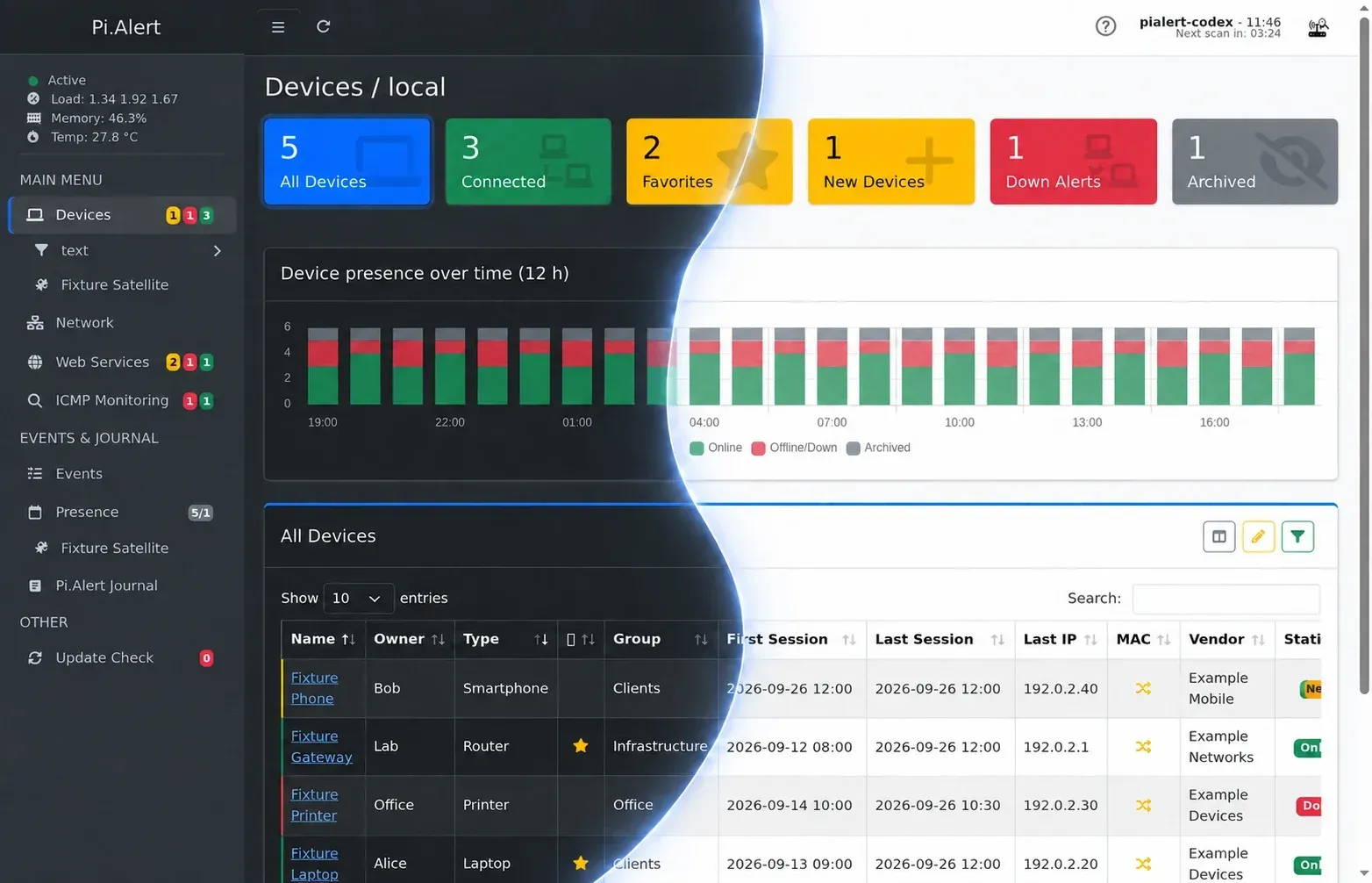
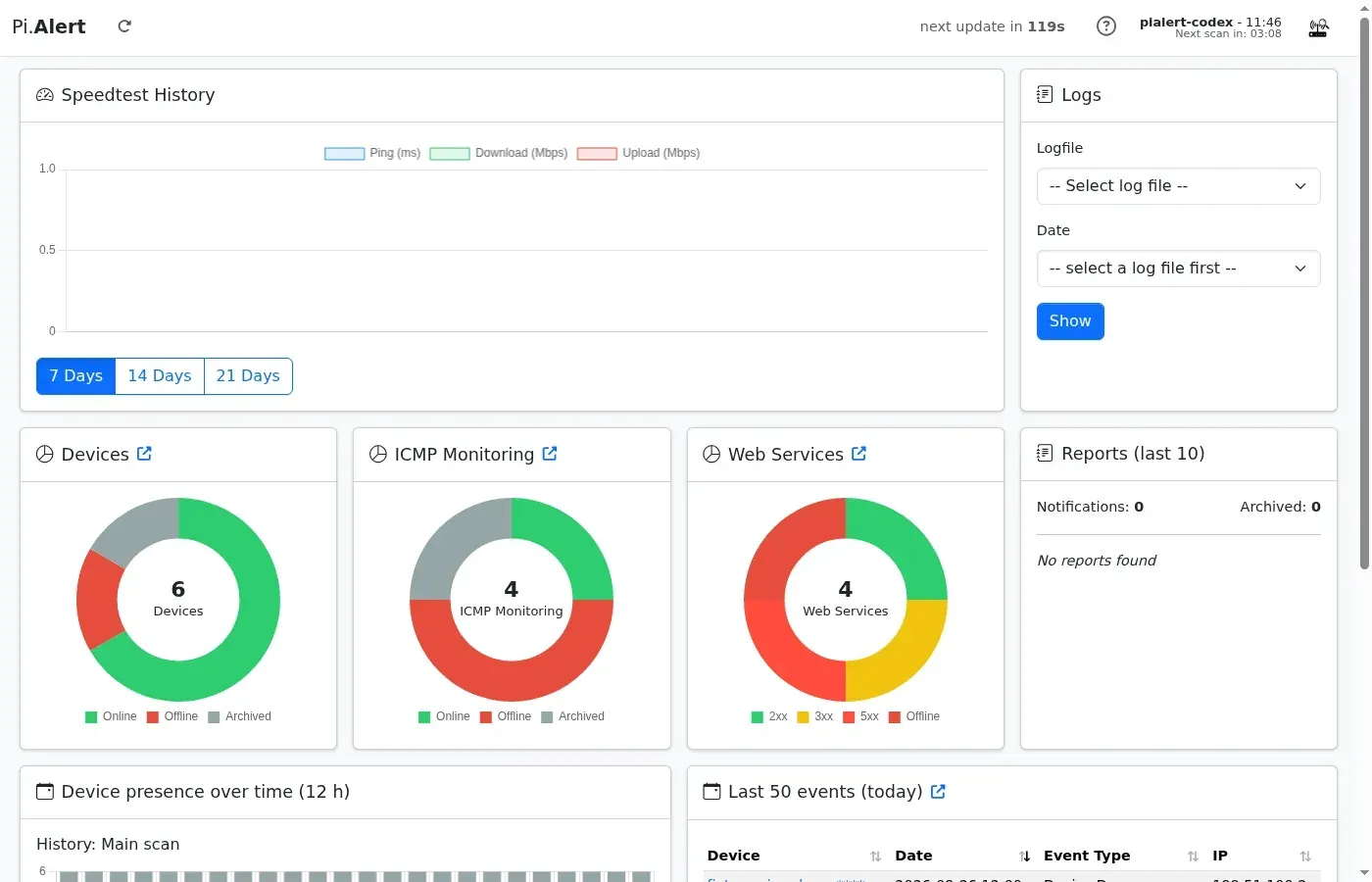
Pi.Alert is an open-source monitor for Wi-Fi and LAN networks. It discovers connected devices, records when they connect and disconnect, and sends a notification when an unknown device appears or a device with "Down" alerts goes offline. It also checks web services for HTTP status, response time and SSL certificate changes, watches hosts outside the local subnet with ICMP and detects foreign DHCP servers. The code is published in the leiweibau/Pi.Alert repository, and the project page on leiweibau.net describes it as network and presence monitoring for the local network.
The README names pucherot/Pi.Alert as the original project, currently unmaintained, and a comparison table lists what this version adds, such as a login, an API key, more import sources, web service and ICMP monitoring, push notifications and backups. Date-tagged older releases and notes are kept in the release archive, which goes back to 2022.
A Python 3 backend, started by cron every five minutes, runs the configured scans and imports, stores results in a SQLite database and sends notifications. The PHP web interface is served by lighttpd under the /pialert path and used in a browser; since v2026-10-01 it is built on AdminLTE 4 and Bootstrap 5.3. Settings live in config/pialert.conf, editable from the web interface, and pialert-cli manages passwords, the API key and modules.
Pi.Alert was originally designed for the Raspberry Pi and targets Debian-based systems that use apt. The installer, run as root, installs lighttpd, PHP, SQLite, arp-scan, nmap and Python packages, places the application in /opt/pialert, adds cron jobs and enables login protection with a random password. Distribution notes cover DietPi and Ubuntu Server (tested with 24.0x LTS and 25.0x). No official Docker image is published; for Proxmox LXC the README points to the community Proxmox VE Helper-Scripts. The license is GPL-3.0.
The latest release, v2026-10-16 (October 16, 2026), adds merging of devices with several MAC addresses, fixes an OPNsense import crash with Kea leases on several subnets, updates AdminLTE to 4.10.1 and hardens how pialert.conf is loaded. v2026-10-01 replaced the front-end stack, added three themes and configurable columns, and reset UI settings. v2026-08-14 fixed four published security advisories and moved Telegram delivery to the Bot API.
Detection is based on MAC addresses: according to the first-start guide, devices behind other routers, and possibly repeaters, stay invisible unless Pi.Alert or a satellite can scan that segment directly. The security policy states that the web interface is meant for trusted environments, not direct exposure to the public Internet. Other network discovery tools on iThub include Scanopy and ServiceRadar.
Key capabilities
- Device discovery with arp-scan The main scan runs every five minutes and by default covers the automatically detected local network (
--localnet).SCAN_SUBNETSaccepts a list of IPv4 networks in CIDR notation with--interfaceand--vlanoptions. Host names are looked up through DNS, mDNS and NetBIOS, and vendors come from the arp-scan vendor database, with auser_vendors.txtfile for custom MAC prefixes. - Router, firewall and DNS imports Device data can also be imported from Pi-hole 5 and 6, FRITZ!Box (active hosts, including guest Wi-Fi and IP-less devices such as Powerline adapters), MikroTik DHCP leases, UniFi clients, OpenWrt and AsusWRT active hosts, pfSense and OPNsense leases and ARP tables, and AdGuard Home leases plus hosts seen in recent DNS queries. Each source has its own credentials in the configuration; pfSense needs the pfSense REST API package and OpenWrt needs the LuCI JSON-RPC package, as described in the import notes.
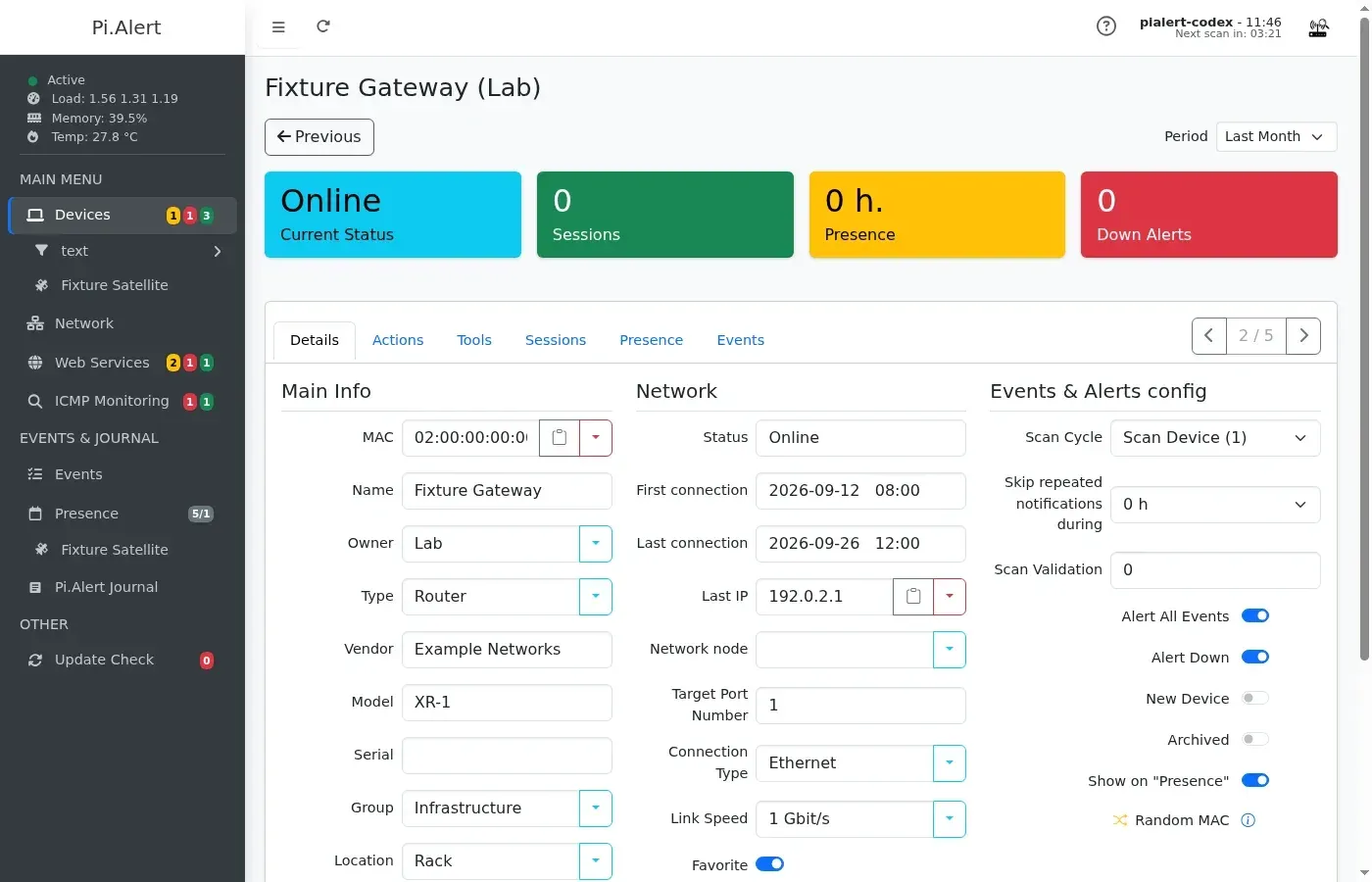
- Alerts for new and offline devices Devices seen for the first time are marked as new and can trigger a notification, optionally repeated on a schedule. Per device, Alert All Events covers connections, disconnections and IP changes, and Alert Down covers outages of devices such as routers, access points or cameras. Scan Validation sets how many consecutive scans must miss a device before it is shown as offline, and repeated notifications can be suppressed for a set number of hours.
- Notification channels Notifications can be shown in the web interface and sent by email (including SMTP over SSL since v2026-08-14), Pushsafer, Pushover, ntfy, Telegram and Discord webhooks. Telegram messages go directly to the Bot API, are sent as plain text and are split at 4096 characters. A test button and
pialert-cli reporting_testsend a message through all enabled services, as described in the Telegram guide. - Web service monitoring When
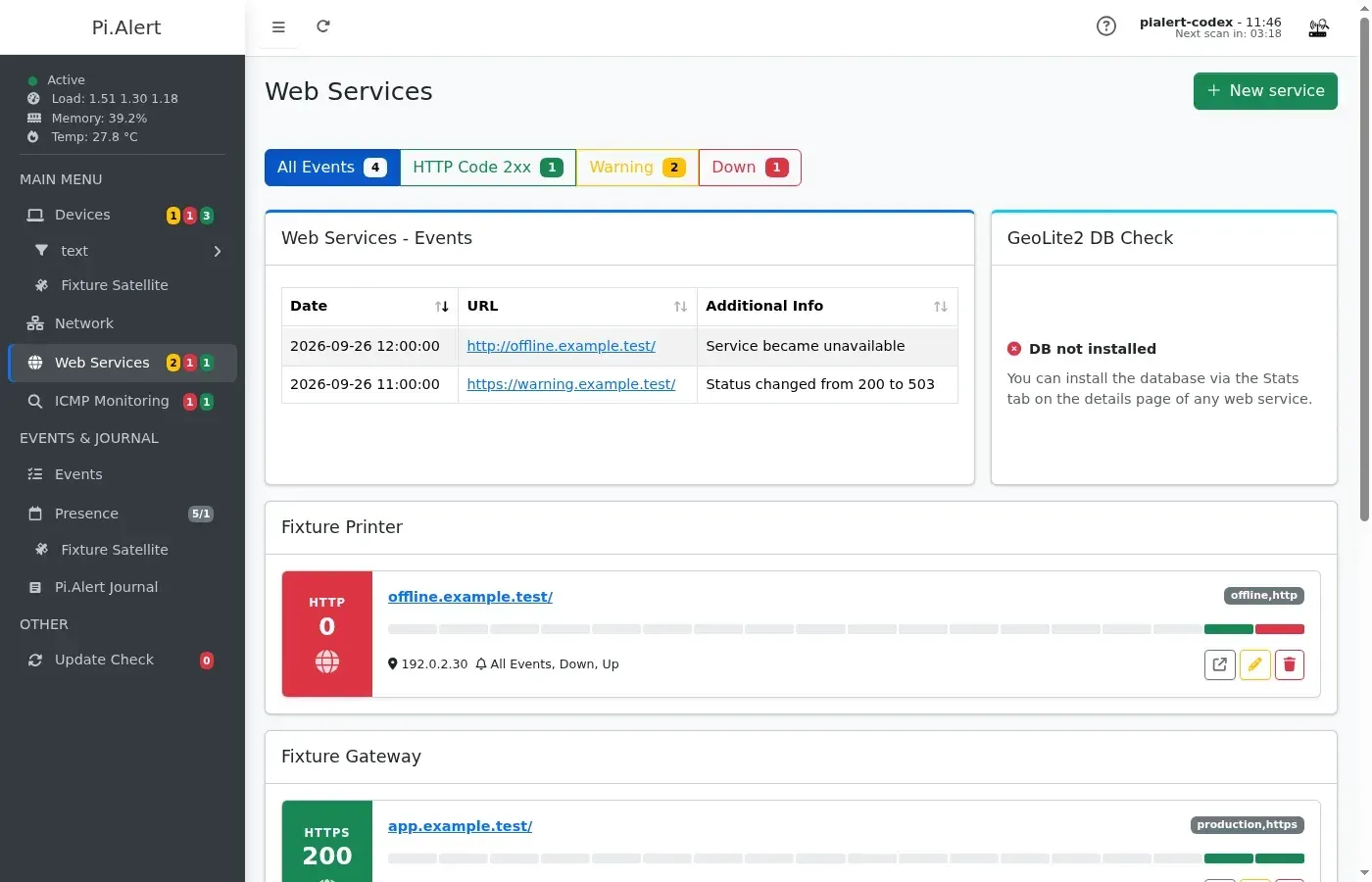
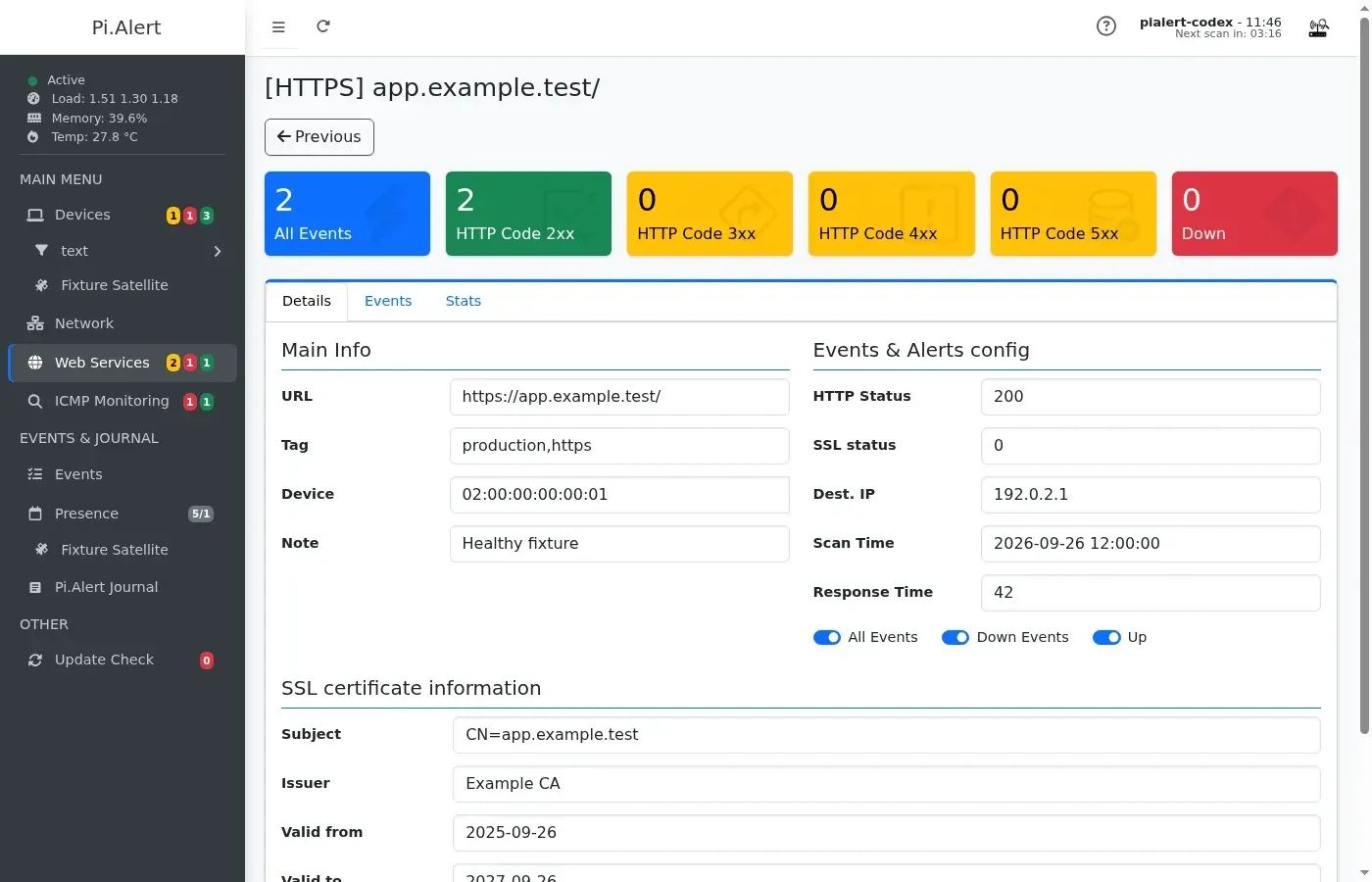
SCAN_WEBSERVICESis enabled, each stored URL is requested every 10 minutes and its HTTP status, response time and target IP are saved; no answer within 10 seconds is recorded as "No Response". Dual-stack host names are tried over IPv4 first, up to ten redirects are followed, response bodies are not downloaded and known cloud metadata addresses are blocked. Alerts can cover all changes or only down events, as described in the web service documentation. - SSL certificate tracking For HTTPS services the monitor records the certificate subject, issuer and validity dates, including self-signed certificates. A change is reported as a numeric code (8 subject, 4 issuer, 2 valid from, 1 valid to), so a code of 12 means subject and issuer changed. A general journal of status, certificate and latency changes keeps the newest 500 entries.
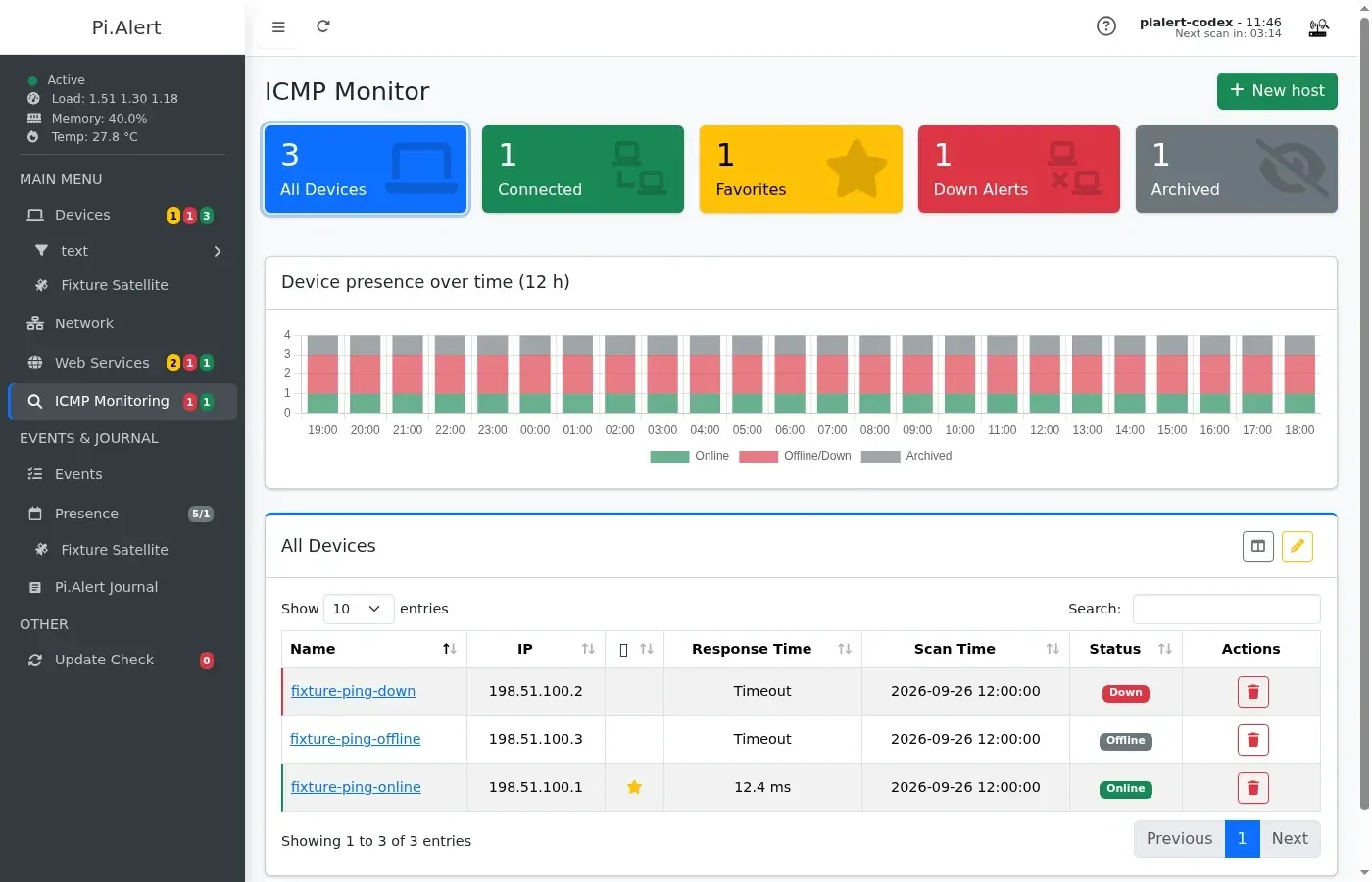
- ICMP monitoring Hosts outside the scannable subnet can be watched with ping, with configurable attempts and pings per average response time. ICMP hosts have their own list, detail pages, events, graph and Nmap tab, but this method only reports online and offline status and does not discover new devices.
- Rogue DHCP detection
SCAN_ROGUE_DHCPenables a search for foreign DHCP servers on the network. The known server is entered inDHCP_SERVER_ADDRESS, which also accepts a list for networks with more than one legitimate DHCP server. - Satellites for other network segments The companion Pi.Alert-Satellite project scans another network every five minutes with arp-scan or one of the supported imports and sends the results to a central instance. Each satellite gets a 48-character token and a 96-character password generated in the settings. In proxy mode the data goes to a separate PHP web server, is not decrypted there, and scans older than 10 minutes are deleted so that a failed satellite shows its devices as offline, according to the satellite documentation.
- Device inventory and bulk editor Device records hold owner, type, vendor, model, serial number, group, location, comments and network links. The bulk editor applies field changes or notification settings to selected devices, or deletes them. Random MAC addresses (second character 2, 6, A or E) are flagged, and v2026-10-16 adds merging of multi-MAC devices. The device list can be exported as a CSV file.
- Network relationship page Routers, switches, WLAN access points, powerline adapters and the Internet connection can be laid out as tabs, with port tables for routers and switches. Devices are attached by choosing an uplink target and port in their details, and unmanaged devices without an IP address, such as hubs or unmanaged switches, can be added as non-scannable entries, as described in the network relationship guide.
- Nmap, Wake-on-LAN and speed tests Each device has a Tools tab with three Nmap presets: a quick scan of the 100 most common ports, a standard scan of the first 1,000 ports and a detailed scan with additional UDP ports and a 60-second timeout, which runs in a background queue since v2026-08-14. Wake-on-LAN packets can be sent from the same tab. The Ookla Speedtest client can be installed from the Internet device and run on a schedule with
SPEEDTEST_TASK_CRON. - Presence, events and journal A presence page shows when devices were online, and devices can be hidden from it. Retention is set separately for events and for the online history behind the activity graphs (288 records per day). The Journal records frontend and backend actions.
- HTTP API An API key created in the web interface or with
pialert-cli set_apikeyallows six POST queries:system-status,mac-status,all-online,all-offline,all-online-icmpandall-offline-icmp. Responses are JSON, and the API documentation includes curl and PHP examples plus configuration snippets for Home Assistant command-line sensors and the Homepage dashboard. - MQTT and Home Assistant discovery With
REPORT_TO_MQTT, Pi.Alert publishes retained status values and Home Assistant discovery configurations to a configured broker, usually on port 1883, or 8883 with TLS. General status sensors cover the installation, the local scan and each satellite; per device or ICMP host it publishes online, IP, location and scan source topics. Since v2026-09-01PUBLISH_MQTT_SUBNET_STATUSadds nine counters per directly attached IPv4 subnet. - Web interface, themes and languages The interface is available in 15 languages. It offers the Standard theme with configurable header and sidebar colors plus the Glass, Piano and Console themes, a dark mode, configurable table columns, custom sidebar filters and up to three custom URL actions per device or ICMP host. Skin-specific favicons and home-screen icons are included.
- Login, API key and request protection The login is enabled at installation with a random, hashed password;
pialert-clican set a new one or turn the login off. State-changing browser requests use POST with a token bound to the PHP session. - Configuration editor, backups and maintenance
pialert.confcan be edited from the settings page, with secrets such as the Telegram token masked. Automatic database and configuration backups run on a cron interval, a set number is retained, and since v2026-10-01 any existing backup can be restored. The maintenance pages also include a log viewer, a pause timer for scans, an update check, a dynamic DNS updater and an offline mode that turns off Internet lookups such as the WAN IP query, update check and vendor database update. - Install, update and uninstall scripts Installation and updates use scripts from the repository run as root, and the sidebar update check lists new releases. A migration script moves older
$HOME/pialertinstallations to/opt/pialert; the uninstall script leaves lighttpd, PHP, arp-scan and Python installed.
Where Pi.Alert fits
Spotting unknown devices on a home or office network
After installation the web interface is opened at http://<host>/pialert. The installer asks whether devices found in the first scan should be marked as known; with that option the device list starts from the current state, and later arrivals are shown with a yellow "new" badge and reported through the enabled notification channels. The first-start guide explains the status badges and the pause timer that stops scans while many device records are being edited.
Watching always-on equipment for outages
For routers, access points, cameras and similar always-connected devices, Alert Down sends a notification when the device stops answering. Scan Validation requires several consecutive missed scans before the status changes, the device then shows as "online*" while validation is pending, and the skip setting limits repeated notifications for devices that reconnect often. The same per-device settings can be applied to many devices at once in the bulk editor.
Combining arp-scan with router and DNS data
Networks with Pi-hole, a FRITZ!Box, MikroTik, UniFi, OpenWrt, AsusWRT, pfSense, OPNsense or AdGuard Home can feed their client lists into the same device database. For Pi-hole the DNS import treats a host as active when it sent a DNS query within the last five minutes, and Pi-hole 6 is reached through its API base URL and password. The pialert.conf reference lists the settings for each source, and the OPNsense notes include a custom read-only ACL for the API user.
Monitoring websites, self-hosted services and certificates
Web services are added with the New service button, a URL, an optional tag and an optional device assignment; the first check runs immediately when the entry is saved. Each service shows a bar of recent checks, a details page with HTTP status, latency, target IP and certificate fields, and a Stats tab from which the GeoLite2 database can be installed. Notifications can cover every change or only down events, and certificate changes arrive as numeric codes that the journal resolves into field names.
Covering separate subnets and remote sites
Hosts in networks that Pi.Alert cannot scan directly can be added to ICMP monitoring to track their availability. To discover devices in those networks as well, a Pi.Alert-Satellite instance is installed there, registered in the Satellites tab with its generated token and password, and pointed at the central api/satellite.php URL or at a separate proxy web server. Satellite devices then appear under their own entries in the sidebar and in the API status output.
Showing network status in Home Assistant and dashboards
The API returns device counters, single-device details by MAC address and lists of online or offline devices, which the documentation maps to Home Assistant command-line sensors and to Homepage widgets. With MQTT enabled, Pi.Alert publishes retained topics and discovery messages so that Home Assistant creates sensors for the installation, each satellite, individual devices and, optionally, each local IPv4 subnet. Other uptime monitoring tools listed on iThub include Uptime Kuma.
Install
sudo bash -c "$(wget -qLO - https://github.com/leiweibau/Pi.Alert/raw/main/install/pialert_install.sh)"Reviews of Pi.Alert
Be the first to share your experience with Pi.Alert.
Write a review
Loading review form…
Found Pi.Alert useful? Upvote it todayYour vote helps other IT teams find it in the daily ranking.