
What is Context7?
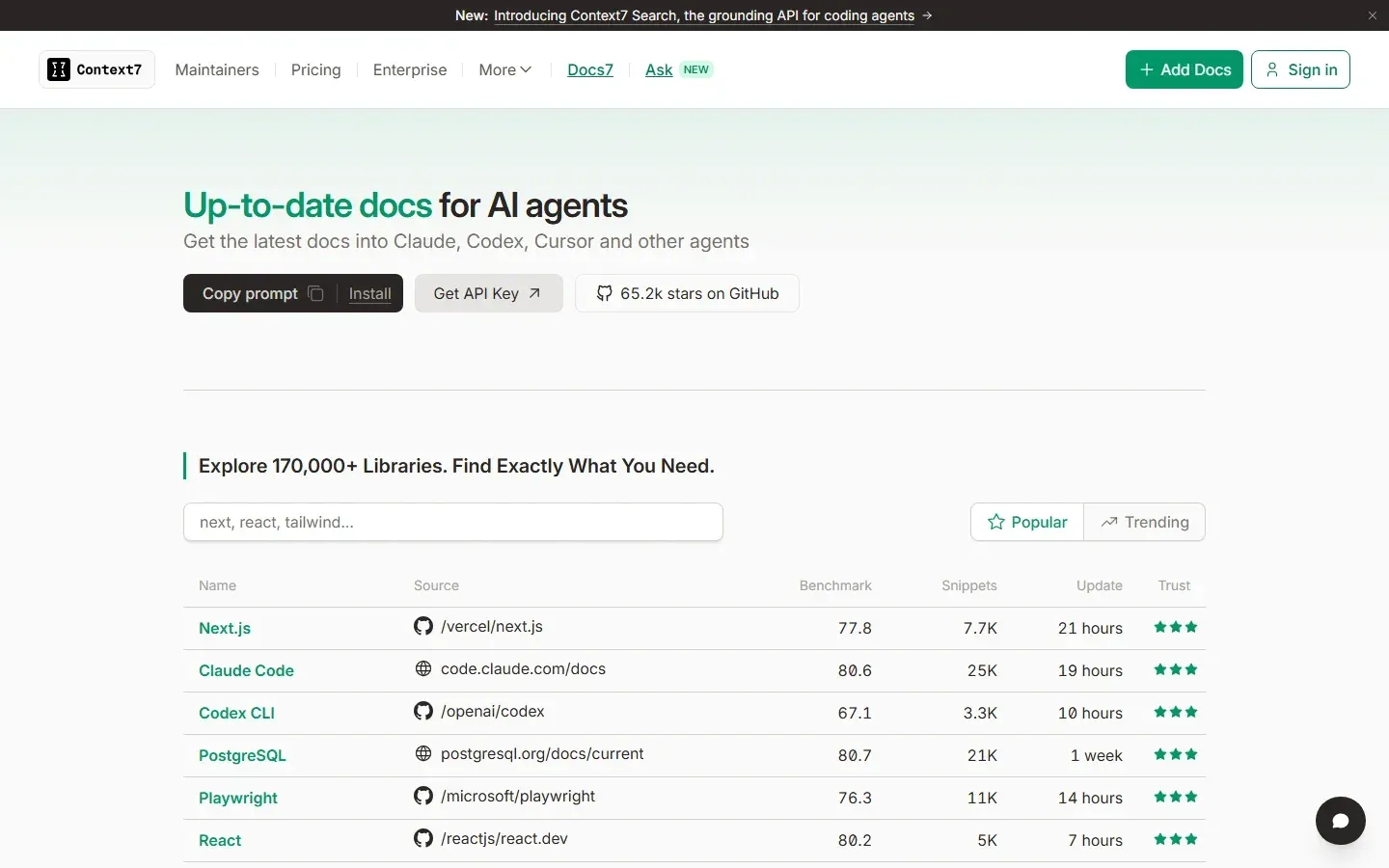
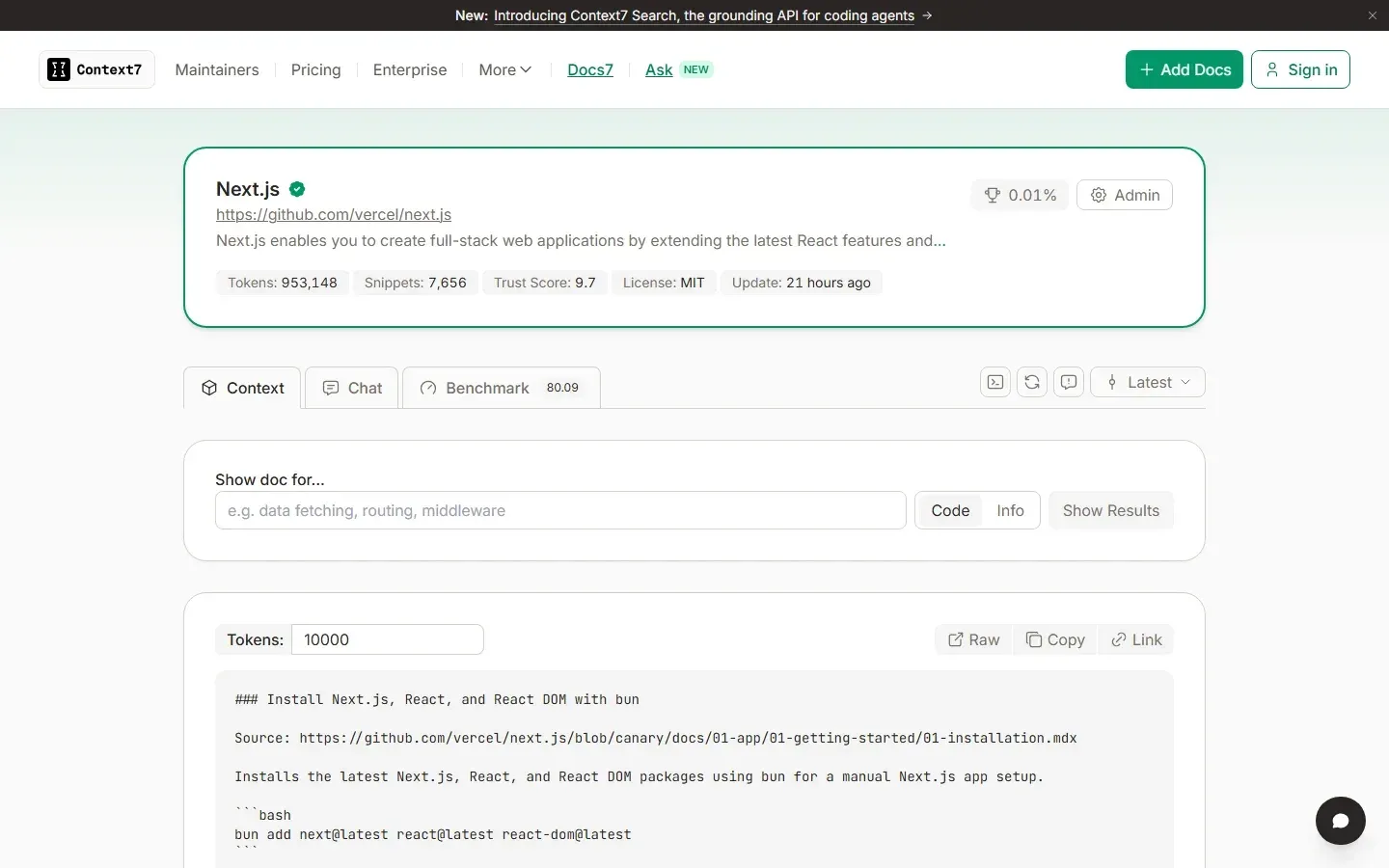
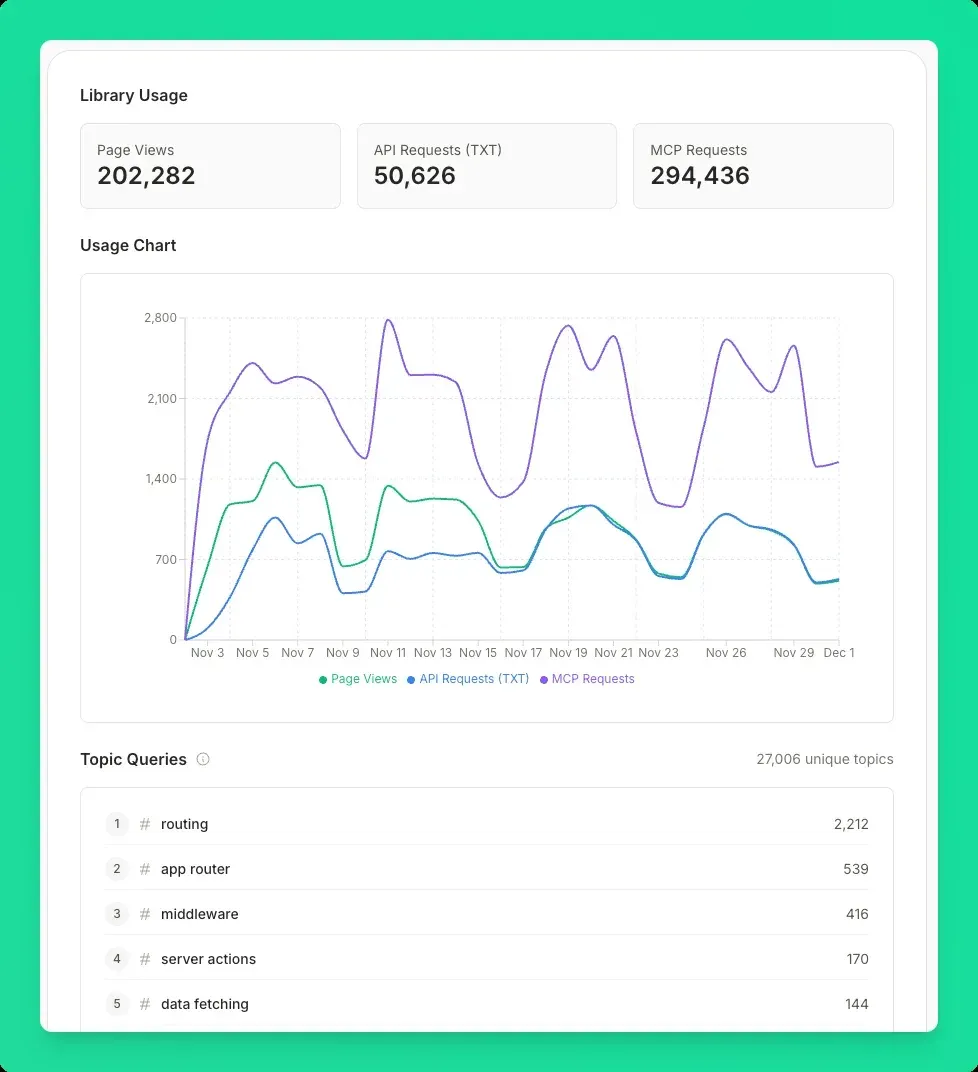
Context7 is a documentation service from Upstash that gives AI coding agents current, version-specific documentation and code examples for the libraries they write code against. Instead of relying on what a model learned during training, the agent asks Context7 for the docs of a named library and version and receives text snippets and code examples to place in its context. The service is reached through a Model Context Protocol server, through the ctx7 command-line tool combined with an agent skill, or through a REST API. The context7.com homepage lists more than 170,000 indexed libraries, each with a library page that shows its token and snippet counts, trust score, benchmark score and last update.
The upstash/context7 repository is an MIT-licensed TypeScript monorepo. It contains the MCP server published on npm as @upstash/context7-mcp, the ctx7 CLI, the @upstash/context7-sdk TypeScript SDK, tools for the Vercel AI SDK, an extension for pi.dev, an OpenCode plugin, an admin MCP server and the source of the documentation site. The README states that the repository hosts the MCP server code only and that the supporting components, the API backend, the parsing engine and the crawling engine, are private. Both the hosted endpoint at https://mcp.context7.com/mcp and a locally started server therefore fetch documentation from the Context7 API operated by Upstash.
Each package has its own version and GitHub release, generated with Changesets, so the release that GitHub marks as Latest can belong to a secondary package such as the OpenCode plugin. The MCP server is at @upstash/context7-mcp 4.7.3, published on November 17, 2026, together with ctx7 0.12.2 and a context7.mcpb MCP bundle. Version 4.7.3 replaced the experimental query-code tool with grep-code, glob-code, read-code and find-symbol. Version 4.7.1 renamed the research preview to experimental tools that each user picks in the dashboard, 4.6.0 added the get-upgrade-guide tool, and ctx7 0.12.0 added the matching ctx7 get-upgrade-guide command.
The library index is community-contributed. Anyone can submit a public repository, website, llms.txt file or OpenAPI specification, and maintainers can claim their library to control how it is parsed. The README disclaimer states that Context7 cannot guarantee the accuracy, completeness or security of all library documentation and that projects are maintained by their owners, with a Report button on each project page. The Enterprise overview describes trust scores based on repository and website signals, a benchmark that measures how well each library answers generated developer questions, deduplication of snippets and a two-pass prompt injection filter for indexed content.
Upstash, Inc. describes itself as a data platform for developers and states on its about page that it is based in California; its products include a Redis database, blob storage and AI agent sandboxes. Context7 runs on Upstash infrastructure with SOC 2 Type II certification, and the repository was created in March 2025. Beyond library docs, the same account covers Context7 Ask, a question endpoint for websites, and Docs7, a hosted documentation site builder with its own plans. Other ways to bring web content into an agent on iThub include the MCP Fetch Server and the Firecrawl MCP Server.
Key capabilities
- Two core MCP tools
resolve-library-idtakes alibraryNameand aqueryand returns matching libraries with ID, description, snippet count, source reputation, benchmark score and available versions.query-docstakes alibraryIdsuch as/vercel/next.js, aqueryscoped to one concept and an optionallanguagethat ranks code examples in that language first. Both tools are always on and are documented in the MCP clients guide. - Remote MCP server The hosted server is reached at
https://mcp.context7.com/mcpover Streamable HTTP, with an API key sent asAuthorization: Bearer. Clients that implement MCP OAuth can use/mcp/oauthinstead and sign in with a Context7 account in the browser, without handling a key. OAuth is available only for remote connections. - Local stdio server
npx -y @upstash/context7-mcpstarts the server locally over stdio, with the key passed inCONTEXT7_API_KEYor--api-key. The package requires Node.js 20.18.1 or later, and--transport http --portruns it as an HTTP server. The developer guide covers building from source, HTTP authentication settings and testing with the MCP Inspector; the client guide also shows Docker, Bun and Deno setups. - ctx7 CLI The ctx7 CLI needs Node.js 22.13 or later.
ctx7 libraryfinds library IDs,ctx7 docsfetches documentation for an ID and query, andctx7 searchanswers a question across up to four libraries; each supports--json.ctx7 loginsigns in with OAuth, andctx7 removedeletes a generated setup. - Setup command and two modes
npx ctx7 setupdetects installed agents, signs in through OAuth, creates an API key and writes the configuration. MCP mode registers the Context7 server, while CLI + Skills mode installs afind-docsskill that tells the agent to callctx7commands, with no MCP server involved. Flags such as--claude,--cursor,--codex,--opencodeand--projectselect the target. - Client coverage The installation page links a Claude directory connector, a ChatGPT plugin, the Cursor Marketplace, a Visual Studio Marketplace extension for VS Code 1.101 or later and a Codex plugin; Claude Code can also install
context7@claude-plugins-official. The client guide has configurations for more than 30 MCP clients, among them OpenCode, Gemini CLI, Copilot CLI, Kiro, Kilo Code, Roo Code, Cline, Zed, JetBrains AI Assistant, Amp, Warp and LM Studio. - Library IDs and versions A library ID is the path of the library page on context7.com, for example
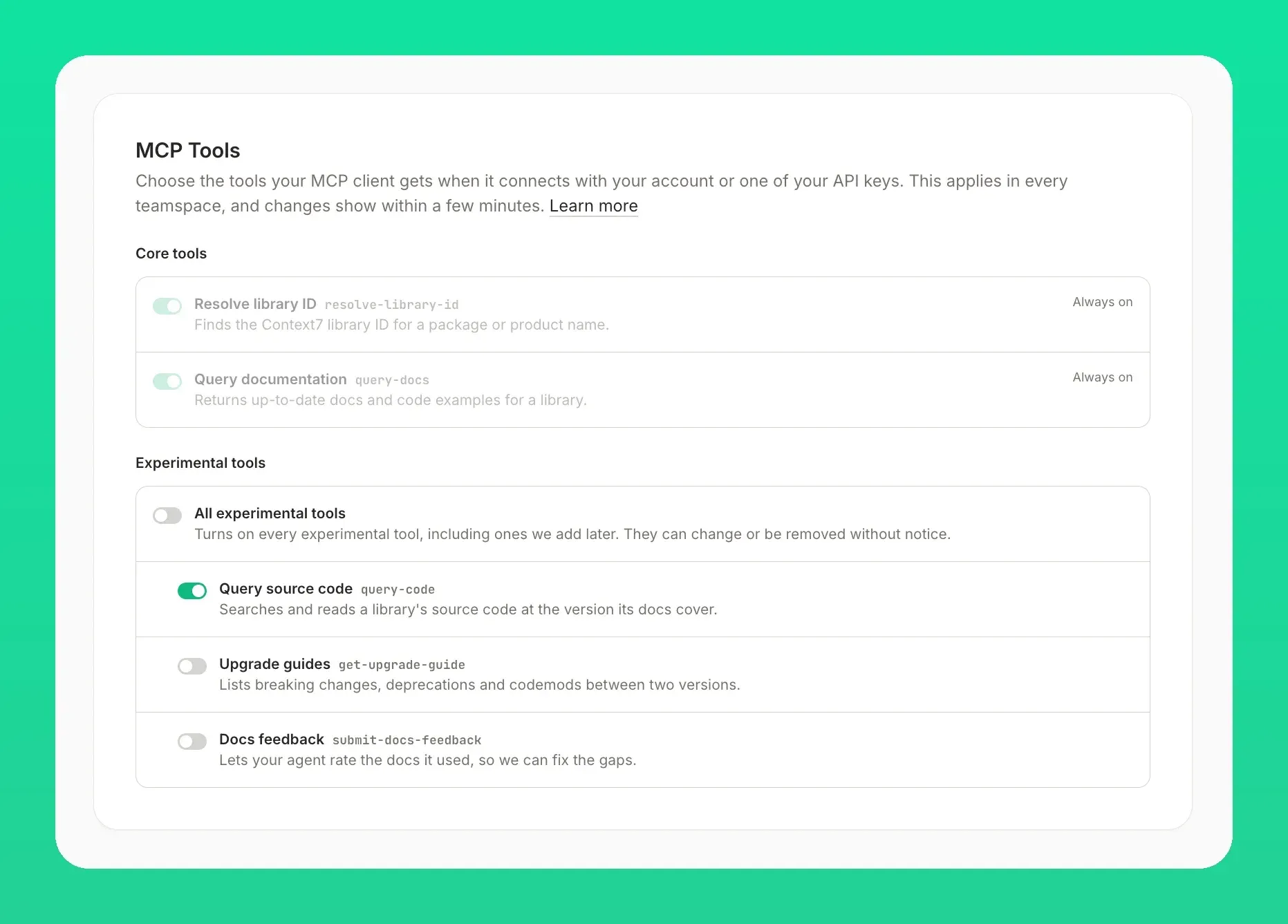
/vercel/next.jsor/websites/uploadcare. A version is pinned with/vercel/next.js/v16.2.9or@v16.2.9, and a version mentioned in a prompt is matched automatically. Writing the ID into the prompt lets the agent skip the library lookup. - Experimental tools Signed-in users turn on extra tools in Dashboard, Settings, MCP Tools;
?experimental=1,--experimentalorCONTEXT7_EXPERIMENTAL=1turns on all of them. The experimental tools page listssubmit-docs-feedbackandget-upgrade-guide, which returns breaking changes, deprecations and codemods between two versions. Source code search withgrep-code,glob-code,read-codeandfind-symbolis documented but currently turned off. - REST and Search API The API guide documents
GET /api/v3/search, which selects libraries and reranks snippets for a question, plus endpoints to search libraries, get context, fetch a web page, refresh a library, read usage and policies, and add GitHub, GitLab, Bitbucket, Git, OpenAPI, llms.txt, website, Confluence and Notion sources. Every request uses a Bearer API key. A rate limit returns HTTP 429 withRetry-AfterandRateLimit-*headers. - SDKs and framework packages
@upstash/context7-sdkis a TypeScript client for search and context calls, and@upstash/context7-tools-ai-sdkexposes Context7 as tools and an agent for the Vercel AI SDK.@upstash/context7-piadds an extension for pi.dev, and@upstash/context7-opencodeis a plugin for OpenCode. All are published from the same repository. - Adding public libraries The add library guide accepts any public GitHub repository at context7.com/add-library, without ownership. Context7 parses Markdown, MDX, reStructuredText, AsciiDoc, HTML, notebooks, PDF and DOCX, generates examples from source code when a repository has little documentation, and skips pages whose prose is not English. Libraries are refreshed automatically based on popularity, and a GitHub Action can trigger a refresh on every push.
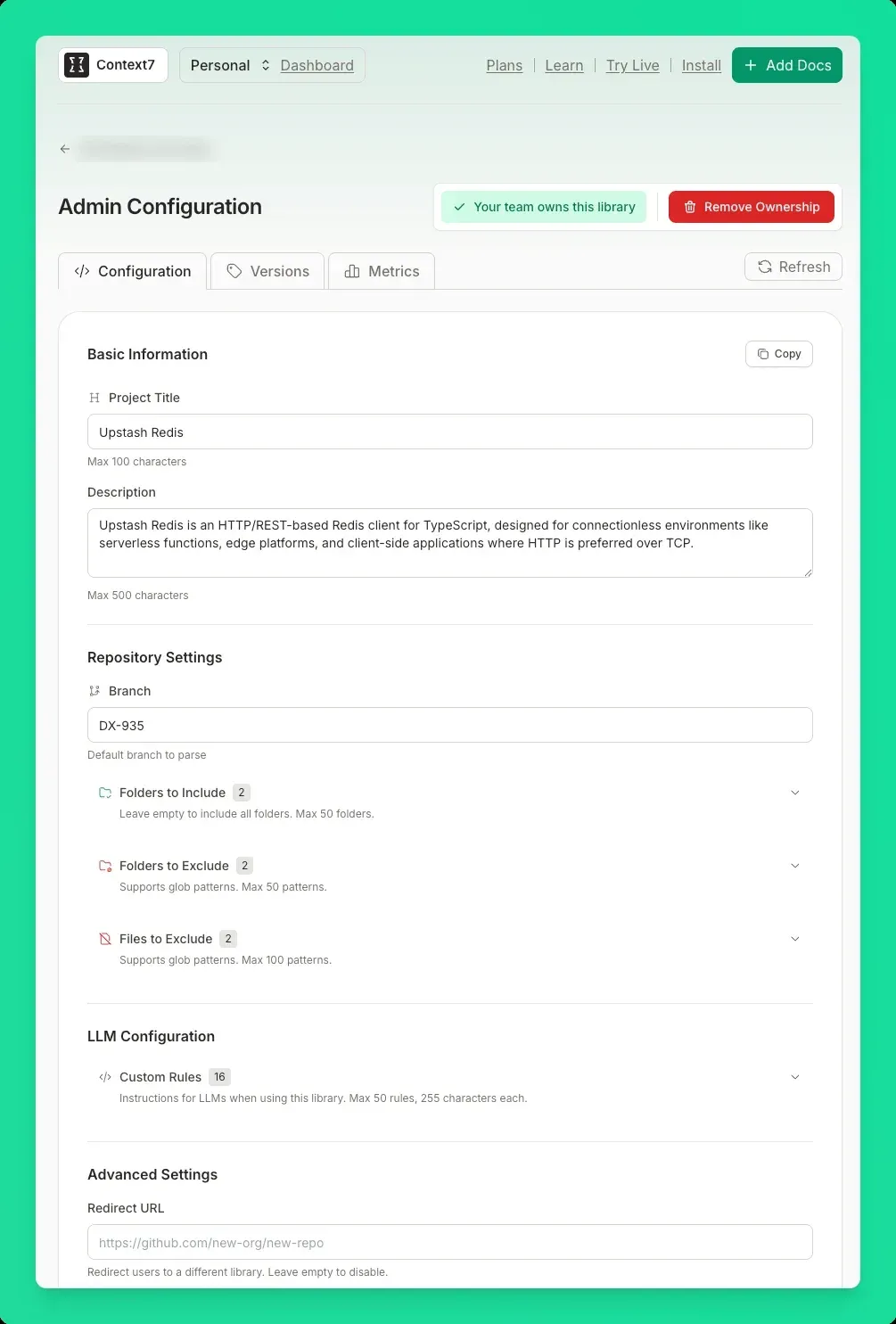
- Library owner tools Maintainers configure parsing with a
context7.jsonfile, or claim the library to use a web admin panel with included and excluded folders, custom LLM rules, version management, usage metrics and higher refresh limits. Only owners can apply for the verified badge, and a chat widget can be added to the project website. Claiming works for Git repositories, websites, llms.txt sources and OpenAPI specs added by URL. - Private sources and teamspaces Pro and Enterprise teamspaces add private sources from GitHub, GitLab, Bitbucket, other Git hosts, Confluence, Notion, OpenAPI specifications and PDF or DOCX uploads, billed at $5 per million parsed tokens. Pro teamspaces hold up to 30 members and add teamspace rules. Policies on every plan filter which libraries and sources requests may use, for example by verification status or minimum trust score.
- Data handling According to the data privacy page, only the search queries formulated by the agent reach the Context7 API, not the full prompt, code or conversation. Context7 sends those queries to LLM providers that do not train on them for reranking and stores them anonymously for retrieval benchmarks, except for Enterprise teamspaces. Indexed docs are stored in the United States and the European Union, and API logs are kept for 30 days.
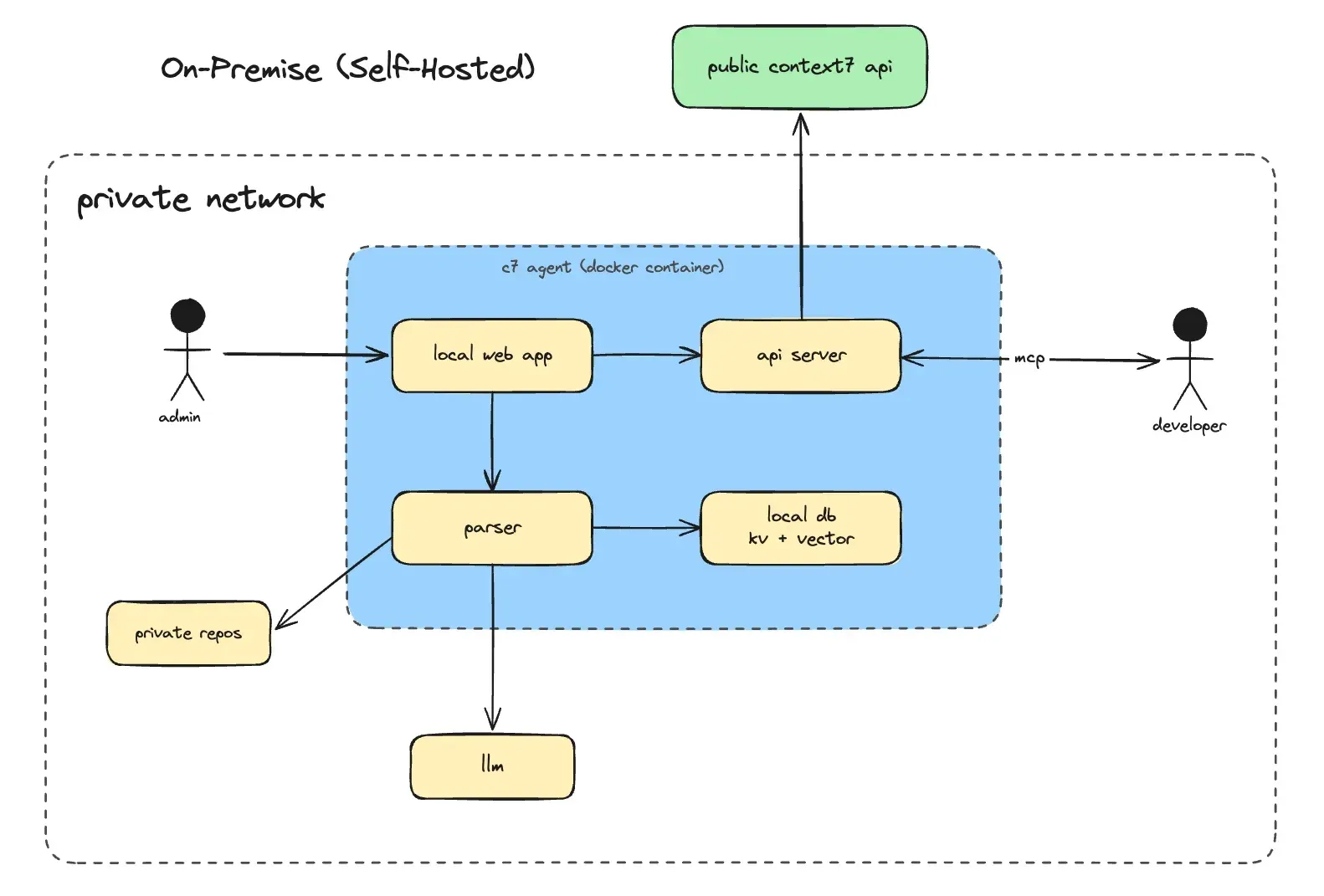
- Enterprise On-Premise The on-premise deployment runs the parsing and indexing pipeline, a local vector store, the MCP server, a web UI and a REST API compatible with the public API inside the customer network, deployed with Docker Compose or Kubernetes after a 30-day trial license. The setup wizard configures OpenAI, Anthropic, Gemini, AWS Bedrock or an OpenAI-compatible endpoint. With an online license, Context7 Cloud receives license checks, a daily usage report and public library searches.
- Plans and pricing The plans page, checked on November 21, 2026, lists Free at $0 with 1,000 API calls per month; requests then stop, with 20 bonus calls per day until the month resets. Pro costs $10 per seat per month with 2,000 calls per seat and $5 per 1,000 further calls. Enterprise is custom: the FAQ gives $30 per user per month for small teamspaces and as low as $2.50 for larger organizations, and adds SSO, unlimited members, self-hosted deployment and dedicated support.
- Context7 Ask and Docs7 Context7 Ask is an endpoint added to a website so that agents send questions instead of crawling pages, with a log of every question; it is free, with up to three sites on the Free plan. Docs7 hosts documentation sites with Markdown pages, llms.txt, an agent skill, custom domains and preview deployments, with a Free plan for three sites and a Pro plan at $200 per month.
Where Context7 fits
Grounding a coding prompt in current library docs
The Context7 introduction shows prompts that end with use context7, such as a request for a Next.js proxy that checks a JWT cookie. The agent calls resolve-library-id, then query-docs, and writes code from the returned snippets. Naming the library ID, for example use library /supabase/supabase, skips the lookup, and naming a version such as Next.js 16 selects the matching docs. A rule in CLAUDE.md or Cursor rules, or the skill installed by ctx7 setup, makes the agent call Context7 without the phrase.
Configuring several coding agents on one machine
npx ctx7 setup finds the agents installed locally, signs the user in with OAuth and writes either an MCP configuration or a skill for each of them, globally or with --project for one repository. Teams that prefer to manage configuration by hand add https://mcp.context7.com/mcp with a Bearer key, or /mcp/oauth for clients with MCP OAuth support. npx ctx7 remove deletes the generated rules, skills and server entries again.
Fetching docs from scripts and CI
Without an MCP client, ctx7 docs /vercel/next.js "How to set up app router" --json prints structured output for pipes and tools such as jq, and output without a terminal has no spinners or colors. Services call the REST API with an API key from the dashboard; the API guide recommends exponential backoff on HTTP 429 and caching of responses. The Free plan stops at 1,000 calls per month, so automated use usually runs on a Pro key.
Publishing and maintaining a library on Context7
A maintainer submits the public repository at context7.com/add-library, then adds context7.json to narrow the indexed folders, or claims the library to manage settings, versions and LLM rules in the admin panel. The library owners guide covers the configuration file, and the Context7 GitHub Action refreshes the docs on each push to the default branch so a new release is indexed when it ships. Owners can then apply for verification and read usage metrics per library.
Giving a team access to internal documentation
On a Pro or Enterprise teamspace, private repositories, Confluence spaces, Notion pages, OpenAPI specifications and documents are added in the Sources tab and parsed into private libraries that members query through the same MCP tools. Policies restrict requests to chosen sources or to libraries above a trust threshold, and teamspace rules add shared instructions. Parsing is billed per million tokens, and refreshes charge only for changed content.
Running Context7 inside a private network
Enterprise customers deploy Context7 On-Premise with Docker Compose or Kubernetes, choose their own LLM and embedding providers in the setup wizard and ingest private GitHub or GitLab repositories. Developers then run ctx7 setup --mcp --base-url with the internal URL and a client flag, or point ctx7 library and ctx7 docs at the deployment through CONTEXT7_BASE_URL. For restricted networks, the CLI can be mirrored in an internal npm registry; the hosted-only ctx7 search, ctx7 code and upgrade guide commands are not available there.
Install
npx ctx7 setupReviews of Context7
Be the first to share your experience with Context7.
Write a review
Loading review form…
Found Context7 useful? Upvote it todayYour vote helps other IT teams find it in the daily ranking.