What is HA-MCP?
HA-MCP (package ha-mcp) is a Model Context Protocol server for Home Assistant. It gives MCP clients such as Claude Desktop, Claude Code, ChatGPT and Cursor tools to search entities, read history, call services and edit automations, scripts, scenes, helpers and dashboards. It is published by the homeassistant-ai GitHub organization, which calls itself "The Unofficial Home Assistant AI Toolkit" and describes the server as community-built. HA-MCP is not developed or endorsed by the Home Assistant project or the Open Home Foundation.
Home Assistant ships its own, separate MCP Server integration, built on Assist and limited to entities exposed to Assist. The ha-mcp README compares the two: ha-mcp reaches every entity and adds configuration, dashboard, trace, log, registry, HACS and backup tools on top of device control.
The recommended install is the HA-MCP integration (ha_mcp_tools) from HACS or, on Home Assistant 2026.11 and later, the Marketplace. It requires Home Assistant 2026.8.0 or newer and runs the full server in-process on OS, Supervised, Container and Core installs (in-process server documentation). The other routes are an app (add-on) for Home Assistant OS and Supervised, the Docker image ghcr.io/homeassistant-ai/ha-mcp and the PyPI package; the project states that only one should run at a time. The MCP registry name is io.github.homeassistant-ai/ha-mcp.
The latest GitHub release is v9.2.0, published November 11, 2026. It reads ha_list_services from Core's own service descriptions, adds exact-match search and replace for stored text files, redacts flow fields that Core marks secret and builds on Python 3.14. Version 9.1.0 added per-URL tool catalogs, IPv6 on the local network and Home Assistant 2026.11 support. Version 9.0.0 made the in-process server run with an administrator's own token and added an Access switch and locked-down defaults for new server entries.
ha-mcp is written in Python, built on FastMCP and released under the MIT License. The README tool list names 86 tools, 8 of them marked beta, and the server bundles the MIT-licensed Home Assistant Agent Skills as MCP resources. Per the privacy policy, it sends no telemetry and does not store Home Assistant data itself; the MCP client and its model provider process tool results. The security policy treats MCP clients as trusted principals, states that ha-mcp neither adds nor restricts Home Assistant permissions and lists only the latest release as supported.
Key capabilities
- HA-MCP integration from HACS or the Marketplace The install the project recommends: search for HA-MCP in HACS (Home Assistant 2026.8 to 2026.10) or in Settings, Marketplace (2026.11 and later), restart, then add the HA-MCP Server entry under Devices and Services. Setup asks for an administrator long-lived token or the login of a dedicated local-only administrator account, and for how clients connect: remote access through a Home Assistant webhook (secret URL or Home Assistant sign-in) and/or the local network on port 9584. A manual copy of
custom_components/ha_mcp_toolsalso works. - Home Assistant app (add-on) On Home Assistant OS and Supervised, add the repository and install Home Assistant MCP Server from the app store; builds exist for amd64 and aarch64 only. The app authenticates through the Supervisor, so no token is needed, listens on port 9583 on the local network and prints its unique MCP URL, with a 128-bit secret path, in the Logs tab. Its options are documented in the app documentation.
- Docker image and PyPI package On a separate host, the server runs as
ghcr.io/homeassistant-ai/ha-mcpor withuvx --python 3.14 ha-mcp@latestas a streamable HTTP server, pointed at the Home Assistant URL and a long-lived token. The project recommends an administrator token; non-admin tokens work with limitations. - Demo installers and local stdio One-command scripts for macOS, Linux and Windows connect Claude Desktop (or Claude Code on Linux) over stdio to a hosted demo environment without a paid subscription. The README marks stdio as not recommended for real setups because of known transport issues.
- Remote access paths The integration has its own webhook, reachable through Nabu Casa or any reverse proxy pointing at Home Assistant. For the app, a Webhook Proxy app or the Cloudflared app provides the remote URL. A separate community integration, OpenAI Tunnel for HA-MCP, links ChatGPT to a server without a public URL.
- Authentication modes The default credential is the secret URL. The in-process server can require a Home Assistant sign-in (
ha_auth). OAuth mode, labeled beta, collects a per-user long-lived token through a consent form, and OIDC mode puts Authentik, Keycloak, Auth0 or another identity provider in front of a shared Home Assistant token. - Search and system overview
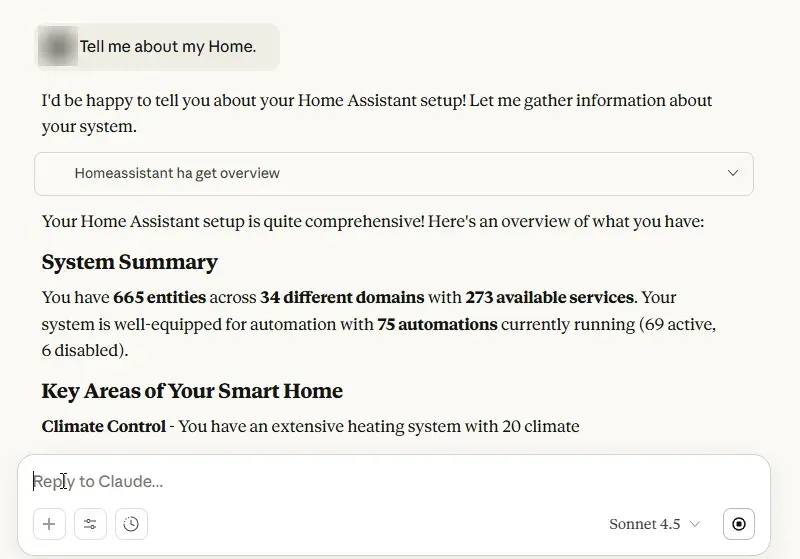
ha_searchruns fuzzy entity search and deep search inside automation, script, helper and dashboard configurations;ha_get_overviewandha_get_statesummarize the instance and individual entities. - Device and service control
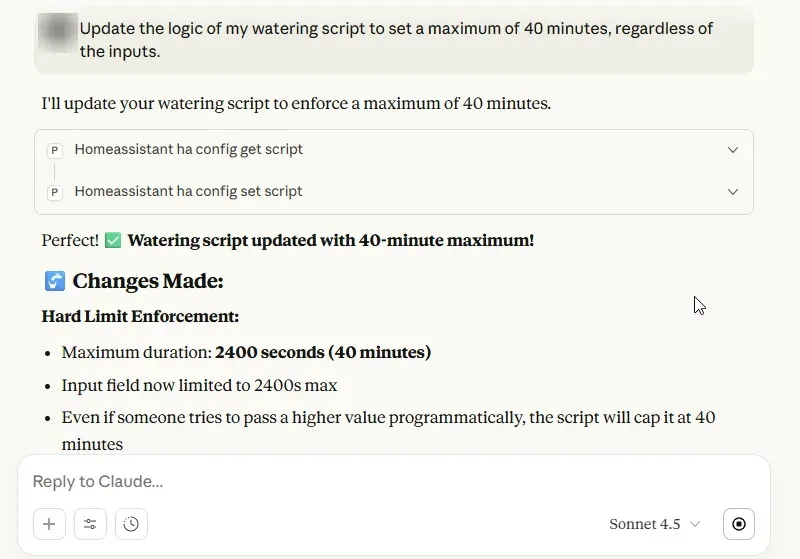
ha_call_servicecalls any service or a one-shot WebSocket command,ha_bulk_controlruns explicit operations or one structural bulk action, andha_call_eventfires a custom event and reports listener counts.ha_list_servicesnow reads Core's own service descriptions, andha_get_operation_statuschecks device operations with real-time WebSocket verification. - Automations, scripts, scenes and blueprints Get, set and remove tools cover automations, scripts and scenes, and
ha_manage_blueprintshandles blueprints. Since v9.1.0 automation writes go through Home Assistant's own validation and storage. Edits can usepython_transformfor targeted changes to an existing configuration. - Dashboards and themes Six dashboard tools read and write Lovelace dashboards and their resources, including search and replace edits on inline resources, with a guide in dashboard edits.
ha_manage_thememanages themes. The betaha_get_dashboard_screenshotrenders dashboard images through a separate Puppet or WPE Screenshot Engine that the user installs. - Configuration objects and registries Tools manage helpers, areas and floors, zones, labels and categories, groups, calendar events (including recurring events), to-do items, energy preferences and Assist pipelines, plus the device and entity registries and integration config entries with their options.
- History, logs and diagnostics
ha_get_historyreads recorder history, with a per-state summary mode;ha_get_logs,ha_get_automation_tracesandha_get_camera_imageadd logs, traces and camera snapshots.ha_get_system_healthincludes ZHA, Z-Wave JS, Thread and Matter networks, andha_manage_radiomanages those radios and reads Z-Wave configuration parameters from the Z-Wave JS cache. - System administration
ha_manage_backup,ha_manage_updates(updates and Repairs issues),ha_restartandha_reload_corehandle maintenance;ha_get_appandha_manage_appwork with apps (add-ons);ha_get_hacs_infoandha_manage_hacswork with HACS. Per the release notes, an update install blocks and may time out. - Read Only Mode and read-only URLs Read Only Mode, off by default, removes write-capable tools from the tool list and blocks any write that still reaches the server with a
READ_ONLY_MODEerror; mixed tools keep only their read actions. Appending/readonlyto an HTTP endpoint or webhook URL restricts a single connection the same way while other clients keep normal access. - Tool security policies When enabled (off by default), guarded calls such as lock or alarm control and automation writes are held until a person clicks Approve in the Tool Security Policies tab of the web UI. Per-tool rules accept argument conditions, and an allow-list mode requires approval for every call not listed. Individual tools can also be disabled, except five mandatory ones.
- Automatic edit backups and snapshot limits With
enable_auto_backupon by default, the server saves a YAML snapshot of an entity before a write or delete changes it, keeping up to 100 per entity by default, and the Backups tab lists, compares and restores them. Deleting full Home Assistant snapshots is off by default; when allowed, the newest snapshot, scheduled backups and snapshots younger than 7 days stay protected. - Secret redaction and entity visibility
redact_secrets(off by default) replaces password-type app and integration option values and their later occurrences in tool output before they reach the assistant; detection follows schemas. An opt-in entity visibility filter with an enforce mode hides chosen entities from tool reads, which the security policy calls best-effort concealment. - Tool search for small context windows With
ENABLE_TOOL_SEARCH, the 86-tool catalog is replaced by BM25 search throughha_search_tools, three proxies for read, write and delete calls, and a few pinned tools. Fixed URL suffixes/catalog/fulland/catalog/searchgive each client its own catalog. The README describes this for models without deferred tool loading, local models included, for example through Ollama. - Beta tools behind feature flags Per the beta documentation, beta tools are off by default and may change, be promoted or be removed. They include raw YAML editing with
ha_config_set_yaml(preview diff and confirm token by default, backup before every edit), file list, read, write and delete tools that need the HA-MCP File & YAML Tools entry, andha_manage_custom_tool, a sandboxed Python escape hatch without filesystem or network access. - Agent skills and Home Assistant conversation agents The best-practices skill from homeassistant-ai/skills is served as
skill://resources and throughha_get_skill_guidefor tool-only clients. The in-process server also registers its toolset as a Home Assistant LLM API that conversation agents (OpenAI, Google, Anthropic, Ollama and others) can select, and on Home Assistant 2026.10 and later the app announces itself to the Model Context Protocol integration.
Where HA-MCP fits
Creating automations and scripts from a conversation
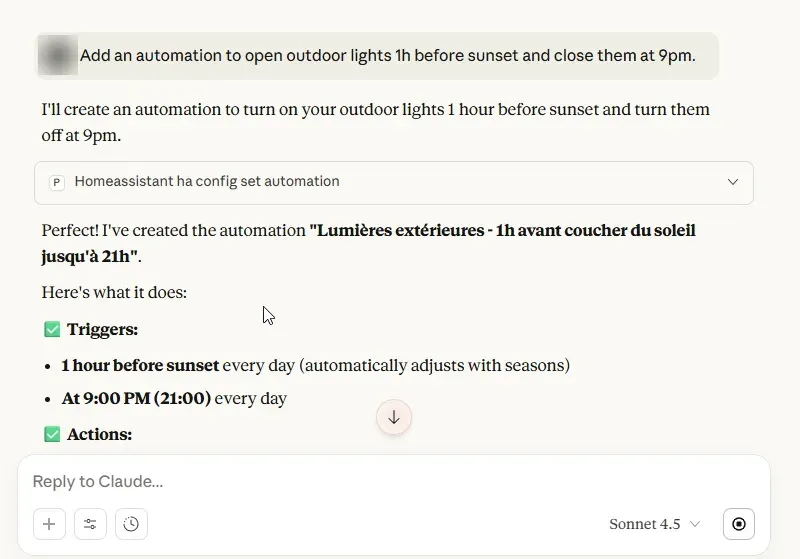
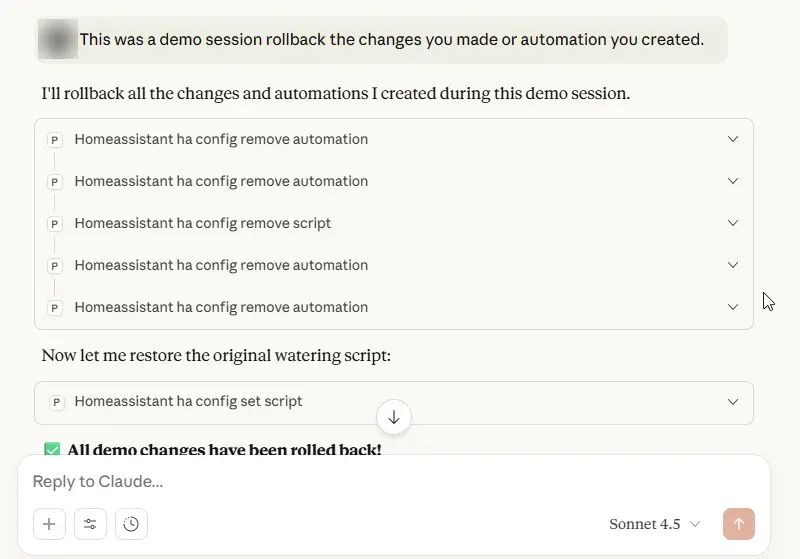
The README lists prompts such as an automation that turns on the porch light at sunset or a script that dims lights, closes blinds and turns on the TV. The client reads the existing configuration with the get tools, writes it with ha_config_set_automation or ha_config_set_script, and the server captures an edit backup first. Asking to extend an existing routine follows the same read, change and write sequence. The bundled best-practices skill documents native triggers, conditions and helper types for the agent to use.
Debugging an automation that does not fire
For a request like "the motion sensor automation isn't working, debug it", the README example analyzes execution traces with ha_get_automation_traces, identifies the issue and suggests fixes. ha_get_history and ha_get_logs supply the surrounding state changes and errors. ha_eval_template renders a Jinja2 template or checks an automation condition in Home Assistant. A fix is then written back through the automation tools, with the earlier version kept in the Backups tab.
Building and editing dashboards
A prompt such as adding a weather card updates the Lovelace dashboard through ha_config_set_dashboard. Per the dashboard edit notes, the tool accepts a full configuration, a Python transform or a JSON Pointer patch (add, remove, replace and test, up to 100 operations), and patches and transforms carry the hash of the latest read, so a stale read is rejected. With the beta screenshot feature and a screenshot engine installed, the assistant can render the dashboard and look at the result.
Analysis and audits without write access
Read Only Mode, a toggle at the top of the Tools tab, or a /readonly connect URL limits a client to reads: entity search, history, traces, logs and per-edit backup listings. The README describes the /readonly suffix as a connection mode for automated agents rather than a separate credential, since the same URL secret still works at the normal endpoint.
Voice and Assist chat through Home Assistant's own agents
With the in-process server, any conversation agent integration that supports LLM APIs, including a fully local setup with Ollama, can select HA-MCP Server under Control Home Assistant and use the toolset from the Assist dialog, the companion apps or a voice satellite. Beta, developer-mode and restart, reload and backup tools are hidden from agents by default. The documentation notes that this hands the server's administrator access to anyone who can talk to the agent, and that agents stop after about ten tool iterations per turn.
Connecting several clients to one server
One server can serve Claude Desktop through mcp-remote, Claude Code, ChatGPT connectors, Open WebUI, OpenCode and the other clients in the Setup Wizard. Each client can receive its own URL: the full catalog, the search catalog, or a read-only variant. After a setting changes the exposed tools, the client's cached tool list has to be refreshed; the FAQ lists the steps per client.
Install
uvx --python 3.14 ha-mcp@latestReviews of HA-MCP
Be the first to share your experience with HA-MCP.
Write a review
Loading review form…
Found HA-MCP useful? Upvote it todayYour vote helps other IT teams find it in the daily ranking.