What is Arcane?
Arcane is an open-source web interface for managing Docker hosts. A single container, the Arcane Manager (ghcr.io/getarcaneapp/manager), connects to the local Docker Engine through the Docker socket and serves a browser UI on port 3552 for containers, images, volumes, networks and Docker Compose projects. Additional hosts are added through a small Arcane Agent, and the same interface also covers Docker Swarm clusters and Podman hosts. The project describes itself as "Modern Docker Management, Designed for Everyone", and its website states that Arcane is always free.
The code is developed in the open by the getarcaneapp organization on GitHub under the BSD-3-Clause license, with translations managed on Crowdin. The backend is written in Go, with a REST API built on Huma and Gin, and the frontend is a SvelteKit application written in TypeScript. Data is kept in a SQLite file inside the arcane-data volume by default, or in PostgreSQL through DATABASE_URL, and a 32-byte ENCRYPTION_KEY is required. The first public versions appeared in April 2025, version 1.0.0 followed on September 9, 2025, and version 2.0.0 on June 7, 2026 introduced breaking changes, full role-based access control and background activity tasks, with a published migration guide.
The installation guide offers a Docker Compose file or a Linux install script that also installs Docker. The manager and agent images are built for linux/amd64, linux/arm64, linux/arm/v7 and linux/riscv64. GitHub Releases add agent and CLI binaries for Linux and macOS (amd64 and arm64) and arcane-cli packages in deb, rpm, apk and Arch formats. Checksum files are signed with Sigstore bundles for verification with Cosign, and a software bill of materials is published at getarcane.app/sbom.
The latest release is v2.17.3, published on November 4, 2026. It fixes image update planning and the image reported for Compose services, sorts containers by name without regard to case, redacts secrets from logged request paths and warns at startup when direct agent mode is in use. The 2.17 series began on October 21, 2026 with native Podman support, a hostname setting and a configurable delay before automatic updates install newly published images. Version 2.16.0, released on October 13, 2026, added OpenTelemetry metrics, traces and logs, a multiplexed tunnel for edge agents and a Sigstore-verified self-update preview in the CLI.
According to the project privacy policy, Arcane does not collect personal data. Self-hosted servers send an anonymous heartbeat with a random instance ID, the server type and the version to checkin.getarcane.app, which ANALYTICS_DISABLED=true turns off. A public demo runs at demo.getarcane.app, and an Arcane Mobile app for iPhone, iPad and Android is in beta through TestFlight and Google Play testing. Arcane works with the Docker Engine and, since 2.17.0, with Podman through its Docker-compatible API. Other self-hosted tools in the directory that manage Docker containers include Cosmos Server and CasaOS.
Key capabilities
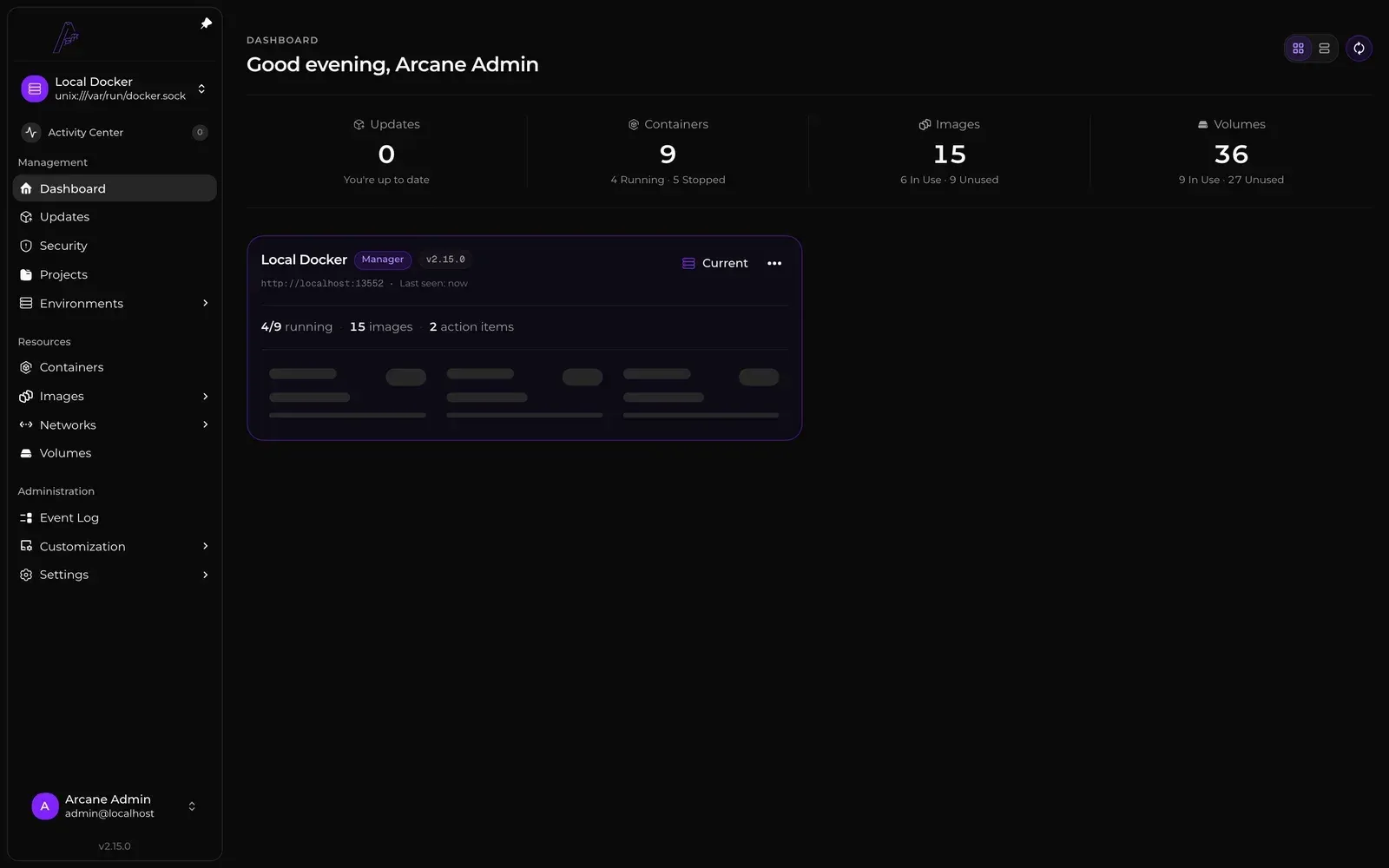
- Dashboard and live resource view The dashboard summarizes pending updates, containers, images and volumes for each environment, with CPU, memory and disk usage and items that need attention. Status, resource usage and logs update live over WebSockets. An optional GPU Usage meter reads NVIDIA memory through
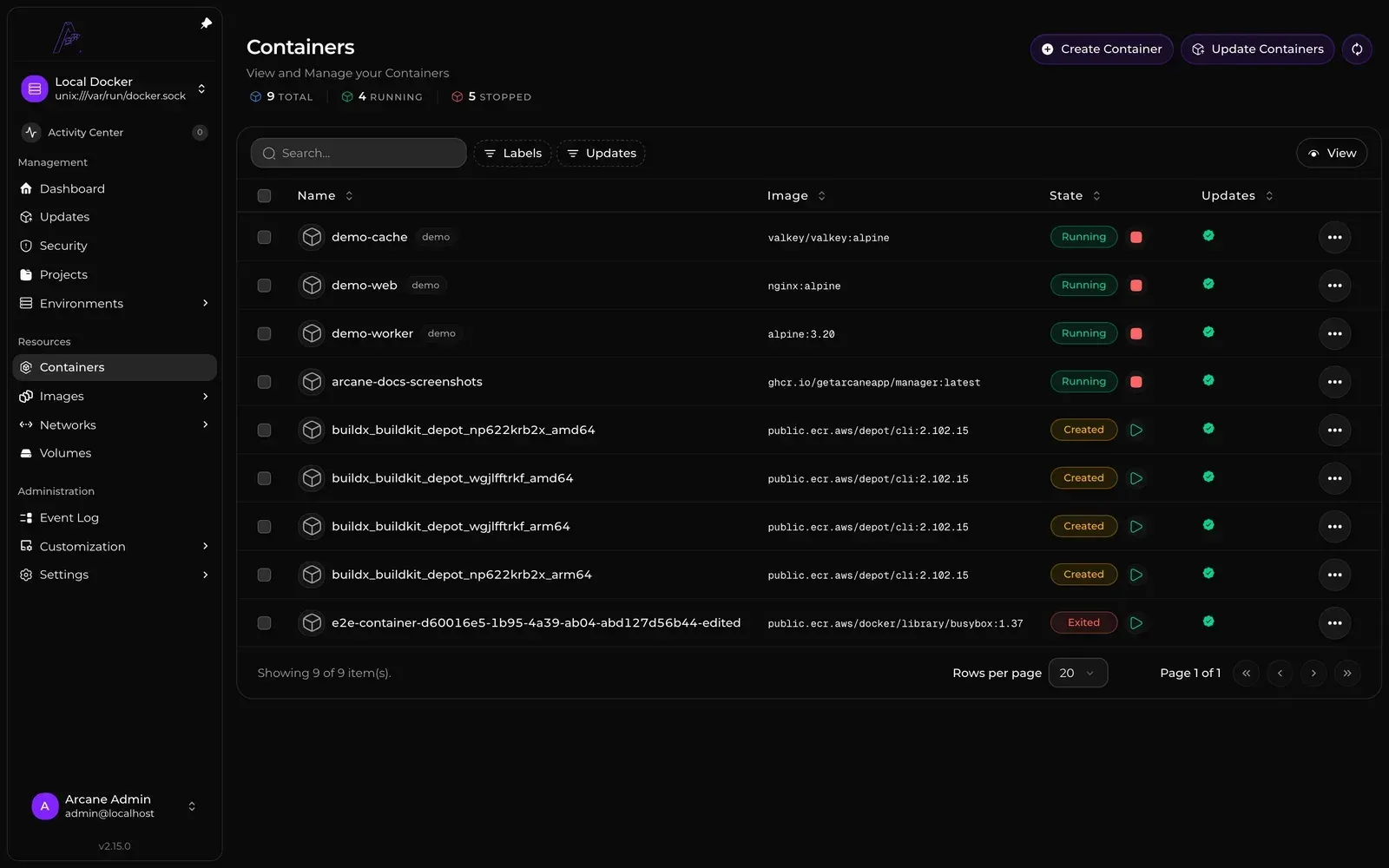
nvidia-smior AMD memory from/sys/class/drm; memory statistics for Intel GPUs are not supported yet. - Container management The Containers page lists every container on the host and creates, starts, stops, restarts, pauses, kills and redeploys containers. Editing a container's image, ports, mounts, variables, networks, resource limits or Linux capabilities recreates it, and Arcane restores the original container if recreation fails. Containers can also be committed to a new image or, as an experimental feature, converted into a Compose project.
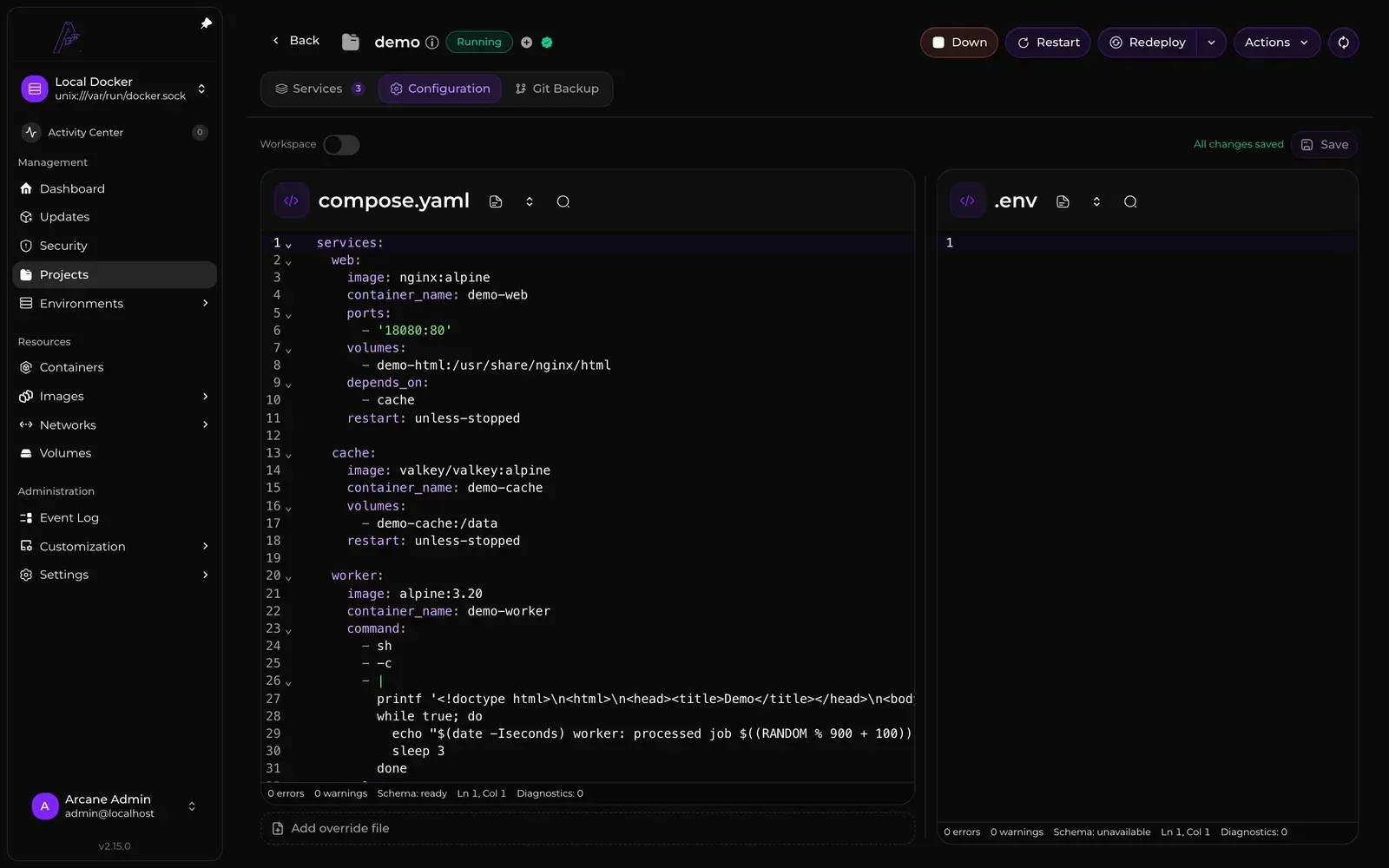
- Docker Compose projects A project is a folder with a Compose file and related files such as
.env, stored under the Projects Directory (/app/data/projectsby default, or the path set inPROJECTS_DIRECTORY). Arcane scans that directory, including nested folders, so stacks created outside Arcane appear too. Projects support Up, Down, Restart, Redeploy and Destroy, a remembered pull policy and a Watch output mode that streams Docker output in an attached terminal. A deploy that would recreate a changed volume is refused unless volume recreation is explicitly enabled for that run. - Images, networks, volumes and templates Separate pages manage images, networks and volumes, including private registry credentials and a network topology view. Templates turn ready-made Compose files into new projects: local templates live in
/app/data/templates, and remote template registries, such as the community registry, are added under Customization. - Image builds Images are built from a Compose project's
build:services or by hand in the Build Workspace, which reads build contexts from/buildsinside the container. Builds run on the local Docker host or on Depot, a hosted remote build service, with a timeout between 60 and 14,400 seconds. Manual builds can push to a configured registry, load locally, or both. - Automatic image updates The Image Update Watcher checks registries on a schedule, hourly by default, and the separate Auto Update job recreates containers and Compose projects with newer images. Update strategies follow a tag's digest (the default), newer stable version tags, or version constraints and tag patterns. An Update Delay of up to 8,760 hours holds back newly detected images, and the
com.getarcaneapp.arcane.updaterandupdate-checklabels control installation and checks per container, as described in the auto updates documentation. - Git Sync A Pull sync deploys a project from a Git repository: Arcane copies the Compose file, or its whole folder with Sync Files, and can pull images or redeploy after each sync at an interval set in minutes. A Push sync commits the project's Compose file and selected files to a repository folder, optionally signed with a GPG key. Repositories connect over HTTP with a username and token or over SSH with configurable host key verification, according to the Git Sync guide.
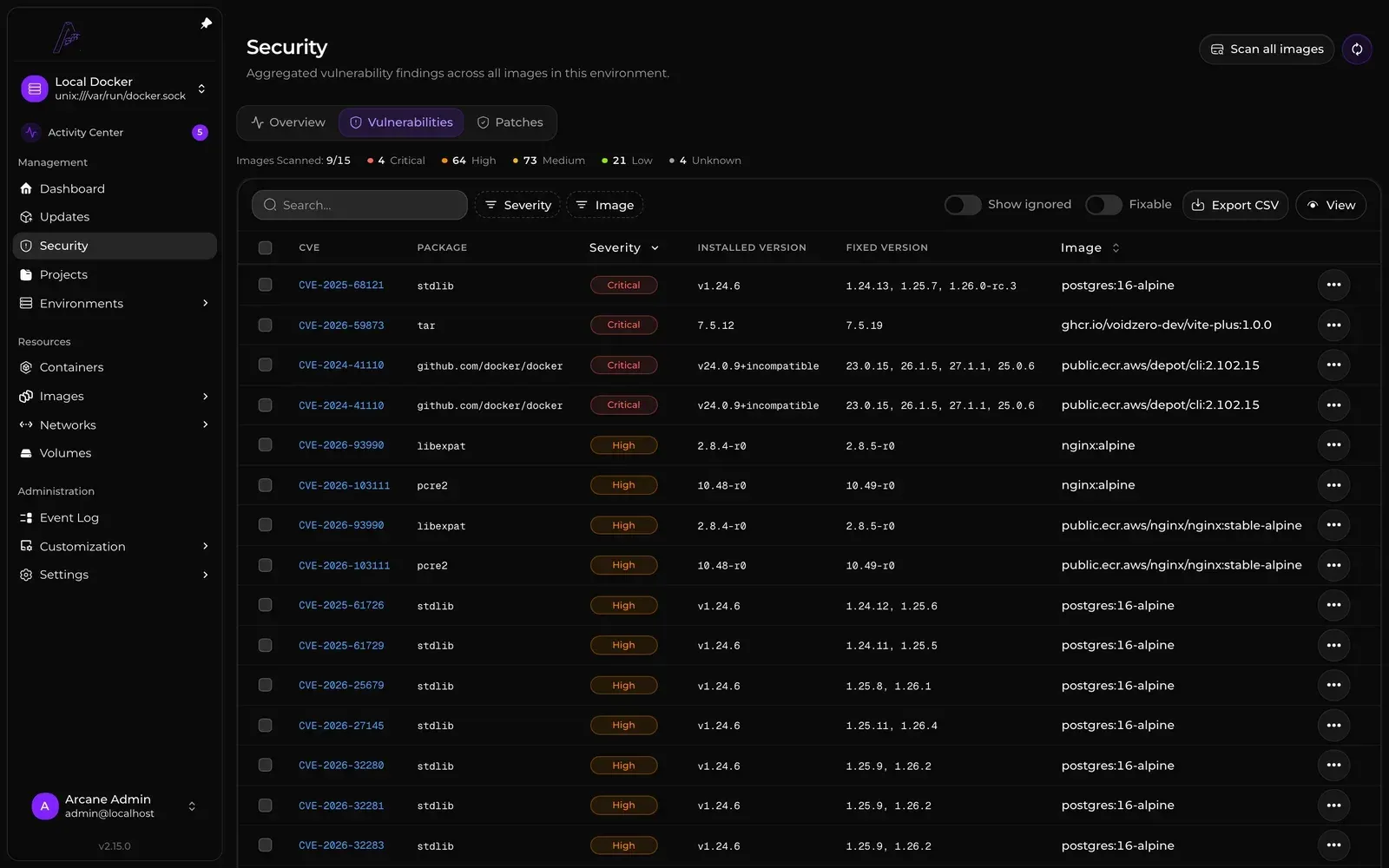
- Vulnerability scanning Arcane scans images with Trivy on a schedule, daily at midnight by default, or on demand. Findings receive a 0 to 100 risk score that weights CVSS severity by CISA Known Exploited Vulnerabilities and FIRST EPSS data and by whether a running container uses the image; results can be filtered to fixable findings and exported as CSV. A remote Trivy server and an air-gapped mode without threat intelligence are described in the vulnerability scan documentation.
- Image patching with Copacetic Fixable operating-system package vulnerabilities can be patched with Copacetic through the Docker daemon's BuildKit, producing a local tag such as
nginx:1.25-patchedthat is re-scanned afterwards; running containers change only when redeployed against it. Language dependencies such as npm, pip or Go modules, locally built images without a registry source and untagged images are not patched. - Encrypted backups Docker volumes and Arcane itself can be backed up on demand or on cron schedules as encrypted Rustic snapshots, stored under
/backups, in an S3-compatible bucket, or both. A recovery key of eight groups of six characters encrypts the snapshots, and the documentation states that losing it makes them unrecoverable. Volume schedules keep 0 to 3,650 restore points and can stop the containers using a volume during the snapshot; system backups require SQLite and restore the whole installation after a local safety backup, as covered in the backups guide. - Remote environments and agents Other Docker hosts run the Arcane Agent (
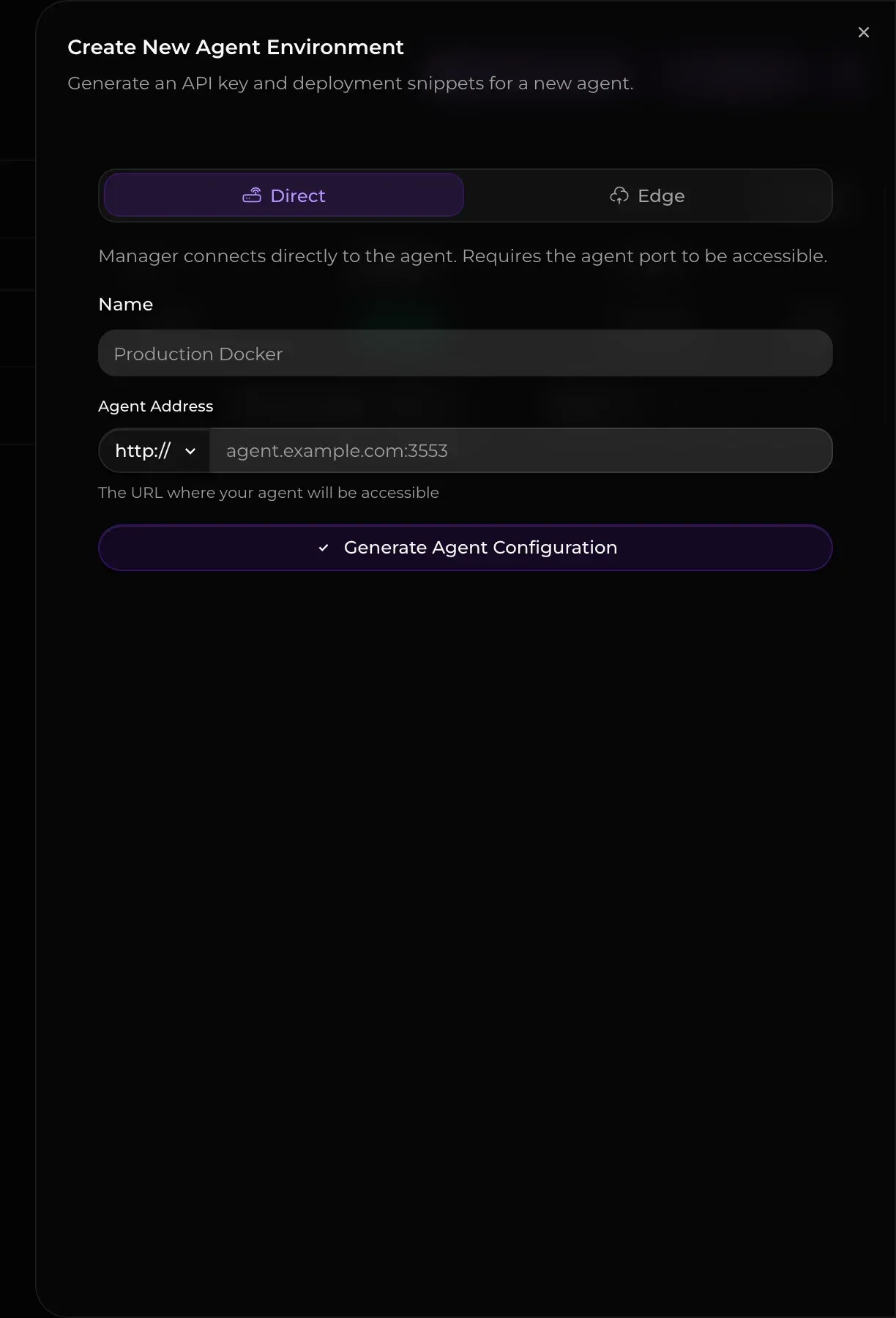
ghcr.io/getarcaneapp/agent) and appear as environments in the same Manager. In Direct mode the Manager connects to the agent on TCP port 3553; in Edge mode, intended for hosts behind NAT or a firewall, the agent connects outbound over polling, gRPC or WebSocket transports, with optional mTLS client certificates. - Docker Swarm When an environment runs Docker in Swarm mode, Arcane shows a Swarm workspace with the cluster, nodes, services, tasks, stacks, configs and secrets. Easy Join fills in the manager address and join token for new nodes. Full cluster management requires a Swarm manager environment; worker environments get read-only views.
- Podman support Arcane detects Podman automatically and manages it through the Docker-compatible API, adding pages for pods, Quadlets, Kubernetes YAML, Podman secrets and Podman auto-update. Quadlets need Podman 5.8 or later, and starting or stopping them goes through systemd over D-Bus, with separate settings for rootful and rootless Podman. Containers started by a Quadlet are skipped by Arcane's updater and cannot be edited, redeployed or removed from Arcane, per the Podman overview.
- Users, roles, SSO and passkeys Role-based access control assigns built-in or custom roles globally or per environment, and every API key carries its own scoped permissions. OIDC single sign-on works with providers such as Authentik, Keycloak, Pocket ID and Azure AD, with group-to-role mappings. Passkeys provide passwordless sign-in or a second factor backed by ten single-use recovery codes, and they require HTTPS or localhost.
- REST API, API keys and webhooks The API reference is served by each instance at
/api/docs, with the OpenAPI 3.1 document at/api/openapi.json. Requests authenticate with theX-Api-Keyheader, and long operations stream newline-delimited JSON. Inbound webhooks with tokenized URLs trigger a container update, a project redeploy, an environment-wide updater run or a Git Sync run and answer immediately with HTTP 202. - Notifications Arcane sends alerts for detected image updates, updated containers, finished prunes, fixable vulnerabilities and auto-healed containers through the Shoutrrr library. Targets include SMTP email, Discord, Telegram, Signal, Slack, Ntfy, Pushover, Gotify, Matrix, Google Chat and a Generic HTTP webhook whose body can be shaped with Go
text/template. Paired Arcane Mobile devices can also receive push notifications. - Command-line client
arcane-climanages containers, projects, images, environments and Podman resources on an Arcane server from a terminal or script. It installs through the script at getarcane.app/install-cli.sh, APT and DNF repositories, thegetarcaneapp/tapHomebrew tap orgo install, as listed on the CLI installation page. The documentation describes the CLI as being in early development. - Installation on Linux The Compose setup mounts
/var/run/docker.sock, anarcane-datavolume and the projects folder at the same absolute path inside and outside the container, and setsAPP_URL,ENCRYPTION_KEYandPROJECTS_DIRECTORY. The scriptcurl -fsSL https://getarcane.app/install.sh | sudo bashinstalls Docker and Arcane. Because a mounted socket gives Arcane full control of Docker, the documentation also describes a socket proxy such as wollomatic/socket-proxy reached throughDOCKER_HOST, and separate pages cover LXC on Proxmox, SELinux hosts and reverse proxies.
Where Arcane fits
Managing a single Docker host from the browser
The installation guide starts with a 32-byte encryption key, generated for example with openssl rand -hex 32 or with arcane generate secret in a temporary container, followed by a compose.yaml and docker compose up -d. Arcane then answers on port 3552. The first sign-in uses the documented default account arcane with the password arcane-admin, and Arcane asks for a new password at that point.
Running Compose stacks as projects
Compose folders already present under the mounted projects directory appear as projects, because Arcane scans the directory for Compose files. New projects are created by pasting Compose YAML and optional .env values; Arcane saves them to a folder and tries to start them. Deploy options cover the pull policy, forced recreation and a deploy wait timeout for depends_on health conditions that defaults to 600 seconds, as described on the projects page.
Keeping containers on current images
On each environment's Automations tab, the Image Update Watcher and Auto Update jobs run on cron schedules, and the Updates page lists pending container and project updates for manual installation. Tag updates for Compose projects are written into the Compose file before deployment; this works for single Compose files with explicit image: fields, while Git-synced and multi-file projects are updated at their source.
Managing several hosts from one Manager
The remote environments guide describes creating an environment under Environments, choosing Direct or Edge and running the generated docker run or Compose snippet, with its AGENT_TOKEN and Manager URL, on the remote host. Edge environments report Online, Standby, Pending or Offline status.
Deploying from Git and CI pipelines
A Pull sync turns a repository path into a project that Arcane redeploys when the Compose file changes and the project is running. The Compose file is read-only in Arcane, and local .env values are merged with the repository's .env.git. Pre-deploy hooks run a script before each deploy when Sync Files is on. CI systems such as GitHub Actions can call an inbound webhook to start a Git Sync run or a project redeploy, or sign in through federated credentials instead of a stored API key.
Scanning, patching and backing up
The Security page shows the environment risk score, the highest-priority fix, a 30 or 90 day trend and the images with the highest scores, based on scheduled Trivy scans. Fixable OS-package findings can be patched into a new local image tag. Scheduled volume and system backups write encrypted Rustic snapshots to local storage or S3 with retention per schedule; the documentation notes that backups on the same host do not survive a disk or host failure and that every restore begins with a local safety backup.
Install
curl -fsSL https://getarcane.app/install.sh | sudo bashReviews of Arcane
Be the first to share your experience with Arcane.
Write a review
Loading review form…
Found Arcane useful? Upvote it todayYour vote helps other IT teams find it in the daily ranking.