

What is Cosmos Server?
Cosmos Server, now branded Cosmos Cloud, is a self-hosted platform that sits in front of the applications on a home server, NAS or Raspberry Pi. It acts as a reverse proxy with automatic HTTPS, an authentication server with multi-factor authentication and OpenID, a container manager with Docker Compose support, an app store, a storage manager, a built-in VPN called Constellation, backups based on Restic and monitoring with alerts. The README summarizes the goal as a secure gateway to your applications and a server manager. The site footer names Beyond Cloud ltd as the publisher, and the main developer account is azukaar on GitHub.
The server is written in Go and the web interface in JavaScript. It is distributed as a Docker image (azukaar/cosmos-server) and as a standalone service installed by a script from the documentation, which the docs describe as the recommended route going forward. Release builds target x86_64 and ARM64. The Docker setup uses host networking and mounts the Docker socket, and the README gives different port mappings for macOS and Windows hosts, where host mode is unavailable.
The latest release is v0.23.4, published on August 30, 2026. The changelog lists it as a fix that lets Terraform remove Constellation managers. Earlier 0.23 releases removed MongoDB in favour of SQLite or PostgreSQL, switched to oplog-based sync, updated NATS and Go, and hardened the RClone, config, update and invite endpoints. The project also provides a JavaScript SDK, a Go SDK and a Terraform provider.
The licence is Apache 2.0 with the Commons Clause 1.0. You may use, fork and redistribute the code, but you may not sell it or a service based on it, so it is source-available rather than open source in the OSI sense, although the project describes itself as open source. A commercial layer adds Home Premium, Home Lifetime and Pro licences for VPN, remote storage, clustering and related features.
Cosmos Server screenshots
Explore the interface. Open a screenshot to view it at full size.
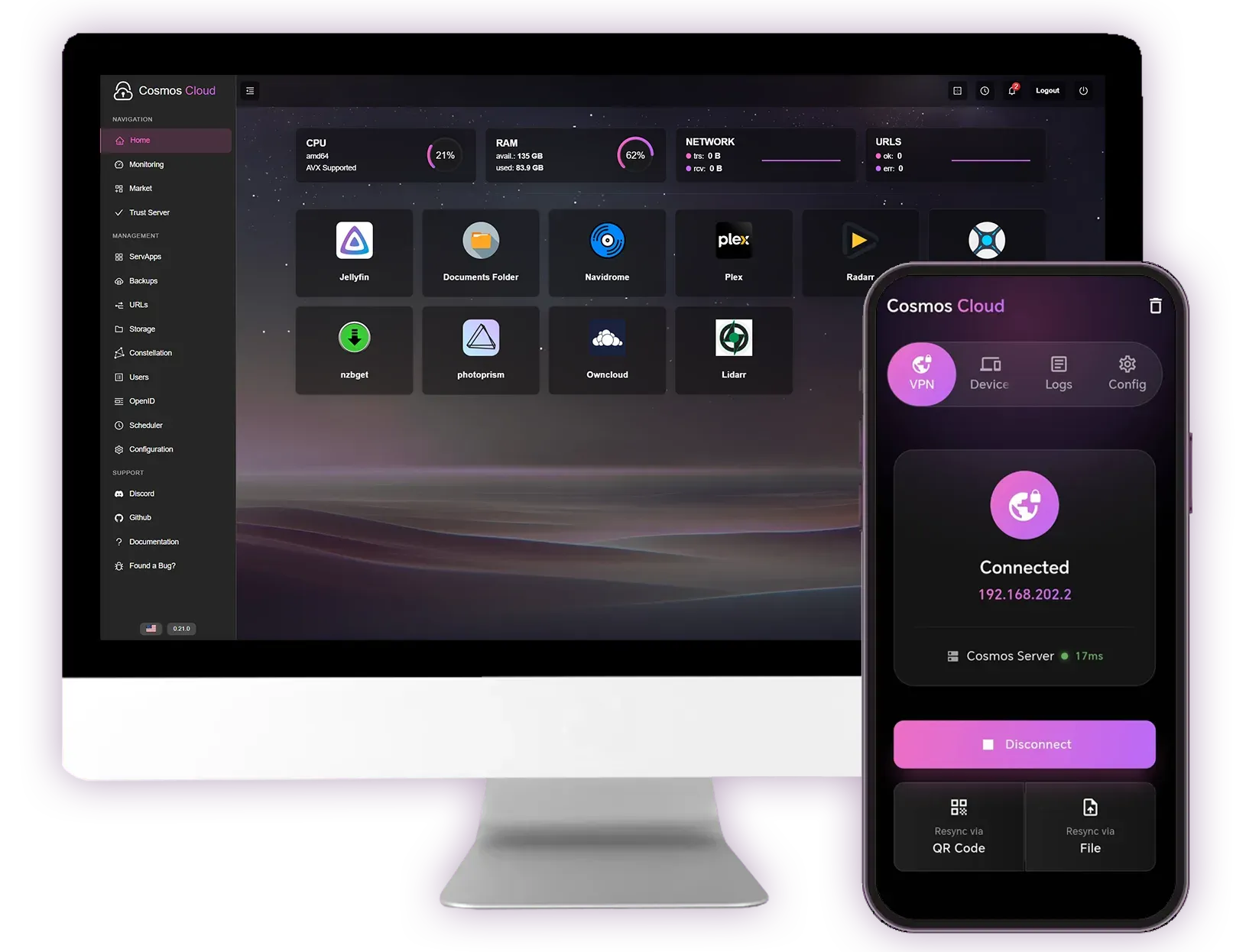
Official website image of the Cosmos dashboard on a desktop screen and the Constellation VPN screen on a phone.
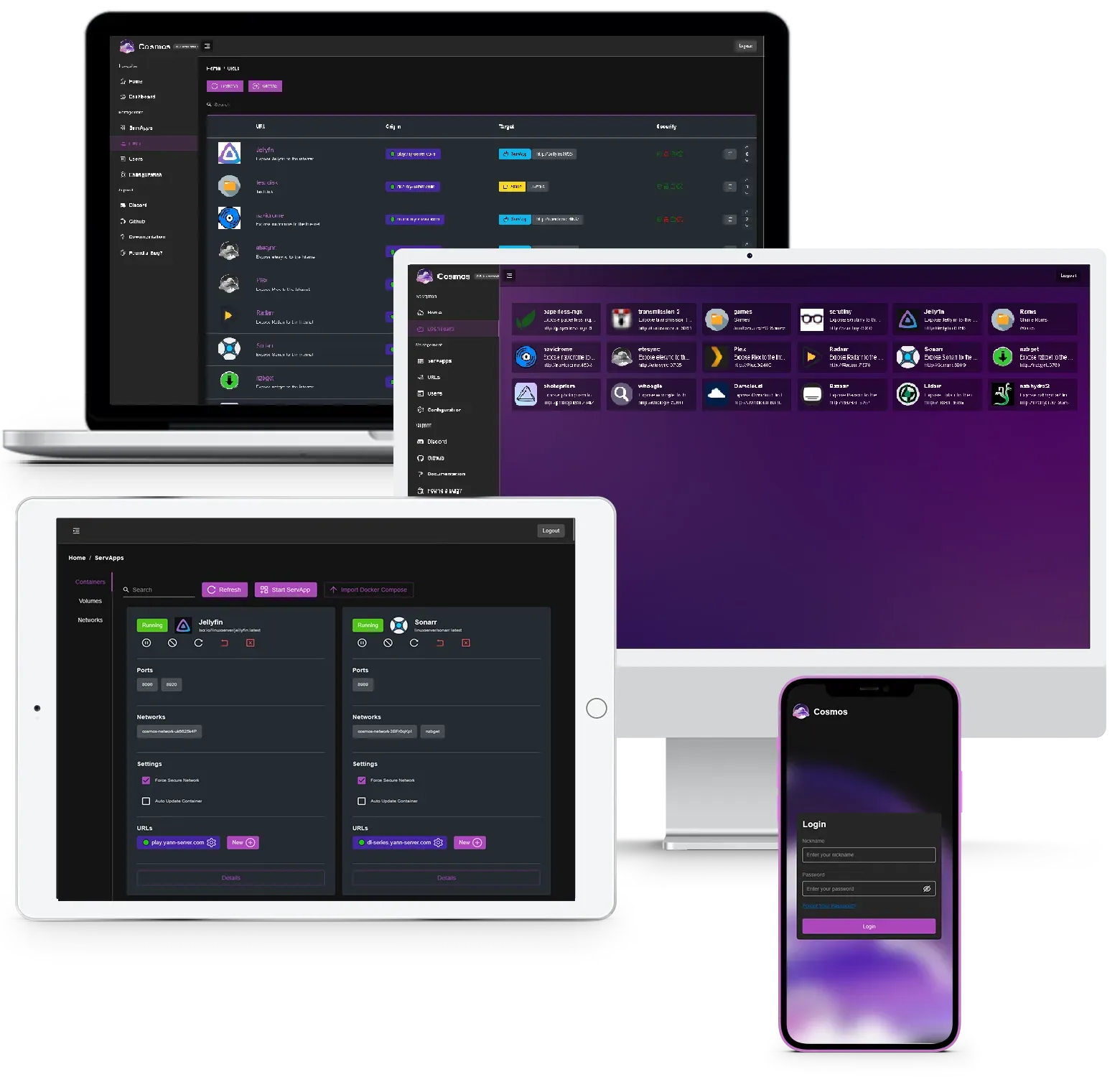
Official README composite showing the URL manager, application home page, ServApp settings and login on several devices.
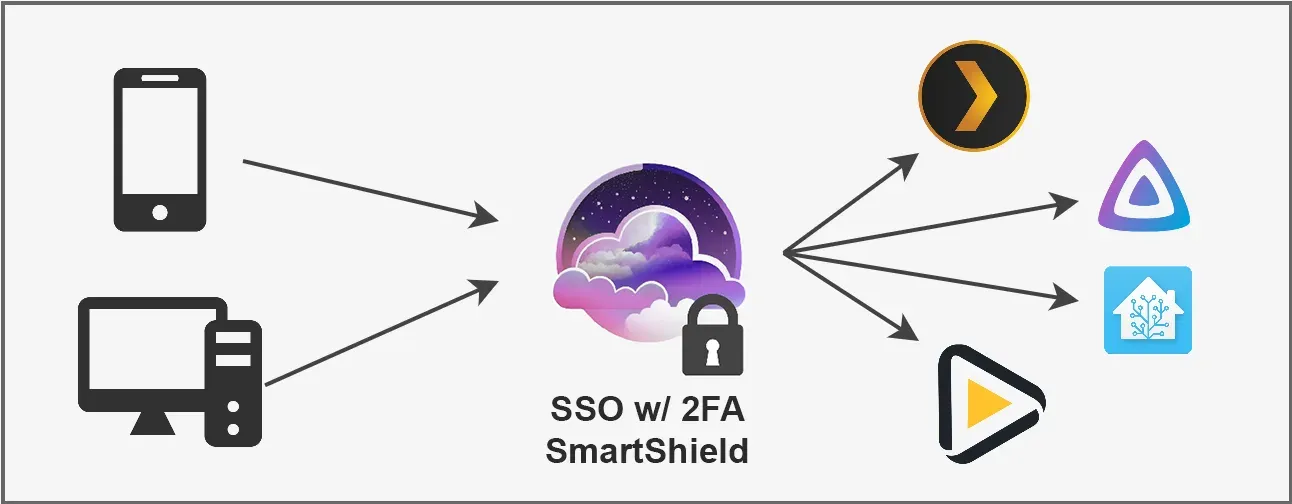
Official diagram of Cosmos acting as a secure gateway in front of self-hosted applications.
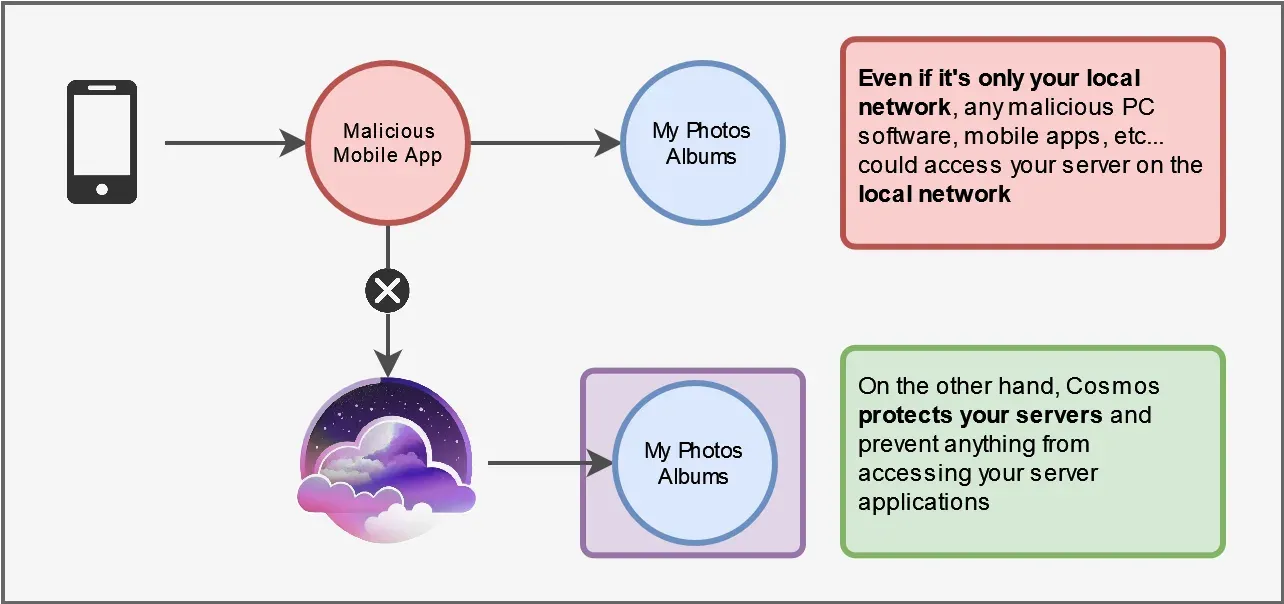
Official diagram of how Cosmos protects a server from other devices on the local network.
Source: official Cosmos Server project page.
Key capabilities
- Reverse proxy with automatic HTTPS Routes can target containers, other servers or static folders and single-page apps, with certificates issued by Let's Encrypt. Wildcard certificates work through a DNS challenge provider set in the HTTP configuration. The README advises against placing Cosmos behind another reverse proxy.
- Authentication server and identity provider A single login with multi-factor authentication protects the applications behind it. Cosmos supports OpenID, forward headers and an HTML login strategy, and it can invite family members or colleagues and let them request password resets by email. The Community licence includes up to five users.
- SmartShield Automatic protection that applies dynamic rate limits based on user behaviour, throttling, temporary or permanent bans and strikes, global request control and per-user metrics. Privileged groups can be exempted, and the policies can be customized. The README says it now extends to TCP services such as FTP and SSH.
- Anti-bot and anti-DDoS tools Bot detection, IP-based detection, variable timeouts, IP rate limiting and geo-blacklisting are built in. They reduce exposure of the services behind the proxy, but they do not replace patching the applications themselves.
- Container manager (ServApps) Containers can be created, edited, updated and audited from the web interface, and Docker Compose files can be imported through Cosmos-Compose. Applications installed by hand with the Docker CLI or another tool still receive the proxy and security features once a URL is added.
- App store (Cosmos Market) Simple installers cover common applications with automatic updates and security checks. It works alongside manual installation, and the README states you can leave Cosmos at any time because it uses plain Docker containers.
- Constellation VPN A built-in mesh VPN, built on Nebula according to the changelog, lets devices reach applications from outside the network without opening router ports. It uses UDP port 4242, needs the NET_ADMIN capability or a privileged container. Remote access through Constellation is part of the paid Home Premium licence.
- Storage manager Disks can be managed with parity disks through SnapRAID and pooled with MergerFS. A host folder mount of
/:/mnt/hostin the Docker command allows folder management from the interface, and the README marks that mount as optional. - Remote storage and shares Based on RClone, this lets you mount remote storage such as Dropbox and share NFS or FTP locations from the interface, protected by SmartShield. The pricing page lists remote storage access and shares as a paid feature.
- Backups Backups use Restic with incremental, encrypted and remote targets. According to the pricing page, backups of the Cosmos configuration and containers are free in the Community edition, and backing up files from your disks needs a paid licence.
- Monitoring and alerts Persistent monitoring of resources and containers with real-time views and customizable alerts and notifications. The dashboard shows CPU, RAM and network usage and can notify you of issues.
- Customizable home page A start page lists your applications with icons so users reach them from one place, using the same login as the proxy.
- Scheduler A cron-style scheduler runs tasks on the server or inside containers, from the same interface as the other management tools.
- Lazy containers Containers can sleep when idle and wake on demand, which the docs list among the Community features and which can reduce resource use on small machines.
- SDKs and Terraform provider A JavaScript and TypeScript SDK, a Go SDK and a Terraform provider automate configuration. The 0.23.4 release specifically lets Terraform remove Constellation managers.
- Cosmos Pro features The Business licence adds cluster-level management, multi-server deployments and autoscaling, load balancing, managed PostgreSQL and S3-compatible storage, cloud functions, CI/CD from git and private registries. These are described in the Pro documentation and are not part of the Community edition.
- Standalone install script A script installs Docker, Docker Compose, SnapRAID and other dependencies and sets Cosmos up as a systemd service. It supports a dry run, a beta channel, updates and a full reinstall. Debian and Ubuntu Server are the recommended systems in the getting started guide, and Fedora is also described as working.
- Docker installation A single
docker runcommand with the Docker socket mounted starts Cosmos, then a browser-based setup wizard configures it. The README tells users to start in an incognito window and not to use Unraid templates, CasaOS or Portainer stacks for the install.
Where Cosmos Server fits
Putting one secured gateway in front of a home server
Install Cosmos on the server, add each application as a URL with HTTPS, and turn on authentication with two-factor sign-in. Then confirm that the applications are no longer reachable directly on their own ports from other devices. The README stresses that local network devices can also be a threat.
Managing containers and a small app catalog
Install applications from the market or import existing Compose files, then update them from the interface. Review each container's security audit in the project README, and check that bind-mounted folders exist and that the Docker socket mount is acceptable for your risk level, since it gives Cosmos broad control.
Reaching services from outside without opening ports
Enable Constellation, enrol phones and laptops and test access from a network that is not your own. Open UDP port 4242 as documented, check DNS resolution for internal names, and confirm which of these features your licence level includes.
Sharing apps with family or colleagues
Create users and invite them instead of sharing one password, require two-factor authentication where supported, and use OpenID for applications that can consume it. Test the password reset email flow before relying on it, because it needs a working mail setup.
Backing up the configuration and data
Schedule Restic backups to a remote target and keep the Cosmos configuration folder at /var/lib/cosmos in the plan. Restore a backup into a clean install to prove it works, and note that disk file backups need a paid licence.
Automating with the API and Terraform
Use the SDK or the Terraform provider to define routes and settings as code for repeatable setups. Pin versions of the provider and server together, and read the changelog before upgrading since the 0.23 series changed storage and sync behaviour. The JavaScript SDK guide shows how to authenticate and call the API from scripts.
Install
curl -fsSL https://cosmos-cloud.io/get.sh | sudo -E bash -sReviews of Cosmos Server
Be the first to share your experience with Cosmos Server.
Write a review
Loading review form…
Alternatives to Cosmos Server
 CasaOSCasaOS is an Apache-2.0 personal cloud system that installs Docker apps and manages files from a web UI on Raspberry Pi, x86-64 and ARM hardware.
 YunoHostYunoHost is an AGPL-licensed server operating system that installs and maintains self-hosted apps with a web admin and single sign-on portal.RRuntipiRuntipi is a GPL-3.0 homeserver orchestrator built on Docker that installs and updates self-hosted apps from a web dashboard with one command to set up.