
What is Runtipi?
Runtipi is a personal homeserver orchestrator that manages and runs multiple services on a single server. It is based on Docker and comes with a web interface for adding and managing services, so users do not handle manual configuration or networking. The code is licensed under the GNU General Public License v3.0 and written with TypeScript, NestJS and React.
Setup is one command: curl -L https://setup.runtipi.io | bash. The project says it works on most 64-bit Linux systems with minimal terminal know-how. From the dashboard you manage system status, install apps, change settings and handle backups. The official website says you can install and update nearly 300 apps in one click.
Apps come from an App Store repository, and the README adds that there are many community app stores to choose from, or you can create your own. The documentation covers reverse proxy setup, exposing apps to the internet, Cloudflare tunnels, local SSL certificates, backup and restore, and server hardening.
The README is direct about maintenance: Runtipi is built and maintained by volunteers, with no guarantee of support or security, and while the system is considered stable it is still in active development.
Runtipi screenshots
Explore the interface. Open a screenshot to view it at full size.
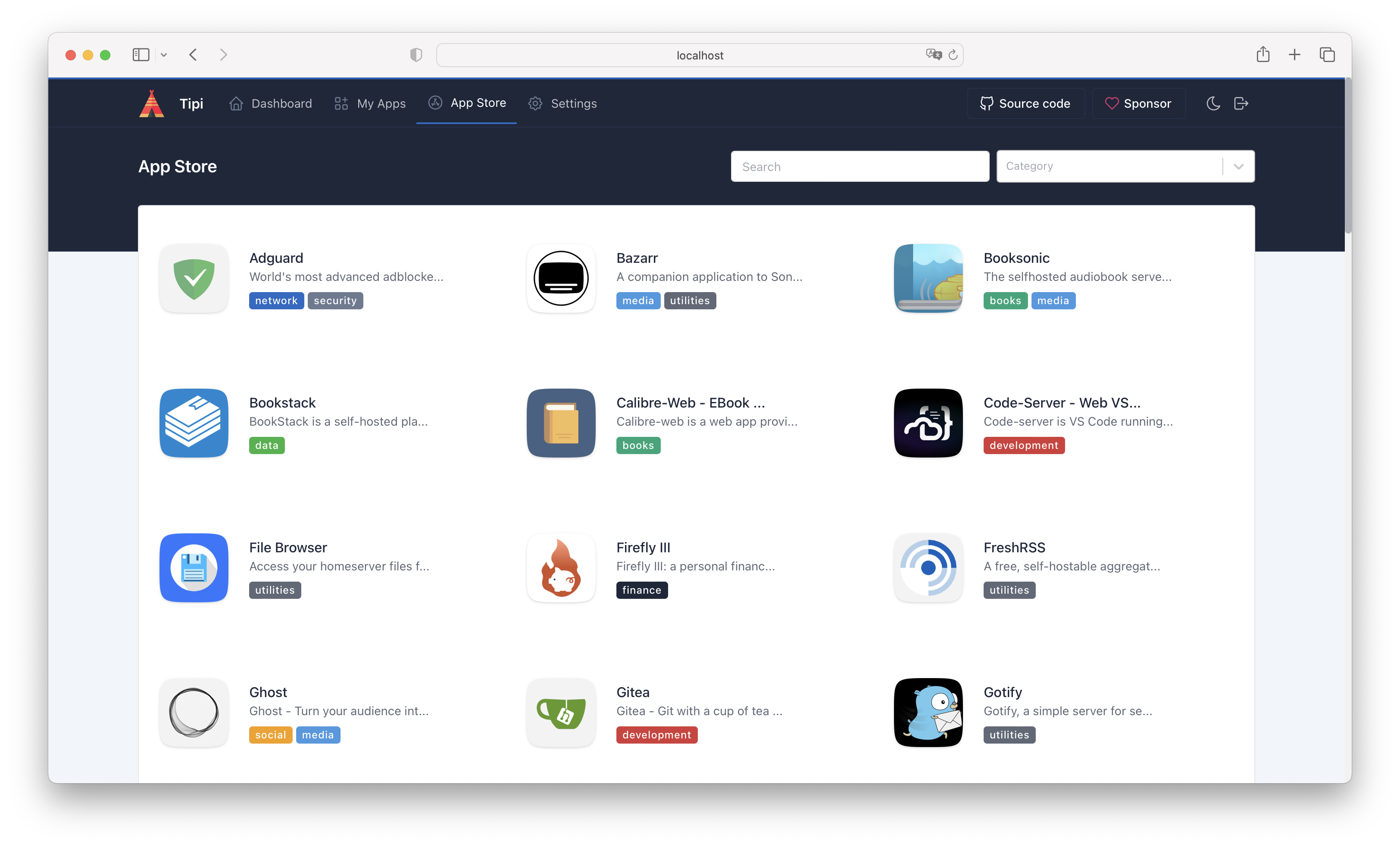
Source: official Runtipi project page.
Key capabilities
- One-command setup on 64-bit Linux
- Web dashboard for system status, app installs, settings and backups
- Nearly 300 apps installable in one click
- Community app stores and a guide for creating your own
- App customization from the dashboard, including how apps are exposed
- Documentation for reverse proxy, local SSL certificates and backups
Where Runtipi fits
- Docker-based orchestration Runtipi is based on Docker and runs each service in its own Docker container, so many services can share one server.
- Web dashboard The dashboard shows system status and is used to install apps, change settings and handle backups.
- One-command setup A single command installs Runtipi, and the install guide is published on the project website.
- App Store Apps come from the official App Store repository, from community app stores, or from a custom store you create yourself.
- Backup and restore App data can be backed up and restored before updates.
- Customization Docker Compose files can be edited per app, and the changes stay intact after updates.
- Updates The dashboard notifies you of new versions and updates an app with a single click.
- Networking and hardening The docs include pages on the reverse proxy, networking and server hardening.
Install
curl -L https://setup.runtipi.io | bashReviews of Runtipi
Be the first to share your experience with Runtipi.
Write a review
Loading review form…
Alternatives to Runtipi
 1Panel1Panel is a GPL-3.0 Linux server management panel with a web GUI for containers, databases, files, websites, an app store, backups and AI tools.
 CasaOSCasaOS is an Apache-2.0 personal cloud system that installs Docker apps and manages files from a web UI on Raspberry Pi, x86-64 and ARM hardware.
 Cosmos ServerCosmos Server, branded Cosmos Cloud, is a source-available platform that puts a secured reverse proxy, authentication, SmartShield protection, container management, a VPN and Restic backups in front of self-hosted apps.