

What is Podman?
Podman manages OCI containers, images, volumes and pods. Its engine runs on Linux; the macOS and Windows clients use a Podman-managed Linux machine. The project is released under Apache-2.0. Podman is distinct from Podman Desktop, the optional graphical application.
The README describes Podman (the POD MANager) as a tool for managing containers and images, volumes mounted into those containers, and pods made from groups of containers. It is based on libpod, a library for container lifecycle management. There is no manager daemon, which the README says improves security and lowers resource use at idle. It offers a Docker-compatible CLI and a REST API with a Docker-compatible interface. Rootless containers never have more privileges than the user who launched them, and rootless networking is handled via pasta.
For a team moving from Docker, the first test is the existing workflow: image builds, registry authentication, mounted files, networking and the programs that expect a Docker socket. Similar command names do not establish that every Docker integration will behave identically.
Podman releases a new major or minor release 4 times a year, and only the most recent release receives upstream support. Support for the Kubernetes CRI interface is out of scope; the README points to CRI-O for that.
Key capabilities
- CLI management of containers, images, pods and volumes.
- Support for OCI and Docker image formats.
- A Linux API service with a Docker compatibility layer and a native Libpod API.
- Podman machine management for macOS and Windows hosts.
Tested by iThub
· Version 5.8.9
- Environment
- Windows AMD64; Docker Desktop 4.95.0, Docker Engine 29.8.2, Linux containers; synthetic local data; Podman nested inside an unprivileged Docker container
- Scenario
- Probe the CLI and runtime initialization inside an ordinary Docker container
- Observed result
- podman --version returned 5.8.9. podman info then exited 125 with cannot clone: Operation not permitted and cannot re-exec process. A Podman-managed container was not started.
The outer container permissions blocked nested runtime initialization. No privileged mode, native Windows installation or additional virtual machine was introduced to bypass this boundary.
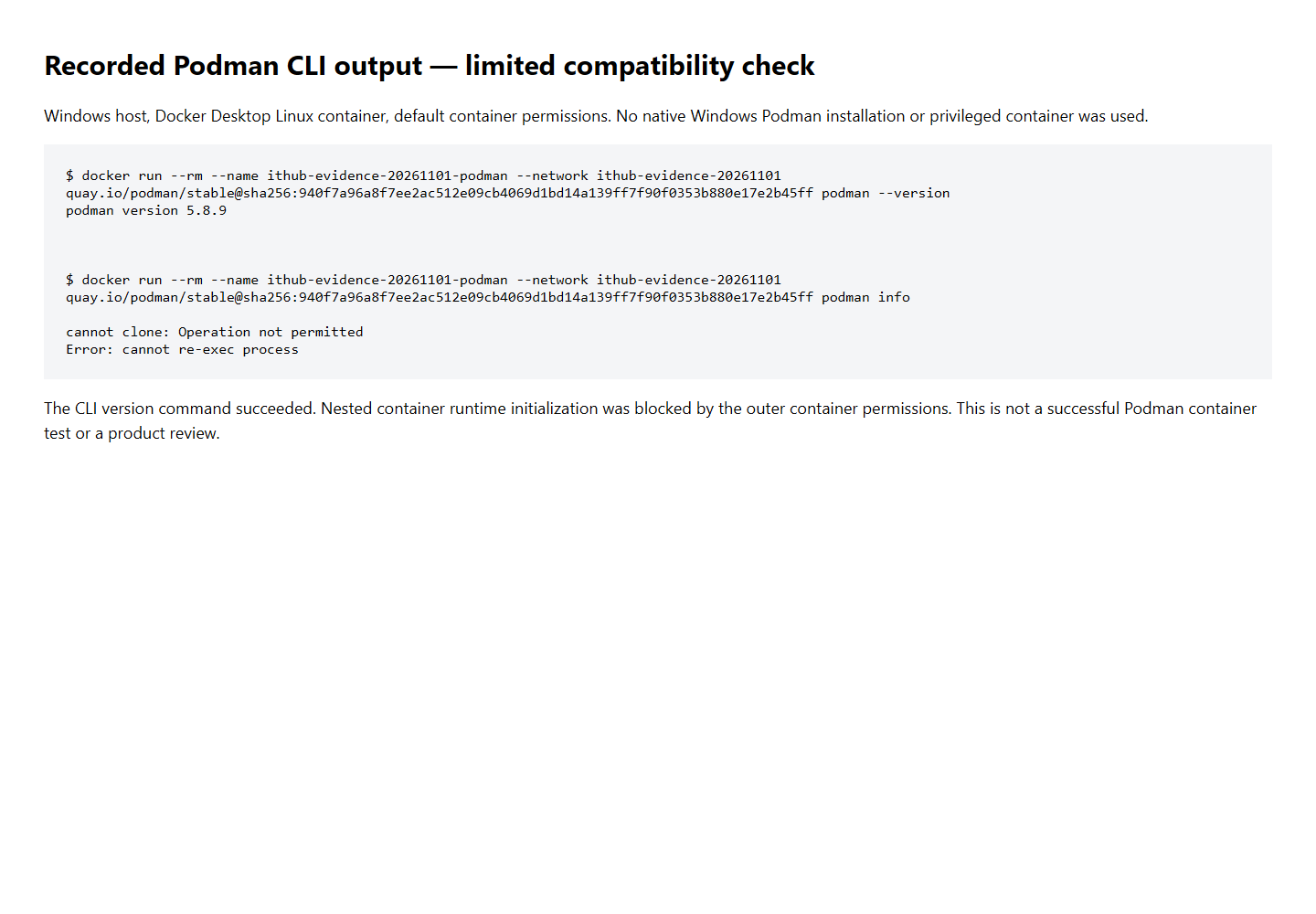
Scope and limits. This is a limited compatibility probe, not a successful container-runtime test or a full Podman review. Native Linux, Podman Machine and rootless host usage were not tested.
Download the test record (JSON)How we record testsProject source ↗Project source ↗
Where Podman fits
Before migration, record the active Docker context, export or rebuild images and back up application data. Test rootless file permissions, privileged workloads, published ports and each Compose-based project. Keep the previous runtime and backups available until the replacement has passed the same integration tests.
Reviews of Podman
Be the first to share your experience with Podman.
Write a review
Loading review form…
Alternatives to Podman
 ColimaColima is an MIT-licensed CLI for local container runtimes on macOS and Linux, with Docker or containerd, optional Kubernetes and multiple instances.
 OrbStackOrbStack is a proprietary macOS application for Docker containers, Kubernetes and Linux machines. It includes Docker CLI tooling and Compose, with separate personal-use and commercial licensing terms.
 Rancher DesktopRancher Desktop is an Apache-2.0 desktop app for Windows, macOS and Linux that runs local Kubernetes with Moby or containerd and a documented local API.