

What is Alteryx?
Alteryx is a commercial data analytics and automation vendor headquartered in Irvine, California, according to the company's contact page. Its current platform is Alteryx One, which the website describes as a platform that unifies data, analytics and AI workflows. The About page cites more than 25 years of work in data and automation and more than 8,000 customers. Clearlake Capital Group and Insight Partners completed their acquisition of Alteryx on March 19, 2024 in a cash transaction of approximately $4.4 billion; the Clearlake announcement states that Alteryx became a privately held company and its stock ceased trading on the New York Stock Exchange.
Alteryx One is sold as editions rather than separate product licenses. The pricing page explains that customers choose an edition, assign user roles and size automation runs, instead of buying individual Designer seats and Server cores. It lists the bundled modules as Designer, Live Query, App Builder, Agent Studio, Server, Orchestrator and Auto Insights, with availability varying by edition. Existing Designer-only customers generally move to the Professional edition, and Designer plus Server customers to Enterprise.
Alteryx Designer is the Windows desktop application for building drag-and-drop workflows. The Designer system requirements list Windows 11 64-bit, a 4-core 2.5 GHz CPU, 8 GB RAM (16 GB for high performance) and 500 GB to 1 TB of disk; macOS is supported only through a virtual machine and ARM chips are not supported. Since 2026.1, Designer is installed through the Alteryx One Windows app and depends on Microsoft WebView2. Alteryx Server is the self-managed component for publishing and scheduling Designer workflows and runs on Windows Server 2016 64-bit or later with .NET Framework 4.8.
The latest Designer release is Designer 2026.4, version 2026.4.0.24908, released November 12, 2026. It is a Designer-only release with no matching Server version, and it makes the new Modern View the default for fresh installs, adds visible editing controls to the Python tool, an option to turn off automatic column detection in Text Input, faster Parquet reads in the AMP engine, Zstandard and Gzip compression for Parquet output and Zstd compression for YXDB files. Designer 2026.3 (October 14, 2026, supported until October 14, 2028) introduced Modern View as a preview, Alteryx One macros inside Designer workflows, parallel batch macro execution on AMP and removed all 32-bit components.
Alteryx is proprietary software; there is no open-source edition. Designer is localized in English, French, German, Japanese, Latin American Spanish, Brazilian Portuguese, Italian and Simplified Chinese. Documentation, release notes and API references are published on help.alteryx.com, and the vendor runs a user community at community.alteryx.com.
Key capabilities
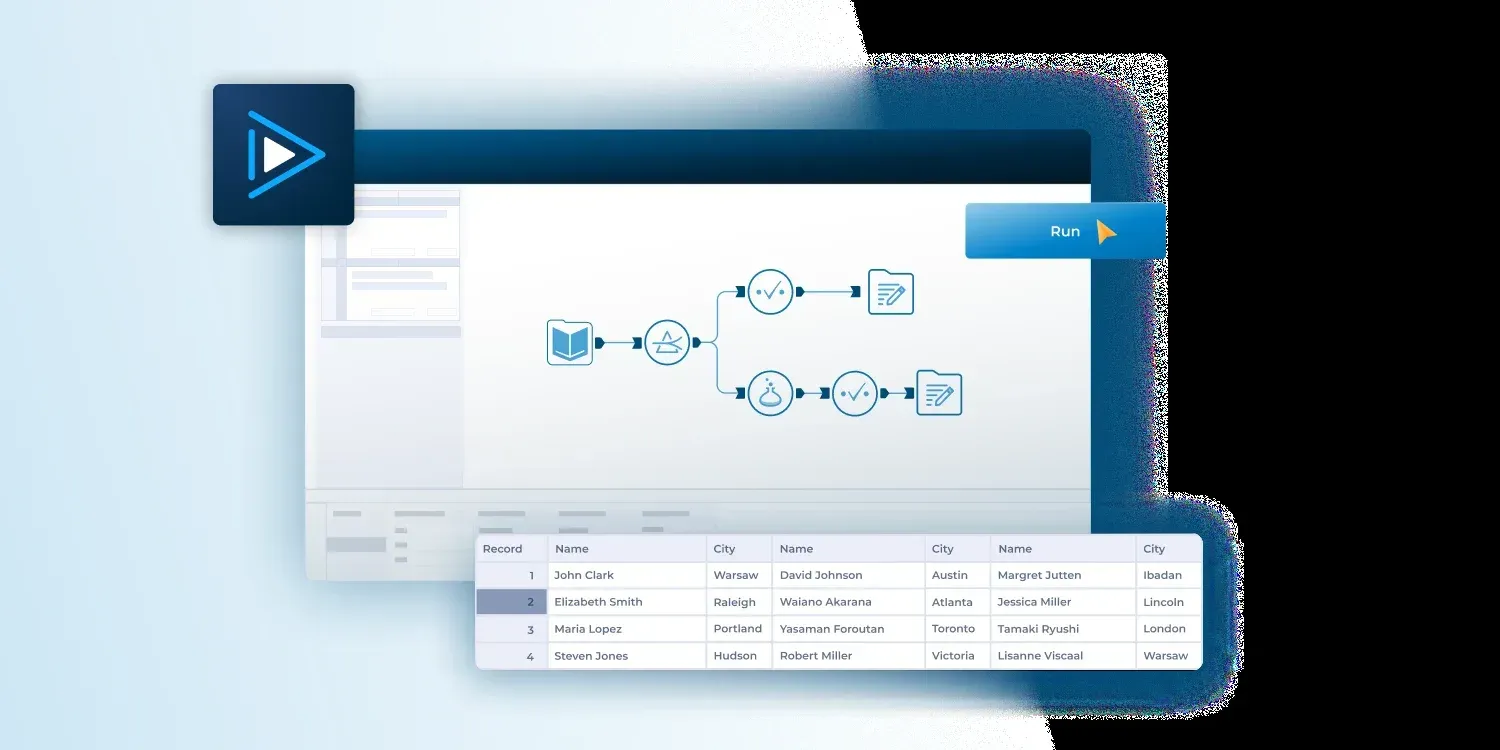
- Designer drag-and-drop workflows Designer builds analytic workflows on a visual canvas from more than 300 drag-and-drop tools, according to the Designer product page. Each tool is a step that reads, prepares, blends, analyzes or writes data, and the canvas documents the sequence. Workflows can be shared and reused as macros.
- Data preparation and blending The Starter edition covers essential preparation such as Blend, Transform, Join and Aggregate. Professional adds advanced preparation including macros and geospatial tools. Designer also extracts data from semi-structured and unstructured sources such as PDFs, text files and images.
- Connectivity Starter connects to file sources (.csv, .xlsx and JSON); Professional and Enterprise connect to more than 100 data sources such as Snowflake and Databricks. The product page lists native connectors to cloud data sources and in-database tools that push processing down to the source. Connections are managed through Data Connection Manager (DCM).
- AMP engine The AMP engine is the multi-threaded workflow engine used alongside the original engine. Recent releases converted further tools to full AMP support, added parallel execution of batch macros and faster reads of large Parquet files. Some options, such as Zstd compression for YXDB output, apply only to AMP workflows.
- Modern View Modern View is a redesigned Designer interface with a new tool palette, results panel, workflow tabs, status indicators and a Tidy layout command. It was a preview in 2026.3 and is the default for new installations from 2026.4, while existing users keep the view saved in their settings.
- Code-friendly tools and SDKs The Python tool runs scripts inside workflows; 2026.4 added find and replace, comment and copy controls and includes the ayx package wheel in the base virtual environment. Alteryx SDKs let developers add custom tools and formulas to the tool palette.
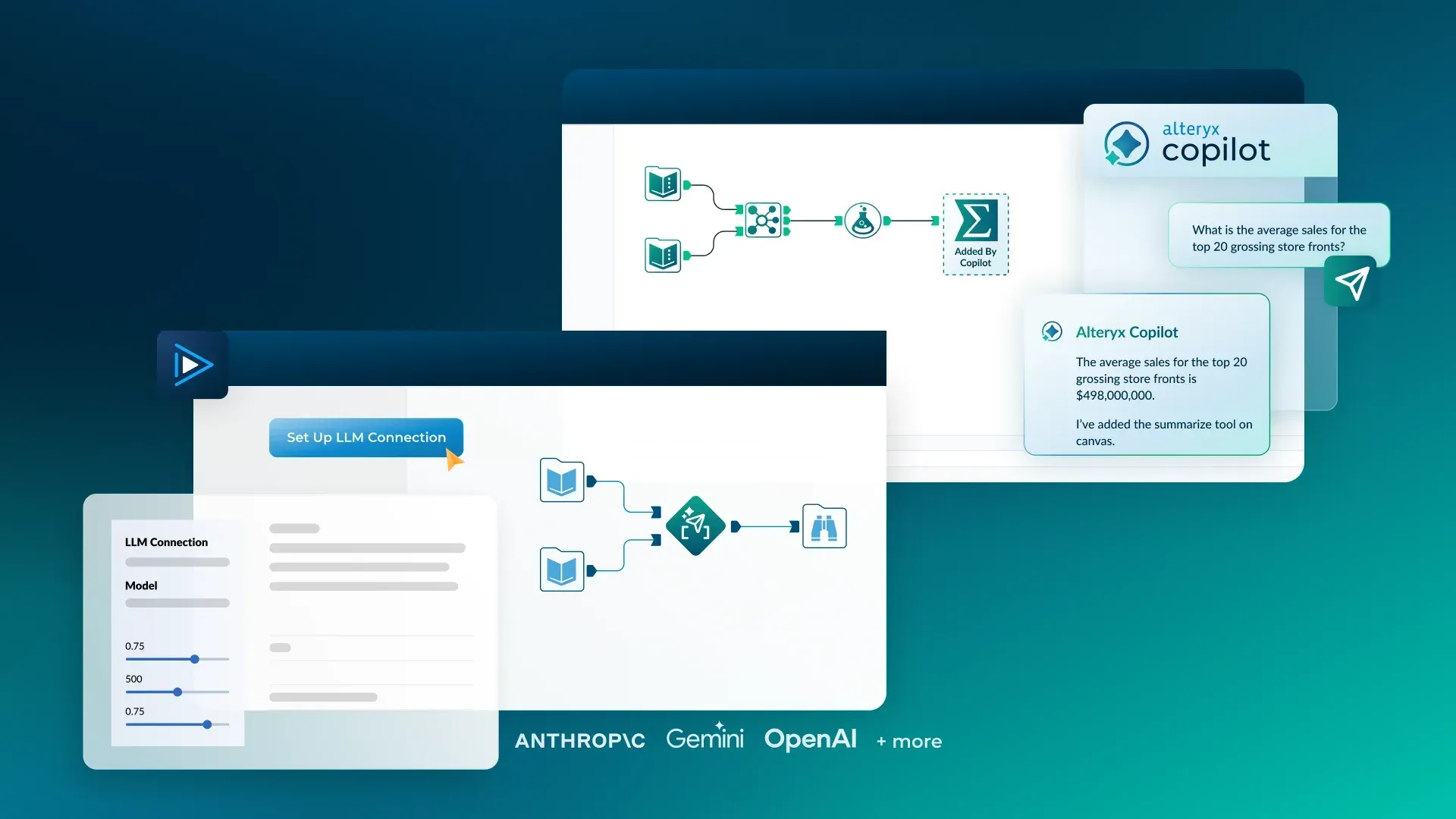
- Generative AI features The Designer page describes Ask Alteryx for building workflows in natural language and an AI Tool Palette that calls large language models from inside a workflow. Official imagery shows an LLM connection with providers such as Anthropic, Gemini and OpenAI and a Copilot that adds tools to the canvas. The Professional edition lists AI-powered assistance.
- Alteryx Server Server publishes, schedules and runs workflows, analytic apps and models built in Designer, and shares them through the Gallery. The Server page lists built-in authentication, SSO, granular permissions, usage reporting, audit trails and data lineage, and deployment on premises including air-gapped, in customer-managed cloud or hybrid.
- Server requirements Each Server node needs at least 4 physical cores at 2.5 GHz, 32 GB RAM and 500 GB disk; production multi-node setups are recommended with 8 or more physical cores and 64 GB RAM per node. Persistence uses embedded MongoDB, a user-managed MongoDB 4.2 to 7.0, or Microsoft SQL Server 2019 or 2022, according to the Server system requirements.
- Server API Alteryx Server exposes an OAuth 2 based API (V3) to create, update, search and delete users, groups, schedules, credentials, collections, workflows and Server connections. The API documentation points to a Swagger reference served by each Server host.
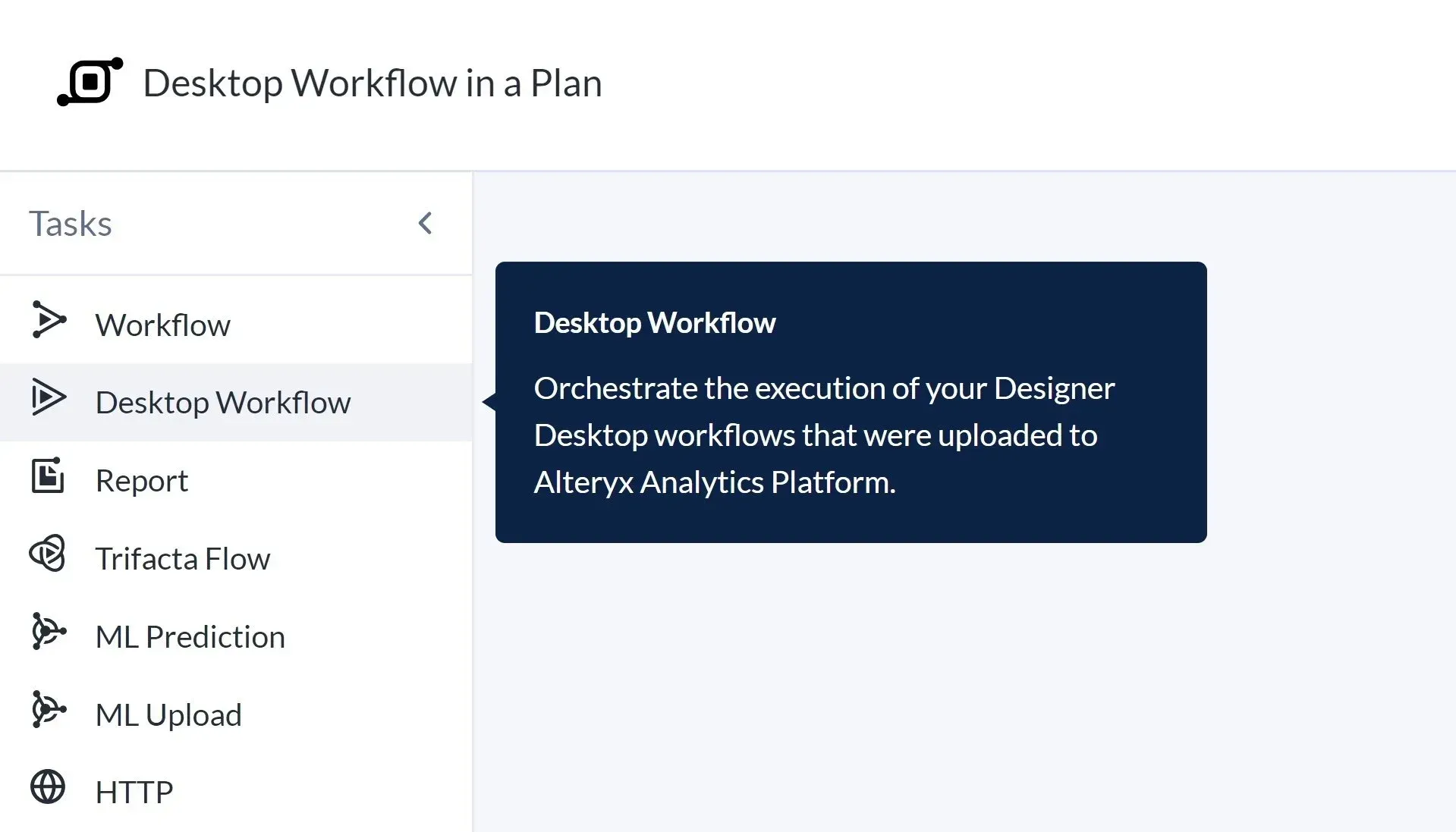
- Cloud scheduling and orchestration Professional includes essential cloud-based workflow scheduling, and Enterprise adds advanced scheduling and monitoring such as API-triggered runs. Plans in Alteryx One can orchestrate tasks such as cloud workflows, uploaded Designer desktop workflows, reports, ML predictions and HTTP calls. Automation is metered in runs, with 50 or 15,000 runs included depending on the edition.
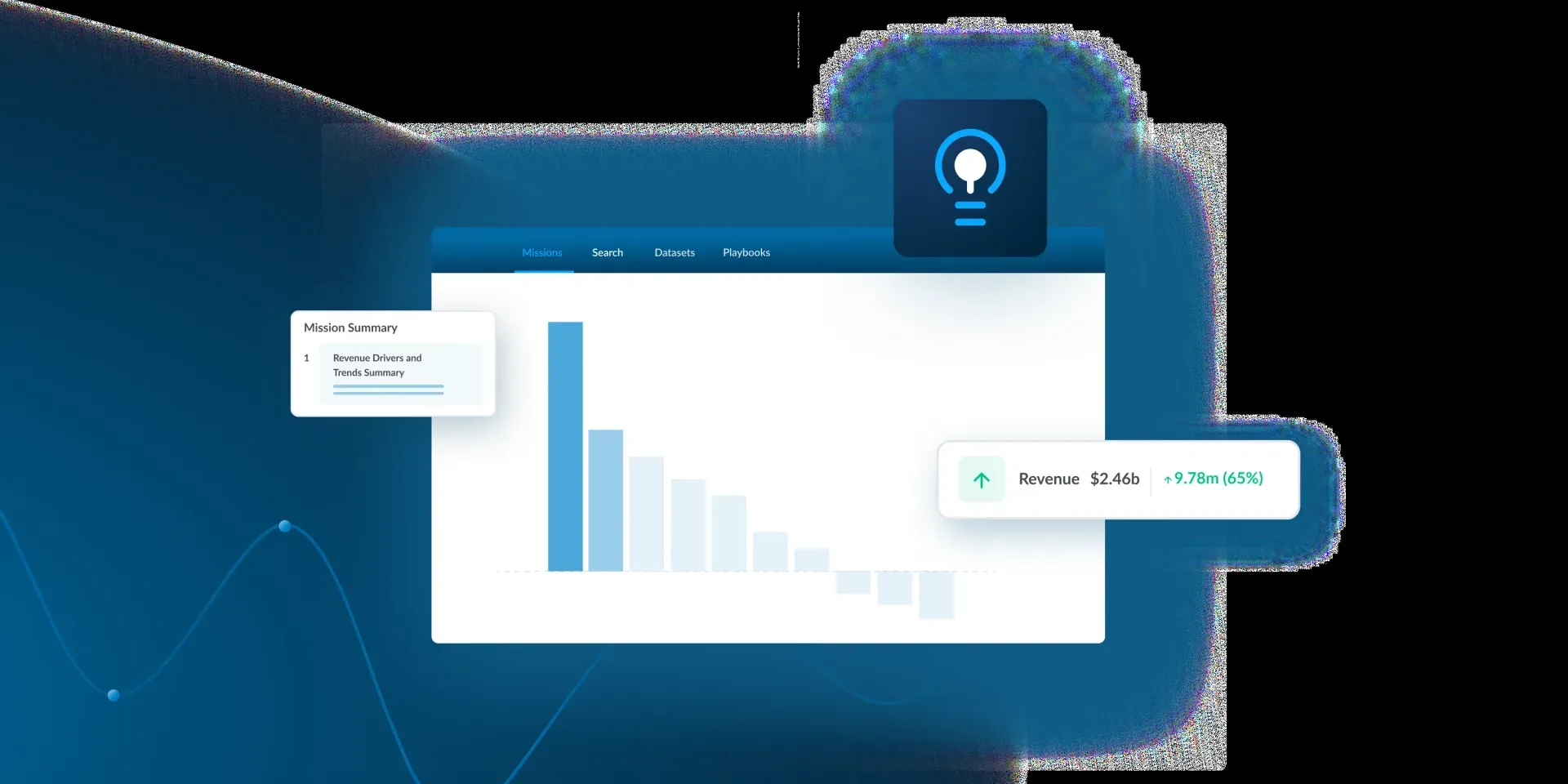
- Auto Insights and reports Auto Insights analyzes datasets and presents missions, search and playbooks for business users. Professional lists automated insights and cloud reporting, and the edition comparison includes custom reports.
- Agent Studio and MCP Server Agent Studio is one of the Alteryx One modules; the website describes building an AI agent and extending it to a preferred AI platform. The edition comparison lists Agent Studio, with one concurrent workflow in one edition, and an MCP Server among the platform capabilities.
- Private data handling Enterprise includes private data handling for large organizations. The private data processing documentation describes a processing cluster, the private data plane, that runs inside the customer's own AWS account and VPC with resources managed by Alteryx.
- Editions and user roles Starter is limited to 1 to 10 seats with Basic users only and cloud-only app deployment. Professional supports Basic and Full Creators, and Enterprise starts at 10 users and adds Viewers, analytic apps, enterprise governance and free viewer licenses. Add-ons include data packages, additional automation capacity and professional services.
- Windows installation From 2026.1, Designer is installed through the Alteryx One Windows application downloaded from the Alteryx One Download Center. The app also supports temporary and permanent offline use, and since 2026.3 Designer starts from an active Alteryx One session without a separate activation. Online license activation requires access to whitelist.alteryx.com.
- Free trial Alteryx offers a free 30-day trial of Alteryx One from the pricing page. The trial is self-service, while Professional and Enterprise pricing is provided by sales.
Where Alteryx fits
Turning spreadsheet processes into repeatable workflows
An analyst rebuilds a manual spreadsheet process as a Designer workflow: Input Data tools read files or databases, preparation tools clean and join the data, and Output Data or reporting tools write the result. The canvas records every step, so the same workflow can be rerun on new data. Alteryx lists month-end close automation and fixed asset depreciation among its use cases for finance teams.
Publishing and scheduling workflows on Server
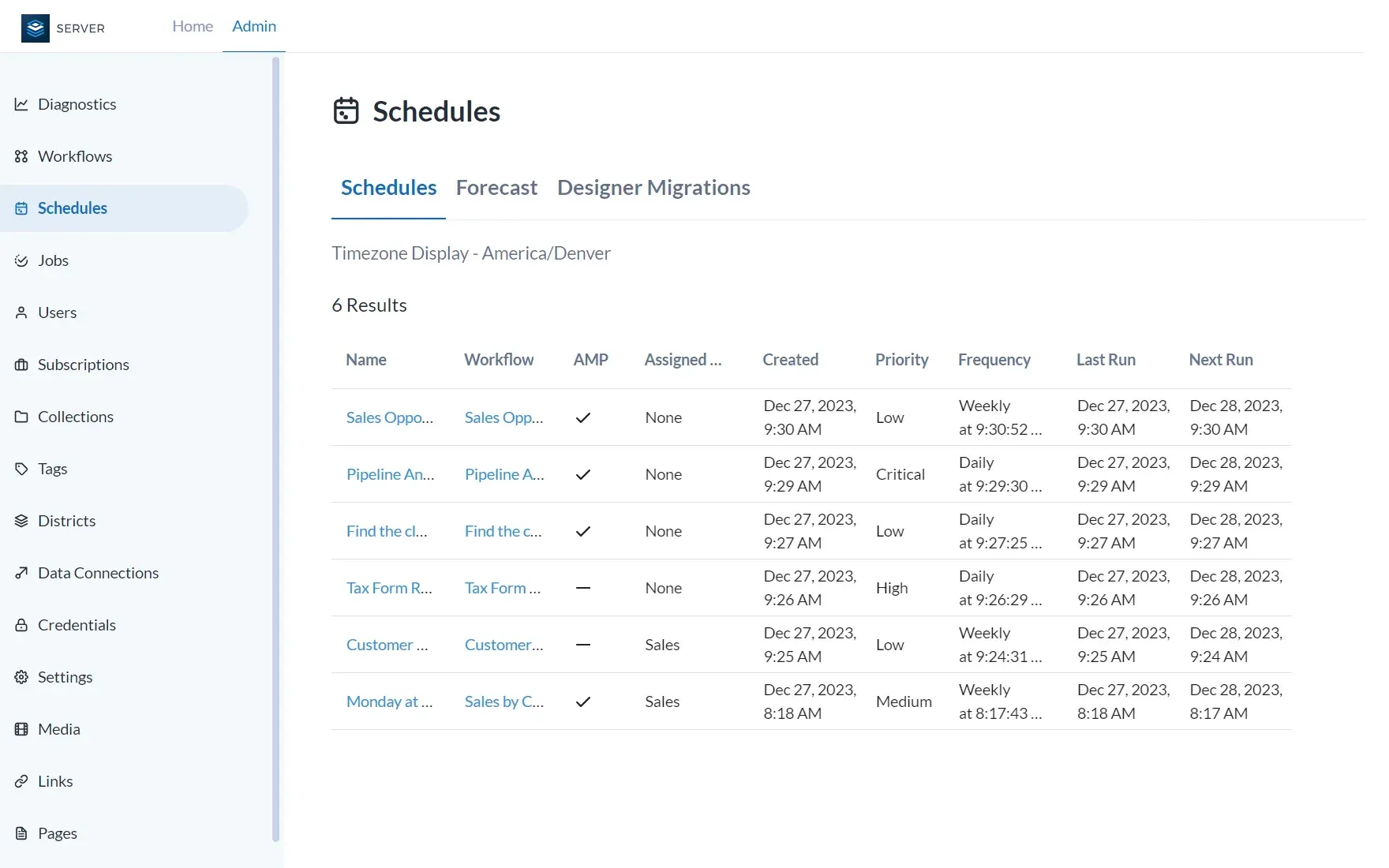
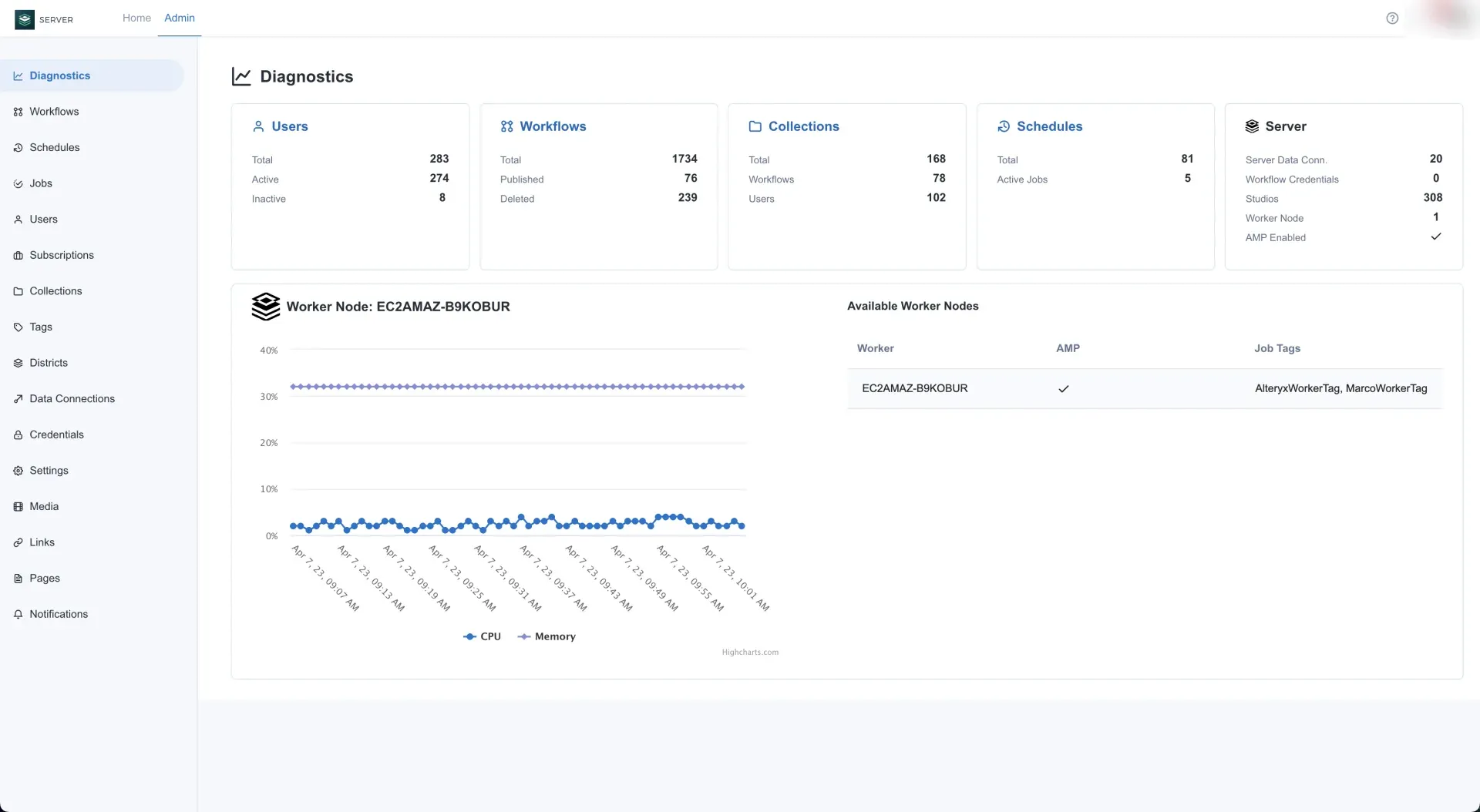
Workflows, analytic apps and models built in Designer are published to Alteryx Server, where administrators set schedules, priorities and worker assignment. The Server Admin portal shows schedules, jobs, users, collections, districts, data connections and credentials, and the Diagnostics page shows users, workflows, schedules and worker node CPU and memory. Results are delivered to BI dashboards, enterprise systems, data lakes, RPA systems or Excel.
Processing data inside a cloud data platform
For data in Snowflake, Databricks or Google Cloud, Alteryx describes processing data in place with push-down into the cloud platform, so the warehouse performs the computation. In-database tools render on the Modern View canvas with their own anchors and double-line connections. Professional and Enterprise editions include connectivity to more than 100 sources, which this workflow depends on.
Orchestrating cloud and desktop work in Alteryx One
Alteryx One plans combine tasks such as cloud workflows, Designer desktop workflows uploaded to the platform, reports, ML predictions and HTTP requests. Enterprise adds advanced scheduling and monitoring, including API-triggered runs. Since 2026.3, Designer workflows can also use macros stored in the Alteryx One library, either pinned to a version or always on the latest.
Adding language models to analytic workflows
The AI Tool Palette connects a workflow to a large language model through an LLM connection, and Ask Alteryx builds workflows from natural language prompts. Prompt Builder test runs show generated content validation errors since 2026.2. These features are documented on the Designer product page and in the 2026.2 release notes.
Sharing insights with business users
Auto Insights presents datasets as missions and playbooks with search, so users without Designer can explore results. Enterprise adds Viewer roles for people who open and interact with shared workflows and reports without building them. Related listings on iThub include Tableau, Power BI and Qlik for dashboards, and Databricks and Snowflake as data platforms Alteryx connects to.
Reviews of Alteryx
Be the first to share your experience with Alteryx.
Write a review
Loading review form…
Found Alteryx useful? Upvote it todayYour vote helps other IT teams find it in the daily ranking.


