What is Deep-Live-Cam?
Deep-Live-Cam is an open-source Python application that replaces a face in a live webcam feed, an image or a video with a face taken from a single source image. The project describes itself as real-time face swap and one-click video deepfake software. It is maintained in the hacksider/Deep-Live-Cam GitHub repository under the AGPL-3.0 license, and the README credits roop by s0md3v as the base of the code. Processing runs on the user's own computer, on the CPU or through a GPU execution provider.
The README opens with an official disclaimer and ethical-use statement. It presents the software as a tool for the AI-generated media industry, for example to help artists animate custom characters, create content and use models for clothing design. The project states that users must use the software responsibly and legally and, when using a real person's face, "obtain their consent and clearly label any output as a deepfake when sharing online". It says a built-in check prevents the program from processing inappropriate media such as nudity, graphic content and sensitive material like war footage, that the project may shut down or add watermarks to the output if legally required, and that it is not responsible for end-user actions. According to the same section, users who run the software agree to these terms and commit to respecting the rights and dignity of others.
The project is distributed in three editions, compared on the official Lite/Ultimate page. The GitHub (Source) Edition is free and installed manually with Git, Python and pip; the README warns that this requires technical skills and is not for beginners. Ultimate is a prebuilt package with a one-click batch installer, and Lite is a one-click build for low-end computers that can use the Decart cloud API with the user's own key. Lite and Ultimate are sold as subscriptions on deeplivecam.net, which the README names as the project's only official website, with a warning to be careful about downloads from other sources.
The latest GitHub release is tagged 2.8 and titled DeepLiveCam 2.8 Ultimate, published on October 22, 2026. It attaches no binaries: its notes describe the paid Ultimate build, available from deeplivecam.net. They list a stated 400% performance improvement over 2.7.5, a new Live Portrait model for creating a VTuber from images, optimized HyperSwap processing, more efficient face enhancement, frame interpolation on a separate worker, native Windows webcam formats, checks on saved TensorRT engines, an updated NVIDIA stack with CUDA 13.2 and validated video-rendering settings. The source on the main branch identifies itself as the GitHub Edition, version 2.1.5 in its metadata file, while the README heading reads 2.1.6.
The source edition is built on ONNX Runtime, InsightFace 0.7.3, OpenCV, a PySide6 interface, the opennsfw2 classifier and FFmpeg. Swap and enhancer models are downloaded from the project's Hugging Face repository. The README points out that the InsightFace models are licensed for non-commercial research purposes only, separately from the AGPL-3.0 code license. There is no web or mobile version: Windows, macOS and Linux are covered by the manual instructions, while the prebuilt editions target Windows with NVIDIA or AMD GPUs and Apple Silicon Macs.
Key capabilities
- Real-time webcam face swap In webcam mode, the user selects one source face image and starts Live; the README says the preview appears after 10 to 30 seconds, and selecting a new source image changes the face. The GitHub edition shows the result in a preview window, and the README describes streaming it with a screen capture tool such as OBS Studio. Live options include a mirrored and a resizable preview.
- Image and video mode A source face is applied to a target image or video, and the output is saved in a directory named after the target. The source accepts PNG, JPG, JPEG, BMP and WebP images and MP4 or MKV videos. Video options keep the original frame rate and audio, keep temporary frames, choose the libx264, libx265 or libvpx-vp9 encoder and set a quality value from 0 to 51.
- Face mapping and many faces Face mapping assigns different source faces to multiple subjects at the same time, which the official FAQ describes as resource intensive. The many faces option applies the selected face to every detected face instead. Both are also available as the
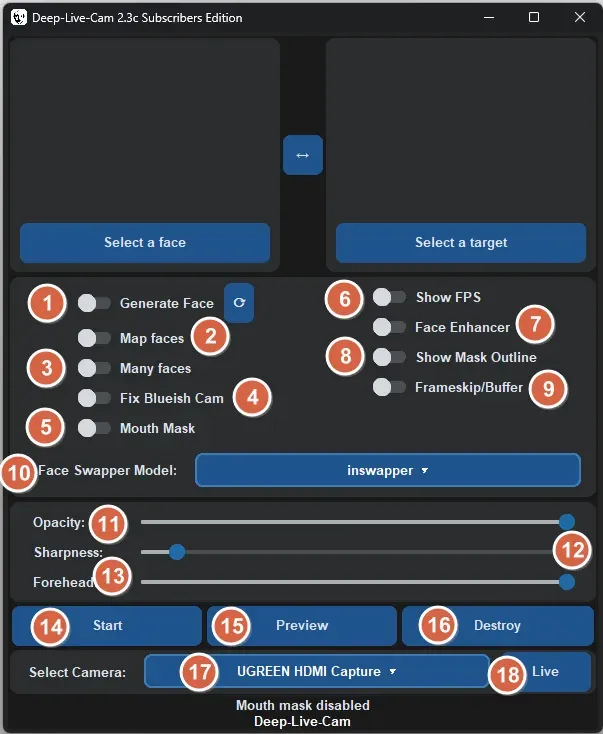
--map-facesand--many-facesarguments. - Mouth mask and blending controls The mouth mask keeps the original mouth for more accurate movement, for example when the user shows the tongue or touches the lips, according to the FAQ. The GitHub edition adds opacity and sharpness controls, Poisson blending and a fix for bluish camera colors. The subscriber builds add a forehead slider, and Ultimate lists forehead, lips, eyes, chin and face masks.
- Face enhancers The source includes GFPGAN (gfpgan-1024) and GPEN-BFR 256 and 512 frame processors that restore detail on the swapped face. The FAQ notes that the face enhancer is intensive and can cut live speed sharply, giving an example of a drop from about 15 to 4 frames per second.
- Swap models The GitHub edition uses the InsightFace inswapper model at 128 pixels, in FP16 or FP32. The edition table lists ReSwapper (256), HyperSwap (256) and FluxRT as additional models in Ultimate, while Lite uses Inswapper and Decart. Release 2.8 adds a Live Portrait model to Ultimate.
- Execution providers Without a GPU the app runs on the CPU. The README documents CUDA for NVIDIA (CUDA Toolkit 12.8.0, cuDNN 8.9.7 and onnxruntime-gpu 1.26.0), CoreML for Apple Silicon M1 to M5 and for older Macs, DirectML on Windows and OpenVINO for Intel hardware, each selected with
--execution-provider. The OpenVINO section lists matching onnxruntime-openvino and OpenVINO version pairs. - Built-in content check The README states that a built-in check prevents processing of inappropriate media such as nudity, graphic content and sensitive material. The GitHub source implements this as an NSFW filter based on the open-source opennsfw2 classifier, applied to target images, videos and live frames. In the GitHub source, this check is an option that is off by default and is enabled with the
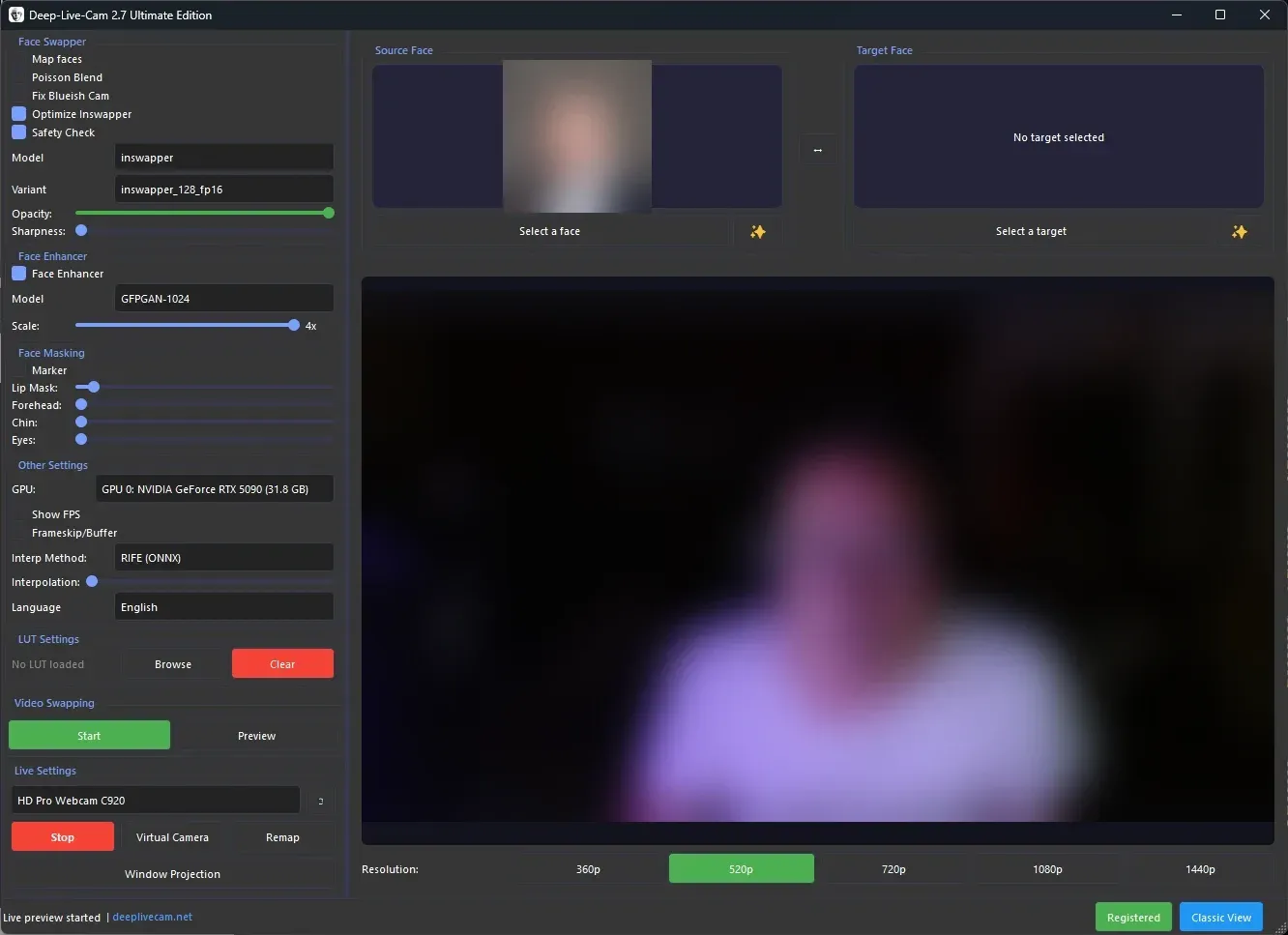
--nsfw-filtercommand-line flag. The 2.7 Ultimate interface shown on the official site includes a Safety Check option. - Command-line mode Passing a source with
-sruns the program without the interface, with options for target, output, frame processors, memory limit, execution threads and face detection size (160, 320 or 640). The README labels the command-line arguments as unmaintained. - Interface languages The source ships translation files for German, Spanish, Finnish, Indonesian, Khmer, Korean, Brazilian Portuguese, Russian, Thai, Turkish and Chinese, selected with
--lang; English is the default. The 2.7 Ultimate announcement lists English, Arabic, French, Japanese and Chinese for that edition. - Model downloads The manual installation places gfpgan-1024.onnx and inswapper_128_fp16.onnx in the models folder, and the README notes that the first run downloads about 300 MB of models. The files come from the project's Hugging Face repository, and the InsightFace models carry a non-commercial research license.
- GitHub (Source) Edition for Windows, macOS and Linux The free edition needs Python 3.11 to 3.14 (3.14 recommended), pip, git, FFmpeg and, on Windows, the Visual Studio 2022 runtimes. After cloning the repository and adding the models, dependencies are installed in a virtual environment from
requirements.txtand the app starts withpython run.py; the macOS instructions use Homebrew for Python 3.14 and python-tk. Updates arrive throughgit pull. - Ultimate prebuilt edition Ultimate is installed with a one-click batch script and includes the extra models and masks, a resolution switch from 320 to 1080, a real-time video player and a virtual camera. Version 2.7 added TensorRT acceleration for NVIDIA GPUs, which the announcement puts at up to about three times faster. The NVIDIA build requires Windows 10 or later, recommends an RTX 3060 or higher with 6 GB or more VRAM and needs CUDA 13.2 for 2.8 and later; the AMD build recommends 6 GB VRAM on Windows 10 or later, and the Mac build supports Apple Silicon only.
- Lite edition Lite is a one-click build without dependencies for low-end computers. It can run full-body transformations through the Decart cloud API or local face swapping only; the Decart API key is not included. Lite is included with the NVIDIA, AMD and Mac plans, and its latest announced version is 1.2.1, from July 2026.
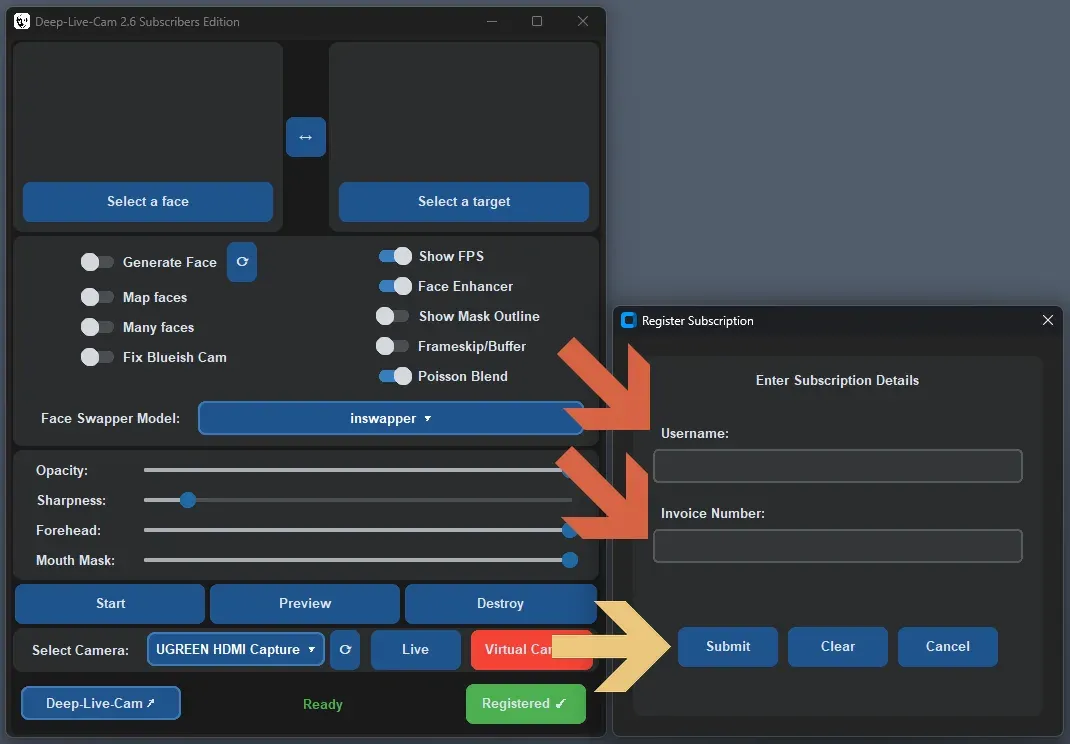
- Subscription plans The plans page lists NVIDIA and AMD subscriptions at $22 per month or $40 per three months, and Mac subscriptions at $32 per month or $60 per three months. Each plan includes priority support and the download of the latest Quickstart build from the account dashboard. The FAQ says the basic features stay usable after a subscription expires and that up to two computers can be registered per day.
- Virtual camera Release 2.6 introduced virtual camera support through OBS, and the edition table lists the virtual camera for Ultimate. With OBS installed, the Virtual Camera button sends the preview to the OBS Virtual Camera device, which other desktop applications can then select as a camera.
- Performance figures from the FAQ The official FAQ gives about 8 frames per second in live mode for an NVIDIA GPU with 6 GB VRAM, up to about 20 with an Intel i9 and 24 GB VRAM or more, and 6 to 10 for AMD and Mac systems. It adds that laptops are usually slower than desktops with similar parts.
Where Deep-Live-Cam fits
Terms that apply to every use
The official disclaimer frames all uses of Deep-Live-Cam. Users are expected to act responsibly and legally, to obtain consent before using a real person's face and to label shared output clearly as a deepfake. The project states that a built-in check blocks nudity, graphic content and sensitive material such as war footage, that it may add watermarks or shut the project down if legally required, and that it is not responsible for what end users do. The full wording is in the README disclaimer.
Animating custom characters
The disclaimer names animating custom characters as a use for artists. The Lite/Ultimate page describes using one's own character, created with AI, a 3D engine or an image generation service, as the source face, so that the person on camera drives that character in real time. Release 2.8 extends this with the Live Portrait model, which the 2.8 announcement describes as a way to create a VTuber from images.
Live streams and on-camera personas
The official website presents real-time face swapping for streaming, content and on-camera projects, with OBS and virtual-camera workflows connecting the output to streaming software. The README lists live shows and performances as a use. The disclaimer's requirements apply to these uses: consent from any real person whose face is used, and a deepfake label when the output is shared online.
Content creation with images and video
Image and video mode applies a source face to a target image or a recorded video on the local computer, with optional face enhancement and a choice of video encoder and quality. The disclaimer describes creating engaging content as one of the purposes of the software, and version 2.7 added batched multi-face inference and video export in a separate process. Related on iThub: Open Generative AI for AI image and video generation.
Clothing design
The disclaimer also lists using models for clothing design among the intended uses in the AI-generated media industry. The README does not describe this use in further detail; the general image and video mode applies, and the consent requirement covers any real person's face involved.
Development and hardware tuning
The GitHub (Source) Edition targets developers and power users, according to the edition table, with full access to the Python code and tuning for specific hardware. The contribution guide asks contributors to push to the premain branch first and lists checks such as real-time FPS, boot time, camera listing and a GPU load test of at least 15 minutes before a pull request. The repository also includes a benchmark script and a test suite.
Reviews of Deep-Live-Cam
Be the first to share your experience with Deep-Live-Cam.
Write a review
Loading review form…
Found Deep-Live-Cam useful? Upvote it todayYour vote helps other IT teams find it in the daily ranking.