What is Open Generative AI?
Open Generative AI is an MIT-licensed studio application for generating images, video, audio and lip-sync clips through hosted AI models. It is a front end: cloud generation runs on Muapi.ai, an API gateway that the README credits as the service powering the app, and every cloud request needs a Muapi access key. The source code is published on GitHub by the account Anil-matcha; the first commit, in February 2026, scaffolded the project under the earlier name Open-Higgsfield-AI. The project describes itself as an unrestricted, open-source alternative to commercial AI video platforms and states that the studio adds no content filters of its own; the models it calls are operated by Muapi and the model vendors.
The application is a Next.js 14 and React 18 monorepo styled with Tailwind CSS, with a shared packages/studio component library. That library holds the model definitions in models.js and is also used by the hosted version on muapi.ai, so model updates apply to both the self-hosted app and the hosted one. The app talks to Muapi with a submit-and-poll pattern: a POST to the model endpoint, then polling a prediction result URL until the job completes, authenticated with an x-api-key header. File uploads go to Muapi and return a hosted URL that is passed to image-conditioned models.
Model counts are worded differently across the project. The README model table, which it says is counted from packages/studio/src/models.js, lists more than 420 models across eight categories (text-to-image, image-to-image, text-to-video, image-to-video, video-to-video, lip sync, body swap and audio), while the repository description says 600+ and the hosted page metadata says 200+. Named model families include Flux, Nano Banana, Midjourney, Seedream, Ideogram, GPT-4o, Kling, Sora, Veo, Wan, Seedance, Hailuo, Runway, Infinite Talk and LTX lipsync models.
The latest release is v2.0.0, published May 23, 2026. It added an Audio Studio tab, Vibe Motion, a Clipping tab, a Design Agent, an English and Chinese language switcher, an interactive command generator for the MCP and CLI studio and a choice of storage directory for local models. Fixes covered Wan2GP endpoint fallback, a renewed API key prompt after 401 or 403 responses and bundled local inference packaging for Linux. Earlier 1.0.x releases added Agents and Workflows tabs (1.0.4), Metal GPU inference binaries and local Wan2GP video generation (1.0.7 to 1.0.9). Installers are listed on the releases page.
The studio itself is free and open source, while cloud generations are billed by Muapi. Muapi's pricing page lists per-model prices per generation, for example $0.015 for flux-krea-dev, $0.6 for veo3-fast-text-to-video and $2.5 for veo3-image-to-video, and the muapi.ai page metadata describes sandbox credits, pay-per-generation pricing and no monthly subscription. The README also promotes a Muapi White Label service for running a branded copy of the app, with plans starting at $49 per month. Similar listings on iThub include OpenCreator, and model APIs such as Replicate.
Key capabilities
- Desktop app for macOS V2.0.0 ships a DMG for Apple Silicon and a DMG for Intel Macs. The README states the app is not notarized, so Gatekeeper blocks the first launch; it documents clearing the quarantine attribute with xattr -cr or allowing the app under System Settings, Privacy and Security. Metal GPU acceleration for local inference is built into the macOS binary.
- Desktop app for Windows An NSIS installer for Windows x64 (Open.Generative.AI.Setup.2.0.0.exe) is attached to the release. The installer is not code-signed, so SmartScreen may warn on first run; the README lists More info, then Run anyway. The app installs to %LocalAppData% with a Start Menu shortcut.
- Desktop app for Linux Release v2.0.0 includes an x64 AppImage and an amd64 .deb for Debian and Ubuntu. On Ubuntu 24.04 and later the AppArmor user-namespace restriction can block the Chromium sandbox; the .deb ships an AppArmor profile, and older systems may need libfuse2 for the AppImage. Linux installers can also be built with npm run electron:build:linux.
- Self-hosted web version From source, the project is cloned with submodules, prepared with npm run setup and started with npm run dev (Next.js on port 3000) or npm run electron:dev for the desktop shell; npm run build and npm run start produce a production build. Node.js 18 or later is required. The repository also contains a Dockerfile and a docker-compose.yml that maps the app to port 3001.
- Hosted version The same studios run in the browser at muapi.ai/open-generative-ai without installing anything, with a free Muapi account. Local model inference is not available there; the README states the hosted web version always uses cloud APIs.
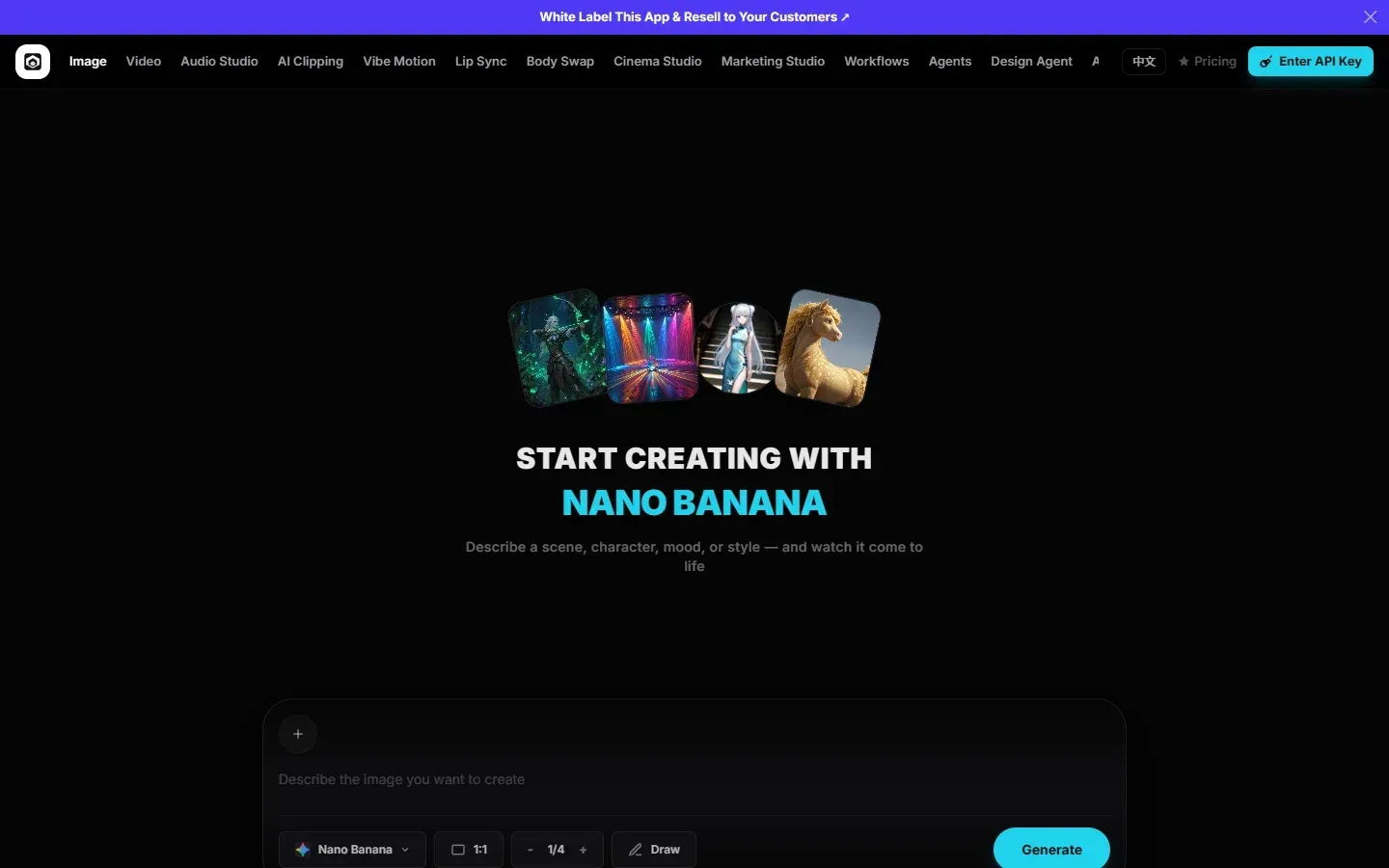
- Image Studio Text-to-image and image-to-image modes switch automatically depending on whether a reference image is attached. The feature list cites 50+ text-to-image and 55+ image-to-image models, with aspect ratio, resolution and quality controls shown for models that support them. Compatible edit models accept several reference images, up to 14 for Nano Banana 2 Edit, sent in the order selected.
- Video Studio Text-to-video and image-to-video modes follow the same switching pattern, with 40+ text-to-video and 60+ image-to-video models in the feature list. Models listed include Kling, Sora, Veo, Wan, Seedance 2.0 (with an Extend model that continues a generation), Hailuo, Runway and Grok Imagine. Duration and aspect ratio pickers adapt to each model.
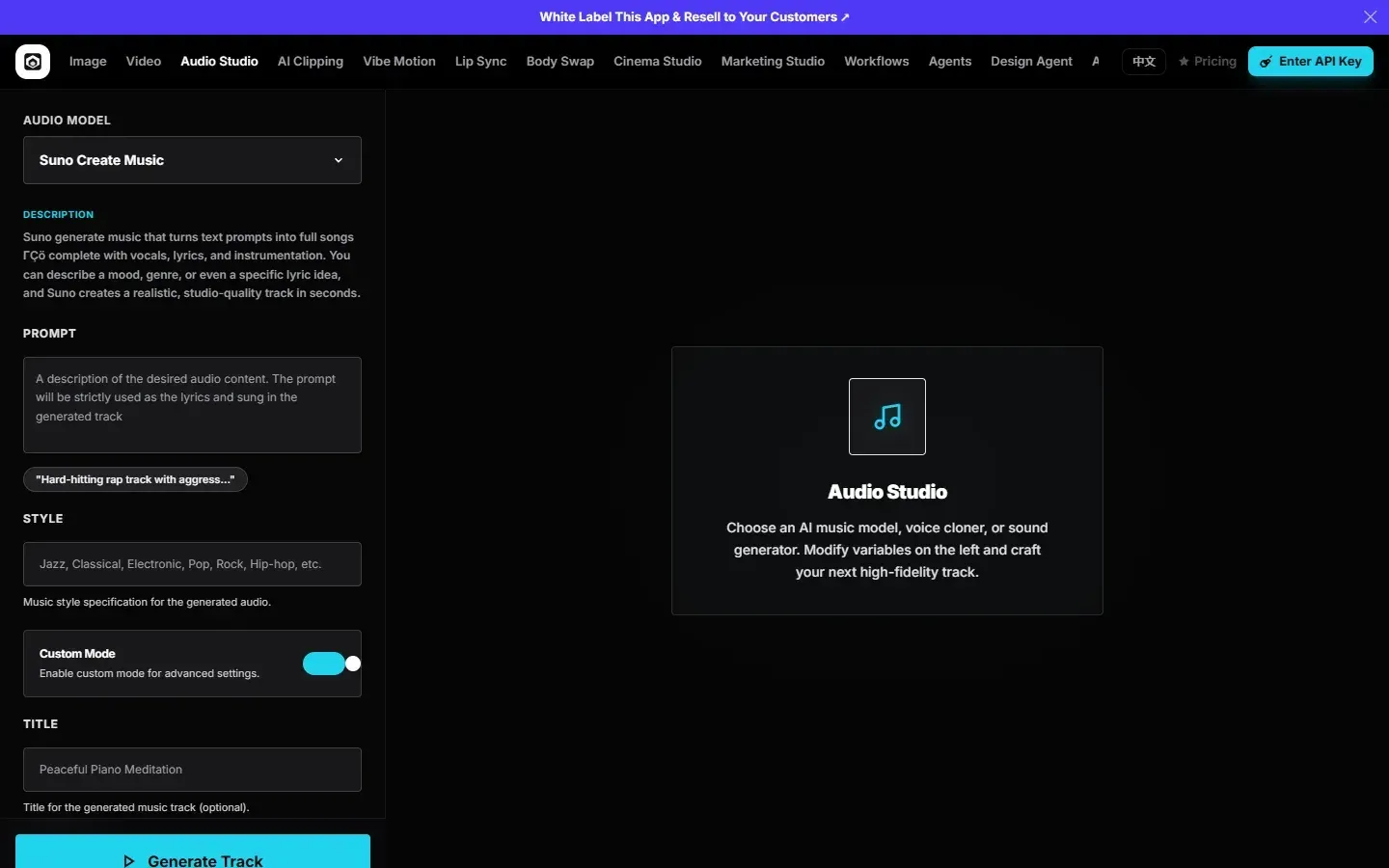
- Audio Studio Added in v2.0.0, it generates and edits audio and music from text prompts. The hosted interface offers models such as Suno Create Music with prompt, style, custom mode and title fields. The README model table lists 15+ audio models for text-to-music, remix and editing.
- Lip Sync Studio Two modes produce talking video: a portrait image plus an audio file, or an existing video plus audio. The README lists nine dedicated models, including Infinite Talk, Wan 2.2 Speech to Video, LTX 2.3 Lipsync, Sync Lipsync, LatentSync, Creatify and Veed. Pending lip-sync jobs resume when the page reloads.
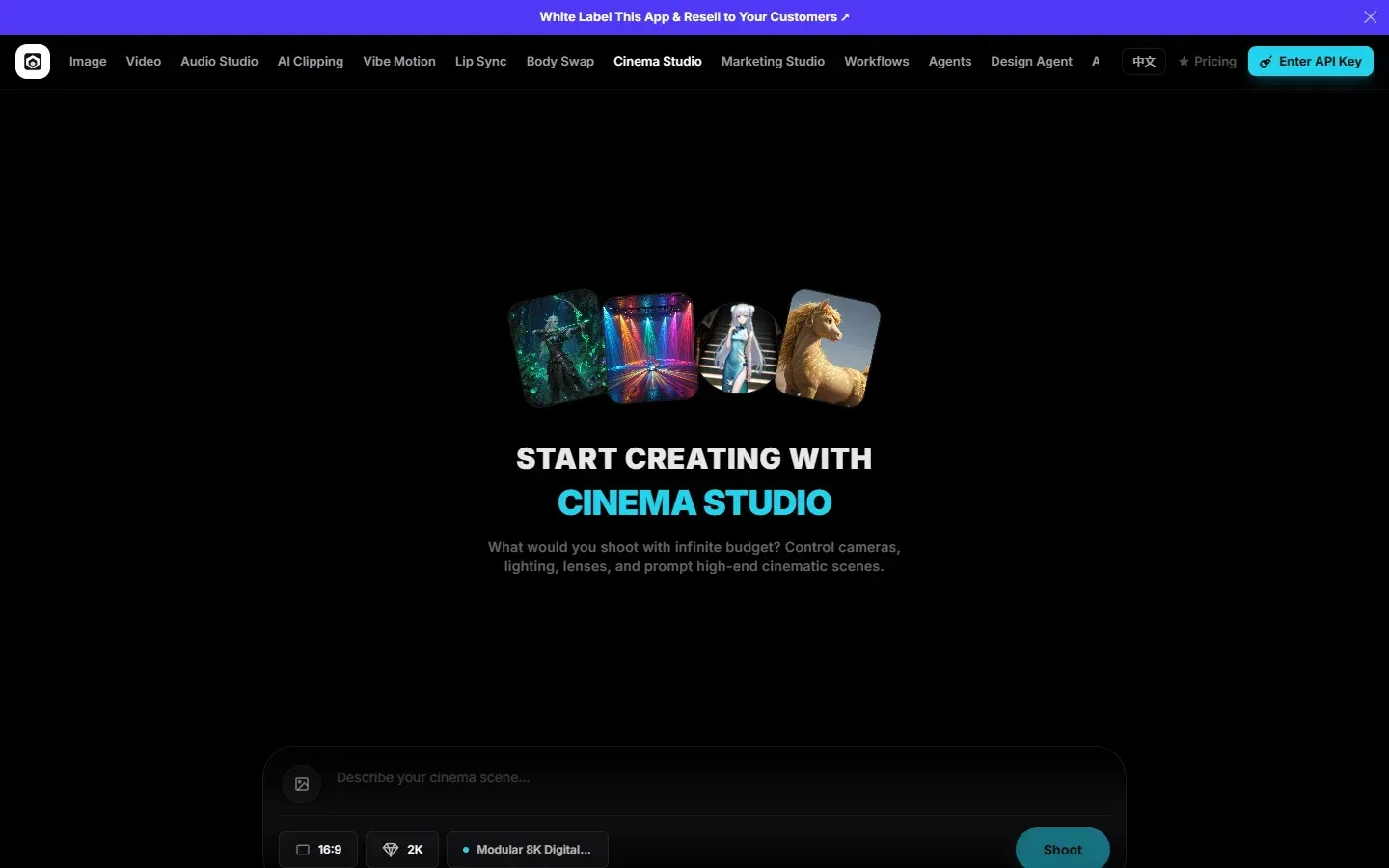
- Cinema Studio Camera choices are translated into prompt modifiers: six camera bodies, eleven lens types, focal lengths from 8mm to 85mm and apertures of f/1.4, f/4 and f/11. The README describes it as an interface for photorealistic cinematic shots.
- Clipping, Vibe Motion, Body Swap and Marketing studios AI Clipping extracts highlights from longer videos, Vibe Motion produces stylized motion effects, Body Swap (Recast) changes a subject's appearance in an image or video, and Marketing Studio generates ad variations from one input. An AI Influencer Studio manages content for a consistent AI persona.
- Workflow, Agent and Design Agent studios Workflow Studio chains image, video and audio models in a node-based editor with templates, saved workflows, community workflows and a form-based playground; every workflow is also callable through the Muapi API. Agent Studio runs a multi-turn creative agent, and Design Agent Studio provides a canvas-based design agent. The workflow engine is the separate Vibe Workflow project.
- Local inference with sd.cpp The desktop app can download a bundled stable-diffusion.cpp engine from Settings, Local Models and run image models without an API key: Z-Image Turbo and Base, Dreamshaper 8, Realistic Vision v5.1, Anything v5 and SDXL Base 1.0. It runs on CPU, Metal on Apple Silicon, and CUDA, Vulkan or ROCm on Linux and Windows. The README recommends 16 GB of RAM for Z-Image and notes that it can hang an 8 GB Mac.
- Local inference with Wan2GP A user-installed Wan2GP, on the same machine or reached through its MCP server on another machine, adds local video models (Wan 2.1 and 2.2, Hunyuan Video 1.5, LTX-2 Distilled) and Flux.1 Dev and Qwen Image. Wan2GP needs a CUDA or ROCm GPU; the app does not bundle Python or its weights.
- History, uploads and key storage Generation history, uploaded reference images and the Muapi API key are stored in browser localStorage, and the README states the key is sent to no server except Muapi. Outputs can be downloaded at full resolution.
- MCP and CLI studio A tab for Muapi's MCP and command-line access includes an interactive command generator playground, added in v2.0.0. The interface also offers an English and Chinese language switch.
Where Open Generative AI fits
Generating images from prompts or references
In Image Studio the user enters a prompt, picks a model and sets aspect ratio, resolution and image count, then generates through Muapi. Attaching one or more reference images switches the studio to image-to-image models such as Flux Kontext, Seedream Edit or Nano Banana 2 Edit; previously uploaded references are kept in a picker for reuse. The README lists the maximum reference images per model.
Producing short videos
Video Studio generates clips from text or animates a start frame. Model-specific controls set duration, aspect ratio and quality, for example 5, 10 or 15 seconds for Seedance 2.0. Cinema Studio adds camera, lens, focal length and aperture choices that are turned into prompt modifiers for cinematic shots.
Talking-head and lip-sync clips
Lip Sync Studio combines a portrait image or a video with an audio file. The user selects the input mode, uploads both files, optionally adds a prompt for motion style and picks one of the nine models and a resolution where available. Lip-sync history is stored separately in the browser.
Multi-step creative pipelines
Workflow Studio connects models in sequence, for example an image step feeding a video step, using templates or a node-based builder. Workflows run in an interactive playground and can be called through the Muapi API, and the Agent and Design Agent studios plan and run generation tasks conversationally.
Offline image generation on a desktop
In the desktop app, Settings, Local Models installs the sd.cpp engine and downloads a model; the Local toggle in Image Studio then generates without a Muapi key. By default model weights are stored under the Electron app data folder; v2.0.0 added a custom storage directory, and the OPEN_GENERATIVE_AI_LOCAL_AI_DIR variable moves weights to another drive. The stable-diffusion.cpp project provides the engine.
Running a branded studio
Because the code is MIT-licensed, the studio can be modified, extended with model definitions and self-hosted with Docker. The README also points to Muapi's White Label service, which hosts a branded copy with a custom domain and the operator's own credit or subscription prices on top of Muapi billing.
Reviews of Open Generative AI
Be the first to share your experience with Open Generative AI.
Write a review
Loading review form…
Found Open Generative AI useful? Upvote it todayYour vote helps other IT teams find it in the daily ranking.