
What is MoneyPrinterTurbo?
MoneyPrinterTurbo is an open-source Python application that turns a video topic or keyword into a finished short video. According to the English README, it writes the script with a large language model, derives search terms, collects matching footage, synthesises a voiceover, creates subtitles, adds background music and renders the result. Each stage can also be controlled manually: a complete custom script, uploaded audio or local images and videos can replace the automatic steps. The project is published on GitHub by the account harry0703, with READMEs in Chinese, English and Japanese.
The software runs on the user's own machine or server. It is distributed as the official PyPI package mpt (the README notes that the PyPI package named MoneyPrinterTurbo is maintained by a third party), as a Windows one-click portable package in .7z format on GitHub Releases, as a prebuilt Docker image ghcr.io/harry0703/moneyprinterturbo:latest used by docker-compose.release.yml, and as source code managed with uv. A Google Colab notebook is linked from the README. The interfaces are a Streamlit WebUI (port 8501 in the Docker setup), an HTTP API with interactive documentation at /docs and /redoc on port 8080, a command-line generator and an Agent Skill that lets a coding agent install and run the tool.
The latest release is v1.3.10, published on November 7, 2026, with the asset MoneyPrinterTurbo-Portable-Windows-1.3.10.7z. Its notes list OpenAI Codex subscription access with device-code sign-in, a separate ChatGPT Native OAuth provider, Codex image generation as a material source, new Infistar, Jalapeno Cloud, Runcrate, CloudGPU and cheapaimodel providers, progress tracking for long-running generation that survives page refreshes, Arabic-script subtitle shaping, smoother slow image zoom, Indonesian script language support and Redis-backed task concurrency limits shared across workers.
The README lists Windows 10 or later, macOS 11 or later and mainstream Linux distributions, with Python 3.11 or later for local deployment. A GPU is not required: the minimum is 4 CPU cores and 4 GB of RAM, the recommended setup 6 to 8 cores, 8 GB of RAM and a GPU with 4 GB of VRAM or more, which the project describes as useful for faster local Whisper transcription, video processing and batch generation. Configuration lives in config.toml, which is created on first launch, and generated videos are stored under storage/tasks in a per-user data directory that MPT_HOME can override.
MoneyPrinterTurbo is released under the MIT License. Script writing, AI footage, cloud voices and most music generation rely on third-party services that need the user's own API keys and accounts; only Edge TTS is documented as free without an API key, and Pexels and Pixabay as free stock footage APIs. On content rights, the README states that the default background music in resource/songs comes from YouTube videos and asks users to delete those files if there are copyright issues. The README also carries sponsor sections for model and API providers. Similar projects on iThub include OpenFilm and Open Generative AI.
Key capabilities
- Topic-to-video pipeline A single subject such as "How AI is changing everyday life" is enough to start a run: the tool generates the script, keywords, voiceover, footage selection, subtitles, music and final edit in sequence. Progress is reported per stage (script, voiceover, footage download, clip processing and rendering), and since v1.3.10 the WebUI shows elapsed time and polling status and keeps tracking a task after a page refresh.
- Multilingual script generation Scripts can be generated or rewritten by an LLM in several languages, or supplied in full by the user. If AI generation fails, v1.3.10 keeps the existing script and keywords and shows an actionable error instead of discarding them. Paragraph count and script language are configurable in the WebUI and on the command line.
- Wide choice of LLM providers The README lists direct providers including Kimi (Moonshot AI), OpenAI, Anthropic Claude, Google Gemini, DeepSeek, Alibaba Cloud Qwen, Azure OpenAI, VolcEngine Ark, xAI Grok, MiniMax, iFlytek Spark and Xiaomi MiMo, plus gateways and local runtimes such as OpenRouter, LiteLLM, OneAPI, Groq, Cloudflare AI Gateway and Ollama. A ChatGPT subscription can be used through the Codex provider with device-code sign-in, and ChatGPT Native OAuth depends on account and workspace eligibility.
- Stock footage and local media Footage can come from the user's own local images and videos or from the Pexels and Pixabay APIs (both marked free in the README) and Coverr. Clip duration, playback speed, transitions, crop-to-fill or letterbox fitting and random or script-order footage matching are adjustable. TwelveLabs can optionally rerank stock-footage search terms by video topic.
- AI-generated video clips As an alternative to stock footage, the README documents integrations that generate clips from script segments, including Metaso MiniMax H3 (768p or 2K, 4 to 15 second clips in 9:16, 16:9 or 1:1), VolcEngine Ark Seedance, WaveSpeed AI, OFox, MuAPI, Infistar, Jalapeno Cloud, Shengsuan Cloud LoomLoom (with a quote to confirm before charging) and useapi.net routes to Veo, Kling and Seedance on the user's own plans. These services are paid by the user under their own terms.
- AI and local image material OpenAI-compatible text-to-image services, custom image gateways and Codex image generation can produce still images that are animated with a static or slow-zoom effect. The repository includes a local SDXL image server for generating images on the user's own hardware.
- Voiceover with many TTS engines Voiceover can be automatic, uploaded or disabled, with voice samples and full narration previews. Supported engines include Edge TTS (labelled Azure TTS V1 in the WebUI, free without an API key), Azure TTS V2, SiliconFlow, Google Gemini, Xiaomi MiMo, MiniMax, ElevenLabs, Fish Audio, ModelBest VoxCPM and self-hosted Chatterbox and Kokoro. VoxCPM can clone a voice from reference audio up to 20 MiB, and Edge TTS accepts pause tags such as
[pause: 2s]. - Subtitles from TTS timing or Whisper The default
edgemode builds subtitles from TTS timestamps without a GPU. Thewhispermode runs faster-whisper locally, downloading the roughly 3 GBlarge-v3model on first use, or the roughly 1.6 GBlarge-v3-turbomodel if configured. Display can be by sentence or word by word, with font, position, color, size, outline, background and pop-up animation settings. - Background music Music can be picked at random from the bundled songs, previewed from presets or uploaded from local tracks, with independent volume control. Video-matched music can be generated with Sonilo or ElevenLabs Video-to-Music. The README states that the bundled default tracks come from YouTube videos and should be deleted if there are copyright issues.
- Output formats and batch runs Videos are exported as portrait 9:16 (1080x1920), landscape 16:9 (1920x1080) or square 1:1 (1080x1080). Several variants can be generated per run, task history is kept in the Task Manager, and generation settings and API keys can be imported and exported.
- Publishing to social platforms Finished videos can be posted to TikTok, Instagram and YouTube Shorts. The code uses the Upload-Post API for cross-posting. An LLM can draft titles, captions and hashtags, and YouTube visibility and the made-for-kids flag are configurable.
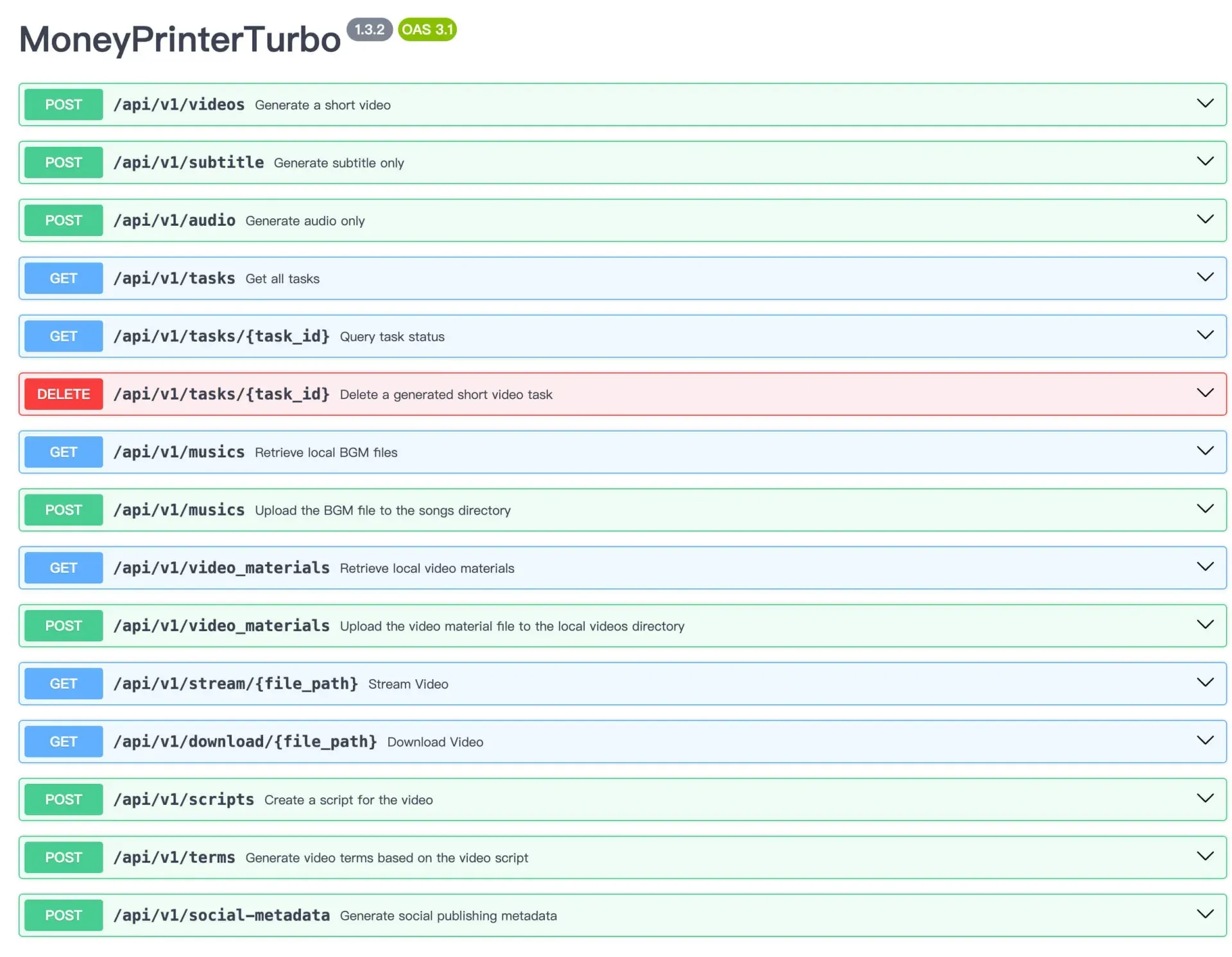
- HTTP API The API service exposes endpoints such as
POST /api/v1/videos,/api/v1/subtitle,/api/v1/audio,/api/v1/scripts,/api/v1/termsand/api/v1/social-metadata, plus task listing, status, deletion, streaming and download routes. Same-origin browser access is allowed by default, andCORS_ALLOWED_ORIGINSopens it to a separate frontend. - Command-line and batch manifests The CLI (
mpt clifor the pip package,cli.pyin a source checkout) generates videos without a browser. A UTF-8 JSON array or JSONL manifest of up to 100 tasks and 1 MiB runs tasks sequentially; all entries are validated first, individual failures do not stop the batch and a JSON summary with per-task status is printed at the end. - Editable local video projects An opt-in project CLI snapshots prepared footage and narration, records immutable revisions and rebuilds only scenes whose inputs changed, verified by SHA-256. It needs Python 3.11 and FFmpeg with libx264, makes no API calls and does not publish videos.
- Agent Skill workflow A coding agent that can read Skill documents and use a local terminal can be pointed at the project's
docs/skill/SKILL.md. The agent then installs and configures MoneyPrinterTurbo, asks only for missing API keys, generates the video and returns the file path. The README states this workflow currently supports macOS and Windows. - Installation options Windows users can extract the portable package and run
update.batandstart.bat. On any platform the pip route ispython -m pip install mptfollowed bympt webuiinside a virtual environment. Docker deployment usesdocker compose -f docker-compose.release.yml upafter copyingconfig.example.tomltoconfig.toml; source deployment usesuv sync --frozenandwebui.shorwebui.bat.
Where MoneyPrinterTurbo fits
Producing an explainer short from one topic
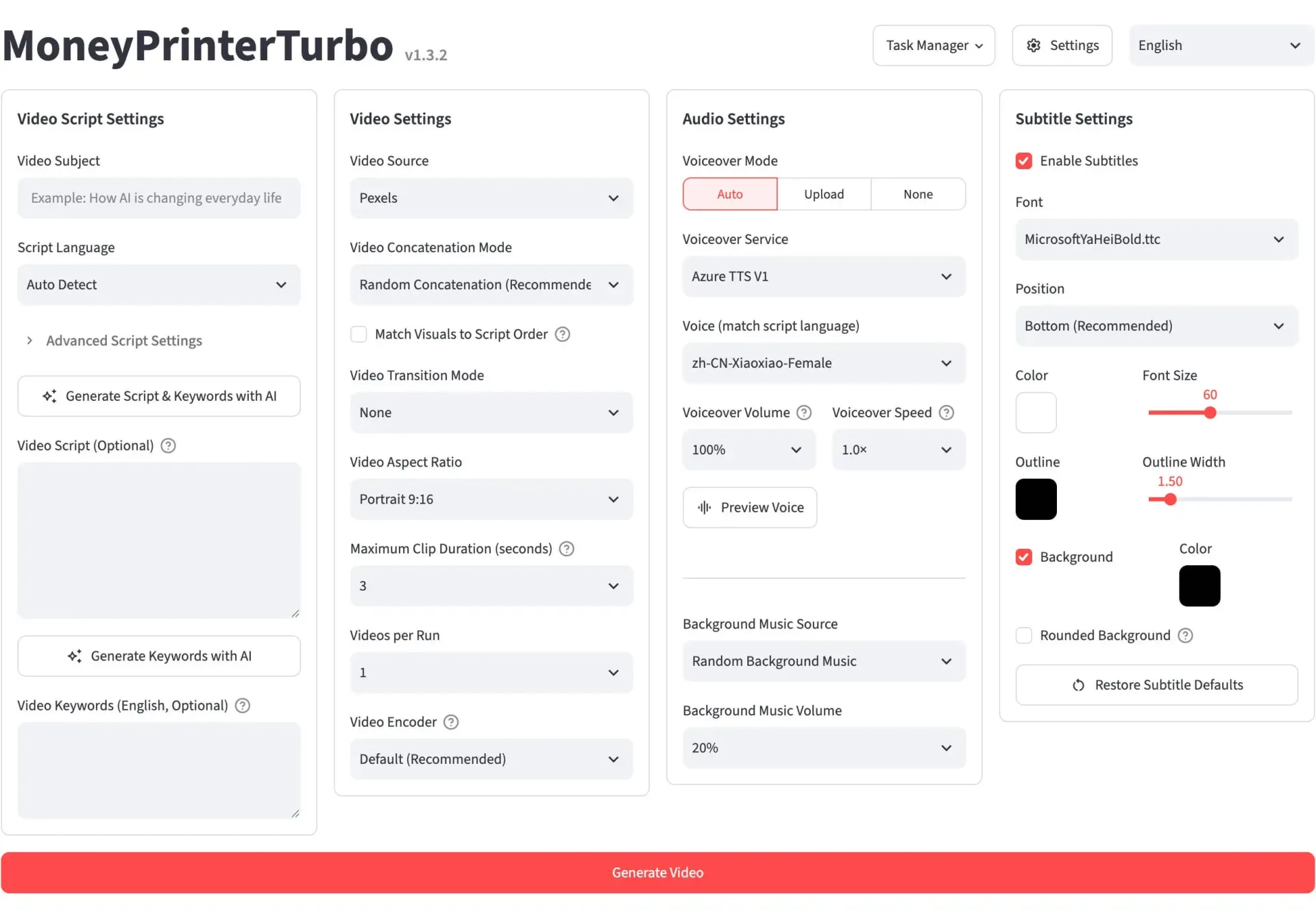
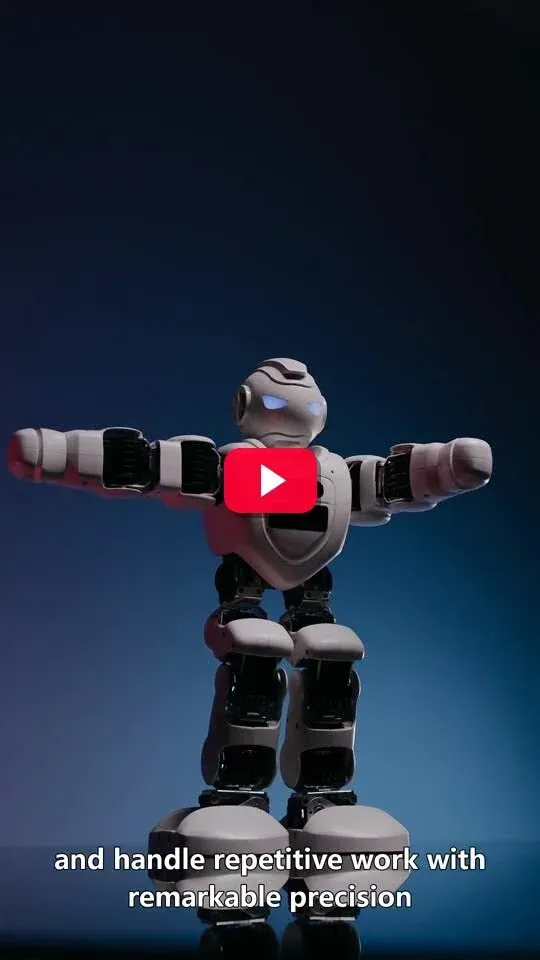
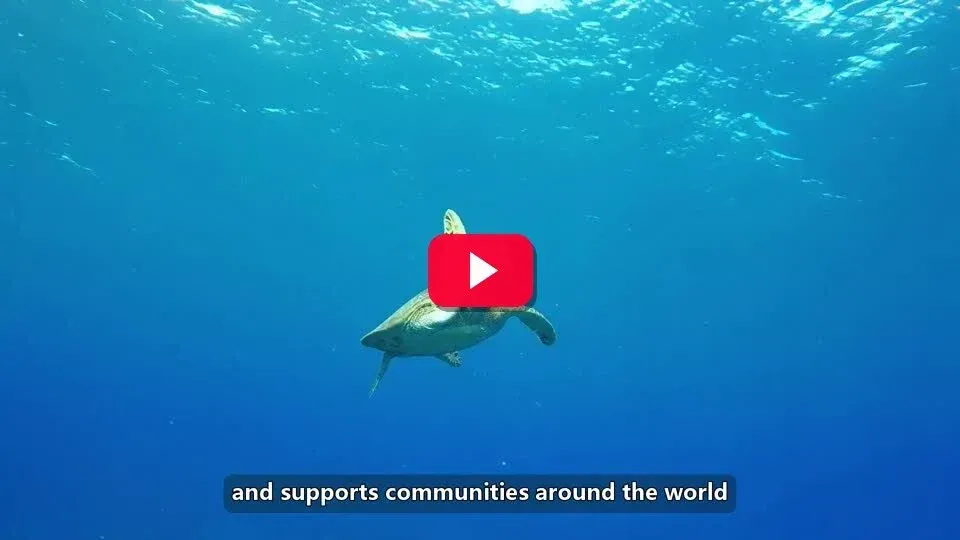
In the WebUI the user enters a video subject, selects a script language and an LLM provider, then picks a footage source such as Pexels, a voice and subtitle style before pressing Generate Video. The pipeline writes the script, searches footage with the generated keywords and renders a 9:16 video by default. The README gallery shows example outputs in Chinese and English between 14 and 59 seconds long.
Narrating a prepared script
When the wording must stay fixed, a complete custom script can be pasted into the Video Script field and the AI step skipped, or keywords can be generated from that script only. Combined with uploaded audio and local footage, the tool then acts as an assembly and subtitling pipeline for material the user already has.
Batch generation for a content series
A JSON or JSONL manifest passed to cli.py --batch-file runs up to 100 tasks in sequence, with CLI options acting as defaults and each object overriding fields such as video_subject or video_aspect. The final JSON summary reports succeeded and failed tasks with the failed stage and error for each one.
Integrating video generation into other systems
With the API service running on port 8080, external tools such as n8n, curl or a custom backend can submit POST /api/v1/videos requests and poll /api/v1/tasks/{task_id} for status. The README notes that CORS settings only matter for browser frontends on another origin, not for server-side clients. The n8n listing covers one such workflow tool.
Generating with AI video models instead of stock footage
For topics where stock libraries have no suitable clips, a video generation provider such as Seedance, MiniMax H3 or a useapi.net route can create clips per script segment, which are then combined with the project's voiceover, subtitles and editing. These calls are billed by the provider, and Shengsuan Cloud LoomLoom shows a quote that must be confirmed first.
Publishing directly after rendering
After a render completes, the Upload-Post integration can post the video to TikTok, Instagram and YouTube Shorts with LLM-drafted titles, captions and hashtags. YouTube visibility and the made-for-kids setting are chosen before upload, and the account connection is configured in the WebUI settings.
Install
python -m pip install mptReviews of MoneyPrinterTurbo
Be the first to share your experience with MoneyPrinterTurbo.
Write a review
Loading review form…
Found MoneyPrinterTurbo useful? Upvote it todayYour vote helps other IT teams find it in the daily ranking.