
What is PDFx?
PDFx is an open-source project published on GitHub under the AlexandrosGounis account (the package lists Alex Gounis as author) that combines two things: a backwards-compatible extension of the PDF format for bundling several documents into one file, and a desktop viewer that presents those documents on a 2D canvas. The repository describes it as a free-floating canvas for processing multiple PDF files at the same time. A browser version of the same interface runs at pdfx.zip, which the README labels as the live demo.
The format is defined in SPEC.md (version 1.0, marked as a draft). A PDFx file is an ordinary PDF in which the pages of each member document are concatenated in order, plus one embedded file attachment named pdfx-manifest.json. The manifest lists the collection title and each document's name and page count. Any standard PDF viewer shows all pages in sequence, while a PDFx-aware viewer uses the manifest to split the file back into its original documents. Plain PDFs without a manifest are treated as a one-document collection. The specification recommends the .pdfx extension and allows .pdf.
The current release is PDFX 0.2.0, published on August 10, 2026, with a macOS arm64 DMG and a Windows setup EXE. Its changes include handling of scanned pages, text highlights and redactions, a first version of form field identification and filling, signing and drawing, text elements, and AI-assisted translation and editing tools, plus a contributed fix that keeps embedded PDF text authoritative over OCR results. The earlier prerelease 2026.6.1-beta.0 added Linux packaging, a direct Export PDF button, Windows build fixes and OCR with search indexing off the main thread. The release notes state that macOS blocks the app on first launch until it is allowed under Privacy and Security, and that Windows SmartScreen shows a warning for the installer.
The application is built with Electron, Vite, TypeScript and React. Pages are rendered with pdf.js and assembled with pdf-lib; OCR uses tesseract.js with English, German, French and Spanish language data. On macOS the window uses a native liquid-glass backdrop, and the Linux setup guide notes that Linux uses a solid fallback background with otherwise identical behavior. The project is released under the MIT license.
PDFx focuses on arranging, annotating and exporting collections. Similar desktop page tools listed on iThub include PDF Arranger and PDFsam Basic; Stirling PDF covers a broader set of server and browser PDF operations.
Key capabilities
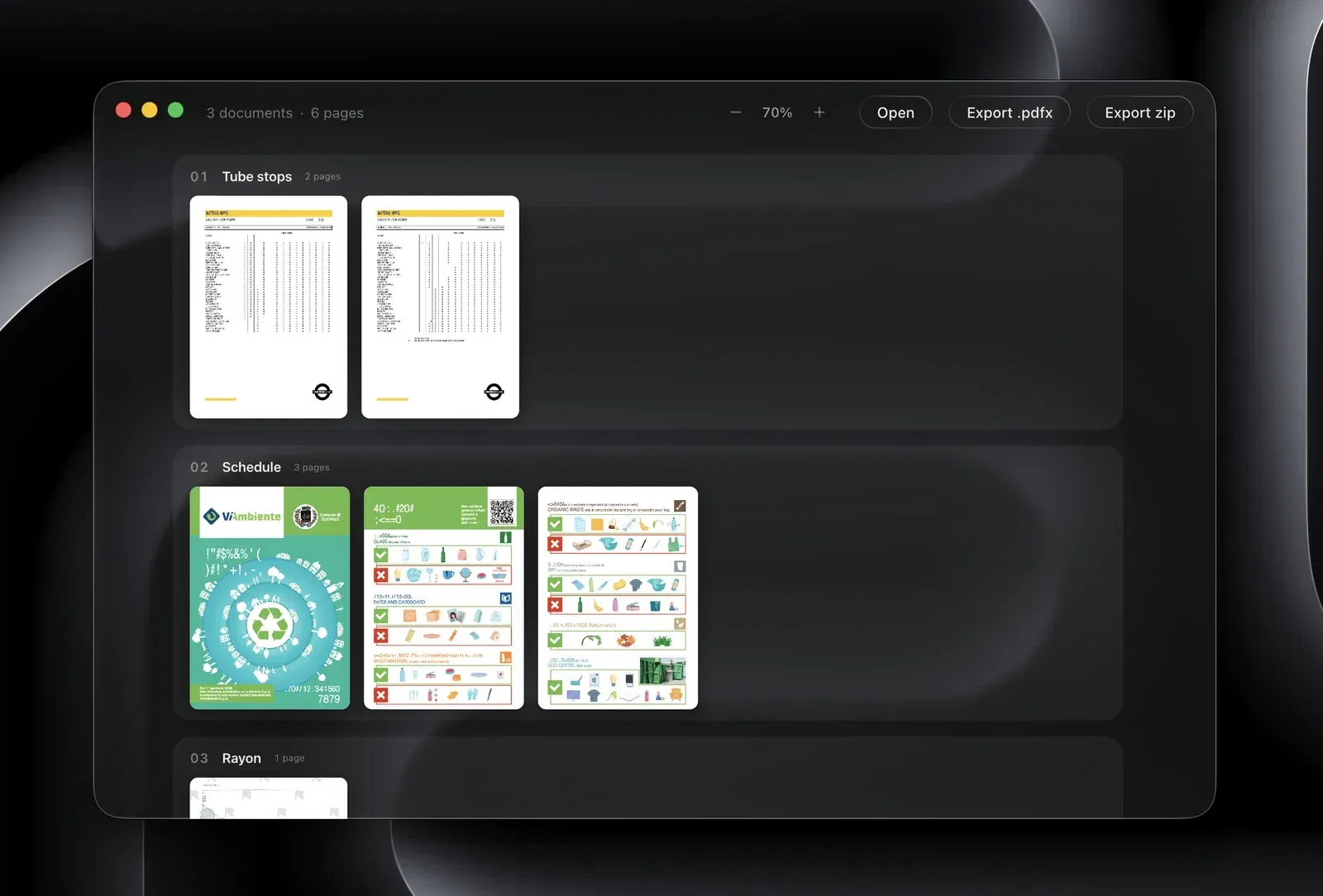
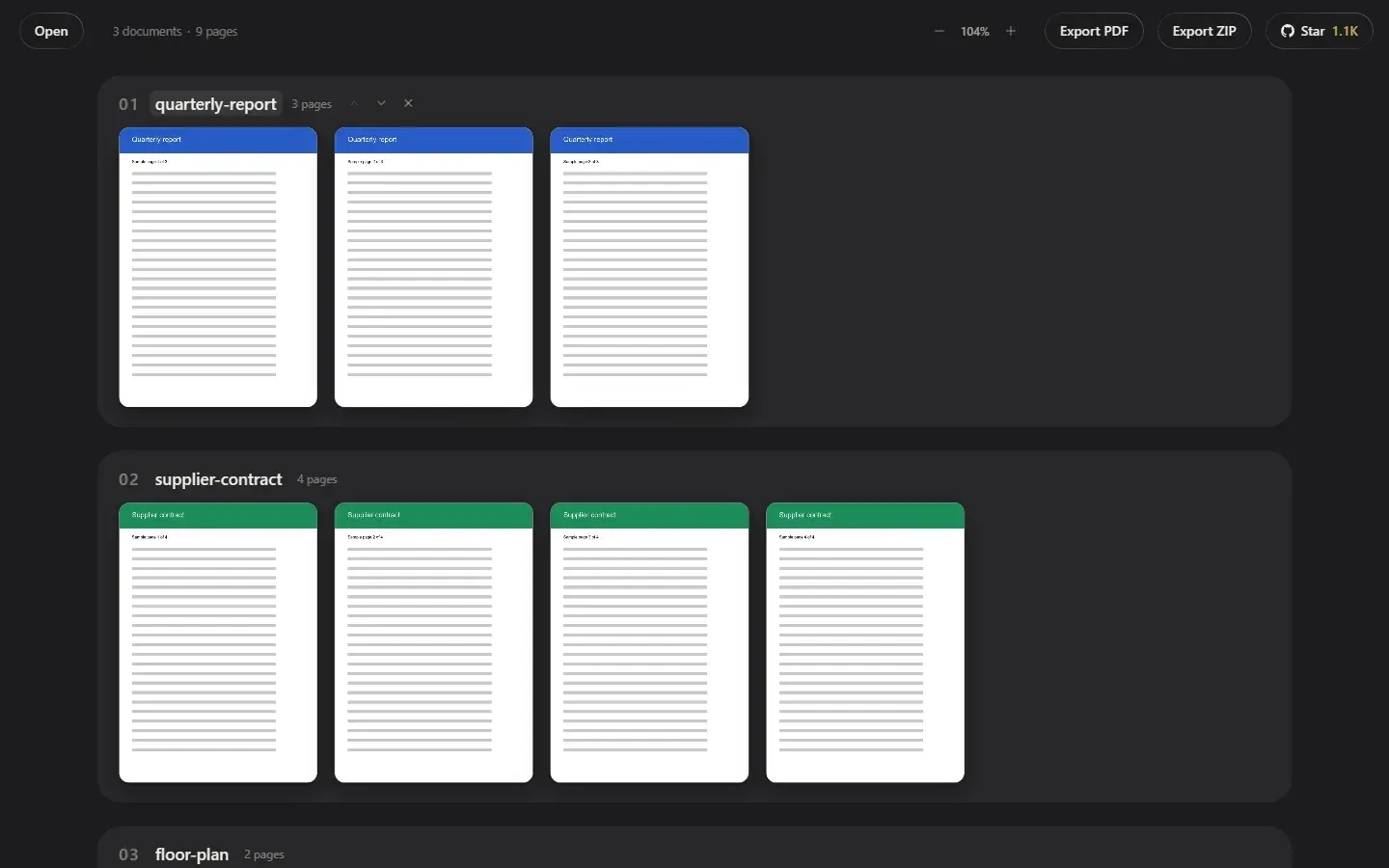
- Multi-document canvas Drop PDF files, images or whole folders anywhere in the window. Each document is shown as a horizontal strip of pages, and documents stack vertically, which matches the two-axis reading layout described in the specification. The toolbar shows the number of documents and pages and offers zoom in, zoom out and reset.
- Reorder and remove documents Each document header has move up, move down and remove controls. The canvas also offers Add page per document and Add document for the collection. Changes apply to the collection that is later exported.
- Single-file PDFx export Export PDF saves the whole collection as one file with the pages concatenated in manifest order and the
pdfx-manifest.jsonattachment embedded. The format specification requires writers to make the page counts sum exactly to the PDF's page count. The result opens in any PDF reader as one continuous document. - Export ZIP A separate Export ZIP button writes each document of the collection as its own PDF file into a ZIP archive, renaming duplicates with a number suffix. The README screenshot of an earlier build also shows an Export .pdfx button next to Export zip.
- Recovering original documents Opening a PDFx file in PDFx splits it back into the documents listed in its manifest. The specification defines fallbacks: a malformed manifest is treated as a single document, a page count shortfall becomes a trailing untitled document, and an overflow is truncated.
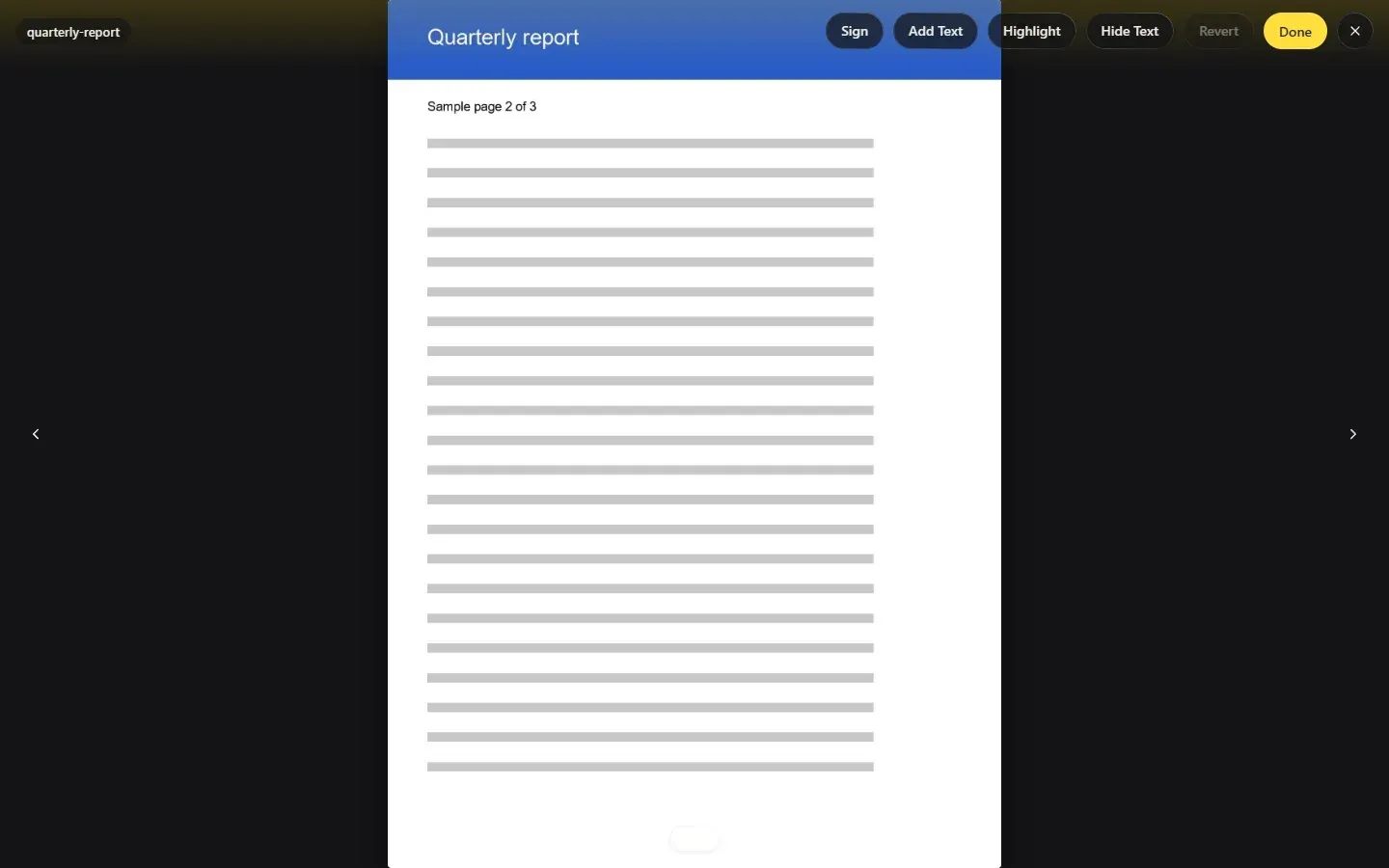
- Full page view Double-clicking a page opens it in a full view with previous and next page navigation and a page counter. An Edit button in this view switches to the editing tools.
- Highlights and redaction Release 0.2.0 added text highlights and redactions. In the web interface the edit toolbar labels these Highlight and Hide Text, with Revert to undo changes. The source tree contains a dedicated redact module that rewrites page content, fonts, inline images and XObjects.
- Signing and drawing Version 0.2.0 implemented signing and drawing, plus element selection. The Sign button sits in the same edit toolbar as Add Text and Highlight.
- Text elements Add Text places new text elements on a page, and the release added text selection. The project bundles DejaVu fonts and uses fontkit to embed fonts when exporting.
- Form filling Forms v1 identifies interactive form fields and lets their values be filled in. An open proposal in the repository covers flat or scanned forms without AcroForm fields, which are not part of the current release notes.
- OCR and search OCR runs in a web worker with tesseract.js and offers English, German, French and Spanish. A search index and find bar cover embedded text, and since pull request 21 OCR is only requested for raster pages without embedded text glyphs, so OCR errors no longer replace real text. Details are in the 0.2.0 release notes.
- Optional AI assistant An assistant can list documents, read pages, list and fill form fields, replace or add text, highlight, redact, sign, move, insert or delete pages, rename documents and translate. It needs an API key for Anthropic, OpenAI or Google set in
.dev.vars. According to the example configuration, keys are only loaded by the development servers and are not embedded in production builds unless a personal build opts in withPDFX_EMBED_AI_KEYS=1. - macOS download Release 0.2.0 ships
PDFx-0.2.0-arm64.dmgfor Apple silicon, and the README Download button links to a zipped macOS app. According to the release notes, macOS blocks the first launch, which has to be allowed under System Settings, Privacy and Security, with Open Anyway. - Windows installer The same release includes
pdfx-0.2.0-setup.exe, an NSIS installer that creates a desktop shortcut. SmartScreen shows a warning on first run; the release notes describe choosing More info and Run anyway. - Linux builds from source The repository has build targets for AppImage, deb, rpm and a Flatpak bundle, documented in the Linux setup guide with Node 22 or later as a prerequisite. No Linux binaries are attached to the current release. The guide notes that AppImage users on systems that restrict unprivileged user namespaces may need
--no-sandbox. - Web version The pdfx.zip site runs the same React interface in the browser, with Open, Export PDF and Export ZIP. The repository builds it with
yarn dev:webandyarn build:web. - File association Installed builds register the
.pdfxextension as a PDFX Collection, with the MIME typeapplication/x-pdfxon Linux. The specification recommendsapplication/pdfas the interim media type. - Running from source The README lists
yarnto install,yarn devfor development andyarn build:mac,build:winorbuild:linuxfor packaging. The post-install step compiles a native addon and copies OCR and pdf.js assets.
Where PDFx fits
Bundling a review packet into one file
The specification names invoices, contracts and review packets as typical multi-PDF workflows. Several PDFs are dropped onto the canvas, ordered with the move controls and exported as a single PDFx file. Recipients without PDFx see all pages in order; recipients with PDFx see the original document boundaries again.
Splitting a PDFx file back into documents
When a PDFx file is opened, the viewer reads pdfx-manifest.json and shows each member document as its own row. Export ZIP then writes each document as a separate PDF inside one ZIP archive. Files created by other tools without a manifest open as one document.
Combining images and PDFs
The README states that images and folders can be dropped alongside PDF files. Each item becomes a document on the canvas, and the export assembles them with pdf-lib into one PDF.
Marking up and redacting pages
In the full page view, Edit exposes Sign, Add Text, Highlight and Hide Text. The 0.2.0 release describes these as text highlights, redactions, signing, drawing and text elements. Revert discards edits on the page.
Searching scanned documents
Scanned pages are processed with tesseract.js in a background worker, and the results feed the search index. Since the OCR fix in 0.2.0, pages that already contain embedded text keep that text for search and copying.
Implementing the format in other tools
Because the format adds only one embedded JSON attachment to a standard PDF (ISO 32000-1:2008), other software can read or write PDFx collections. The specification lists the manifest fields, reader fallbacks for malformed or mismatched manifests, and the writer rules for page counts, the .pdfx extension and the application/json attachment type.
Assistant-driven edits and translation
With a provider key configured, the assistant panel can read pages, fill form fields, reorganize pages and translate documents through tool calls listed in the source. The AI tooling pull request notes that a key in .dev.vars is required.
Reviews of PDFx
Be the first to share your experience with PDFx.
Write a review
Loading review form…
Found PDFx useful? Upvote it todayYour vote helps other IT teams find it in the daily ranking.