

What is DocuSeal?
DocuSeal is an open-source platform for creating fillable PDF forms and collecting electronic signatures. You upload a PDF or DOCX file, place fields in a WYSIWYG builder, send it to one or more signers, and receive a signed PDF with an audit trail. It is built with Ruby on Rails and Vue, published at docusealco/docuseal and run by DocuSeal LLC, which describes itself as a bootstrapped company with three co-founders on its about page. The product is marketed as an open-source alternative to DocuSign.
There are three ways to use it. DocuSeal Cloud runs at docuseal.com, with a separate EU region at docuseal.eu for teams whose data must stay in the EU. The open-source edition is self-hosted from the docuseal/docuseal Docker image, which uses SQLite by default and can use PostgreSQL or MySQL through DATABASE_URL, with one-click deployment buttons for Heroku, Railway, DigitalOcean and Render described on the install page. An on-premises Pro license adds the paid feature set to a self-hosted install. Files can be stored on disk or in AWS S3, Google Cloud Storage or Azure Storage.
The current GitHub release is 3.3.5, published on November 2, 2026, which adds a JSON log format through the LOG_FORMATTER environment variable and announces the Android app on Google Play. Version 3.3.4 introduced the iOS app and refreshed CA certificates, 3.3.3 brought DOCX uploads to the open-source edition, and 3.3.0 made the form builder fully usable on mobile. The project ships a release roughly every week, according to the changelog, and the maintainers recommend that self-hosted users stay current because several releases include security hardening.
The source is licensed under AGPL-3.0 with a Section 7(b) additional term that requires keeping the original DocuSeal attribution in interactive user interfaces, as the additional terms file states. Pro features such as white-labeling, SSO, SMS verification and embedded components are not in the open-source edition. This profile reflects the project's own documentation.
DocuSeal screenshots
Explore the interface. Open a screenshot to view it at full size.
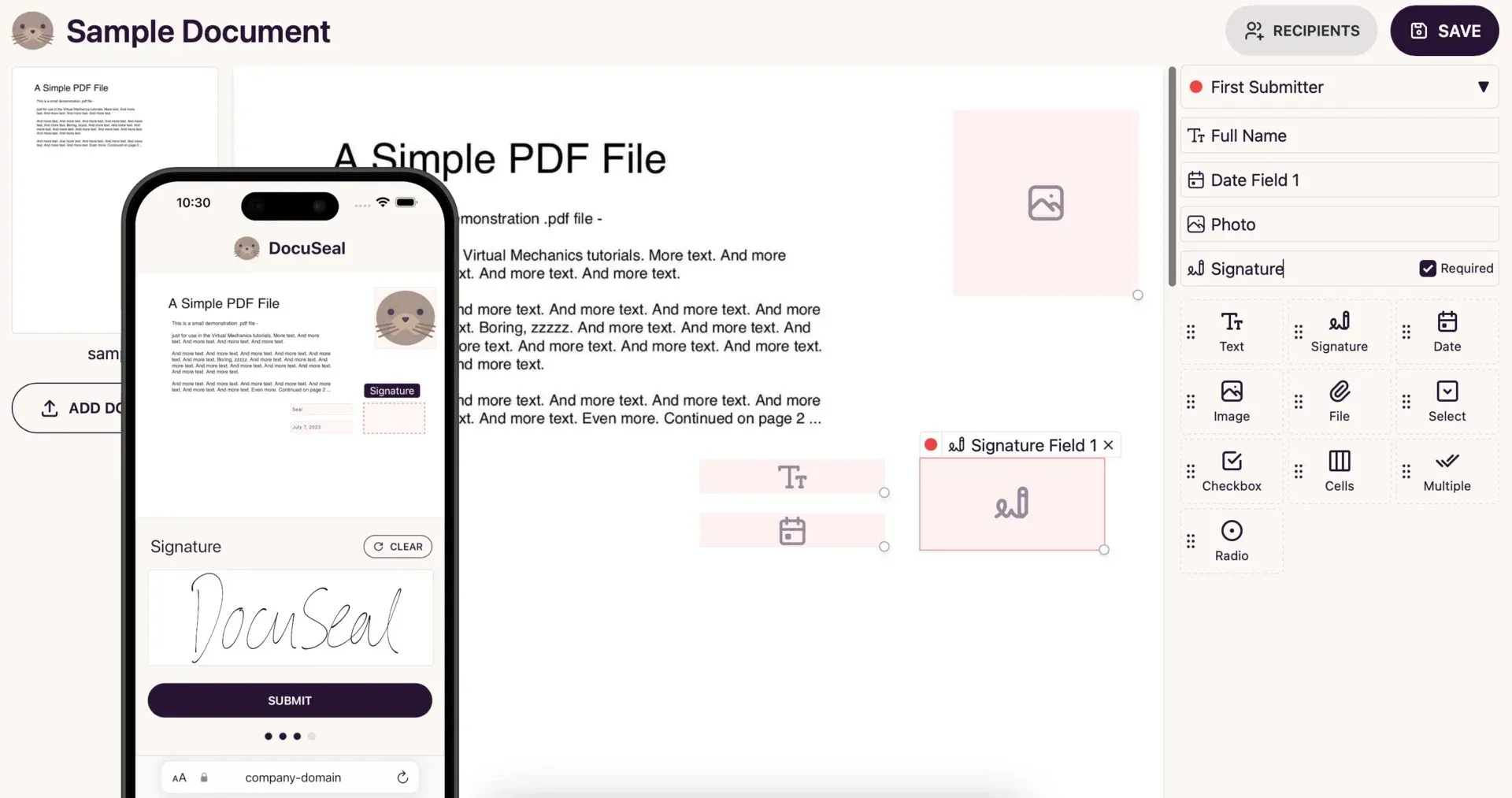
Official README image of the field builder with a mobile signing preview.
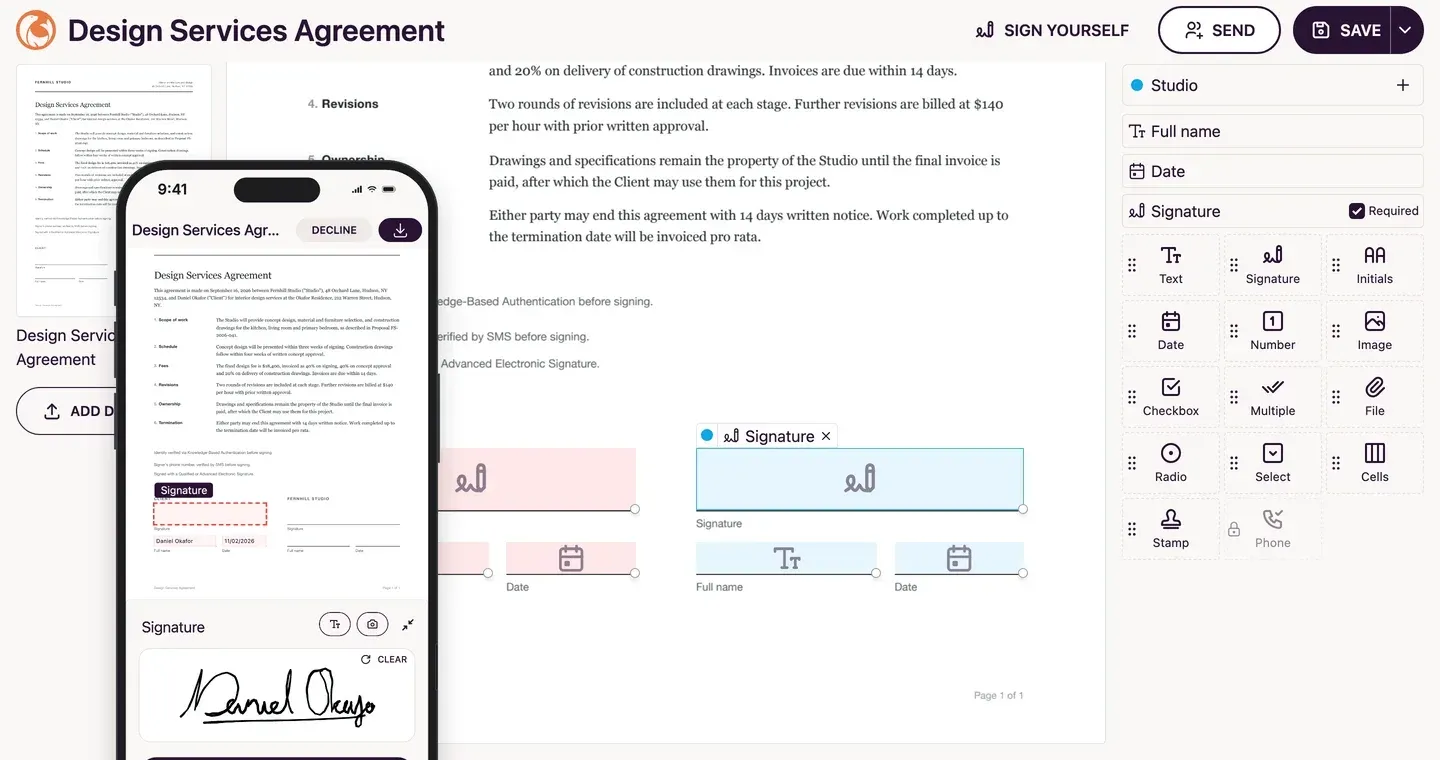
Official website image showing a sample agreement with signature fields and a phone signing screen.
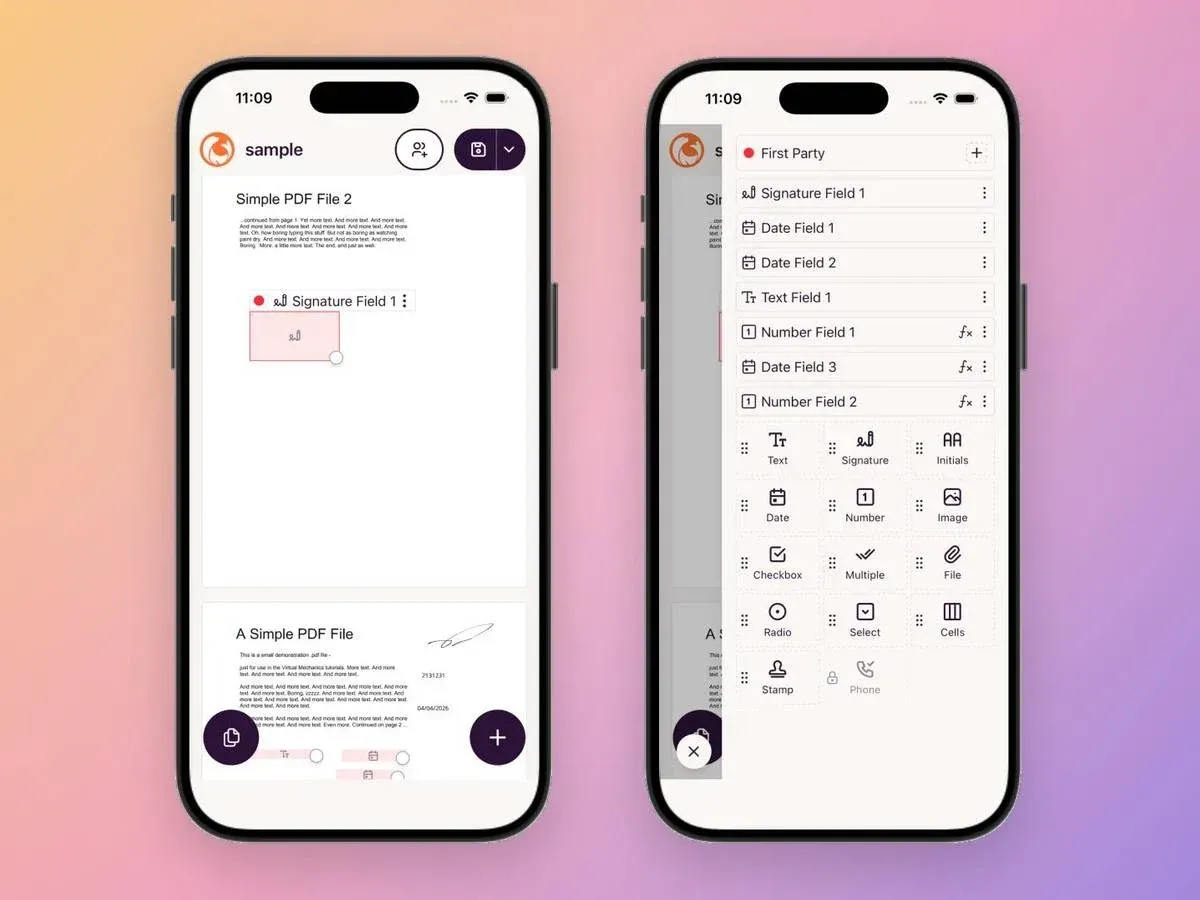
Official release 3.3.0 image of the form builder running on phones.
Source: official DocuSeal project page.
Key capabilities
- PDF form field builder A WYSIWYG builder places fields on uploaded PDFs, with a palette that includes text, signature, initials, date, number, image, checkbox, multiple choice, radio, select, file, cells, stamp and phone fields. The README counts 12 field types and the pricing page 10 for the free plans, so check the builder for your edition.
- Multiple submitters per document Assign fields to different parties, such as a client and a studio, and the signers complete their parts in order. Viewer-only recipients and witness invitations are covered in recent releases and plan tables.
- Mobile-optimized signing Signers complete a step-by-step form that adapts to any screen, with a drawn or typed signature and a clear control. From version 3.3.0 the form builder itself works fully on phones.
- Automatic PDF eSignature and verification Documents are signed with a digital PDF signature and a verification feature checks the authenticity of signed files. The pricing page compares a trusted signing certificate with a self-signed one by plan, so check which applies to your edition and whether recipients' software accepts it.
- Audit trail An audit log records the signing process and can be downloaded as a PDF. Retention is indefinite on all plans according to the pricing page, and a self-hosted install keeps files wherever you store them.
- Email delivery over your SMTP The open-source edition sends invitations and signed copies through your own SMTP server. Pro adds customized email content, a connected sending address and automated reminders.
- File storage options Store documents on local disk or in AWS S3, Google Cloud Storage or Azure Storage. Back up the database and the storage location together, because a signed file without its record loses the audit context.
- Database choices SQLite is the default in the Docker image, and PostgreSQL or MySQL can be set with DATABASE_URL. Choose PostgreSQL or MySQL for a team install and plan a migration test, since release 3.3.4 included a database migration that takes minutes on very large tables.
- User management Invite team members to create, share and manage documents. User roles, teams and tenants are Pro features, as is SSO with SAML.
- REST API and webhooks The REST API creates templates from PDF, DOCX or HTML and sends submissions for signing, with webhooks for form, submission and template events and a sandbox mode on the Cloud. The OpenAPI file is in the repository docs folder.
- Embedded signing and form builder (Pro) JavaScript, React, Vue and Angular components embed the signing form or the document builder inside your application. These embedding features are listed under Pro.
- Templates from DOCX, HTML and field tags Create templates from DOCX files, from an HTML API, or with text field tags written inside the PDF itself. DOCX upload arrived in the open-source edition in version 3.3.3, and dynamic DOCX variables remain a Pro feature.
- Bulk send and conditional logic (Pro) Send one template to many signers from a CSV or XLSX spreadsheet, and use conditional fields and formulas, including date functions, in forms. These are Pro features.
- Identity and compliance options The Cloud pricing page lists SMS verification, ID card verification, knowledge-based authentication and EU qualified signatures at per-use prices. The compliance page describes ESIGN, UETA and eIDAS levels. Confirm with your own counsel which level a contract needs.
- Languages The README lists 7 interface languages and signing in 14 languages. Test the languages your signers use, including right-to-left text in the audit PDF.
- Mobile apps IOS and Android apps for Cloud and self-hosted accounts are available through the App Store and Google Play, announced in releases 3.3.4 and 3.3.5. They manage templates, submissions and signatures.
- Pricing Cloud Basic is free with 10 request emails per month, Pro is 20 USD per user per month, and the on-premises Pro license is also listed at 20 USD per user per month. The open-source edition is free. Some usage fees apply, such as 0.20 USD per completion for API and embedding on Cloud.
Where DocuSeal fits
Signing contracts and agreements
Upload the agreement, place signature, date and name fields for each party, send it by email and check the audit trail when it is complete. Test the signer experience on a phone and read the final PDF to confirm every field landed where intended. Send a test to yourself first, then check the invitation email, the reminder behavior and the copy of the signed file.
Collecting filled PDF forms
Turn an HR or onboarding PDF into a fillable form, share a link, and collect submissions into one place. Use validation such as number or IBAN on text fields where the form allows it, and check which fields are required. Decide who may see the submissions and how long you keep them, because filled forms often hold personal data.
Self-hosting for data control
Run the Docker image behind HTTPS with PostgreSQL and object storage, set your SMTP details and restrict access to the admin area. Plan backups for the database and storage together and update regularly, since the maintainers advise self-hosted users to take new releases.
Automating signature requests from an app
Call the API with a template and submitters, receive webhook events on completion, and store the signed PDF in your own system. Use the Cloud sandbox or a staging instance to avoid sending real requests while testing, and verify webhook signatures on the receiving side before trusting an event.
Embedding signing in a product
Use the Pro embedding components to show the signing form or form builder in your application, with your branding. Check the licensing for your deployment model and test how embedded flows handle sessions and mobile browsers. Keep the signed document link out of logs and analytics tools.
Sending in bulk
Use Pro bulk send with CSV or XLSX to send the same template to many people, and review the first few submissions before sending the rest. Keep consent and retention rules in mind for any personal data in the spreadsheet.
Install
docker run --name docuseal -p 3000:3000 -v.:/data docuseal/docusealReviews of DocuSeal
Be the first to share your experience with DocuSeal.
Write a review
Loading review form…
Related to DocuSeal
 Stirling PDFStirling PDF edits, converts, signs, redacts and OCRs PDFs on the desktop, in the browser or on your servers, with REST APIs and no-code pipelines.
 Paperless-ngxPaperless-ngx is a GPL-3.0 document management system you run with Docker. It OCRs scans with Tesseract, stores PDF/A copies beside originals, auto-tags documents, imports email attachments and offers opt-in AI features.
 SuniPDFSuniPDF is a free, open-source PDF editor for Windows, Ubuntu and macOS that works locally, with plan measurements, quantity reports and revision comparison.