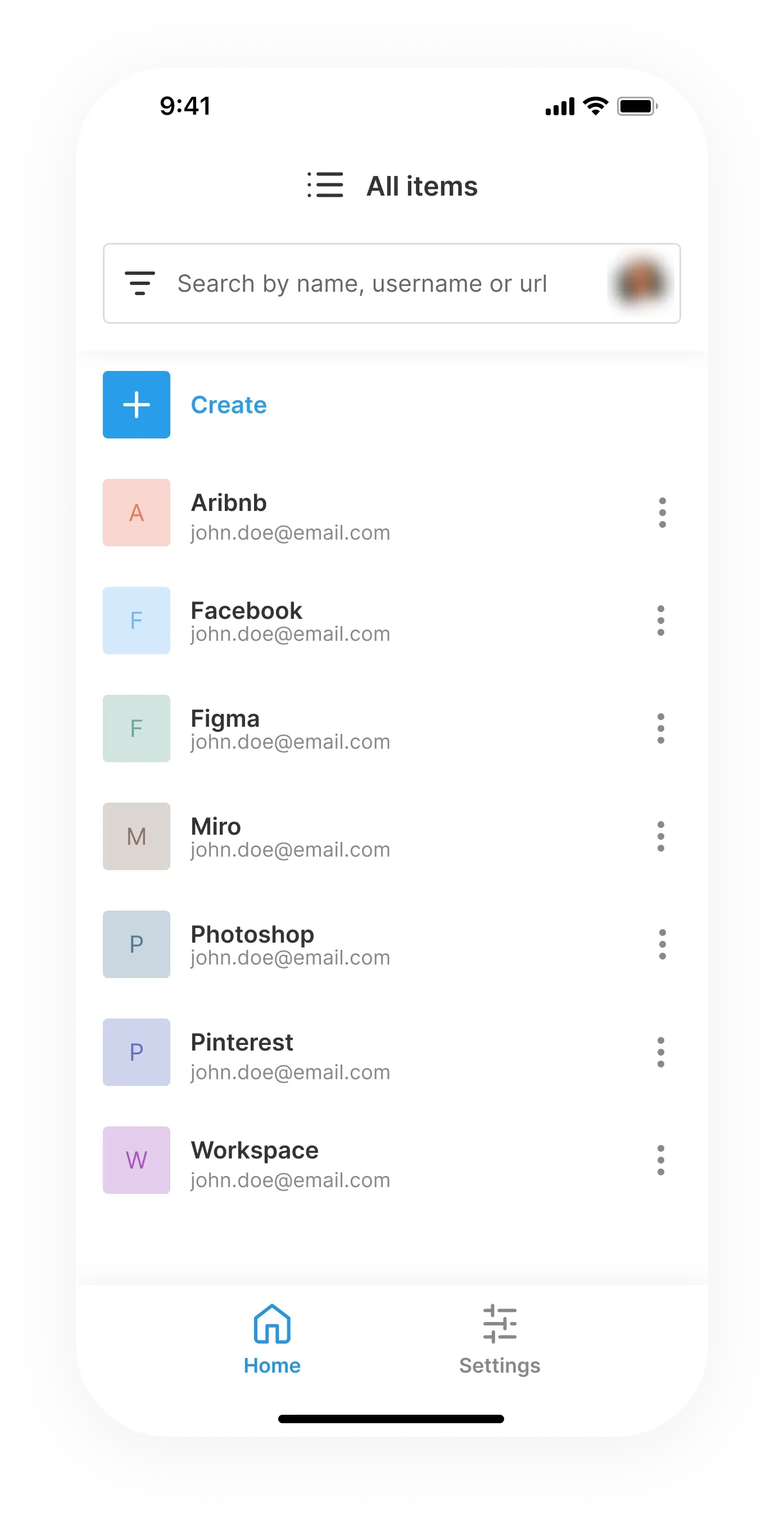
What is Passbolt?
Passbolt is an open-source password and credential manager for teams, developed by Passbolt SA. The company's privacy policy states that it is registered in the Grand Duchy of Luxembourg, and its press kit names Luxembourg as the headquarters. According to the company timeline, the idea started in 2011 in a digital agency that wanted a shared alternative to KeePass, the first stable Community Edition was released under an open-source licence in 2016, the company was incorporated in 2017, the hosted cloud service followed in 2019 and the mobile apps in 2022.
The server is a JSON API written in PHP on CakePHP and published as passbolt/passbolt_api on GitHub under AGPL-3.0-or-later. People work through a browser extension, which also carries the web interface, or through the Windows desktop app, the iOS and Android apps and a command line client written in Go. Cryptography is based on OpenPGP: every user has a key pair, the private key stays on the device protected by a passphrase, and each secret is encrypted separately for every person who can access it. The user guide security overview states that encryption and decryption happen only in the extension or mobile app, so the server only stores ciphertext.
The current server release is Passbolt 5.18.0 "Superstylin", published on November 12, 2026. It adds the Sakura and Layette themes, extends Quick Access to secure notes and custom fields, makes sharing operations on 200 or more resources more than twice as fast, adds Duo subscriber verification and lets administrators cap the number of users, groups and resources. Browser extension 5.18.1 followed on November 19, 2026 with a folder icon fix. According to the official changelog, earlier 5.x releases added passkeys as a second factor (5.17.0, October 20, 2026), a read-only Offline Mode in beta (5.16.0, September 17, 2026) and a Manifest V3 build of the Edge extension (5.16.2).
Editions are listed on the self-hosted pricing page, checked on November 21, 2026. The Community Edition is free for unlimited users. Passbolt Pro costs USD 4.9 or EUR 4.5 per user per month, billed annually, with a minimum of 10 users and volume discounts above 100 users; it stays under AGPL v3 but only runs with a subscription key file, and an expired subscription keeps working without updates or support. The Enterprise Edition is quoted individually. The cloud pricing page lists Cloud Business at USD 5.4 or EUR 5 per user per month billed monthly, with a yearly option advertised at 10 percent off, hosted on Google Cloud in Belgium and Germany; Cloud Sovereign at USD 8 or EUR 7 per user per month billed annually, hosted in a private data center in Luxembourg; both require at least 10 users, and Cloud Enterprise is quoted individually. Non-profit, education and open-source plans are available on request.
Self-hosting guides cover Debian 13, Ubuntu 26.04, Red Hat 9, AlmaLinux 9, Rocky Linux 9, Oracle Linux 9, openSUSE Leap 16, SUSE Linux Enterprise Server 16 and Raspberry Pi, as well as Docker, a Helm chart, Ansible, an AWS AMI, a DigitalOcean image for the Community Edition and a virtual appliance for Pro. The recommended minimum is a virtual machine with 2 cores, 2 GB of RAM and 20 GB of storage. The security page states that the server sends no usage data or analytics to the vendor and does not need internet access. There is no desktop app for macOS or Linux: on those systems Passbolt runs in a browser extension, including a Safari extension that requires macOS 15.6 or later. Similar password managers on iThub include Bitwarden, Vaultwarden, Teampass and KeePassXC.
Key capabilities
- OpenPGP end-to-end encryption Secrets are encrypted with OpenPGP in the browser extension or mobile app before they leave the device, and each user with access receives an individually encrypted copy. Every secret is also signed, so the user who created it can be verified cryptographically. Users can import their own OpenPGP key or let Passbolt generate one during account setup, as described on the security page.
- Challenge-based sign-in Authentication uses GpgAuth, a protocol in which server and client each prove that they hold their private key, so the passphrase is never sent to the server and each login attempt needs a fresh challenge. A personal security token chosen by the user is displayed when the passphrase is entered, as a protection against phishing pages. Removing a user from a resource deletes the copy of the secret that was encrypted for that user.
- Encrypted metadata in the v5 format Secrets are always encrypted; with the v5 resource format, resource names, URLs, descriptions, custom field keys and icons can be encrypted as well. This uses a shared metadata key whose private part is encrypted for each user, or a personal metadata key for resources that are not shared. Whether metadata encryption is enabled is an organisation setting controlled by the administrator.
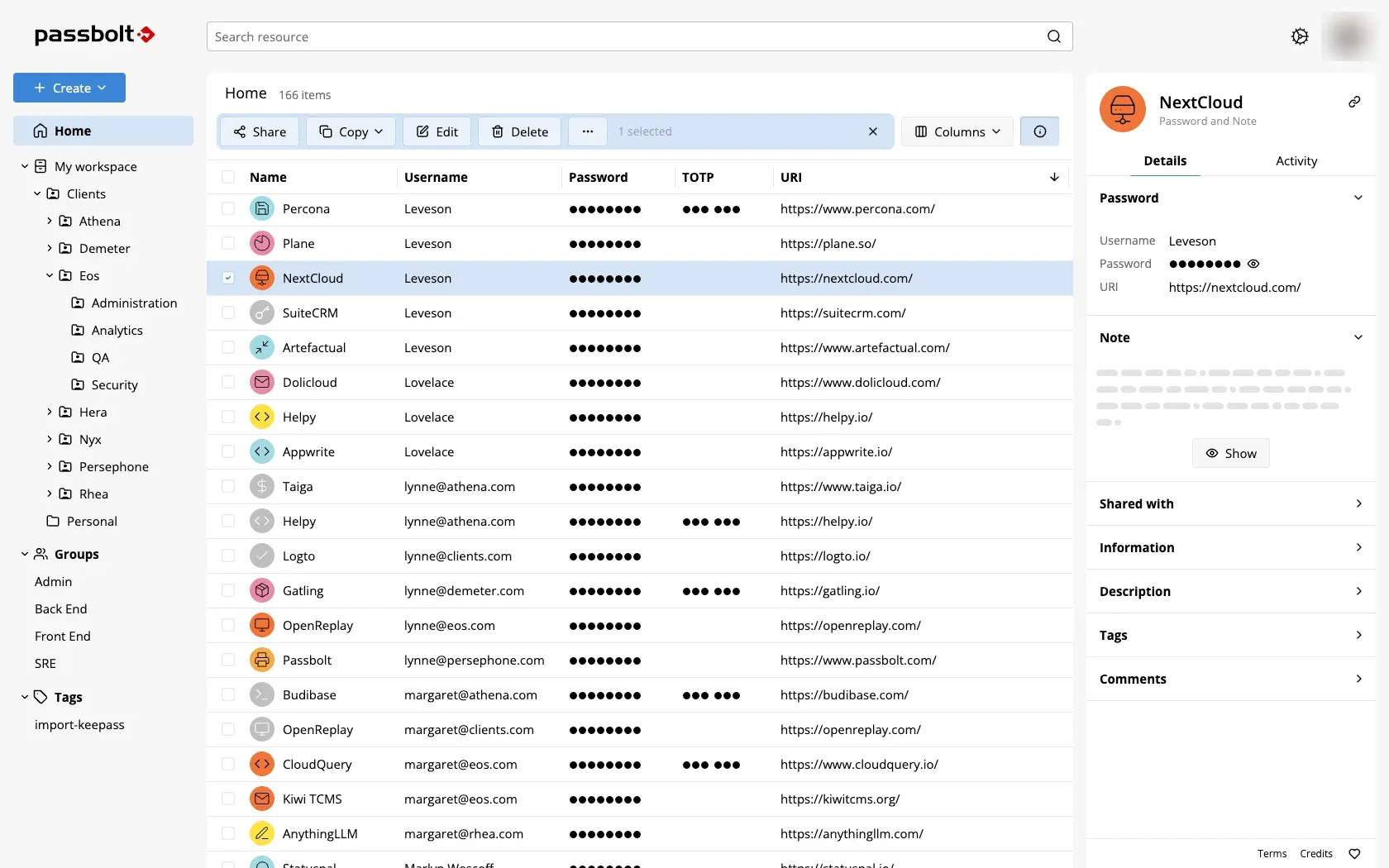
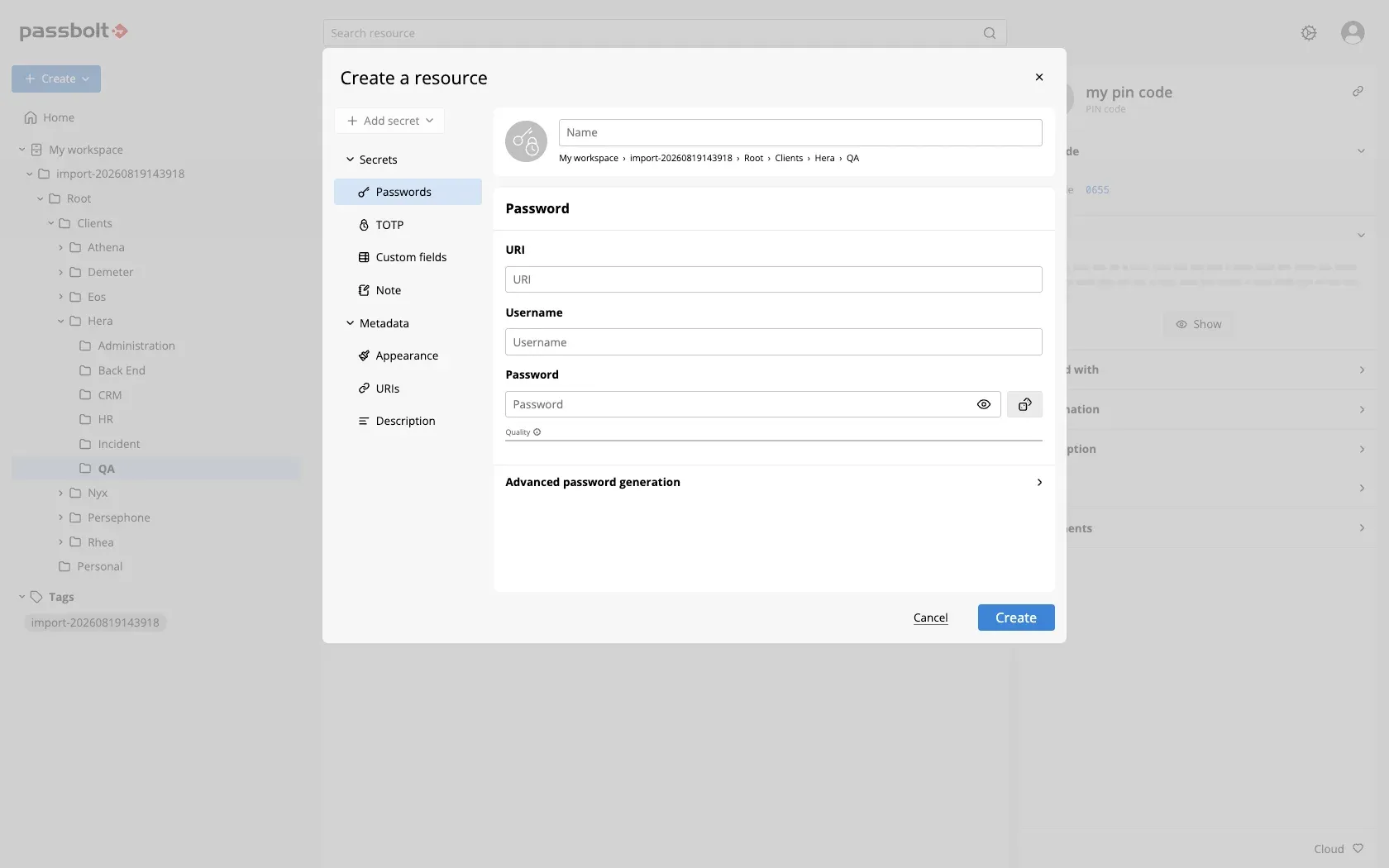
- Passwords, TOTP, notes and custom fields A resource can hold a password, a TOTP secret, a secure note, custom fields or a combination of these, as the create dialog in the user guide shows. The generator produces passwords with configurable length and character sets or word-based passphrases, and user passphrases are checked against the Have I Been Pwned breach list. Version 5.17.0 extended Quick Access and Offline Mode to PIN codes.
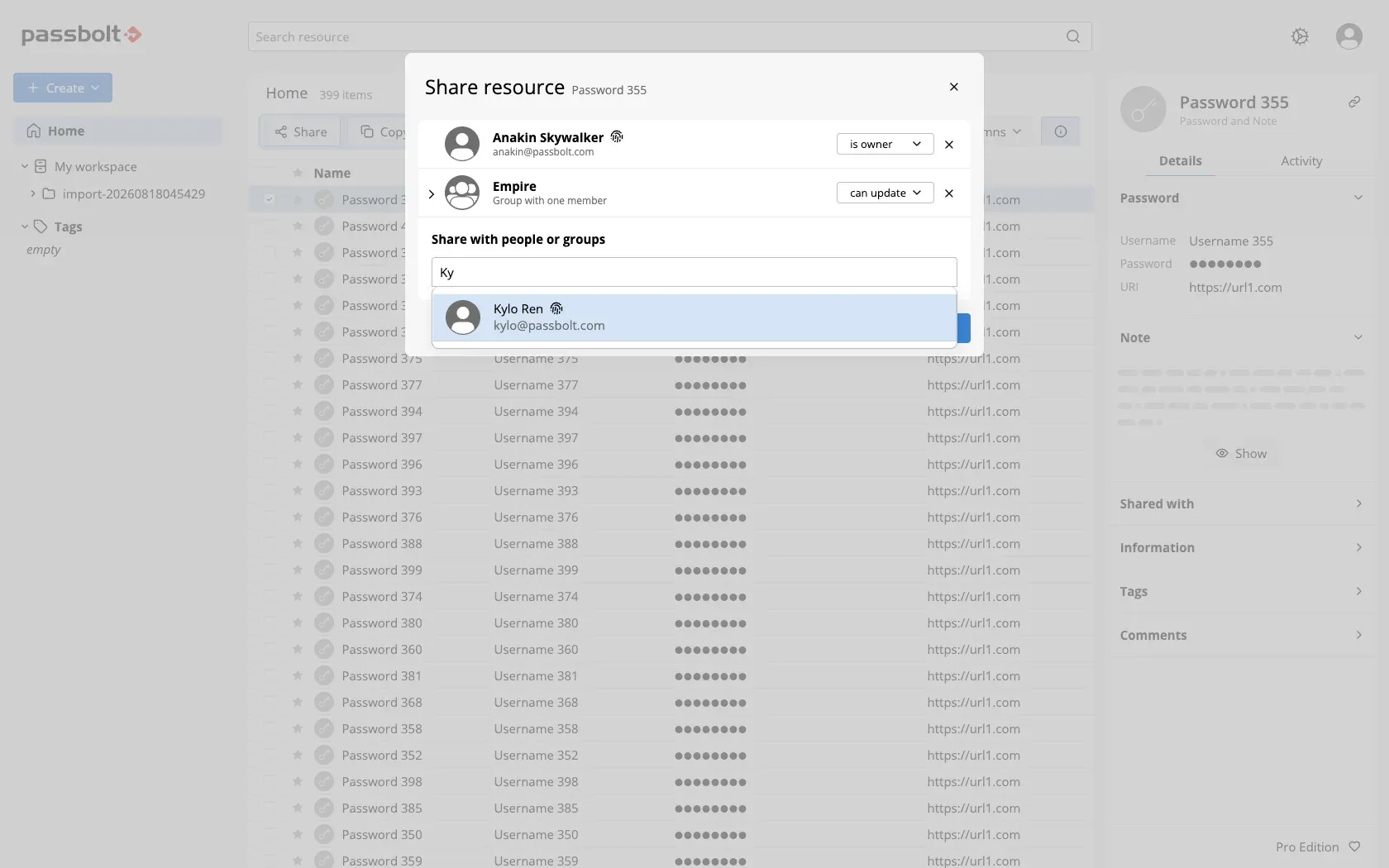
- Sharing with three permission levels Resources and folders are shared with users or groups as can read, can update or is owner. Only owners can change who a resource is shared with, and can update also allows deletion. Before Passbolt encrypts a secret for a shared resource or folder, a Confirm permissions dialog lists everyone who will be able to decrypt it.
- Folders, groups, tags and search Private and shared folders, user groups, favorites, filters and search are part of every edition, together with comments on resources and secret history. Tags and the per-resource Activity tab, which shows who created, changed, read or shared a resource, are Pro and Cloud features. Release 5.18.0 adds the Sakura and Layette themes to the existing theme options.
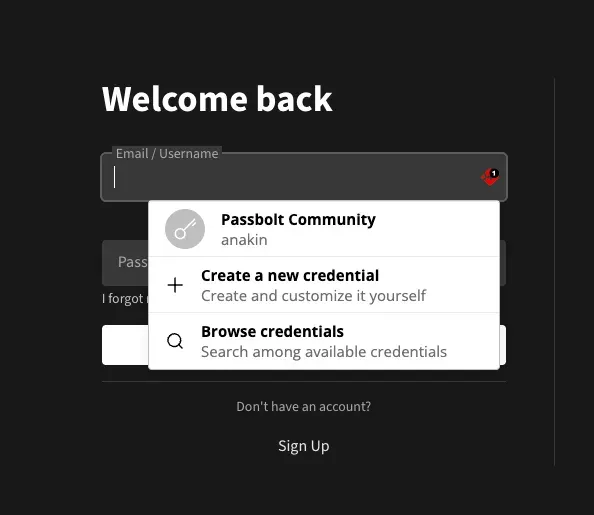
- Browser extensions A browser extension is required to use Passbolt in a browser because it carries the cryptographic code; it is signed and updates automatically by default. Official listings exist for Chrome (also used by Brave and Vivaldi), Firefox, Edge and Safari, whose App Store listing requires macOS 15.6 or later. The extension provides the Quick Access popup and an in-form menu that suggests matching credentials for autofill.
- Offline Mode (beta) Since version 5.16.0, users can mark resources as available offline, and the extension keeps a read-only encrypted copy that Quick Access can open and autofill when the server cannot be reached. An administrator has to enable the feature for the organisation first. The pricing comparison lists Offline Mode as a beta in all editions.
- Windows desktop app The Windows app is distributed free through the Microsoft Store. Its source repository describes a Universal Windows Platform application that uses WebView2, with release 2.15.0 published on October 26, 2026. Cure53 audited the app in March 2024; no desktop app exists for macOS or Linux.
- iOS and Android apps Free apps for iOS and Android are used to search, view, create and autofill credentials. The mobile documentation covers TOTP creation and code preview on both platforms and Chrome autofill on Android. The pricing tables list the mobile apps in every edition, including the Community Edition.
- Command line client and JSON API The go-passbolt-cli tool, latest release 0.5.3 from November 6, 2026, is configured with the server address, the user's private key and passphrase and performs create, read, update and delete operations on self-hosted or cloud instances. The downloads page lists rotating passwords and injecting them as environment variables in CI/CD pipelines among its uses. All clients talk to the JSON API documented in the API guide.
- Multi-factor authentication Sign-in already requires something the user knows (the passphrase) and something the user has (the private key); TOTP, YubiKey and Duo can be added as further factors in every edition. Version 5.17.0 added passkeys as a phishing-resistant second factor, and 5.18.0 adds Duo subscriber verification, enabled by default for new Duo setups and opt-in for existing ones. MFA policies that enforce a second factor are part of Pro and Cloud.
- Single sign-on (Pro and Cloud) The admin guide documents single sign-on with Microsoft Entra ID, Google, AD FS, Keycloak, and Okta and PingOne through OpenID Connect. When SSO is enabled, Quick Access offers a Sign in with Single Sign-On option next to the passphrase login. SSO is not part of the Community Edition and was audited by Cure53 in March 2023.
- LDAP synchronisation and SCIM Provisioning of users and groups from Active Directory or OpenLDAP is included in Pro, Cloud Sovereign and Cloud Enterprise, but not in Cloud Business. SCIM provisioning is documented for Pro and Cloud, requires Pro Edition 5.5 or later on self-hosted servers and works with Microsoft Entra ID and Okta, with the initial implementation managing users through the /Users endpoints. Release 5.18.0 fixed SCIM provisioning failures for user names with non-ASCII characters.
- Account recovery During setup every user can download a recovery kit that contains the private key. Pro and Cloud add administrator-approved account recovery: the private key is stored encrypted on the server at enrolment, and an administrator has to approve each recovery request before a new passphrase can be set. Without that feature, the user guide states that the recovery kit is the only way to regain access.
- Administration, policies and logs Role-based access control, password expiry, self-registration, email notifications and a health check are available in every edition, and 5.18.0 shows all health checks in the administration panel through a generic API. Pro and Cloud add an activity log of changes, password and user passphrase policies and a password expiry policy. Action logs as syslog or log files are included in Pro, Cloud Sovereign and Cloud Enterprise.
- Import and export KDBX and CSV import and export are included in all editions. The user guide has import procedures for 1Password, Bitwarden, Dashlane, Keeper, LastPass, LogMeOnce, NordPass, KeePass (KDBX and CSV) and the password stores of Chrome, Edge, Firefox, Brave and Safari.
- Self-hosted server packages Official guides cover distribution packages for Debian, Ubuntu, Red Hat-compatible systems, openSUSE and SLES, a Docker Compose setup, a Helm chart, Ansible, Raspberry Pi and an AWS AMI. A source installation needs PHP 8.2 or later, MariaDB 10.6 or MySQL 8.0 or later, Composer, GnuPG and Nginx or Apache, according to the from-source guide. The Docker guide also asks for a working SMTP server and an NTP service, to avoid GPG authentication issues.
- Published security audits The security page publishes Cure53 reports on the security white paper (February 2021), the browser extensions (June 2021), the backend and plugins (June 2021), browser integration (August 2021), the mobile apps and CLI (December 2021), cryptography and account recovery (July 2022), SSO (March 2023), LDAP directory integration (July 2023), the Windows app (March 2024), RSA PKCS #1 v1.5 oracle checks (December 2024), encrypted metadata (April 2025) and the SCIM and Azure components (February 2026). It also lists a Quarkslab audit of Pro Edition 5.4 in preparation for ANSSI CSPN certification (November 2025), a GDPR audit by Examin (July 2026) and a SOC 2 Type II audit from 2021 whose report is available to customers on request.
Where Passbolt fits
Sharing credentials inside a team
An owner selects a resource or folder in the passwords workspace, opens the share dialog and adds users or groups with can read, can update or is owner. Passbolt then encrypts a copy of the secret with each recipient's public key, after a Confirm permissions dialog has listed everyone who will be able to decrypt it. The sharing guide explains that only owners can change sharing and that can update includes the right to delete.
Moving from KeePass or another password manager
The import function reads KDBX and CSV files, and the user guide has separate procedures for exports from 1Password, Bitwarden, LastPass, Keeper, Dashlane, NordPass, LogMeOnce and browser password stores. Imported entries become resources that can then be organised in folders and shared with groups. The company timeline describes turning an existing KeePass setup into a collaborative tool as the starting point of the project.
Provisioning accounts from a directory
On Pro, administrators can synchronise users and groups from Active Directory or OpenLDAP, or let Microsoft Entra ID or Okta create, update and remove users through SCIM. Combined with SSO through Entra ID, Google, AD FS, Keycloak, Okta or PingOne, sign-in follows the organisation's identity provider. The OpenPGP key pair of each user is still generated during that user's initial account setup, as the security overview describes.
Using credentials in automation
The go-passbolt-cli client is configured with a server address, a private key and its passphrase, then runs create, read, update and delete operations from a terminal or a pipeline job. The downloads page lists creating and rotating passwords, injecting them as environment variables in CI/CD pipelines and reorganising tags and folders as typical tasks. Other integrations call the JSON API directly, following the authentication flow in the API guide.
Reaching credentials while the server is down
With Offline Mode enabled by an administrator, users choose Make available offline on selected resources. When Quick Access cannot reach the server, it offers to switch to offline mode, asks for the passphrase and shows the marked resources read-only, with autofill on the current page. The offline mode guide describes the feature as a beta available since 5.16.0.
Running an isolated self-hosted instance
The security page describes the server as a standalone component that needs no third-party service by default and can run behind the organisation's firewall without internet access. Administrators install it from distribution packages, Docker or the Helm chart, register the first administrator with the command shown in the install guide and configure SMTP for notifications and recovery emails. According to the cloud FAQ, a cloud database backup can be provided for a move to self-hosting, after which every user performs an account recovery because the domain and server key change.
Install
curl -LO https://download.passbolt.com/ce/docker/docker-compose-ce.yaml
curl -LO https://github.com/passbolt/passbolt_docker/releases/latest/download/docker-compose-ce-SHA512SUM.txt
sha512sum -c docker-compose-ce-SHA512SUM.txt
docker compose -f docker-compose-ce.yaml up -d
Reviews of Passbolt
Be the first to share your experience with Passbolt.
Write a review
Loading review form…
Found Passbolt useful? Upvote it todayYour vote helps other IT teams find it in the daily ranking.