
What is 2FAS Auth?
2FAS Auth is a free, open-source two-factor authentication app for Android and iOS that generates one-time codes for online accounts. It is made by Two Factor Authentication Service, Inc. (2FAS), a company that lists its address in Henderson, Nevada, whose team says it works fully remotely. The 2FAS company history dates the founding to 2015, the launch of 2FAS Auth on the App Store and Google Play to 2017, the first backup feature to 2021, and the move to an open-source project to 2022, the same year the browser extension and the Discord community started. In both app stores the app appears as "2FA Authenticator (2FAS)".
2FAS Auth is one of three products from the company. It consists of the mobile authenticator and a companion browser extension. 2FAS Pass, launched in 2025, is a separate local-first password manager; its pricing page lists a Free plan with up to 200 items and an Unlimited plan at $9.99 per year. 2FAS Share is described by the company as an end-to-end encrypted sharing service. 2FAS Auth itself has no paid plan: the 2FAS Auth page states that the app is free to use and always will be, with optional donations funding the project.
The official download page lists Google Play and APK files on GitHub for Android 9.0 or later, and the App Store for iOS 18.6 or later; it does not list an F-Droid build. Each client has its own GPL-3.0 repository: 2fas-android in Kotlin, 2fas-ios in Swift and 2fas-browser-extension in JavaScript. The READMEs note that the app graphics are not part of the open-source project and carry their own licensing terms.
The current Android release is 6.1.0, published on October 19, 2026. It adds multi-batch import from Google Authenticator, expands the import options and adds Lithuanian and Slovak translations. Version 6.0.5 added imports from Proton Authenticator and Bitwarden and raised the temporary screenshot permission to 30 minutes. Version 6.0.3 redesigned the app with Large, Default and Compact list layouts, moved app settings to Jetpack DataStore, raised the minimum to Android 9 and targeted SDK 37; 5.6.0 remains the last build for Android 6.0. On iOS, the App Store lists version 6.0.3 from November 11, 2026, whose notes say browser extension requests are now signed. The latest tagged iOS release on GitHub is v6.0.1 from October 22, 2026, which added Google multi-QR import and new service importers.
Tokens are stored on the device. On Android the token database uses Room encrypted with SQLCipher, a change the project dates to app version 3.0 in 2021. The app needs no account, phone number or email address, works offline and offers optional sync through the user's own Google Drive (Android) or iCloud (iOS). In the Google Play data safety section the developer declares that no data is collected and none is shared with third parties. Vulnerability reports go to security@2fas.com, optionally PGP-encrypted, under a coordinated disclosure policy with a stated 72-hour response time (SECURITY.md). Related listings on iThub: Ente, whose suite includes the Ente Auth authenticator, Bitwarden and KeePassXC.
Key capabilities
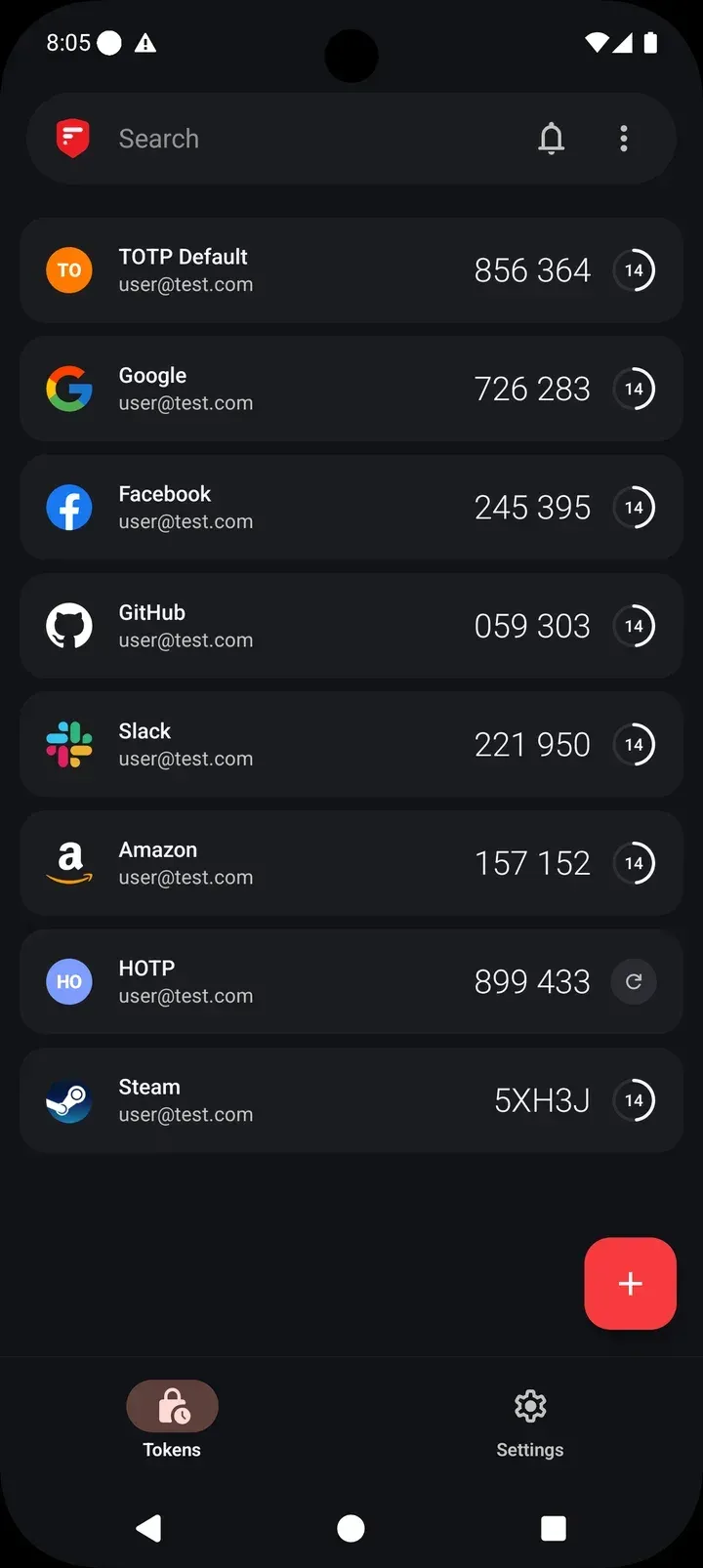
- TOTP, HOTP and Steam tokens The Android source defines three token types in Service.kt: TOTP, HOTP and STEAM. Manually added tokens can use SHA-1, SHA-224, SHA-256, SHA-384 or SHA-512, with configurable digits and period, and an initial counter for HOTP. Steam tokens produce five-character codes from Steam's own alphabet instead of digits. The README describes the app as compatible with any service that follows the TOTP and HOTP standards.
- Three ways to add a token A token can be added by scanning a QR code with the camera, by uploading a screenshot that contains the QR code, or by typing the secret key manually. When a screenshot is used, the app reminds the user to delete it from the gallery, since anyone holding that image could generate the same codes.
- Token list layouts and editing Since version 6.0.3 the token list comes in Large, Default and Compact layouts, and an edit mode supports multi-select actions. Tokens can be searched and sorted into groups; version 6.0.5 made the name of the default "My Tokens" group editable.
- Next token and hidden codes An optional "Show next Token" setting displays the upcoming code when the current one is about to expire, and a "Hide Tokens" setting masks all codes until they are tapped. Codes, including the next code, can be copied to the clipboard.
- Brand icons, labels and badges Each service can show a brand icon from the built-in collection or a short text label, plus a badge color and a group. Users can request missing icons through the 2FAS Discord, and service providers can submit their own icon through the 2FAS branding page, which says accepted icons are added to the app within up to three weeks.
- PIN and biometric lock The app can be locked with a 4-digit or 6-digit PIN and unlocked with biometric authentication such as fingerprint or Face ID. Lockout settings define how many wrong attempts are allowed and how long the app stays blocked afterwards. A forgotten PIN can only be reset by reinstalling the app, so tokens are then restored from a backup.
- Screenshot protection On Android, screenshots and screen recording of the app are blocked by default. A settings switch allows them temporarily and turns itself off after 30 minutes, the timeout introduced in version 6.0.5.
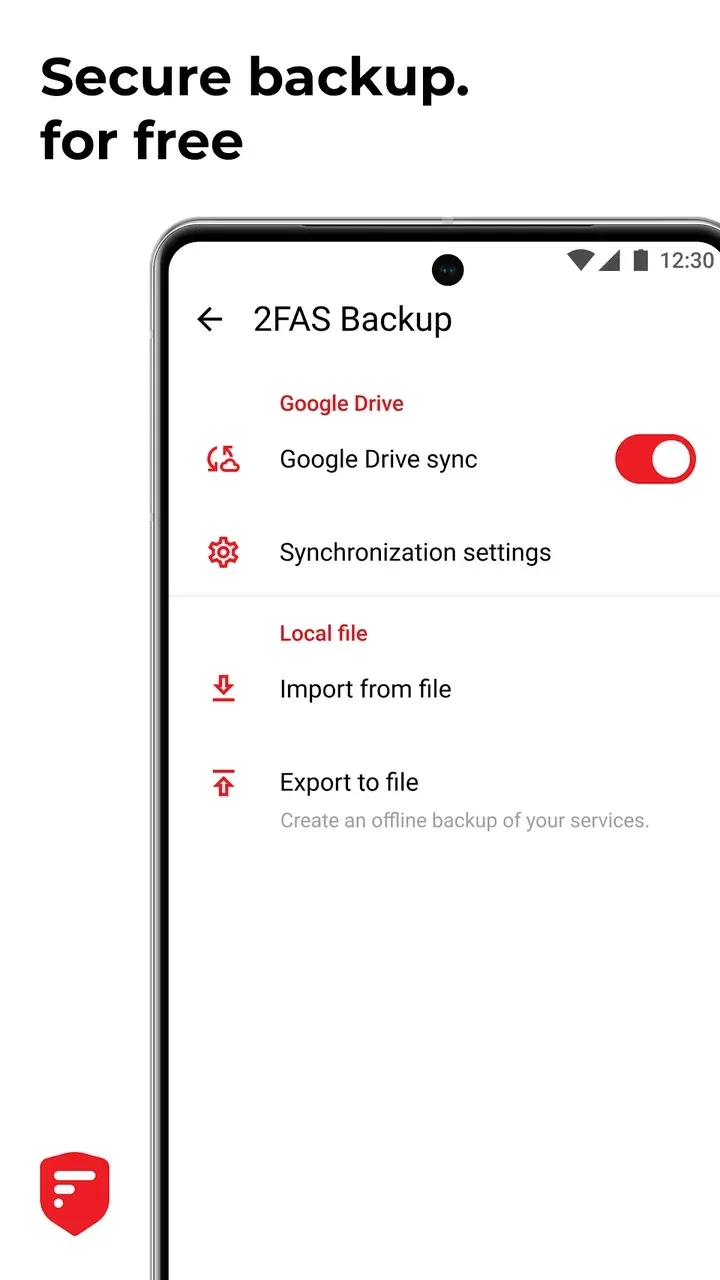
- Google Drive sync on Android The Android app can store and sync its backup file in a hidden folder on the user's Google Drive that, according to the app, only 2FAS can access. A custom password can be set for that backup file, and the file can be deleted from the settings, which disables sync on all linked devices while tokens stay in local storage. Sync requires an internet connection.
- iCloud sync on iOS The iOS app syncs tokens through iCloud. The app text says the encrypted backup data is stored in iCloud and is accessible only to 2FAS; the key is either a system key held in iCloud Keychain or a custom password. The App Store screenshots describe the iCloud backup as end-to-end encrypted.
- Local backup files Both apps can export tokens to a 2FAS backup file for offline storage and import it on another device, where the contents are merged with the existing list. The export can be protected with a password; in the Android source, password-protected backups use AES-GCM with a 256-bit key derived through PBKDF2-HMAC-SHA256 with 10,000 iterations.
- Import from other authenticators The Android 6.1.0 import screen covers Google Authenticator (transfer QR codes, including multiple batches), Aegis, Raivo OTP, LastPass, 1Password, Bitwarden, Proton Authenticator, Ente, Stratum (Authenticator Pro), andOTP and plain text files of otpauth links. Depending on the source, the app expects an unencrypted JSON, CSV or text export. The iOS source lists the same set of importers.
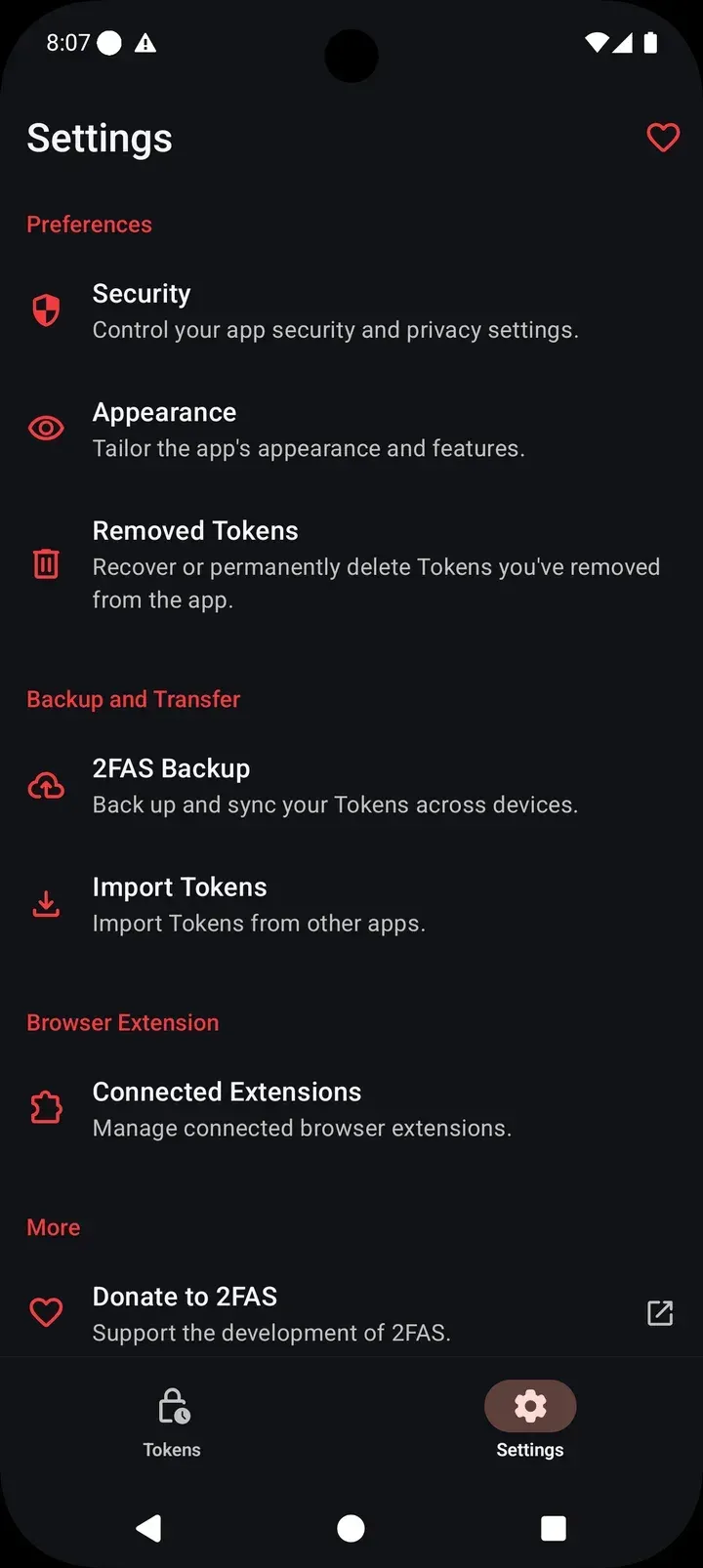
- Removed tokens Deleted tokens first go to a Removed Tokens area, where they can be restored or deleted permanently. A token deleted from there cannot be recovered, and the app warns that sign-in to that service may become impossible while 2FA is active on it.
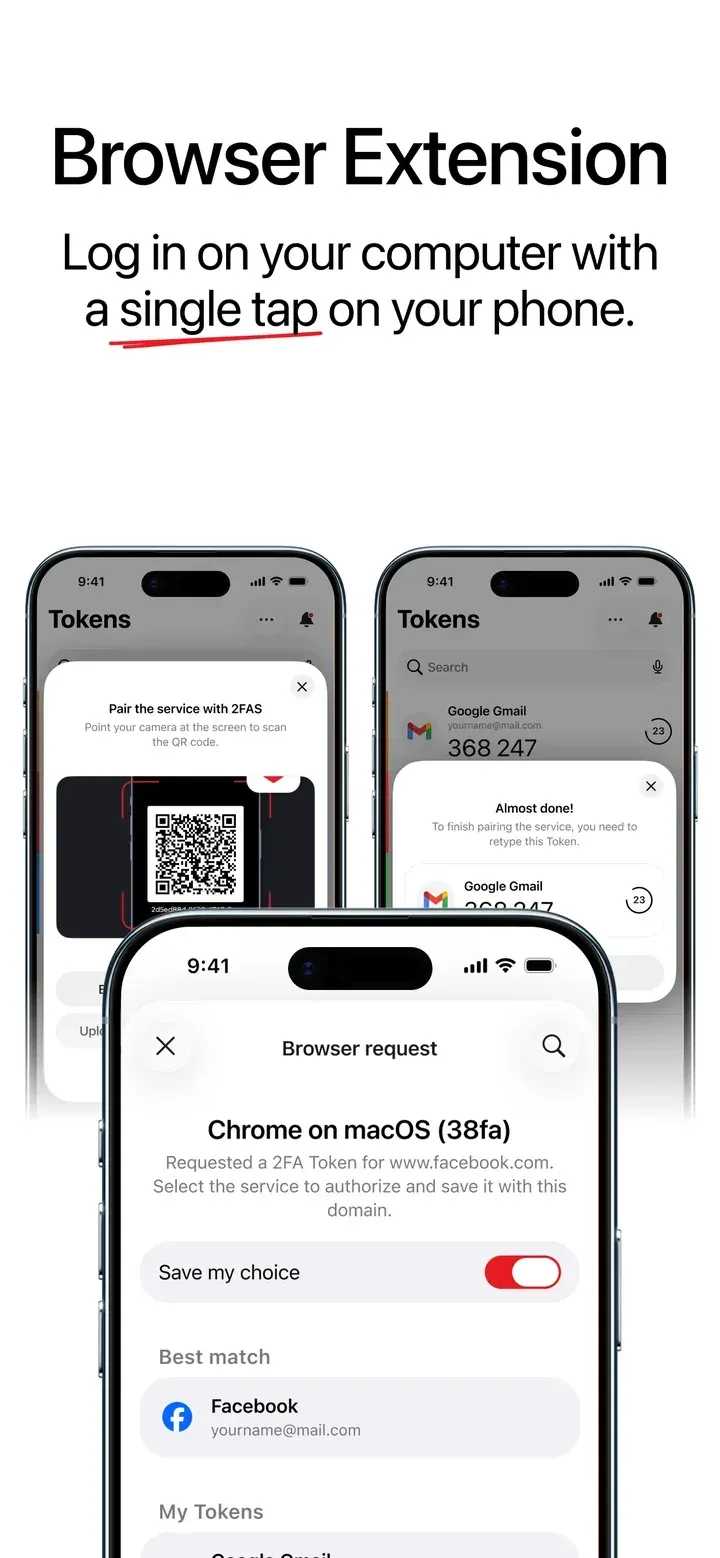
- Browser extension for one-tap sign-in The 2FAS Auth browser extension is available for Chrome, Brave, Firefox, Edge, Opera and Safari. After pairing, the extension asks the phone for a code, the phone shows a push notification, and once the request is approved the code is entered on the page. The extension page states that phone-to-browser communication is always end-to-end encrypted, that the server operator cannot decrypt it and that no account is required. The current extension release on GitHub is 1.9.3.
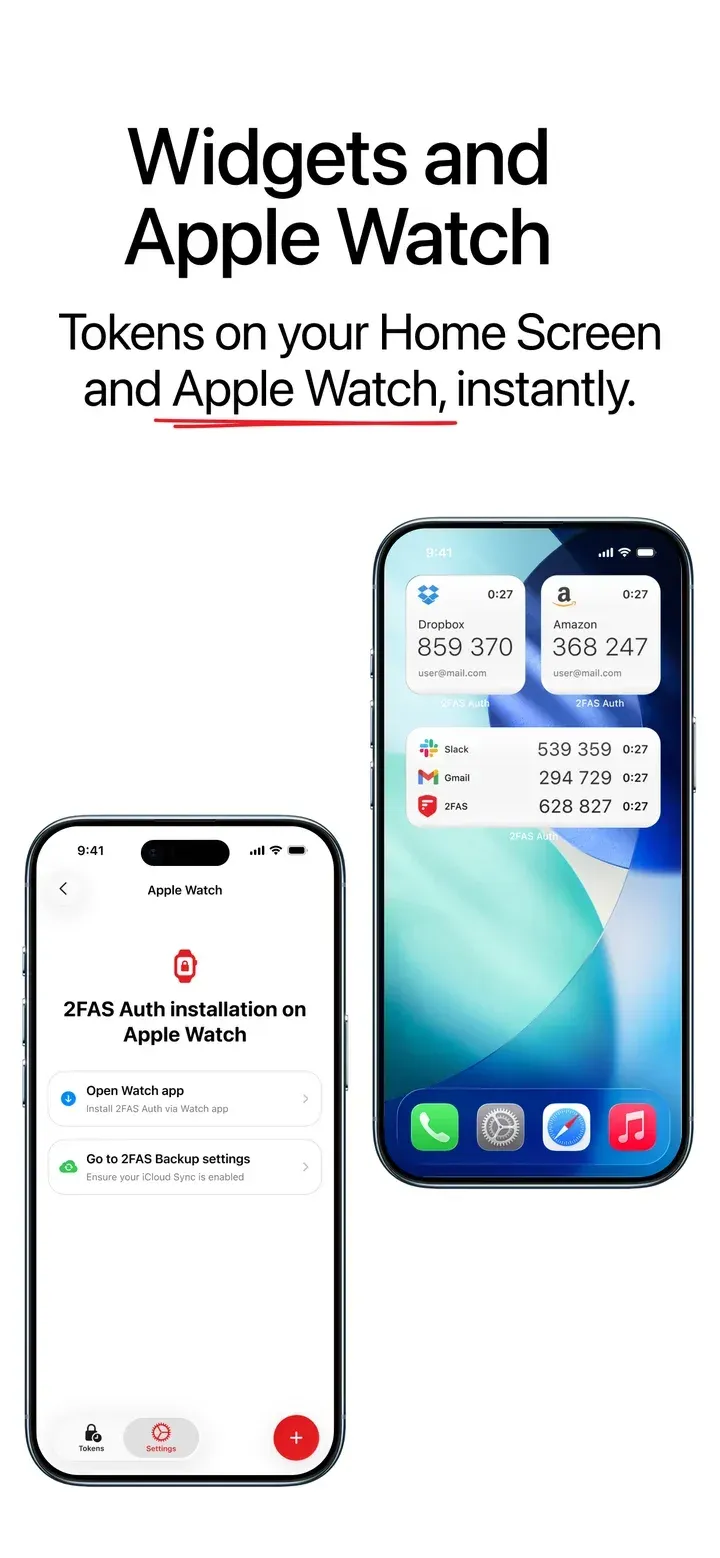
- Widgets and Apple Watch Android offers home-screen widgets for selected services; the app warns that tokens shown in widgets can be read without the PIN. The iOS app provides Home Screen widgets and an Apple Watch app, which the App Store screenshots tie to an enabled iCloud Sync.
- Themes and dynamic colors The Android app has Auto, Light and Dark themes and an optional Dynamic Colors mode that takes the palette from the wallpaper. The iOS 6.0 release moved the interface to Apple's Liquid Glass design.
- No account and offline operation The 2FAS Auth page states that the app requires no account, phone number or email, uses no tracking code and works offline. Codes are generated on the device from the stored secrets; cloud sync and the browser extension use the network.
- 16 interface languages The product page lists 16 supported languages. Translations are added in regular releases; 6.1.0 added Lithuanian and Slovak.
- Android download options The Android app is distributed on Google Play (package com.twofasapp) and as an APK attached to each GitHub release; the 6.1.0 file is TwoFas-6.1.0-41.apk. Android 9.0 is the minimum since version 6.0.3. Users still on app version 2.x need to install 5.6.0 first to migrate their database.
- iOS download The iOS app is distributed on the App Store and requires iOS 18.6 or later. Its App Store screenshots state "No subscriptions" and "No ads", and the Safari extension is a separate App Store download.
- License and source code The Android, iOS and browser extension code is published under GPL-3.0 by Two Factor Authentication Service, Inc. Contributions go through GitHub pull requests, and bug reports through the GitHub issue trackers. App graphics are excluded from the open-source license.
Where 2FAS Auth fits
Moving tokens from Google Authenticator
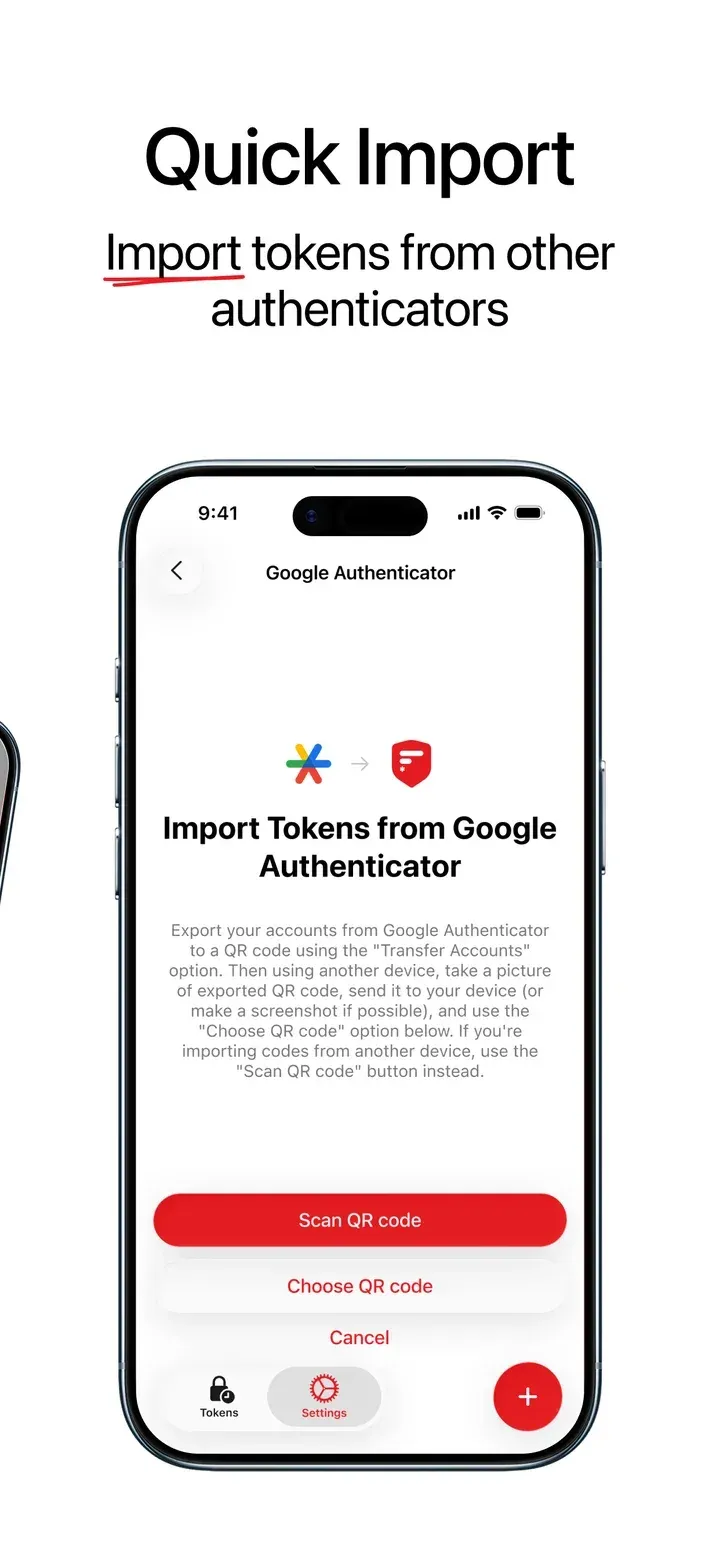
Google Authenticator exports accounts through its "Transfer Accounts" option as one or more QR codes. 2FAS Auth reads these codes either with the camera from a second device or from a saved screenshot through "Choose QR code". Release 6.1.0 on Android and v6.0.1 on iOS added support for transfers split across several QR codes. After the import, the app advises deleting any screenshot of the transfer code, because it contains the secrets.
Switching from another authenticator or password manager
The import menu lists Aegis, Raivo OTP, LastPass, 1Password, Bitwarden, Proton Authenticator, Ente, Stratum (Authenticator Pro) and andOTP, plus generic text files with otpauth links. The in-app instructions ask for an unencrypted export, for example a JSON file from Aegis or andOTP, a text file from Authenticator Pro or Ente, a CSV file from 1Password, or JSON or CSV from Bitwarden. The app instructions also ask users to remove the export file after a successful import, since it holds the token secrets in plain form.
Keeping tokens recoverable after a phone change
2FAS Auth stores tokens locally, so restoring them on a new or reset phone depends on a backup. Android users can enable Google Drive sync with an optional backup password, and iOS users can enable iCloud Sync. A password-protected 2FAS backup file can also be exported and kept offline, then imported on the new device. The app states that resetting it without a backup means losing access to all stored 2FA codes.
Entering codes on a desktop browser
With the browser extension installed in Chrome, Brave, Firefox, Edge, Opera or Safari, the user pairs it by scanning a QR code shown by the extension with the 2FAS Auth app. When a site asks for a 2FA code, the extension sends a request, the phone shows a notification with the requesting browser and domain, and the user selects the matching service. The app can remember that choice for the domain, and the approved code is filled in on the page without retyping. Paired browsers are listed in the app and can be removed individually.
Steam and counter-based accounts
Besides standard TOTP codes, 2FAS Auth can hold Steam tokens, which use five-character codes, and HOTP tokens, which advance a counter instead of a clock. For HOTP the user sets the initial counter when adding the token manually and generates the next code on demand. The official 6.0.3 release screenshots show TOTP, HOTP and Steam entries side by side in the token list.
Updating from older app versions
Release 5.6.0 is the last Android build for Android 6.0, and 6.0.3 raised the minimum to Android 9. The 6.0.3 notes also explain that support for migrating the pre-2021 ObjectBox database was removed, so installs still on app version 2.x have to update to 5.6.0 first, which is available from GitHub, before moving to version 6.
Reviews of 2FAS Auth
Be the first to share your experience with 2FAS Auth.
Write a review
Loading review form…
Found 2FAS Auth useful? Upvote it todayYour vote helps other IT teams find it in the daily ranking.