

What is Bitwarden?
Bitwarden is an open source password manager from Bitwarden, Inc., which says it was founded in 2016 and is headquartered in Santa Barbara, California. People use it to store logins, cards, identities, notes, passkeys and one-time-code seeds in an end-to-end encrypted vault that syncs across browsers, desktop, mobile and the command line. Organizations use the same product with shared collections, directory sync, single sign-on and event logs. Around the vault the company also sells Secrets Manager for developer secrets and Passwordless.dev for passkey development.
This listing covers the product as a whole. The linked bitwarden/server repository contains the backend: the APIs, identity service, database scripts and Docker infrastructure used by every Bitwarden client. The README describes it as written in C# on ASP.NET Core with a T-SQL database on SQL Server. Clients live in separate repositories. The company runs a cloud service with data stored in United States or European Union regions, and it publishes self-hosting options as Docker images on GitHub Container Registry.
The reviewed server release is v2026.10.1, published October 28, 2026. Its notes list work on organization plan changes, a new Privileged Controls and privileged access management area, a vault health report exclusions flag, security fixes for collection permission checks and an SSRF protection for the OIDC client, plus a fix that streams cipher rows to prevent an out-of-memory error during sync. Client apps are versioned separately, so check each app before comparing release numbers.
Licensing is split, as the license FAQ explains. The main server code is AGPL 3.0 and the clients are GPL 3.0. Modules for larger organizations under the bitwarden_license directory use a source-available Bitwarden License that allows non-production use and requires a paid subscription for production. The cloud service, support and paid plans are commercial.
Bitwarden screenshots
Explore the interface. Open a screenshot to view it at full size.
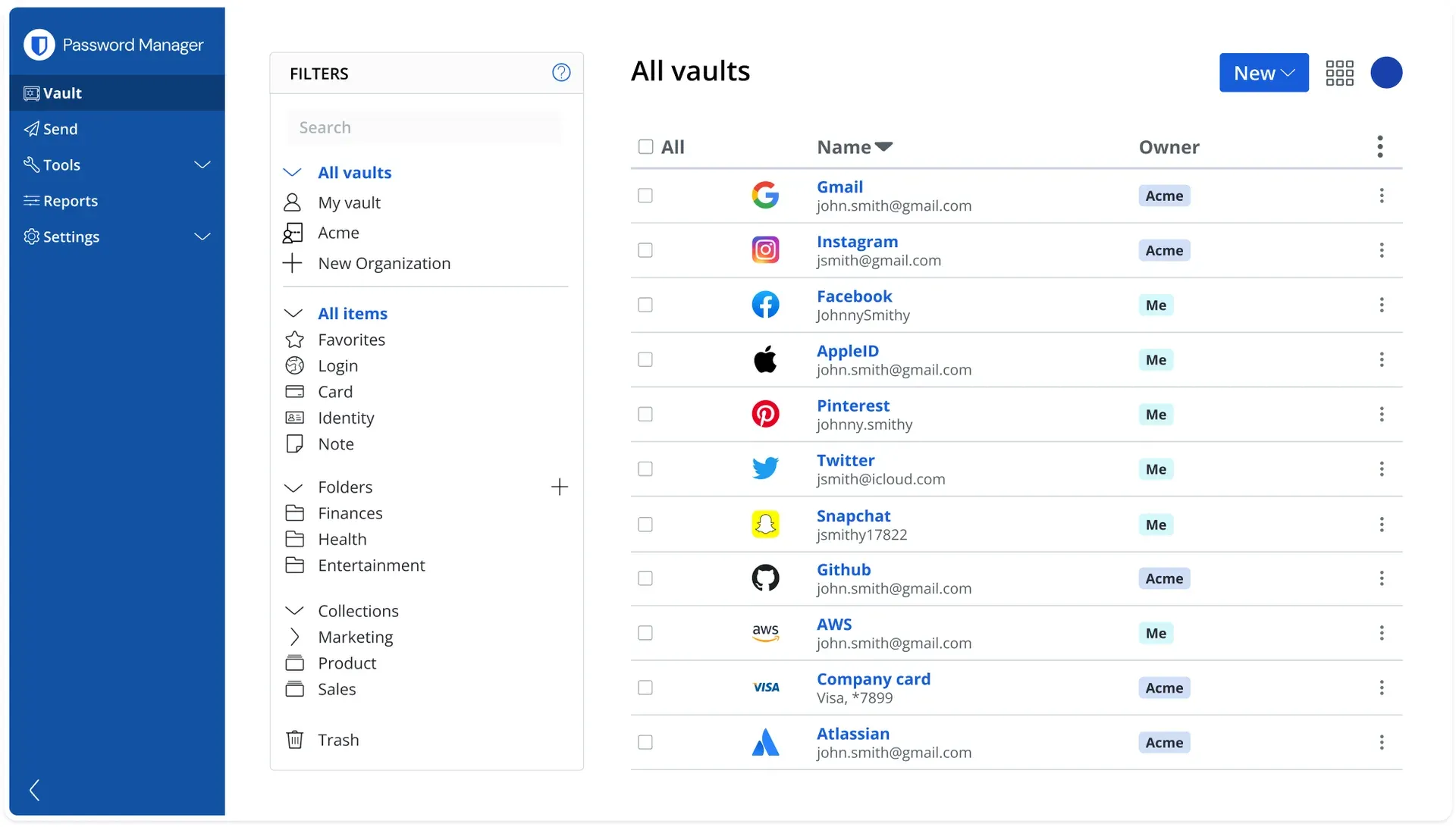
Official Bitwarden screenshot of the web vault with sample data: folders, collections and an organization owner column.
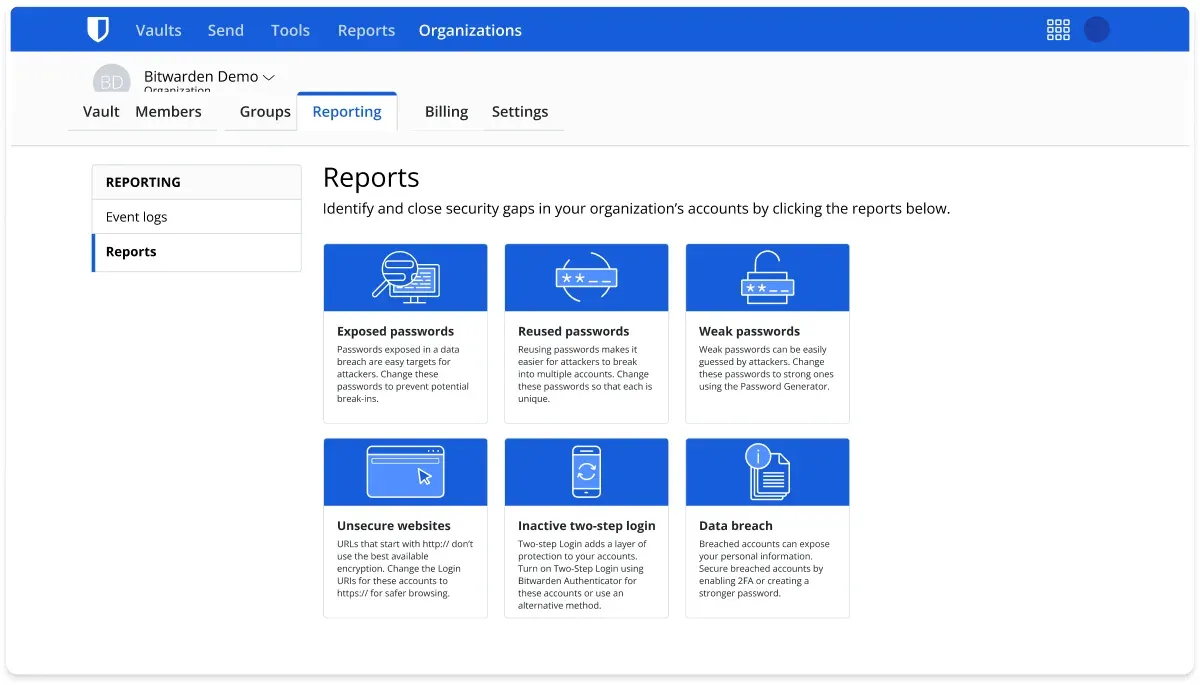
Official Bitwarden screenshot of the organization Reports page with six report types.
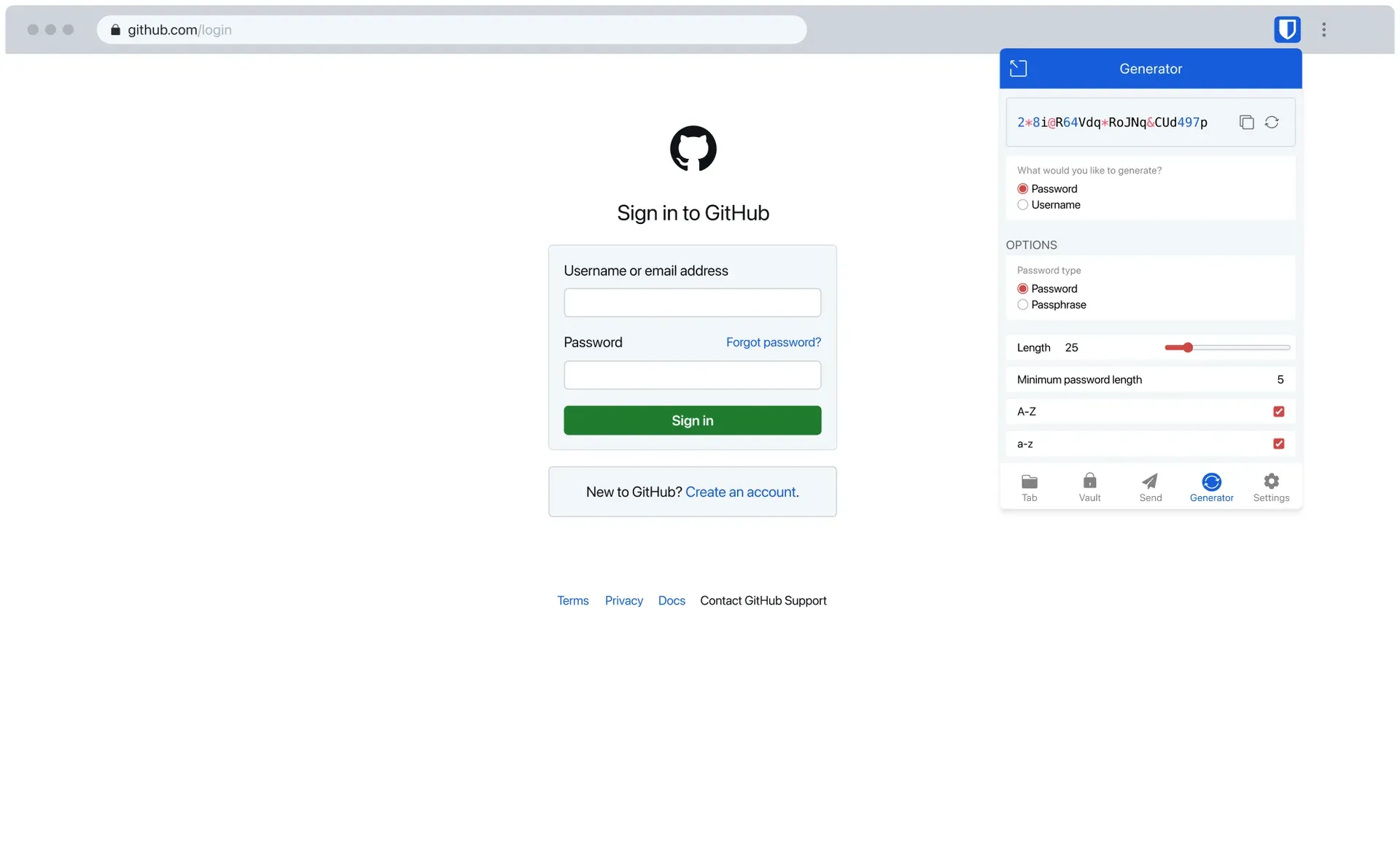
Official Bitwarden screenshot of the browser extension password generator open on a login page.
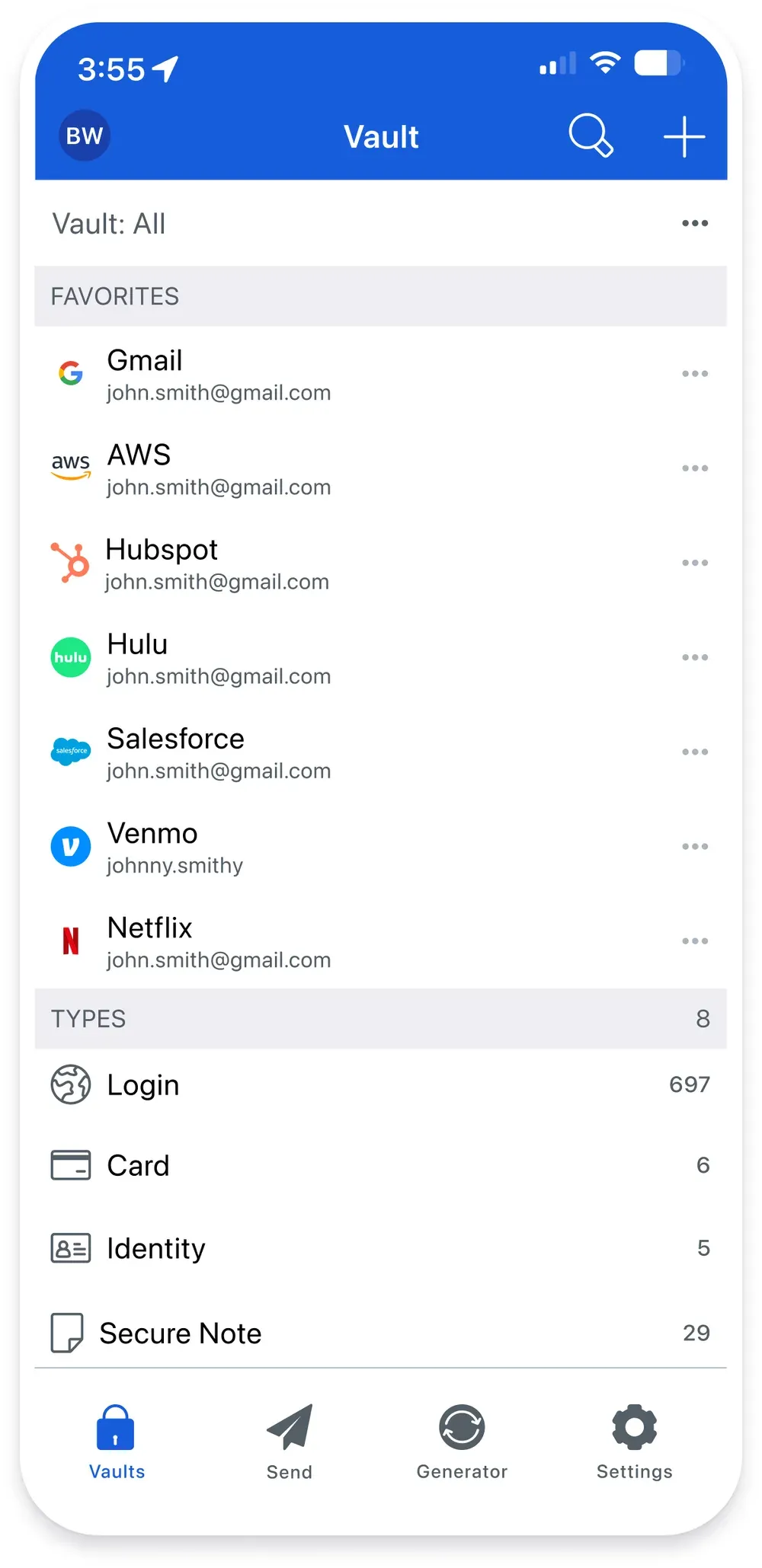
Official Bitwarden screenshot of the iOS vault with sample favorites and counts by item type.
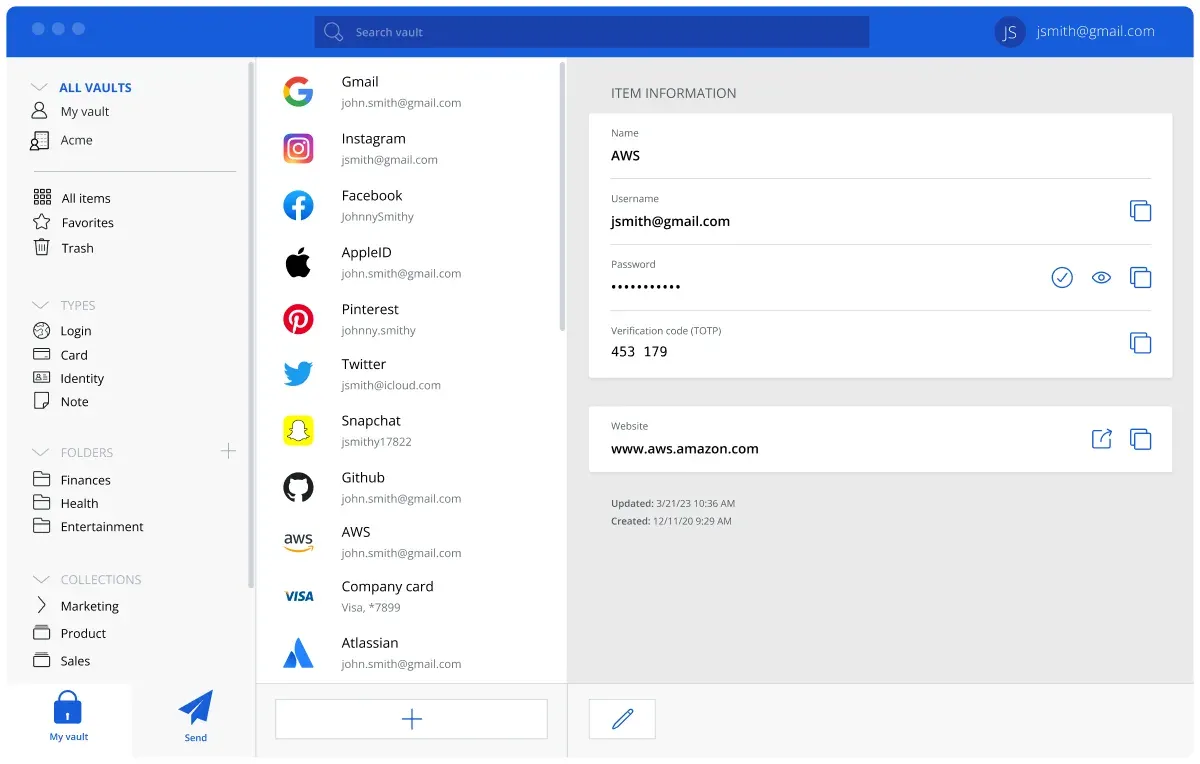
Official Bitwarden screenshot of the desktop app showing item details with sample data.
Source: official Bitwarden project page.
Key capabilities
- End-to-end encrypted vault Vault data is encrypted before it leaves the device, and the help center describes AES-256 in CBC mode with HMAC-SHA256 for authenticated encryption and RSA with OAEP for sharing. Bitwarden calls this zero-knowledge, meaning only the user holds the keys. See the encryption page and the security white paper.
- Clients for every platform The download page lists browser extensions for Chrome, Edge, Firefox, Safari, Opera, Brave, Vivaldi, Tor and DuckDuckGo, desktop apps for Windows 11, macOS and Linux, the web vault, iOS and Android apps with an F-Droid option and the CLI. The F-Droid build omits Firebase Messaging, so live sync push does not work there.
- Autofill and password generator The extension and mobile apps fill logins and generate passwords, passphrases and usernames. The generator can also connect to email alias services.
- Integrated authenticator Premium accounts store TOTP seeds and show verification codes next to the login. A separate Bitwarden Authenticator app for iOS and Android is also offered, with a sync option for codes. Keeping passwords and codes together is convenient but reduces the separation between two factors, so decide that per risk level.
- Passkeys and passwordless unlock The vault can store and use passkeys, and the apps unlock with biometrics where the platform supports it. Passkey support varies by browser and operating system, so test the sites you rely on.
- Bitwarden Send Send shares text or files with anyone, including non-users, using end-to-end encryption and an expiry, with the content deleted after the lifetime ends. The pricing comparison lists Send for text and files, so check which account tier you need for file sends.
- Two-step login options The pricing comparison lists authenticator apps, email codes, Duo, Yubico OTP and up to ten hardware security keys as two-step login options. Emergency access lets a designated contact request access after a waiting period, which is a Premium and Families feature.
- Vault health reports Reports flag exposed, reused and weak passwords, unsecure websites and inactive two-step login, and the plans page lists alerts and password coaching for paid users. Treat reports as prompts: breach checks call external data sources, which you may need to review for your privacy policy.
- Organizations, collections and groups Teams and Enterprise plans add organizations with collections, groups, roles and event logs for sharing credentials by role. The organizations guide covers collections and permissions. Plan the collection model before inviting people, because moving items later is manual work.
- Single sign-on, SCIM and directory sync Enterprise adds SAML and OIDC single sign-on, including trusted devices, and SCIM provisioning for several identity providers. Directory Connector synchronizes members from LDAP, Microsoft Entra ID, Google Workspace, Okta and OneLogin, according to the help center.
- Enterprise policies and account recovery Policies can require two-step login, set master password rules, restrict Send and control vault timeouts, and account recovery lets administrators reset a member who has lost the master password under an opt-in policy. Read the recovery tradeoffs before enabling.
- Event logs and SIEM integrations Organizations get event logs for item access and administration. The help center lists integrations with Splunk, Microsoft Sentinel, Elastic, Rapid7, Panther, Sumo Logic, Huntress, Blumira and a generic HEC option for exporting events.
- Public API and CLI The Public API manages an organization with a client ID and secret and a bearer token from the identity service, and the CLI scripts vault operations. API keys give broad access, so store them as secrets and rotate them if they leak.
- Self-hosting with Docker The standard Linux deployment downloads
bitwarden.sh, creates a dedicated user and an/opt/bitwardendirectory, and runs an installer that asks for a domain, a certificate option, an installation ID and an installation key from bitwarden.com/host. The Linux guide lists 2 GB of RAM minimum and 4 GB recommended, 12 GB of storage minimum and Docker Engine 26 or later. - Self-hosting variants Besides the standard script, the self-host overview describes manual and offline Linux deployments, Windows with PowerShell, Kubernetes with Helm for AKS, OpenShift and EKS, and Bitwarden Lite, a single container for home labs that can use MySQL, MariaDB, MSSQL, PostgreSQL or SQLite. The standard deployment ships an MSSQL Express image with a 10 GB database limit, or you can use an external MSSQL 2019 or later.
- Server regions The cloud runs in separate United States and European Union regions, and an account exists only in the region where it was created, per the server regions page. Self-hosted instances using an EU subscription need the EU identity, API and push URIs set in the override file.
- Secrets Manager Secrets Manager stores machine secrets for developers and DevOps, with projects, machine accounts, access tokens, a CLI and SDK, and integrations for GitHub Actions, GitLab CI/CD, Jenkins, Kubernetes, Ansible and Terraform. It is priced separately from the password manager.
Where Bitwarden fits
Replacing browser-saved passwords across a team
Create an organization, define collections for departments and import existing logins. Roll out the browser extension with device management, turn on the policy that requires two-step login and turn off built-in browser password saving. Check that offboarding removes access to shared collections, and keep at least two owners so the organization is never left without an administrator.
Running a family or personal vault
Premium covers one account and Families covers up to six with shared collections. Set a long master password or passphrase, enable two-step login with a hardware key or authenticator app, and store the emergency sheet outside the vault. Test emergency access with a trusted contact once, and keep the recovery information somewhere other than the vault itself.
Self-hosting for compliance or isolation
Plan the domain, certificates, the installation ID and key from bitwarden.com/host, SMTP and backups, then follow the Linux guide or the Kubernetes path. Back up the database and the bwdata directory and rehearse a restore. Keep the stack updated with the provided update script.
Connecting identity and provisioning
Configure single sign-on with your identity provider, choose a decryption option such as master password or trusted devices, and add SCIM or Directory Connector for provisioning. Test the path for a user who loses a device, because the decryption option decides who can recover access, and keep one break-glass administrator account outside single sign-on.
Sharing secrets with people outside the company
Use Send for one-time text or file transfer with an expiry and a view limit, and share vault items inside the organization only. Avoid pasting long-lived credentials into chat. Record who may create Sends under policy, and keep lifetimes short for anything sensitive.
Managing machine secrets
Use Secrets Manager for pipeline credentials, with machine accounts scoped to projects and access tokens that expire. Read the integration for your CI system and confirm that logs never print secret values. Rotate tokens when a pipeline owner leaves.
Install
curl -Lso bitwarden.sh "https://func.bitwarden.com/api/dl/?app=self-host&platform=linux" && chmod 700 bitwarden.sh && ./bitwarden.sh installReviews of Bitwarden
Be the first to share your experience with Bitwarden.
Write a review
Loading review form…
Alternatives to Bitwarden
 VaultwardenVaultwarden is an unofficial Rust implementation of the Bitwarden Client API for self-hosting, with personal vaults, organization sharing and multifactor login.
 KeePassXCKeePassXC is an open-source password manager for Windows, macOS and Linux that stores entries in an offline, encrypted KeePass-compatible KDBX file.
 TeampassTeampass is a GPL-3.0 password manager installed on your own PHP and MySQL or MariaDB server, with folders and roles, per-user encryption keys, LDAP and OpenID Connect sign-in, MFA, a REST API and governance reports. Browser autofill is a paid extension.