What is PrivacyNotes?
PrivacyNotes is an end-to-end encrypted app for notes, tasks, a journal with mood and medication tracking, files, a password vault, a calendar, contacts and bookmarks. Instead of an email and password, a phrase sign-up generates a 12-word BIP-39 recovery phrase on the device. The app derives its keys from that phrase with HKDF-SHA256, encrypts content with XChaCha20-Poly1305 before it is stored or sent, and uses an Ed25519 public key as the account identifier. Sign-in with Google, Apple or GitHub is also offered; it preselects a custodial mode in which the company keeps the phrase under a key it holds, as the security document states.
The product is made by Lifetime Labs LLC. The company about page describes it as a US-registered company whose core team is German and Swiss, says work on the app began in 2025, and states that it has shared ownership with PrivacyTools.io since April 2026. The GitHub repository was created in May 2026. According to VERIFY.md, the full client source has been public since August 31, 2026; earlier releases had only the encryption layer published.
The repository is licensed under AGPL-3.0. It contains the client applications in application/ (the web app, the Tauri desktop and mobile shells, the shared crypto package, the browser extension and the command line tool), the production encryption code in crypto/crypto.ts, and the security, threat model and verification documents. The sync backend, including the database schema and the sync protocol, is closed: VERIFY.md says the hosted service funds the product and that the schema would ship only if self-hosting ever ships. There is no documented self-hosting option, and builds from source point at the official sync server. The name, icon and wordmark are reserved marks under NOTICE.md.
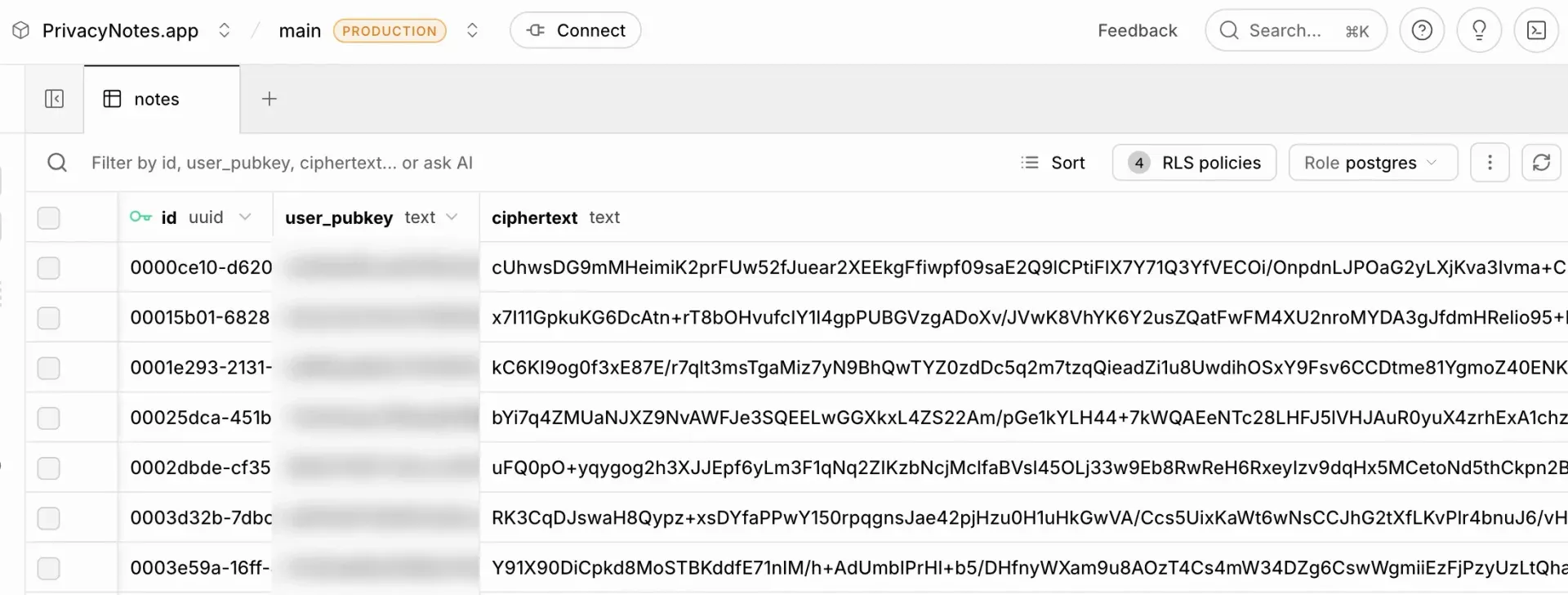
Synced data is stored in Supabase (Postgres with row-level security) in Zurich. Encrypted files go to a Cloudflare R2 bucket in the EU jurisdiction, with a backup copy at a second EU provider, and Cloudflare serves the web app. The README states that no third-party security audit has been performed yet and names Cure53 as the intended firm. Reproducible builds are listed as a roadmap item, not a shipped feature. The threat model lists metadata the server sees, such as public keys, ciphertext sizes, timestamps, note counts and request IP addresses.
Release v0.819.1 was published on November 21, 2026 with signed installers and SHA-256 checksum files. The changelog lists two notes side by side, a split Markdown and formatted view, and line numbers for v0.819; on-device plugins for scanning, text recognition, translation and voice to text for v0.818; and, for v0.817, phrase sign-ups that keep notes on the device until sync is turned on. The app is free on two devices, and Pro is a one-time purchase.
Key capabilities
- Phrase-based identity A phrase sign-up creates a 12-word BIP-39 mnemonic (128 bits of entropy) on the device. The seed is expanded with HKDF-SHA256 into separate keys for signing, note encryption, local at-rest sealing, the session password and a browser-extension inbox, each under its own info string. The account is addressed by the Ed25519 public key, and phrase accounts use anonymous Supabase authentication without an email address.
- Client-side note encryption Each note is encrypted with XChaCha20-Poly1305 under a random 24-byte nonce. Title, body, tags and states such as starred or trashed sit inside the encrypted payload, so the server stores a public key, ciphertext, nonce, id and timestamps. The primitives come from the noble and scure libraries, and the code is in crypto/crypto.ts.
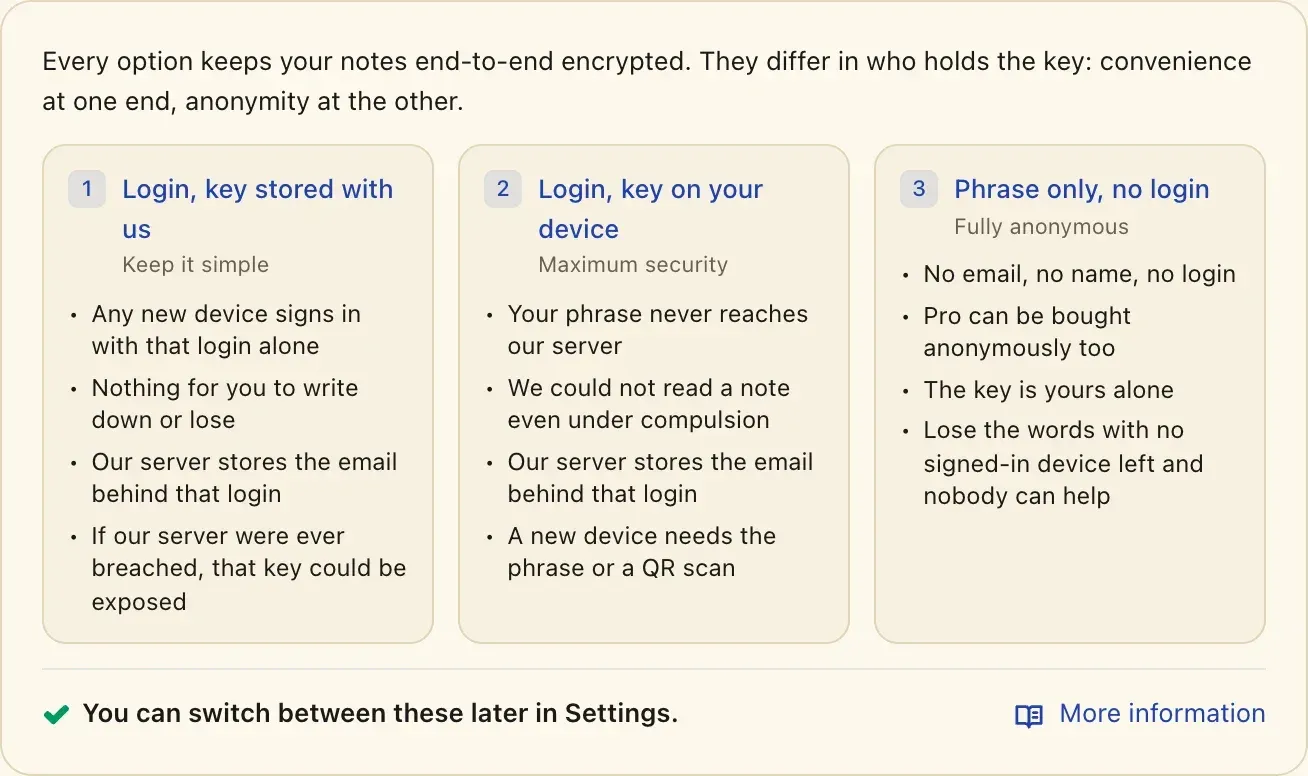
- Key custody modes Self-custody keeps the phrase only on the user's devices. Custodial mode, preselected for Google, Apple and GitHub sign-ups, stores the phrase on the server under a key the company holds, so the company could decrypt those notes. An optional sign-in passkey stores a copy of the phrase that only that passkey opens. The mode can be switched under Settings, Account, Key custody.
- Recovery limits Under self-custody there is no reset: SECURITY.md states that a lost phrase means lost notes and that support cannot restore them. The phrase can be viewed, printed or exported from Settings, and a new device can also be added by scanning a sign-in QR code from a signed-in device. Optional TOTP two-factor sign-in requires saving a backup key, which restores codes but not a lost phrase.
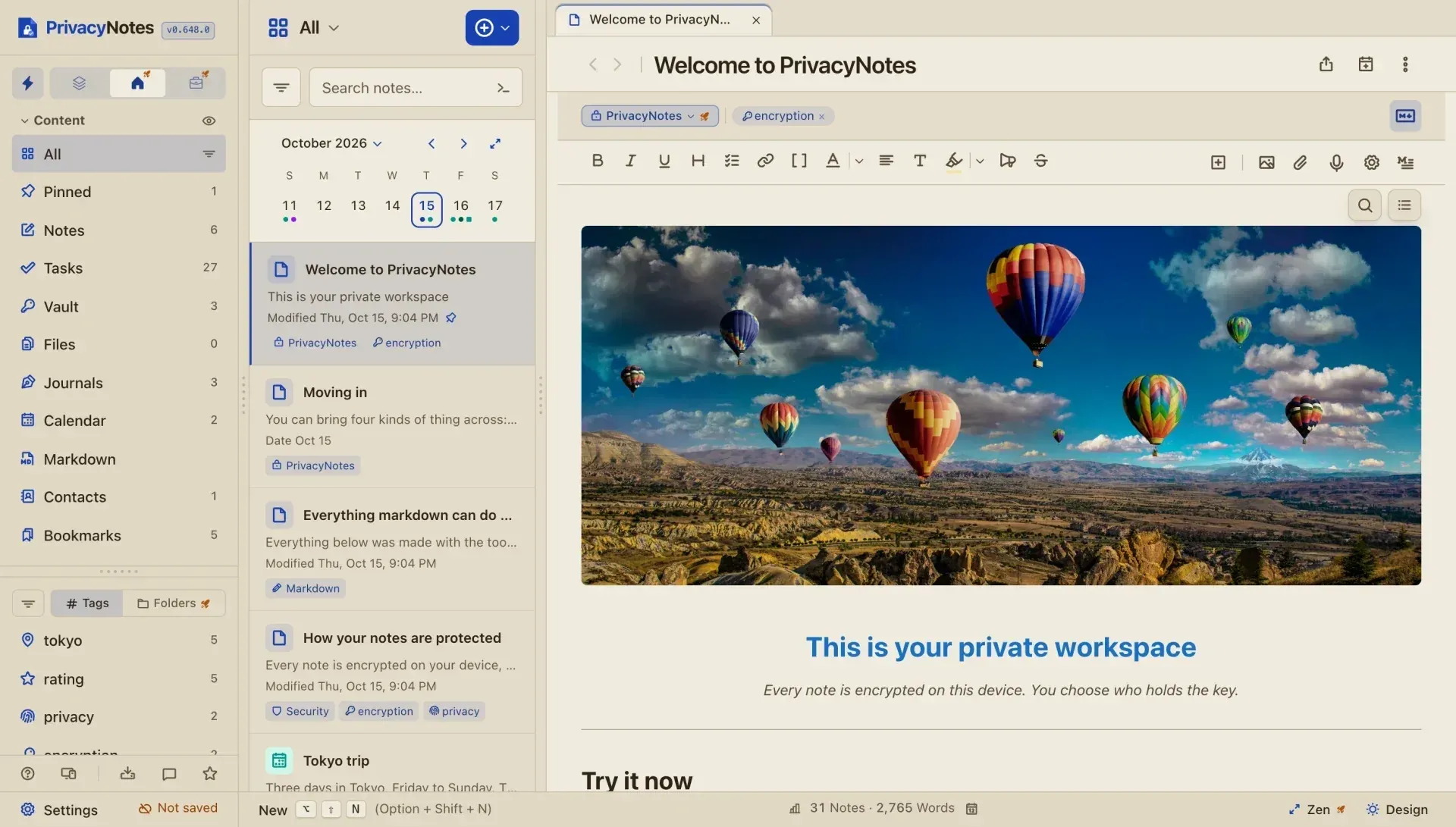
- Notes editor The editor has a formatted view and a Markdown view, a split view with both, line numbers, folding headings and lists, tables, checklists, footnotes and spoilers. Notes are organized with tags and folders and opened in tabs or side by side. Pro keeps 50 versions of each note and adds PIN-locked notes, which the app hides rather than encrypting a second time.
- Tasks, calendar and contacts Tasks collects every checkbox across notes in one view. The calendar has day, week and month views, events, reminders and subscribed calendars, which each device downloads itself. Contacts can be imported from a vCard address book.
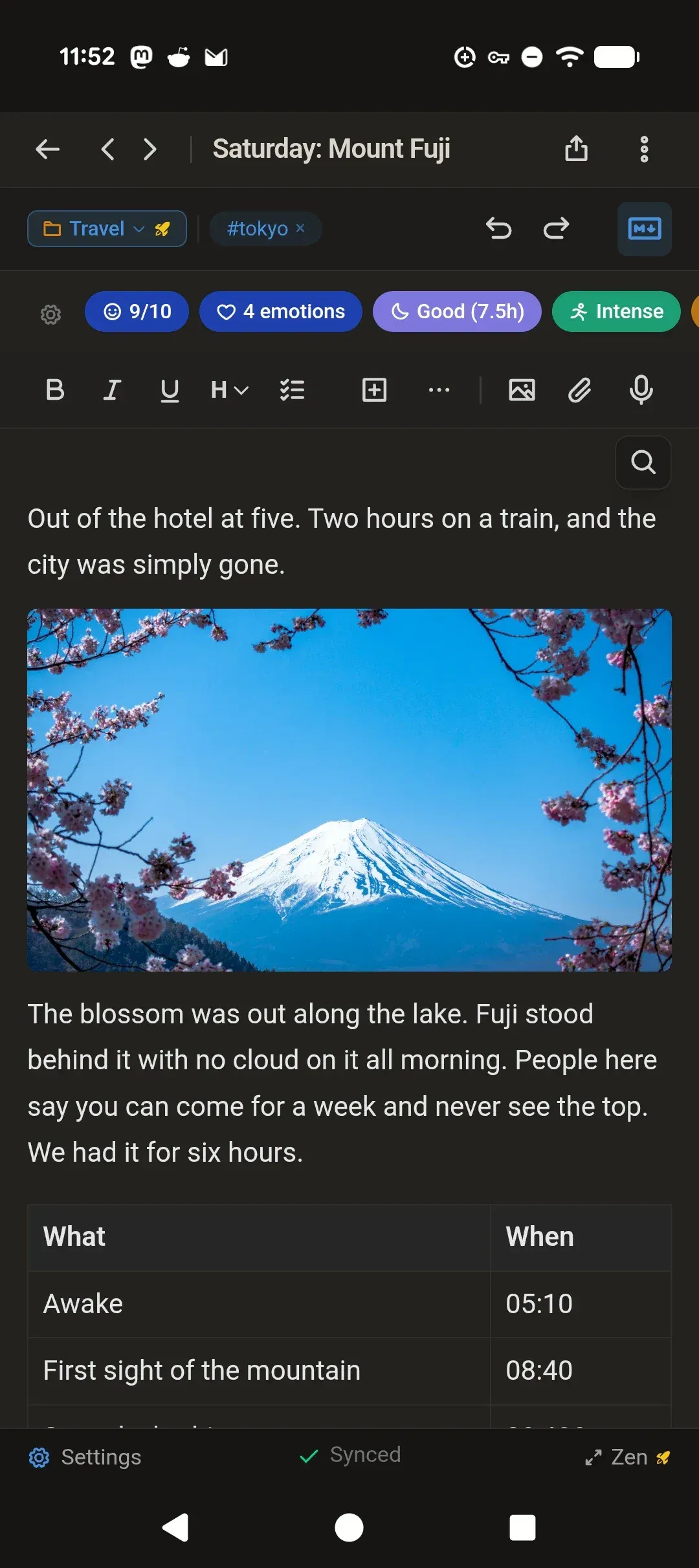
- Journal and wellness tracking Journal entries can carry mood on a 1 to 10 scale, emotion tags, sleep, energy, focus and custom trackers, with statistics that relate trackers to mood. Medication tracking schedules doses with phone reminders, records taken, skipped or missed doses and counts down refills. A doctor PDF report and an AI prompt are generated on the device; advanced wellness insights are part of Pro.
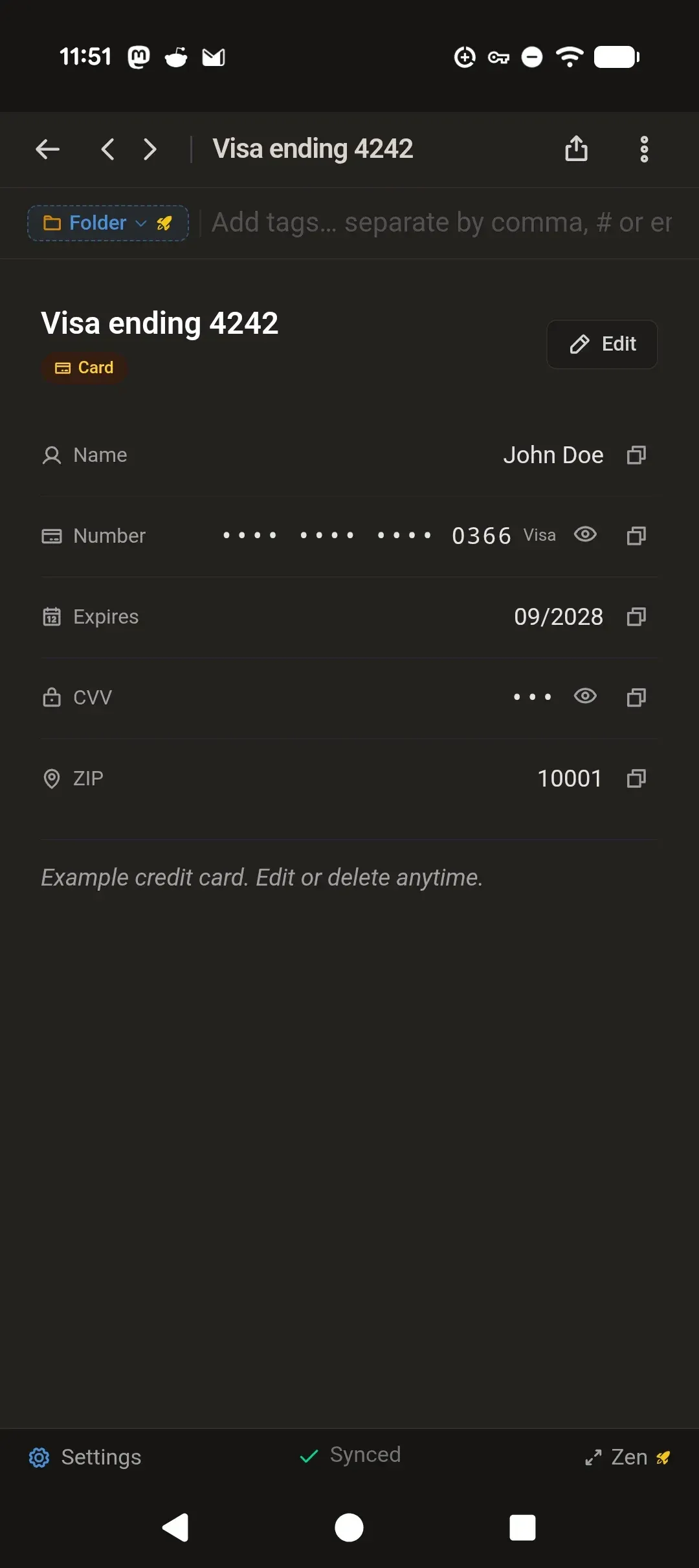
- Password vault and SSH keys The vault stores passwords, payment cards and SSH keys, generates Ed25519 SSH keys and passwords with
crypto.getRandomValues(), and sits under the same encryption key as the notes. Import guides cover 1Password, Bitwarden, Dashlane, KeePass, KeePassXC, LastPass, NordPass, Proton Pass and browser password exports. - Encrypted files Images, documents, audio and video are encrypted with the same cipher; the original filename, MIME type and size are inside the encrypted blob. The free plan allows 5 MB per file and 50 MB of sync storage. Deleted files stay in a file trash for up to 30 days and in the EU backup for up to 35 days.
- Local-first sync Notes live in a database on the device, so reading, writing and search work offline, and changes sync when a connection returns. Devices merge changes field by field; when two devices edit the same text while apart, a dialog keeps both versions until one is chosen. Free accounts sync on two devices, and notes in the Trash are deleted after 30 days unless auto-delete is switched off.
- Import and export The help center has import guides for about 40 sources, including Evernote, Google Keep, Apple Notes, OneNote, Obsidian, Joplin, Notesnook, Standard Notes, Simplenote, Bear, Anytype, plain Markdown, browser bookmarks and calendars. Notion is not in that list. In the demo, an import file is read in the browser and nothing is uploaded. Notes export to Markdown, JSON or HTML offline, with single notes also exportable as PDF.
- Markdown folder editor A free mode opens a folder of .md and .txt files from disk, including subfolders, and saves edits in place without conversion. It uses the same editor as the notes and is available in the desktop app or a Chromium-based browser. The files stay outside the encrypted sync and can be used by other Markdown tools or a git repository.
- Browser extension Extensions for Chrome, Firefox and Edge (the Chrome Web Store build also covers Brave and Vivaldi) provide a web clipper, login filling and bookmarking with keyboard shortcuts. What the extension sends is sealed to an X25519 inbox key derived from the phrase, which only the apps of that account open. It runs on desktop browsers only.
- Command line tool and MCP The
privacynotesCLI, part of Pro and requiring Node.js 20 or newer, adds Markdown notes from files, pipes, scripts or AI coding agents into an Agent folder. It is add-only: it cannot open, change or delete existing notes.privacynotes mcpexposes the same save action to AI apps over MCP, as the CLI help page describes. - On-device plugins Settings, Plugins adds optional tools that download once and then run offline: page scanning, voice to text, and in Pro text recognition in pictures and PDFs, translation and noise removal. Plugin WebAssembly runs in one worker whose content security policy allows no network access.
- Desktop apps Signed builds are published for macOS 13 or newer (universal .dmg), Windows 10 or newer (x64 installer) and Linux on x86_64 and ARM64 as AppImage or .deb, which need webkit2gtk 4.1 (Ubuntu 22.04, Debian 12 or newer). Homebrew (
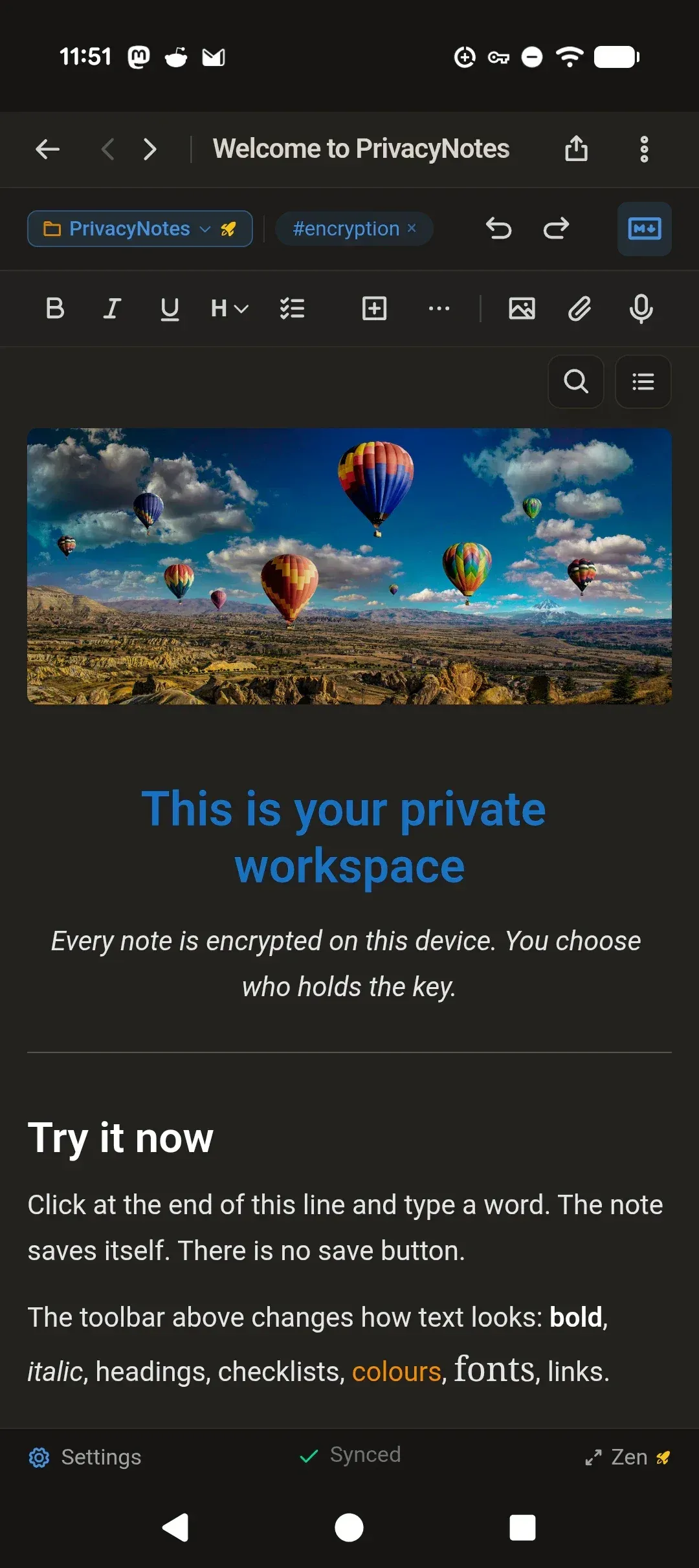
brew install privacynotes) and winget (winget install LifetimeLabs.PrivacyNotes) install the same build. The macOS, Windows and AppImage apps update themselves; the .deb is updated by installing a new download. - Mobile apps The iPhone and iPad app requires iOS 17.4 and installs from the App Store. Android 7.0 or newer is served through Google Play, Zapstore, Obtainium or a direct APK; the Play build is signed with a different key, so switching between Play and the other routes requires reinstalling. Biometric unlock is bound to the device's secure hardware.
- Web app and demo The app also runs in the browser. A demo runs the real app with sample notes and no account; demo notes stay in that browser unencrypted and are not synced. The threat model notes that a browser fetches the app code on each visit, while the signed desktop and mobile apps change only when an update is installed.
- Plans and payment Free covers all modules on two devices with 50 MB of sync storage. Pro is a one-time payment of $48 (shown as an early adopter price against $89 on November 21, 2026) and adds unlimited devices, 500 MB of storage, version history, larger files, locked notes, wellness insights, zen mode and all themes. Storage add-ons are the only recurring charge: 1 GB for $4.80, 2 GB for $8.40 or 5 GB for $18 per year. Paddle processes card payments with a 30-day refund; payments in several cryptocurrencies are final.
- Verification material VERIFY.md describes three levels of checks: watching the network tab to see that only ciphertext leaves the browser, running the key derivation with the same libraries, and building the clients from source. Releases carry SHA-256 hashes, and macOS, Windows, AppImage, .deb and Android builds are signed; the .deb signature is a minisign file. The document states that reproducible builds are not shipped.
Where PrivacyNotes fits
Creating a phrase-only account
A phrase sign-up generates the 12-word phrase on the device, uses no email address and, since v0.817, keeps notes on that device until sync is turned on. The app offers to print or export the phrase from Settings. Additional devices sign in with the phrase or a QR code shown on a signed-in device, and the free plan counts two devices. The security document states that a phrase lost under self-custody cannot be recovered by the company.
Moving notes from another app
Each supported source has its own guide in the help center, for example Evernote, Google Keep, Apple Notes, Obsidian, Joplin, Standard Notes or a folder of Markdown files, as well as password managers and browser bookmarks. The project offers the demo for a trial import: the file is read in the browser, nothing in it is uploaded, and the result stays in that browser. Three of the sources, Notesnook, Standard Notes and Joplin, are also end-to-end encrypted note apps listed on iThub.
Keeping a health and mood journal
Journal entries record mood, emotions, sleep and other trackers, and the medication module schedules doses, sends reminders on the phone and tracks adherence and refills. Statistics relate each tracker to mood on the same or the next day. A doctor report in PDF or a structured prompt for an AI assistant is built on the device and leaves it only when the user shares it.
Saving output from scripts and AI agents
With Pro, Settings, CLI in the desktop app installs the privacynotes command and issues a one-time login code. Scripts, scheduled jobs and coding agents then pipe Markdown into privacynotes save with a title and tags, and the note appears in the Agent folder on every device after sync. The token on that computer can add notes only, and privacynotes mcp offers the same action to MCP-capable AI apps.
Checking the encryption claims
VERIFY.md walks through opening the browser network tab, typing into a note and confirming that requests carry ciphertext, a nonce, ids, a public key and timestamps. A second level runs the BIP-39 and HKDF derivation in Node.js to show that the phrase alone reproduces the key. A third builds the web and desktop apps from application/ with pnpm against the public sync server address. The threat model lists what each level does and does not prove.
Editing Markdown files kept on disk
The free Markdown folder mode points the editor at a local folder of .md and .txt files in the desktop app or a Chromium browser. Edits are saved in place with no conversion, so the same folder can be opened in Obsidian or Logseq or kept in a git repository the user syncs separately. These files are not part of the encrypted PrivacyNotes sync.
Install
winget install LifetimeLabs.PrivacyNotesReviews of PrivacyNotes
Be the first to share your experience with PrivacyNotes.
Write a review
Loading review form…
Found PrivacyNotes useful? Upvote it todayYour vote helps other IT teams find it in the daily ranking.