

What is Anytype?
Anytype is a personal and team workspace built around objects: pages, tasks, notes, bookmarks, files and records of custom Types, connected by links and Properties and displayed through Views. It is developed by Any, a Swiss association with a team hub in Berlin run through a German subsidiary. The anytype-ts repository contains the desktop client for macOS, Windows and Linux; native iOS and Android apps are maintained separately in Swift and Kotlin. An account is a vault protected by a 12-word Key generated on the device, with no email address or password involved.
Desktop builds are published on the GitHub releases page and at download.anytype.io: DMG and ZIP packages for Apple Silicon and Intel Macs, a Windows setup executable, and an AppImage, DEB, RPM and tar.gz archive for 64-bit Linux. The project aims for one cross-platform release per month, and beta and alpha tags are published between stable versions. According to the official timeline, work began in 2019, the alpha ran from June 2020, and the current beta line started with 0.32.0 on June 15, 2023.
The current release, 0.57.7 of November 3, 2026, fixes a Linux login hang that affected AppImage, DEB, RPM and Flatpak installs, keeps the original names of pasted files, keeps shared channels shared after a restart and restores threaded replies in Discussions. It adds typing and agent-activity indicators to Discussions, starts local network sync sooner and supports cable-only connections, and extends the local API with archive, restore and permanent deletion of objects plus streamed chat and search updates. Version 0.57.0 in September added cross-space search with message results, an AnyBlock v2 export format in preview and an approval window for pairing requests and API keys scoped to individual spaces; 0.57.4 added a sidebar Tree section showing where objects were created.
The client is an Electron application written in TypeScript and built with Bun and Vite. It talks over gRPC to a Go middleware, anytype-heart, which ships as a helper binary and handles storage, indexing, encryption and sync. Sync uses the any-sync protocol, released under the MIT license; files are stored in encrypted fragments in a private IPFS network, and local data is kept in SQLite databases. Content is encrypted with keys derived from the Key, while search indexes remain local and unencrypted on each device.
The desktop client itself is not under an OSI-approved license. It uses the Any Source Available License 1.0, which permits use, modification and redistribution for non-commercial purposes, or for commercial use only on networks that Any Association authorizes. Anytype for Business, a separate app with Google or OIDC single sign-on and an admin console, is outside this profile's main scope, as are the mobile apps' release details.
Anytype screenshots
Explore the interface. Open a screenshot to view it at full size.
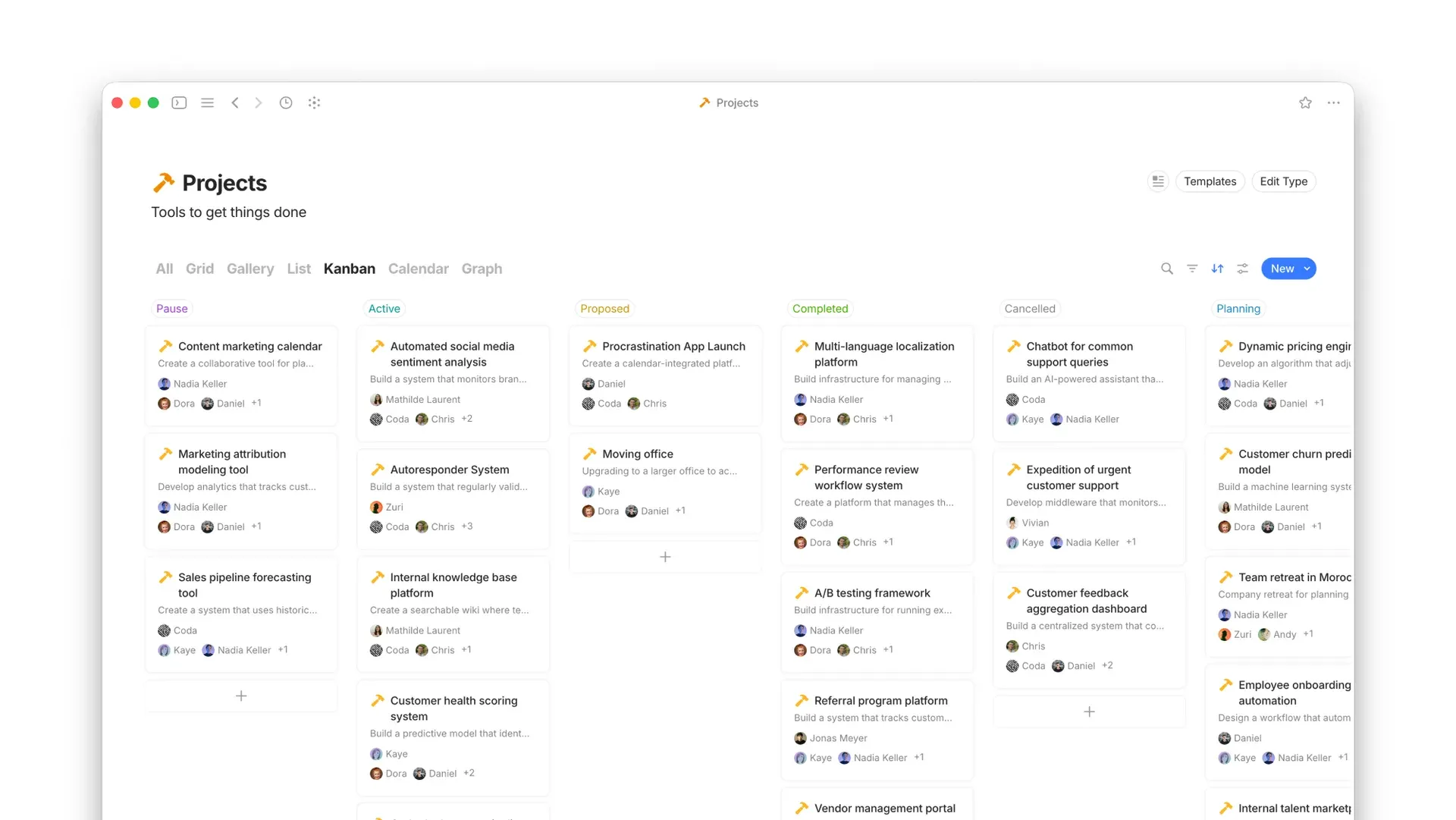
A Projects Type shown as a Kanban board grouped by status, with tabs for Grid, Gallery, List, Calendar and Graph views. Official screenshot from the Anytype documentation.
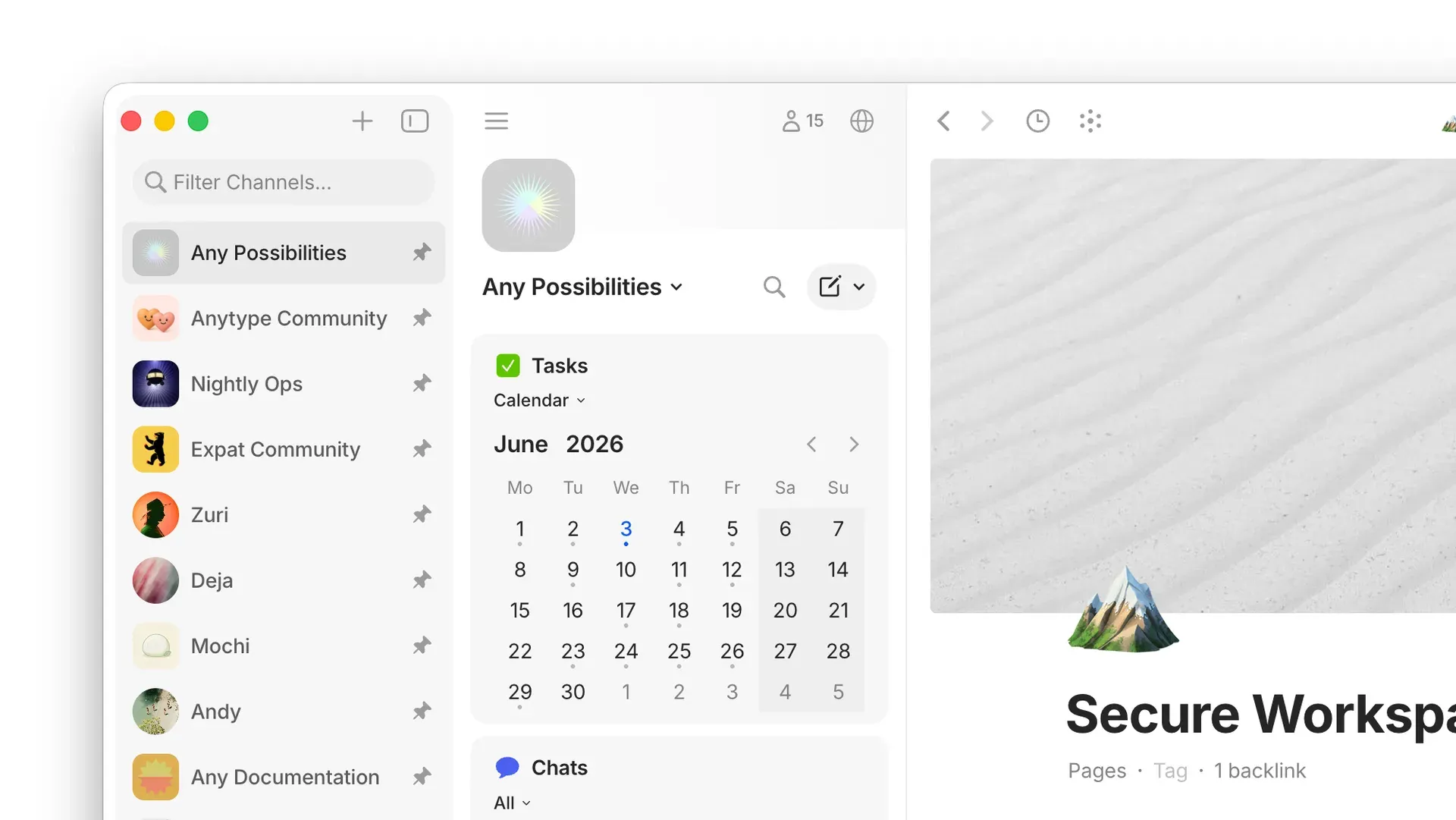
The vault sidebar listing pinned Channels, the Channel sidebar with a Tasks calendar widget and a Chats widget, and an open page. Official screenshot from the Anytype documentation.
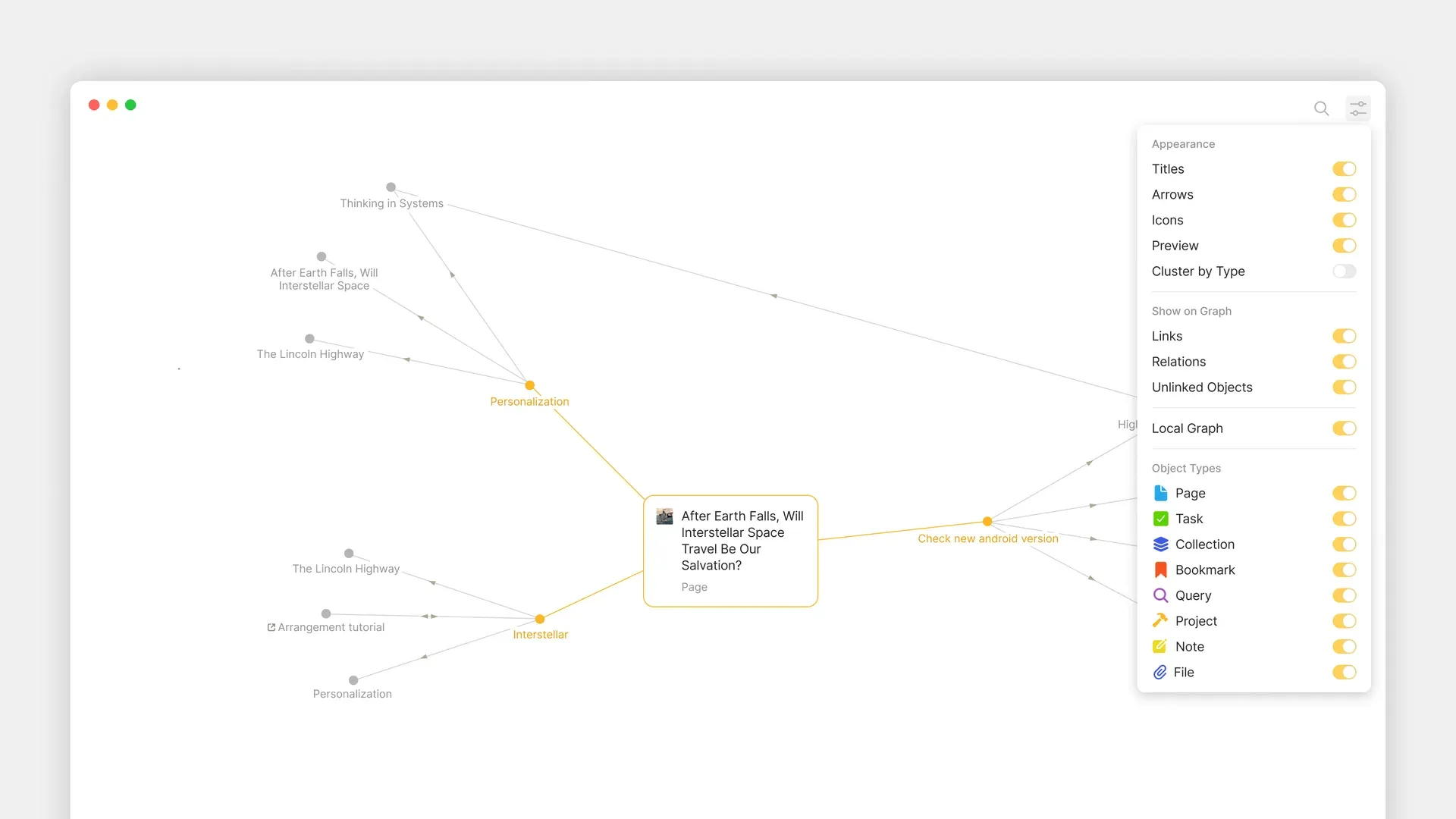
The graph view centred on a page, with the settings panel that toggles links, relations, unlinked objects, local graph mode and individual Types. Official screenshot from the Anytype documentation.
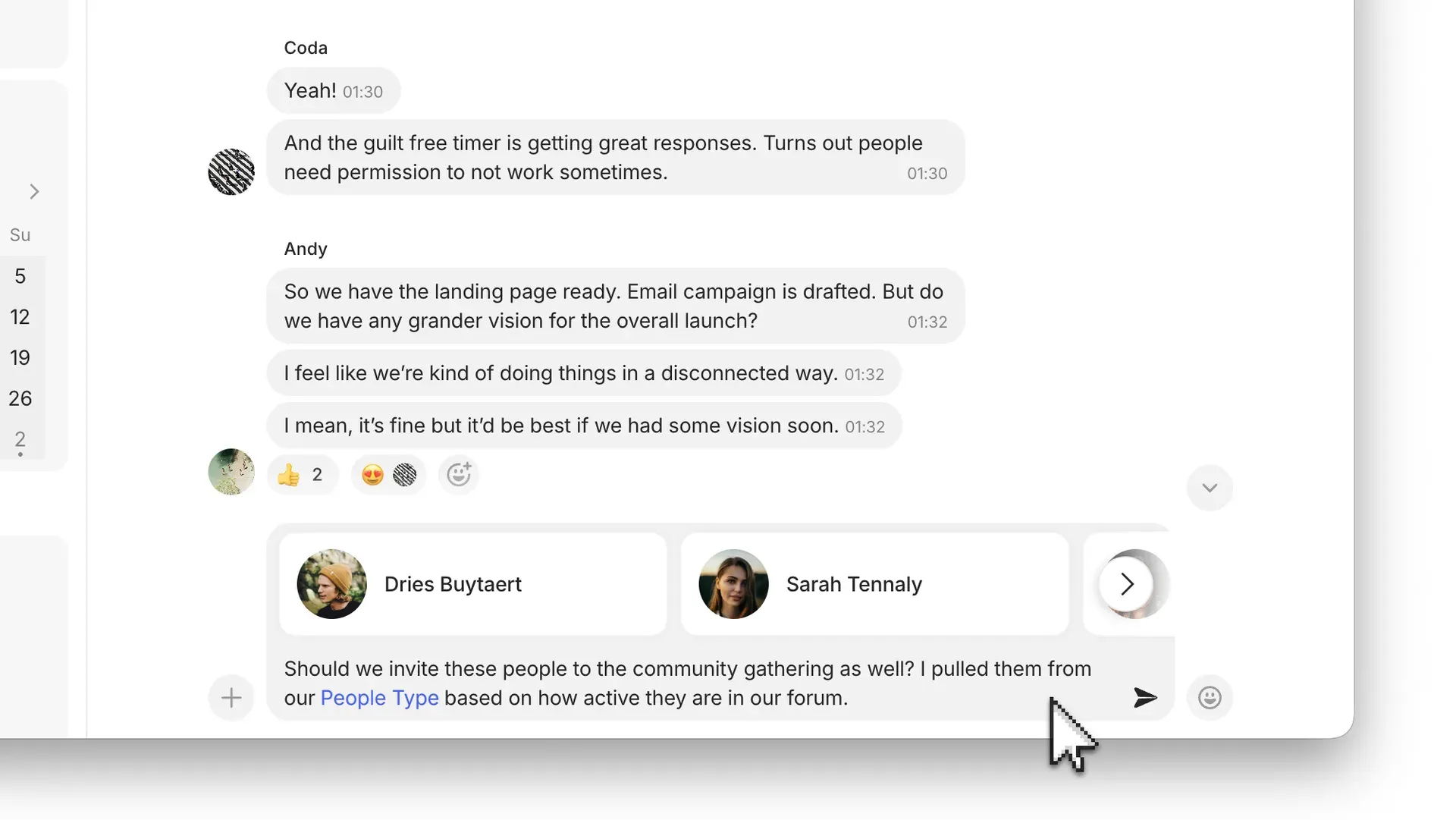
A Channel chat with reactions and a message composer that attaches objects from a People Type. Official screenshot from the Anytype documentation.
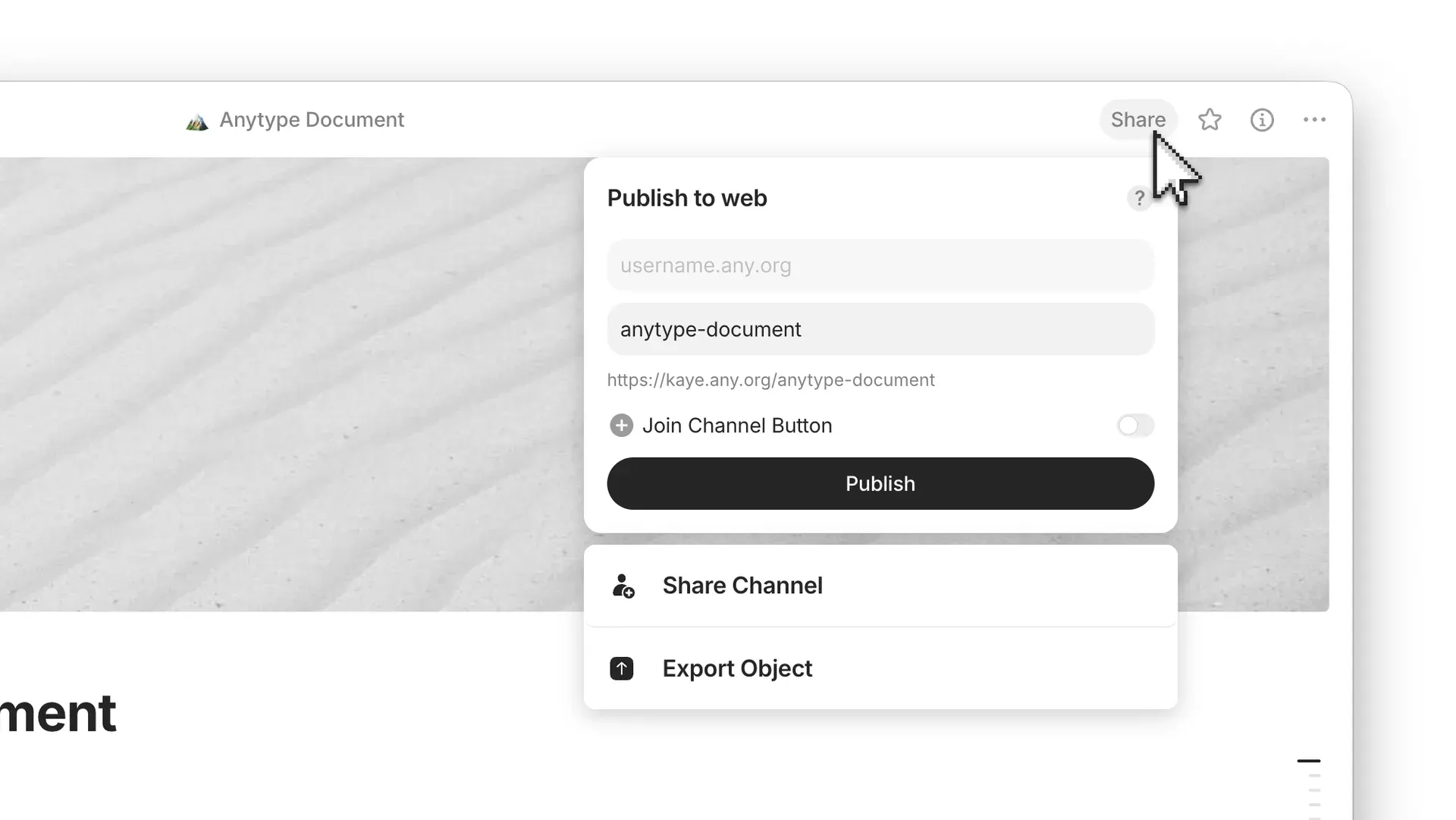
The Share menu of an object with the Publish to web dialog, which builds a URL on the author's any.org subdomain. Official screenshot from the Anytype documentation.
Source: official Anytype project page.
Key capabilities
- Download Anytype for macOS The release page offers separate DMG and ZIP builds for Apple Silicon (arm64) and Intel (x64) Macs. Installation follows the usual drag-to-Applications pattern, and the app notifies you in place when a newer version is available. Both architectures are listed for each stable release, including 0.57.7.
- Download Anytype for Windows Windows users get a single setup executable from the latest release page or from download.anytype.io. The release assets list no separate ARM64 Windows package. Building from source on ARM systems requires a C++ compiler, Python 3 and the setuptools package because the keytar module is rebuilt.
- Download Anytype for Linux Linux packages are an AppImage, an amd64 DEB, an x86_64 RPM and a tar.gz archive. Release notes also mention Flatpak installs, but the official release assets are the four formats above. Builds from source need the protobuf compiler together with the well-known proto files (protobuf-devel on Fedora, libprotobuf-dev on Debian and Ubuntu).
- Mobile apps Native apps for iOS and Android are distributed through the App Store and Google Play. They log in with the same Key or by scanning a QR code from the desktop Vault Settings. Not every database view is available on mobile, and import and export are desktop-only.
- Vault and Key The vault is the encrypted container for everything you create. Its Key is a BIP-39 12-word phrase generated locally; it cannot be changed or reset, and Anytype keeps no copy. Losing the Key while logged out everywhere means losing the vault, so the Key documentation recommends offline storage.
- Channels A Channel, also called a Space, is a separately encrypted workspace with its own objects, sidebar, Types and members. A Channel's Home can be a chat stream, a page or a collection. Direct Channels give one-to-one conversations, and Types created in one Channel do not appear in another.
- Objects, Types and Properties Every object has one Type, such as Task, Book or Person, which brings Properties, templates and default views. Custom Types and Properties are created in Channel Settings. Changing an object's Type keeps its existing Properties, so the data model can be adjusted later.
- Block editor Pages are built from blocks: text, checkboxes, headings, toggled headings, code with syntax highlighting, inline LaTeX, embeds, files and bookmarks. Markdown shortcuts and a slash menu insert blocks, and Inline Query or Inline Collection blocks place live views inside a page.
- Views and queries Types, Queries and Collections can be shown as Grid, List, Gallery, Kanban, Calendar or Graph views. Each view combines a layout, filters and sorts; advanced filters add AND/OR groups, and Grid views support formulas for counts and aggregations. Views can be pinned to the sidebar as widgets.
- Graph and links Links and relations between objects appear in a graph view with filters for Types, links, relations and unlinked objects. A local graph mode shows the neighbourhood of one object, and backlinks show which objects point to the current one.
- Chats and Discussions Channels can hold chats with reactions, mentions and attachments, and every object can carry a Discussion thread. Release 0.57.7 added typing and agent indicators to Discussions. Chat messages and Discussions cannot be exported because they are bound to member encryption keys.
- Collaboration and roles Members join through invitation links with optional approval, and roles are Viewer, Editor, Admin and Owner. Permissions apply to a whole Channel; there are no per-object permissions, so separate sensitive material into its own Channel. The free plan allows 10 shared Channels.
- Web publishing An object can be published as a static page at
<any-id>.any.org/<slug>. Text, images, code, LaTeX, Mermaid diagrams and visible Properties are rendered, while inline queries, collections and multi-page sites are not yet supported. Custom domains and themes are on the roadmap. - Import and export Imports cover Notion (through an internal integration token), Markdown, Obsidian vaults, Evernote and Any-Block archives. Exports produce Markdown, Any-Block, PDF or HTML, with JSON or Protobuf file formats and options for linked objects, files and archived objects. Imports from Notion convert mentions to plain text and formulas to values.
- Sync modes The default Anytype Network keeps an encrypted remote backup and syncs between devices, alongside peer-to-peer sync on local networks. A self-hosted any-sync network or an experimental local-only mode can be chosen on the login screen. The sync documentation recommends a dedicated identity per network.
- Self-hosted sync network The any-sync-dockercompose stack runs a coordinator, three sync nodes, a file node and a consensus node with MongoDB, Redis and Garage for S3-compatible storage. It needs Docker Compose v2 and about 1 GB of RAM, and generates a client.yml to load into each app. Puppet and Ansible modules exist for larger deployments.
- Local API and MCP server The desktop app runs an HTTP API on 127.0.0.1:31009, authenticated with API keys created in Vault Settings or approved through a 4-digit challenge. API v1 is the stable contract and v2 is a pre-release that treats an object as one AnyBlock JSON document. The Anytype MCP server (MIT) and a Raycast extension build on it.
- Agents' Skill The open-source Anytype Agents' Skill gives coding agents such as Claude Code, Cursor, Gemini CLI or GitHub Copilot about 30 methods for reading, searching and editing objects. Scripts run in an isolated JavaScript runtime without file system or network access beyond the local API. Within Anytype they can change anything the API key allows.
- Storage location and files The vault folder can be moved to another drive or an encrypted volume such as FileVault, BitLocker, LUKS or VeraCrypt. Media files are streamed on demand from the backup node or local peers and deduplicated. Only files count against the remote storage quota, not objects.
Where Anytype fits
Building a personal knowledge base with typed objects
Start in a personal Channel with the built-in Types, and add custom Types only when objects clearly need their own Properties, such as Book with author and status. Use Queries to collect objects by Type or Property, then add Grid, Kanban or Calendar views with filters and sorts. Check that templates are attached to the right Types and that the graph shows the links you expect. The Types documentation advises keeping the Type list small.
Sharing a project space with a small team
Create a group Channel, choose a Collection or Page as Home and invite members by link with approval enabled. Assign Viewer or Editor roles deliberately, since every member can see everything in the Channel. Keep sensitive notes in a separate personal Channel. Discussions on tasks keep review comments with the object, but they will not appear in an export, so record decisions in the object body when they must be preserved.
Migrating from Notion or Obsidian
For Notion, create an internal integration with read content and read user information capabilities, grant it every root page, and paste the secret into the Channel's Import menu. For Obsidian, convert embeds to plain links and remove plugin syntax first; wiki links become linked objects, tags become Tag values and frontmatter becomes Properties. Compare a sample of pages afterwards for broken links, date ranges imported as text and missing files.
Running a private any-sync network
Deploy any-sync-dockercompose on a host with Docker Compose v2, set the external listen hosts in the env file, start the stack and load the generated client.yml in each app on the login screen. All devices must be switched to the same network manually, and a new identity per network is recommended. Use the bundled netcheck service and a TCP port test for every node port when a client shows offline.
Automating a vault through the local API
Create a dedicated API key in Vault Settings for each integration, and point scripts, the MCP server or the Agents' Skill at 127.0.0.1:31009 while the desktop app runs. Build production integrations against API v1, because v2 can change without a version bump. Test a bulk operation on a handful of objects first, and revoke the key when the integration is retired. The API reference lists endpoints and authentication.
Publishing a page to the web
Open an object, choose Share, review the slug and the visible Properties, then publish to your any.org subdomain. Links to unpublished objects lead to a placeholder, and edits require republishing. Treat every published URL as public, since archivers and search engines can reach it, and use Vault Settings, My Sites to review what is live.
Reviews of Anytype
Be the first to share your experience with Anytype.
Write a review
Loading review form…
Alternatives to Anytype
 NotionNotion is a hosted workspace from Notion Labs, Inc. for documents, wikis, databases and projects, with Notion Agent, Custom Agents, an MCP server, a REST API, desktop apps for macOS and Windows, and mobile apps for iOS and Android.
 ObsidianObsidian is a free note-taking app by Dynalist Inc. that stores notes as local Markdown files, with links, graph view, Canvas, Bases, a CLI and community plugins, plus optional paid Sync and Publish services.
 LogseqLogseq is a privacy-first, open-source platform for knowledge management and collaboration, with PDF annotation, task management and Markdown or Org-mode files.