

What is Standard Notes?
Standard Notes is an end-to-end encrypted note-taking application for the web, Windows, macOS, Linux, iOS and Android. Notes, tags, preferences and attached files are encrypted on the client before they reach the sync server, so the server stores ciphertext that it cannot read. The product has been available since 2017, was built by Standard Notes Ltd, a company that describes itself as based in the United States, and became part of Proton in April 2024. Proton's announcement stated that the app would remain open source and that prices would not change.
The client code lives in the standardnotes/app monorepo under AGPL-3.0. It is a TypeScript and Yarn workspace containing the shared snjs library, the encryption and crypto packages, a React 18 web application, an Electron 35 desktop shell, a React Native 0.78 mobile app and the web clipper extension. The Super note type is built on the Lexical editor framework. The sync backend is a separate project, standardnotes/server, licensed GPL-3.0 and deployed with Docker.
Distribution follows several channels. The hosted web app runs at app.standardnotes.com. Desktop builds are published on GitHub releases as Windows installers (x64, 32-bit and a combined installer), macOS DMG and ZIP packages for Intel and Apple Silicon, and Linux AppImage, DEB and Snap packages for x86_64 plus AppImage and DEB for ARM64, all with a SHA256SUMS file. Mobile apps come from the App Store and Google Play, with a signed Android APK also attached to the mobile releases. The download page links each package.
The latest stable GitHub release is Desktop 3.202.11, published October 23, 2026. It improves error messages for file attachments when a subscription has expired, addresses keyboard hiding while correcting misspelled words on mobile, and applies the default note type when a note is created through Android sharing. Release 3.202.0 in August 2026 added in-note search for plain text notes and new search filters for titles only and tags. Version 3.203.0, tagged November 2, 2026 and still marked as a pre-release for desktop and mobile, introduces interface localization for multiple languages. Earlier 2026 releases concentrated on Super PDF export fixes, Evernote import fidelity and hardware security key sign-in.
The encryption design is documented in the public protocol 004 specification: Argon2id key derivation and XChaCha20-Poly1305 for item encryption. The company lists four external audits between 2017 and 2022. Standard Notes does not offer real-time co-editing of a note, and the self-hosted server ships only the backend; the hosted web app at app.standardnotes.com cannot connect to a self-hosted server, so self-hosters use the desktop or mobile apps or build the web app themselves.
Standard Notes screenshots
Explore the interface. Open a screenshot to view it at full size.
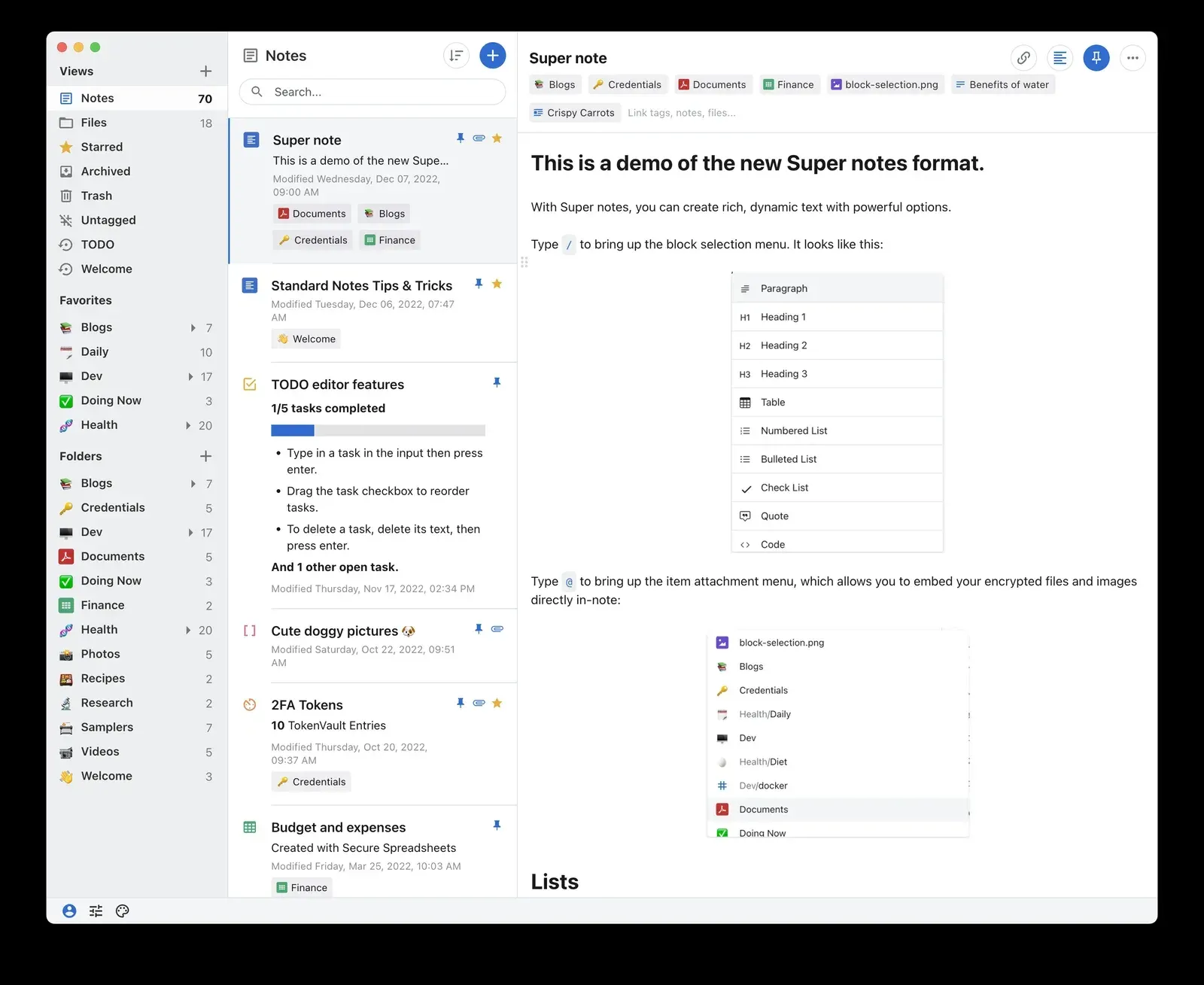
Official press kit screenshot of the desktop app with a Super note open; the interface may differ slightly in current releases.
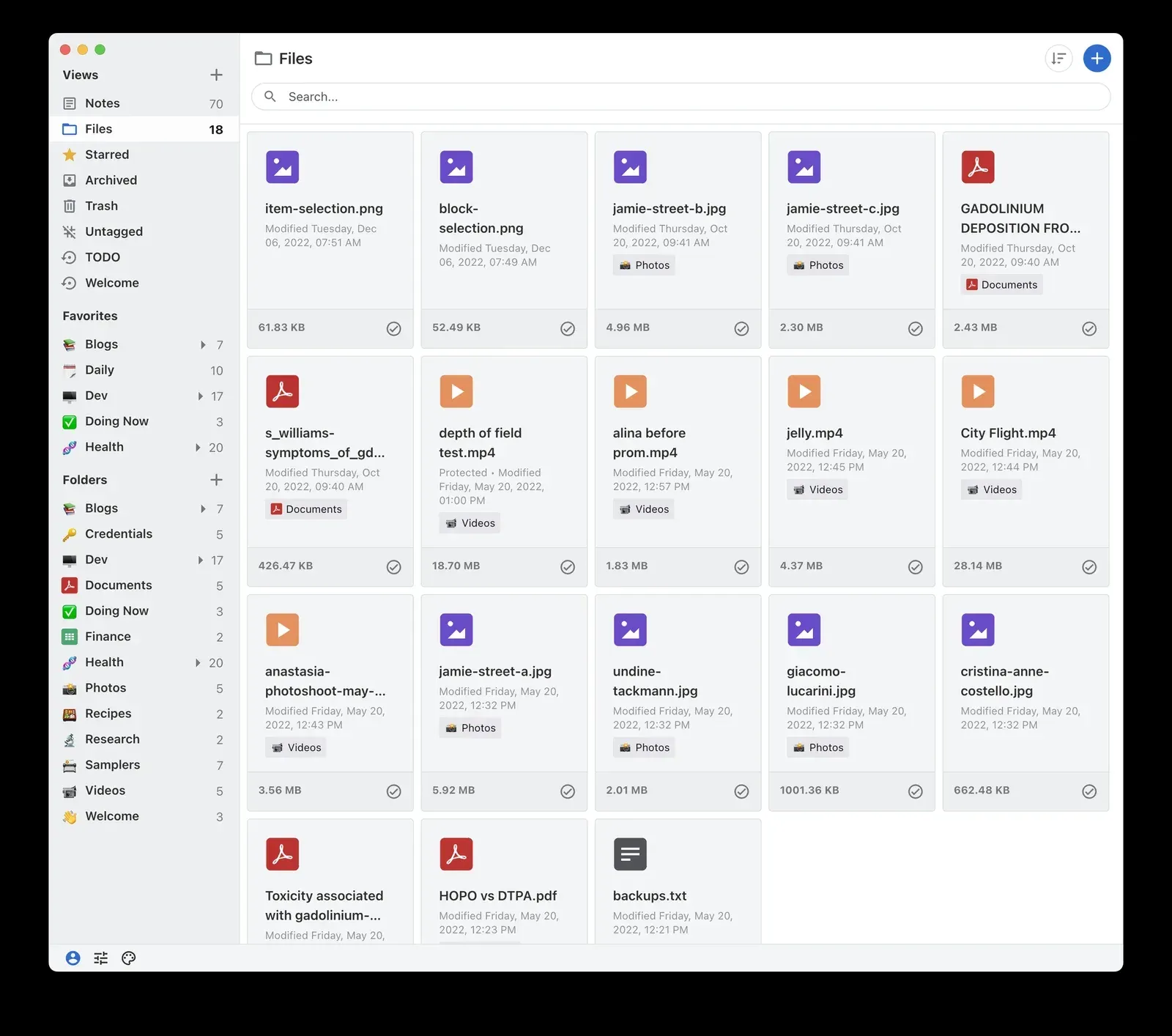
Files view listing encrypted attachments with file sizes and tags. Official press kit screenshot.
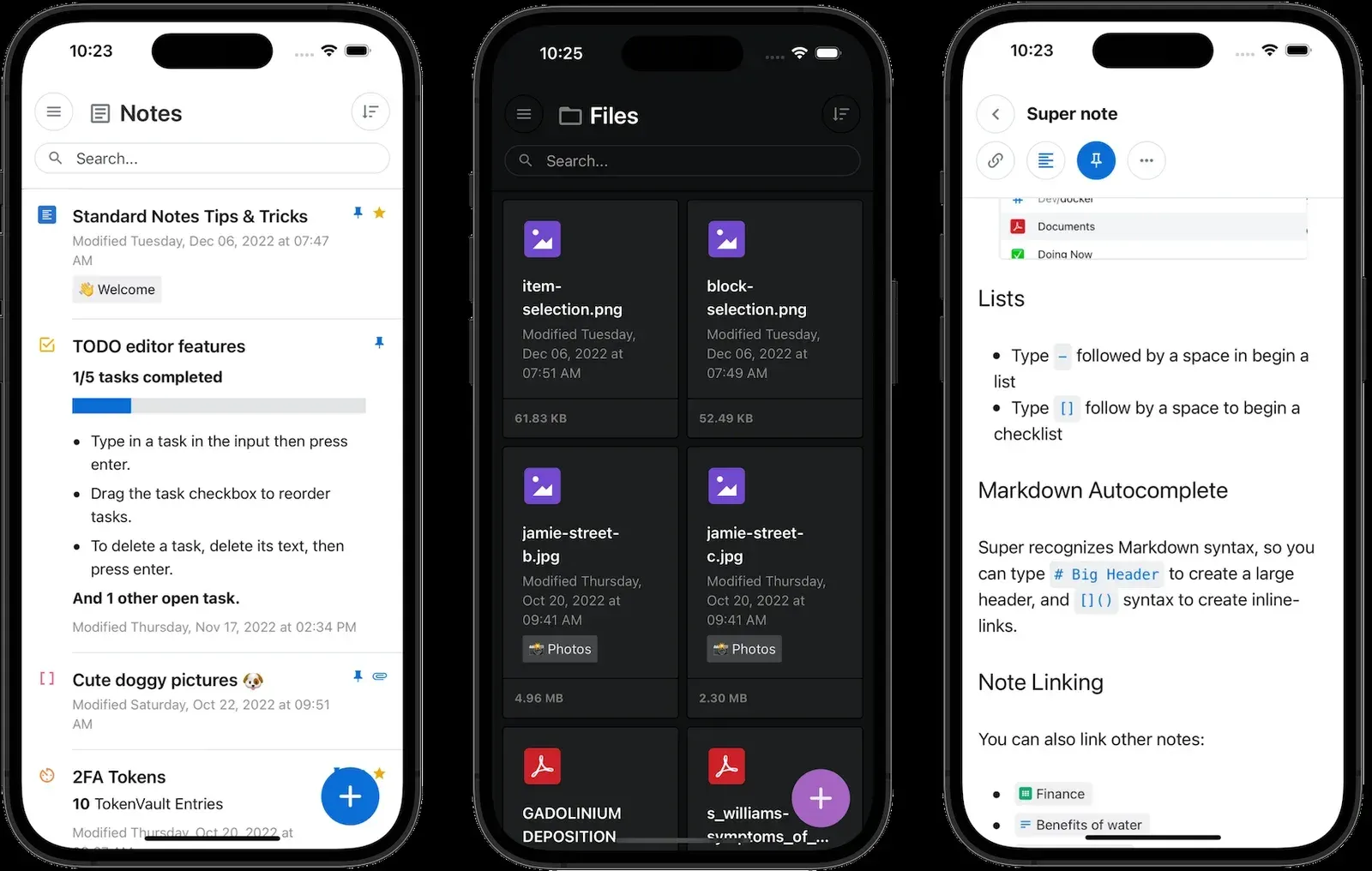
iOS app showing the notes list with a task note, the Files view in dark mode and a Super note with Markdown autocomplete. Official press kit image.
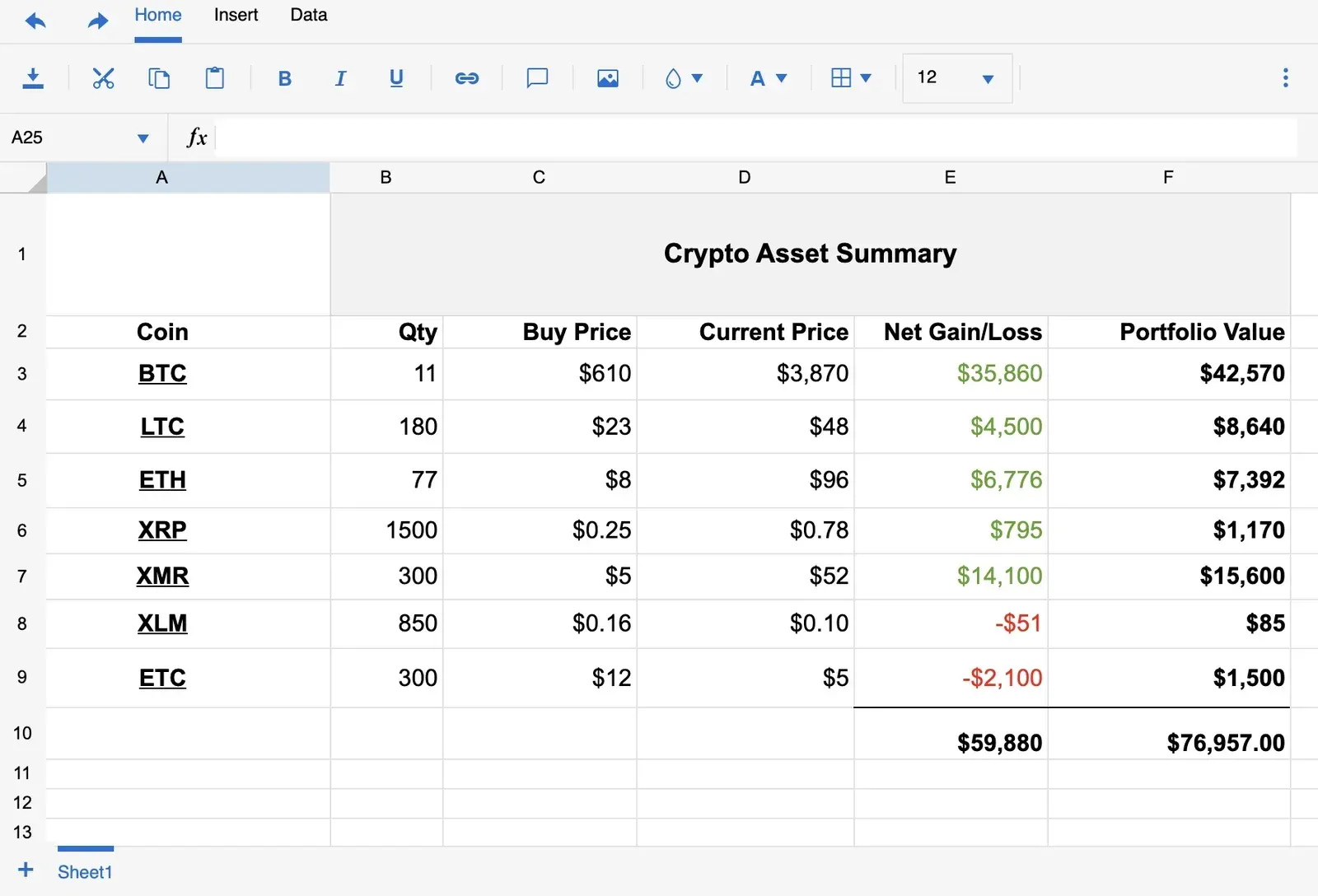
Spreadsheet note type with toolbar, formula bar and a sample summary table. Official press kit screenshot.
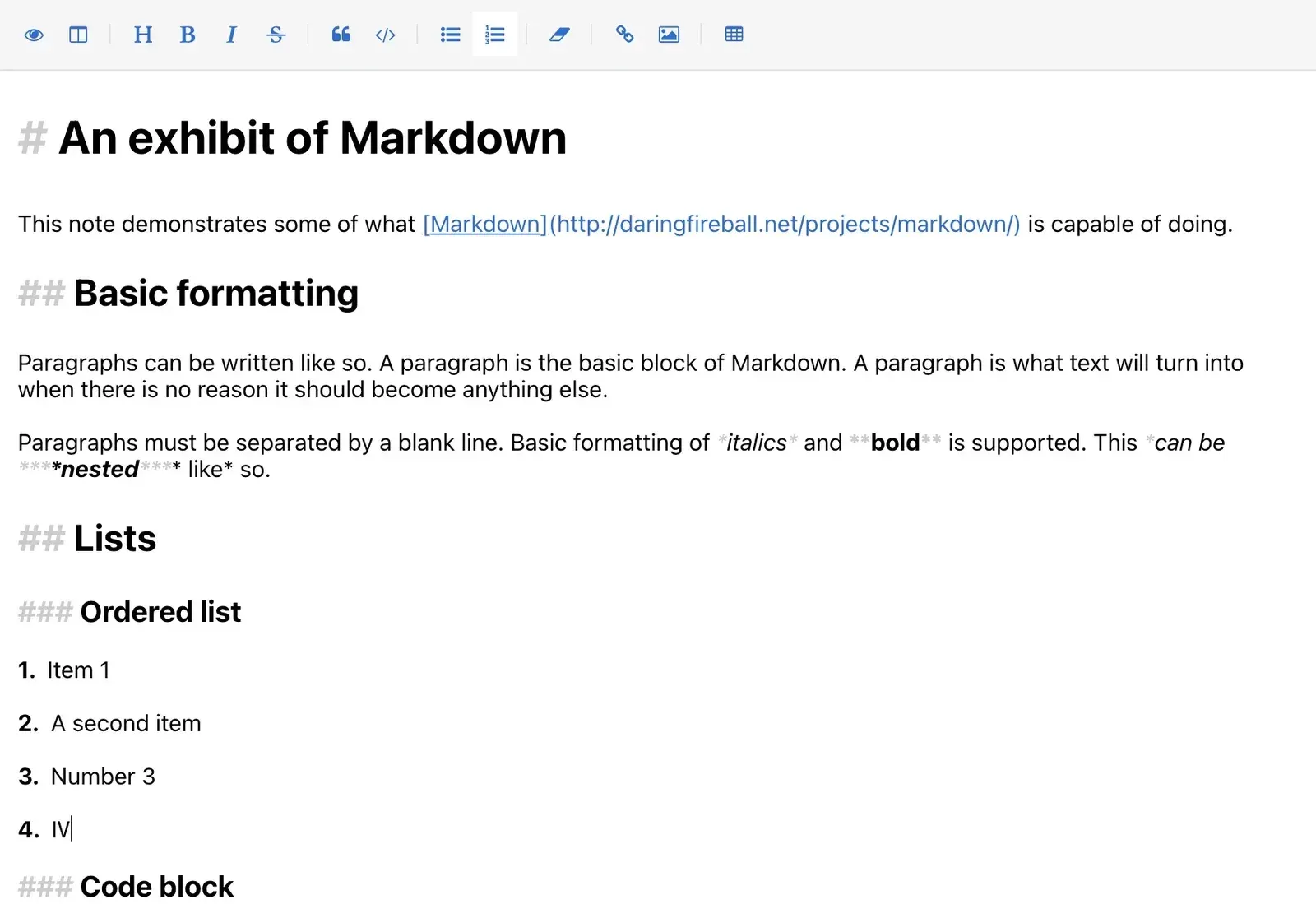
Markdown note type with a formatting toolbar and visible Markdown syntax. Official press kit screenshot.
Source: official Standard Notes project page.
Key capabilities
- Download Standard Notes for Windows The desktop release ships an x64 installer, a 32-bit (ia32) installer and a combined installer that selects the architecture. Files and the SHA256SUMS list are attached to each GitHub release. Each release also carries the latest.yml update metadata used by the desktop updater.
- Download Standard Notes for macOS Separate DMG and ZIP packages are published for Intel (x64) and Apple Silicon (arm64) Macs. Choose the package that matches the processor rather than relying on Rosetta. The official download page links both DMG files for the current version.
- Download Standard Notes for Linux X86_64 users can choose an AppImage, a DEB package or a Snap package; ARM64 users get an AppImage and a DEB package. The AppImage needs to be made executable with chmod before it runs. Other distributions can use the AppImage, since no RPM or Flatpak is attached to the release.
- Mobile apps for iOS and Android The iOS app is distributed through the App Store and the Android app through Google Play. A signed APK is also attached to the mobile releases on GitHub for devices without Google Play. Mobile apps support passcode locking with biometric unlock, and the encrypted local database stays available offline.
- Web app without installation The hosted client at app.standardnotes.com runs in a modern browser and uses the same account and encryption as the native apps. It cannot be pointed at a self-hosted server; that requires a native app or a self-built copy of the web package with the DEFAULT_SYNC_SERVER variable set.
- Client-side encryption, protocol 004 The account password is stretched with Argon2id (64 MiB memory, 5 iterations, parallelism 1) into a 512-bit key, split into a master key kept on the device and a server password sent for authentication. Each item gets its own random 256-bit key, wrapped by an items key, and content is encrypted with XChaCha20-Poly1305. The email address, key parameters and item identifiers remain visible to the server.
- Note types and the Super editor The free plan covers plain text notes. Paid plans add Super notes, which combine Markdown shortcuts, rich text, checklists, tables, code blocks and inline links to other notes and files, plus spreadsheets with formulas. Super notes can be exported, including to PDF, and the 2026 releases fixed several PDF layout and character issues.
- Tags, folders and smart views Notes can carry several tags; paid plans turn tags into nested folders managed with drag and drop. Smart views save custom queries as navigation entries, and notes can be pinned, starred, archived or moved to the trash. Release 3.202.0 added title-only search and tag filters to the search panel.
- Encrypted file storage The Professional plan includes 100 GB of encrypted cloud storage for attachments with no stated per-file limit (the vendor reports tests up to 2 GB). Files are encrypted before upload and can be embedded in Super notes. Offline file access and backing up account files to the computer are also Professional features.
- Revision history The free plan keeps revisions for the current session only. Productivity keeps one year of note history and Professional keeps unlimited history. Earlier versions can be previewed and restored from the note options menu.
- Locking and account protection All plans include two-factor authentication with time-based codes, an application passcode for the local database and password protection for individual notes. Productivity adds sign-in email notifications, and Professional adds hardware security key support, which the 2026 releases fixed for the desktop app and the web clipper.
- Built-in authenticator and daily notebooks On paid plans the app can store TOTP secrets and generate two-factor codes for other services. Daily notebooks provide a dated journaling view. Professional also includes Moments, an optional daily self-photo feature.
- Web clipper for Chrome and Firefox The extension saves a full page, the main article, a text selection or a chosen page element into a new Super note titled after the site. It requires a Productivity or Professional subscription and signs in with the same account. The clipper guide describes each mode.
- Backups and export Every plan can export the full dataset as a single encrypted file or as a decrypted ZIP containing each note as a plain text file. The desktop app writes an automatic encrypted text backup every day while it is running, and the plans page lists daily encrypted email backups. Restoring an encrypted backup requires the account password.
- Imports from other note apps Official guides cover imports from Evernote, Simplenote, Google Keep, Apple Notes and folders of plain text files. Evernote import fixes in 2026 preserved checkboxes and highlight styles. Review imported formatting before deleting the source data.
- Offline use without an account The app can run with no account and no network connection; data then stays on the local machine and is not synced. An application passcode provides the encryption source in that mode. Paid features can also be used offline through a subscription arranged for offline use.
- Plugins and themes Editors and themes can be extended through plugins built from the examples in the standardnotes/plugins repository. Themes such as Midnight change the workspace appearance. The plugin introduction points to local setup and publishing guides.
- Publishing with Listed Listed is a companion blogging service that publishes chosen notes as articles and can send them to readers by email newsletter. Publishing happens only for notes explicitly sent to Listed; the rest of the account stays encrypted.
- Self-hosted sync server The backend runs as Docker containers: API gateway, syncing server and worker, auth service and worker, a MySQL database and Redis. The documented test machine was Ubuntu 22.04 with 2 GB of RAM and 1 CPU, with the main containers using about 570 MB. The sync server listens on port 3000 and the files server on port 3125.
Where Standard Notes fits
Keeping a private notebook across devices
Register in the web app or a native app, then sign in on each device; the free plan already syncs encrypted plain text notes across an unlimited number of devices. Enable two-factor authentication and an application passcode on laptops and phones. Before relying on it, confirm that a note edited offline on one device merges correctly after reconnecting, and that a decrypted export opens on a machine without the app.
Running the sync server on your own infrastructure
Follow the Docker guide: download the sample .env, the LocalStack bootstrap script and the example compose file, generate the keys with openssl rand -hex 32, set matching database passwords, then run docker compose pull and docker compose up -d. Put the API gateway behind an HTTPS reverse proxy. In the client, choose Custom under Sync Server in the advanced sign-in options. Check the logs folder for errors, and plan updates and MySQL backups like any other stateful service.
Storing attachments on a self-hosted server
Set PUBLIC_FILES_SERVER_URL to a public address, because clients talk to the files server directly rather than through the gateway. Uploads land in the uploads directory and need write permission for the container user. Each user needs a subscription record and a FILE_UPLOAD_BYTES_LIMIT value in the subscription_settings table. Server-side features can be unlocked this way, but client-side features such as Super notes and nested tags still require an offline plan, as the subscriptions guide explains.
Migrating from Evernote, Google Keep or Simplenote
Export from the source service, then use the importer in the app and optionally assign the imported notes to a tag. Compare a sample of notes with checklists, highlights, tables and images against the originals; recent releases improved Evernote checkbox and highlight handling, but complex layouts can still change. Keep the original export until the imported set has been reviewed and backed up.
Building a long-term archive
Use plain text or Super notes, tags and smart views to keep records findable, and attach source files on the Professional plan. Schedule regular decrypted ZIP exports in addition to the automatic encrypted desktop backups, store them on separate media, and test a restore into a fresh account. Revision history depth depends on the plan, so do not treat the free plan's session-only history as an audit trail.
Clipping research from the web
Install the Chrome or Firefox clipper, sign in with a paid account and choose full page, article, selection or element mode. Each clip becomes a Super note that can be edited in the popup or discarded. Check how images and links survive the clip, and tag clips at capture time so they do not accumulate untagged.
Reviews of Standard Notes
Be the first to share your experience with Standard Notes.
Write a review
Loading review form…
Alternatives to Standard Notes
 NotesnookNotesnook is a free, open-source note-taking app with end-to-end encryption, web, desktop and mobile clients, positioned as an alternative to Evernote.
 JoplinJoplin is a free, open-source note and to-do app for Windows, macOS, Linux, Android and iOS, with offline-first storage and encrypted sync.
 ObsidianObsidian is a free note-taking app by Dynalist Inc. that stores notes as local Markdown files, with links, graph view, Canvas, Bases, a CLI and community plugins, plus optional paid Sync and Publish services.