
What is WiX Toolset?
The WiX Toolset is an open-source set of build tools for Windows Installer. As the WiX documentation describes it, XML source is compiled and linked into .msi packages, .msm merge modules, .msp patches and .exe bundles that run on Burn, the WiX bootstrapper engine. Authoring is plain text, built by MSBuild, dotnet build or the wix command-line tool. Extensions add tasks beyond Windows Installer, such as IIS web sites, SQL Server databases and Windows Firewall exceptions.
WiX was released as open source in 2004; FireGiant's WiX page calls it Microsoft's first open source project. It is a .NET Foundation project led by Rob Mensching and Bob Arnson. FireGiant, co-founded by Rob Mensching in 2013, hosts the documentation, publishes the free HeatWave Visual Studio extension and sells support and add-on tools; wixtoolset.org redirects to its WiX page.
WiX ships on NuGet as the WixToolset.Sdk MSBuild SDK, the wix .NET tool and WixToolset.*.wixext extensions, and as GitHub release assets. The latest release is WiX v7.0.1 (October 26, 2026), which avoids a vulnerable .NET assembly in WixToolset.Sdk and adds a -nohardlinks switch. WiX v7.0.0 (April 6, 2026) added dual-purpose MSI packages in bundles, a Payloads harvesting element and long path support, and removed the deprecated Heat tool. Major versions ship each April after two release candidates; WiX v3, v4 and v5 are out of community support.
The source code is licensed under the Microsoft Reciprocal License (MS-RL); the documentation states that installer packages built with WiX normally fall outside its scope. Since v6, binary releases are also subject to the Open Source Maintenance Fee EULA. The fee applies to users that "use the Software as part of revenue-generating activities" with an "annual gross revenue greater than or equal to US$10,000"; smaller users and those paying the maintainers for support, such as WiX Developer Direct customers, are exempt. It is paid by sponsoring the wixtoolset organization on GitHub Sponsors: US$10 per month (fewer than 20 employees), US$40 (20 to 100) or US$60 (more than 100), once per organization. The EULA calls it a maintenance fee, not a license fee, and does not cover self-compiled binaries. WiX v7 requires explicit EULA acceptance.
WiX runs on Windows: it needs a .NET SDK, or .NET Framework 4.7.2 or later for msbuild, and relies on Windows Installer's msi.dll; a request to use WiX on Linux has been open since 2014. MSIX output is a commercial FireGiant extension. Related tools on iThub, IntunePrepTool and WinTuner, wrap existing installers into Microsoft Intune Win32 app packages.
Key capabilities
- MSBuild SDK projects A
.wixprojcan be as short as<Project Sdk="WixToolset.Sdk/7.0.1">; the SDK includes**/*.wxssource and**/*.wxllocalization files by default. It builds withdotnet buildfrom the .NET SDK or withmsbuildon .NET Framework 4.7.2 or later. TheOutputTypeproperty selects Package, Module, Patch, PatchCreation, Library or Bundle, andInstallerPlatformselects x86, x64 or arm64, as listed in the MSBuild reference. - wix command-line .NET tool
dotnet tool install --global wixinstalls the tool,wix --versionchecks it anddotnet tool update --global wixupdates it. The documentation lists the .NET SDK version 6 or later as a requirement; the 7.0.1 package on NuGet targets .NET 8.0. Commands arebuild,msi,burn,extension,convert,formatand, in v7,eula. The NuGet readme points most users to the MSBuild SDK instead. - MSI packages with short authoring A
Packageelement with anIdstring replaces the upgrade code GUID since v6. Since v5, WiX adds a default major upgrade, a defaultINSTALLFOLDERand a default feature when they are not authored, and accepts "naked"Fileelements without enclosing components. Smart cabbing removes duplicate files from cabinets. - Merge modules and WiX libraries Merge modules (
.msm) package shared components for inclusion in other MSI packages, and WiX libraries (.wixlib) bundle reusable authoring and, withBindFiles, the referenced files. HeatWave has project templates for both output types. - Windows Installer patches The
Patchelement builds.mspfiles from a target and an update package given as.wixpdbor.msifiles. The patching documentation calls patching an advanced topic and describes major upgrades with early scheduling as the simpler alternative. - Burn bundles and bootstrapper applications A bundle chains BundlePackage, ExePackage, MsiPackage, MspPackage and MsuPackage items, can download packages on demand or embed them in one
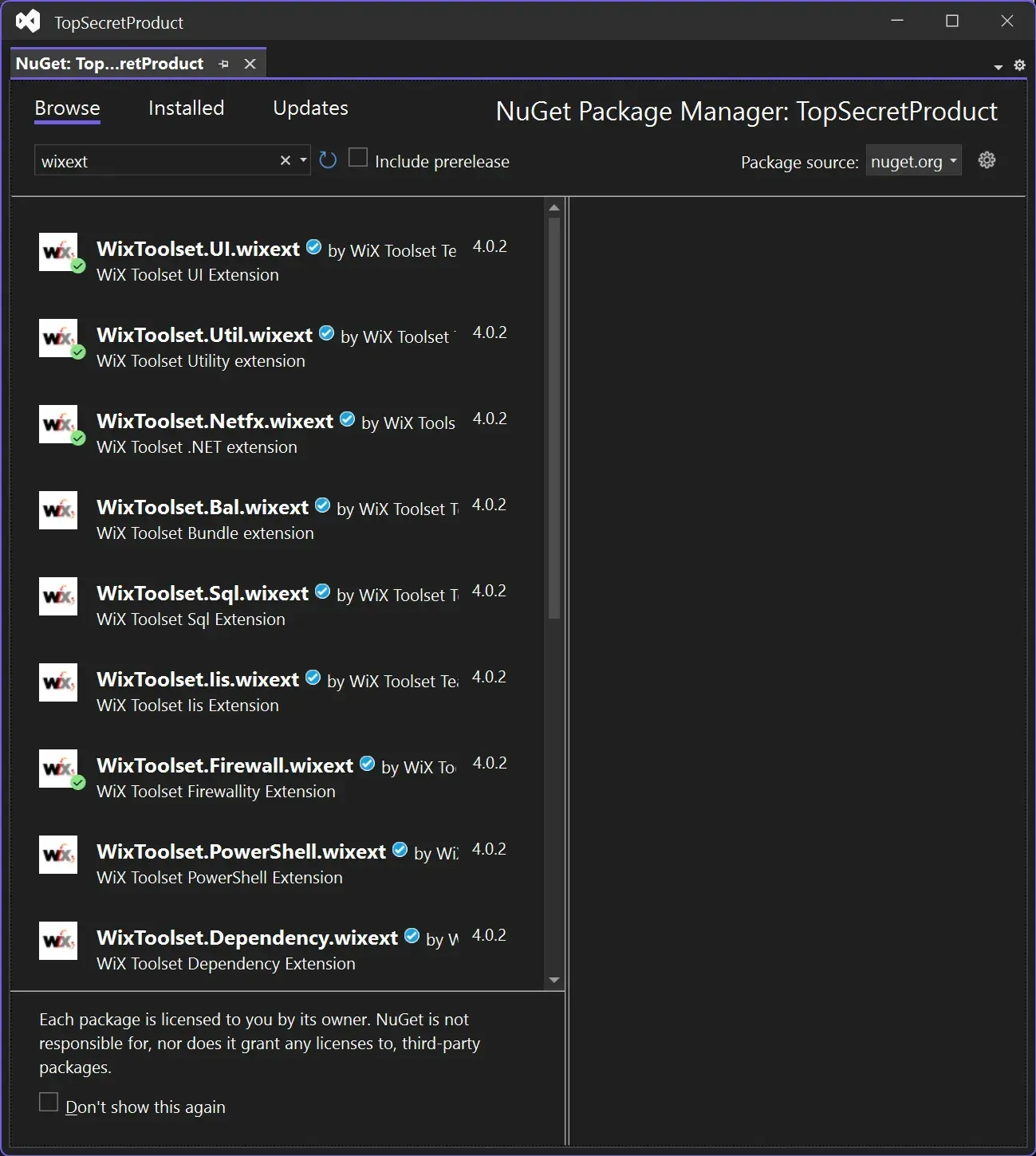
.exe, and runs a bootstrapper application. WiX includes WixStdBA, a C++ wizard-style UI themed through XML files, and WixInternalUIBA. Custom bootstrapper applications run out of process since v5. - Extension packages The WiX team publishes BootstrapperApplications, ComPlus, Dependency, DifxApp, DirectX, Firewall, Http, Iis, Msmq, Netfx, PowerShell, Sql, UI, Util and VisualStudio extensions. They are added as
PackageReferenceitems in a.wixprojor withwix extension add -g, and their elements are used through an extension XML namespace, per the extensions page. - WixUI dialog sets The UI extension provides ready-made installer dialog sets such as WixUI_InstallDir and WixUI_Advanced. Since v6 they use no custom actions by default;
ExtendedPathValidation="yes"opts back into the path validation custom action. v7 makes WixUI_Advanced handle 64-bit installation directories. - MSI and bundle tooling
wix msidecompiles packages or merge modules back into WiX source, creates.msttransforms, validates databases with ICEs and inscribes detached cabinet signatures.wix burnhandles bundle-specific operations,wix convertconverts WiX v3 source andwix formatnormalizes formatting, according to the wix.exe reference. - ICE validation MSBuild builds run the stock MSI SDK ICE validation automatically, and individual ICEs can be selected or suppressed. Because ICEs execute as custom actions, the build account must be able to run Windows Installer; the documentation notes that hosted CI service accounts often cannot, and that
SuppressValidationis the only option there. - Signing support Setting
SignOutputto true enables signing hooks in MSBuild, including aSignCabstarget for external cabinets. Bundles carry a manifest with hashes of every file, so signing the bundle covers its payloads. The official NuGet packages are signed, and the docs publish the certificate fingerprints for atrustedSignersentry innuget.config. - Deployment Tools Foundation and custom action SDK DTF is a set of .NET class libraries for working with MSI databases, custom actions, external UI and other Windows deployment APIs. The WiX SDK includes managed and native libraries for writing custom actions in C# and C++.
- OSMF EULA acceptance in v7 WiX v7 requires an explicit gesture to accept the OSMF EULA with the ID
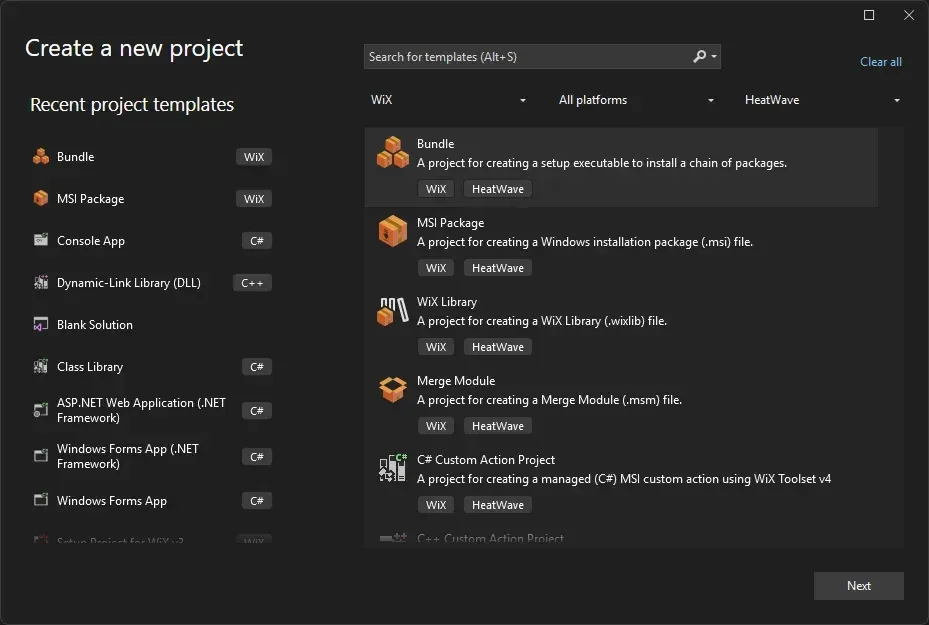
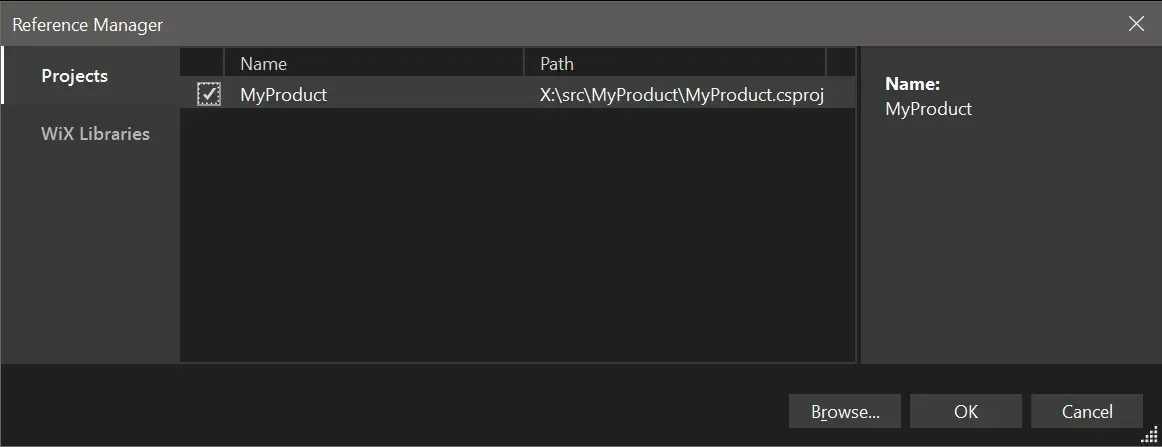
wix7: theAcceptEulaMSBuild property, the-acceptEula wix7switch,wix eula accept wix7once per user and machine, ormsbuild -t:AcceptEula -p:EulaId=wix7. The OSMF page also offers a GitHub-based check of sponsorship status. - HeatWave Community Edition FireGiant's free Visual Studio extension builds SDK-style WiX projects, adds project references and WiX extension package references, provides project and item templates and property pages, and converts WiX v3 projects. One Visual Studio Marketplace entry supports Visual Studio 2022 and 2026; HeatWave requires the latest LTSC release of Visual Studio or newer. Version 1.0.7 added WiX v7 support.
- HeatWave Build Tools (commercial) FireGiant's add-on extensions include Advanced Harvesting, the FireGiant Bundle Application Framework, an MSIX extension, a driver extension for non-PnP drivers and a protected service extension for ELAM drivers. They require a
.fgliclicense file on developer and build machines, which is not distributed with the built packages, and are part of WiX Developer Direct. - FireGiant WiX Developer Direct and services The FireGiant pricing page lists WiX Developer Direct starting at US$6,500 per year, with email support, guaranteed bug fixes, extended support for older WiX versions, a site license for FireGiant tools, a yearly consultation and code review, and monthly office hours. A two-hour consultation costs US$650 and a code review US$1,500; custom development is quoted at a fixed price.
- Development builds Builds with the latest fixes are published to a GitHub Packages NuGet feed at
nuget.pkg.github.com/wixtoolset, which requires a GitHub user name and access token and exact package versions.
Where WiX Toolset fits
Building a first MSI from the command line
The quick start needs only a text editor and the .NET SDK. It creates QuickStart.wixproj containing the WixToolset.Sdk reference, a Package.wxs with a Package element (Id, Name, Manufacturer, Version) and a File element, then runs dotnet build to produce bin\Debug\QuickStart.msi. The next page installs it with msiexec /i and verbose logging, checks the files under Program Files (x86) and removes it with msiexec /x; the docs suggest a virtual machine or Windows Sandbox for testing packages.
Installing a product with its prerequisites
A Burn bundle combines the product MSI with runtimes or other packages in one chain. The bundle declares a bootstrapper application, for example WixStdBA through the bal extension, and a Chain of package elements or package groups. Packages can be embedded or downloaded when needed. With v7, a dual-purpose MSI package in a bundle lets the person installing choose per-user or per-machine scope, and patch bundles are uninstalled with their base bundle.
Packaging large sets of files
The Files element, introduced in v5, takes wildcard include and exclude paths and generates components and files for each match; in v7 relative paths in Files are relative to the source path. Files needing special authoring, such as Windows services, can be excluded and written by hand. The v7 Payloads element does the same for bundle payloads. Heat, the older harvesting tool, is no longer included in v7, and FireGiant's Advanced Harvesting is a commercial option in HeatWave Build Tools.
Building installers in CI pipelines
The MSBuild SDK builds with dotnet build on hosted runners such as GitHub Actions. With v7, the build has to accept the OSMF EULA, typically with <AcceptEula>wix7</AcceptEula> in the project or -acceptEula wix7 on the command line. The validation page explains that ICE validation can fail under non-administrator service accounts and how to suppress it. The -nohardlinks switch in 7.0.1 makes WiX copy files instead of using hard links for build systems that need physical copies.
Moving WiX v3 projects to the current toolset
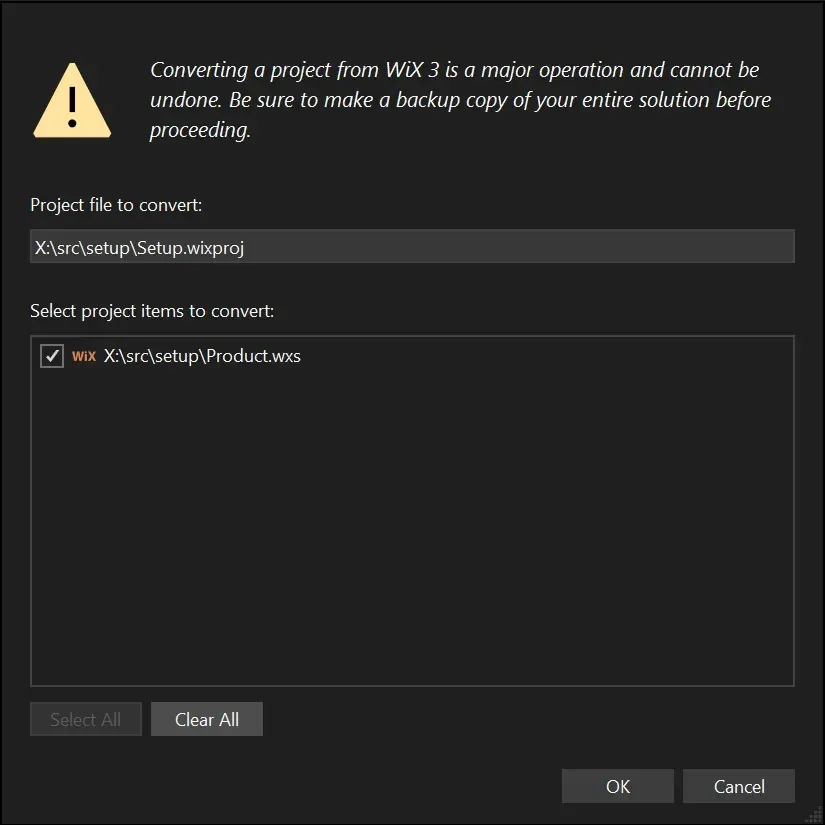
In Visual Studio, HeatWave's Upgrade to latest WiX version command converts a v3 .wixproj into an SDK-style project and converts the selected source files, writing errors to a log file for manual fixes. Outside Visual Studio, wix convert converts v3 source code. WiX v3 is out of community support, and FireGiant sells extended support for organizations that keep using it.
Servicing an installed product
WiX supports the usual Windows Installer servicing paths: major upgrades (added by default when none is authored, with a localizable downgrade message), .msp patches built from a target and an update package, and .mst transforms created with wix msi transform. v7 fixes uninstalling a patched package. Packages and bundles can be signed through MSBuild targets or a signing tool after the build. For distribution through Microsoft Intune, IntuneGet and WinTuner work from WinGet packages instead of from WiX sources.
Install
dotnet tool install --global wixReviews of WiX Toolset
Be the first to share your experience with WiX Toolset.
Write a review
Loading review form…
Found WiX Toolset useful? Upvote it todayYour vote helps other IT teams find it in the daily ranking.