

What is Umbraco?
Umbraco CMS is a free and open-source content management system built on Microsoft .NET and ASP.NET Core. It is developed by Umbraco, a company that its about page describes as founded in 2003 and headquartered in Odense, Denmark, with more than 140 employees and a community of more than 250,000 developers and users. The source code is published in the Umbraco-CMS repository on GitHub under the MIT license, and the project accepts bug reports, feature requests in GitHub Discussions and code contributions.
Umbraco is distributed as NuGet packages and installed through the Umbraco.Templates project templates for the dotnet CLI, on Windows, Linux and macOS. The README states that sites are not meant to run from the repository source: a project is created from the templates and then extended. A project stores its data in SQLite or SQL Server, renders pages with Razor templates or delivers content as JSON through the Content Delivery API, and can be hosted on servers run by the operator or on Umbraco Cloud, the managed hosting service from Umbraco HQ on Microsoft Azure. Umbraco Heartcore is a separate, fully managed headless CMS built on top of the open-source CMS.
Major versions follow the Umbraco release and support policy, which aligns Long-term Support (LTS) releases with .NET LTS versions. Each major release has a six-month active phase with minor releases about every six weeks and no breaking changes, then a support phase (3 months for Standard-term Support, 18 months for LTS) and a security phase (3 months for STS, 12 months for LTS). The policy page lists Umbraco 17 as the current LTS (released November 27, 2025, end of life November 27, 2028), Umbraco 18 as the current STS (released June 25, 2026, end of life June 25, 2027), Umbraco 19 as an upcoming STS planned for December 10, 2026, and Umbraco 13 LTS reaching end of life on December 14, 2026.
The latest GitHub release is Umbraco 18.3.1, published November 5, 2026 together with 17.8.1 for the LTS line. It updates NPoco.SqlServer to 6.4.1 to restore Microsoft.Data.SqlClient 6 and Entra ID SQL authentication. Version 18.3.0 resolved seven published security advisories, including start-node restriction bypasses, a stored XSS chained with path traversal in media management, a logout that did not invalidate the auth cookie and unpublished content exposed through preview and the Delivery API. It also moved to SixLabors.ImageSharp 3.2.0 and ImageSharp.Web 3.3.0, whose build-time licence check affects projects with a direct reference to those packages. The Umbraco 18.0 release overview lists Global Elements with a new Library section, typed OpenAPI schemas per content type in the Delivery API, minimal webhook payloads as the default, the switch from Swashbuckle to Microsoft.AspNetCore.OpenApi and the removal of UmbracoApiController. A 19.0.0 release candidate was tagged on November 12, 2026.
The backoffice, the editing interface that runs in the browser, has been built from Web Components on an extension system since Umbraco 14 and talks to the server through the Management API. Umbraco HQ also sells add-ons for the open-source CMS, among them Umbraco Forms, Deploy, Workflow, Commerce, Engage and UI Builder, with prices published on umbraco.com/pricing. Similar projects in the directory include WordPress, Strapi, Payload CMS and Directus.
Key capabilities
- Installation with dotnet templates. The installation guide uses
dotnet new install Umbraco.Templates, thendotnet new umbraco --name MyProject,cd MyProjectanddotnet run; the console prints a local HTTPS URL where the setup is finished in the browser. Template options include--use-delivery-api,--add-docker,--development-database-type(None, SQLite, LocalDB),--starter-kit,--development-modeand--models-mode. The docs also describedotnet dev-certs https --trustfor a trusted development certificate. - System requirements. The requirements page for the current version lists .NET 10.0 or higher on a supported .NET 10 operating system, Node.js 24.11.1 or higher, and Visual Studio 2022 17.14 or higher, Visual Studio Code, JetBrains Rider 2025.3.0.1 or higher, or the .NET CLI. The documentation for the Umbraco 19 pre-release lists .NET 11. The backoffice supports the latest Chrome, Edge, Firefox and Safari.
- SQLite and SQL Server. A project connects to SQLite or SQL Server through a connection string. SQL Server support follows the Microsoft lifecycle, with SQL Server 2016 as the minimum, and requires a case-insensitive collation such as SQL_Latin1_General_CP1_CI_AS. Normal operation needs db_datareader and db_datawriter, while installs, upgrades and packages that create tables need db_ddladmin.
- Other install paths. Separate guides cover Visual Studio, Visual Studio Code, local IIS, native Linux and macOS, unattended installs for CI pipelines and Azure Web Apps, and nightly builds. The Docker Compose guide adds Docker files with
--add-dockerand theumbraco-composetemplate, and states that this setup is intended for local development only. - Browser backoffice. Editors and administrators work in a web interface with the sections Content, Media, Library, Settings, Packages, Users, Members and Translation, plus search, help and a profile menu. The backoffice essentials cover creating, saving, publishing, sorting, moving, copying and deleting pages, the Recycle Bin, the audit trail and email notifications.
- Content modeling. Structure is defined with Document Types, Media Types, Member Types and Data Types, which configure property editors. Content Types and Structure also covers compositions, relations, Element Types used inside other types and Document Blueprints as starting templates for new content.
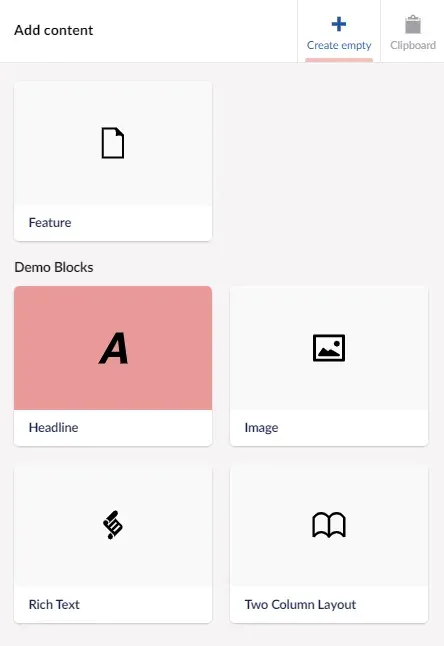
- Block editors and rich text. The Block Editors include Block List, Block Grid with areas, layouts and a block catalogue, and block-level variance. Umbraco 18 adds a Single Block property editor, with a migration guide for Block List editors configured in single mode. The rich text editor is based on Tiptap, supports blocks and accepts Tiptap extensions.
- Global Elements and the Library section. Umbraco 18.0 introduced Global Elements, reusable content items managed in a new Library section of the backoffice. The release notes list element permissions, recycle bin support, scheduled publishing, an audit log, webhook support and inclusion of elements in global search.
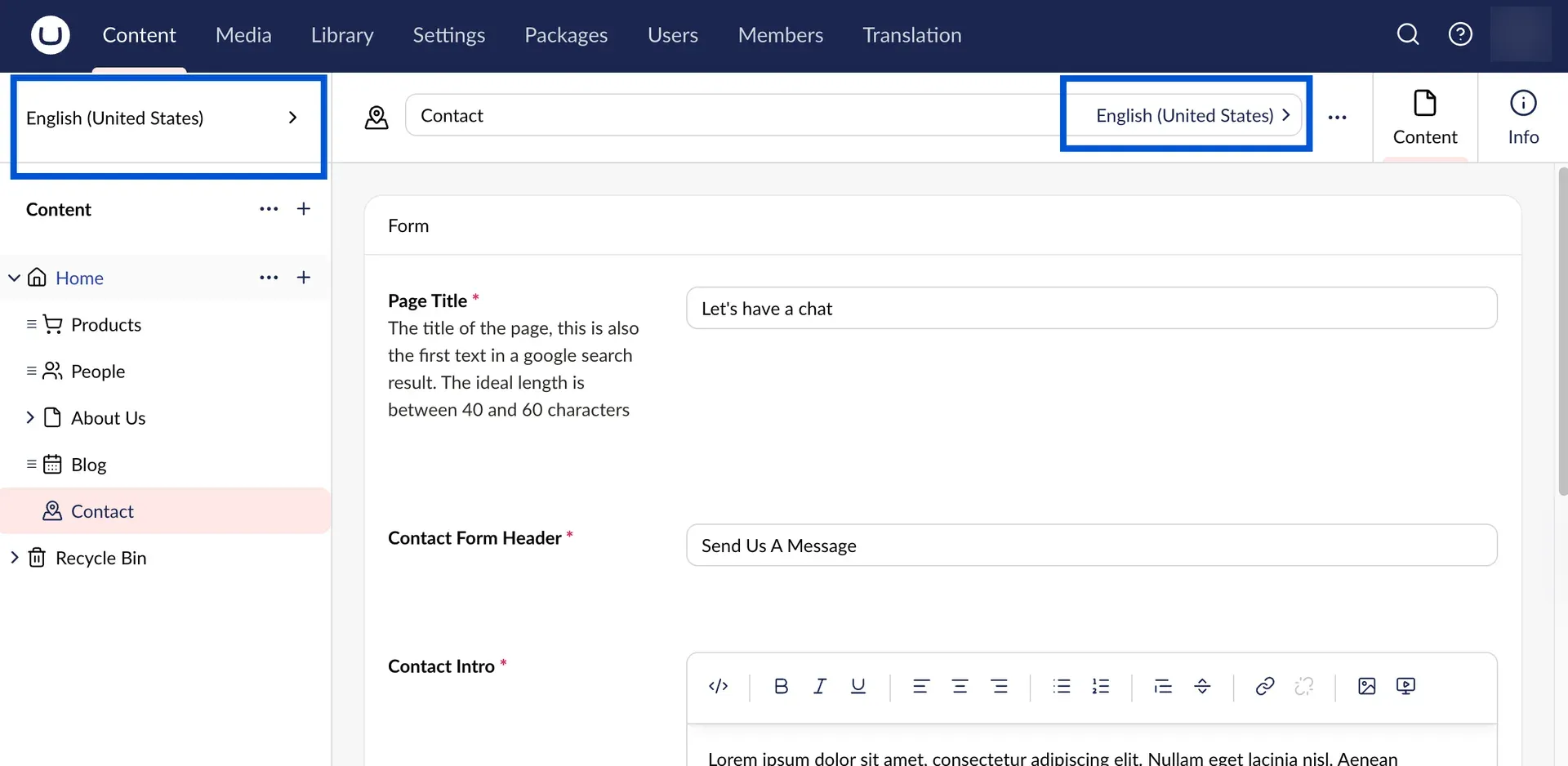
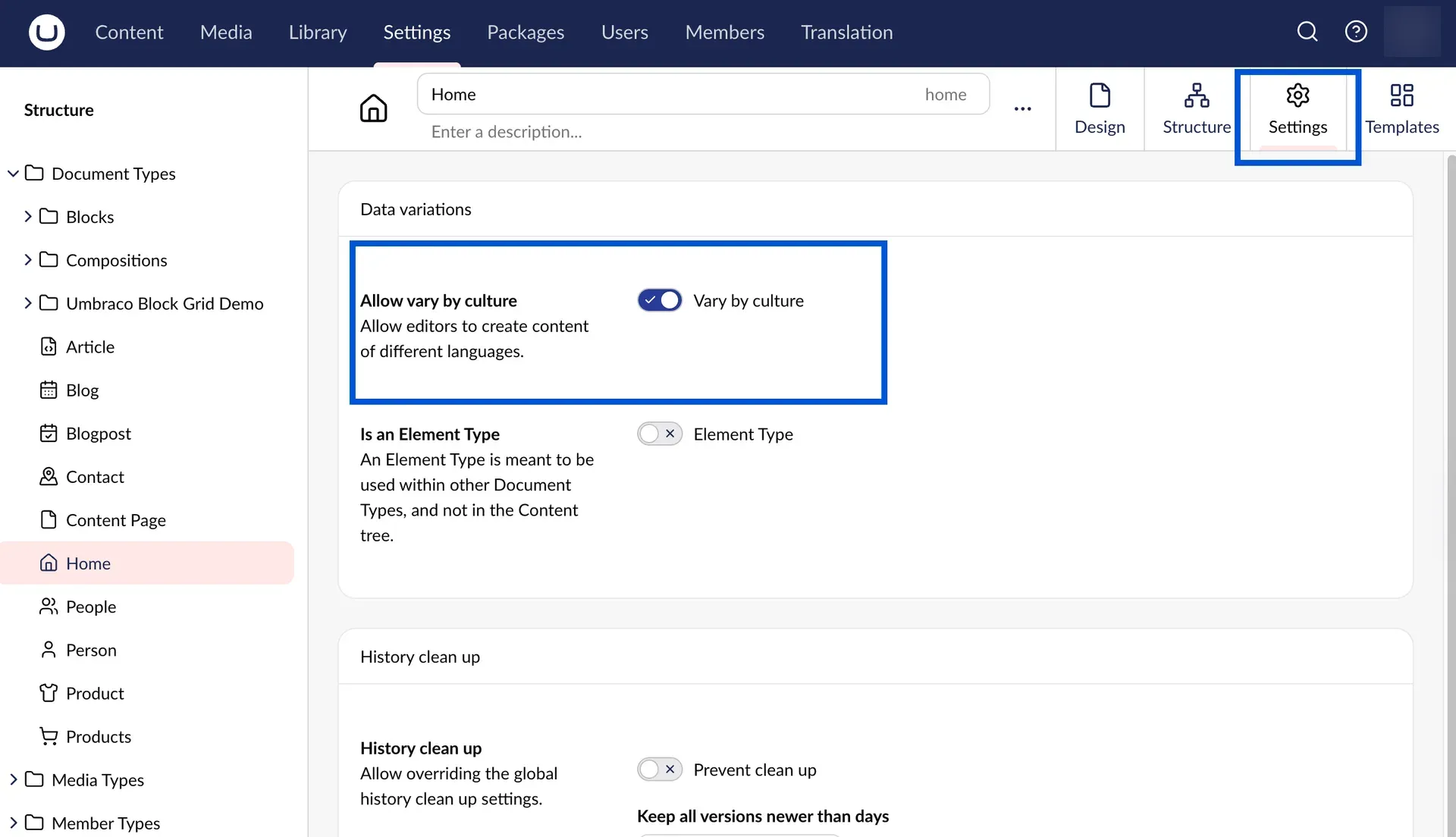
- Multilingual content. Language variants are enabled per Document Type with "Allow vary by culture" and then per property, so shared and translated fields can coexist on one page. User groups can be limited to all or individual languages, and dictionary items hold translated labels for templates.
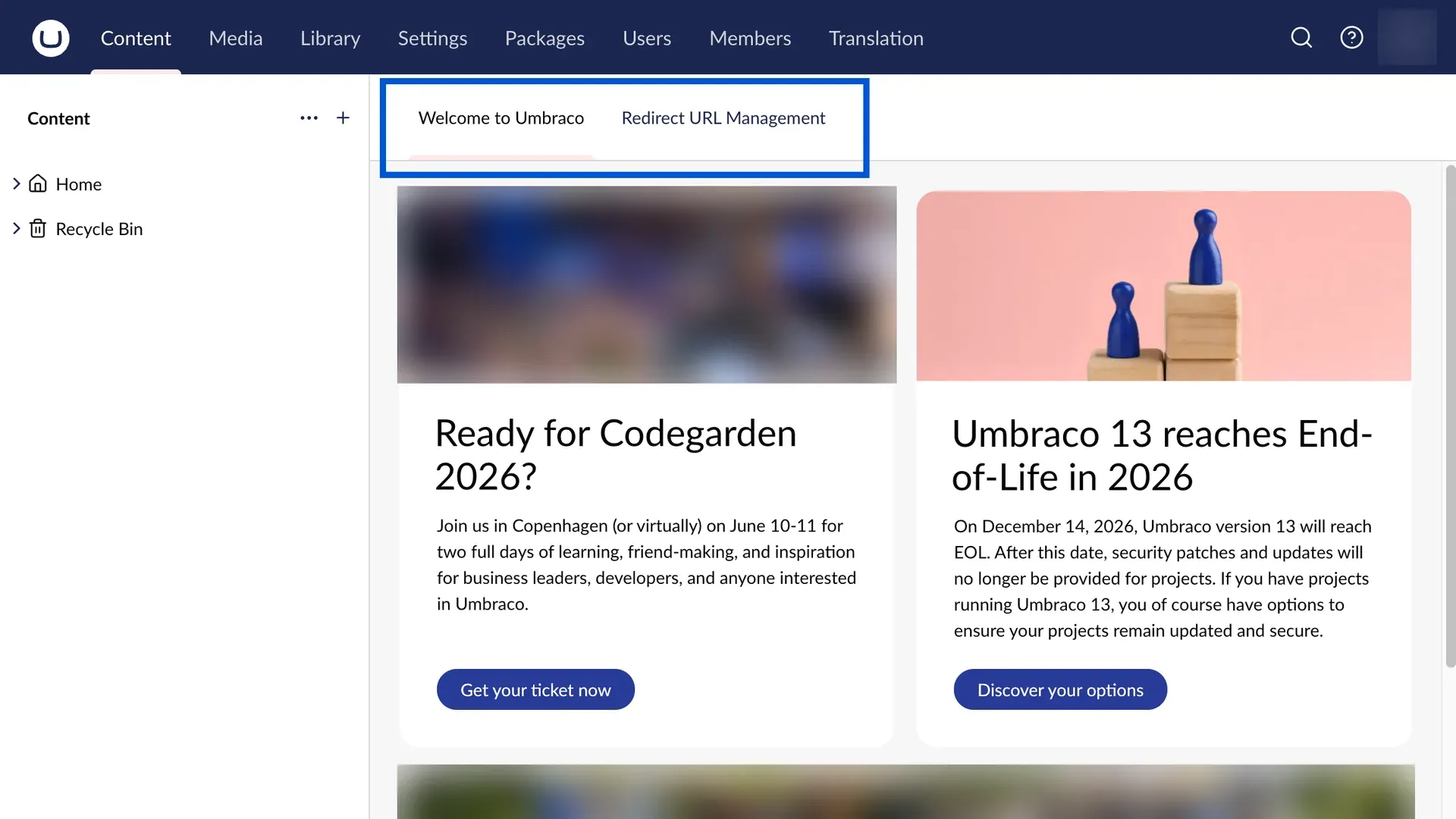
- Publishing and version history. Each document can be published immediately or through scheduled publishing and unpublishing at a set date and time. Version management compares versions and rolls back to an earlier one, and Document Types can override the global history clean-up settings. The Redirect URL Management dashboard tracks URL changes.
- Media library. Media items are organised in folders and typed with Media Types. The backoffice includes image cropping, and image processing is based on SixLabors.ImageSharp; a separate Umbraco.Cms.Imaging.ImageSharp2 package stays on ImageSharp 2.x.
- Users, API users and members. Users and Members covers backoffice users, user groups and permissions, API users for machine access, and Members, which register and authenticate front-end visitors such as forum or intranet users.
- Content Delivery API. The opt-in Content Delivery API is enabled with
Umbraco:CMS:DeliveryApi:Enabledand.AddDeliveryApi()and serves JSON under/umbraco/delivery/api/v2/content. Queries support fetching ancestors, children or descendants, filters, sorting, paging, property expansion and limiting, and localisation through Accept-Language. Preview requires an API key, protected content needs member authentication, and a Media Delivery API, output caching and custom endpoints are documented separately. - Management API. The Management API is the REST API the backoffice itself uses, and it is also available to custom apps through OpenID Connect. The OpenAPI document and Swagger UI at
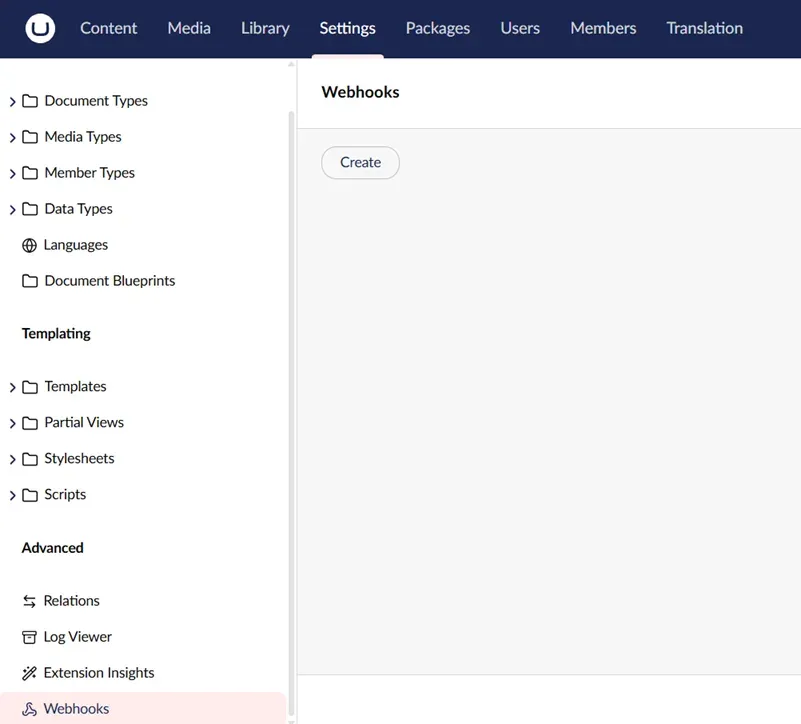
/umbraco/openapiare disabled in production. Authorization uses OAuth2 authorization code with PKCE, and in production only the umbraco-back-office client may connect. - Webhooks. Webhooks are configured under Settings, Webhooks with a target URL, events such as Content Published, Content Unpublished, Content Deleted, Media Saved and Media Deleted, optional content type filters and custom headers. Payloads come in Legacy, Minimal and Extended formats; Minimal became the default in Umbraco 18, and Extended payloads exclude usernames, member names and email addresses.
- Razor templating. Templating and Rendering builds on ASP.NET MVC Razor views with templates, partial views, stylesheets and scripts. Umbraco 18 renamed Master Template to Layout Template. Models Builder generates strongly typed models in modes such as InMemoryAuto, SourceCodeAuto and SourceCodeManual.
- Backoffice extensions and packages. Almost every part of the backoffice UI is an extension that can be appended, replaced or removed, as described in Backoffice Extensions. Extensions start from an Umbraco Package manifest and use the Umbraco UI Library, and community and commercial packages are listed on the Umbraco Marketplace.
- Runtime modes. The runtime mode setting
Umbraco:CMS:Runtime:Modeaccepts BackofficeDevelopment (default), Development and Production. Development disables in-memory Models Builder generation, and Production builds on it for a production environment. - Umbraco Cloud plans. The Umbraco Cloud pricing page lists Starter at EUR 45 per month (5 GB media, 50 GB bandwidth per month, 10 custom domains), Standard at EUR 280 per month (50 GB, 300 GB, 50 domains), Professional at EUR 730 per month (500 GB, 1000 GB, 100 domains) and a custom Enterprise plan. Extra Development environments cost EUR 45 per month and Staging environments EUR 70 per month. Umbraco Deploy and Umbraco Forms are included in Cloud plans, and projects run in East US, West EU, South UK, East Australia, Central Canada or Central Sweden.
- Paid add-ons. The product pages on umbraco.com list Umbraco Forms at EUR 100 per year for one production and two development domains, with extra domains at EUR 65 per year. Deploy for on-premises setups, Workflow (per installation) and Commerce each cost EUR 2,800 per year.
- Umbraco Heartcore. Heartcore is a fully managed headless CMS built on the open-source CMS, with REST and GraphQL APIs and content served through a Cloudflare CDN. The Heartcore pricing page lists Starter at EUR 60, Standard at EUR 300 and Professional at EUR 1,100 per month, with API rate limits of 25, 50 and 75 requests per second, and an Enterprise plan on request.
Where Umbraco fits
Building a Razor-rendered website
A .NET team creates a project from the Umbraco templates, models pages as Document Types with property editors and renders them with Razor templates and partial views. Models Builder provides typed models for the views, and the templating documentation covers routing, custom controllers and rendering of content and media. Editors then create and publish pages in the browser backoffice.
Delivering content to a headless frontend
With the Content Delivery API enabled, a JavaScript framework, mobile app or other client reads published content as JSON by ID, by route or by query, expands related items and limits returned properties. Since Umbraco 18 the API can generate typed OpenAPI schemas per content type. Preview, protected member content and additional preview environments are covered in the Delivery API documentation. Umbraco Heartcore offers the same headless model as a managed service with REST and GraphQL APIs.
Running multilingual sites
Administrators add languages, enable culture variance on Document Types and choose which properties vary by language. Editors switch the culture in the content tree and editor, and user groups can be restricted to specific languages. Block-level variance extends this to content inside block editors, and dictionary items supply translated template labels.
Editorial review and scheduled publishing
The core CMS provides save and publish actions, scheduled publish and unpublish dates, version comparison and rollback, the audit trail and email notifications. The paid Umbraco Workflow add-on adds multi-stage approval flows with approval groups, content reviews, release planning and a workflow history.
Moving changes between environments
On Umbraco Cloud, a project has a Live environment and can add Development and Staging environments; schema changes and content move between them with Umbraco Deploy, which is included in Cloud plans. For self-hosted projects, Umbraco Deploy on-premises transfers Document Types, Data Types, templates, content and media between environments. Unattended installs and upgrades support automated pipelines.
Forms, commerce and backoffice tools
Umbraco Forms adds a form builder with conditional logic, submission management and workflows that send email or update other systems. Umbraco Commerce manages products, orders, discounts, multiple stores, currencies and payment providers such as Stripe, PayPal, Mollie and Klarna from the backoffice. Developers add their own dashboards, property editors and workspaces through the backoffice extension system.
Install
dotnet new install Umbraco.Templates && dotnet new umbraco --name MyProjectReviews of Umbraco
Be the first to share your experience with Umbraco.
Write a review
Loading review form…
Found Umbraco useful? Upvote it todayYour vote helps other IT teams find it in the daily ranking.


