

What is Orchard CMS?
Orchard CMS is a free, open-source content management system built on the ASP.NET MVC platform. The OrchardCMS/Orchard repository contains Orchard 1, which its README describes as the older, .NET Framework-based version of Orchard, in development since 2009. Sites are assembled from content types, parts and fields, and features are added through modules and themes that can replace or extend any component of the system. The project is delivered under the .NET Foundation and is licensed under the New BSD license (BSD-3-Clause).
The relationship to Orchard Core is stated by the project itself. The README directs anyone starting a new project, and anyone maintaining a project built on Orchard 1, to Orchard Core, the new generation of Orchard built on ASP.NET Core. The Orchard Core documentation describes Orchard Core CMS as a complete rewrite of Orchard CMS on ASP.NET Core rather than a port. The former orchardproject.net domain now redirects to orchardcore.net, and the Orchard 1 documentation is hosted as a separate project on the Orchard Core documentation site.
The current version is Orchard 1.11, published on January 13, 2026. Its release notes say it arrives almost ten years after Orchard 1.10 and collects more than 650 changes from 110 contributors. With 1.11, all projects target .NET Framework 4.8, NHibernate is upgraded to 5.5.2, MailKit to 4.9.0 and Npgsql to 4.0.17, and vulnerable NuGet packages were updated or removed. Orchard 1.10.4, published on October 10, 2025, is documented as the last release of the 1.10.x branch. The dev branch has continued to receive commits after the 1.11 release.
Orchard 1 is distributed as a precompiled web package, Orchard.Web.1.11.zip (about 55 MB), attached to each GitHub release, and as source code that builds with Visual Studio from the Orchard.sln solution. The web application references ASP.NET MVC 5 and runs under IIS or IIS Express on Windows. On first launch a browser-based setup screen creates the site, the administrator account and the database, which can be the built-in SQL Server Compact store, SQL Server, MySQL or PostgreSQL.
The project is community run. Documentation lives in the Orchard 1 documentation site, built from the OrchardDoc repository; many of its pages state that they target Orchard 1.8 or earlier releases. Questions are handled on the project Discord, which has a channel dedicated to Orchard 1, and on Stack Overflow under the orchardcms tag. There is no paid edition: the software is free to download and self-host.
Key capabilities
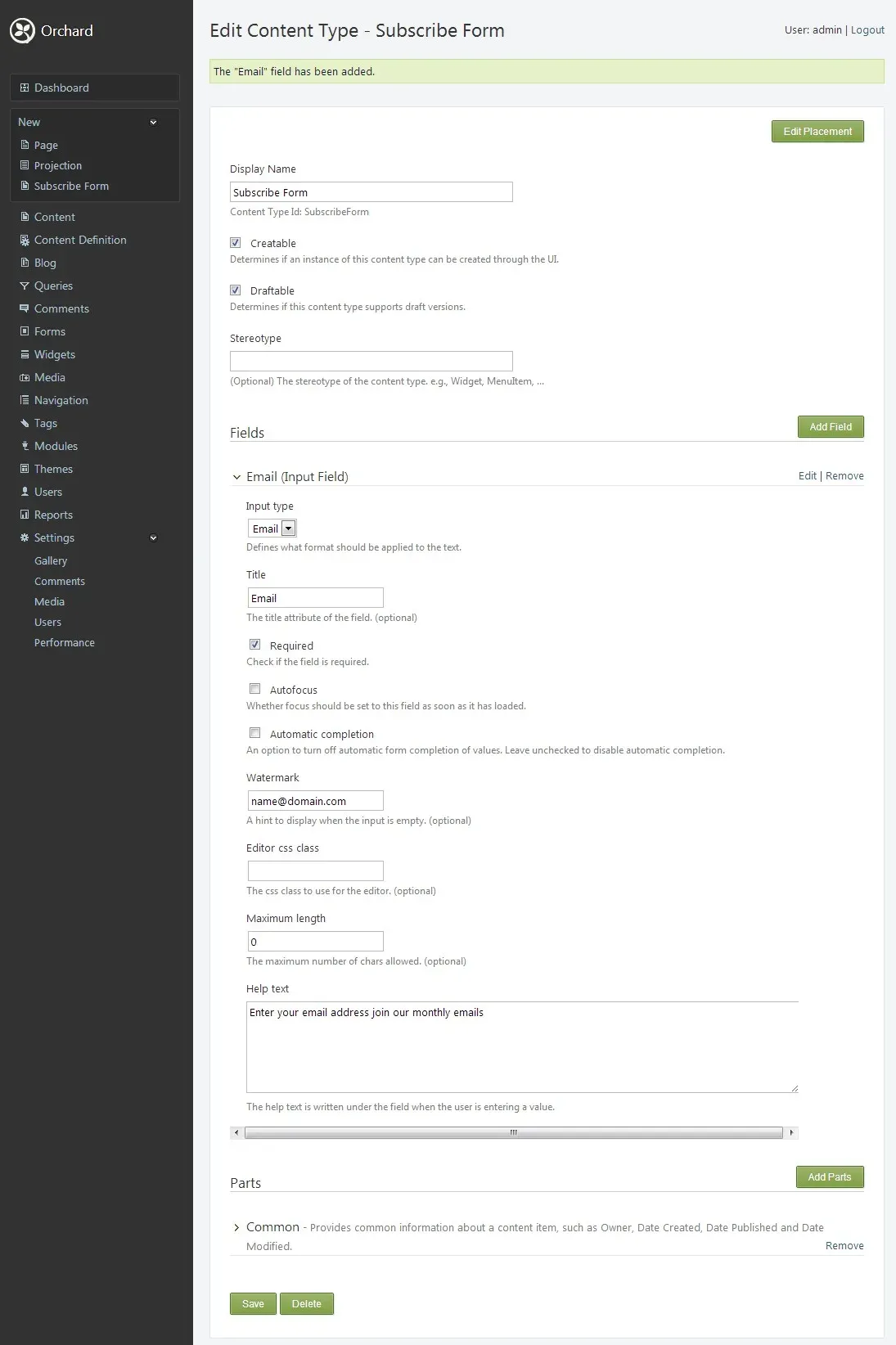
- Content types, parts and fields Content in Orchard 1 is composed from reusable parts (for example Body, Common, Identity, Autoroute, Tags) and fields (text, boolean, date, numeric, link, enumeration, media and content pickers). Types, parts and fields can be defined from the admin panel or in code through data migrations. Version 1.11 adds a maximum length setting for TextField and TitlePart and recipe steps for removing parts and fields from types.
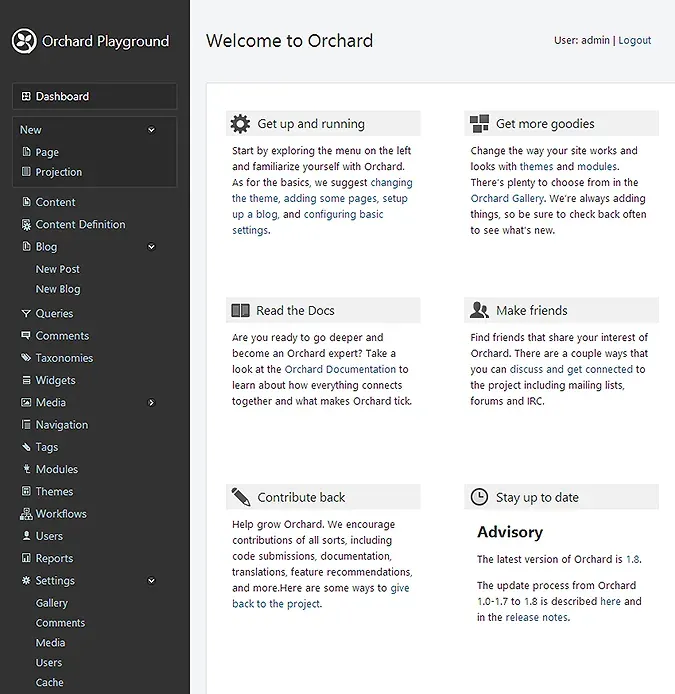
- Web-based admin dashboard The admin area, served by the TheAdmin theme, groups content, content definition, blogs, queries, comments, taxonomies, widgets, media, navigation, modules, themes, users, reports and settings in a side menu. Version 1.11 adds Delete and Unpublish buttons inside content editors and a live content preview back-ported from Orchard Core. The dashboard guide describes the layout.
- Drafts, scheduling and publishing Content types can be marked as draftable, and the Publish Later and Archive Later modules schedule publication and archiving. Workflow activities for unpublishing were added in 1.11, together with an Unpublish task. Content items are versioned, and export can include either published versions or drafts.
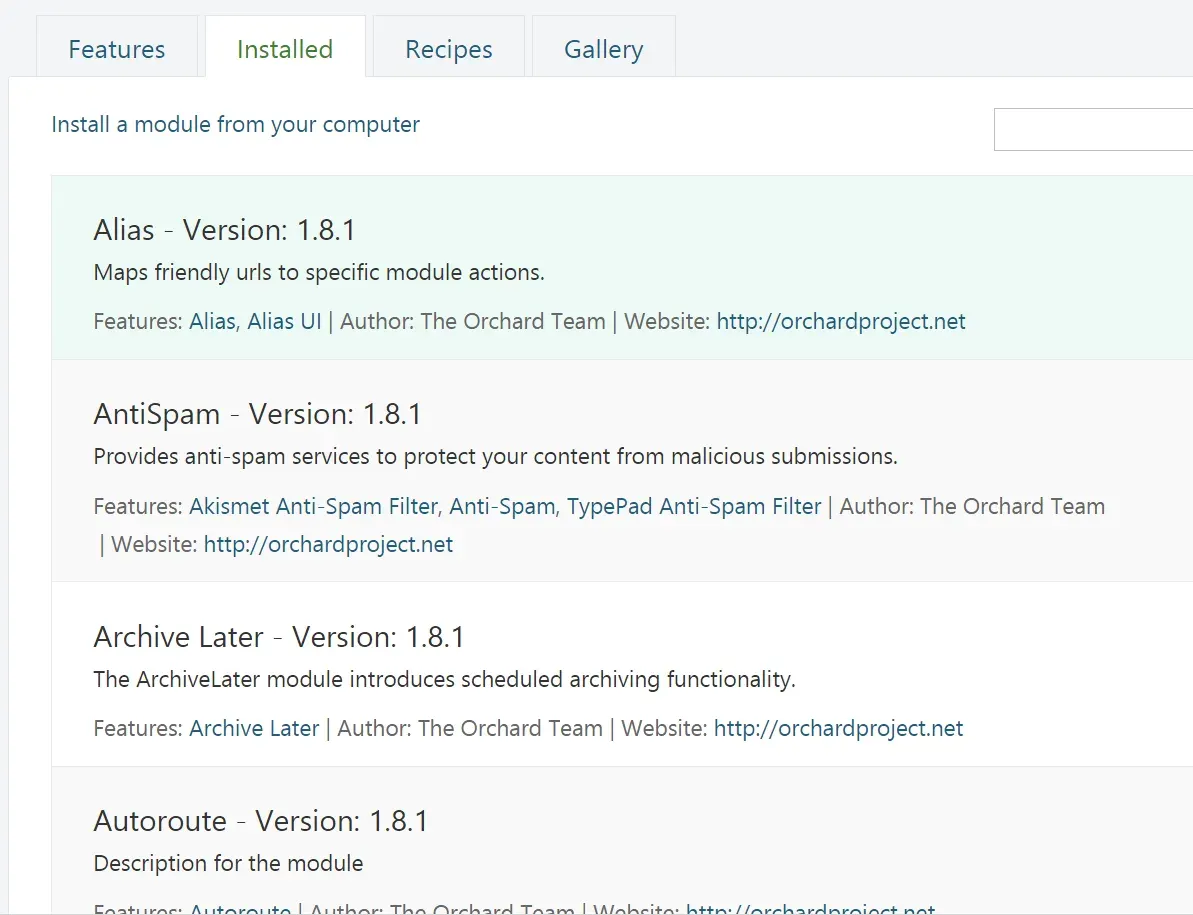
- Modules and the extensibility model The 1.11 source ships more than 60 modules, including Autoroute, Blogs, Comments, Layouts, Lists, Localization, Media Library, Projections, Taxonomies, Templates, Tokens, Users, Roles and Workflows. Modules are enabled or disabled per feature from the Modules screen or the command line, and the system uses dependency injection with Autofac so that services can be replaced or decorated. Version 1.11 adds an IDecorator mechanism for extending existing services.
- Themes and shapes Presentation is handled by themes built from Razor templates, shapes, alternates and placement.info files. The release includes TheThemeMachine as the default front-end theme, TheAdmin for the dashboard and SafeMode as a fallback. Static resources can be served with a file hash for cache busting, and the Designer Tools module exposes shape and template information during theme development.
- Layouts editor The Layouts module provides a grid-based editor with rows, columns and elements such as headings, paragraphs, HTML, Markdown, images, menus, breadcrumbs, snippets and projections; Dynamic Forms adds form elements. Version 1.11 adds a Blockquote element, layout snippet manifests and cloning of layout elements, and fixes the four-column Bootstrap styling.
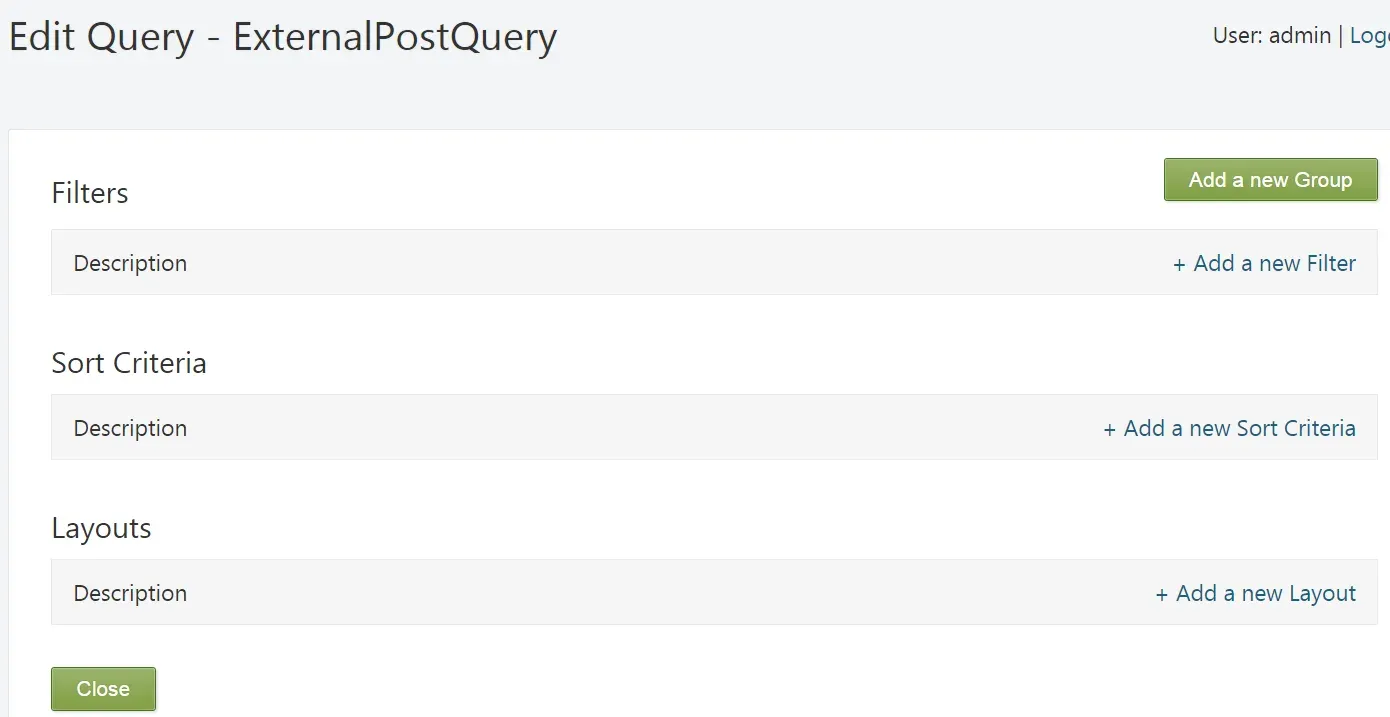
- Projections and queries Queries are built in the admin with filters, sort criteria and layouts, then rendered on Projection pages or in Projection widgets. Version 1.11 adds a StringField filter, token-based sort criteria, default settings for projections and filtering by localized taxonomy terms. The projection documentation walks through an example.
- Forms and form submissions Dynamic Forms builds forms from layout elements with validation and bindings to content types, and Custom Forms turns any content type into a front-end form. Version 1.11 adds Excel export of submissions, export of individual submissions, a Created Content token and a configurable publish button for Custom Forms.
- Workflows, rules and tokens The Workflows module chains activities triggered by events such as content created, published or removed, form submissions, timers and, since 1.11, role events and the first content update. Activities include branching, timers, publishing, unpublishing and deleting content, web requests, redirects, notifications, sending email and assigning or unassigning roles. Tokens such as
{Content.Fields.ContactUs.Name}insert values into messages and settings. - Users, roles and permissions Users and roles are managed in the admin, with per-role permissions declared by each module and optional per-item content permissions. Version 1.11 adds configurable password policies, password history, username policies, a Create content permission, a MayEditContentOwner permission, separate role management and security-sensitive permission flags. OpenID authentication support is also included in 1.11.
- Media Library Media items such as images, documents, audio, video and oEmbed links are stored in folders and picked through Media Library fields. Image profiles resize and filter images through the Media Processing module, and 1.11 adds a scale filter, per-user media folders, a Select All action and replacement of existing media items.
- Localization and multilingual content The admin UI, modules and themes are translated with .po files, and content can be localized per culture with a culture picker. Version 1.11 adds content cloning and translation, a front-end culture selector shape, culture selection on the Widgets page and logging of missing translations. Community translations are coordinated on Crowdin.
- Search and indexing The Indexing, Search and Lucene modules index content and provide a search page and API for modules. Version 1.11 adds configurable field indexing options, grouping clauses in ISearchBuilder and a blog post search feature.
- Multi-tenancy The Multi Tenancy feature, listed under Hosting on the Modules screen, runs several isolated Orchard sites inside one ASP.NET application domain. Each tenant is mapped to a host domain, and its database can be configured by the tenant at setup or in advance by the default tenant, with a table prefix when a database is shared. Version 1.11 allows multi-level tenant URL hierarchies.
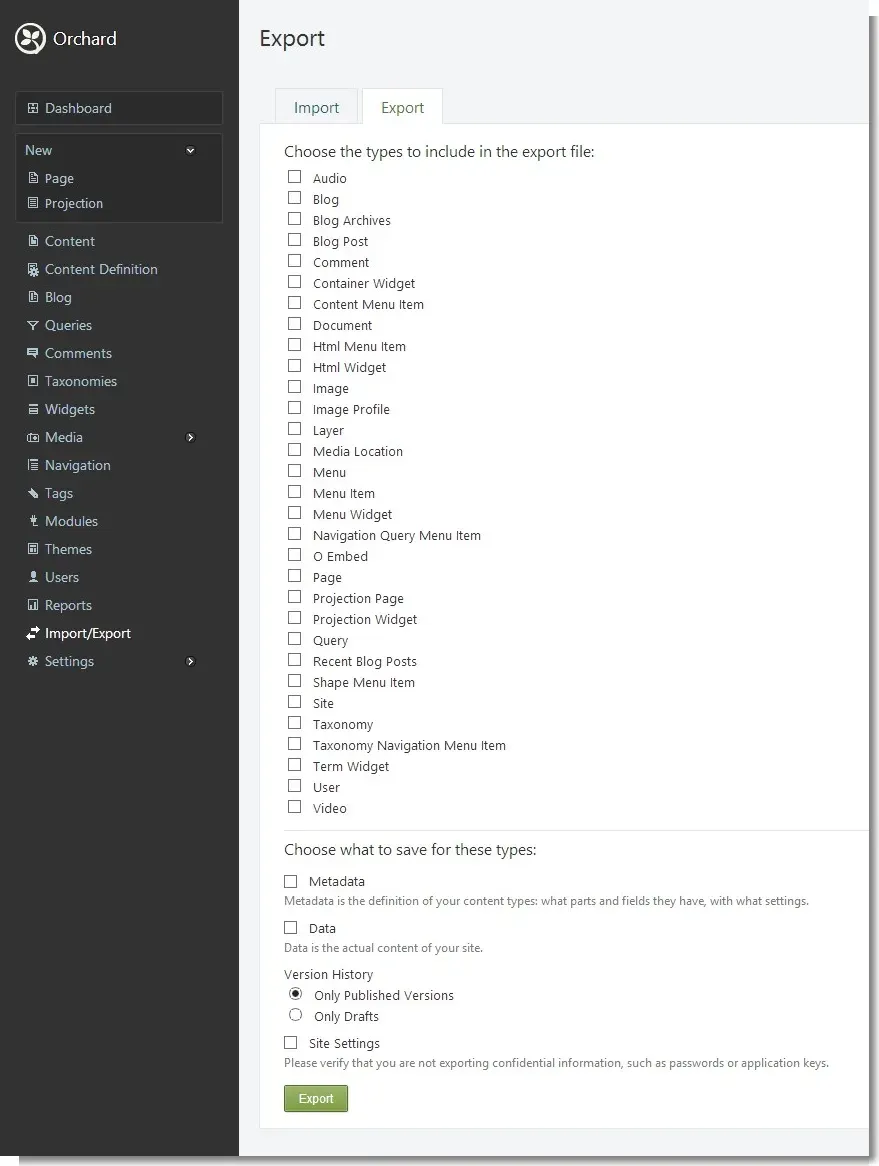
- Recipes, import and export Recipes are XML files that enable features, define content types and create content during setup or later. The setup screen offers Default, Blog and Core recipes, and the Import/Export module exports metadata, published or draft content and site settings to a recipe file. The recipe documentation covers custom recipes.
- Command-line interface The
bin\orchard.exetool runs from the site root and performs setup, enables and disables features, creates blogs, manages cultures and packages extensions. With Orchard.Packaging enabled it creates and installs.nupkgpackages, and the Code Generation module addscodegencommands for modules, module tests, themes, controllers and data migrations. - Caching and performance features Output Cache stores rendered pages with variation by query string and role-based cache keys, the Redis module adds Redis-backed output cache, business data cache and message bus features, and SysCache enables database caching. Release 1.11 lists more than 30 performance changes, mostly new database indexes and fewer repeated queries.
- Web API and XML-RPC Custom modules can expose ASP.NET Web API controllers and register routes through IHttpRouteProvider, as described in the Web API documentation. Blogs also support XML-RPC with the MetaWeblog API for desktop blogging clients. Orchard 1 does not ship a general-purpose REST content API.
- Download packages and source build Each GitHub release attaches a precompiled
Orchard.Webzip that is copied to an IIS site folder; the App_Data, Media, Modules and Themes folders need write access for the application pool identity. Building from source requires Visual Studio and theOrchard.slnsolution. The zip installation guide covers IIS, IIS Express and Visual Studio.
Where Orchard CMS fits
Running a company website or blog on IIS
The documented path is to extract the Orchard.Web package into an IIS site, grant the application pool identity write access to App_Data, Media, Modules and Themes, and open the site to reach the setup screen. Setup asks for a site name, an administrator user name and password, a database and a recipe. The Default recipe enables pages, blogs, custom content types, comments, tags, widgets and basic navigation, while the Blog recipe configures a personal blog.
Modelling structured content without code
Content types are created under Content Definition by combining parts and fields, then marked as creatable, draftable or listable. The admin generates editors from these definitions, and placement.info files or Razor alternates control how each part and field is rendered on the front end. Taxonomies and content picker fields connect items, and Projections list them through saved queries with filters and sorting.
Building custom modules on ASP.NET MVC
Developers write modules as ASP.NET MVC areas with controllers, views, content part drivers, handlers and data migrations, and register services through Orchard's dependency injection. The documentation includes a getting started with modules course and pages on content handlers, data access and caching. Modules can be packaged as .nupkg files and shared through the Orchard Gallery, whose feed can be registered in a site's gallery settings.
Hosting several sites from one installation
With the Multi Tenancy feature enabled, the default tenant gains a Tenants menu for creating additional sites. Each tenant is given a name, a host domain or URL prefix and its own setup run, and the multi-tenancy guide explains how tenants share one application domain while keeping configuration and data separate. When tenants share an existing database, each tenant uses its own table prefix.
Collecting form submissions and automating follow-up
A Dynamic Form or Custom Form collects submissions that can be reviewed and exported from the admin, including Excel export in 1.11. A workflow started by the form submitted event can then wait on a timer, send an email built with tokens or create a content item. The project's workflow documentation shows a contact form notification as an example.
Moving configuration between environments
Import/Export produces an XML recipe containing content type definitions, selected content and optionally site settings, which can be imported into another Orchard instance or used as a setup recipe. Version 1.11 adds recipe steps for removing content definitions, parts and fields, and an import step for projection member bindings. The export screen notes that site settings may contain confidential values such as passwords or application keys.
Upgrading an existing Orchard 1 site
The upgrade documentation states that Orchard has no automated upgrade mechanism. It describes backing up the site and database, recording settings, enabled features and themes, working on a local copy that includes the App_Data and Media folders, then overwriting the application files and re-applying any changes made to web.config or core files. The 1.11 release notes list breaking changes, including removal of the Azure Media Services, Orchard.jQuery and Orchard.TaskLease modules and the move to .NET Framework 4.8. Similar open-source CMS listings on iThub include WordPress, Strapi and Payload CMS.
Reviews of Orchard CMS
Be the first to share your experience with Orchard CMS.
Write a review
Loading review form…
Found Orchard CMS useful? Upvote it todayYour vote helps other IT teams find it in the daily ranking.


