

What is SMS Gateway for Android™?
SMS Gateway for Android™ is an open-source Android app that turns a phone into an SMS gateway: other applications send and receive text messages through an HTTP API, and incoming messages are pushed to webhooks. The project also uses the short name SMSGate on its website and in its documentation. It is maintained by the GitHub user capcom6, with the server, client libraries, CLI and companion services published under the android-sms-gateway organization. The app is distributed under the Apache-2.0 license.
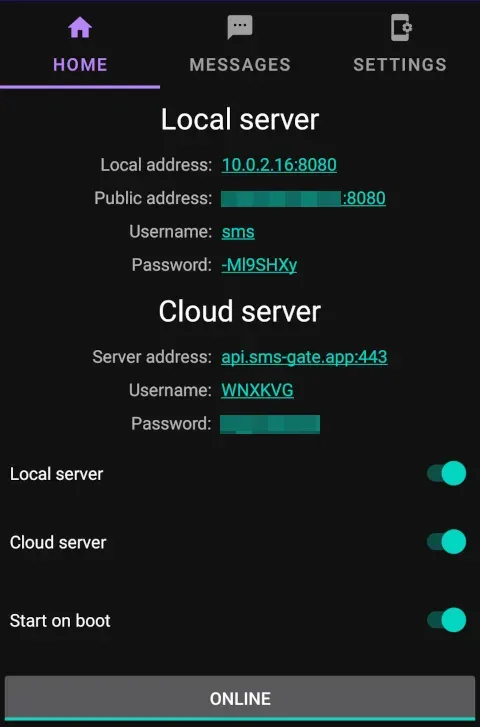
The app works in three server modes that share the same basic API. In Local Server mode the phone runs an HTTP server on port 8080 and is reached directly on the local network with Basic authentication. In Cloud Server mode the phone registers with the public server at api.sms-gate.app, which queues messages and wakes the device through Firebase Cloud Messaging, with a Server-Sent Events fallback and 15-minute polling. In Private Server mode the same Go server runs on the operator's own infrastructure with MySQL or MariaDB, while push notifications are still relayed through the public server. A fourth, unsupported option is a fully custom build with its own Firebase project.
Installation is from prebuilt APK files on the GitHub releases page; the docs list Android 5.0 (Lollipop) or later as the requirement and describe two variants, a secure release build that requires HTTPS except for 127.0.0.1 and an insecure build that allows cleartext traffic for local development. The latest release is v1.78.3, published on November 10, 2026, a documentation fix to the Swagger schema for webhook payloads; v1.78.0 (October 27, 2026) introduced explicit device registration and an unregister action, so the device no longer registers with the cloud server in the background. A v1.78.4 pre-release followed on November 12, 2026.
The Android app is written in Kotlin with Ktor for the embedded server, Room for local storage and Firebase for push messages. Around the app, the project publishes official client libraries for JavaScript/TypeScript, Python, Go, PHP and Rust, a command-line tool called smsgate, a web dashboard, an SMPP v3.4 server, an email-to-SMS bridge, a Telegram bridge, a Twilio fallback service and a certificate authority for private IP addresses, all described in the services section.
The pricing page lists the Local Server, Cloud Server and Private Server options as free, with individual limits on the cloud server applied only if usage affects other users and a request to notify support above about 10,000 messages per day. The README states that the app is not recommended for batch sending because of potential mobile operator restrictions, and the FAQ notes that messages sent or received by the app always remain visible in the phone's default SMS app. Related messaging tools on iThub include Twilio, Novu and OpenWA.
Key capabilities
- Download the Android APK The app is installed from the
app-release.apkfile on the GitHub releases page, which also carries an insecure APK and Android App Bundles. The installation guide requires allowing installs from unknown sources, and on Android 15 or later Google Play Protect may block the APK until it is temporarily disabled; the FAQ also notes that the SMS permission may appear grayed out on Android 15 and must be granted manually. The documentation does not list a Google Play or F-Droid distribution. - Android permissions SEND_SMS is required. READ_PHONE_STATE is optional and enables SIM card selection, READ_SMS allows reading earlier messages, RECEIVE_SMS enables incoming SMS webhooks, and RECEIVE_MMS with RECEIVE_WAP_PUSH enables incoming MMS webhooks. Without the optional permissions the related features are unavailable.
- Local Server mode Toggling Local Server and tapping Start Service exposes the API on the device at
http://<device_local_ip>:8080, with generated Basic authentication credentials and an interactive Swagger page at/docs. The local server guide notes that only Basic authentication works in this mode and that the displayed public IP is reachable from the internet only with a public address and port forwarding, which carrier-grade NAT often prevents. - Cloud Server mode In Cloud Server mode the API is called at
https://api.sms-gate.app/3rdparty/v1/, and the server notifies the phone through Firebase Cloud Messaging. Devices without Google Play Services can use an SSE Only notification channel, which keeps a persistent connection and notification and may use more battery. On first start the app asks to Sign Up, Sign In or join By Code; the docs state that signing up needs no email or phone number. - Private Server mode The private server guide runs
ghcr.io/android-sms-gateway/serverwith Docker on a Linux VPS, a MySQL or MariaDB database, aconfig.ymlwithmode: privateand a private token, an optional background worker and a reverse proxy with a valid TLS certificate. The app is pointed athttps://<host>/api/mobile/v1with that token; message data stays on the private server while push notifications pass through the public server. Changing servers resets credentials and requires re-registration. - Sending SMS, MMS and data SMS Messages are sent with a POST request containing
textMessage,dataMessageormmsMessageand a list of phone numbers. Long texts are split into multipart messages automatically, MMS attachments are passed as Base64 with an optional subject, and data SMS carries binary payloads for uses such as IoT commands. The docs state that reliable MMS sending on most carriers requires the app to be the default SMS app. - Status tracking, scheduling and cancellation Each message has a state such as pending, sent, delivered or failed, and delivery reports can be turned off per message with
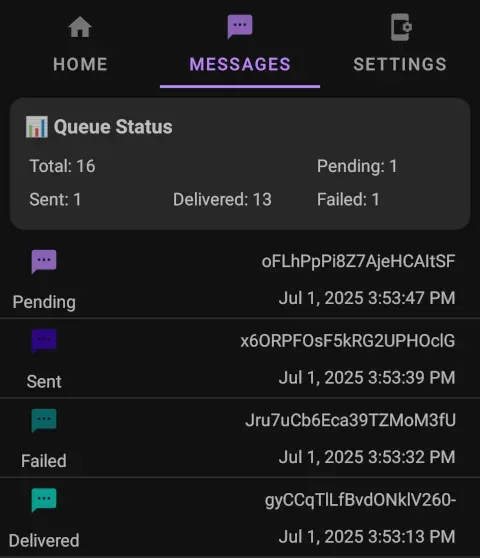
withDeliveryReport. An optionalscheduleAttimestamp delays sending to a future time, queued messages can be cancelled before they are sent, and the in-app Messages tab shows queue totals and per-message status. - Receiving and reading messages Received SMS, data SMS and MMS are shown in an in-app inbox with tabs and statistics. Earlier messages can be retrieved through the same webhook mechanism used for live notifications, and attachments of received MMS are stored on the device and fetched through the inbox API. In cloud mode received messages are uploaded to the server for central access.
- Webhooks Webhooks are registered through the API per event, with events for received, sent, delivered, failed and cancelled SMS, data SMS, MMS notifications and downloads, batched variants,
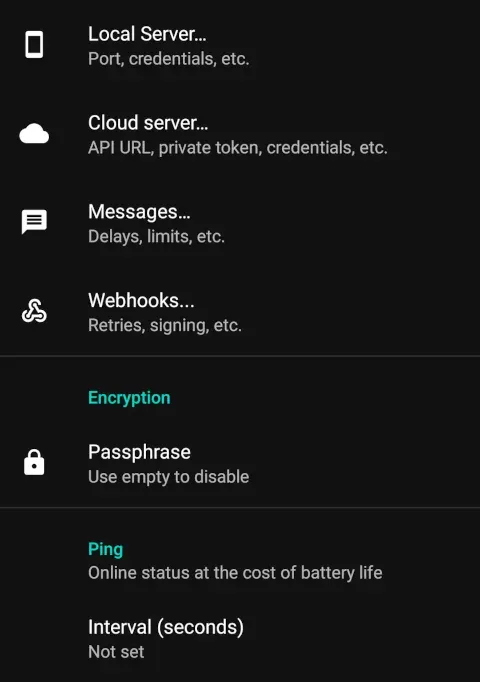
app:startedwith the active SIM cards and a periodicsystem:ping. Requests are sent directly from the phone, so it needs outgoing internet access, and the secure build requires HTTPS endpoints. Settings cover retries and payload signing, and an in-app queue view shows pending deliveries. - Multiple SIM cards and devices Requests can choose a SIM with
simNumber; otherwise the app uses the OS default or rotates between SIM cards according to a setting. The device API reports slot, carrier, phone number and ICCID, which are redacted to the last four characters when a cloud or private server is used. With the cloud or a private server, several phones can join one account and messages are distributed randomly or sent to a chosendeviceId, as described on the multi-SIM page. - End-to-end encryption The encryption page documents two modes. Device-paired encryption has the phone generate an RSA-2048 key pair kept in the Android Keystore, and clients encrypt the message body and each phone number with RSA-OAEP and AES-256-GCM. The legacy passphrase mode uses AES-256-CBC with a PBKDF2-derived key. Only the text, data and phone number fields are encrypted, and the docs note higher battery use.
- Authentication with JWT Cloud and private servers accept Basic authentication for backward compatibility and JWT bearer tokens as the primary mechanism. A token pair is requested from
/3rdparty/v1/auth/tokenwith a time-to-live and scopes such asmessages:send,messages:readanddevices:list, and refresh tokens rotate access. Local Server mode supports only Basic authentication. - Send limits and working hours The Messages settings include a limit on how many messages are sent per minute, hour or day, a random delay between messages, and working hours that pause the queue outside a configured window, including overnight windows. The FAQ notes that the limit is unsuitable for time-sensitive messages such as authorization codes because sending pauses once it is reached.
- Client libraries and CLI Official clients are published for JavaScript and TypeScript (
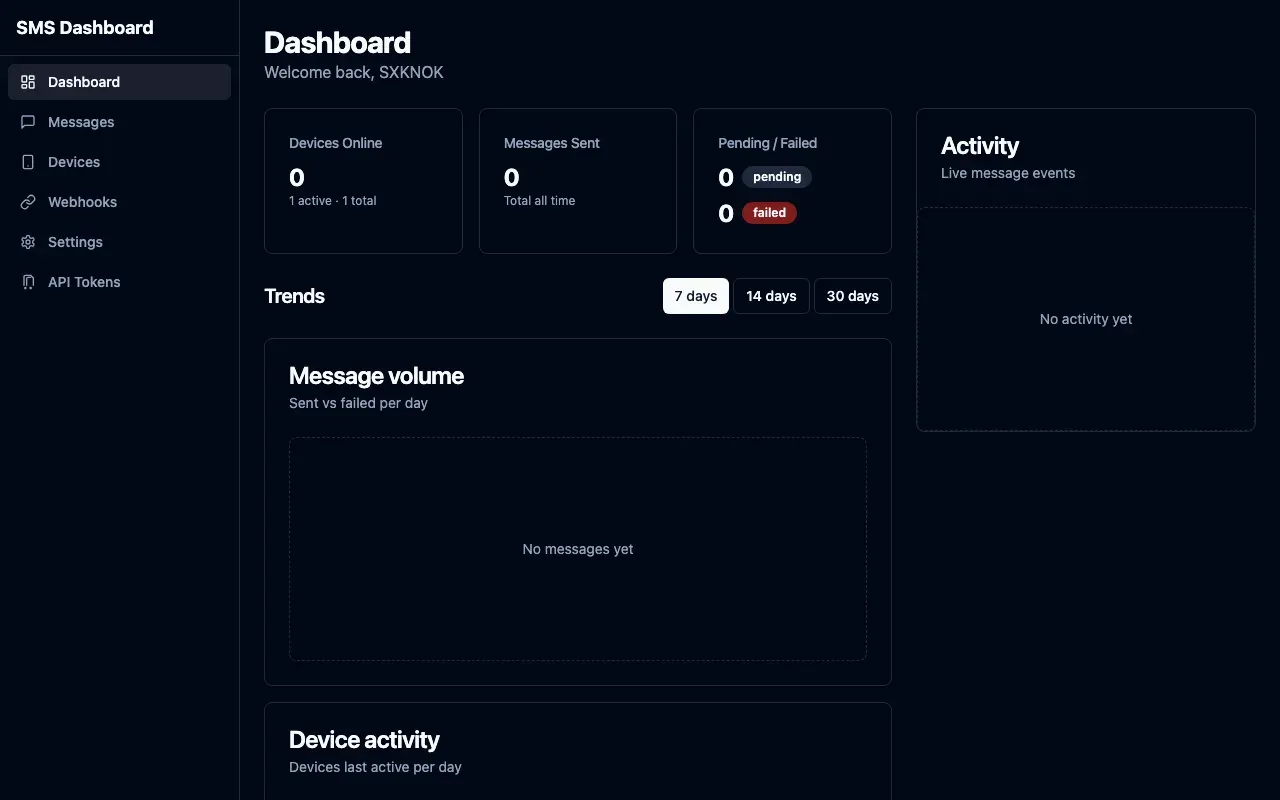
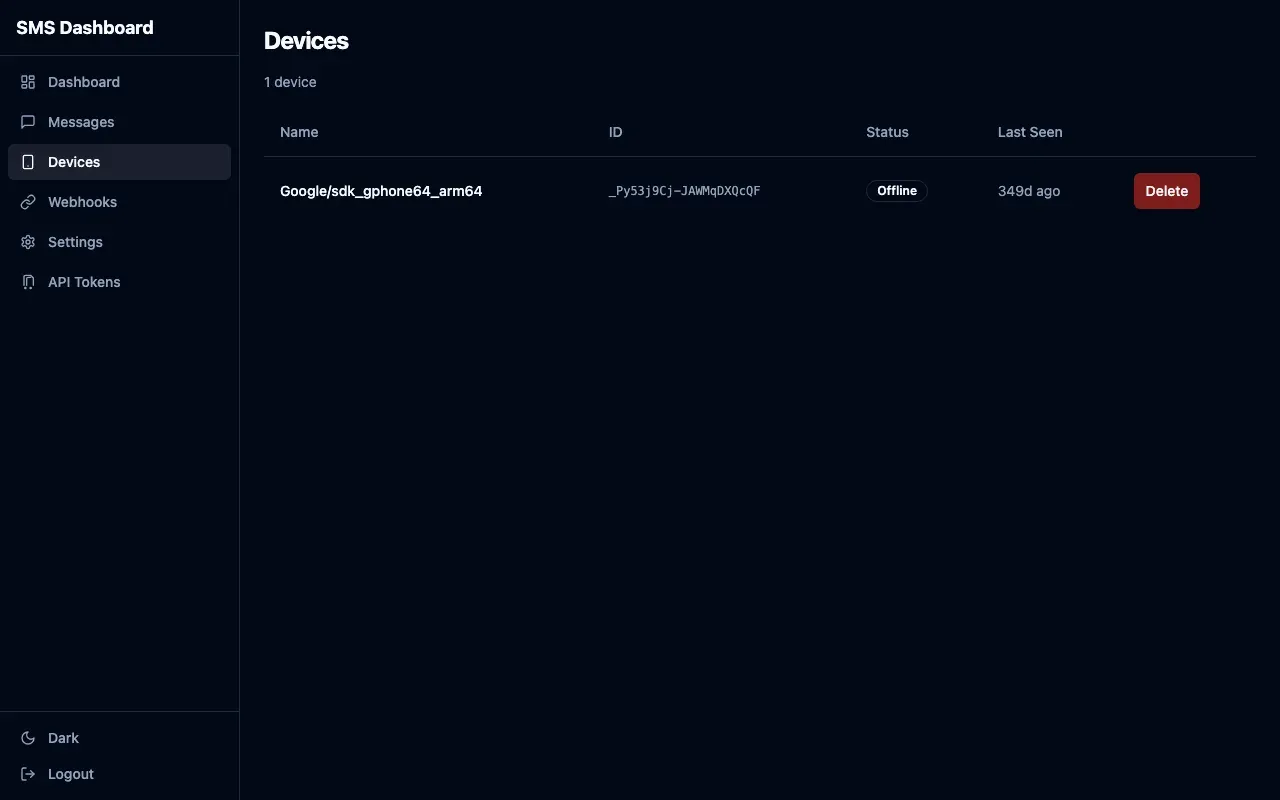
android-sms-gatewayon npm), Python (PyPI), Go (client-go), PHP (Packagist) and Rust (crates.io). ThesmsgateCLI is downloaded from its GitHub releases and sends messages from a terminal against either the local or cloud endpoint. An agent-integration page describes a ready-made skill document for AI and bot systems. - Web dashboard The web dashboard is a Go server with an embedded Svelte single-page app that manages messages, devices, webhooks, settings and API tokens. A hosted instance runs at
dashboard.sms-gate.appwith the same credentials as the cloud server, and private server operators can deploy their own. It forwards webhook events to the browser as live notifications and exposes Prometheus metrics. - SMPP, email and Telegram bridges Companion services translate other protocols into the gateway API: an SMPP v3.4 server on ports 2775 and 2776 (TLS) for aggregator software, with a public instance at
smpp.sms-gate.appannounced in test mode in May 2026; an email-to-SMS bridge that accepts mail to{phone}@smtp.sms-gate.app; a self-hosted Telegram bridge for incoming SMS; and a Twilio fallback service that resends failed Twilio messages. - Data handling on the public server The privacy policy states that processed messages on the public server are hashed with SHA-256 within one minute and deleted after one month, inactive devices and their messages are deleted after one year, and server logs are kept for 10 days. Push notifications contain only the FCM token, not message content or recipients, and the app sends no usage statistics, crash reports or behavioral analytics.
- Pricing and cloud limits All three server options are listed as free. The pricing page states that the cloud server applies individual limits only when usage affects other users, asks users to notify support above about 10,000 messages per day, and lists unlimited messages for a private server. It also states that existing users keep free cloud access, while new premium features or paid tiers for new cloud users may be introduced.
- Build from source Building requires JDK 17, the Android SDK (the project compiles against SDK 33), the bundled Gradle 8.0 wrapper and a Firebase
google-services.json. Release and insecure variants are signed with a user-supplied keystore configured through environment variables, while debug variants use the default debug keystore. The README lists Gradle tasks for tests, APKs and an App Bundle.
Where SMS Gateway for Android™ fits
Sending notifications from an application on the same network
With Local Server mode enabled, an application on the same Wi-Fi or Ethernet network posts JSON to the phone's address on port 8080 using the credentials shown on the Home screen. No account and no internet connection are needed for this path. The Swagger page on the device documents the request and response formats, and webhooks registered against the local API report sent, delivered and failed states.
Reaching a phone behind changing or shared IP addresses
When the phone has no stable reachable address, Cloud Server mode routes requests through api.sms-gate.app. The service registers the device on first start, generates credentials and wakes the phone by push message or SSE. Applications use the same message format against the cloud URL, and the hosted web dashboard shows devices, message history and webhooks for that account.
Keeping message data on private infrastructure
Organizations that host the server themselves run the Docker image with MySQL or MariaDB behind HTTPS and point the app at their API URL with a private token. Message data then stays on that server, while only push notifications pass through the public service. The private server FAQ covers configuration questions, and the project CA can issue certificates for private IP addresses.
Two-factor codes and transactional messages
The README lists authentication codes, transactional confirmations, reminders and notifications as typical uses. Applications call the send endpoint with the message and recipients, optionally choose a SIM or device, and track the result through status webhooks. End-to-end encryption can hide the text and phone numbers from the cloud server, at the cost of more battery use on the phone.
Forwarding incoming SMS to other systems
With RECEIVE_SMS granted, the sms:received webhook delivers each incoming message with sender, text, SIM number and timestamp to an HTTPS endpoint. The project publishes example receivers for FastAPI, Flask, n8n, Google Sheets, Discord and Telegram, and the Telegram bridge forwards messages to a chat without custom code.
Connecting existing SMPP or email-based tools
Software that already speaks SMPP binds to the SMPP server with the gateway credentials, and the server translates submissions into API calls and delivery receipts. Systems that only send email, such as booking platforms or monitoring alerts, can use the email-to-SMS bridge, which turns a message to phone@smtp.sms-gate.app into an SMS through the same account. Both are documented in the services section.
Reviews of SMS Gateway for Android™
Be the first to share your experience with SMS Gateway for Android™.
Write a review
Loading review form…
Found SMS Gateway for Android™ useful? Upvote it todayYour vote helps other IT teams find it in the daily ranking.


