

What is egui?
egui (pronounced "e-gooey") is an immediate mode GUI library written in Rust. The project describes it as simple, fast and portable: the same application code can run natively and on the web, and egui can be embedded into any environment that can draw textured triangles, including game engines. Its stated aim is to be the easiest-to-use Rust GUI library and the simplest way to make a web app in Rust. The source repository is maintained by Emil Ernerfeldt, the egui author and maintainer named in the README credits, together with many contributors.
Work on the library started in late 2018 under the name Emigui; the changelog records the initial commit on December 23, 2018 and the first crates.io release (0.1.0) on May 30, 2020. It was renamed egui in 2020. egui development is sponsored by Rerun, a company building an SDK for visualizing streams of multimodal data, and the Rerun Viewer is the example the README gives of a professional application built with egui.
egui is distributed as Rust crates on crates.io and documented on docs.rs. The core egui crate knows nothing about the operating system or the renderer: it takes input, runs the application's UI code and returns a triangle mesh plus output events. An integration or backend handles windowing, input and painting. The official framework for complete apps is eframe, which compiles one app to Linux, macOS, Windows, Android or the web through WebAssembly. The workspace Cargo.toml at the 0.37.0 tag declares rust-version = "1.95".
The latest release is egui 0.37.0, "Colored emojis!", published October 15, 2026. It lets integrations render any glyph available on the system, including colored emoji and non-Latin scripts, adds a CompletionPopup autocomplete widget for TextEdit, an experimental StyleProvider theming system behind the experimental feature flag, video recording of egui_kittest integration tests, and several AccessKit accessibility improvements. Breaking changes include default_fonts no longer being a default feature and the deprecation of Id::new. Release 0.36.0 (August 2026) improved mobile keyboard, autocorrect and IME support for eframe on the web, and 0.35.0 (June 2026) introduced the egui_inspection protocol.
egui is licensed under MIT OR Apache-2.0, as stated in the README and the LICENSE-MIT and LICENSE-APACHE files; bundled default fonts carry their own MIT, SIL Open Font and Ubuntu font licenses. The README lists two non-goals: becoming the most powerful GUI library and providing a native-looking interface. It also states that egui is in active development, lacks many features and that new releases contain breaking changes. Similar Rust UI projects listed on iThub include Rune, and ZapFast is an example of a desktop client built with egui.
Key capabilities
- Immediate mode programming model The UI is described by ordinary Rust code that runs every frame, so a button is shown and checked in the same line, for example
if ui.button("Save file").clicked() { save(file); }. There are no on-click callbacks and no stored widget references, and the GUI shows application state directly instead of keeping its own copy. The README documents the known costs of this model: layout of windows and grids can need a frame of delay, which egui can hide with an extra pass viaContext::request_discard, and very large scroll areas are laid out every frame. - eframe application framework eframe is the official framework for writing complete egui apps. One code base compiles to native Linux, macOS, Windows and Android, or to a web app via WebAssembly. It renders with wgpu by default, with an option to switch to glow, and uses
egui-winitfor windowing on native. The eframe_template repository is the documented starting point for web and native projects. - Web and WebAssembly support Eframe compiles egui to Wasm and renders through WebGPU when available or WebGL2 otherwise, using almost nothing else from the web stack. The eframe README lists the limits: browser text search does not work on an egui canvas, mobile on-screen keyboards are triggered through invisible DOM elements, and browser color and font settings are not picked up. Since 0.36.0, autocomplete, autocorrect and IME input work on iOS and Android browsers.
- Official rendering and windowing integrations The repository contains egui-wgpu for the wgpu (WebGPU API) renderer, egui_glow for OpenGL through glow on native and web, and egui-winit for winit windowing and input. The workspace Cargo.toml at the 0.37.0 tag depends on wgpu 30, winit 0.30 and glow 0.17. Each integration gathers input, calls the app UI, handles output such as cursor and clipboard changes, and paints the triangle mesh egui produces.
- Engine embedding and custom integrations Egui does not know which OS or renderer it runs on, so it can be embedded wherever textured triangles can be drawn. The README points to third-party integrations such as bevy_egui and egui-miniquad and to a wiki list of further integrations. The docs.rs page describes how to write a custom integration.
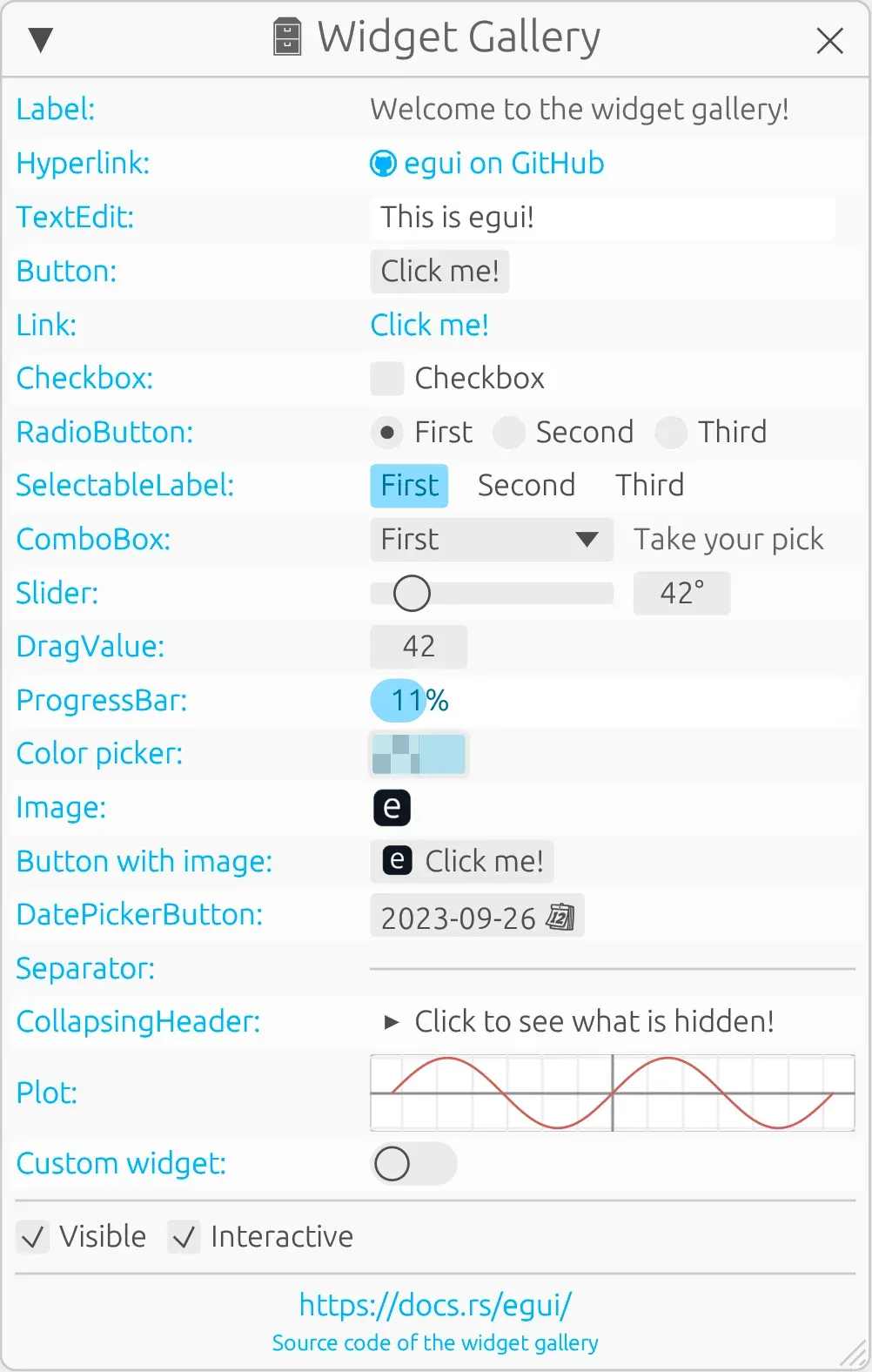
- Built-in widgets The README lists labels, text buttons, hyperlinks, checkboxes, radio buttons, sliders, draggable values, text editing, a color picker and a spinner, plus images and tooltips. The demo widget gallery also shows combo boxes, selectable labels, progress bars, collapsing headers and a date picker button. Release 0.37.0 added a
RangeSlider, aCompletionPopupfor autocomplete over aTextEditand anAlignedcontainer for centering groups of widgets. - Layouts, windows and panels Layouts cover horizontal, vertical, columns and automatic wrapping. Windows can be moved, resized, named, minimized and closed and are sized and positioned automatically. Regions include resizable panels, vertical scrolling and collapsing headers; 0.36.0 added drag-to-reopen panels and 0.37.0 added kinetic scrolling with rubber-banding on overshoot.
- Text editing and fonts Text editing supports multiline input, copy and paste, undo and emoji. Since 0.37.0 an integration can render any glyph available on the system through a glyph rasterizer or a font provider; native eframe uses the new
egui_system_font_providercrate, which lists system fonts with fontique, and eframe on the web renders individual glyphs to an off-screen canvas. Additional fonts can also be installed withContext::set_fonts. - Painting with epaint epaint is the minimal 2D graphics library underneath egui. It provides anti-aliased rendering of lines, circles, text and convex polygons, and custom painting is exposed through the painter API. 0.37.0 added a
RoundedRectprimitive andBandShape. 3D content can be embedded throughShape::Callbackor by rendering to a texture shown withui.image. - Styling and themes Colors, spacing, fonts and sizes of every element can be changed with
Context::set_style, with built-in dark and light themes. The README notes that styling is not yet as powerful as CSS. The experimentalStyleProvidertrait added in 0.37.0 lets an app restyle individual widget types based on classes set on aUi. - Accessibility through AccessKit Egui exposes its widget tree through AccessKit, which implements native accessibility APIs on Windows and macOS; eframe enables it by default on native platforms with an adapter, and other integrations opt in with
Context::enable_accesskit(). On platforms AccessKit does not support, including the web, an experimental built-in screen reader can be enabled. The accessibility guide covers labels and custom widgets, and 0.37.0 replacedWidgetTypewithaccesskit::Role. - UI testing with egui_kittest egui_kittest is a testing library based on kittest and AccessKit. Tests query widgets by role and label, click them, run frames and can take image snapshots with the wgpu renderer. Since 0.37.0 the
videofeature records an MP4 of a test through ffmpeg, and kittest fails tests where an input widget has no accessible name. - Inspection protocol and egui_mcp egui_inspection, added in 0.35.0, defines a request and response protocol and an
InspectionPluginthat lets external tools read an app's AccessKit tree, inject input events, capture screenshots and resize the window. eframe'sinspectionfeature starts it when the app is launched withEGUI_INSPECTION=1, listening on port 5719. The first consumer is egui_mcp, an MCP server hosted in Rerun's kittest_inspector repository that lets coding agents see and operate egui apps. - egui_extras and image loading egui_extras holds experimental features and functionality with heavy dependencies that are kept out of the core crate. It is commonly used to install image loaders through
egui_extras::install_image_loaders. Plotting lives in the separate egui_plot repository; the old in-tree crate now only points there. - Supporting crates in the workspace The workspace also contains
emath(minimal 2D math),ecolor(color structs and conversion),epaint_default_fonts(default fonts),egui_demo_libandegui_demo_app(the demo). The README states that the coreeguicrate has a minimal set of default dependencies, contains nounsafecode and is Wasm-friendly even outside a browser, while eframe pulls in winit, image, graphics and clipboard crates. - Online demo and examples The web demo runs in any browser with Wasm and WebGL support and links each demo to its source code. Locally it runs with
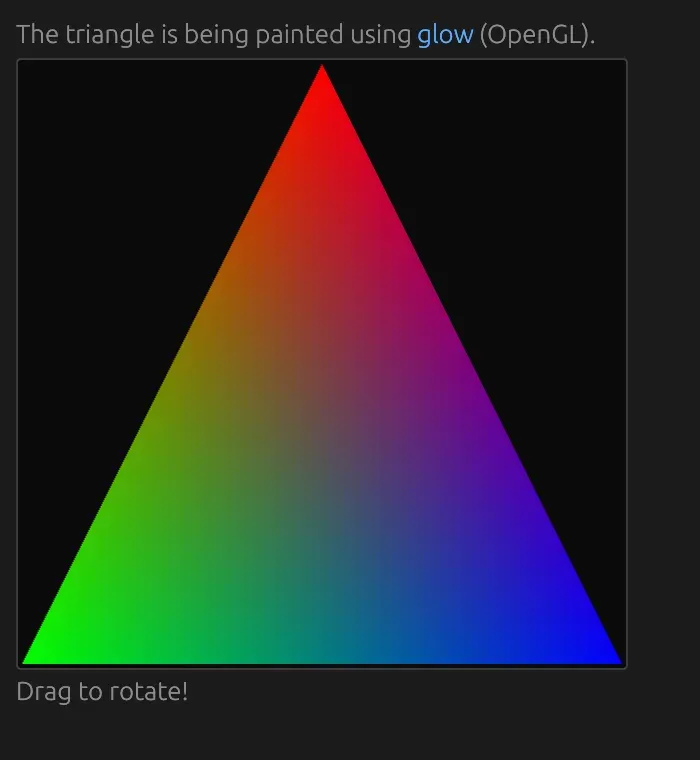
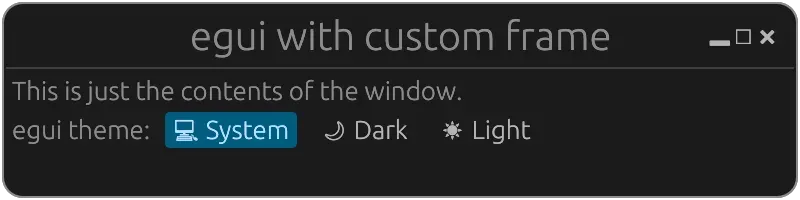
cargo run --release -p egui_demo_app; Linux builds of the demo need GTK, xcb and xkbcommon development packages listed in the README. The examples folder contains small apps such as hello_world, custom_3d_glow, custom_window_frame, file_dialog and hello_android. - Context, IDs and threading Egui keeps a small amount of state between frames, such as window positions and scroll offsets, keyed by IDs; widget interaction IDs are generated automatically, so two buttons with the same label do not clash. A single
RwLockguardsContextdata, accessed through closures, so UI logic can run in parallel. For async work the FAQ describes keeping the GUI thread non-blocking and passing results through channels or shared values.
Where egui fits
Writing a cross-platform desktop and web app
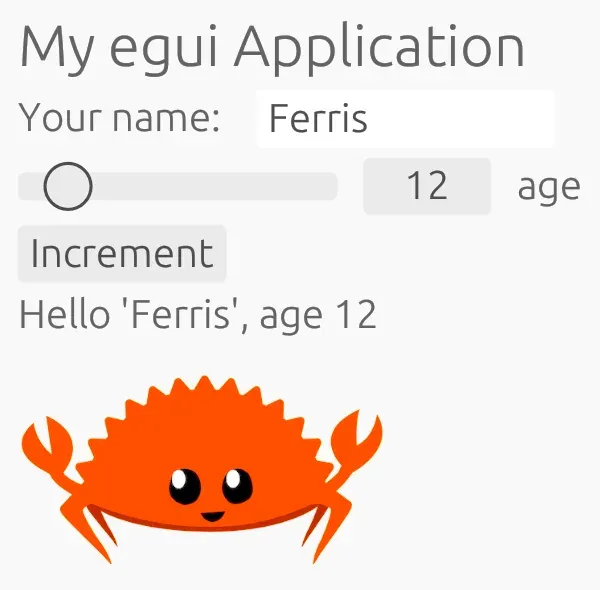
The eframe template sets up one Rust project that builds as a native binary for Linux, macOS or Windows and as a WebAssembly app for the browser. The app implements an update function that draws its UI each frame. On Linux the eframe README lists xcb, xkbcommon and OpenSSL development packages, and the project needs Rust edition 2024 or Cargo resolver 2.
Adding a debug or tools UI to a game engine
Because egui only consumes input and produces a triangle mesh, it can be layered over a game or rendering engine. The README names bevy_egui as a common route and documents the four steps an integration performs each frame: gather input, run the UI code, handle output and paint the mesh. The egui_glow painter is the README's OpenGL reference for a custom renderer.
Building data tools and viewers
The README's reference application is the Rerun Viewer, a visualization tool built by the sponsor of egui development. Plots come from the separate egui_plot crate, and 3D views can be combined with egui through Shape::Callback or render-to-texture, as shown in the custom_3d_glow example.
Publishing an app on the web
eframe renders egui through WebGPU or WebGL2 on a single canvas, which is how the egui.rs demo runs. The eframe README describes its intended web use as apps where performance and responsiveness matter more than browser accessibility and mobile text editing, and lists companion crates such as ehttp, ewebsock and rfd that work both natively and in Wasm.
Testing UIs and driving them from agents
egui_kittest lets Rust tests find widgets by accessible role and label, simulate clicks and compare image snapshots, and since 0.37.0 record a video of the run. For running apps, the egui_inspection protocol exposes the AccessKit tree and input injection, and egui_mcp connects that to MCP-capable coding agents, as described in the changelog for 0.35.0.
Making custom widgets accessible
Custom widgets painted with the painter API can attach WidgetInfo with an egui::Role and a label so screen readers receive a name. The accessibility guide shows how to connect visible labels to inputs with labelled_by and how kittest queries the same roles and names that assistive technology consumes.
Reviews of egui
Be the first to share your experience with egui.
Write a review
Loading review form…
Found egui useful? Upvote it todayYour vote helps other IT teams find it in the daily ranking.


