

What is Rune?
Rune is a native user interface framework for Rust published by Anomaly under the MIT license. The project describes it as GPU-rendered: it ships its own renderer, text stack, layout and spring animation instead of wrapping the platform widget toolkits, and targets macOS, Windows, Linux and the web. Views are plain Rust functions that return an element tree (fn view(s: &State, cx: &mut Cx<State>) -> El), and press handlers mutate application state between frames. The source lives in the anomalyco/rune repository on GitHub.
Rune is pre-release and has no tagged versions. The changelog states that consumers pin a revision of the dev branch, which is never rewritten, and it lists changes that can move an application's output without a code change, newest first, with the revision that introduced each. The framework is added as a Git dependency in Cargo.toml. The workspace uses Rust edition 2024 and pins toolchain 1.99.1 in rust-toolchain.toml. The repository was created in October 2026.
The core crate, documented in the rune crate README, covers views, layout, animation, rendering, text and the native shell. Layout uses Taffy 0.15 with flexbox, grid and block layout. Text is laid out with Parley 0.12 using embedded Inter 4.1 and rasterised into a glyph atlas through a port of the CoreGraphics glyph pipeline, with selectable font smoothing modes that match macOS, Windows DirectWrite and other targets. Rendering runs on wgpu 30 with one instanced pipeline and one draw call per frame; Metal is used on macOS and Vulkan or DirectX 12 elsewhere. Windows come from winit 0.30, with X11 and Wayland support on Linux.
The workspace contains companion crates: rune-kit (themable components named after @opencode/ui), rune-motion (springs, tweens and transitions), rune-fx (shader effect layers), rune-light (real-time UI lighting), rune-luau (UI built from sandboxed Luau scripts), rune-notify (system notifications), rune-mermaid (diagram rendering), rune-knobs (live tuning values) and rune-perf (local performance diagnostics). An examples folder holds more than 30 sample applications, from hello and todo to a settings window, a video player and a kit gallery.
A central design point is headless operation: every Rune application can run without a window, render to PNG, dump its element tree as JSON and replay scripted input on a fixed virtual clock. The README addresses coding agents directly and suggests that an agent start from examples/hello and check its own work headlessly. The project does not accept pull requests; bugs and ideas go through GitHub issues. Related listings on iThub: OpenCode and Zed.
Rune screenshots
Explore the interface. Open a screenshot to view it at full size.
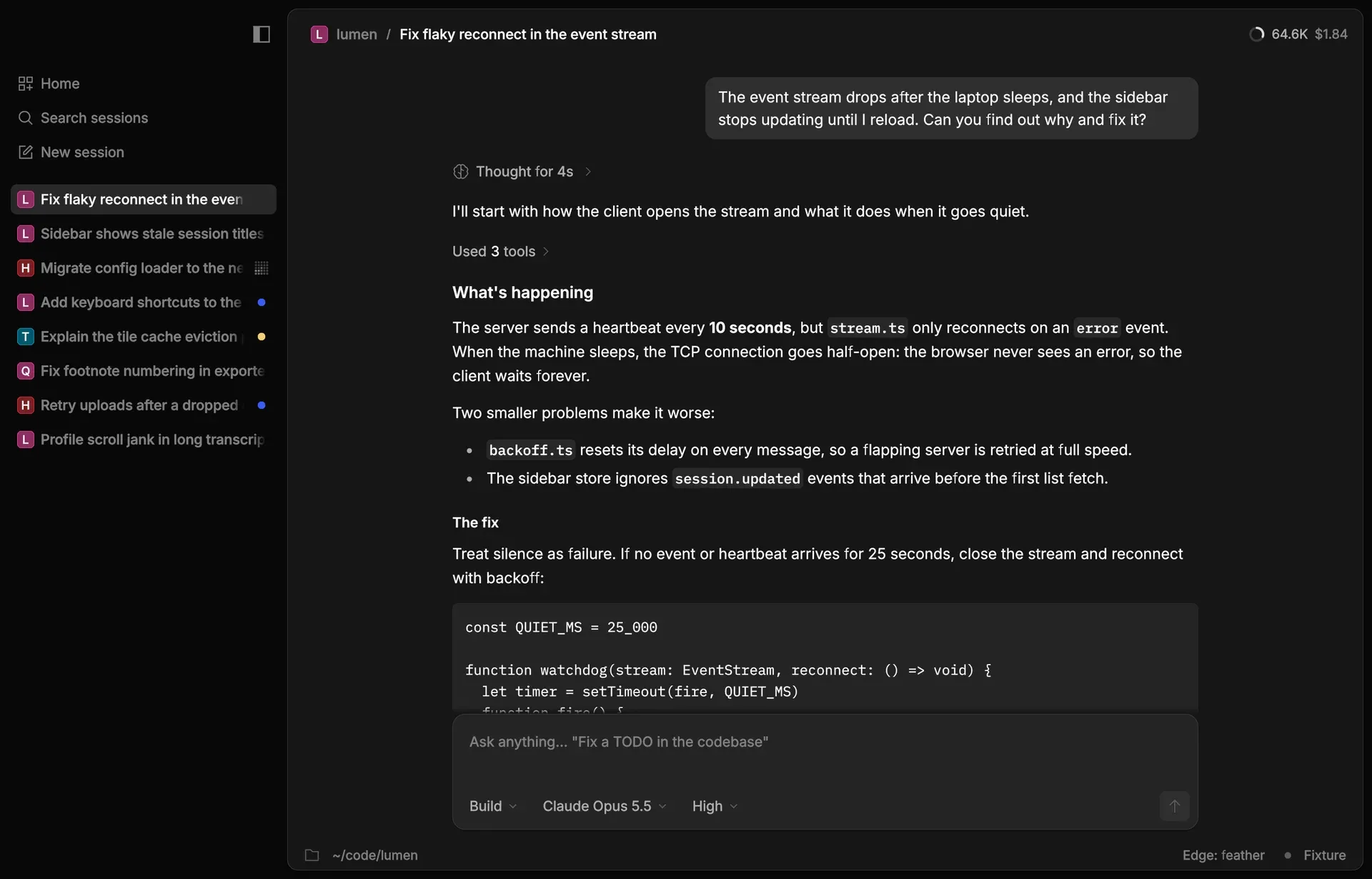
A coding agent application from the Rune demo folder, with a session sidebar, Markdown response and composer.
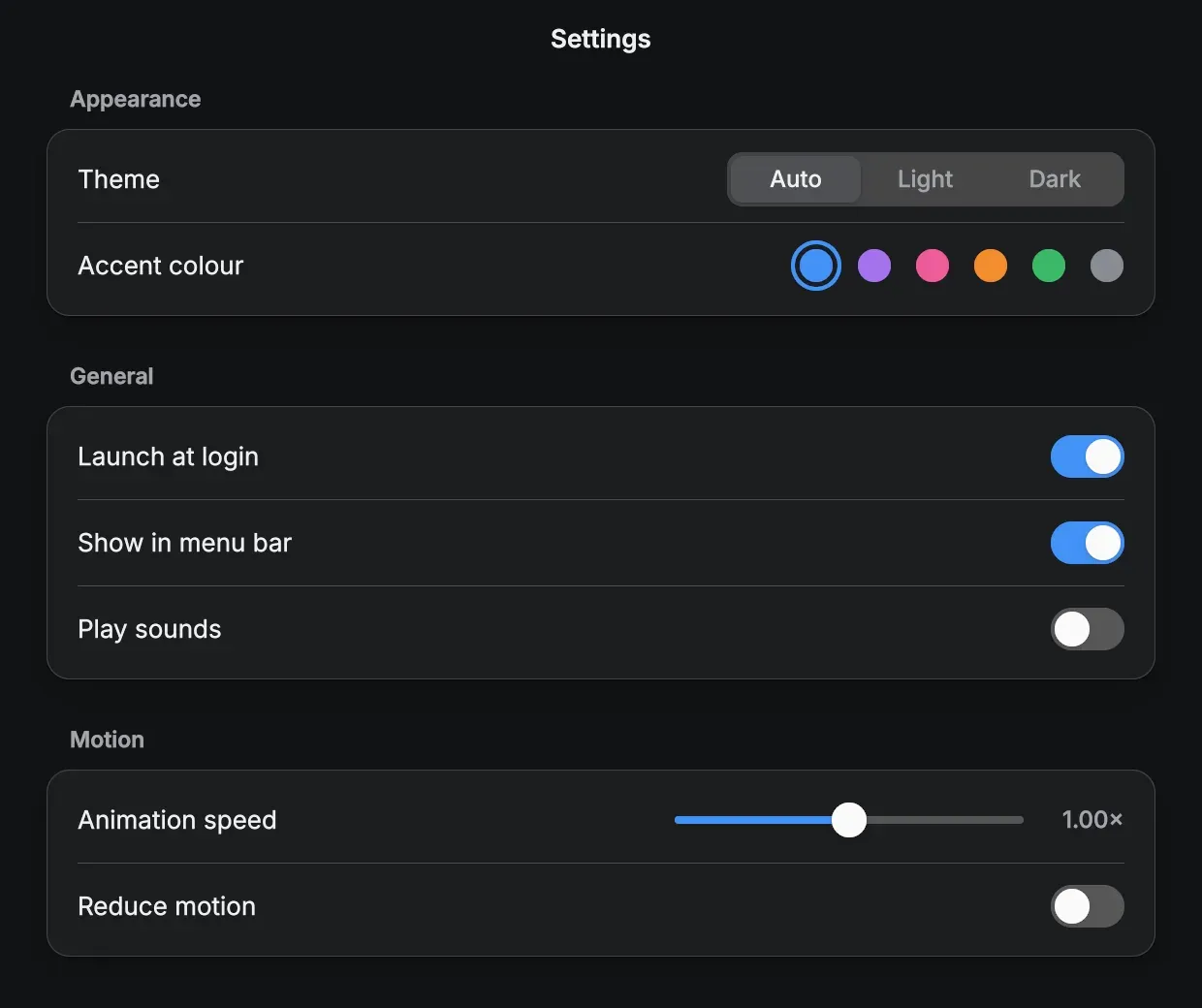
The examples/settings window, drawn entirely with Rune, in dark appearance.
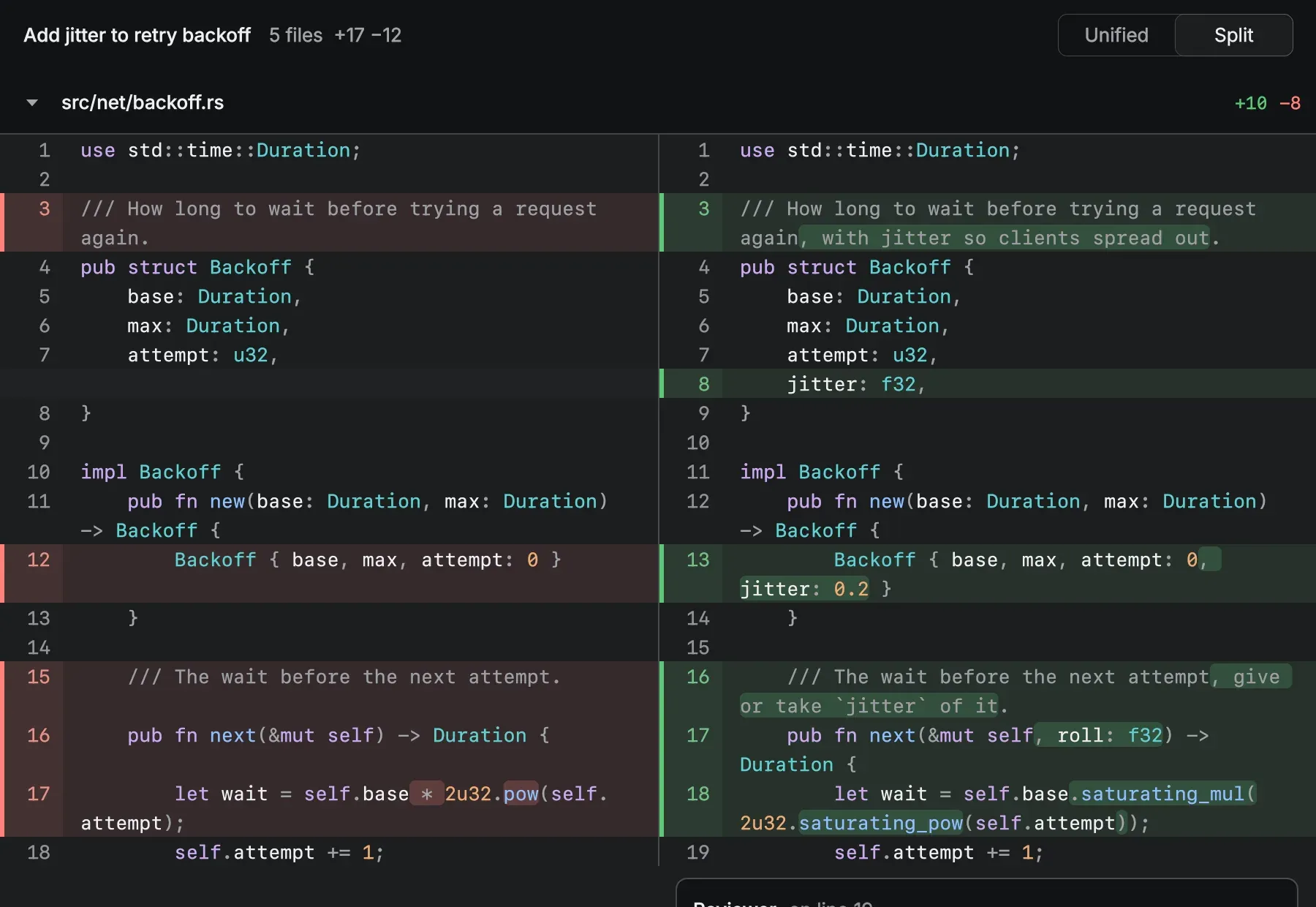
The rune-kit diff component in split mode with syntax colouring.
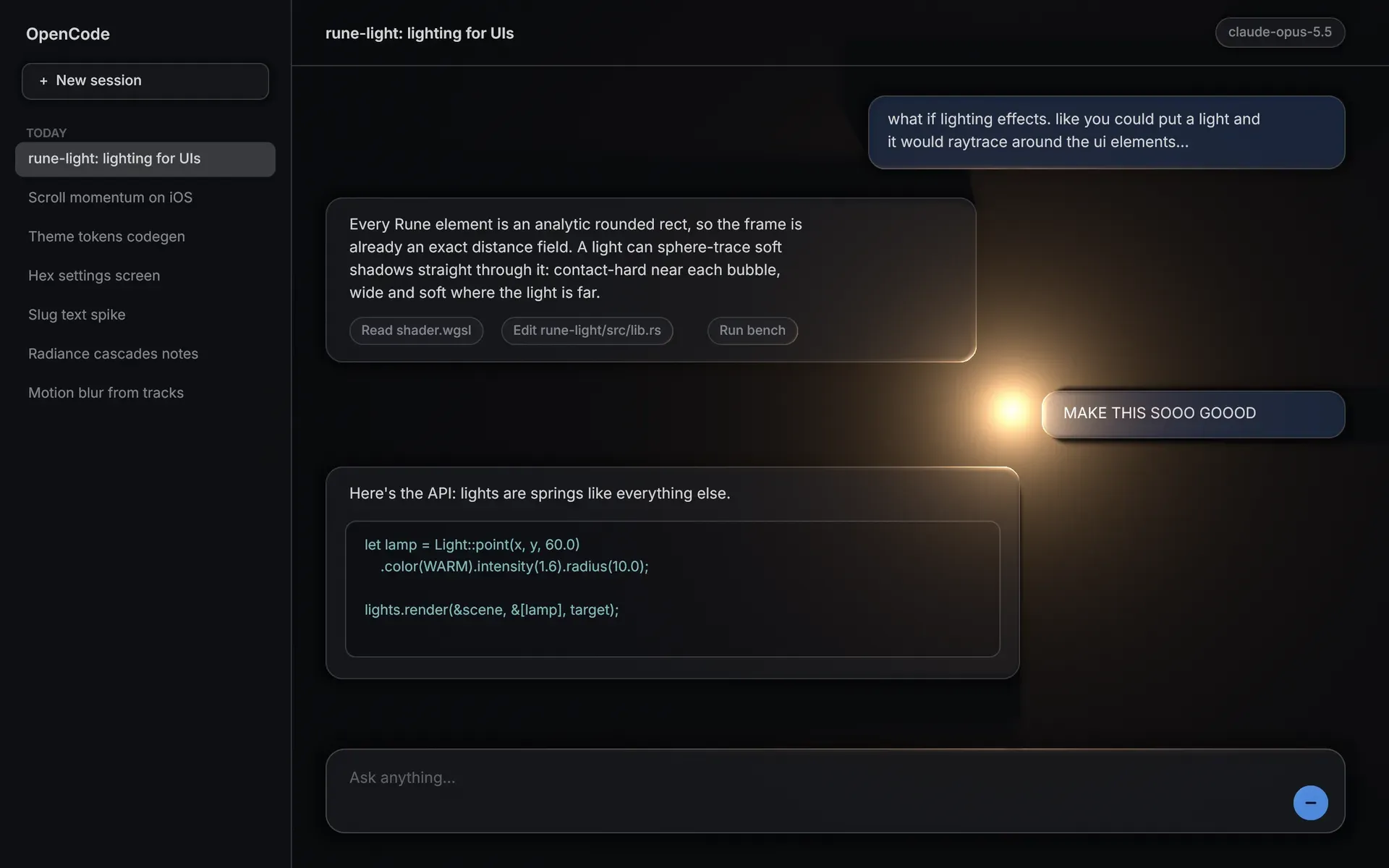
A chat demo using rune-light, with a point light casting shadows and highlights on the UI.
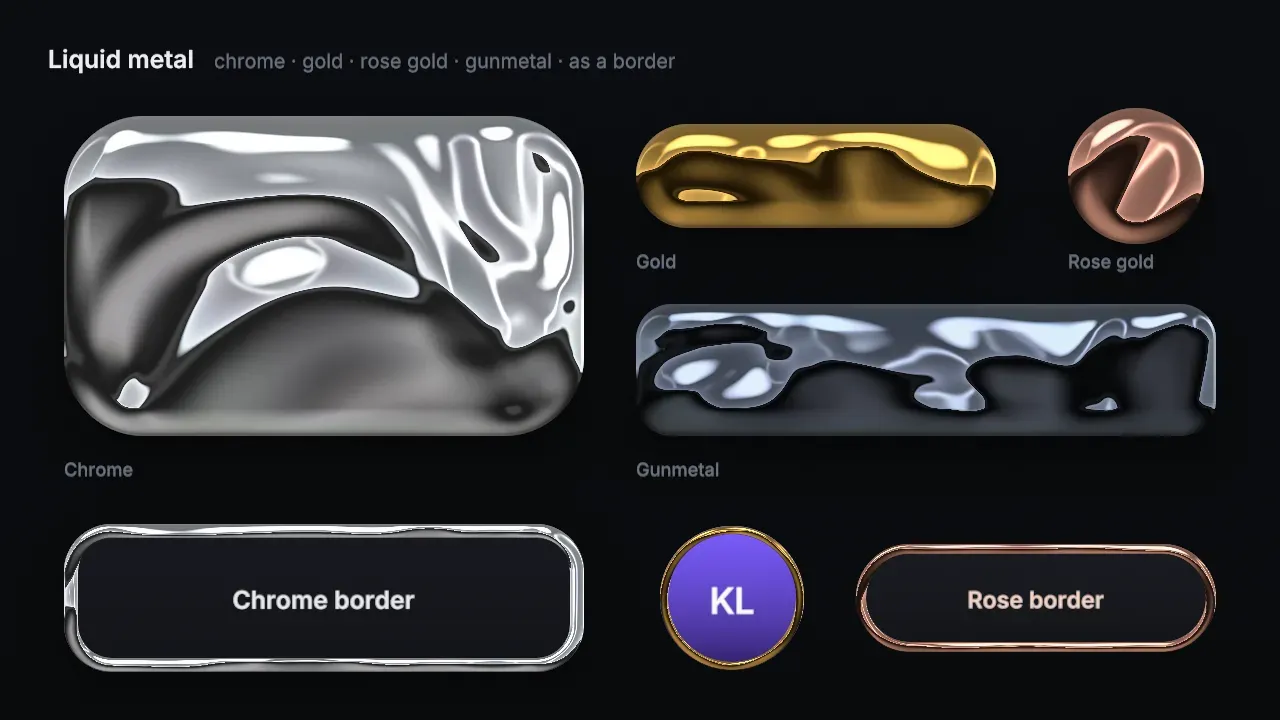
The rune-fx liquid metal fill presets and border variants.
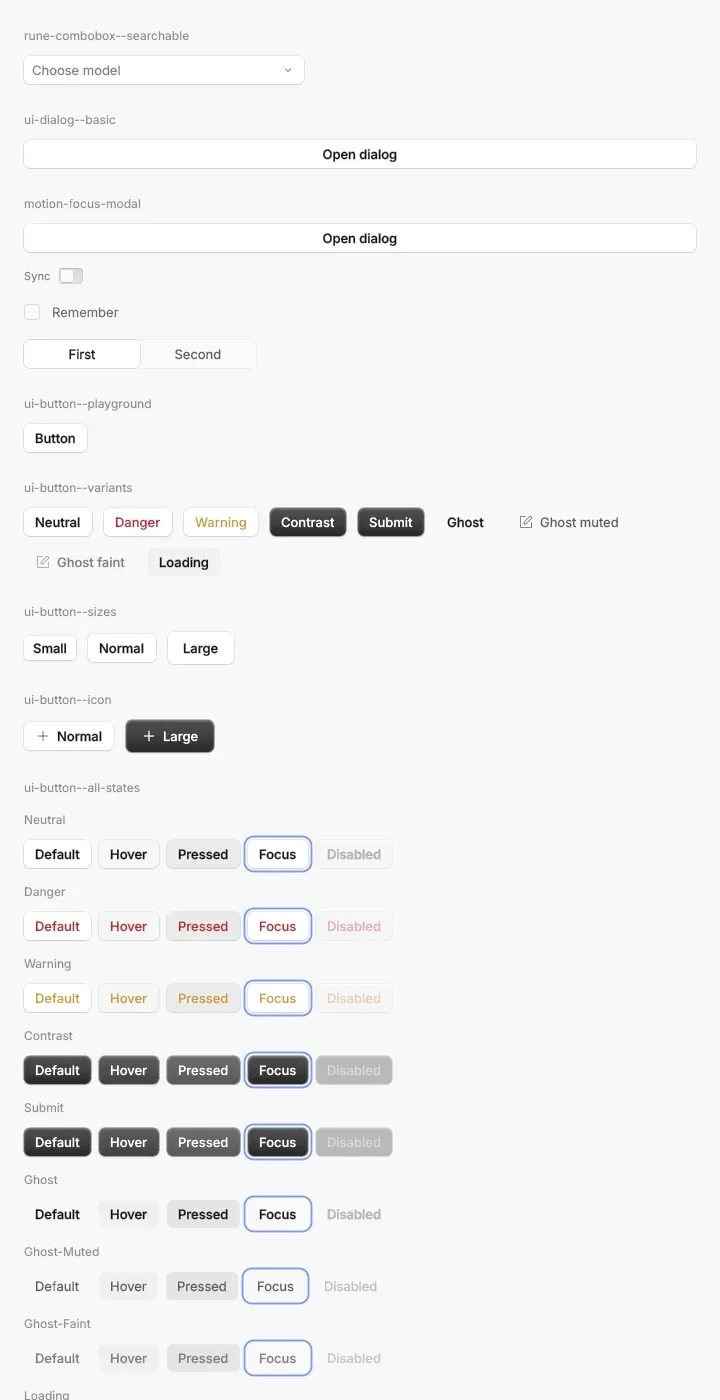
Part of the rune-kit component gallery in light theme, showing button variants and states.
Source: official Rune project page.
Key capabilities
- Add Rune to a Cargo project Rune is consumed as a Git dependency:
rune = { git = "https://github.com/anomalyco/rune", rev = "<dev rev>" }. There is no crates.io release and no tagged version. The README asks consumers to pin a revision ofdev, and the changelog lists output-affecting changes with their revision identifiers. - Plain Rust view functions A view is a function from state to an element tree built with
row(),col(),el()andtext(), plus chained layout and style methods. Handlers such as.on_pressand.on_dragare queued and run between frames with mutable access to state. The view then re-runs and a diff retargets animated property tracks; hover and press only retarget tracks and never re-run the view. - Own GPU renderer The renderer draws rounded rectangles with per-corner radii, CSS-style borders, Gaussian shadows, linear and radial gradients with up to 8 stops, dashed borders, images, vector shapes and glyphs through one instanced pipeline and one draw call per frame. It runs on wgpu 30, with Metal on macOS and Vulkan or DirectX 12 on other desktop targets. Windows blend in sRGB-encoded space by default, as Core Animation and CSS do, with an opt-out into linear-light blending.
- Layout with Taffy Layout uses Taffy 0.15 with flexbox, grid and block layout at the target state. Text sizes round to whole device pixels so layout stays on the pixel grid, and keyed nodes keep Taffy's constraint cache between commits. The documentation lists CSS flexbox behaviours that affect scroll views, such as needing
.min_h(0.0)on nested columns. - Text rendering and font smoothing Parley 0.12 lays out embedded Inter 4.1 (SIL Open Font License), and swash outlines are rasterised into a 2048 square glyph atlas. Font smoothing modes include
OnandOff(matching macOS CoreText with and without smoothing) andDirectWrite(matching Chromium text on Windows). Applications can embed their own font faces and name UI and monospace families. - Spring-based animation The rune-motion crate provides analytic springs, tweens, decay, keyframes, presence transitions and matched geometry, and has no renderer dependency. Retargets keep exact position and velocity, layout animates per edge, and colours animate in premultiplied OKLab. In reduced motion, spatial travel snaps while opacity and colour use a 0.15 second fade.
- Accessibility through AccessKit Every window and overlay exposes its elements to the operating system accessibility API through AccessKit: UI Automation on Windows, NSAccessibility on macOS and AT-SPI on Linux. The tree is built only when an assistive client asks for it. Roles, labels, values and states come from the element definitions, and rune-kit components report role, name, value and state for screen readers.
- rune-kit components The rune-kit crate provides themable components with the names, variants, sizes and states of
@opencode/ui: buttons, switches, comboboxes, popovers, text inputs, menus, trees, tables, an application shell and a diff viewer. Components read only semantic tokens from aKit, so another brand supplies another theme crate. OpenCode's own theme lives in a separatethemes/opencodecrate. - Markdown, syntax highlighting and diagrams With the
markdownfeature, rune-kit renders Markdown including tables, streaming content and code fences with built-in syntax colouring for Rust, JavaScript, TypeScript, JSON, Python and other languages. Diff fences tint added and removed lines, and themermaidfeature draws a supported subset of Mermaid diagrams throughrune-mermaid; unsupported sources fall back to a plain code block. - Headless agent tooling Applications built with Rune accept command-line flags that run them without a window on the same renderer and a fixed virtual clock:
--snaprenders a PNG,--treedumps keys, roles, labels, rectangles and colours as JSON,--scriptreplays timestamped pointer, key and drag events, and--videorecords MP4 output. Scenes such as light, dark and reduced motion can be listed and rendered by name. - Experimental web target The web guide describes an experimental target that renders one canvas through WebGPU with the same views, layout, glyph atlas and shaders as native. A build script compiles to
wasm32-unknown-unknownwith the wasm-bindgen CLI and needs Python 3.11 or newer. The output is a static folder; no application server or COOP and COEP headers are required, but WebGPU needs HTTPS outside localhost. - Effect layers with rune-fx The rune-fx crate adds WGSL effect layers: glow, pulses, electricity, fire, motion blur, distortion, shimmer and grain, plus fills such as liquid metal, mesh gradient, dither, fluted glass and halftone. Given a time and seed, every frame is deterministic. Layers with zero intensity, finished one-shots or off-screen bounds are not drawn.
- UI lighting with rune-light rune-light places lights in a UI so marked elements cast soft shadows, bevelled edges catch highlights and glowing elements light nearby cards. It runs as passes over the frame Rune already draws and treats each element as an analytic rounded rectangle, which gives an exact 2D distance field.
- Luau scripting rune-luau lets sandboxed Luau scripts build Rune UI. Each
Scriptis one Luau VM whoseinit.luaumodule renders nodes through@rune/uidirectly into Rune elements. - Native shell features The core crate documents multiple windows, tray-controlled compact windows, window chrome options, file dialogs (including the XDG desktop portal on Linux), dragging files in and out, clipboard formats per platform, pop-up menus, system cursors and video surfaces on macOS. System notifications come from
rune-notifyon macOS and Windows; on other platforms its calls do nothing. - Measured footprint The core README reports figures measured on Apple silicon: a 10.9 MB binary (9.3 MB stripped, of which 1.2 MB is the three Inter faces), a mean frame CPU time of 0.13 ms over a 180-frame benchmark script of the settings example, and about 11 ms for GPU initialisation. These are the project's own published measurements.
- License and contribution model Rune is released under the MIT license, copyright Anomaly. The bundled Inter font uses the SIL Open Font License. The project does not take pull requests; issues are the channel for bugs and feature ideas.
Where Rune fits
Building a native desktop application in Rust
An application defines a state type and a view function, then starts the event loop with an AppSpec. The examples folder includes hello, todo, settings, launcher, video-player and kit-gallery. The same code runs on macOS, Windows and Linux, with platform differences in window behaviour, such as Wayland restrictions on focus and window placement, documented in the core README.
Letting a coding agent build and check a UI
The README addresses coding agents: the suggested prompt asks an agent to build something with Rune, start from examples/hello and check its work headlessly. Agents can render PNG snapshots of named scenes, read the element tree as JSON with presented rectangles and colours, replay scripted input and record video, all on a virtual clock so runs are repeatable.
Porting screens from the OpenCode web UI
rune-kit mirrors the component names, variants, sizes and states of @opencode/ui, so screens can be ported from the Solid application by name. The kit-gallery example renders one scene per Storybook story id, and the core README has a section on window chrome and shell controls for OpenCode Desktop fidelity. Components themselves contain nothing OpenCode-specific.
Running the same application in a browser
The experimental web target compiles an application to WebAssembly and draws it on a WebGPU canvas. The web guide covers the web-build.sh script, a development mode with file watching and automatic reload, and how to keep a custom index.html. Rune's own public page is written as a Rune app in web document mode, with a semantic HTML mirror for crawlers and readers without WebGPU.
Adding motion and visual effects
Spring animation is built into every property change: layout, colour, presence and scrolling all retarget without losing velocity. On top of that, rune-fx supplies deterministic shader effects and fills, and rune-light adds lighting and soft shadows. Reduced-motion settings replace spatial travel with short fades.
Following changes on the dev branch
Because there are no releases, projects follow the dev branch. The changelog records changes that can alter rendered output or input handling, such as layout corrections, animation timing and new APIs, each with the revision that introduced it. Unreleased entries are also kept as individual files under changelog/unreleased.
Install
rune = { git = "https://github.com/anomalyco/rune", rev = "<dev rev>" }Reviews of Rune
Be the first to share your experience with Rune.
Write a review
Loading review form…
Related to Rune
 ZedZed is an open source code editor from Zed Industries, written in Rust for speed, with AI agent editing, real-time collaboration and native Git support.