
What is Linnea?
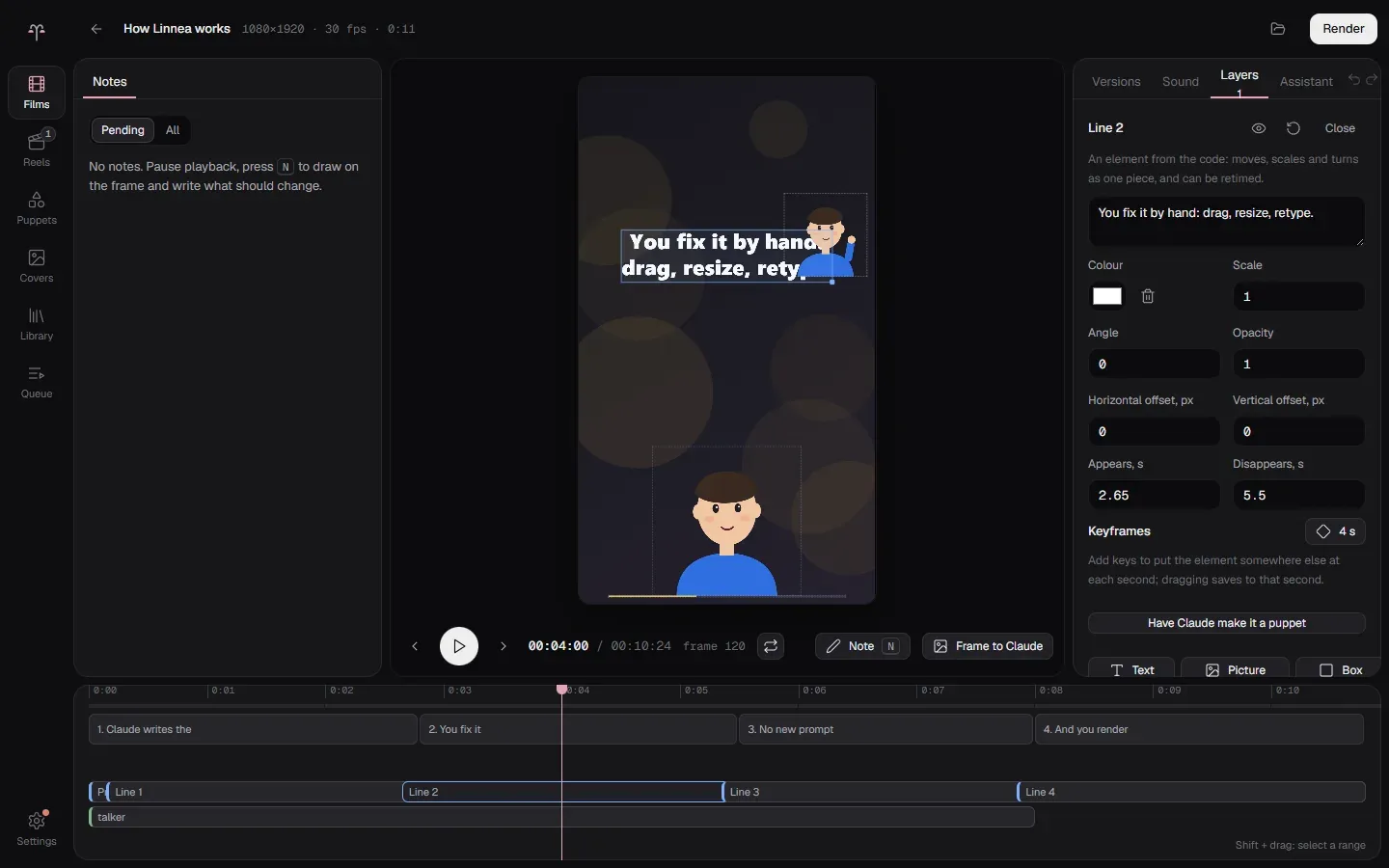
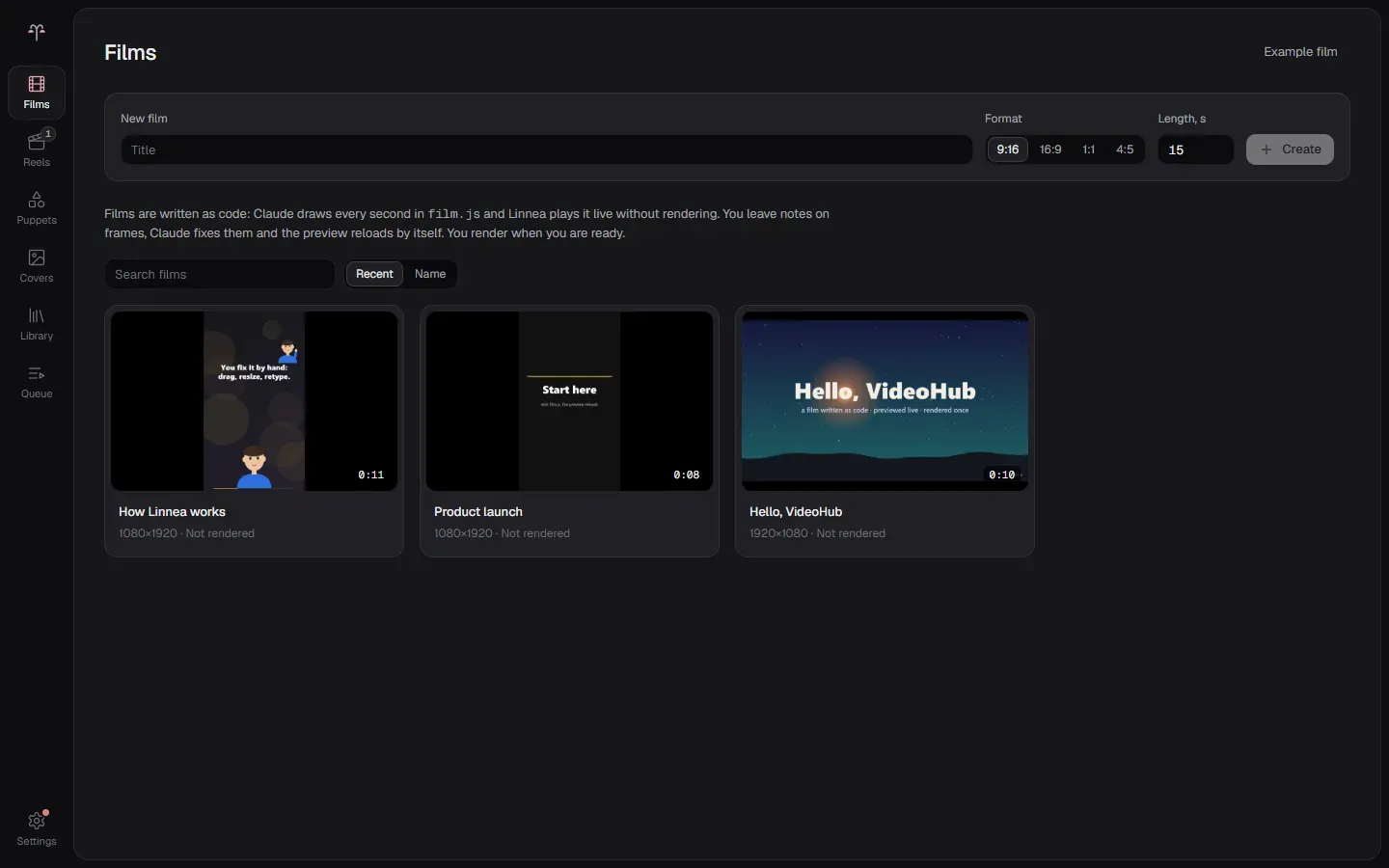
Linnea is a local video suite for Windows, macOS and Linux built around a single idea: Claude Code writes a film as a web page, and a person finishes it with a mouse instead of another prompt. A film is a film.js file whose window.renderOut(t) function draws the picture at second t; Linnea loads that page and plays it live, with no separate render step, reloading the preview the moment Claude saves a change. Every title, card, shape or character the code draws is selectable on the frame, so a position, colour or timing fix that would otherwise mean another prompt and another read of the code becomes a drag, a retype or a dragged keyframe.
The project is published on GitHub by emircesur, who maintains it as an individual developer. It is MIT licensed. Three other projects are credited in the README: the editing rules, style presets, recipe packs, the reel.json clip format and the CC0 sound pack come from ghost-editor (MIT, kurbaitaev); the tool registry, the parity between the terminal and MCP commands, and the review-note loop follow VideoHub (MIT); the bundled fonts are under the SIL Open Font License. The repository was created on November 16, 2026 and has had eight tagged releases in the week since, most recently v0.19 on November 22, 2026. It is a very new, fast-moving project with a small commit history and no track record yet; features described in the README can change quickly between releases.
Linnea is distributed only as a downloadable desktop build from the project's Releases page: a Windows installer that needs no administrator rights, a macOS disk image for Apple silicon or Intel that is not notarized (the first launch needs a right-click, Open), and a Linux tar.gz with an install.sh script that requires WebKitGTK 4.1. On first start, Windows users fetch ffmpeg, yt-dlp, whisper.cpp and its speech model, about 2.5 GB, from Settings, Tools, Download missing; macOS and Linux users install the same tools with their own package manager. Building from source needs Rust, Node.js 18 or newer with pnpm, Python 3 and Microsoft Edge or Chrome, and follows the build instructions in the README.
The source is a Rust workspace: crates/core holds import, transcription, analysis, styles, captions, films, puppets, rendering, jobs, the shared tool registry, the MCP server and the local HTTP server; crates/cli is the linnea terminal command and MCP server; crates/app is the application window built with the wry library around that same local server; ui is the interface, written with Vite, React and TypeScript. The app, the linnea terminal command and any MCP agent all call the same tool registry, so an edit made by hand, from the terminal or by an agent shows up the same way in the open window.
Linnea's own documented coding-agent integration is Claude Code: the README shows registering the bundled binary with claude mcp add linnea and copying a skill/linnea folder into ~/.claude/skills/linnea so Claude reads the workflow before writing a film. The project's own exported tool names, such as hub_new_film, hub_live, hub_frame and hub_notes, are called from an MCP client, so any MCP-capable agent can in principle drive the same tool registry, but the README documents and names only Claude Code for writing film.js. Separately, the built-in film assistant, puppet maker and translator can be pointed at Claude, OpenAI, or a local server such as Ollama or LM Studio, under Settings, Assistant. Linnea's own frame contract, a single window.renderOut(t) function per film plus a separate tweaks.json for manual overrides, is not the same format as HyperFrames' composition markup or OpenFilm's film.html and per-page frame(t) contract; the README does not state that Linnea opens, renders or edits either of those formats.
Key capabilities
- Live playback of code-written films A film is
film.jsexposingwindow.renderOut(t), which draws the complete picture for second t. Linnea plays that page directly, without a render step, and reloads the preview the instant Claude saves the file. - Click-to-select elements on the frame Every title, card, shape or character the code draws is a box with eight resize handles and a turn handle. Smart guides snap to the frame and to other layers, Shift-click adds to a selection, and arrow keys nudge the selected elements.
- A desktop editor layout Layers, Add and Notes sit on the left, Properties on the right, and a zoomable timeline with one lane per layer runs below the preview. The same actions are in the Edit and View menus, on right-click, and in a command palette opened with Ctrl+K.
- Keyframes and curves Position, size, angle, scale, opacity and a puppet's own numbers each get their own keyframe diamond, and a number can be scrubbed by dragging its label. One click adds motion presets such as rise, drop, slow zoom, pulse, float, shake, wiggle or spin, separate in and out animations, shadows, blend modes, gradients, borders, mirroring and text looks, and a curve editor offers named eases or a custom Bezier curve.
- Timeline editing shortcuts S splits a layer at the playhead, Alt+[ and Alt+] trim to the playhead, dragging snaps to the playhead and scene cuts, Ctrl plus the mouse wheel zooms the timeline, and I and O mark a range.
- Video and sound inside the film A video clip dropped on the frame plays in the preview and shows its exact frame at render time; it can be trimmed, sped up, looped, cropped or have rounded corners, and its sound joins the film's mix as a clip that follows the layer.
- Groups and ready-made layers Ctrl+G groups layers so they move, turn, scale and fade together, with one click selecting the group and a second click reaching the layer inside. Addable layers include titles, subtitles, caption boxes, typewriter text, counters, handwriting, shapes, gradients, arrows, progress bars, pictures, a phone frame, lower thirds and puppets, plus ready scenes such as a presenter with a speech bubble, a like-and-subscribe prompt, a countdown, a checklist, a quote card, a before and after, and a title intro, each placed as one group.
- A check for elements Claude did not expose Linnea compares what the code draws to what is listed in the Layers panel. Anything drawn but not registered as an editable element is marked in red directly on the frame, and one click can ask the assistant to make Claude fix it before the film is treated as finished.
- Notes and close-up context for Claude Pressing N while paused lets a person draw on the frame and write what is wrong. Fix with assistant works through every open note and sends Claude the close-up it points at; Check the fixes shows each note's frame before and after the change.
- Edits stored next to the code, not inside it A hand edit is written to a separate overrides file alongside
film.js, rather than merged into the film's own code, so when Claude rewrites the film the manual changes stay in place. Every render is kept as its own version, and two versions can be compared to see only what changed between them. - Rendering on the user's own machine Render options are the whole film, only the chunks touched by fixed notes, or a half-size quick preview, with NVIDIA, AMD or Intel hardware encoders, or x264 on the CPU, selectable per render.
- Multi-language films Adding a language lists the film's on-screen texts by element for translation by hand, by the built-in assistant, or by Claude; a layout check draws the film in that language and flags any text that now runs off the frame or grows much wider, naming the second where it happens. Each language can carry its own sound and renders to its own numbered file.
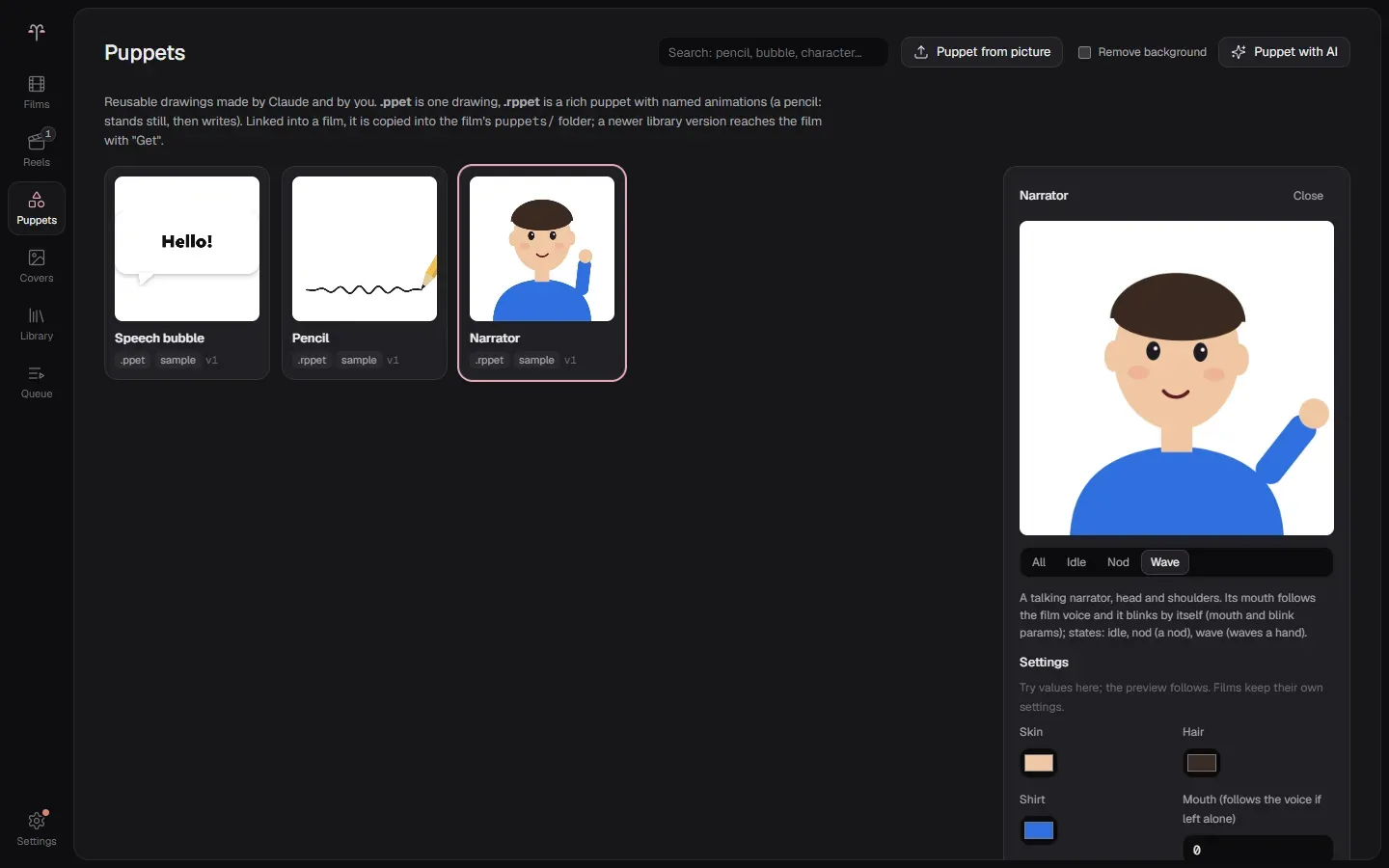
- A puppet library Puppets are reusable drawings saved as
.ppetfiles, or as.rppetfiles with named animations such as idle, nod or wave. A puppet with a mouth follows the film's own voice track and blinks on its own; a picture can be turned into a puppet with its background removed by a local model; a skeleton can be posed by dragging bones, and a sequence of still pictures can play back like a flip book. Puppet with AI describes a character in words and has the assistant draw it, try it in a browser, look at the result and fix it. - Long recordings turned into clips Importing a file or a link that yt-dlp can read starts a local transcription with whisper.cpp that keeps word-level timing, with no upload involved.
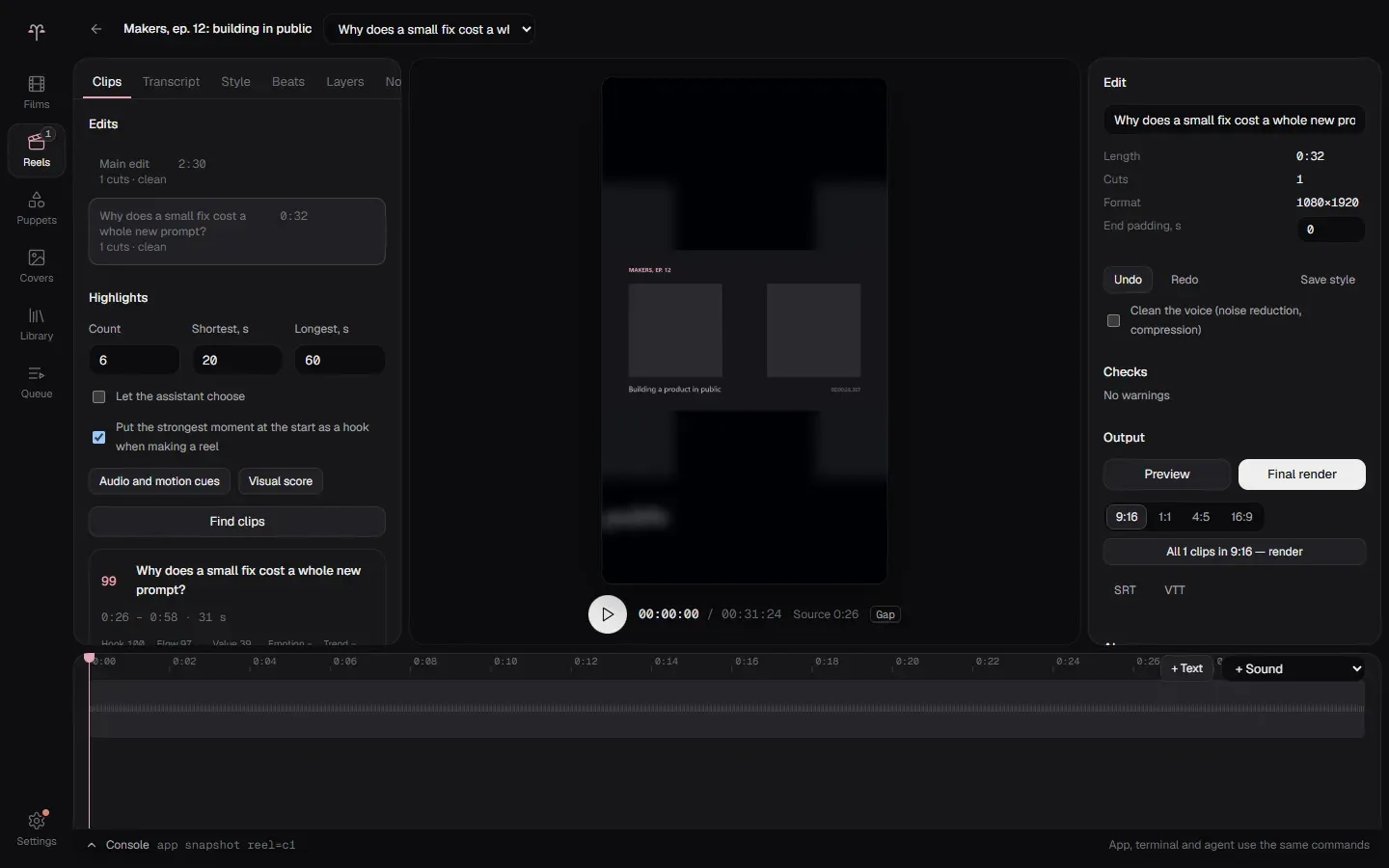
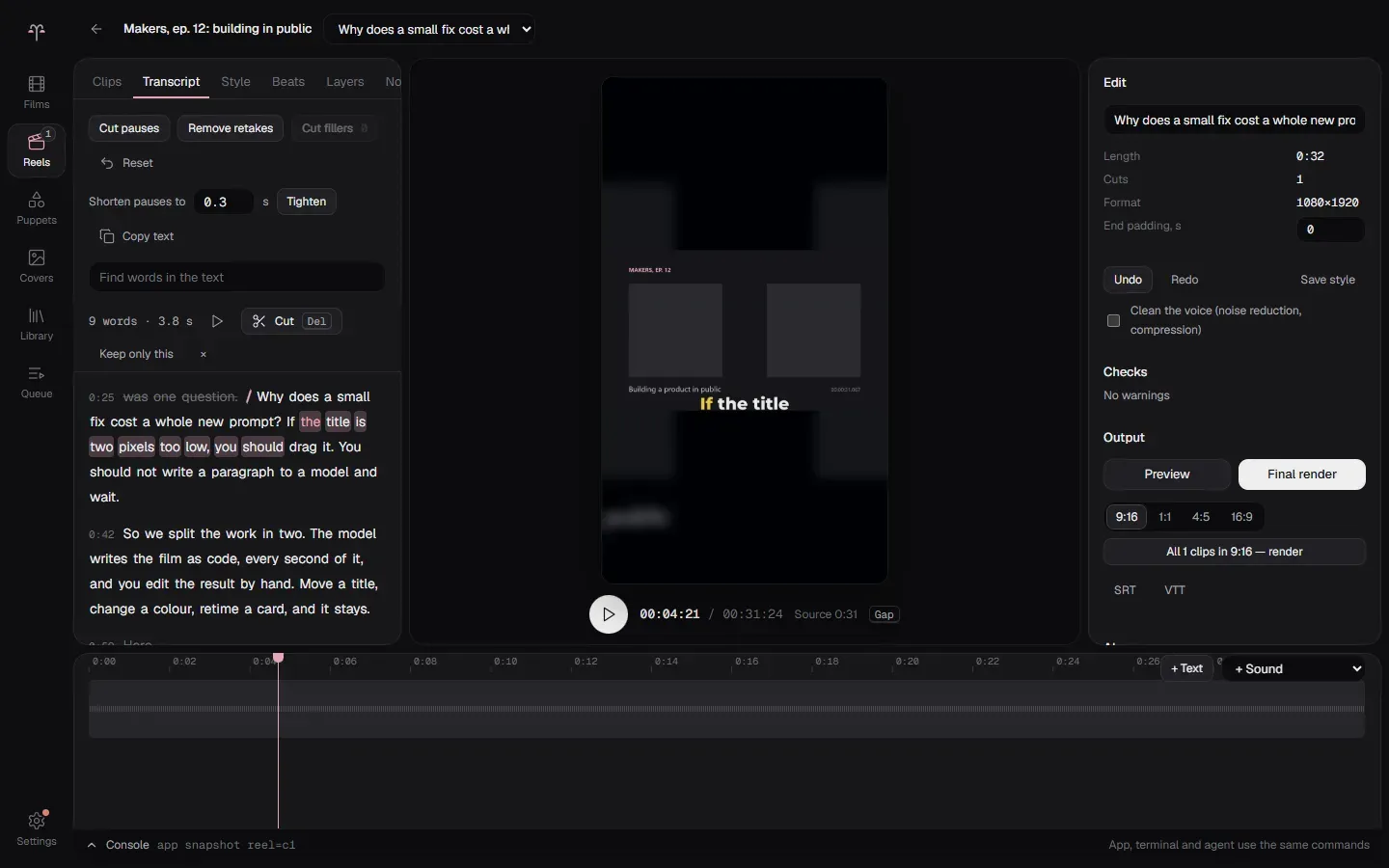
- Finding and building vertical reels Find clips scores candidate moments on their opening hook, how cleanly they end and their pace, optionally weighted by audio energy and visual cues, or the choice can be left to the assistant. Make reel trims pauses, tracks the speaker's face into a 9:16 frame, places captions word by word, and copies the strongest line to the front as a hook; clips can also be batch-rendered in 9:16, 1:1, 4:5 or 16:9.
- Cutting by editing the transcript Dragging across words and pressing Delete removes that span from the video immediately; the transcript can be searched and every match cut in one step, filler words such as um and uh can be cut in one click, short pause chips between words can be cut or shortened to a chosen length, and a repeated take can be reduced to its later, cleaner attempt.
- Per-platform installers A Windows installer asks for a language and needs no administrator rights; a macOS disk image is offered separately for Apple silicon and Intel and is not notarized; a Linux
tar.gzis unpacked and set up withinstall.sh, which also needs WebKitGTK 4.1. - Publishing and thumbnails Finished videos can be published to YouTube, TikTok and Instagram from inside the app, and a thumbnail studio lays out a cover from a template, hands the brief to Claude, and lets the user pick a resulting variant.
Where Linnea fits
Editing a film after Claude writes it
After Claude writes film.js for a requested film, opening the project in Linnea plays it live. Clicking an element on the frame selects it for dragging, resizing, rotating, retyping or recolouring, and the Properties panel on the right shows its exact position, size, angle, opacity, timing and any keyframes, which can be typed in directly or scrubbed by dragging the value's label.
Keeping hand edits once Claude edits the film again
A manual change is written to a file kept beside film.js rather than into the film's own code, so a later rewrite by Claude does not overwrite it. Linnea keeps every rendered version, and two versions can be compared side by side to see exactly which seconds changed between them.
Directing Claude with a note instead of a new prompt
Pressing N while the film is paused opens drawing on the current frame: a circle around the wrong element, or a typed note of what should change. Fix with assistant sends Claude that close-up for every open note in one step, and Check the fixes shows the frame before and after so each change can be reviewed individually.
Checking that every drawn element is editable
Linnea compares the Layers panel to what the page actually draws and marks, in red on the frame itself, anything Claude drew without exposing it as an element. The flagged note can be sent back to Claude with one click so the missing element is wired up before the film is called finished.
Rendering only what changed
A full render redraws and re-encodes the whole film, while rendering only the fixes redraws just the chunks touched by resolved notes and needs a prior full render to exist. A half-size quick preview is also available, and the encoder, NVIDIA, AMD, Intel hardware encoding, or x264 on the CPU, can be chosen per render.
Turning a long recording into vertical clips by cutting the transcript
A dropped recording or a yt-dlp-readable link is transcribed locally with whisper.cpp, with timing down to the word. Find clips scores candidate moments for a hook, a clean ending and pace, and Make reel turns a chosen moment into a 9:16 reel with the speaker's face tracked into frame and captions placed word by word. The transcript itself can be edited directly: selecting words and pressing Delete removes that span from the output immediately, and repeated search-and-cut handles filler words or retakes across a whole recording.
Reviews of Linnea
Be the first to share your experience with Linnea.
Write a review
Loading review form…
Found Linnea useful? Upvote it todayYour vote helps other IT teams find it in the daily ranking.