
What is Forgejo?
Forgejo is a self-hosted software forge written in Go. Its name comes from forĝejo, the Esperanto word for forge. It combines Git repository hosting with pull requests and code review, issue tracking, project boards, wikis, releases, a package registry for 23 package formats and an integrated CI system called Forgejo Actions. The project describes itself on forgejo.org as a lightweight forge that is easy to install and low in maintenance, developed by a volunteer community under the umbrella of Codeberg e.V. According to the FAQ, the Forgejo domains are in the custody of Codeberg e.V., a non-profit association registered in Berlin; Forgejo has to abide by Codeberg's goals and has not registered any trademarks. Codeberg.org, the public forge run by that association, is itself based on Forgejo.
Forgejo was created in October 2022 after the Gitea domains and trademark were transferred to a for-profit company. It started as a soft fork that followed Gitea, and in February 2024 the project announced that it had become a hard fork with its own codebase, citing community control and governance and goals that had diverged. The comparison with Gitea names non-profit governance, Free Software licenses only, security release notices for everyone, and end-to-end and upgrade tests as differences. The upgrade guide supports existing Gitea installations up to Gitea 1.22 in two steps, first to Forgejo 10.0 and from there to any later version.
The source code is developed on Codeberg in forgejo/forgejo, not on GitHub. Forgejo versions up to v8.0 are distributed under the MIT license; v9.0 and later are distributed under the GNU GPL version 3 or any later version. The change was agreed in June 2023 and announced in August 2024, with the reuse of other copyleft work as one stated reason. Proposals to switch to the AGPL or EUPL did not reach agreement. The separate Forgejo Runner is also licensed under GPL-3.0-or-later.
Stable major versions ship every quarter, and every fourth one is a long-term support release, according to the release schedule. Forgejo 17.0 was released on October 15, 2026 and is supported until January 28, 2027; the current LTS line, 15.0, was released on April 16, 2026 and is supported until July 15, 2027, and the next LTS, 19.0, is scheduled for April 2027. The latest stable release is 17.0.2, published on November 18, 2026 together with 15.0.12, with security fixes for SSH key lookup on the built-in SSH server, primary email verification, commit header parsing and token authorization. Version 17.0 added Bitbucket Data Center migration, issue suggestions in the editor and organization invitations; 16.0 introduced centralised Git hooks and zoekt code search.
Official builds are Linux binaries for amd64, arm64 and armv6, signed with the project's GPG key, and OCI container images at codeberg.org/forgejo/forgejo with a rootless variant; code.forgejo.org serves as a mirror. Per the FAQ, support for Microsoft Windows was dropped in 2024. Distribution packages are maintained by third parties and collected in the Delightful Forgejo list. Governance is defined by contributors in the public governance repository, where decisions are recorded as agreements after a process of collecting approval and concerns, and the project is funded by volunteer work, grants, donations and employee delegation.
Key capabilities
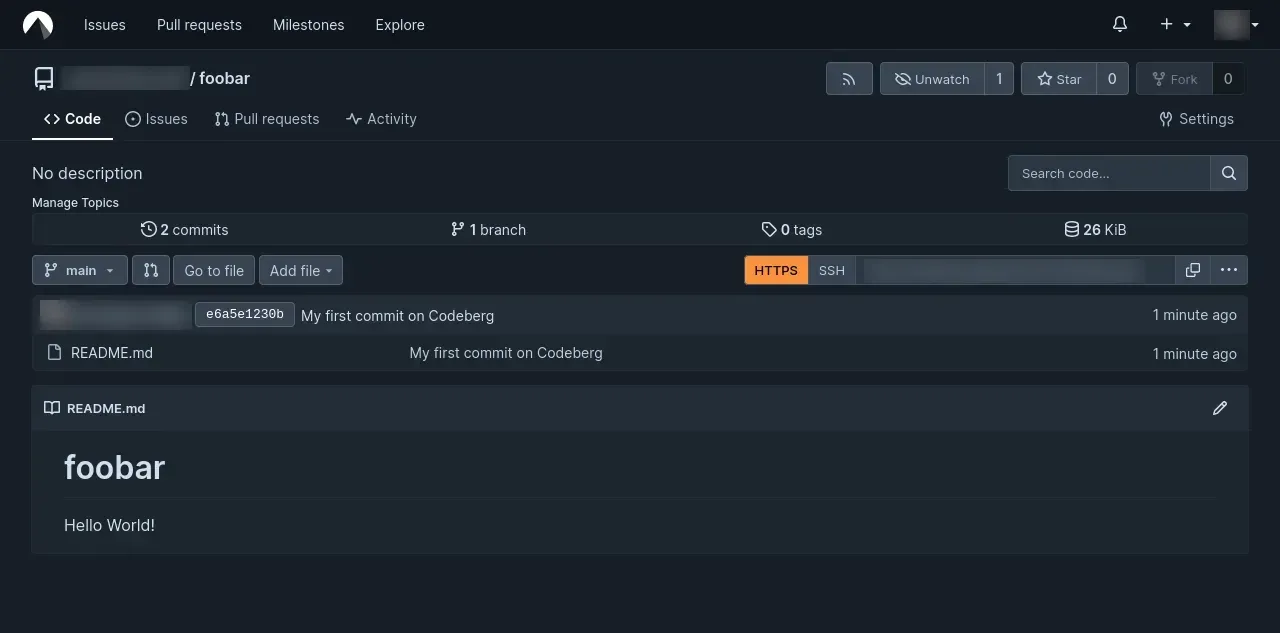
- Git repository hosting Repositories are served over HTTPS and SSH, either through OpenSSH or the built-in SSH server, and support Git LFS, push-to-create and the AGit workflow for proposing changes without a fork. Version 17.0 reworked the LFS settings with an overview of stored objects and a view that finds the commits referencing an LFS file. Repositories belong to users or organizations and can be public or private.
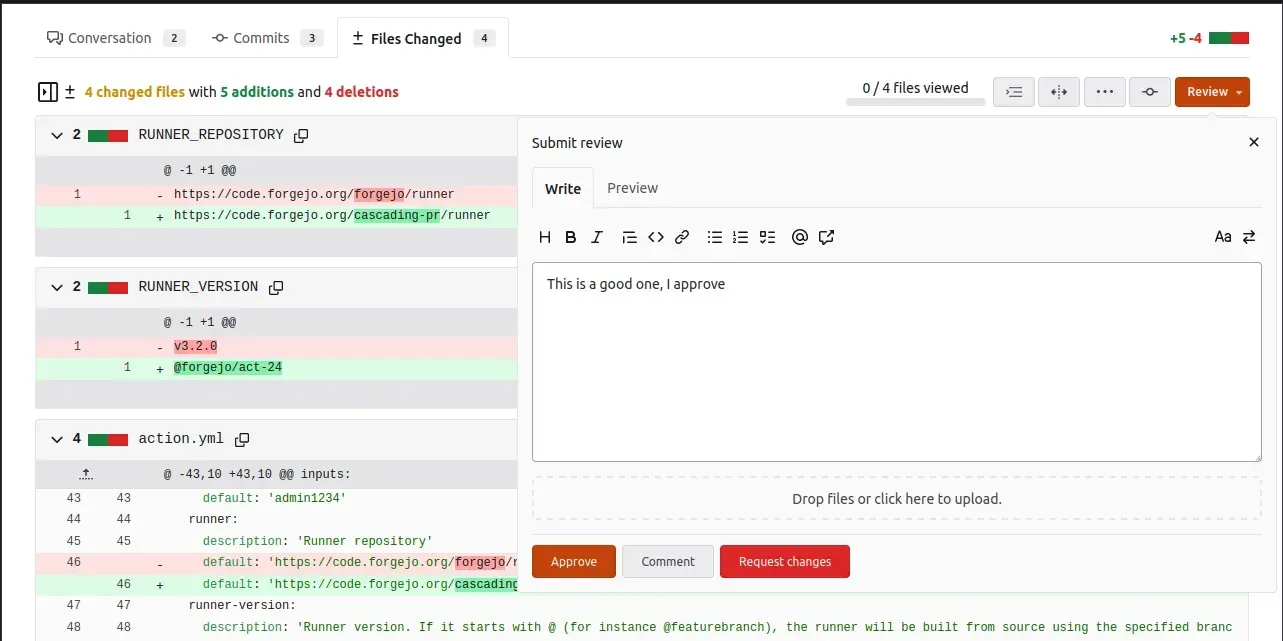
- Pull requests and code review Pull requests show conversation, commits and changed files, with line comments, multiline comments since 16.0 and a review panel to approve, comment or request changes, as described in the pull request guide. Reviewers can be requested, and since 17.0 maintainers and pull request authors can push to AGit refs.
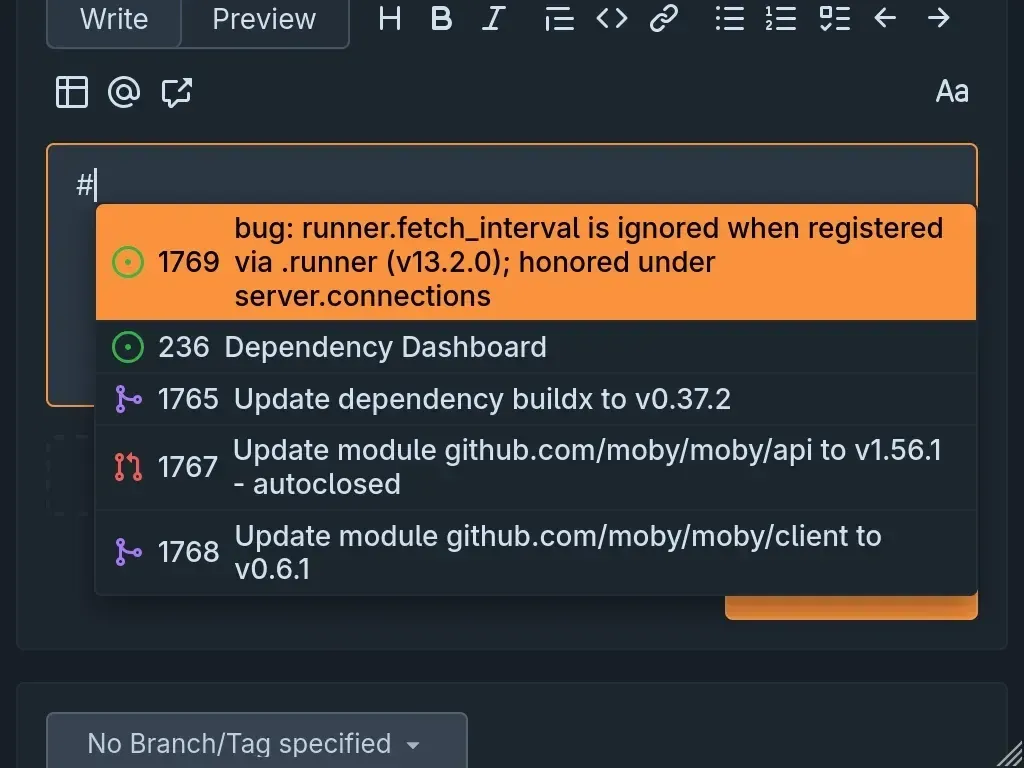
- Issues and discussions Issues support labels, milestones, an issue search syntax and links between issues and pull requests. Version 17.0 added suggestions for issues and pull requests when typing
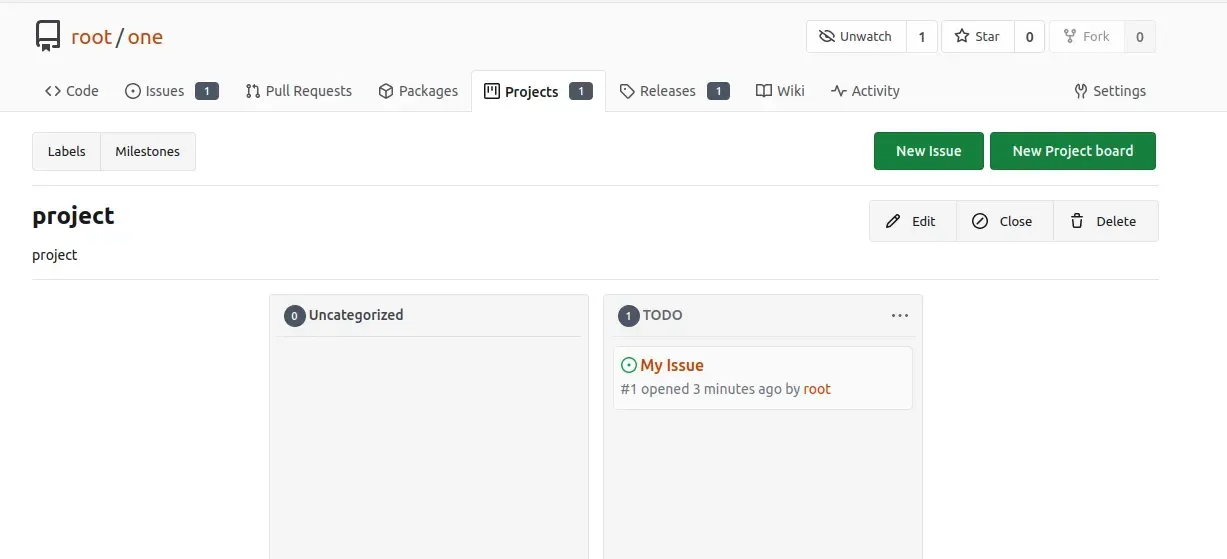
#or!, RSS and Atom feeds for issue and pull request discussions, a Copy Markdown action for comments and an API endpoint to lock and unlock conversations. - Project boards Repositories can have kanban-style project boards with columns and issue cards. Boards appear as a Projects tab next to Code, Issues, Pull Requests, Packages, Releases and Wiki.
- Wiki and releases Each repository can enable an integrated wiki. Releases publish tags with downloadable assets, and since 17.0 assets are listed before the source archives; a
FUNDING.ymlfile in a repository or profile repository shows a donation button. - Package registry The package registry supports Alpine, ALT, Arch, Cargo, Chef, Composer, Conan, Conda, Container (OCI), CRAN, Debian, Generic, Go, Helm, Maven, npm, NuGet, Pub, PyPI, RPM, RubyGems, Swift and Vagrant packages. Packages belong to a user or organization and can be linked to a repository; published versions cannot be edited, only deleted and republished. Cleanup rules can remove packages, since 17.0 also based on the last download time.
- Forgejo Actions The built-in CI system runs workflows stored in
.forgejo/workflows, falling back to.github/workflows, and has been enabled by default since Forgejo 1.21. The Actions overview states that it is designed to feel familiar to GitHub Actions users but is not designed to be compatible, so workflows usually need small edits; documented differences include ignoredpermissionskeys and a different way to request OIDC tokens. Actions referenced withuses:are fetched from data.forgejo.org by default. - Forgejo Runner Jobs are executed by the separate Forgejo Runner daemon, currently 13.2.2 (November 19, 2026), which registers with one or more instances, users, organizations or repositories. Runner labels select Docker or Podman containers, LXC containers or direct execution on the host without isolation, and official binaries and images exist for Linux on amd64 and arm64. The documentation warns that a runner performs remote code execution on its host.
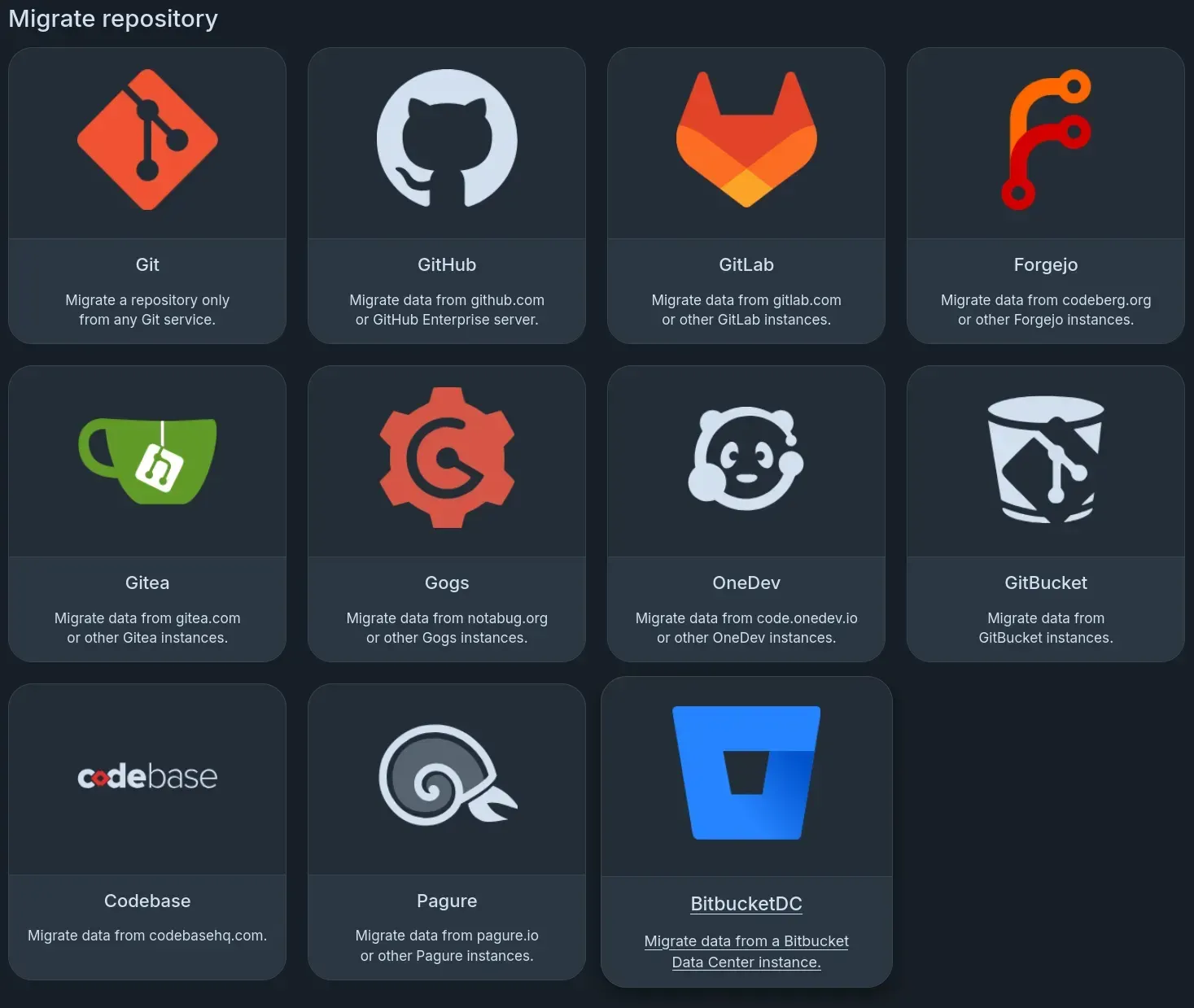
- Migrations and mirrors The migration page imports repositories from plain Git, GitHub (including GitHub Enterprise Server), GitLab, Forgejo, Gitea, Gogs, OneDev, GitBucket, Codebase, Pagure and, since 17.0, Bitbucket Data Center; depending on the source, issues, labels, milestones, releases, wiki and pull requests can be migrated. Pull mirrors keep a copy of a remote repository in sync, and push mirrors force-push to GitHub, GitLab, Bitbucket or other Git servers over HTTPS or SSH; LFS objects are not mirrored over SSH.
- Authentication and access control Sign-in can use local accounts, LDAP, PAM and FreeIPA, external OAuth2 and OpenID Connect providers with group mappings, and two-factor authentication. Forgejo can also act as an OAuth2 provider for other applications. Access tokens carry scopes, and since 15.0 repository-specific tokens are respected by search and list APIs.
- Organizations and teams Organizations group repositories and members into teams with per-unit permissions. Version 17.0 added email invitations that expire after 14 days by default when
ADD_MEMBERS_BY_INVITATIONSis enabled, the option to decline invitations and adding users to several teams at once. - Code and issue search Without an indexer, code search uses git grep within one repository. With the repository indexer enabled, search covers an organization or the whole instance using Bleve, Elasticsearch or, since 16.0, zoekt, and the issue indexer supports Bleve, the database, Elasticsearch or Meilisearch.
- REST API and webhooks The REST API under
/api/v1is documented with Swagger at/api/swaggeron each instance and accepts access tokens, OAuth2 tokens and basic authentication, with pagination headers. The API usage guide states that versions with the same major number are compatible. Webhooks cover repository events and, since 17.0, workflow job and workflow run events, with formats for services such as Slack and Microsoft Teams. - Federation (experimental) Forgejo is working on forge federation with ActivityPub and ForgeFed. The feature is disabled by default, and the configuration reference warns that enabling it permanently makes the instance domain unavailable for federation with other software. Version 16.0 added following remote users and showing federated notes, limited to Forgejo, Mastodon and GoToSocial and without moderation support or a UI for following.
- Storage, quotas and moderation Attachments, LFS objects, packages, avatars and Actions artifacts can be stored on the local disk or in S3-compatible storage such as MinIO, configured per subsystem. Administrators can set soft quotas, use the built-in moderation tools and follow a backup and restore guide added in 17.0.
- Self-hosting with binaries or containers The download page provides GPG-signed Linux binaries and the container image
codeberg.org/forgejo/forgejo; tags such as17or17.0follow minor and patch releases, and there is nolatesttag because major upgrades need manual checks. The binary guide uses a dedicatedgituser and a systemd unit and requiresgitandgit-lfs; the Docker guide includes Compose examples with PostgreSQL or MySQL. - Database support SQLite is built into the binary and is described as good enough for at least 10 users. PostgreSQL 14 or later, MySQL 8.4 or later and MariaDB 10.6 or later with InnoDB are supported for larger installations, per the database preparation guide.
- Public instances Codeberg.org is a public Forgejo-based forge run by Codeberg e.V., and the project maintains a list of further instances with open registration. Accounts on these instances use the same Forgejo interface without running a server.
Where Forgejo fits
Hosting Git repositories on your own server
An organization installs Forgejo from the Linux binary or the container image, picks SQLite for a small instance or PostgreSQL, MySQL or MariaDB for a larger one, and configures it through app.ini or FORGEJO__SECTION__KEY environment variables. Users then create repositories, organizations and teams, push over HTTPS or SSH and store large files in Git LFS. Repository data, the database and packages stay on the operator's storage, optionally in S3-compatible object storage.
Reviewing changes through pull requests
Contributors open pull requests from forks, branches or AGit refs. Reviewers comment on single lines or line ranges in the Files changed tab and submit a review that approves, comments or requests changes. References between issues and pull requests are linked automatically.
Running CI/CD with Forgejo Actions
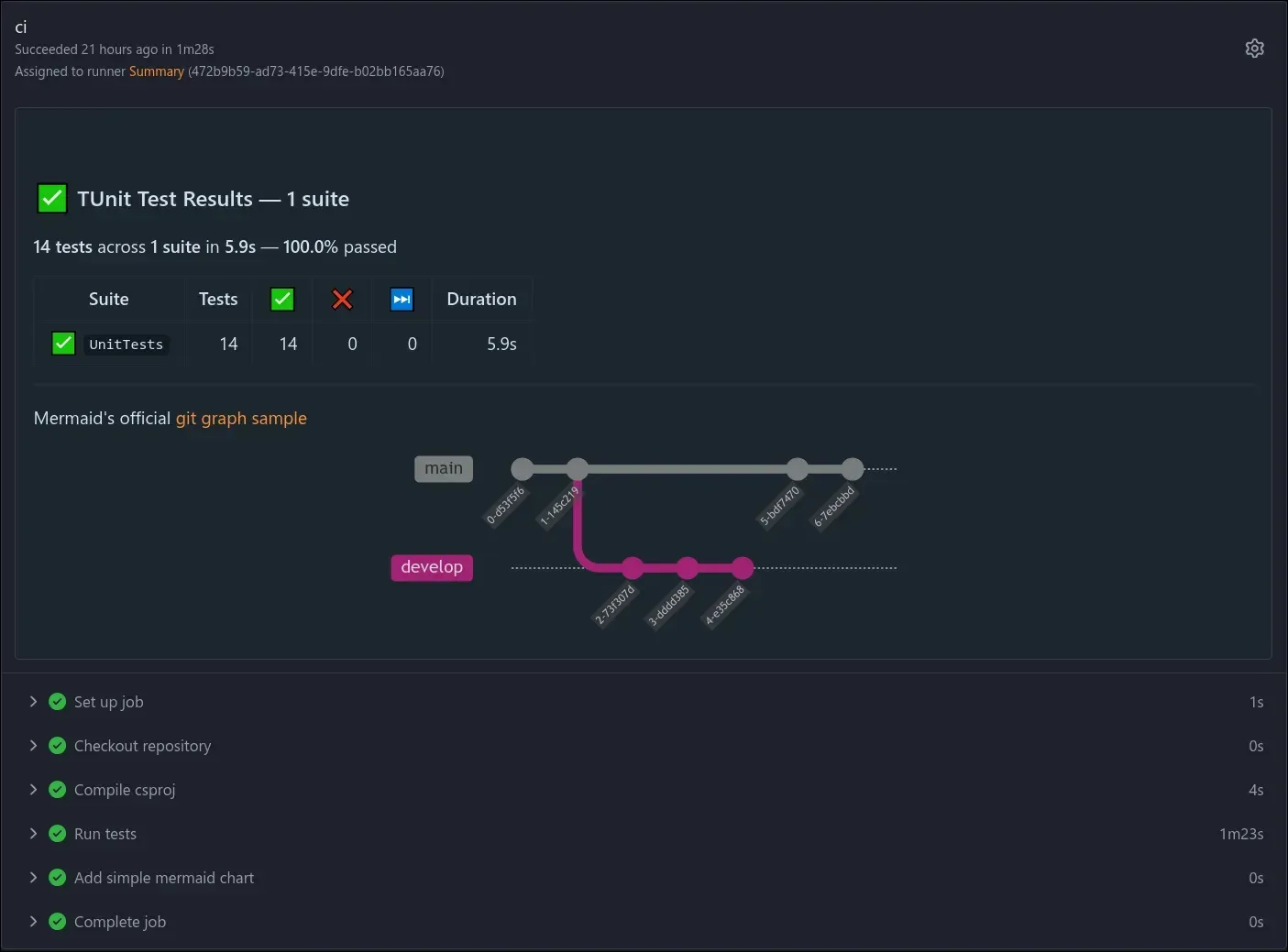
Workflows in .forgejo/workflows run on Forgejo Runner instances that the administrator or users register. Labels decide whether jobs run in Docker or Podman containers, LXC containers or directly on the host, and job summaries, artifacts and logs appear in the run view. GitHub Actions workflows are not guaranteed to run unchanged, and the documentation lists the known differences.
Publishing releases and packages
Projects attach binaries to releases and publish packages to the built-in registry, for example container images, npm, PyPI, Maven, Cargo or Debian packages. Since 17.0 the web UI shows registry setup commands for Composer and npm packages, and packages owned by an organization can be written by its members with write access.
Migrating from another forge
Repositories with their metadata are imported from GitHub, GitLab, Gitea, Gogs, OneDev, GitBucket, Codebase, Pagure or Bitbucket Data Center through the migration page, and plain Git remotes can be cloned or kept as pull mirrors. Existing Gitea installations up to version 1.22 are upgraded in place through Forgejo 10.0, keeping the gitea binary name or a symbolic link for existing Git hooks. Push mirrors keep copies on GitHub, GitLab or Bitbucket.
Using a public instance
Individuals and projects that do not run their own server create accounts on Codeberg.org or another instance from the project's list, with the same repositories, pull requests, issues, packages and Actions features where the instance provides runners. Related code hosting platforms listed on iThub include Gitea, GitLab and GitHub.
Install
docker pull codeberg.org/forgejo/forgejo:17.0.2Reviews of Forgejo
Be the first to share your experience with Forgejo.
Write a review
Loading review form…
Found Forgejo useful? Upvote it todayYour vote helps other IT teams find it in the daily ranking.