

What is Gitea?
Gitea is a self-hosted software development service that combines Git hosting, code review, issue tracking, project boards, a wiki, a package registry and CI/CD. The documentation positions it as similar to GitHub, Bitbucket and GitLab, but small enough to run on a Raspberry Pi 3 for light workloads. The source is published at github.com/go-gitea/gitea under the MIT license. The official website says Gitea is open source, with leadership and commercial support from CommitGo, Inc.
Gitea is written in Go, so it ships as a single binary for the platforms and architectures Go supports: Linux, macOS, FreeBSD, OpenBSD and Windows on x86, amd64, ARM, RISC-V 64 and PowerPC, according to the README. The documented components include the Chi web framework, the XORM database layer and a front end built with jQuery, Fomantic UI and Vue 3. Database support covers MySQL, PostgreSQL, SQLite3 and Microsoft SQL Server drivers. The documentation lists 2 CPU cores and 1 GB of RAM as typically sufficient for small teams, and requires Git 2.0.0 or later.
Distribution options include a binary, packages, an official container image at docker.gitea.com/gitea with rootless variants, Podman Quadlet, Kubernetes and Windows service guides. A managed Gitea Cloud product offers a 30-day free trial, and Gitea Enterprise adds SAML SSO, audit logs and support on your own infrastructure. The separate Gitea Runner executes Actions jobs, and the Tea CLI works with issues, pull requests and releases from a terminal.
The current release is v28.3.0, published on GitHub on November 1, 2026. Its notes concentrate on performance and fixes: cached runner token verification for Actions, faster issue and pull request dashboards and lists, stricter access checks on several API endpoints and feeds, and a bump of golang.org/x/net for a security advisory. They also add release assets to webhook notifications and milestone filtering in projects.
Gitea screenshots
Explore the interface. Open a screenshot to view it at full size.
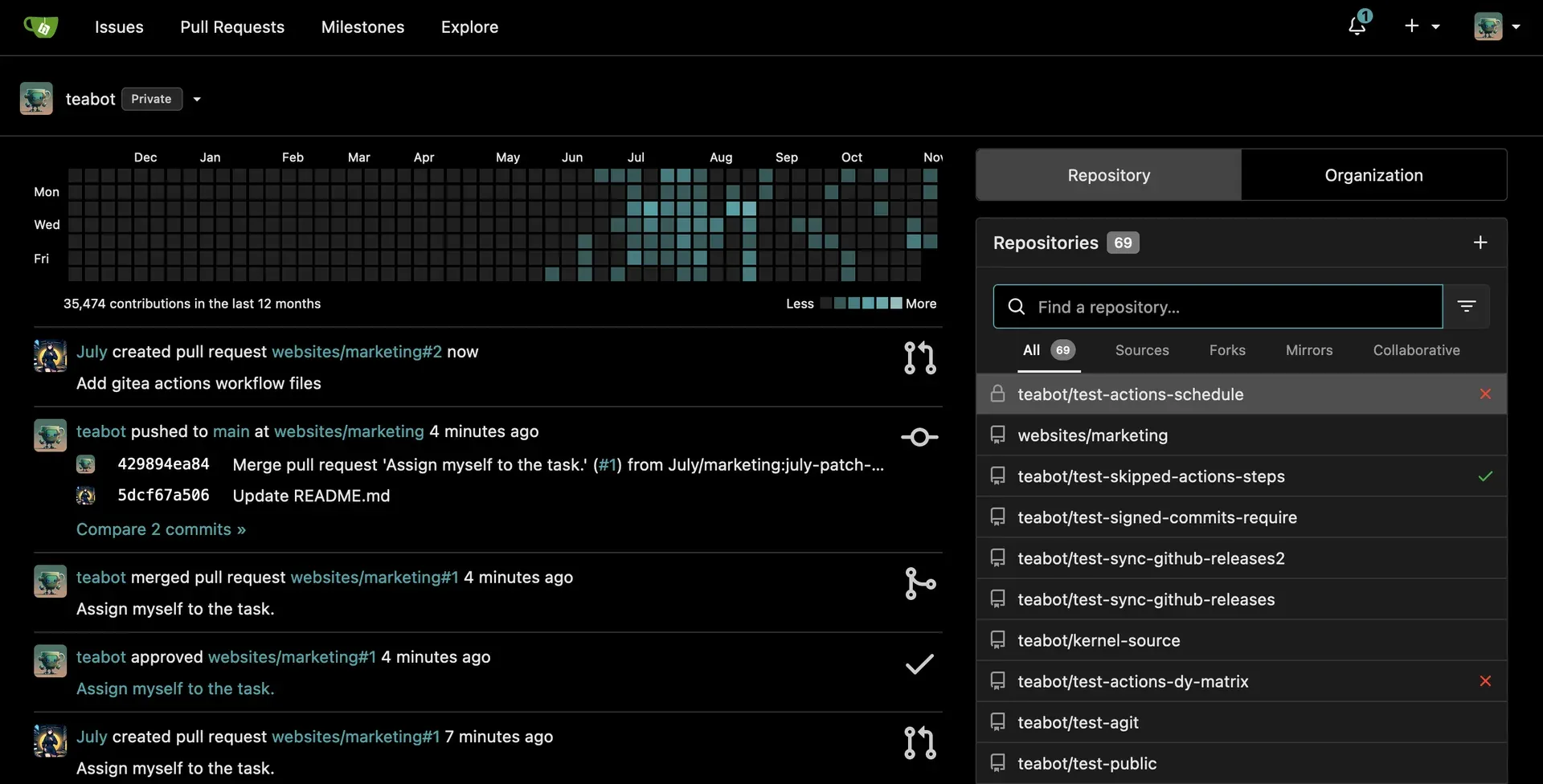
Official project image of the Gitea dashboard in dark theme, with sample test data.
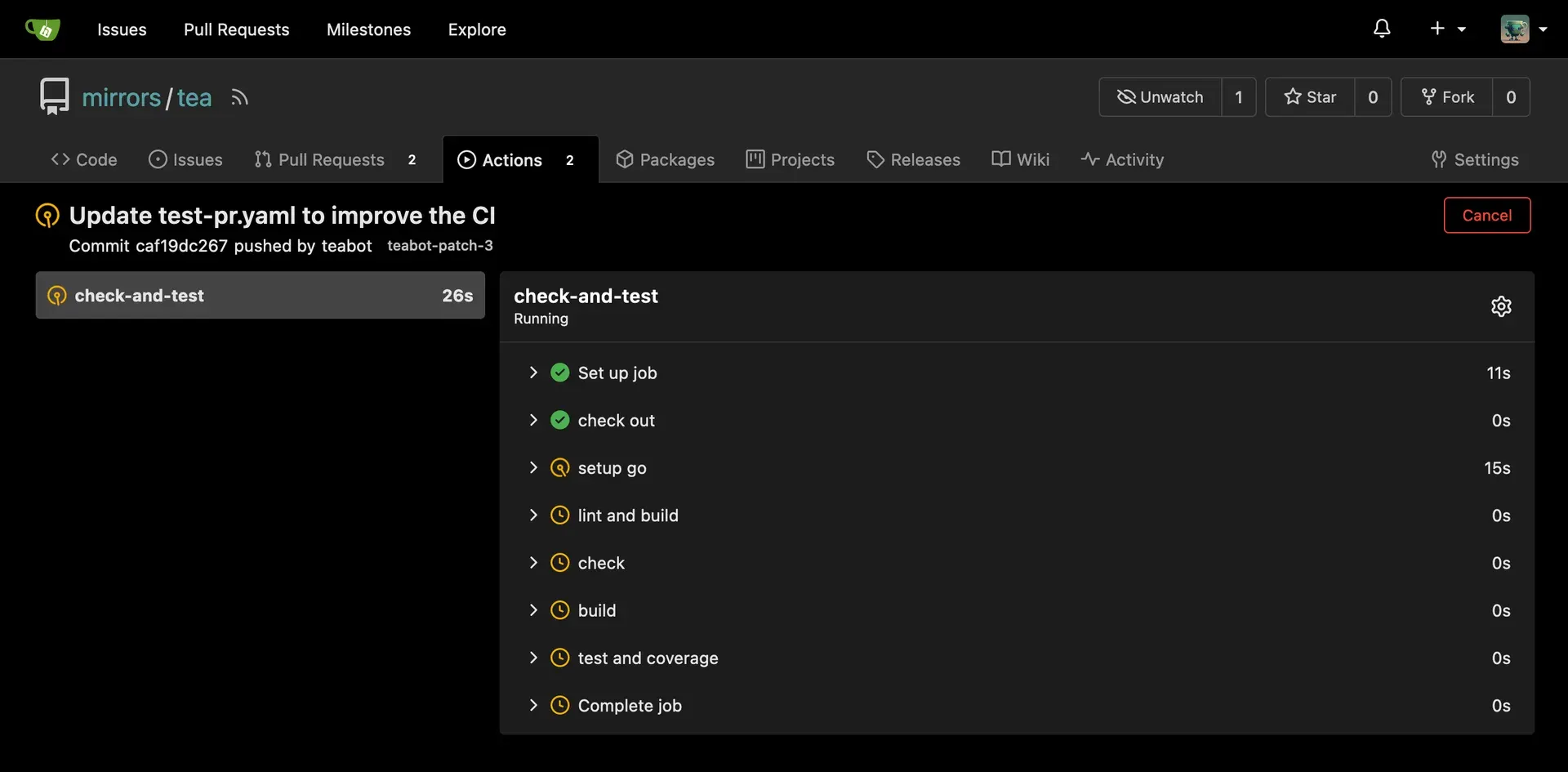
Official project image of a running Actions job with its step list.
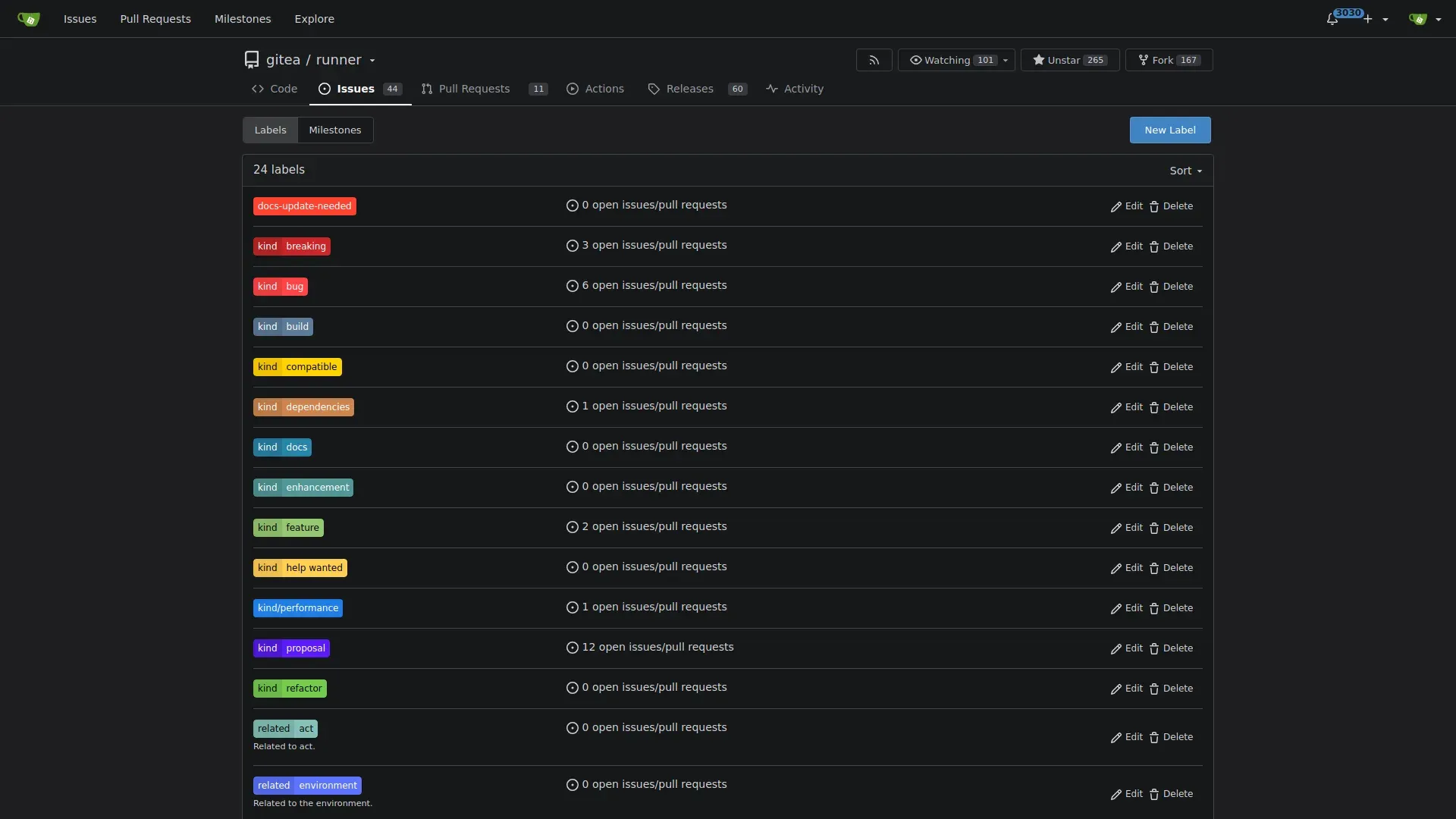
Official project screenshot of the label management page of a repository.
Source: official Gitea project page.
Key capabilities
- Binary, package and container installation Gitea can be installed from a binary, a distribution package, source, Docker, rootless Docker, Podman Quadlet or Kubernetes. The Docker guide starts from a compose file with SQLite and notes that the volume must be owned by the configured UID and GID. Image tags include latest, 1, a pinned version such as 28.3.0 and main-nightly.
- Git hosting and code review Repositories support branches, tags, protected branches, protected tags, code owners, partial clone filters, Git LFS, mirrors, templates and migration from other hosts. Pull requests carry review comments, merge message templates and the AGit workflow.
- Issues, labels and projects Issues support labels, milestones, assignees, time tracking, due dates and dependencies, and project boards organize work into columns. Version 28.3.0 adds milestone filtering by linked issues in projects.
- Gitea Actions Actions is a built-in CI/CD system compatible with GitHub Actions workflow syntax, so many existing workflows can run with small changes. Jobs run on a self-hosted Gitea Runner. The Actions overview and its comparison page list differences from GitHub Actions, and scoped workflows, secrets, variables and artifacts are documented.
- Package registries The registry supports more than 20 package types, including Cargo, Chef, Composer, Conan, Conda, container images, Debian, Go, Helm, Maven, npm, NuGet, PyPI, RPM, RubyGems, Swift, Terraform state and generic packages. See the package registry overview for storage and permissions.
- Authentication and access control Gitea supports local accounts, OAuth2, LDAP and other sources, multi-factor authentication, an OAuth2 provider, GPG and SSH commit signatures and fine-grained permissions for organizations and teams. SAML SSO and audit logs belong to the Enterprise edition according to the pricing page.
- REST API and webhooks A documented REST API and webhooks integrate Gitea with external tools. The API documentation is versioned, and the website lists integrations with Jenkins, Drone, Woodpecker and Argo CD. Release asset links now appear in webhook notifications.
- Wiki and markdown rendering Each repository can have a wiki, and markdown rendering includes Mermaid diagrams, with 28.3.0 sizing diagram frames by aspect ratio. External renderers can be configured for other file types.
- Search and repository indexer Code search uses a configurable repository indexer, and issue search has its own engine settings. Indexing affects disk use and CPU on large instances, so size the host accordingly.
- Backup and administration commands The gitea command line provides web server start, admin tasks, backup and restore and a data extraction tool. Configuration lives in app.ini and can be overridden by environment variables, with logging, email and reverse proxy guides in the documentation.
- Email, incoming email and notifications Gitea sends notifications by email and can accept replies as comments through an incoming email setup. The email guide covers SMTP and mail templates.
- Mirrors and migrations Repositories can be mirrored in either direction and migrated with issues and pull requests from GitHub and other platforms. The 28.3.0 release fixes a GitHub issue migration pagination problem and OneDev 16.8 migration.
- Gitea Cloud and Enterprise Gitea Cloud is a managed service with provider and region selection and a 30-day trial. Enterprise adds SAML SSO, audit logs, Kubernetes autoscaling runners, priority security notices and SLA support. The pricing page lists 9.5 US dollars per user a month against a listed 19, with a one-year commitment for online payment.
- Tea CLI and Gitea Runner Tea is a command-line client for issues, pull requests, releases and server administration. Gitea Runner is the self-hosted job executor for Actions and has its own documentation.
- Localization The interface is translated through Crowdin into many languages. New languages can be requested from the translation project or on the community chat.
Where Gitea fits
Hosting private repositories for a small team
Install the single binary or the container with SQLite or PostgreSQL, put it behind a reverse proxy with HTTPS and enable your authentication source. Test cloning over HTTPS and SSH, branch protection and a pull request review. Check the host, file permissions and the SSH authorized_keys handling, because Gitea manages that file for its own account.
Replacing a hosted forge with a self-managed one
Use the migration tool to import repositories, issues and pull requests, then compare labels, milestones and permissions. Plan for webhooks and CI secrets that point at the old host. Keep the old forge read-only until every integration has been moved. The migration guide lists supported sources.
Running CI with Gitea Actions
Register a Gitea Runner and copy an existing GitHub Actions workflow into the repository. Review the differences in the compatibility page before relying on third-party actions, and decide whether runners may use Docker. Watch queue times and 28.3.0 performance changes when you have many jobs.
Publishing internal packages and images
Enable the registry for the package types you use, such as npm, Maven, PyPI or container images, and set owner scopes and storage. Test a publish and a consume from CI with a limited token. Review retention, since package blobs can grow quickly.
Integrating with an existing toolchain
Connect Jenkins, Drone, Woodpecker or Argo CD through webhooks and the API. Create a dedicated service account with narrow permissions, and test a push event end to end, including failure behavior when the CI system is down.
Choosing between community, Cloud and Enterprise
Start with the free edition for a pilot, move to Cloud if you do not want to operate servers, and consider Enterprise when you need SAML SSO, audit logs or a support SLA. Ask what contract and data location terms apply before committing.
Reviews of Gitea
Be the first to share your experience with Gitea.
Write a review
Loading review form…
Alternatives to Gitea
 GitLabGitLab combines Git hosting, merge requests, built-in CI/CD, security testing, planning and Duo AI agents. It runs as GitLab.com, as GitLab Self-Managed (Community or Enterprise Edition) or as single-tenant GitLab Dedicated.
 JenkinsJenkins is a self-hosted automation server that runs CI/CD pipelines defined as code (Jenkinsfile), extended through a large plugin ecosystem.