What is RevPDF?
RevPDF, distributed as RevPDF Editor, is a PDF editor for Windows, macOS, Linux, Android and iOS. The official website names Pawandeep Singh, an independent developer, as its builder and describes the app as a native editor built with Flutter and C++. According to the privacy policy, editing, page organisation, merging, compression, conversion, redaction, comparison, scanning and OCR recognition run locally on the device, no RevPDF account is required, and RevPDF does not operate a document-processing server.
The revpdf-release repository on GitHub hosts release binaries only; it does not contain the application source code. Release 5.0.0 ships x86_64 and aarch64 AppImage files for Linux, Universal, arm64 and x64 DMG images for macOS, and x64 and ARM installers for Windows. The README labels the Windows executable as a beta build. The download page also lists a code-signed Microsoft Store edition, an unsigned direct Windows installer, a Homebrew cask named revpdf-editor, the Android app on Google Play and the iOS and iPadOS app on the App Store, with SHA-256 checksums for the GitHub installers.
The latest GitHub release is RevPDF 5.0, published on August 25, 2026. It adds a WYSIWYG text editor with paragraph reflow, PDF Compare, Flows for multi-step automation, PDF to Excel, PDF/A conversion, header and footer tools, customisable redaction, interface localisation and new themes, along with improved PDF to Word conversion, compression, page splitting and large-document performance. Version 4.6.5 focused on crash fixes, a reworked parser for large PDFs and a fix for the Remove Password feature. Version 4.5.0 introduced auto redaction, comments, links and bookmarks, find and replace, vertical or horizontal page splitting, a metadata editor and a tabbed viewer. Version 4.0 brought a redesigned interface, built-in OCR, password removal and batch processing.
The repository LICENSE file is an end user license agreement, copyright 2025 to 2026 Pawandeep Singh, all rights reserved. It grants a free, non-exclusive, non-transferable license to install and use RevPDF Editor on Linux, macOS and Windows, and permits redistribution of unmodified official binaries, including Flatpak bundles and AppImage files, provided the license file is included and no fee is charged for the software itself. It prohibits modification, derivative works, reverse engineering, sublicensing, renting or selling, and use of the RevPDF name or logo to imply endorsement. GitHub reports the license as NOASSERTION. RevPDF is freeware, not open-source software.
The terms of service state that RevPDF is free on all desktop platforms with no in-app purchases, subscriptions or advertisements. On Android and iOS it is a free download with an optional 9.99 USD one-time Premium upgrade handled by Google Play or the App Store; non-Premium mobile users may see banner advertisements served by Google AdMob. The Google Play listing shows the labels Contains ads and In-app purchases. Similar PDF tools listed on iThub include Stirling PDF, PDFsam Basic and PDF Arranger.
Key capabilities
- WYSIWYG text editing RevPDF 5.0 edits existing PDF text directly, with paragraph reflow and layout-aware visual controls. The Google Play description adds that edited text can continue onto following pages when needed. Images inside the document can be adjusted, replaced or repositioned in the same editor, and release 4.5.0 added pasting images from the clipboard and better matching of the original font.
- PDF Compare Introduced in 5.0, PDF Compare takes two PDF files and identifies the differences between them. The features page describes it for reviews, revisions and final checks of document versions.
- Flows for repeated processing Flows combine supported PDF operations into a reusable sequence that can be run again on the next set of files. The Play listing describes Flows as batch file processing across groups of documents. Release 4.0 had already added batch processing for operations such as compress, convert, watermark and OCR on many files at once.
- Split The split tool extracts pages or splits a document by page range into new files. Since 4.5.0 a single page can also be divided down the middle, vertically or horizontally, which the release notes mention for scanned books and double-page spreads; 5.0 adds splitting at a custom position.
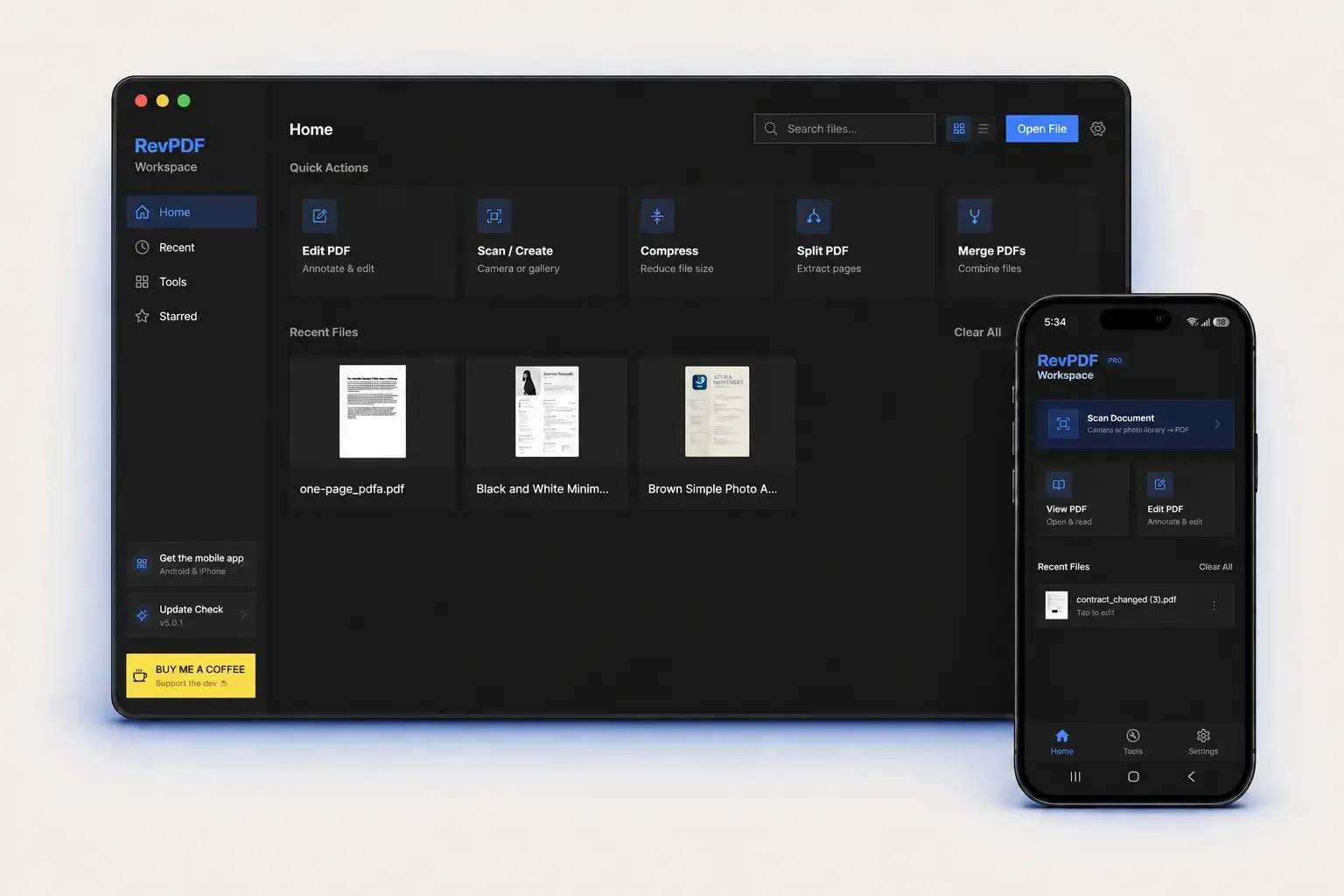
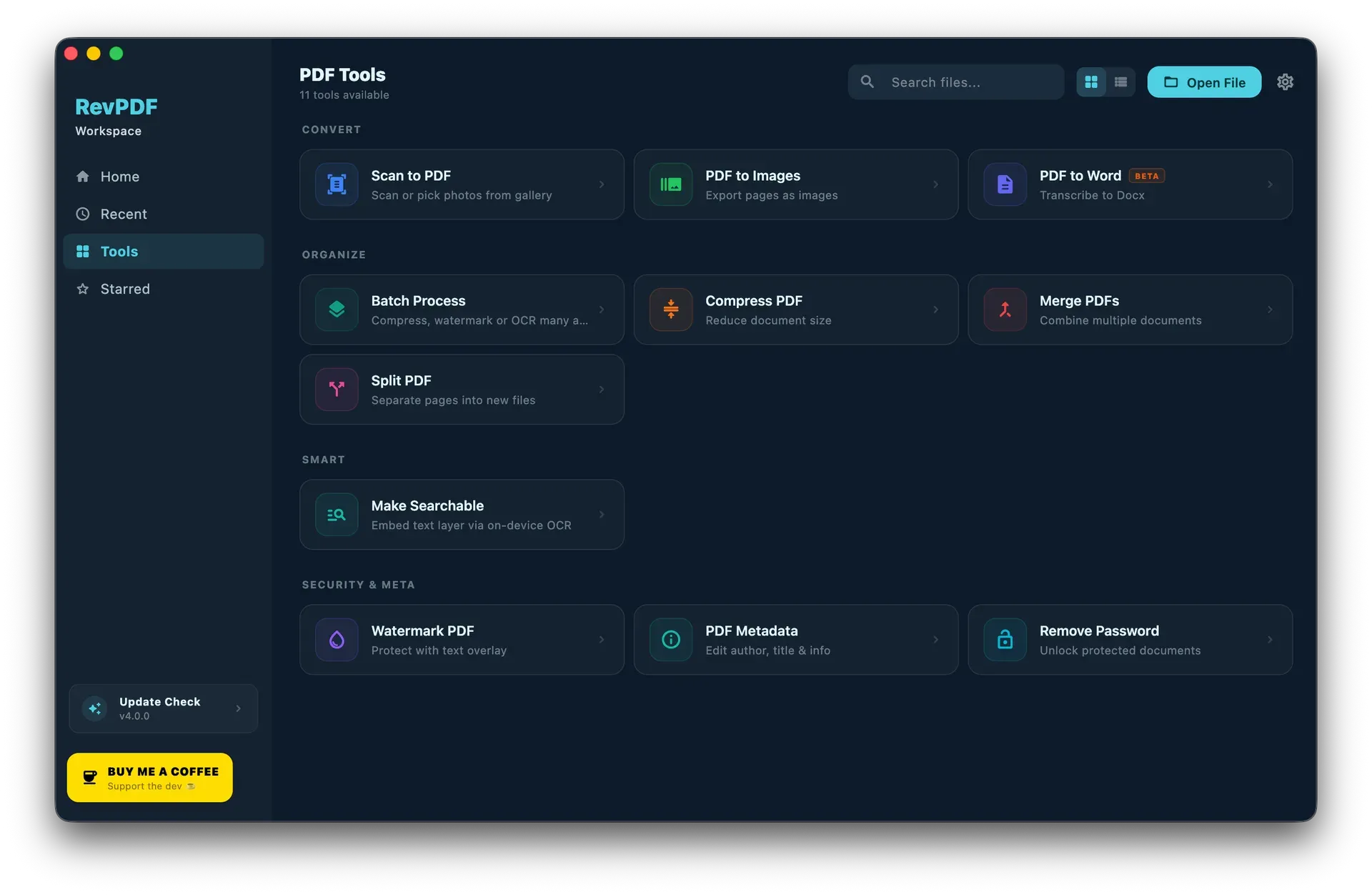
- Merge Merge combines multiple PDF files into one document. It appears as a quick action on the desktop home screen and as a tool under the Organize group, next to Compress and Split.
- Compress Compression reduces PDF file size. The README describes it as reducing size without losing quality, and the 5.0 notes state that improved compression logic produces smaller files with better quality and more control over output size.
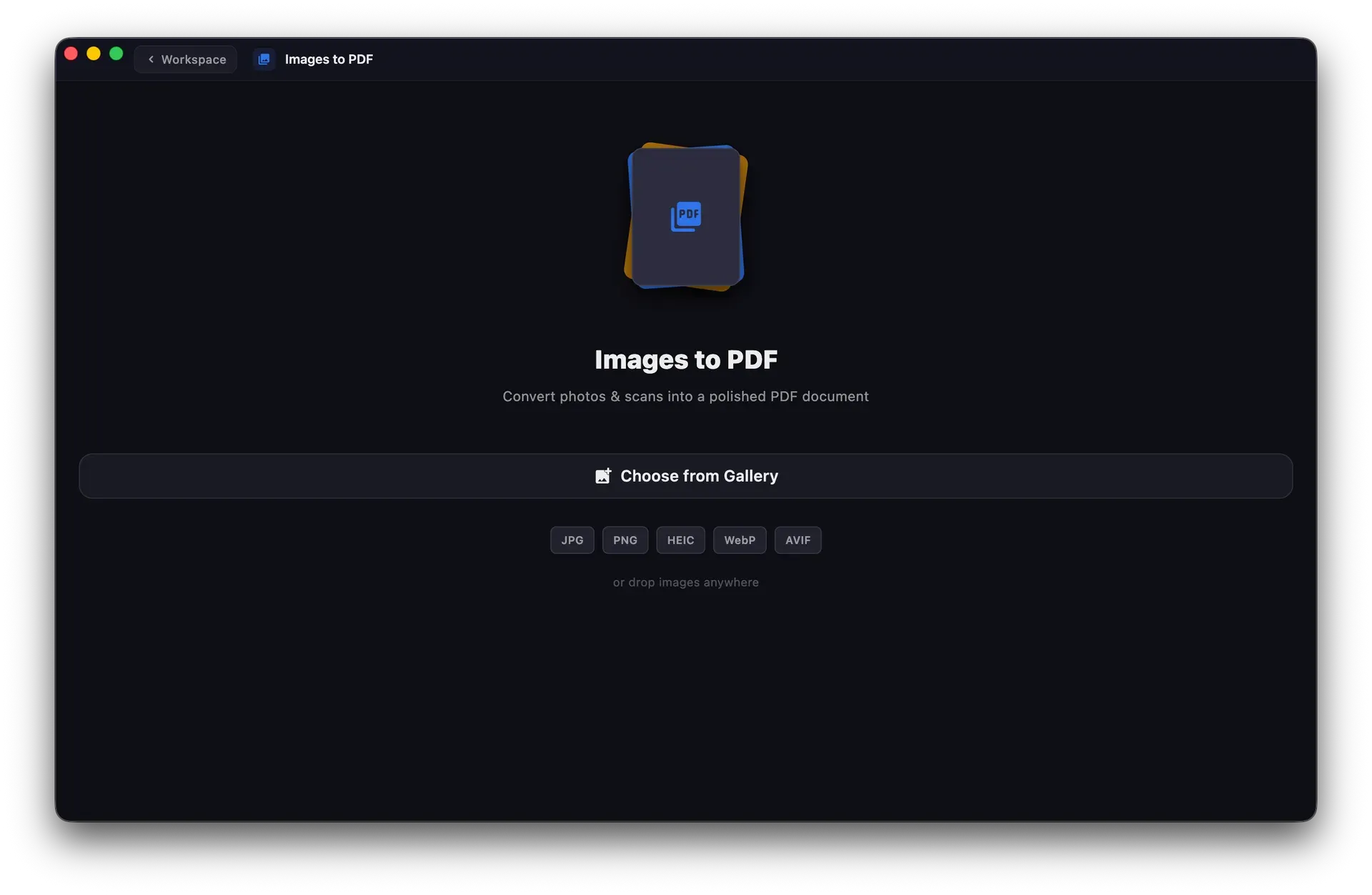
- Export to images and images to PDF PDF to Images exports document pages as images, and the converter handles PDF, JPEG and PNG locally according to the features page. The Images to PDF screen accepts JPG, PNG, HEIC, WebP and AVIF files from the gallery or by drag and drop. The Play listing also lists extracting images from a PDF.
- PDF to Word, PDF to Excel and PDF/A Release 5.0 adds PDF to Excel for extracting content into spreadsheet output and improves PDF to Word conversion, which the 4.0 tools screen labelled beta, with better layout preservation. A PDF/A-2a conversion creates an archival copy for long-term preservation workflows.
- On-device OCR OCR makes scanned PDFs searchable and turns image text into selectable text, including a Make Searchable tool that embeds an invisible text layer. The privacy policy names the engines: Google ML Kit on Android, Apple Vision on iOS and macOS, and Tesseract on Windows and Linux, where RevPDF asks before downloading the roughly 4 MB English model from GitHub on first use. Release 4.0 notes that the bundled OCR engine increased installer size on Windows and Linux.
- Redaction RevPDF removes sensitive text or images permanently. Auto redaction, added in 4.5.0, finds matching content for removal, and 5.0 adds control over how redacted areas look. The llms.txt file lists customisable redaction, auto redaction and true redaction.
- Forms and electronic signatures The form builder creates text fields, checkboxes, dropdowns and radio groups, with automatic field detection; form creation arrived in release 3.0. Fillable PDFs can be completed and saved. Signatures can be drawn, typed or imported and saved for reuse.
- Annotation and review tools Review tools cover highlighting, underlining, strikethrough, comments, freehand drawing and shapes. Links can point to external URLs or other pages, and bookmarks help navigate long documents. Find and replace updates repeated text across a whole document.
- Page and document management Pages can be reordered, rotated and removed with drag and drop. The metadata editor updates title, author, subject, keywords and document dates. Further tools add headers and footers with page numbers or custom text, text or image watermarks, flattening, and password removal for PDFs the user is authorised to access.
- Workspace The desktop workspace has Home, Recent, Tools and Starred views and a tabbed viewer for several open PDFs. Release 5.0 adds multiple interface languages and new themes. Desktop builds keep crash-recovery copies so unsaved work can be restored after an interruption, as described in the privacy policy.
- Mobile document scanning On mobile, the scanner captures paper documents with edge detection and perspective correction and saves them as PDF. On Android it uses the Google Play services document scanner, which may download scanner components, and falls back to a local scanner when that is unavailable.
- Desktop downloads Linux builds are AppImage files for x86_64 and ARM64 that require glibc 2.35 or later and GTK 3. macOS builds are DMG images, including a Universal build for Apple Silicon and Intel, for macOS 11 Big Sur or later. Windows 10 or later is supported through the Microsoft Store edition or the unsigned direct installer, which may trigger a SmartScreen warning. All installers are attached to the GitHub releases.
- Android and iOS apps The Android app (com.revpdf.editor) requires Android 5.0 or later, and the iOS and iPadOS app requires version 13.0 or later. Both are free downloads with an optional 9.99 USD one-time Premium upgrade. Beta builds are offered through Google Play testing and TestFlight.
- Network connections The privacy policy lists the connections the apps can make: update checks against the GitHub Releases API, font downloads from Google Fonts, AdMob initialisation and ads on mobile, app-store product and entitlement checks, Android scanner components and the optional Tesseract model download. It states that these requests are not designed to send the open PDF or its recognised text. The Google Play data safety section shows that the developer declares no data collected and no data shared.
Where RevPDF fits
Editing text in an existing PDF
A user opens a PDF from the Home screen or through the operating system Open With action and switches to the editor. The WYSIWYG editor in 5.0 changes existing text with paragraph reflow, find and replace updates repeated wording across the file, and undo and redo cover each change. The edited document is saved to a location the user chooses on the device.
Preparing a document for sharing
Before a file leaves the device, redaction permanently removes sensitive text or image areas, and auto redaction locates matching content across the document. Watermarks such as Draft or Confidential, headers and footers with page numbers, and metadata edits for title, author and keywords can be applied in the same workspace. The privacy policy notes that desktop builds may write the operating-system account name as the author of new annotations.
Making scanned paper searchable
On mobile, the scanner captures pages with edge detection and perspective correction; on desktop, Images to PDF builds a document from photos or scans. OCR then adds a searchable, selectable text layer. On Windows and Linux the first OCR run asks to download the English Tesseract model, after which recognition runs offline. The project blog covers this workflow in a post on offline OCR.
Running the same steps on many files
Flows save a sequence of supported PDF operations and run it again on the next batch of documents. The earlier batch processing tool applies compress, watermark or OCR operations to many files at once.
Converting PDFs for other applications
PDF to Word produces an editable document, PDF to Excel extracts content into a spreadsheet, and PDF to Images exports pages as JPEG or PNG. PDF/A-2a conversion creates an archival copy of a document. According to the features page, these conversions run on the device rather than through a web service.
Organising and reducing files
Merge combines several PDFs into one, split extracts pages or ranges into separate files or divides a page at a chosen vertical or horizontal position, and the page organiser reorders, rotates and deletes pages. Compression then reduces the size of the result. These tools are available as quick actions on the desktop Home screen.
Reviews of RevPDF
Be the first to share your experience with RevPDF.
Write a review
Loading review form…
Found RevPDF useful? Upvote it todayYour vote helps other IT teams find it in the daily ranking.