
What is Slidev?
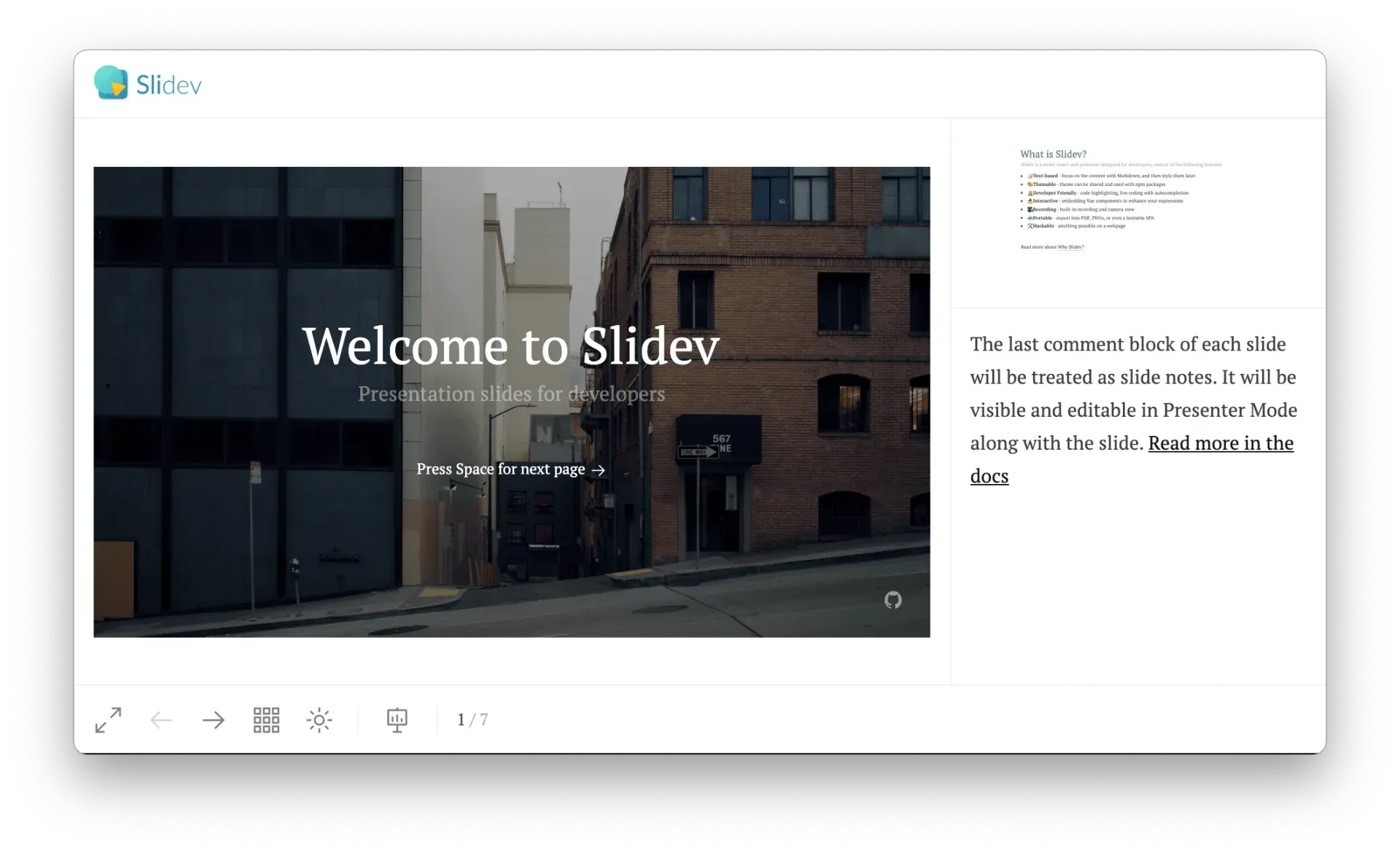
Slidev is an open-source, web-based slide maker and presenter for developers. Slides are written in a Markdown file (slides.md by default), separated by --- lines and configured with YAML frontmatter, and Vue 3 components can be used directly inside the Markdown. The getting started guide describes the name as a contraction of slide and dev. A local dev server renders the deck in the browser and updates it on every save through Vite hot module replacement, and the same project can be exported to PDF, PPTX, PNG or Markdown, or built as a static single-page application.
The project was started by Anthony Fu in 2021 and is developed in the slidevjs organization on GitHub with community contributors; the README copyright line reads MIT License 2021 Anthony Fu. Funding runs through Anthony Fu's GitHub Sponsors program and the Slidev Open Collective, both listed in the repository funding file. Documentation is published at sli.dev with translations in Chinese, French, Spanish, Russian and Brazilian Portuguese, and the official community channel is the Discord server at chat.sli.dev.
Slidev is distributed as npm packages: the @slidev/cli package provides the slidev command, a project scaffolder runs with pnpm create slidev or npm init slidev@latest (yarn, bun and deno variants are documented), and themes and addons are ordinary npm packages such as @slidev/theme-seriph. The README requires Node.js 22.12.0 or later, and the engines field of @slidev/cli 53.1.0 on npm declares Node.js 22.22.0 or later. A browser-only start is available through StackBlitz at sli.dev/new.
The latest release is v53.1.0, published on November 5, 2026 and matching the latest version of @slidev/cli on npm. It removes the fixed maximum width of the presenter notes panel and fixes C#, C++ and F# code blocks in Magic Move, a UTF-8 byte order mark at the start of a slides file, presenter note scrolling in builds and output directory creation for every export format. Version 53.0.0 (September 16, 2026) moved to Mermaid 12 and raised the Node.js requirement to 22.12.0. Version 52.20.0 added an editable PPTX export that rebuilds slides as native PowerPoint shapes, and the docs mark the built-in MCP server as available since v52.17.0.
The stack listed in the README combines Vite, Vue 3 powered Markdown, UnoCSS for utility-class styling, Shiki and the Monaco Editor for code, RecordRTC for recording, the VueUse libraries, Iconify icon sets, drauu for drawing, KaTeX for math and Mermaid for diagrams. The Why Slidev page contrasts it with WYSIWYG tools such as Microsoft PowerPoint and Apple Keynote: content is plain text kept in version control, and anything a web app can do, from iframes to API requests, can run inside a slide. Slidev has no visual drag-and-drop editor, and exported PDF or PPTX files lose interactive features, which stay available only in the hosted web build. Other presentation tools on iThub include DeckCraft, Presenton and the agent skill Frontend Slides.
Key capabilities
- Markdown slide syntax A deck is one Markdown file in which
---separates slides and a YAML block at the top (the headmatter) configures the whole presentation. Each slide can carry its own frontmatter for layout, background, class or transition, and the last HTML comment of a slide becomes its presenter note. Slides can be split across several Markdown files and imported with thesrcfrontmatter key. - Vue components and Vite Vue 3 components can be written in a
components/folder and used directly in Markdown, next to built-in components such asTweet,Youtube,ArrowandTransform. The dev server is based on Vite, so edits appear in the browser through hot module replacement, and Vite plugins, Vue plugins or any npm package can be added through configuration files. - Built-in layouts The core ships layouts including
cover,intro,default,center,section,statement,fact,quote,two-cols,two-cols-header,image-left,image-right,iframeandend. Themes can add their own layouts, and custom layouts are Vue files in alayouts/folder of the project. - Themes and addons from npm A theme is selected with one line of headmatter, for example
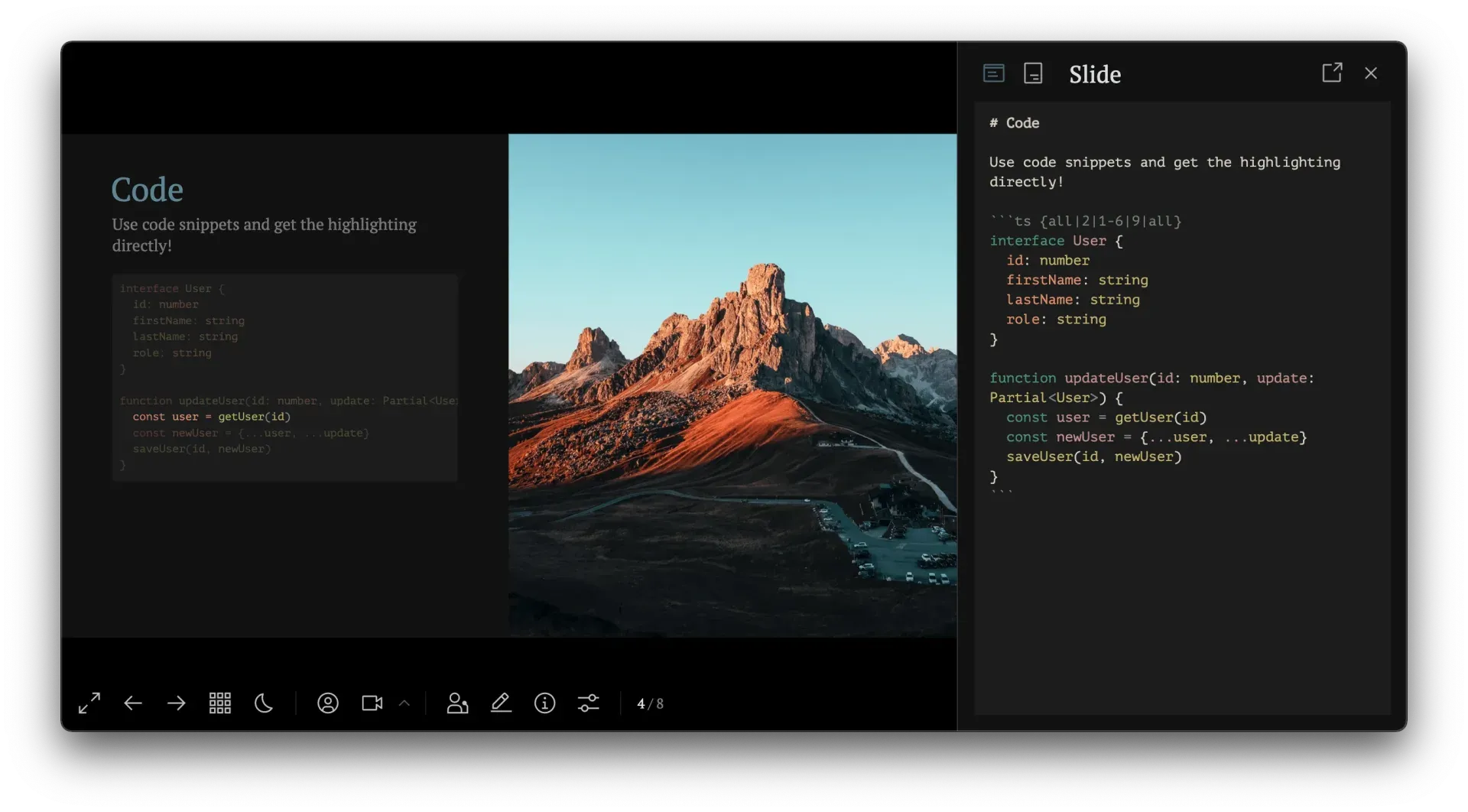
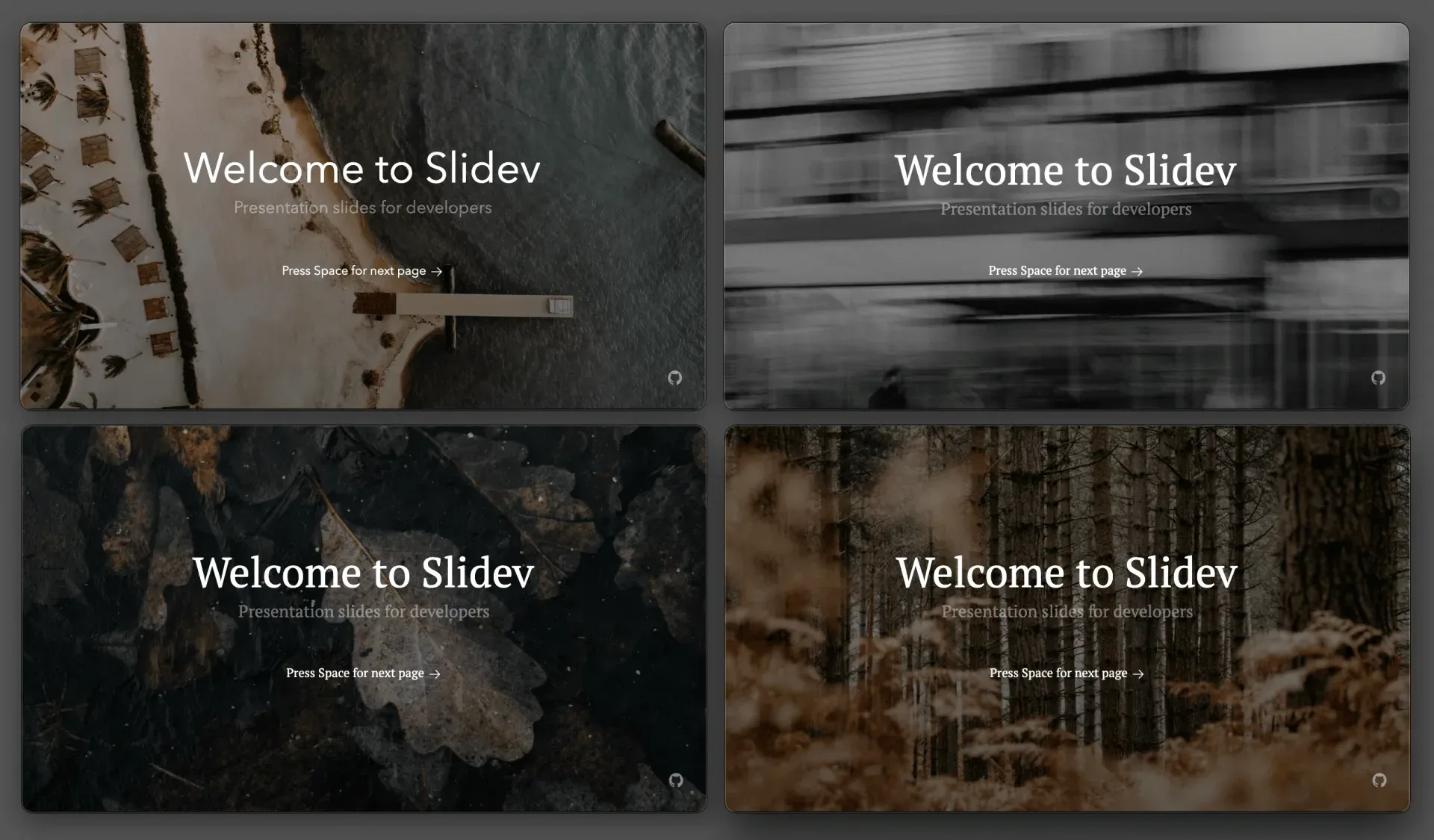
theme: seriph, and is installed as an npm package; the dev server offers to install a missing theme on start. Addons extend a deck with extra components, layouts or configuration in the same way. The docs host a theme gallery and an addon gallery, and a theme can be ejected into the project for local changes. - Code highlighting with Shiki Code blocks are highlighted by Shiki and support line highlighting that changes step by step on clicks, line numbers, a maximum height, code groups and imported snippets from external files. TwoSlash can render TypeScript type information on hover or inline. Monaco Editor blocks turn a snippet into an editable editor on the slide.
- Shiki Magic Move Wrapping several code blocks in a
md magic-moveblock produces one code block that morphs between the steps on each click, similar to Keynote's Magic Move. The feature exists since v0.48.0 and can be combined with line highlighting and line numbers. - Live coding with Monaco Runner A block marked
{monaco-run}shows an editor with a Run button and prints the result of the code below it, re-evaluating as the code is changed. Autorun can be switched off per block, and custom code runners can be configured for other languages. The{monaco-write}variant writes edits made on the slide back to the source file. - Animations and transitions The click system reveals elements step by step with
v-click,v-afterandv-clicks, and motion effects come from@vueuse/motion. Slide transitions such as fade, slide-left or view-transition are set per slide or deck-wide in frontmatter. - LaTeX and diagrams Inline and block math is rendered with KaTeX. Mermaid diagrams are written as fenced code blocks, and PlantUML blocks are supported as well; the docs note that PlantUML source is sent to plantuml.com for rendering by default unless a
plantUmlServerof one's own is configured. Icons from any Iconify icon set can be used as components. - Presenter mode and remote control Presenter mode opens in a second window at
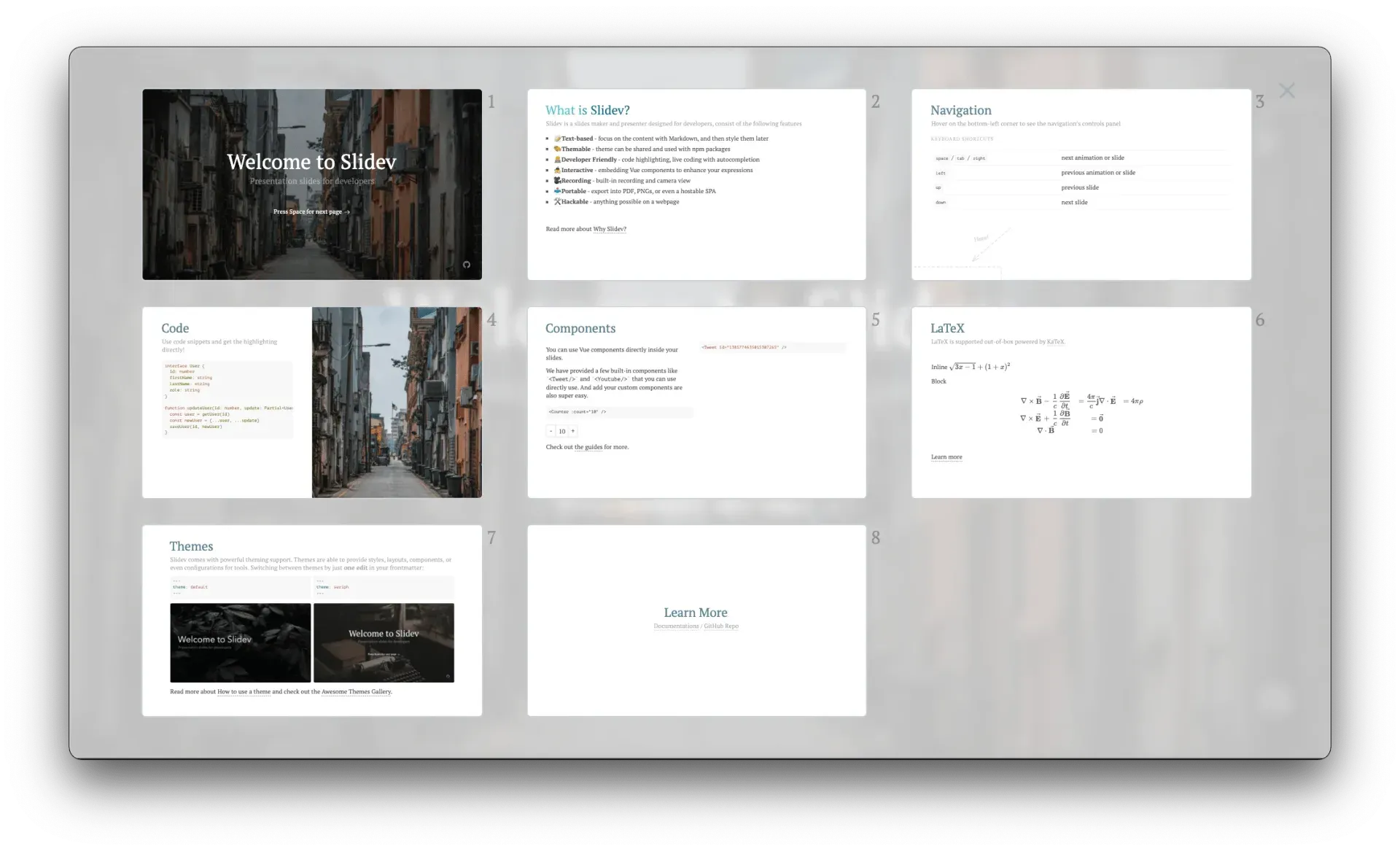
/presenterwith the current slide, the next slide, editable notes and a timer, and navigation stays in sync with the audience view. Starting the server with--remoteexposes the deck on the network so another device, such as a phone, can control the slides. A slides overview, a quick overview grid and a notes editor are part of the UI. - Drawing and annotations A pen toolbar powered by drauu draws on top of slides, also in presenter mode, and drawings sync across all open instances in real time. Stylus input on tablets is detected so the pen draws while fingers navigate, and drawings can be persisted as SVG files under
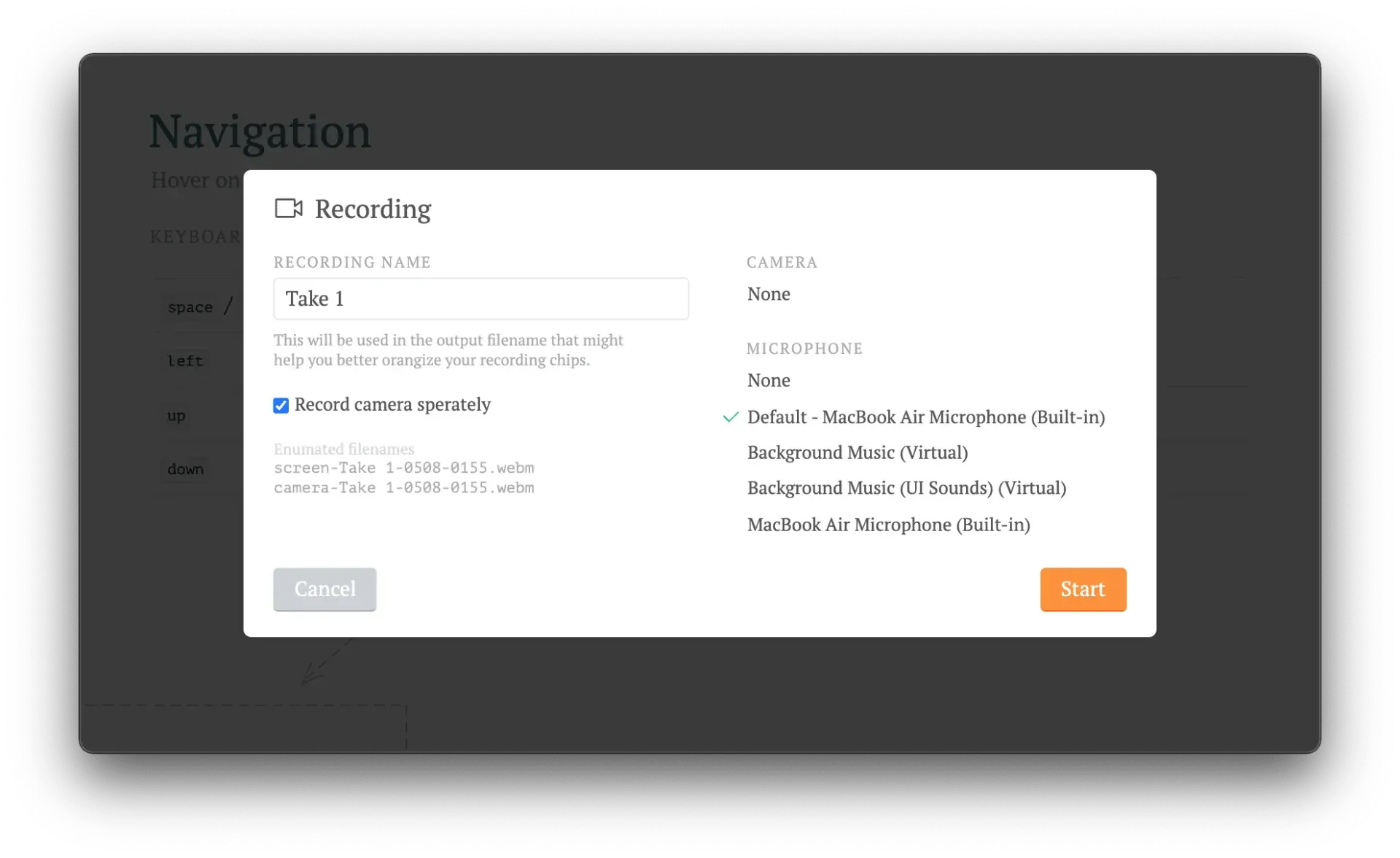
.slidev/drawingsto appear in exports and builds. - Recording and camera view A camera view can be placed and resized on top of the slides, and a recording dialog records the presentation with the camera embedded or as separate screen and camera files in WebM format. Recording uses RecordRTC and the browser WebRTC APIs, so no separate screen recorder is required.
- Export to PDF, PPTX, PNG and Markdown
slidev exportrenders slides with Playwright and requires theplaywright-chromiumpackage; PDF is the default format.--format pptxexports each slide as an image with notes attached, while--format pptx-editablerebuilds slides as native PowerPoint shapes, keeping SVG, KaTeX, canvas and some CSS effects as pictures. Options cover click steps, slide ranges, dark mode and timeouts,slidev export-notesprints presenter notes to a PDF, and a browser exporter at/exportcovers PDF and image-based PPTX without the CLI. - Build and hosting as a static SPA
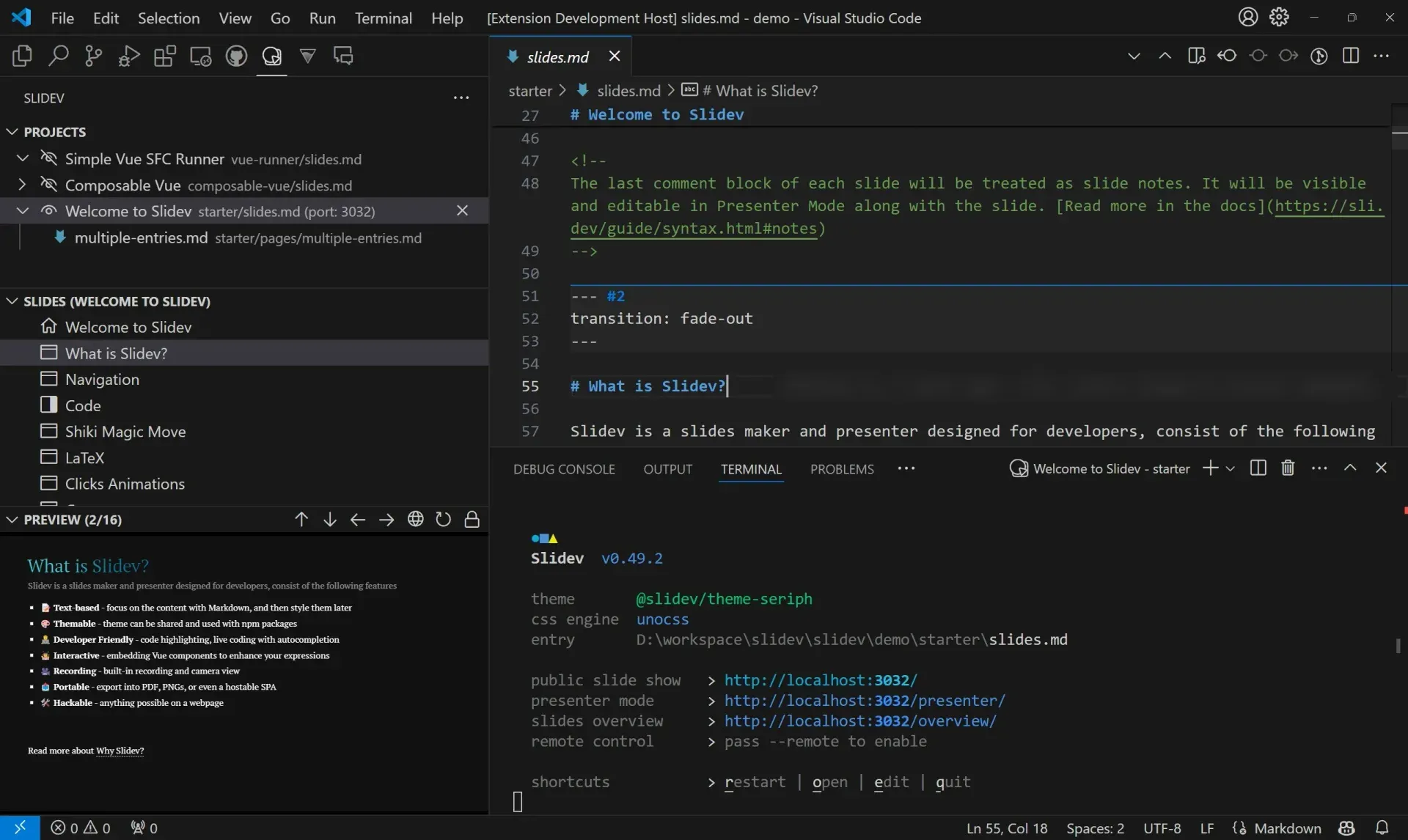
slidev buildproduces a static single-page application that keeps interactive features, with options for a base path, an output folder, multiple decks and--without-notesto strip speaker notes. The hosting guide gives configurations for GitHub Pages, Netlify, Vercel and Zephyr Cloud, a deck can include a downloadable PDF, and opt-in PWA precaching lets a built deck run offline. - VS Code extension The official extension, published as antfu.slidev on the VS Code Marketplace and Open VSX, adds a slides tree view with drag-and-drop reordering, a preview panel, folding of slide blocks, multi-project support and a button that starts the dev server. It also registers Language Model Tools that let Copilot and other assistants read and navigate slides. An integrated side editor in the browser and a Prettier plugin are other editing options.
- MCP server and agent skill Since v52.17.0 the dev server exposes an MCP endpoint at
/__mcp, andslidev mcp slides.mdstarts a standalone stdio server. Its tools list, read, update, insert, remove and reorder slides and can move connected browsers to a slide, with edits written back to the Markdown files. An official agent skill installed withnpx skills add slidevjs/slidevdescribes the syntax, layouts, animations and export options to coding agents. - Installation and requirements A new project is created with
pnpm create slidevornpm init slidev@latest, which generates a starterslides.mdand package scripts for dev, build and export. A single Markdown file can also be presented with a globally installed@slidev/cli. The README requires Node.js 22.12.0 or newer, the browser exporter works best in Chromium-based browsers, and the project is MIT licensed.
Where Slidev fits
Technical talks with live code
Slidev's starter deck and syntax guide center on conference and meetup talks where code is the main content. Code blocks step through highlighted lines on each click, Magic Move animates a refactoring between versions of a snippet, and Monaco Runner blocks run code on stage and show the output. Because the deck is a Vue app, a slide can also embed a working component demo instead of a screenshot.
Slides kept in version control
A Slidev project is a folder with Markdown, Vue components and a package.json, so it can live in a Git repository next to the code it describes. Changes to slides show up as text diffs, decks can be split into several Markdown files, and slidev format normalizes the file structure. The theme and addons are pinned like any other npm dependency.
Publishing a deck on the web
After a talk, slidev build turns the deck into a static site that keeps animations, components and code editors working. The hosting guide covers GitHub Pages via GitHub Actions, Netlify and Vercel, --base sets a sub-path, --without-notes removes speaker notes from a public build, and an optional download button can offer a PDF of the same deck.
Handing out PDF or PowerPoint files
When organizers ask for a file, slidev export produces a PDF, PNG images or a PPTX, with Playwright Chromium installed as a dev dependency. The exporting guide separates the image-based PPTX, which is the most faithful visually, from the editable PPTX that rebuilds text and boxes as PowerPoint shapes; fonts are referenced rather than embedded, and interactive content does not carry over to either format.
Recording a talk or tutorial
For recorded sessions, the built-in camera view overlays the presenter's webcam on the slides, and the recording dialog captures screen and camera together or as two WebM files. Presenter mode on a second screen keeps notes and the next slide visible, and the drawing toolbar annotates slides during the recording.
Writing slides with AI agents
The Work with AI guide connects coding agents in two ways. The MCP server, reached at http://localhost:3030/__mcp or through slidev mcp, gives agents structured tools to read and edit slides and to jump the live preview to a slide, and the official Slidev skill teaches agents the Markdown syntax, layouts, animations, diagrams and export options.
Install
npm init slidev@latestReviews of Slidev
Be the first to share your experience with Slidev.
Write a review
Loading review form…
Found Slidev useful? Upvote it todayYour vote helps other IT teams find it in the daily ranking.