
What is ExcalidrawZ?
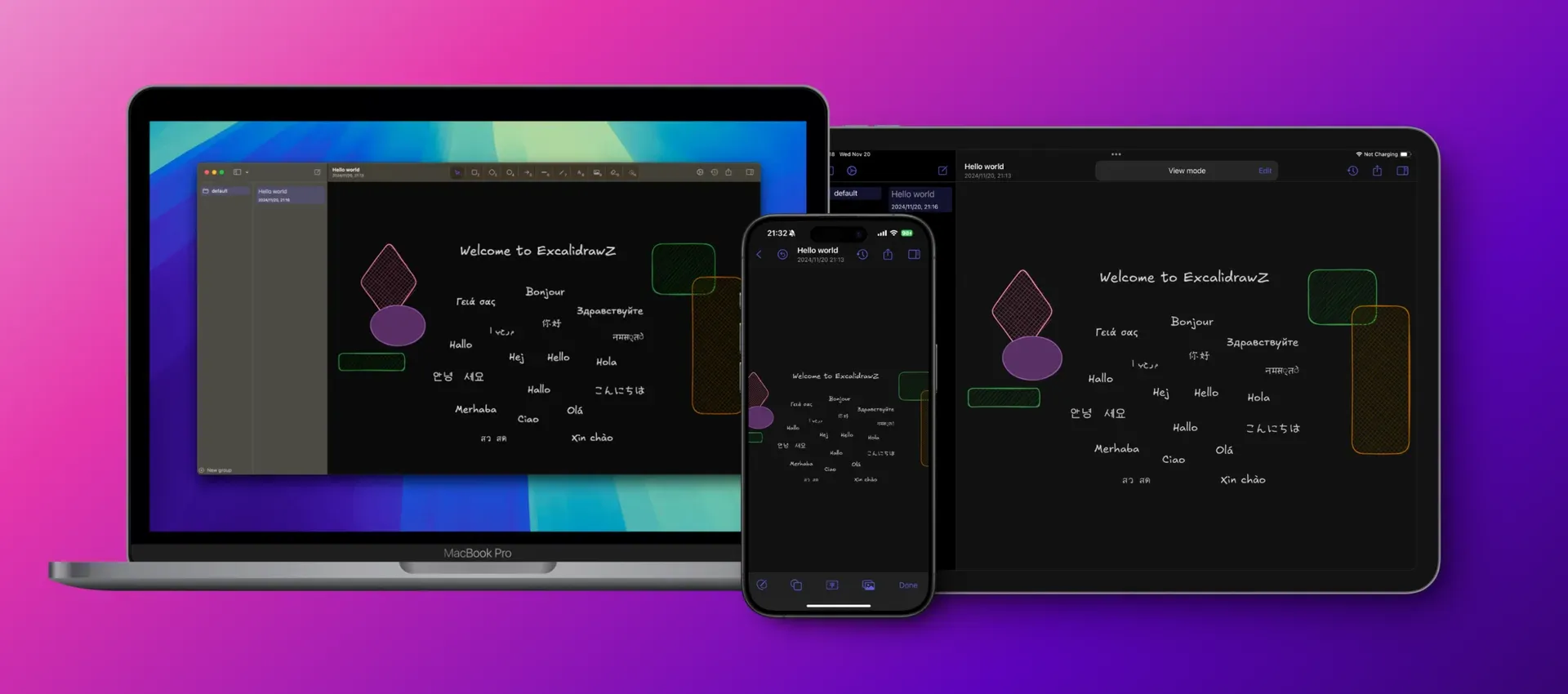
ExcalidrawZ is a native client for Excalidraw, the open-source hand-drawn whiteboard, built in SwiftUI for macOS, iPadOS and iOS. It keeps the Excalidraw canvas and file format and adds the parts a browser tab does not provide: a document library with groups and sorting, iCloud sync between devices, file history checkpoints, locked and encrypted files, export to images, PDF and editable PNG or SVG, Quick Look previews on the Mac and Apple Pencil, trackpad and keyboard interaction. The project is developed by Chocoford; the App Store lists the seller as Shenzhen Chocoford Technology Co., Ltd. The repository was created in December 2022 and the first GitHub release, v0.3.0, appeared in January 2023.
The app is distributed in two ways. The App Store listing covers Mac, iPad and iPhone and is free to download. Outside the App Store, each GitHub release ships a signed macOS disk image (ExcalidrawZ.2.5.1.dmg for the current version) that is installed by dragging the app into Applications. The App Store listing states iOS 17.0 as the minimum system version.
The current GitHub release is v2.5.1, published October 24, 2026. It adds a Viewer window on the Mac that presents a live, clean view of the canvas on a second display, export of only the selected elements as PNG or SVG, and pasting of HEIF and HEIC images. Version 2.4.5 restricted the local editor and MCP HTTP servers to loopback addresses so they are not reachable from the local network. Version 2.4.1 added linked cloud storage for OneDrive, Dropbox, Google Drive and WebDAV (marked Beta) with conflict previews, version 2.3.0 added canvas presentations and macOS screen annotation, and version 2.2.0 introduced MCP services and the LaTeX math tool.
The application code is Swift and SwiftUI and is published under the MIT license. The Excalidraw core that the app embeds is a separate fork maintained on the ExcalidrawZ-core branch. Building from source requires an Apple Developer team, a local Config/Overrides.xcconfig with team, iCloud container and App Group identifiers, and a Config/Secrets.plist containing at least a COLLAB_URL; OAuth client IDs for OneDrive and Google Drive are optional keys for developers working on those integrations.
Drawings stay on the device by default, according to the privacy policy. AI features are off until enabled; when used, requests pass through ExcalidrawZ cloud services to model providers such as OpenAI, Anthropic, Google or OpenRouter, or to a bring-your-own-key connection. The website describes AI plans and credits, and App Store purchases and subscriptions are processed by Apple; no prices are published on the website. There is no Windows, Linux, Android or web version: users on those platforms use Excalidraw itself.
Key capabilities
- Excalidraw canvas in a native shell The drawing surface is the Excalidraw editor, so shapes, arrows, text, libraries and the hand-drawn style behave as in the web app. The surrounding window, sidebar, toolbar, inspector and settings are SwiftUI. The README lists custom toolbar ordering, with number shortcuts following the configured order.
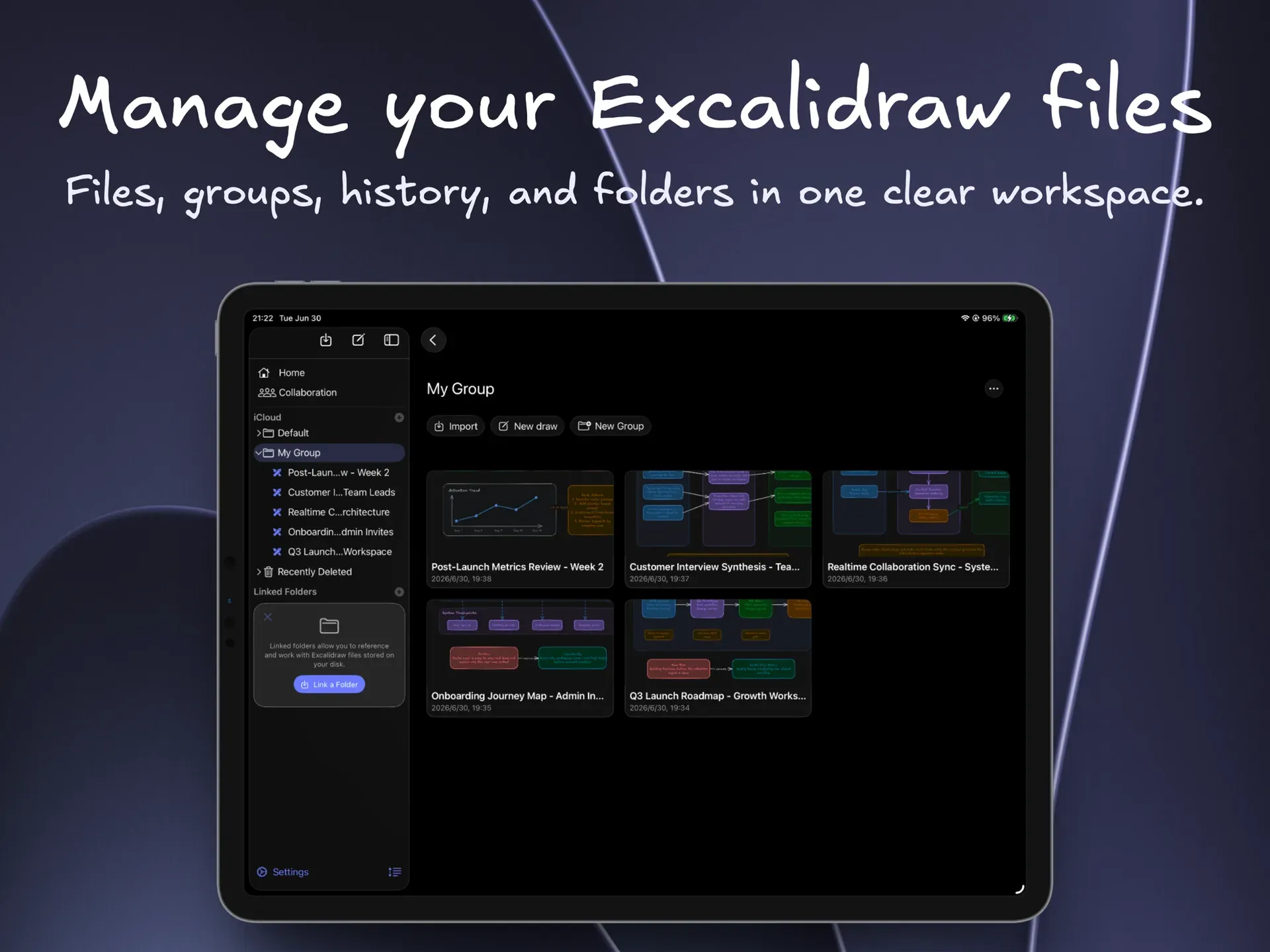
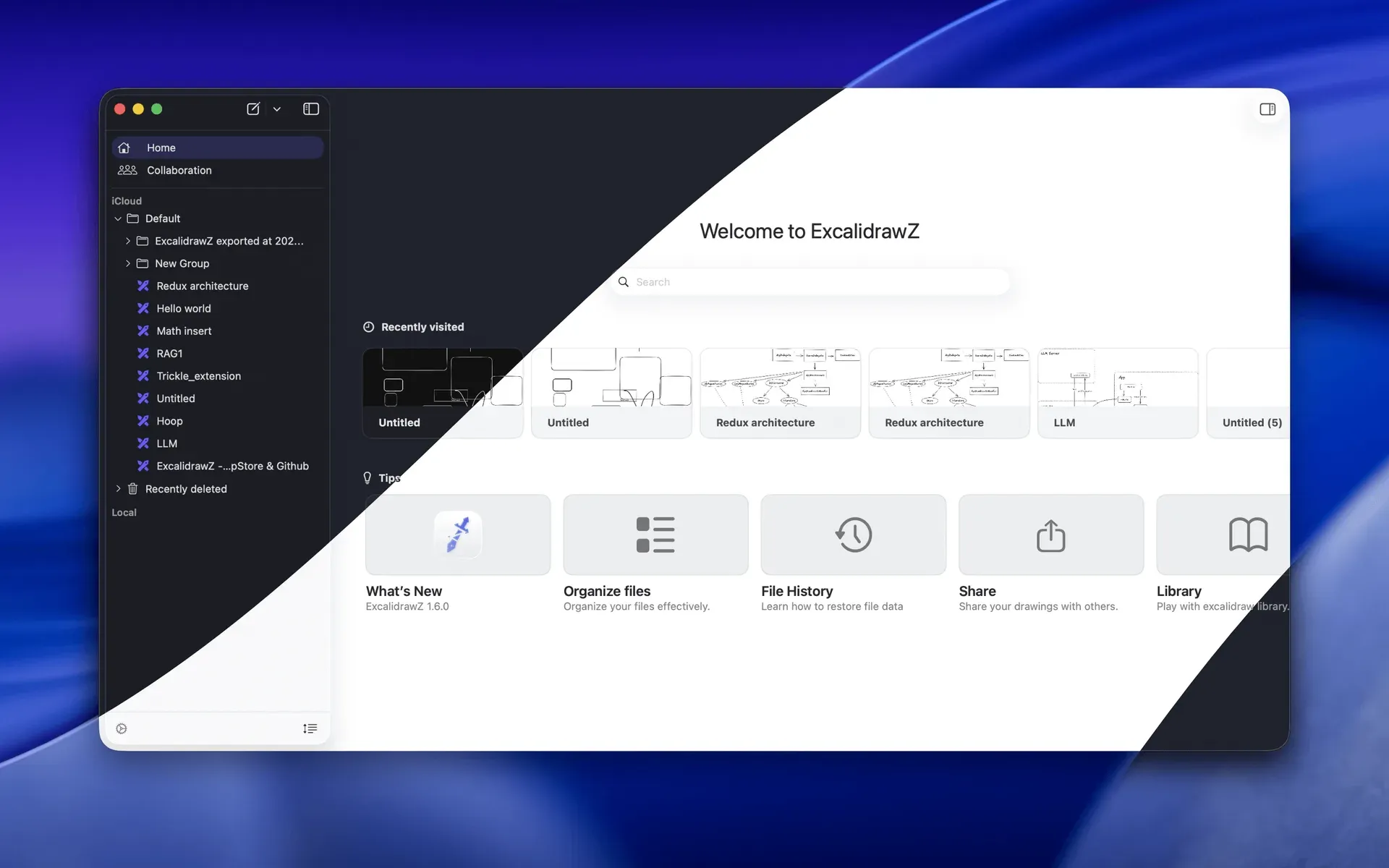
- Document library with groups and sorting Drawings managed by the app are saved automatically and organised in groups with custom sorting, a Recently Deleted section and search. Covers of drawings are cached between launches since version 2.4.5. Local folders on disk can be linked so existing Excalidraw files are edited in place instead of being imported.
- Supported file formats The app opens, edits and exports
.excalidraw,.excalidraw.pngand.excalidraw.svgfiles, the latter two keeping the scene data embedded so the image stays editable. PDF files can be imported onto the canvas, and Mermaid diagrams can be converted into editable Excalidraw elements. Release 2.4.5 notes improved compatibility of exported files with Obsidian and other Excalidraw apps. - iCloud sync across Apple devices Files managed by the app sync between Mac, iPad and iPhone through iCloud. When iCloud sync is unavailable or disabled, the built-in storage section is labelled My Files and keeps drawings on the device. Apple processes the sync data under its own terms.
- Linked cloud storage Since version 2.4.1, OneDrive, Dropbox, Google Drive and WebDAV can be linked as storage locations on Mac, iPad and iPhone; the release notes mark this feature as Beta. A local cache allows editing, and a conflict view previews the local and remote versions before one is kept. The privacy policy states that file contents move directly between the device and the storage provider.
- File history checkpoints The app records checkpoints for drawings it manages. Earlier versions can be reviewed and restored from the history panel, and AI edits are also checkpointed so a turn can be reverted. The README section shows the restore flow.
- Locked files and Recovery Key Sensitive drawings can be locked with local system authentication. Locked files and their checkpoints are encrypted on disk, a Recovery Key provides fallback access, and encrypted backups give another recovery path. Locked content is excluded from AI access.
- Export, share and backup Exports cover PNG and SVG images, editable Excalidraw image files,
.excalidrawdocuments and PDF, with export scale options. Version 2.5.1 adds export of only the selected elements. Sharing works through the clipboard, files and the system share sheet, and app-managed files can be archived for backup. - Collaboration Drawing with others uses Excalidraw collaboration, opened from the Collaboration section of the sidebar. Developers building from source point
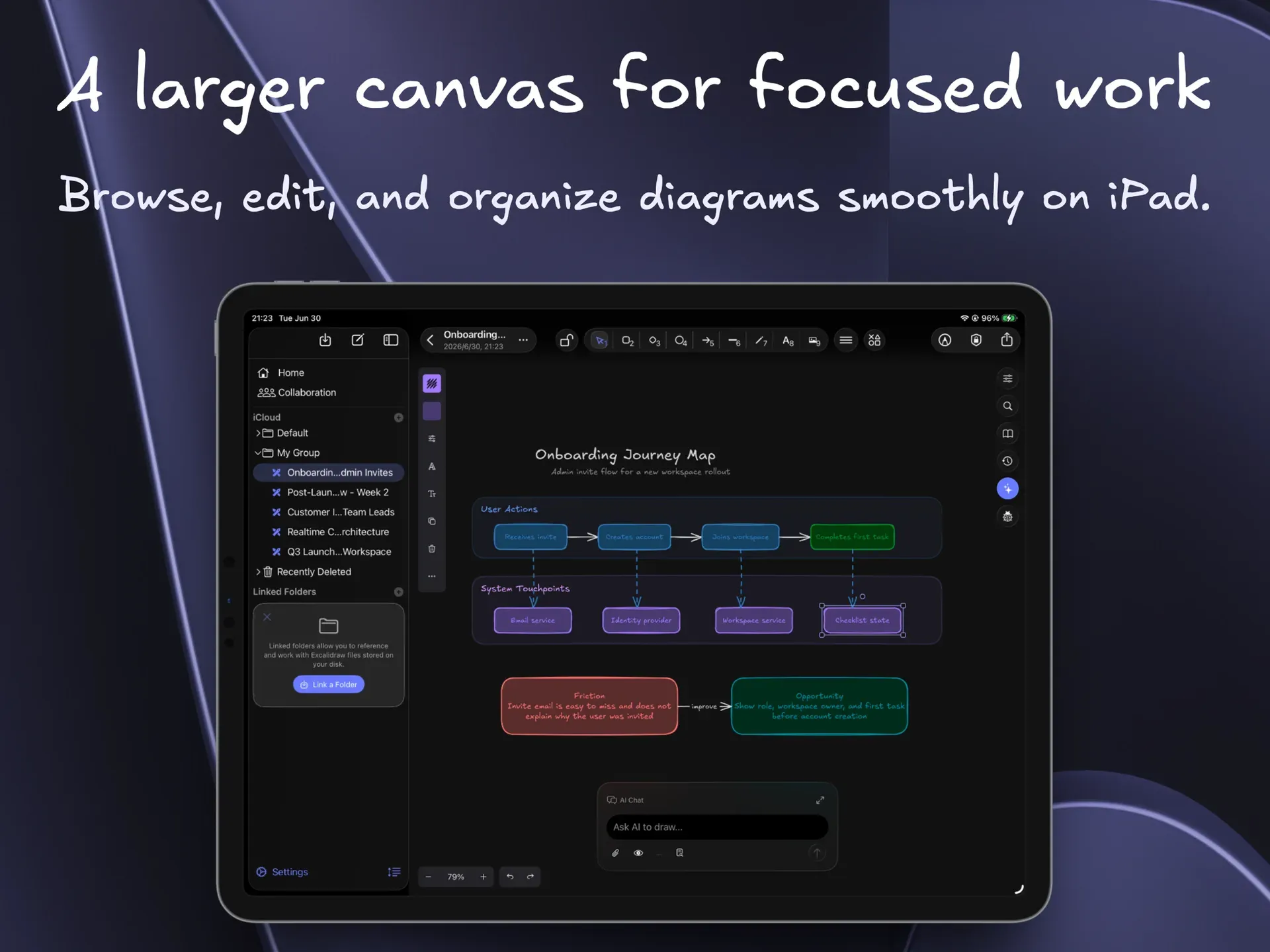
COLLAB_URLat a deployed collaboration-enabled Excalidraw web client to test this feature. - AI drawing assistant An optional AI Chat panel can read the canvas, create and revise elements, browse files and libraries with permission, and use attached images as context. Generated content appears as a proposal preview before it is applied to the real canvas, and visibility to AI is controlled per file. AI is off until the user enables it, and the privacy policy lists a bring-your-own-key mode in which keys are kept in the device Keychain.
- MCP services The app can run as an MCP server for compatible AI clients through an app-hosted HTTP endpoint. Basic mode provides the familiar
excalidraw-mcpdrawing workflow; Optimized mode adds current-file editing, file navigation, history, canvas inspection, export, library and math tools. Since version 2.4.5 the server listens only on loopback. - Math and function graphs The Math tool inserts LaTeX-rendered formulas, renders function graphs with configurable axes and styles, offers reusable templates and can generate formulas with AI. Inserted math images remain editable from the canvas.
- Canvas presentations Added in version 2.3.0, presentations turn Excalidraw frames into full-screen slides with drag-to-reorder and fade, slide or zoom transitions. Slide order and transition settings are stored per drawing. The 2.5.1 Viewer window shows a live canvas on a second display, with controls for following, pointer and laser visibility.
- Screen annotation on macOS A global shortcut opens a drawing layer over the screen with a movable toolbar, live or frozen backgrounds and multi-display support. Results can be saved without the editing controls to a new or existing Excalidraw file, the clipboard, or a PNG or JPEG file, with Original, Balanced and Compact quality presets.
- iPad and iPhone input Apple Pencil drawing with undo and redo gestures, mouse and trackpad scroll and zoom gestures, compact iPhone toolbars and a floating AI panel on iPad are part of the iOS and iPadOS app. The Mac version provides Quick Look previews of Excalidraw files that follow the app appearance setting.
- Mac download outside the App Store Each GitHub release attaches a
.dmgfile: open it and drag ExcalidrawZ into Applications. The same app is available from the Mac App Store; the iPhone and iPad versions are distributed through the App Store only.
Where ExcalidrawZ fits
Keeping a personal library of Excalidraw diagrams
The app is aimed at people who draw flowcharts, architecture diagrams, wireframes, study notes and sketches in Excalidraw and want them stored as documents instead of browser storage or loose downloads. Drawings are grouped and sorted in the sidebar, searched from the home screen and restored from file history. With iCloud enabled, the same library is available on Mac, iPad and iPhone; the product website describes this local-first model.
Editing existing files on disk or in cloud drives
Folders that already hold .excalidraw files, for example inside a notes vault, can be linked so the files are edited where they live. Since version 2.4.1 OneDrive, Dropbox, Google Drive and WebDAV folders can be linked the same way, with a local cache and a conflict screen that compares local and remote copies. The 2.4.1 release notes list the providers and the Beta status.
Technical drawings with formulas and graphs
For engineering notes and teaching material, the Math tool places LaTeX formulas and function plots on the canvas next to hand-drawn shapes, and PDFs can be imported and annotated. The finished drawing can be exported as a PDF or as an editable PNG or SVG that another Excalidraw app can open again.
Drawing with an AI assistant or an external MCP client
With AI enabled, the chat panel can read the current canvas, propose new diagrams or revise existing ones, and the proposal is reviewed before it replaces content. Files marked as hidden and locked files are not shared with AI. Alternatively, a local MCP client can connect to the app's loopback HTTP endpoint and create or edit drawings through the Basic or Optimized tool set, as described in the MCP section of the README.
Presenting and annotating on a Mac
Frames on a canvas can be played as full-screen slides with transitions, and the Viewer window added in 2.5.1 mirrors the live canvas on a second display while the presenter keeps editing. Screen annotation draws over any application with a global shortcut and saves the result as an image or into an Excalidraw file.
Protecting sensitive drawings
Drawings with sensitive content can be locked: the file and its checkpoints are encrypted on disk and opened with system authentication or the Recovery Key, and encrypted backups provide another restore path. Similar diagramming tools listed on iThub include Excalidraw, draw.io and Mermaid.
Reviews of ExcalidrawZ
Be the first to share your experience with ExcalidrawZ.
Write a review
Loading review form…
Found ExcalidrawZ useful? Upvote it todayYour vote helps other IT teams find it in the daily ranking.