

What is Mermaid?
Mermaid is an open-source JavaScript library that renders diagrams from Markdown-inspired text definitions. You describe a flowchart, sequence diagram, Gantt chart or one of more than 30 other diagram types in plain text, and Mermaid turns the text into SVG in the browser or in a Node-based toolchain. The stated purpose, in the project README, is to help documentation keep pace with development, because a diagram kept as text can be edited, diffed and reviewed like code.
The project is developed in the open under the mermaid-js organization on GitHub, and the official documentation describes it as the open-source diagramming library underneath a separate collaborative product, Mermaid Chart. The ecosystem page says Mermaid Chart grew out of the open-source project and was founded together with Open Core Ventures. The library itself is MIT licensed and is the subject of this profile; Mermaid Chart is a different, hosted offering.
Distribution is mainly through npm (npm install mermaid, or the pnpm and yarn equivalents) and through the jsDelivr CDN as an ES module. The usage guide lists Node.js 22.12.0 or later for the npm workflow and says the published bundles from v12.0.0 target ES2024, aimed at Safari 17.4 and later, with linting also run for Chromium 121 and Firefox 123. A smaller "tiny" build omits the bundled ELK layout engine and some diagram types. Related repositories cover the command line interface, the Live Editor and a community HTTP server.
The current library release is mermaid 12.3.0, published November 3, 2026. Its notes add BPMN element shapes, open-arrow and hollow-circle edge markers, and a step animation for flowchart edges, and they bump DOMPurify and upgrade the bundled elkjs to 0.12.0, which is licensed EPL-2.0 or GPL-3.0-or-later. Mermaid draws diagrams from text; it is not a freehand whiteboard or a graphical drawing tool, and layout is computed by the engine rather than placed by hand.
Mermaid screenshots
Explore the interface. Open a screenshot to view it at full size.
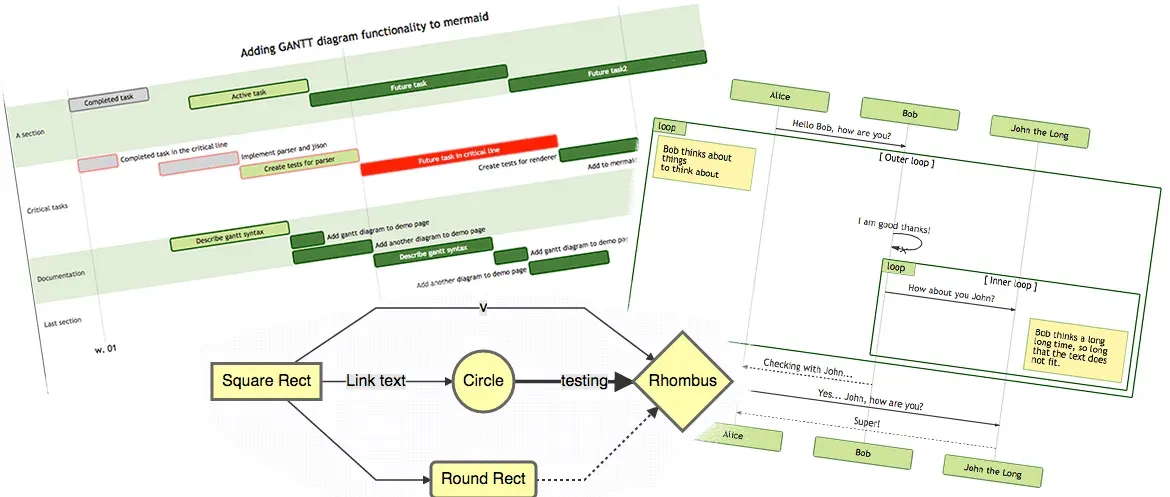
Official project image showing a Gantt chart, a sequence diagram and a flowchart rendered by Mermaid.
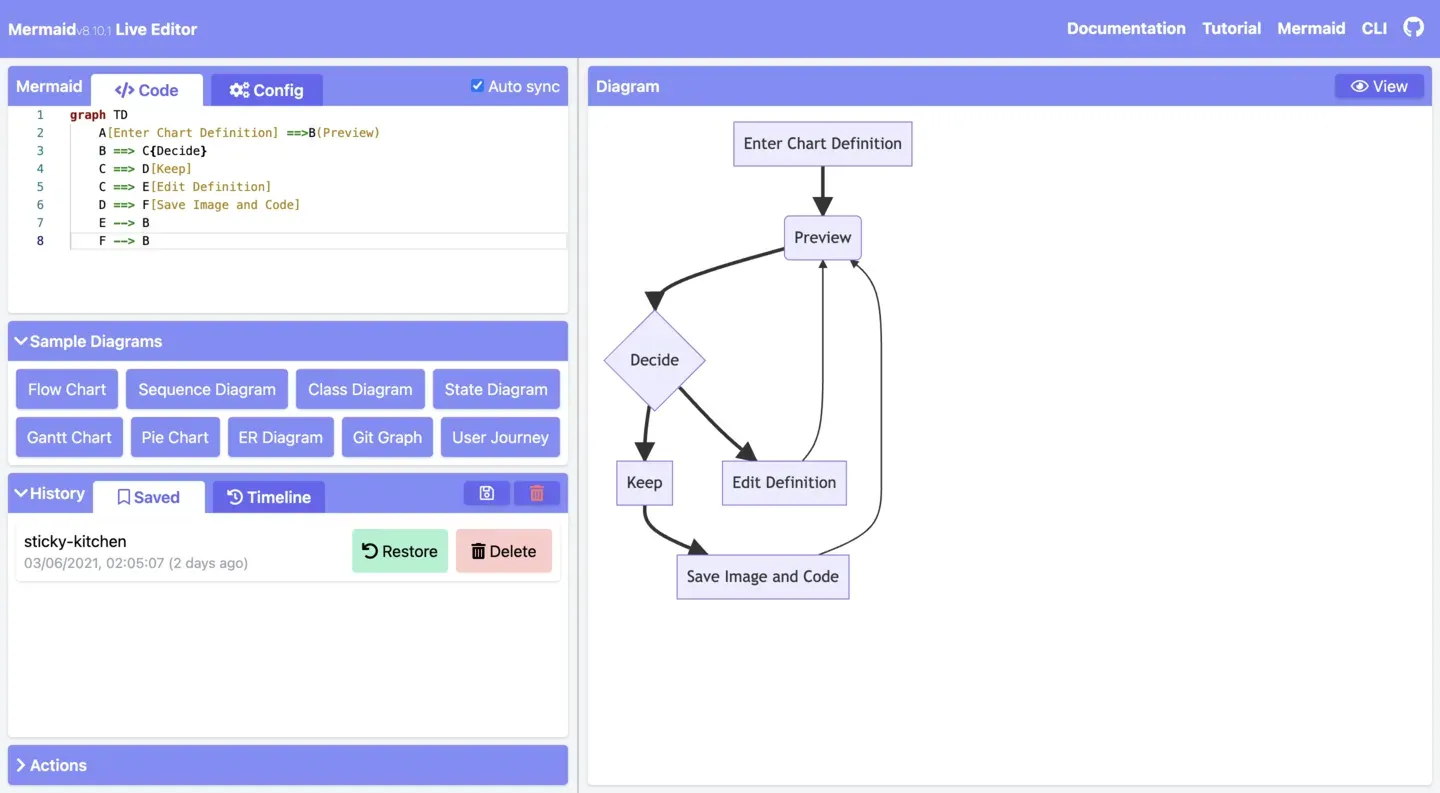
Official documentation screenshot of the Live Editor from an older version (v8.10.1 in the header).
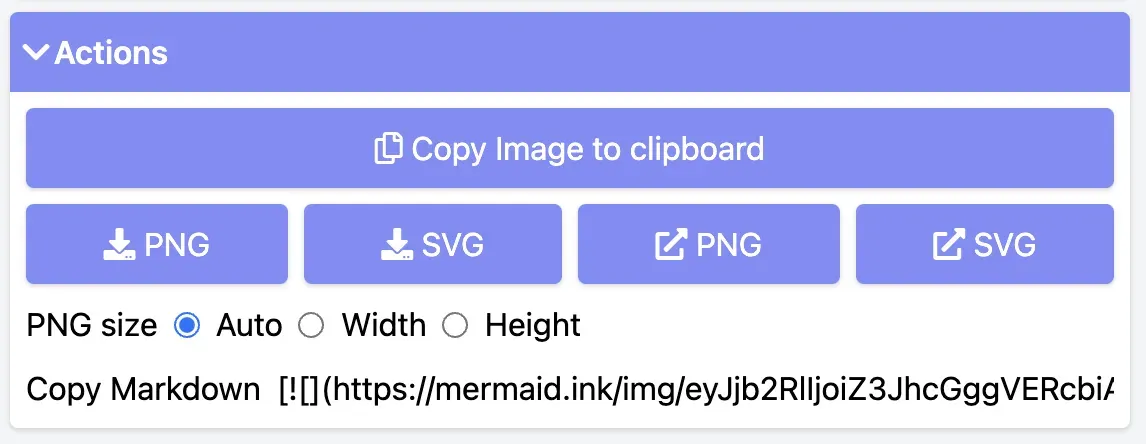
Official documentation screenshot of the export options; the interface has changed in later versions.
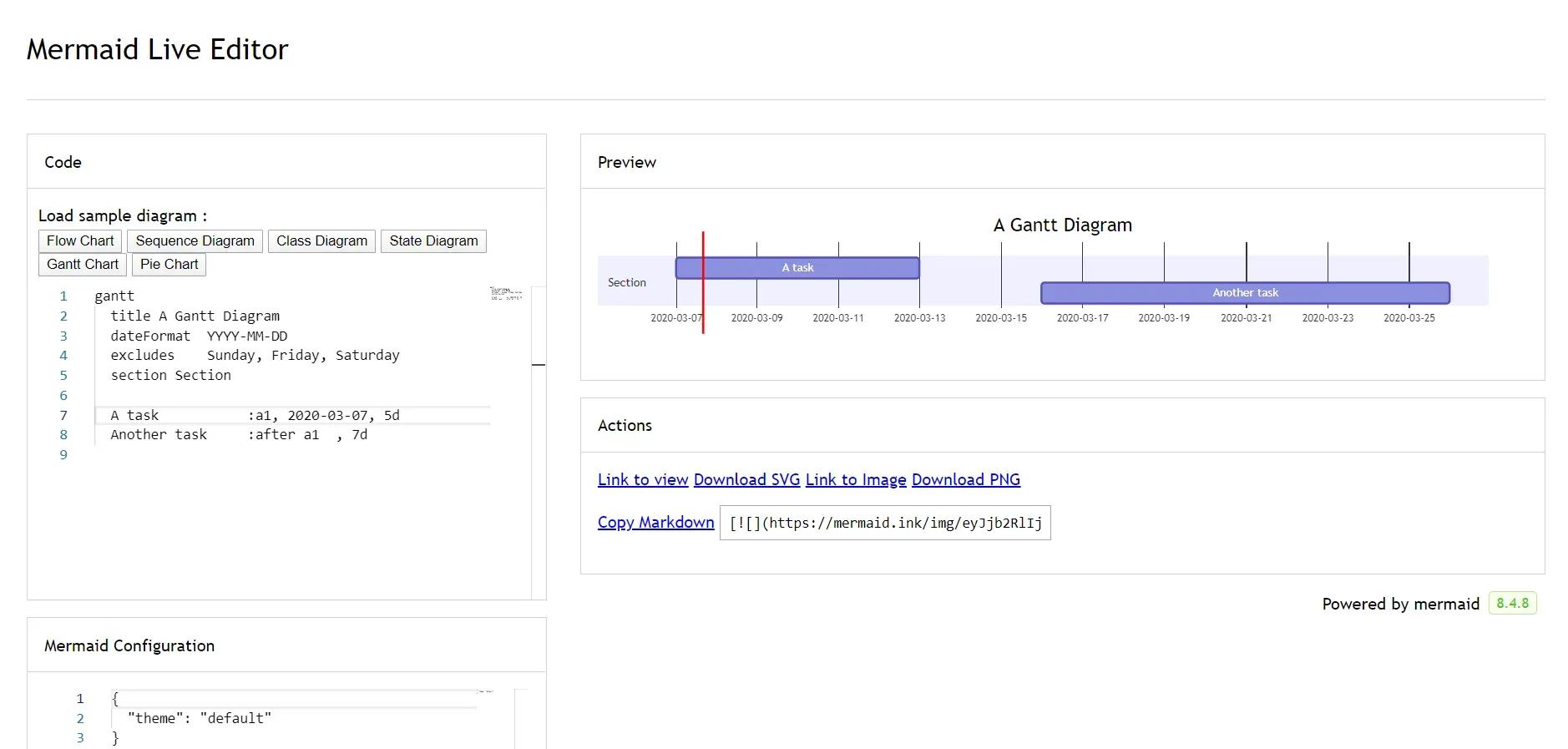
Official documentation screenshot of a Gantt diagram in an early editor version.
Source: official Mermaid project page.
Key capabilities
- Text-defined diagrams Every diagram starts with a type declaration followed by its contents, such as
flowchart,sequenceDiagramorerDiagram. Comments start with%%. The syntax reference warns that unknown words and misspellings break a diagram while misspelled parameters fail silently, so previewing before committing is part of the workflow. - More than 30 diagram types The docs folder has syntax pages for flowcharts, sequence, class, state, entity relationship, Gantt, Git graph, mindmap, timeline, pie, quadrant, XY chart, Sankey, C4, architecture, block, kanban, packet, radar, requirement, user journey, ZenUML, treemap, Venn, Wardley and several newer types. Some entries are marked beta, so check the page for the type you need before standardizing on it.
- Flowchart engine and BPMN shapes Flowcharts are the most used type. Release 12.3.0 adds BPMN events, gateways, activities, data objects and text annotations, open-arrow and hollow-circle edge markers, and an optional step animation in which a dot travels edges in step order. The animation is hidden under the prefers-reduced-motion setting.
- ELK layout bundled by default Since v12.0.0 the ELK layout engine is part of the main package and is the default for flowchart, state, class, entity relationship, requirement, use case and agentflow diagrams. Setting
layout: dagrerestores the earlier engine. Other layouts, such as cose-bilkent and tidy-tree, are documented on the layouts page. - Themes and look Documented themes include default, neutral, dark, forest, base, and the redux and neo families with dark counterparts. Only the base theme can be customized through variables. Theme and layout can be set site-wide with
initializeor per diagram with frontmatter, which is useful when one page mixes diagrams meant for print and for dark mode. - JavaScript API and page integration The simplest integration is a
preelement with class mermaid plus an ES module import from the CDN. For applications, the API initializes configuration and renders definitions to SVG on demand. Diagrams can be re-rendered when their text changes, and several diagrams can live on one page. - Security levels The
securityLeveloption accepts strict, loose, antiscript and sandbox. The README explains that sanitizing is difficult because diagram text uses many HTML characters, and that the sandbox level renders in an iframe that blocks scripts, at the cost of some interactivity. Sites that accept diagram text from outsiders should choose the level deliberately. - Math and icons Math inside supported diagrams is typeset with KaTeX using $$ delimiters; the documentation lists which diagram types accept it. Icon packs from the Iconify ecosystem can be registered with
registerIconPacks, loaded lazily from a CDN JSON file or from a bundled package. - Accessibility metadata Mermaid inserts an aria-roledescription equal to the diagram type key on the SVG and can add an accessible title and description taken from the diagram text. This helps screen reader users and search engines, but long diagrams still benefit from a prose summary beside them.
- Mermaid Live Editor The Live Editor has code and configuration panels, sample diagrams, a preview, autosaved history in browser storage and export to PNG, SVG or a Markdown image link. It is the quickest way to try syntax, and it also loads diagrams from GitHub Gists that contain a code.mmd file.
- Command line and server rendering The separate mermaid-cli project renders diagram files to images or PDFs for build pipelines, and a community HTTP server exists for rendering over a URL. These are distinct repositories with their own versions, so pin them separately from the library.
- Native GitHub rendering GitHub renders mermaid code blocks in Markdown files, as described in a GitHub blog post. This lets repository documentation carry diagrams with no image files, although the renderer version on GitHub is controlled by GitHub, not by your repository.
- Integrations list The integrations page lists editors, wikis, documentation generators and note-taking apps that embed Mermaid. Support level and Mermaid version differ per integration, so test the diagram types you use in the target application.
- Installation and delivery options Use
npm install mermaidfor bundled applications, the jsDelivr ES module for a plain page, or the Live Editor with no install. A v13 alpha is announced on the official site; treat it as pre-release and keep production sites on a tagged 12.x version. - MIT license and community The source is MIT licensed. Support and contribution channels are GitHub issues and Discussions, a Discord server and the contribution pages on the official site. Releases are frequent and use changesets, so each release lists its changes by package.
Where Mermaid fits
Documentation that stays with the code
Put diagrams in Markdown files in the repository, in fenced mermaid blocks, and review them in pull requests. Check that the renderer used by your documentation site or by GitHub supports the diagram types you picked, because the library version differs between platforms. Keep a short caption in prose so the diagram is not the only record.
Architecture and flow diagrams in a wiki
Write flowcharts, sequence diagrams or C4 diagrams in a wiki or knowledge base that embeds Mermaid. Pick a layout engine and theme in frontmatter so output is consistent between editors. Verify that large diagrams stay readable, since automatic layout can produce wide graphs when many nodes share one rank.
Database and data model sketches
Use the entity relationship syntax to describe tables and relationships beside the schema migration. The text form makes changes visible in version control. Confirm cardinality notation against the syntax page, and treat the diagram as documentation of intent, not as a generated source of truth.
Project plans and timelines
Gantt, timeline and kanban types describe schedules and task states in text. They suit small plans kept near the code, not resource-leveled project management. Check date format and excluded-day settings, then review how the chart renders in the destination tool.
Embedding diagrams in a web application
Install the npm package, initialize configuration once and render definitions to SVG on demand. If users can supply diagram text, set the security level explicitly and test with hostile input before launch. Pin the major version and read release notes for rendering changes.
Rendering in build pipelines
Use the separate command line project to produce SVG, PNG or PDF files during a documentation build. Pin its version with the library version it bundles, and compare output between releases, because layout and theme defaults changed in the 12.x line.
Install
npm install mermaidReviews of Mermaid
Be the first to share your experience with Mermaid.
Write a review
Loading review form…
Alternatives to Mermaid
 ExcalidrawExcalidraw is an MIT-licensed virtual whiteboard with an infinite canvas, hand-drawn rendering, shape libraries and PNG, SVG and JSON export. Use excalidraw.com with encrypted collaboration, self-host the Docker client, or embed the npm package in a React app.
 tldrawtldraw is a source-available TypeScript SDK for embedding an infinite canvas in React apps, with custom shapes, an Editor API, self-hosted multiplayer sync and starter kits. Free in development; production needs a license key.