

What is tldraw?
tldraw is a TypeScript and React SDK for building infinite canvas applications: whiteboards, diagram editors, node-based builders, annotation tools and AI canvases. It is developed by tldraw Inc., which its company page describes as a London-based startup founded by Steve Ruiz in 2022. The GitHub repository dates from May 2021, when tldraw began as an open drawing project, and the same SDK now runs the company's own whiteboard app at tldraw.com.
The SDK is distributed as npm packages. The main tldraw package contains the editor, default shapes, tools and user interface; lower layers such as @tldraw/editor, @tldraw/store, @tldraw/tlschema and @tldraw/utils can be used directly for a custom interface. Multiplayer support comes from @tldraw/sync on the client and @tldraw/sync-core on the server. The package manifest declares React ^18.2.0 || ^19.2.1 as a peer dependency. Project scaffolds are created with npx create-tldraw@latest, which offers Vite, Next.js and Vue templates plus MIT-licensed starter kits. A VS Code extension and an MCP app for AI agents are maintained in the same monorepo.
The current release is v5.6.0, published on October 28, 2026. It moves the interface strings to ICU MessageFormat with react-intl authoring (defineMessages, <F>, useTldrawI18n), adds availability and enabled checks to actions so menus hide or grey out commands that cannot run, and fixes a long list of undo, selection, local persistence and sync issues, including deleted records reappearing after an offline reconnect. Version 5.0, released in May 2026, introduced a theme system, the OverlayUtil overlay API, custom record and asset types, RTL support, WebSocket hibernation in sync and two new packages: @tldraw/driver for imperative editor control and @tldraw/mermaid for converting Mermaid diagrams into native shapes. Later 5.x releases added anchored comment threads (5.3), faster signals and store layers (5.4) and smart typography in rich text (5.5). The release notes page says minor versions ship roughly monthly.
tldraw is source-available rather than open source in the OSI sense. The code is public on GitHub under the tldraw license, which allows use, modification and bundling in development environments but not in production. Production use requires a license key: a 100-day trial, a free hobby license that keeps a "made with tldraw" watermark, or a commercial license sold through sales. The license is governed by Delaware law, and the README states that the project is not accepting outside code contributions at this time; bugs and feature requests go through GitHub issues.
What tldraw does not provide is equally important for planning. It is not a hosted whiteboard service for your users, it does not ship a backend you can run unchanged in production, and it does not store documents for you. Your application decides where snapshots, assets and collaboration rooms live. tldraw.com is a separate end-user product built on the SDK; this profile covers the SDK and its repository.
tldraw screenshots
Explore the interface. Open a screenshot to view it at full size.
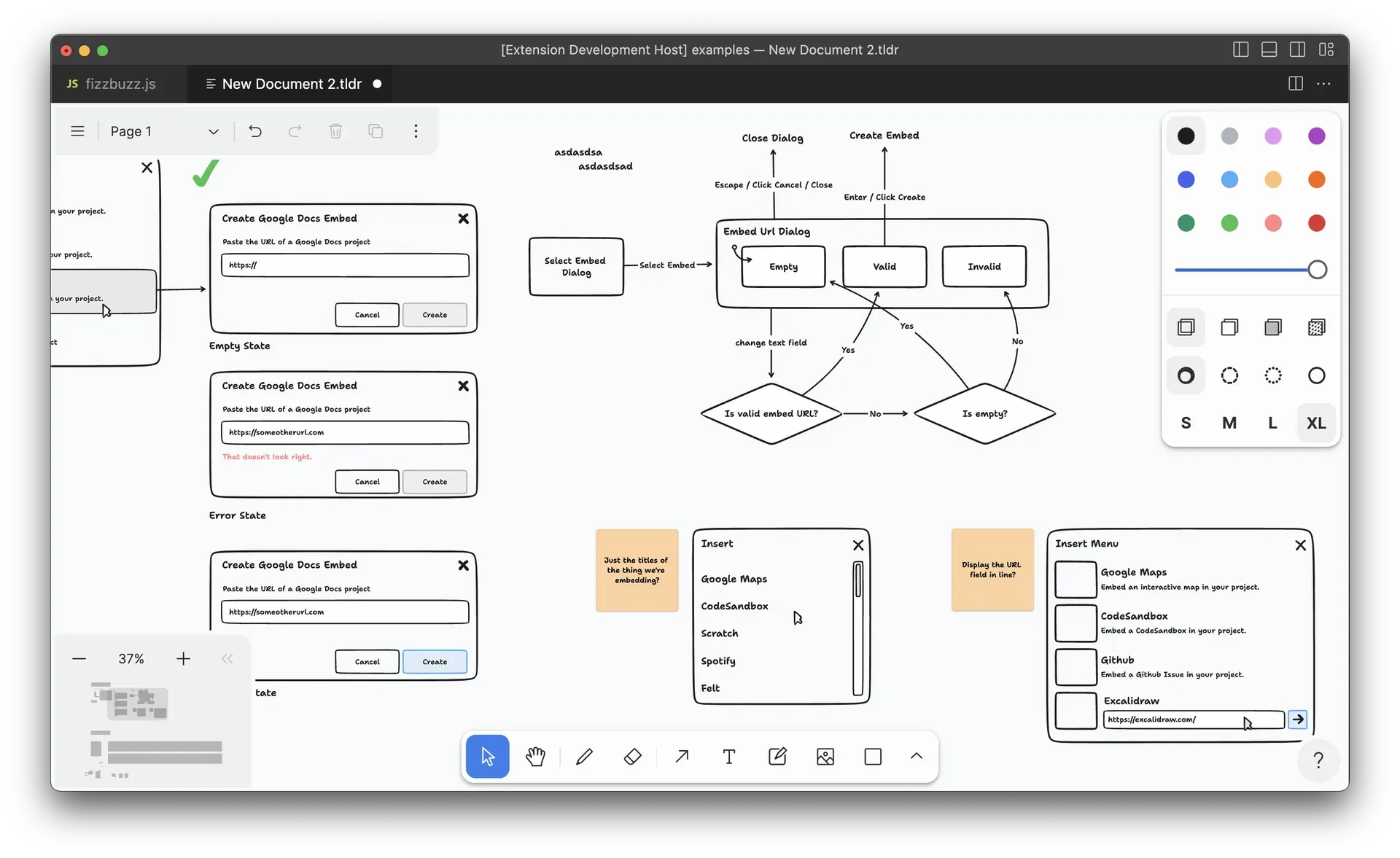
Official screenshot of the tldraw VS Code extension editing a .tldr file: wireframes, a state flowchart, notes, the minimap and the default toolbar.
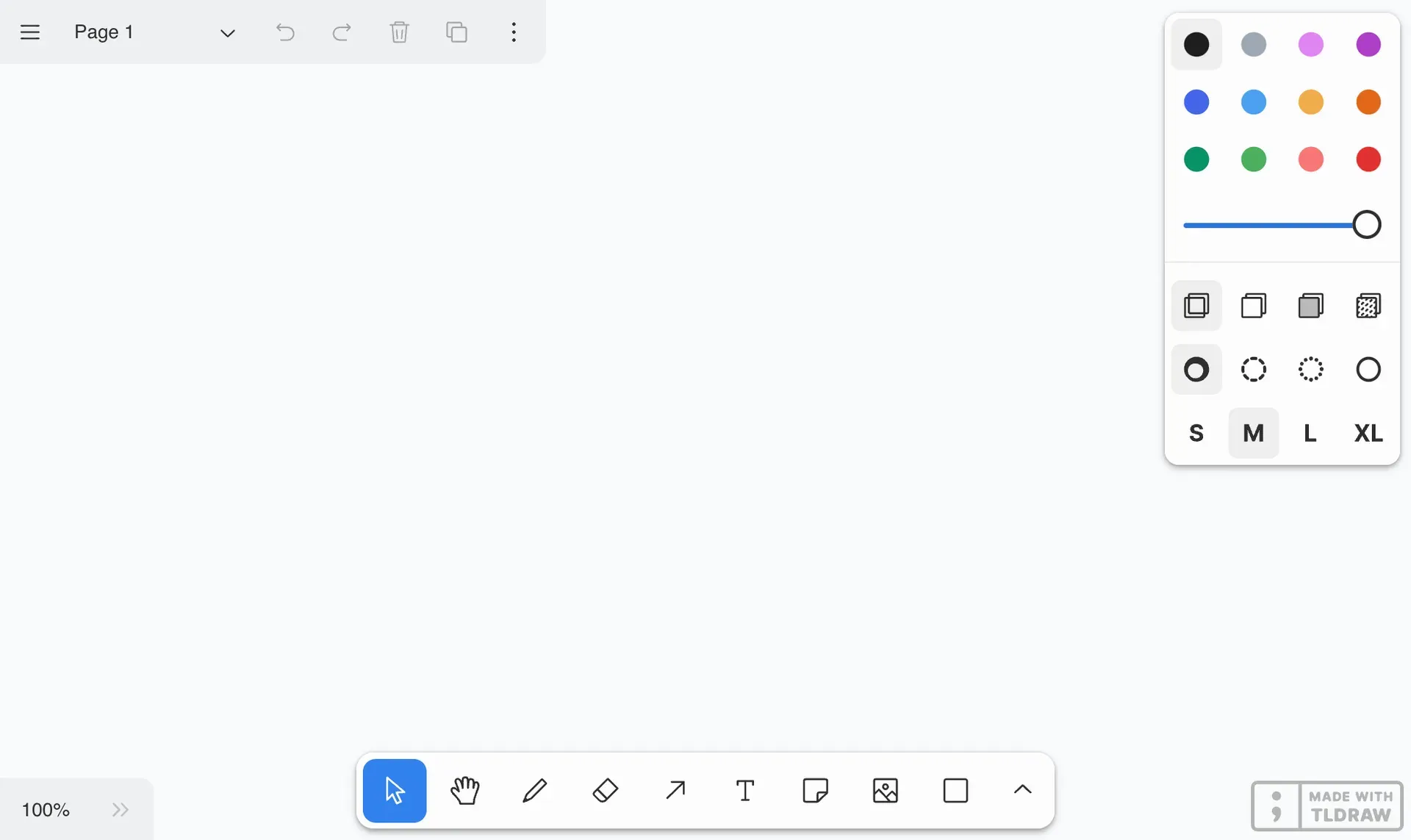
Official documentation image of the default editor UI with the watermark shown under a hobby license.
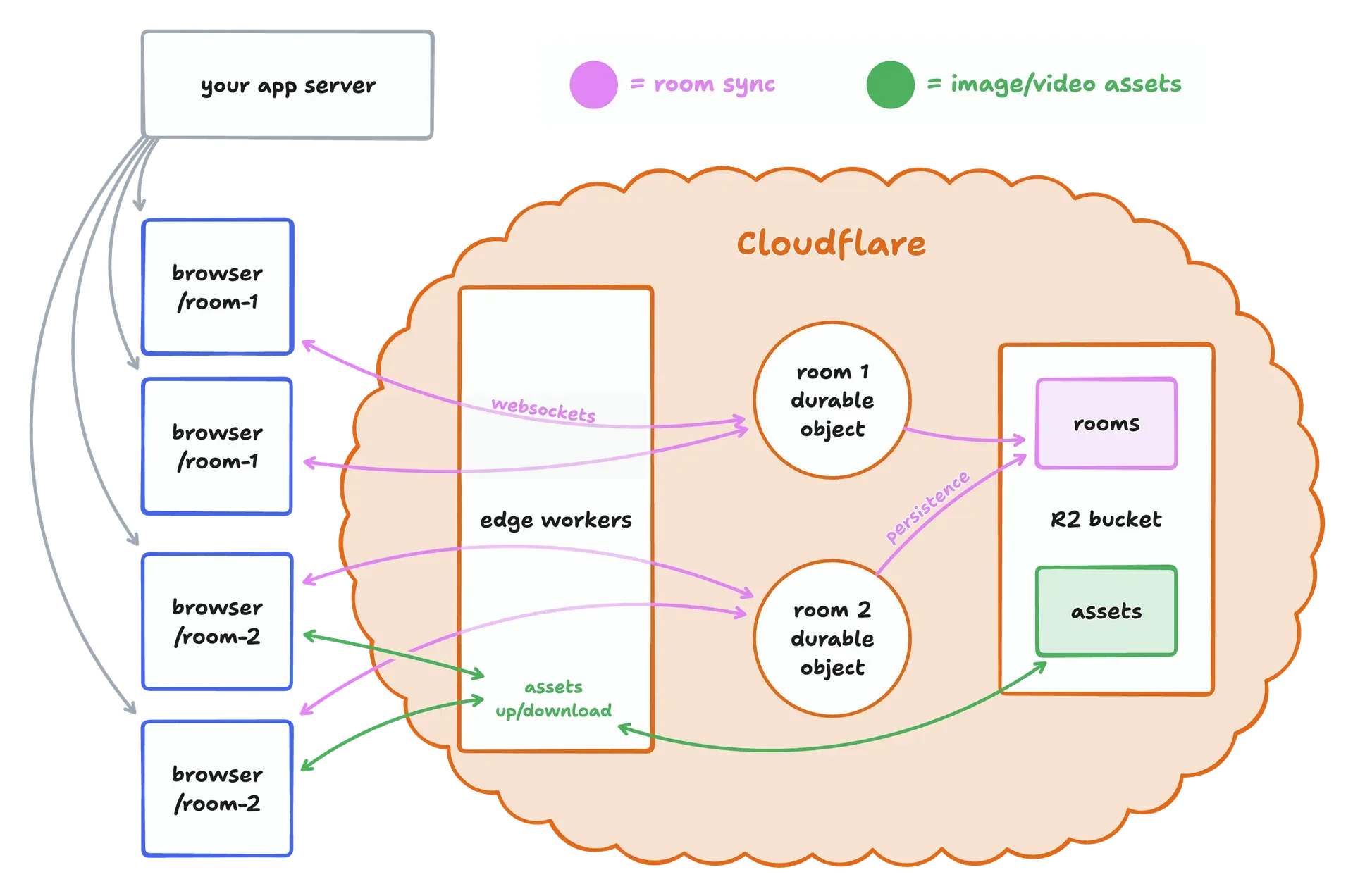
Official architecture diagram from the sync-cloudflare template: one Durable Object per room, edge workers for asset upload and download, R2 for storage.
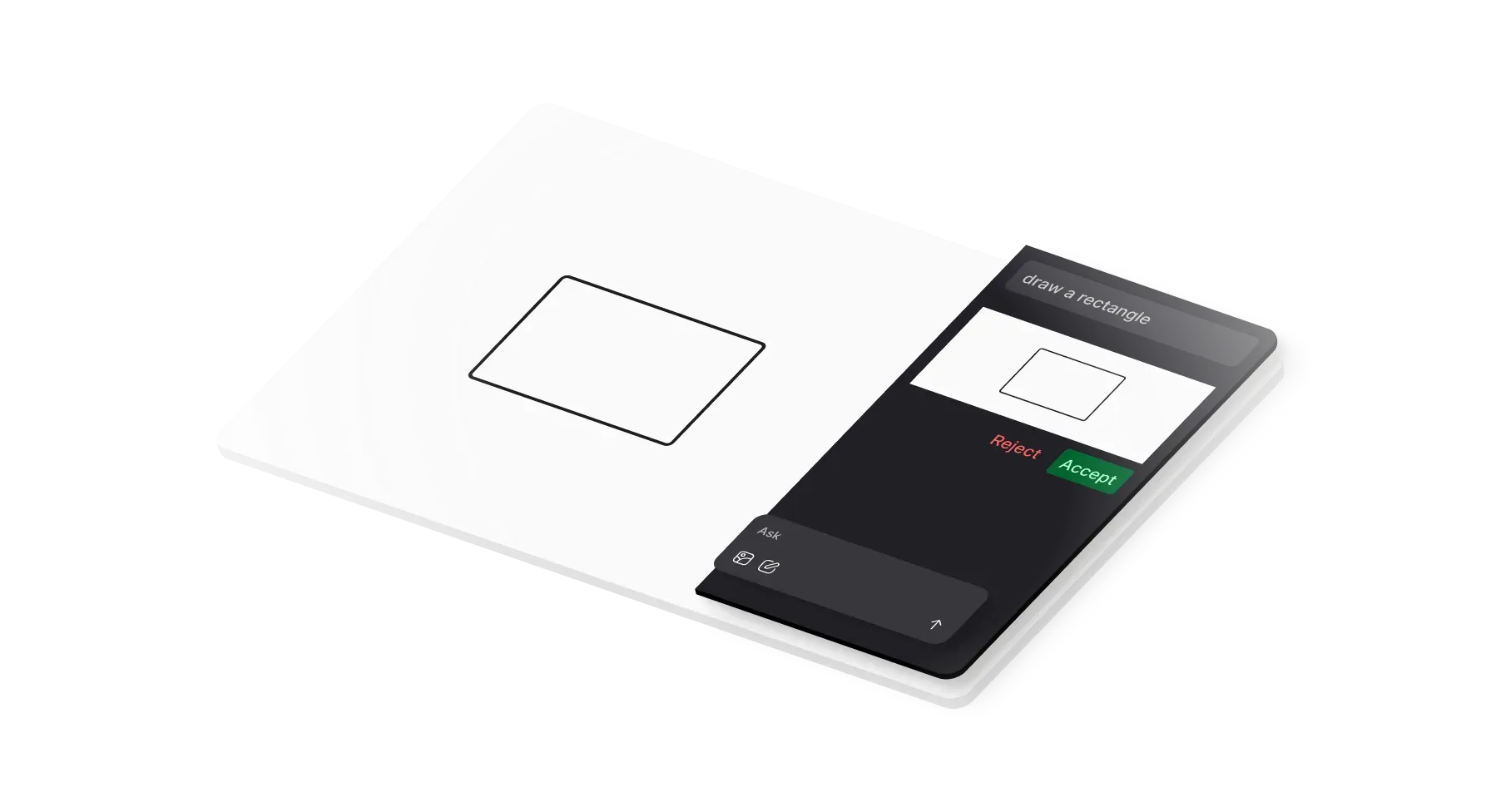
Official starter kit illustration: an AI agent proposes a canvas change that the user accepts or rejects.
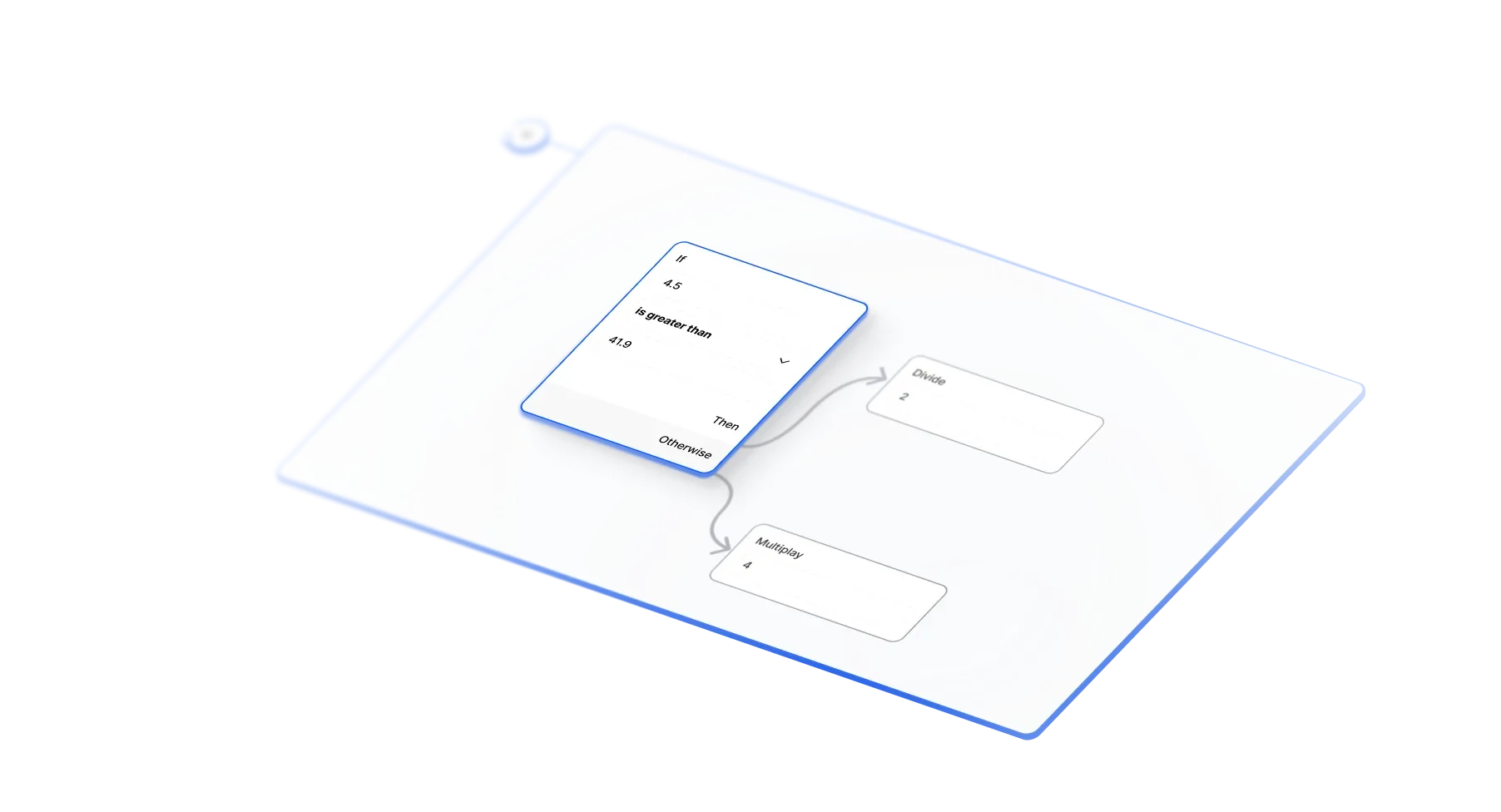
Official starter kit illustration of the node-based workflow builder with a conditional branch.
Source: official tldraw project page.
Key capabilities
- React component with a complete editor Rendering
<Tldraw />inside a sized container gives a working canvas with selection, pan and zoom, undo and redo, copy and paste, pages, a toolbar, style panel and menus. Importtldraw/tldraw.cssalongside it. The quick start shows the minimal setup; the canvas expects a parent element with explicit dimensions. - Default shapes and drawing tools The built-in set covers pressure-sensitive freehand drawing, geometric shapes, rich text, sticky notes, frames, lines, highlighter, laser pointer, images, video and bookmarks. Arrows bind to shapes and follow them when moved. Snapping, alignment, distribution and edge scrolling are included. Image export is available from the editor.
- Custom shapes, tools and bindings Shape utilities define how a record renders, hit-tests, resizes and exports. Tools are state machines that handle pointer and keyboard events, and bindings describe relationships between shapes, such as an arrow attached to a box. The shapes guide documents the contract. Custom record and asset types became extensible in 5.0.
- Editor API for runtime control The
Editorinstance exposes methods to create, update, select, group and delete shapes, move the camera, read the current page and listen to store changes. The reference documentation lists the full surface. Since 5.0,@tldraw/driveroffers a separate imperative control layer for scripts and tests. - Replaceable user interface Every default UI component can be overridden or hidden through the components prop, and actions and menu items can be replaced. In 5.6, actions gained
isAvailable,isEnabledandisCheckedso menus can hide or disable entries that cannot run. Replacing a built-in action with a new object instead of spreading it removes that gating, as the release notes warn. - Themes and display values The 5.0 theme system registers named themes with typed color palettes and resolves stroke widths, font sizes and colors through display values per shape. The
colorSchemeprop accepts light, dark or system. Projects that usedinferDarkModeor the removed default color helpers need the 5.0 migration steps. - Local persistence Passing a
persistenceKeystores the document and uploaded assets in IndexedDB and keeps open browser tabs in sync. For your own storage,getSnapshotreturns a document part and a per-user session part, andloadSnapshotrestores it. Older snapshots migrate automatically; custom shapes can declare their own migrations. The persistence guide covers both paths. - Self-hosted multiplayer sync
useSyncconnects a client store to aTLSocketRoomon your server over WebSockets, with presence and live cursors. Storage options areInMemorySyncStorageandSQLiteSyncStorage, the latter recommended for production. The sync documentation requires exactly one room instance per document and matching tldraw versions on client and server. - Assets and link previews Images and videos in a synced document go through a
TLAssetStorewithuploadandresolvemethods that you implement against your own storage. Upload size and rate limits are left to your backend. The bookmark shape needs a URL unfurling handler registered withregisterExternalAssetHandler; the Node server template includes one. - Commenting and collaboration packages Release 5.3 added anchored comment threads on the canvas, delivered as separate collaboration packages. Comments, replies and reactions travel through a separate object lane in sync with per-session read or write access. Version 5.6 added
startCommentAtin@tldraw/commentingand a Comment item in the canvas context menu when commenting is configured. - Embeds and DOM rendering Shapes are rendered with the DOM, so a shape can contain anything a browser can display. The embed shape supports services such as YouTube, Figma, GitHub Gist, Google Maps, CodeSandbox and Observable, and embed definitions became configurable in 4.5. SVG content is sanitized since 4.5.
- Mermaid import
@tldraw/mermaid, added in 5.0, converts Mermaid diagram text into native tldraw shapes that stay editable on the canvas. This suits documentation tools and AI features that produce Mermaid output. Check the package notes for which Mermaid diagram types are converted before relying on it for a specific syntax. - Accessibility and localization Release 4.0 targeted WCAG 2.2 AA, with keyboard navigation between shapes, screen reader support, motion controls and dark mode. The repository ships interface translations for about 50 locales. RTL layout support arrived in 5.0, and 5.6 moved strings to ICU MessageFormat so translations can handle plurals and interpolated values.
- Starter kits and templates
npx create-tldraw@latestscaffolds a project from templates for Vite, Next.js or Vue, or from starter kits for multiplayer, AI agent, workflow builder, chat, branching chat, image pipeline and WebGL shader apps. The kits are MIT-licensed, unlike the SDK they depend on, so their code can be copied into a project freely. - Cloudflare multiplayer template The
sync-cloudflaretemplate runs one Durable Object per room with SQLite storage, Workers for WebSocket traffic and R2 for image and video assets. The README states this is the same stack behind tldraw.com. Node.js alternatives are provided assimple-server-exampleandsocketio-server-example. - AI and agent integrations The AI documentation describes canvas primitives for building with language models, and the agent starter kit shows a model reading and editing canvas content with accept and reject review. The repository also contains an MCP app that renders a tldraw canvas inside MCP hosts supporting the MCP app specification, running on Cloudflare Workers with
searchandexectools. - VS Code extension The tldraw extension for VS Code opens and edits
.tldrfiles offline inside the editor, so diagrams can be committed next to code. Files created there open in tldraw.com and the reverse. Stable builds are released from the production branch, with pre-releases from main. - Documentation for people and coding agents Docs, examples and an API reference live on tldraw.dev, with an
llms.txtindex for agent use. From 5.1.x, published packages includeDOCS.mdandRELEASE_NOTES.mdinnode_modules, matched to the installed version. The 5.0 release also introduced a migration skill that coding agents can follow to upgrade a project.
Where tldraw fits
Embedding a whiteboard in a SaaS product
Start with the default <Tldraw /> component and a persistenceKey to confirm layout, input and performance in your application shell. Then move persistence to your backend with snapshots, decide which UI components to hide, and register a license key through the licenseKey prop or the TLDRAW_LICENSE_KEY environment variable before the first production deploy. Without a key, a production build logs errors and stops rendering the editor after five seconds, so test the key on the real domain.
Building a domain-specific editor
Products such as floor-plan sketchers, storyboard tools or architecture diagrams usually replace most default shapes. Define custom shape utilities and tools, restrict the toolbar to them, and use bindings for connections that must stay attached. Add migrations from the first release of each custom shape, because stored documents outlive code changes. Check hit-testing and export output for every custom shape, not only rendering.
Running real-time collaboration on your own infrastructure
Deploy the sync-cloudflare template or adapt the Node example, back rooms with SQLiteSyncStorage, and implement a TLAssetStore plus bookmark unfurling. Authentication and room authorization are your responsibility: the sync layer checks per-session access for comment objects, but who may join a room is decided by your server. Plan deployments so the server is updated before or with clients, since mismatched versions are rejected.
Node-based workflow and pipeline builders
The workflow and image pipeline starter kits provide draggable nodes, ports and connections on the canvas. They are a starting point for automation builders, visual programming or generation pipelines. Treat the kit as application code you own: execution of the graph, validation and storage are outside the SDK. Measure canvas performance with the number of nodes your users realistically create.
Adding an AI agent to a canvas
The agent and chat starter kits demonstrate a model that reads canvas content and proposes changes for the user to accept or reject. Decide which model provider receives canvas data and screenshots, and store API keys server side. For agent hosts that support MCP apps, the in-repo MCP app shows how an agent can search the Editor API and execute code against a live canvas; review that execution model before exposing it to untrusted prompts.
Keeping diagrams next to source code
Teams that document architecture can use the VS Code extension to create .tldr files in a repository and review them in pull requests. The same files open on tldraw.com for quick editing. This path needs no SDK license because no application is being deployed, but anything shared through tldraw.com follows that service's own terms.
Install
npm i tldrawReviews of tldraw
Be the first to share your experience with tldraw.
Write a review
Loading review form…
Alternatives to tldraw
 ExcalidrawExcalidraw is an MIT-licensed virtual whiteboard with an infinite canvas, hand-drawn rendering, shape libraries and PNG, SVG and JSON export. Use excalidraw.com with encrypted collaboration, self-host the Docker client, or embed the npm package in a React app.Ddraw.iodraw.io is a diagramming and whiteboarding application with Apache 2.0 source code, a free online editor, a desktop app and a Docker image.AAFFiNEAFFiNE is an open-source, local-first workspace that merges documents, an edgeless whiteboard and databases as an alternative to Notion and Miro.