
What is SafeLine?
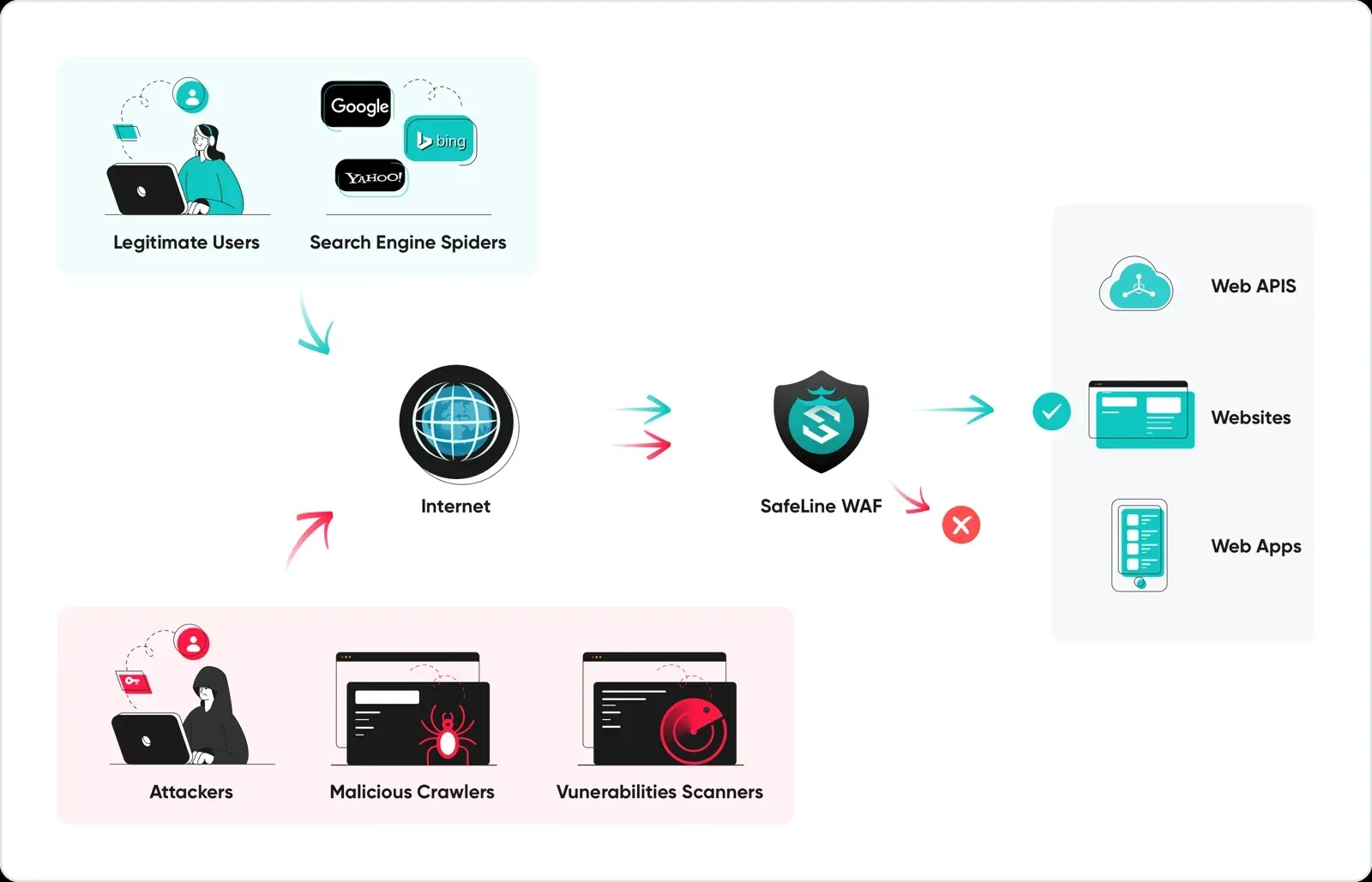
SafeLine is a self-hosted web application firewall (WAF) developed by Chaitin Tech, the Beijing company behind the chaitin/SafeLine repository. It runs as an HTTP and HTTPS reverse proxy in front of web applications: clients connect to SafeLine, which inspects each request, blocks or challenges malicious traffic and forwards the rest to the original server, the upstream. The README lists SQL injection, XSS, code and command injection, XXE, SSRF, path traversal, backdoors, brute force, HTTP flood and bot abuse among the attacks it targets, and names rate limiting, anti-bot challenges, HTML and JavaScript encryption and web access control lists as core features.
SafeLine runs as a set of Docker containers on Linux. The deployment guide requires Docker 20.10.14 or later, Docker Compose 2.0.0 or later, an x86_64 or arm64 CPU with SSSE3, and at least 1 CPU core, 1 GB of memory and 5 GB of disk. ARM installations need a Pro license, and the FAQ states that no edition runs on macOS or Windows. A root installation script sets up the stack under /data/safeline, after which the web console listens on port 9443 over HTTPS. The README points users in mainland China to a separate Chinese installation guide.
According to the architecture page, safeline-tengine is the nginx-based gateway, safeline-detector runs the detection engine, safeline-mgt serves the console and API, safeline-fvm compiles detection configuration into bytecode, safeline-chaos handles challenges, authentication, the waiting room and dynamic protection, safeline-luigi records logs and request rates, and PostgreSQL 15.18 stores configuration, logs and statistics.
The current release is SafeLine-CE 9.4.4, published on November 11, 2026. It adds an opt-in Beta upgrade channel, ASN match operators for custom rules in Lite and Pro, DNS re-resolution of domain-based upstreams in Pro and custom health-check paths, and it tightens the boundary between the management panel and the detection engine. Version 9.4.3 (October 21, 2026) stopped accepting loopback and link-local addresses as upstreams after fixing a chain between nginx configuration injection and the detector management plane, and patched CVE-2026-1642 in the bundled Tengine. The changelog starts with version 0.9.0 in March 2023; the separate LTS branch ended with 9.1.0-LTS in August 2025.
The GitHub repository is licensed under GPL-3.0 and contains the Go management service, the yanshi automaton generator, the Compose file, gateway plugins, the lua-resty-t1k client and an MCP server. Installations pull prebuilt images published under the chaitin prefix, and the Information Collection Statement requires accepting a Software License Agreement before installing. The product page, operated under the CyberServal name, lists four editions: Personal at $0, Lite at $10 per month or $100 per year, Pro at $100 per month or $1,000 per year with a 7-day trial, and Ultimate with custom annual pricing. Paid license keys need a continuous connection to the vendor license server, although proxying and detection keep working while it is unreachable.
Other self-hosted listings on iThub in adjacent areas include Cap, a proof-of-work CAPTCHA server, Pangolin, an identity-aware reverse proxy, and Cosmos Server, a gateway with reverse proxy and SSO.
Key capabilities
- Semantic analysis detection engine Instead of matching keywords with regular expressions, SafeLine parses request content with context-free grammars and checks whether a payload forms valid code in the targeted language. The advanced protection page uses the sentence "The union select members from each department to form a committee" as text that keyword rules would flag. Semantic analysis runs in Audit, Balance or Strict mode and can be configured per application.
- Published detection figures The README reports a run of 33,669 samples with 71.65% detection and 0.07% false positives in Balance mode and 76.17% detection and 0.22% false positives in Strict mode, next to figures for ModSecurity level 1 and the Cloudflare free plan. The samples come from BlazeHTTP, a separate GPL-3.0 WAF testing tool from Chaitin.
- Attack coverage and engine updates Detection rules are updated in regular releases: 9.4.0 added detections for Apache Kafka Connect (CVE-2025-27817), .NET deserialization and DedeCMS (CVE-2025-6335), and reworked SQL injection, XSS, CSRF, Java deserialization and MongoDB NoSQL injection detection. Version 9.3.2 added an enhanced rule module. Response detection, which also inspects upstream responses, is a Pro feature.
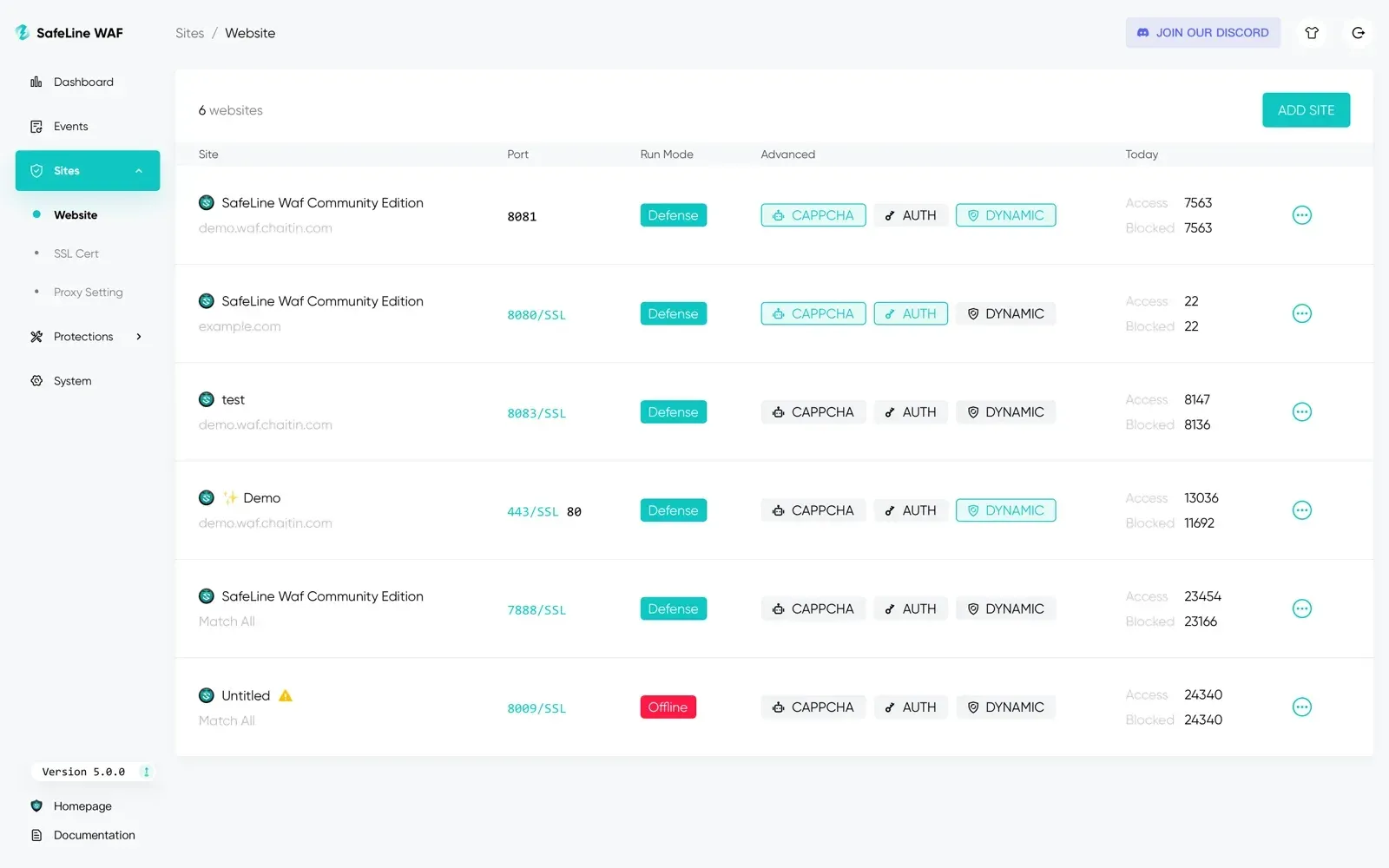
- Applications, upstreams and forwarding Each protected application is defined by a domain, IP address or Match All, listening ports with optional SSL and the upstream address. Applications can also serve uploaded static files, path-prefix forwarding rules route parts of a site to other upstreams, and WebSocket works by default. Health checks run per application every 10 to 3600 seconds, and Pro adds load balancing with weighted round robin or primary-backup scheduling.
- Allow and deny rules Custom rules allow or deny requests by IP, URL and other request attributes, combine conditions with AND and OR, and run in an adjustable order. Attack IPs can be added to IP groups from the logs, a deny rule can run in monitor mode that only logs matches (since 9.4.3), and 9.4.4 adds ASN match operators in Lite and Pro.
- HTTP flood protection Rate limiting throttles IP addresses that exceed thresholds, with Access, Attack and Error Limiting rules. A source over the limit is banned with HTTP 429 or sent to an anti-bot challenge; Pro allows separate rules per URL path. The Waiting Room queues visitors above a concurrency threshold and removes sessions that stay inactive beyond a timeout.
- Anti-Bot Challenge and anti-replay The challenge scores source IP reputation, browser legitimacy, debugging activity and keyboard and mouse behaviour before passing a client, and challenge pages return status code 468. Anti-replay builds on it: verified clients receive a one-time signature in a cookie, and a request that reuses a signature is blocked and its session revoked.
- Dynamic Protection HTML sent to the browser is encrypted and decrypted client-side, and JavaScript is randomly obfuscated, producing different output on each visit to hinder crawlers and automated exploit tools. The
safeline-chaoscontainer rewrites the responses; skipping the decryption page is a Pro option. - Auth and single sign-on Auth places a login in front of an application. Simple Auth covers one application, while SSO opens a portal on its own domain so that one login covers every authorized application; single logout is not supported. Login methods are account and password, OIDC, GitHub and LDAP, TOTP can be enforced, and first-time users can require administrator approval.
- Threat intelligence, JA4 and geo-blocking Installations can share de-identified malicious IP data with Chaitin and receive a blocklist calculated from other users, updated daily. Since 8.10.0 SafeLine records attackers' JA4 TLS fingerprints and ships a deny rule for known malicious ones. Personal uses the community-shared data, while Lite and Pro receive the Pro threat feeds and add geo-blocking.
- Certificates and TLS settings Certificates can be uploaded or issued through ACME HTTP-01 with automatic renewal. SafeLine re-reads certificate files under
/data/safeline/resources/nginx/certsevery hour, so tools such as certbot can replace them, as the certificate guide explains. Since 9.4.1 only TLS 1.2 and 1.3 are enabled by default, and protocols and ciphers can be changed. - Client IP detection By default the client IP comes from the TCP connection. Behind a CDN, load balancer or nginx, the source IP guide describes reading a chosen X-Forwarded-For level or another header, and PROXY protocol is supported since 8.0.0. SafeLine passes the client address to the upstream in X-Forwarded-For.
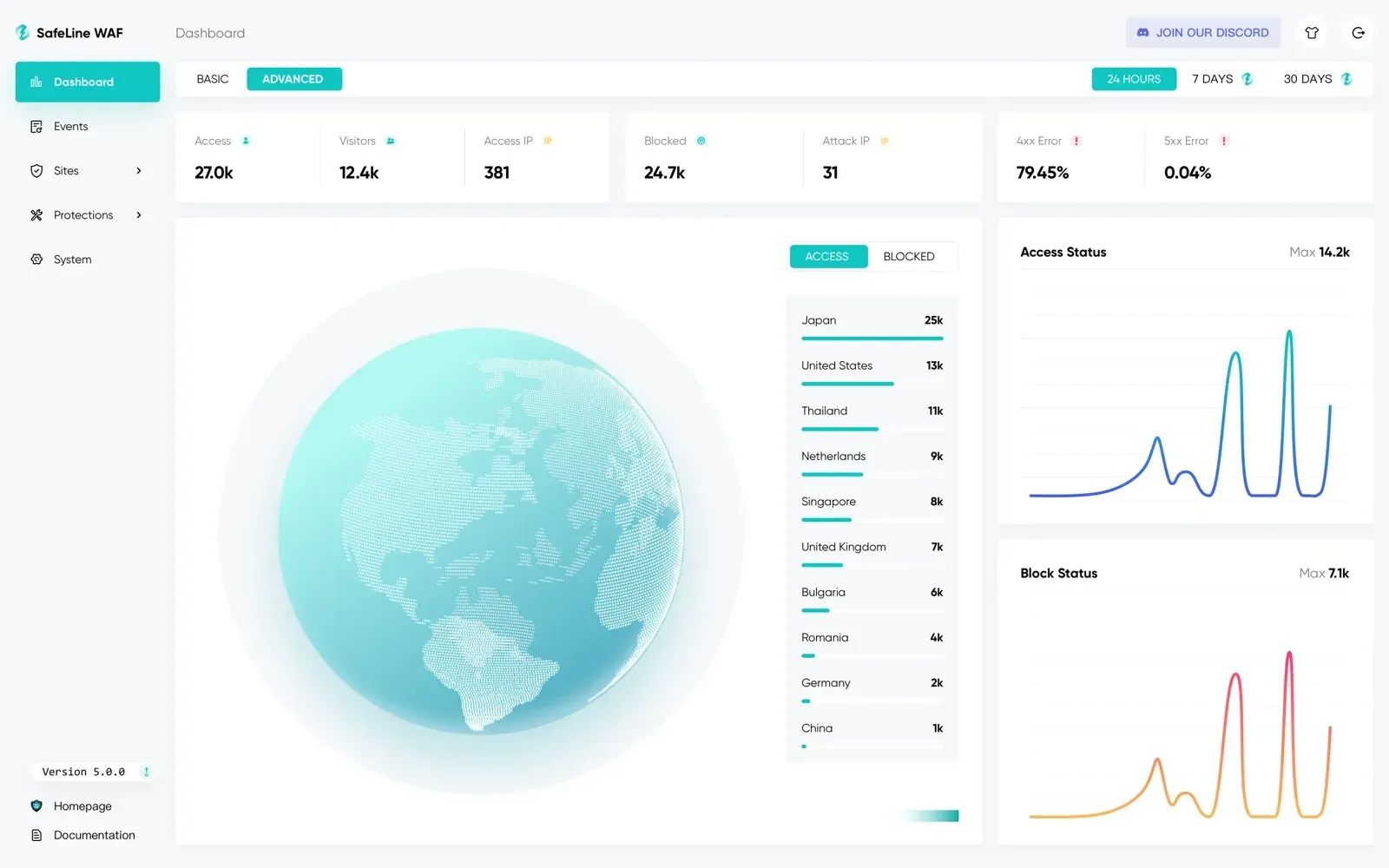
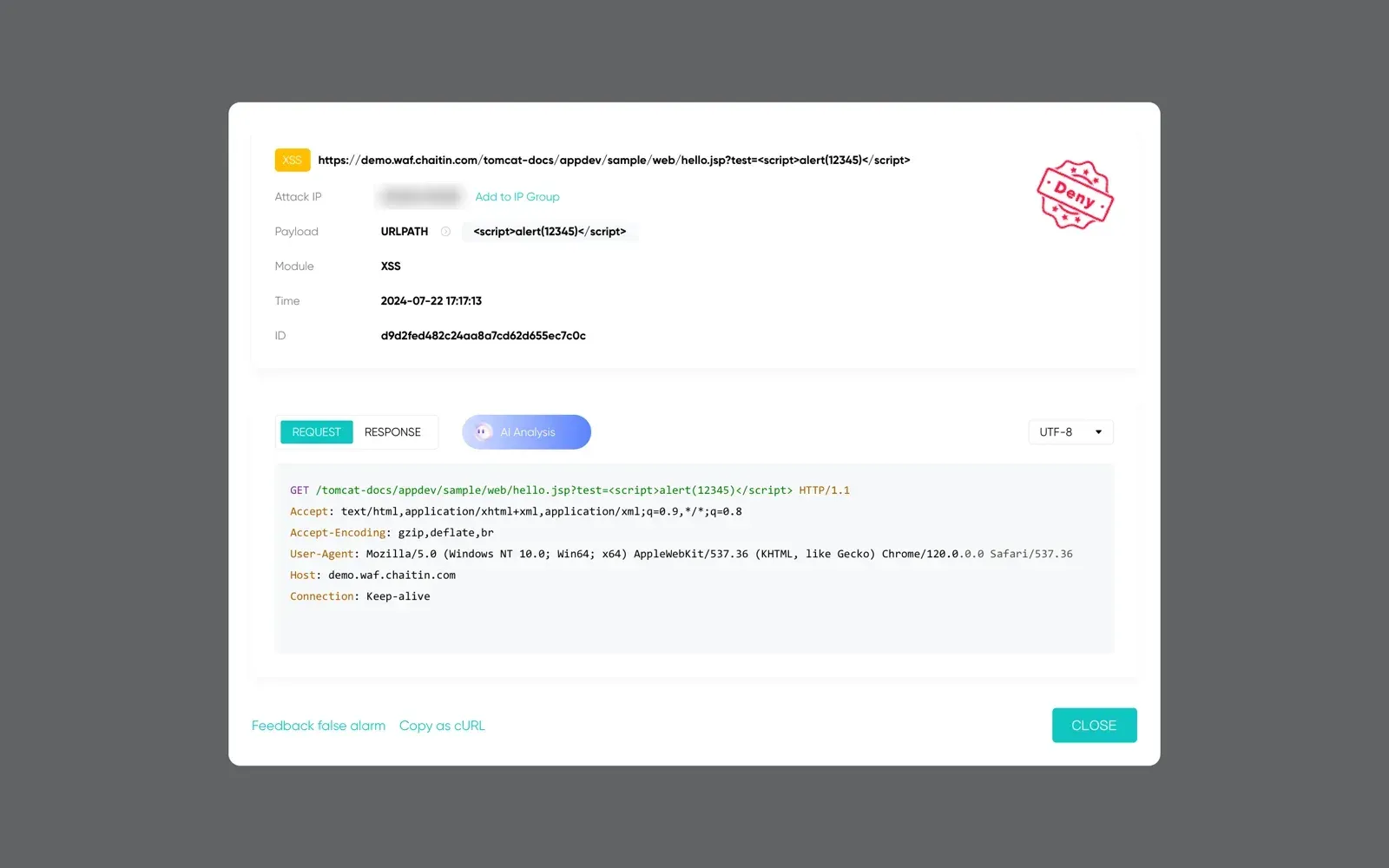
- Logs, statistics and alerts Attack logs show the URL, attack IP, payload location, module and the raw request and response. Access and error logs come with every edition; log export, system logs and Discord or Telegram notifications are Lite and Pro features, and Pro adds advanced dashboards. Syslog sends events over UDP in RFC 5424 format with a JSON body that includes source IP, host, path, attack type, risk level and action.
- Console, API and MCP server The admin console runs on port 9443, with a read-only role since 9.3.10 and multi-user management in Pro. The OpenAPI page shows calls authenticated with an
X-SLCE-API-TOKENheader. The bundled SafeLine MCP Server exposes one read-only tool,get_attack_events, over Streamable HTTP for several instances. - Gateway and ingress plugins For traffic handled by another gateway, the repository includes plugins that call the detection engine over the T1K protocol: ingress-nginx for Kubernetes, a Kong plugin installed with
luarocks install kong-safeline, a Traefik plugin and the lua-resty-t1k library for OpenResty. They require exposing the detector on TCP port 8000. - Master and slave configuration sync In Pro, a master node pushes its configuration to slave nodes every minute, slaves are read-only, and traffic is switched manually if the master fails. The sync guide requires identical versions and a license per node; logs and statistics are not synchronized.
- Performance modes and sizing The detection engine runs single-threaded by default, with balanced and maximum performance modes; Personal and Lite are limited to single-thread mode, which the plan page rates at up to 800 QPS on 1 core and 1 GB of memory. Personal, Lite and Pro allow 10, 20 and unlimited applications.
- Installation, upgrade and removal The installation script also upgrades a deployment in place. The upgrade guide states that upgrades briefly interrupt traffic and include irreversible data migrations, describes backing up the installation directory, and notes that versions before 9.2.7 need manual migration of some settings. Removal is
docker compose downand deleting the directory.
Where SafeLine fits
Protecting an existing website
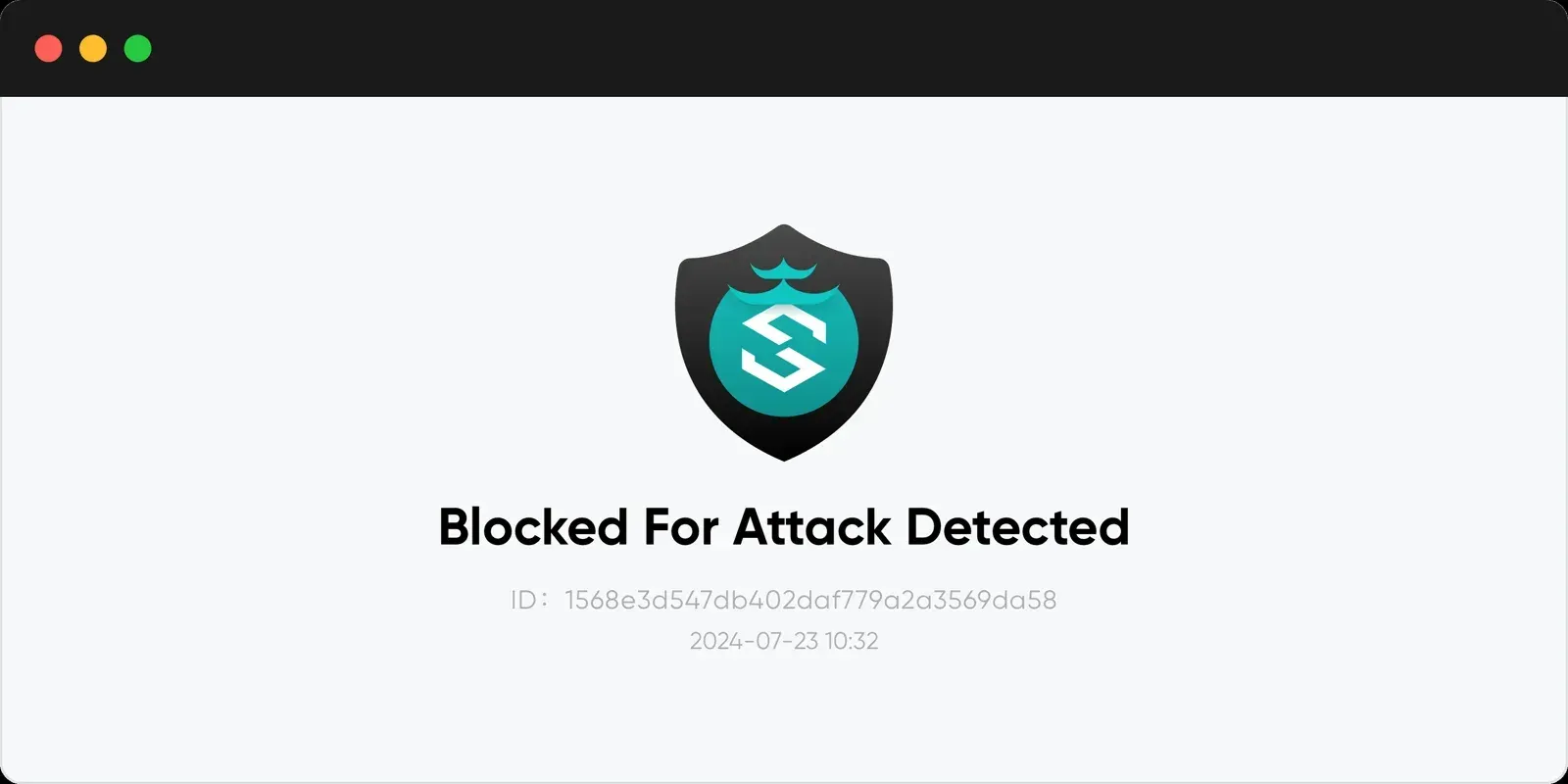
The Add Application guide creates an application with the site domain, a listening port such as 80 or 443 with SSL, and the upstream address of the original server, after which the domain's DNS record points to the SafeLine host. The guide lists test requests with SQL injection, XSS, path traversal, code injection and XXE payloads; a blocked request shows the SafeLine block page and appears in the console attack list. The FAQ names requests that reach the origin directly as the usual reason for an empty log.
Running behind a CDN, load balancer or second proxy
When other proxies sit in front of SafeLine, attack logs show their addresses until the source IP setting matches the topology: socket address, an X-Forwarded-For level, another header or PROXY protocol. On the upstream side, SafeLine forwards the client address in X-Forwarded-For, and the FAQ shows the nginx real_ip_header settings to use it. The 9.4.3 notes describe moving applications that listen only on 127.0.0.1 to a private address before upgrading.
Limiting floods, bots and replayed requests
For login, search and data endpoints, the docs combine rate limiting, the anti-bot challenge, anti-replay and, for traffic spikes, the waiting room. The request flow article explains why one client can receive 200, then 403 for an attack, 429 after a ban or 468 at a challenge page, with Tengine, the detector, Chaos and Luigi each handling a stage.
Adding a login in front of internal applications
Auth places SafeLine's login page in front of applications without their own authentication. Administrators connect LDAP, OIDC or GitHub as identity sources as described in the LDAP guide, enable SSO with a portal domain and port, optionally force TOTP, and approve first-time users. Applications that need the user identity implement the Auth callback URL and exchange a one-time code at /.safeline/auth/api/user.
Sending events to a SIEM, chat or AI assistant
Attack events go to a syslog server over UDP as RFC 5424 messages with a JSON payload, and the FAQ also shows forwarding detection logs with fluentd. Lite and Pro send notifications to Discord or Telegram for attacks, rate limiting, anti-bot, allow and deny rules, waiting-room activation, approval requests and license expiry, aggregated every 10 minutes, 1 hour or 2 hours. The MCP server gives AI clients read-only access to attack events across several instances.
Inspecting traffic in Kubernetes ingress and API gateways
Where traffic already passes through ingress-nginx, Kong, Traefik or OpenResty, the plugins send requests to the SafeLine detection engine instead of routing them through SafeLine's own gateway. The plugin READMEs expose the detector on TCP port 8000 by editing detector.yml and the Compose file, then configure the plugin with the detector host and port; lua-resty-t1k supports block, monitor and off modes.
Install
bash -c "$(curl -fsSLk https://waf.chaitin.com/release/latest/manager.sh)" -- --enReviews of SafeLine
Be the first to share your experience with SafeLine.
Write a review
Loading review form…
Found SafeLine useful? Upvote it todayYour vote helps other IT teams find it in the daily ranking.