

What is Cap?
Cap is an open-source CAPTCHA alternative that replaces image puzzles with proof-of-work and instrumentation challenges. It is written by the developer behind the tiagozip/cap repository and published under the Apache License 2.0. The visitor sees a single checkbox; in the background the browser solves a small computational challenge and runs a short script, and the server trades the result for a single-use token. The project describes itself as privacy-first and self-hosted: it sets no cookies, collects no telemetry and keeps challenges, tokens and statistics on your own infrastructure. This listing covers the Cap project at trycap.dev, not the unrelated screen recorder that iThub lists as Cap.
The project ships in several pieces. The widget is a cap-widget web component of roughly 20 KB that solves challenges in Web Workers with WebAssembly. Cap Standalone is the server as a Docker image (tiago2/cap) with a dashboard, multiple site keys, analytics and rate limiting, backed by Redis or Valkey. The capjs-core npm package is a stateless library that generates and verifies challenges inside your own backend, including on Cloudflare Workers or Lambda. A reCAPTCHA-compatible /siteverify endpoint means migration is mostly a change of URL and secret. The community libraries page lists third-party widgets, server ports and plugins for WordPress, Laravel, Symfony and other stacks, which the maintainer does not review.
The current GitHub release is standalone@3.1.13, published on September 23, 2026. It added GET /health, which checks Redis and returns 200 or 503, and GET /health/live, which returns 200 while the process runs, so Kubernetes and Docker Compose probes no longer need authentication. It also made SIGTERM and SIGINT finish in-flight requests, close Redis and exit with code 0 after at most 8 seconds, where docker stop previously hung for 10 seconds before killing the process. Earlier standalone releases in 2026 improved asset-server handling, fixed a rate-limiting bug and added a /assets/hashwx.wasm route. The widget and standalone server are released separately, so a tag such as widget@0.1.56 refers to the client package.
Two proof-of-work protocols matter in practice. HashWX, designed by tevador, is the default for new Standalone keys; each block of nonces generates a new hash function so a GPU gains about two times over a CPU, against about 150 times for SHA-256 in the project's own measurements. SHA-256 remains available with a pure JavaScript fallback for browsers without WebAssembly. The deprecated RSW protocol is kept only for existing keys. Instrumentation runs a freshly generated, obfuscated script in a sandboxed iframe to show that the work happened in a real browser engine. Cap does not judge whether a visitor is human; it makes each request cost computation and checks that the computation ran in a browser. It does not stop people who solve challenges by hand, and it is not a managed service with a risk score. The How Cap works page documents the model, and the project states that it is used in production by companies such as bunny.net and AdGuard.
Cap screenshots
Explore the interface. Open a screenshot to view it at full size.
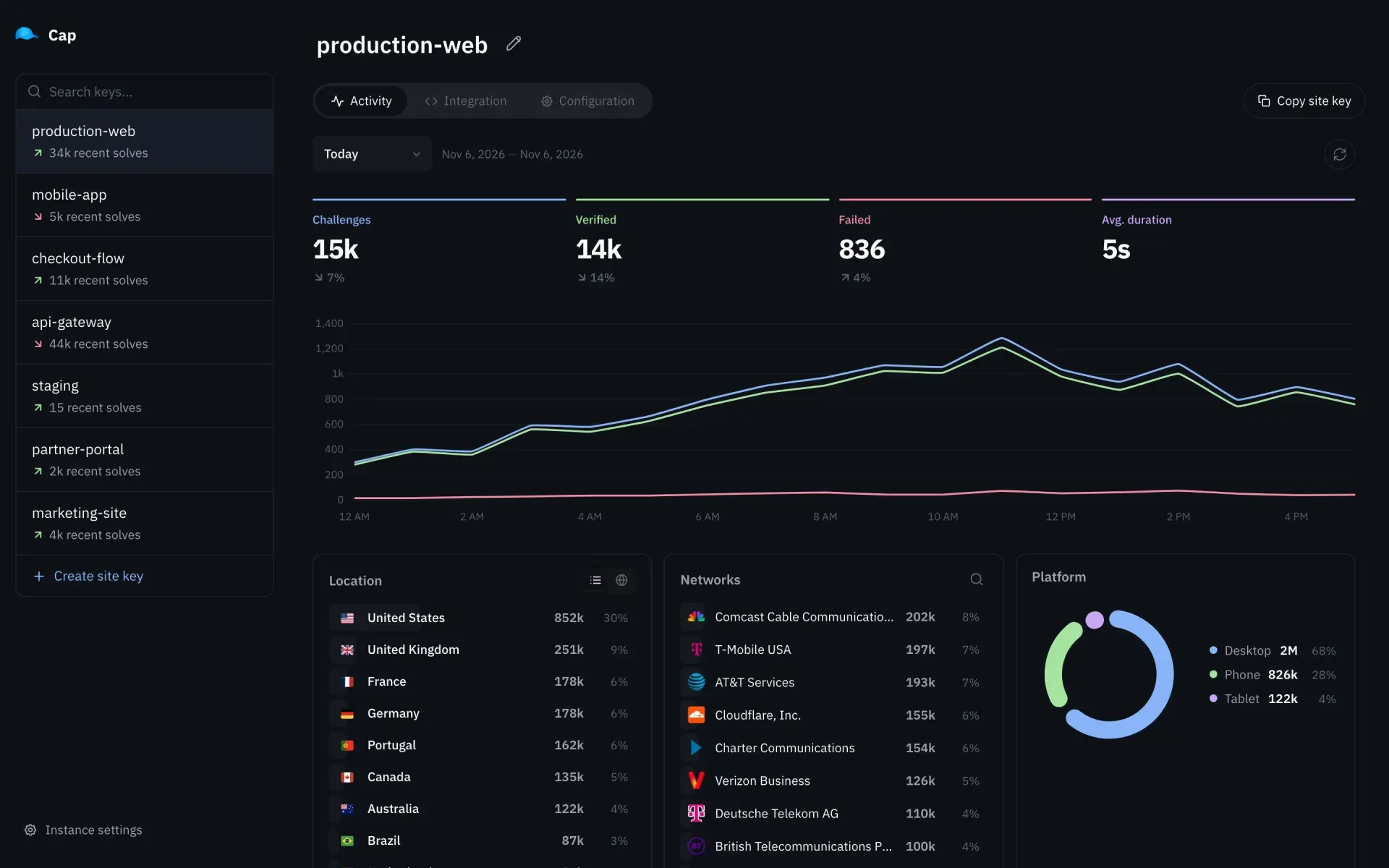
Official screenshot of the Standalone dashboard Activity tab for a site key. The figures are sample data from the project site.
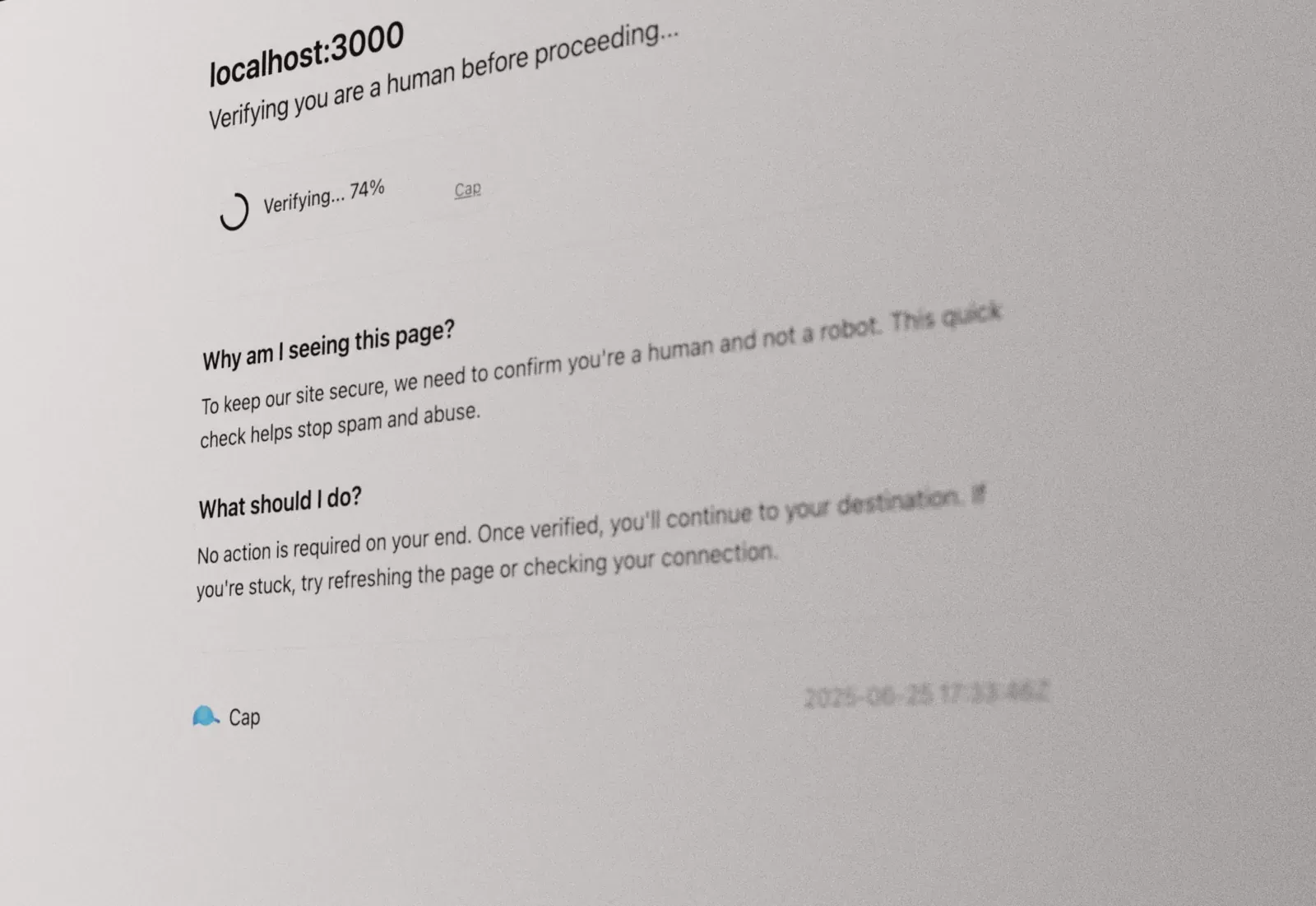
Official documentation image of the Checkpoints browser-check page shown while a challenge is being solved.
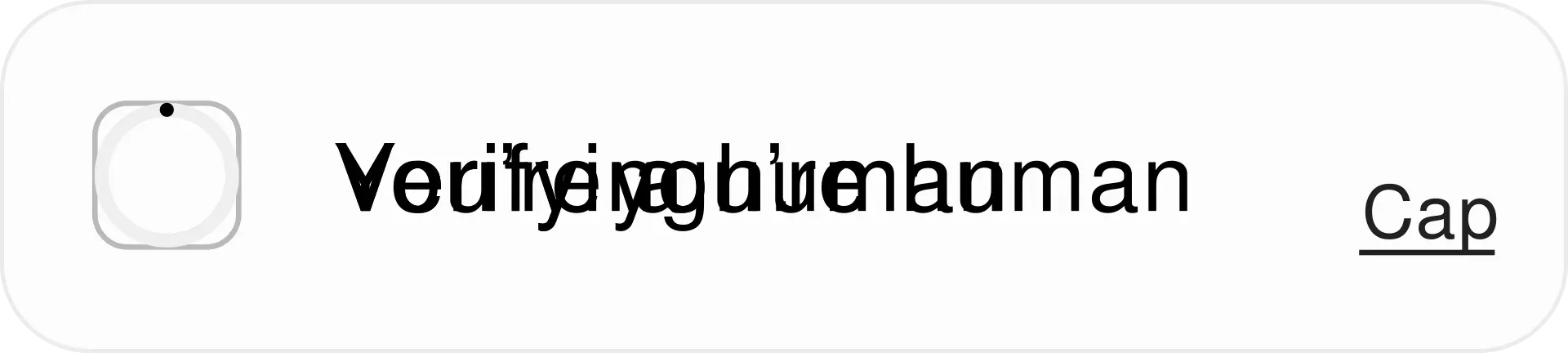
Official animated figure of the Cap widget from the repository README, which cycles through its states.
Source: official Cap project page.
Key capabilities
- Standalone server in Docker The
tiago2/capimage runs on Bun, idles at about 50 MB of memory and keeps all data in Redis or Valkey. The documented compose file starts it with a Valkey container, anADMIN_KEYof at least 12 characters, and port 3000. The server refuses to start without a valid admin key. Updating isdocker compose pull && docker compose up -d; a Railway template is linked from the quickstart. - Web component widget
cap-widgetis a native custom element installed from npm (cap-widget) or a jsDelivr script tag. It works in plain HTML, React 19, Vue, Svelte, Solid, Qwik and Astro. Inside a form it adds a hiddencap-tokeninput and arequiredattribute blocks submission until solved. Pin a version when using the CDN, and self-host the files if visitors are in regions where jsDelivr is blocked. - HashWX proof of work The default protocol for new site keys. Difficulty is the expected number of hashes per solve, from 50,000 to 5,000,000, with a default of 1,000,000. The documentation reports a median of 578 ms on a desktop and 1.1 to 5.9 seconds on phones for the default. Browsers without WebAssembly cannot solve HashWX and need the SHA-256 protocol instead. See the HashWX page for the measurement tables and their caveats.
- SHA-256 and RSW protocols Each site key chooses its protocol under Configuration, and the widget detects the protocol itself, so switching needs no client change. SHA-256 has a pure JavaScript fallback but a GPU clears about 150 times as many challenges as a CPU. RSW time-lock puzzles are deprecated and only supported for existing keys.
- Instrumentation challenges Every challenge can carry a server-generated JavaScript program that does arithmetic, some of it through DOM operations, and returns four numbers the server already knows. Obfuscation levels run from 1 to 10 with a default of 3. Instrumentation is on for new Standalone keys and opt-in in the core library. Read the instrumentation page for what it detects and what it does not.
- Headless browser detection An optional setting collects facts about the browser and lets the server check for automation tools and tampering. The decision is made server-side because a browser-side check is easy to patch out. The checks target automation, not the browser brand, so users on niche Chromium forks are not penalized by codec or brand signals.
- Automated click and typing detection Experimental and off by default. While the instrumentation script runs, the widget counts clicks and key presses dispatched by scripts. After three of either, blocking mode rejects the solve; report-only mode adds risk flags to the siteverify response. Accessibility tools can dispatch synthetic events and have not been tested against it, which is the stated reason it is off by default.
- Site keys and dashboard Each site key has its own secret, statistics and settings: protocol, difficulty, instrumentation, rate limits and block rules. The secret is shown once at creation and can be rotated. The dashboard shows challenges, verified and failed counts, average duration, and breakdowns by location, network and platform, as in the official screenshot.
- reCAPTCHA-compatible siteverify Your backend posts JSON with
secretandresponseto/<site-key>/siteverifyand receives{"success": true}; a failed check returnssuccess: falsewith an error and a 4xx status. Tokens work once. The siteverify endpoint is not rate-limited because it is meant for your backend. The project also documents migration guides from reCAPTCHA, hCaptcha and Turnstile under alternatives. - Rate limiting and client IPs Challenge endpoints are limited per client IP, 30 requests per 5 seconds by default, adjustable globally or per key. Standalone reads the IP from X-Forwarded-For, X-Real-IP, CF-Connecting-IP and then the socket, so a reverse proxy must forward the real address or every visitor shares one bucket. Port 3000 should stay closed to the internet because these headers are trusted as sent.
- Core library for your own backend
capjs-coreexposesgenerateChallengeandvalidateChallenge. A challenge is a signed JWT, so it needs no database, filesystem or in-memory state. You supply aconsumeNoncefunction backed by your own storage to prevent replay, and you store the token key until it expires. The signing secret must be at least 16 random bytes. Details are on the core library page. - Floating and invisible modes Floating mode hides the widget until a button is pressed, then shows it beside the button, solves, and clicks the button again so a submit button continues with the token. Invisible mode calls
new Cap({ apiEndpoint })andcap.solve()from your own code, which suits actions without a form. See floating mode and invisible mode. - Checkpoints Checkpoints, previously called middlewares, add a browser-check interstitial in front of a whole site, similar in role to the Cloudflare browser check. The project warns that it also affects good bots such as search engine crawlers. Official middleware examples cover Elysia, Express and Hono.
- Languages, styling and accessibility labels The widget follows the browser language for Arabic, Chinese (Simplified), French, German, Hindi, Japanese, Portuguese, Russian and Spanish, and uses English otherwise. Colors, size, border radius and spacing are CSS variables on
cap-widget, and every label can be replaced throughdata-cap-i18n-*attributes, including the screen reader labels. A nonce option supports a strict Content Security Policy. - REST API and scoped API keys Everything the dashboard does is available over a REST API, documented at
/swaggeron your own instance. API keys are created under Settings and sent asAuthorization: Bot <key>. A key can be read-only and restricted to selected site keys, which suits giving a site owner access to their own statistics. - Asset server for the widget files Setting
ENABLE_ASSETS_SERVER=truemakes Standalone serve the widget and WebAssembly files from/assets, downloaded into Redis at startup and refreshed hourly from a configurable cache host. PinWIDGET_VERSIONandWASM_VERSION, because latest can pick up breaking changes. This removes the runtime dependency on jsDelivr. - IP data and health checks Country and network breakdowns use DB-IP Lite, MaxMind GeoLite2 or the IPInfo API, chosen in Settings. The container runs as UID 1000, so a bind-mounted data directory must be writable by that user. The health endpoints added in the latest release support readiness and liveness probes.
Where Cap fits
Replacing reCAPTCHA or hCaptcha on a contact form
Run Standalone, create a site key and swap the third-party script for cap-widget pointing at https://your-host/<site-key>/. On the server, change the siteverify URL and secret. Submit once with a valid token and once with a reused token, and confirm that the second request is rejected. The migration guide lists the field differences.
Protecting sign-up and login against scripted abuse
Use a dedicated site key per form so the dashboard shows which endpoint attracts failures. Start with the defaults, enable the headless browser setting, and watch the failed counter before raising difficulty. Check the real median solve time on your slowest supported phone, since the documented phone range is 1.1 to 5.9 seconds at the default difficulty.
Guarding actions without a form
For a like button, a comment API or a background request, use invisible mode and attach the token to the request. Your backend still verifies the token through siteverify before acting. Floating mode is the alternative when a visible button already exists and you want the widget to appear only on press.
Running Cap behind a reverse proxy or in Kubernetes
Terminate HTTPS at the proxy, forward the real client IP, keep port 3000 private and set RATELIMIT_IP_HEADER if the proxy uses a different header. Use /health for readiness and /health/live for liveness so a Redis outage does not trigger a restart loop. Test a deliberate burst from one address to confirm that 429 responses appear.
Adding challenges to a serverless or existing backend
Install capjs-core when a container is not an option. Implement consumeNonce with an atomic set-if-missing in Redis or a database, store token keys with their expiry, and test replay by submitting the same solution twice. Community ports cover Go, Java, Python, PHP and .NET, but they are not reviewed by the maintainer.
Putting a browser check in front of a whole site
Checkpoints suit sites under sustained scraping or automated traffic. Decide in advance how search engine crawlers, uptime monitors and API clients will be handled, because the interstitial treats them like any other automated visitor. Verify with a headless browser and with a normal browser on mobile before enabling it for all routes.
Reviews of Cap
Be the first to share your experience with Cap.
Write a review
Loading review form…
Alternatives to Cap
 CloudflareCloudflare provides authoritative DNS, reverse-proxy services, CDN caching, web application firewall controls, and edge application tools.
 UmamiUmami is an MIT-licensed web and product analytics platform: a small cookieless tracker feeds traffic, events, funnels, retention, revenue, session replay and heatmap reports. Self-host it with Node.js and PostgreSQL or use Umami Cloud.