What is Web-Check?
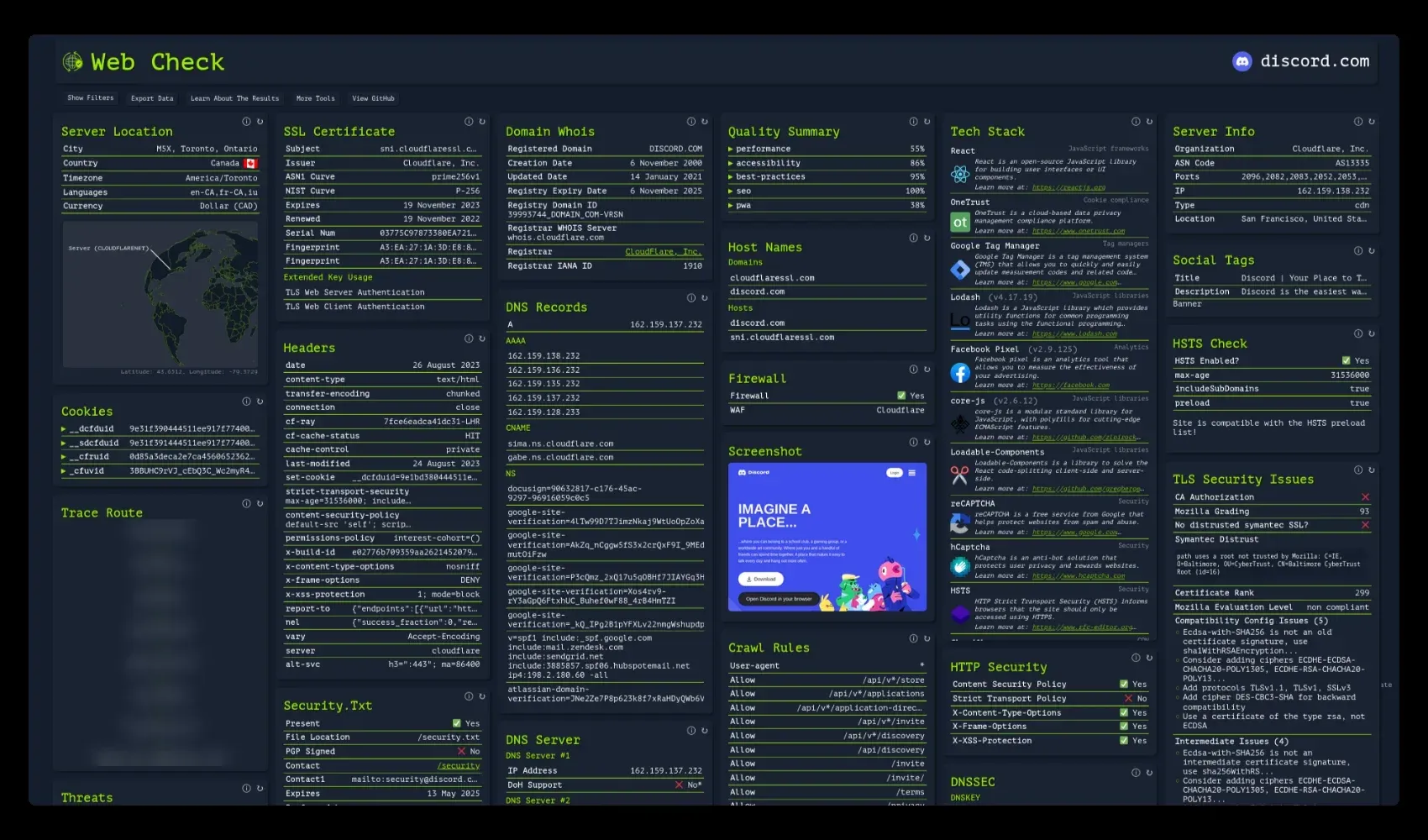
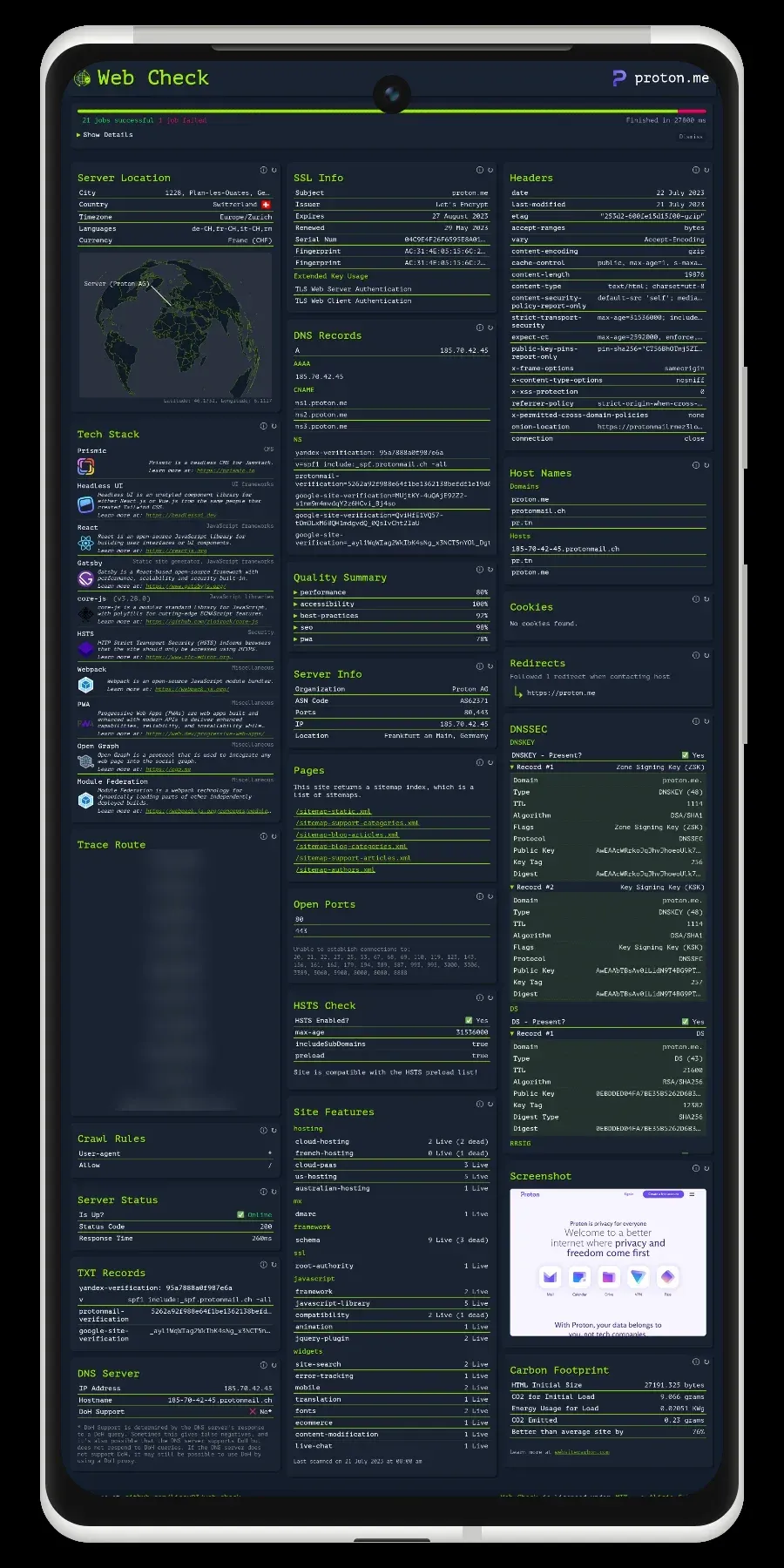
Web-Check is an open-source web application that collects publicly available information about a website or host and presents it in a single report. A user enters a URL, and the tool runs up to 44 checks grouped into seven categories (security, SEO, server, domain, email, performance and privacy), covering DNS records, the SSL certificate, HTTP headers, open ports, redirects, cookies, the technologies a site uses and more. The repository describes it as an all-in-one OSINT tool for analysing any website. The about page names developers, system administrators, security researchers and penetration testers as its audience and lists everyday uses such as tuning server responses, untangling redirects, auditing cookies and checking DNS records.
Web-Check is built and maintained by Alicia Sykes and released under the MIT license, with the source on GitHub and a mirror on Codeberg. The hosted instance at web-check.xyz is free to use and funded through GitHub Sponsors. Its fair use terms ask users not to scan hosts they have no permission to scan and not to use the tool to attack or disrupt services; they also state that requests may be rate-limited, that uptime is not guaranteed and that a self-hosted instance is the option for more capacity. According to the same page, the managed instance records only the visited URL in a self-hosted Plausible analytics instance and uses self-hosted GlitchTip for error logging, without collecting IP addresses or browser and device details.
Version 1.0.0, published on May 20, 2024, was a React application backed by serverless functions; maintenance of the 1.x line moved to the xray-web organization. Version 2.1.0, released on May 7, 2026, rebuilt the interface on Astro with React and Svelte components. An Express server (server.js) serves both the web interface and the API, and each check is a separate module in the api directory. The project requires Node.js 22.23.4 or later (or 24.16 or later), and checks that depend on Chromium, traceroute or DNS utilities are skipped when those tools are missing.
The latest release is 2.4.0, published on November 5, 2026. It adds an expanded check view with copy buttons, a redesigned result card, light mode and accessibility settings, CAA record and mixed content checks, the NetAPI compromised feed in the threats check without an API key, default DKIM selectors for further mail providers and request timeouts for the status and screenshot checks. Version 2.3.0 (October 2, 2026) added Render as a deployment option, provenance and SBOM attestations for the Docker image, category pages, verified social statistics and a tracker check; version 2.2.0 (July 28, 2026) added subdomain lookup, a vulnerabilities panel, improved firewall detection and configurable disabling of checks. Other OSINT tools in the directory include SpiderFoot and theHarvester.
Key capabilities
- One report per URL After a URL is entered, Web-Check runs the available checks and shows each result in its own card, with a count of successful, skipped and failed jobs. Release 2.4.0 adds an expanded view for each check and buttons to copy results. Separate category pages (Security, SEO, Server, Domain, Email, Performance and Privacy) run subsets of the checks, and the checks reference and a glossary explain what each check looks at and the standards behind it.
- DNS checks DNS Records lists A, AAAA, MX, NS, CNAME and other records for the domain, and TXT Records shows verification and policy entries. DNS Server reports which nameservers answer and their IP addresses, DNSSEC looks for the DNSKEY, DS and RRSIG records that sign DNS answers, and CAA Records shows which certificate authorities may issue certificates for the domain.
- Certificates and TLS SSL Certificate shows the issuer, validity dates and chain of trust. TLS Connection lists the accepted TLS versions and the cipher and details of a live handshake, TLS Security Audit retrieves the SSL Labs grade for the server's configuration, and TLS Client Compatibility shows whether clients such as Chrome, Safari, Java and older Android versions can still connect. HSTS checks whether browsers are told to connect only over HTTPS.
- Headers and web security settings Headers lists every HTTP response header the server sends. HTTP Security checks protective headers such as Content-Security-Policy, X-Frame-Options and X-Content-Type-Options, Mixed Content & SRI finds insecure resources and third-party scripts loaded without Subresource Integrity, Firewall identifies a web application firewall in front of the site, and Security.txt reads the published vulnerability contact file.
- Server and network IP Info shows the address the domain resolves to, and Server Location places the server on a map with city, country and time zone. Server Info, which needs a Shodan key, reports the operating system, ASN and network, Server Status records whether the site is up and how fast it responded, Open Ports tests a list of common ports, and Traceroute shows the network path to the server when
tracerouteis installed. - Domain registration and subdomains Whois Lookup shows the registrar, registration dates and nameservers, and Domain Info shows ownership and contact details published for the domain. Subdomains lists names that have appeared in public Certificate Transparency logs, with a
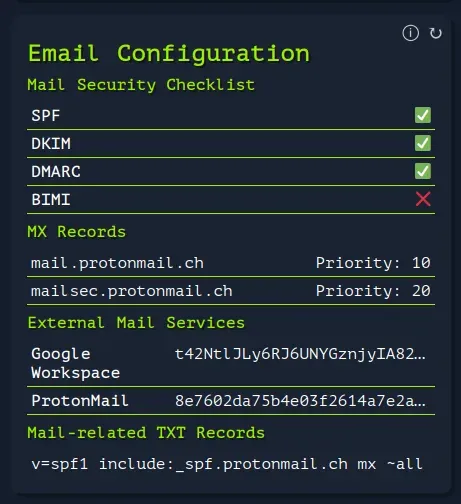
CERTSPOTTER_TOKENraising the CertSpotter rate limit. - Email configuration Email Configuration reads the MX, SPF, DKIM and DMARC records used for sending and receiving mail, and release 2.4.0 extended the list of default DKIM selectors. Block Detection checks whether privacy, malware and parental-control DNS resolvers block the site. On the Email category page these appear next to the DNS and TXT record checks.
- SEO and content Crawl Rules reads the robots rules a site publishes for search engines and AI crawlers, and Sitemap lists the pages in its sitemap. Linked Pages counts internal and external links, Social Tags shows Open Graph and Twitter metadata, Redirect Chain follows every redirect to the final page, Archive History summarizes Wayback Machine captures, and Global Ranking shows the Tranco rank when the site is in the top million.
- Performance and page rendering Quality Metrics returns Lighthouse scores for performance, accessibility, SEO and best practices through the PageSpeed Insights API. Carbon Footprint estimates the CO2 for the data needed to load the page, and Screenshot renders the full page in a headless Chromium browser, which
CHROME_PATHcan point to on self-hosted servers. - Privacy and threat checks Cookies lists the cookies set on arrival and how tightly each is scoped, Trackers & Third Parties lists analytics and ad trackers the page loads, and Tech Stack identifies frameworks, analytics and services. Malware & Phishing checks common malware and phishing lists, Data Breaches reports known breaches recorded by Have I Been Pwned, and Social Presence checks whether social accounts claimed by the site link back to it.
- Optional API keys No configuration is required, but some checks need keys, as listed on the self-hosted setup page.
GOOGLE_CLOUD_API_KEYwith the PageSpeed Insights and Safe Browsing APIs runs the quality and Safe Browsing checks, andSHODAN_API_KEYruns the associated host names, server info and vulnerabilities checks.CLOUDMERSIVE_API_KEYadds a Cloudmersive scan to the threats check, whileTRANCO_API_KEYwithTRANCO_USERNAME,GITHUB_TOKENandCERTSPOTTER_TOKENraise rate limits for the rank, social presence and subdomain checks. - Hosted instance web-check.xyz runs the full report in the browser without an account; the README also lists web-check.as93.net as a hosted version. The API page links to an account sign-up for API keys, and the account page states that account management, saved reports and change notifications are still under development.
- Docker image The image is published as
lissy93/web-checkon Docker Hub andghcr.io/lissy93/web-checkon GitHub Container Registry, anddocker run -p 3000:3000 lissy93/web-checkstarts an instance on port 3000. The image is based on Node.js on Debian bookworm and includes Chromium,tracerouteandtini; a/healthzendpoint reports status, and since 2.3.0 published images carry provenance and SBOM attestations. The repository also ships adocker-compose.yml. - One-click cloud deployment The README and setup page provide deploy buttons for Netlify, Vercel and Render, plus a pre-configured option on Hostinger, and the repository contains
netlify.toml,vercel.json,render.yamlandfly.tomlfiles. Environment variables can be set in the host's dashboard; values prefixed withPUBLIC_are read by the frontend at build time, so changing them requires a rebuild. - Build from source Running from source uses
git clone,yarn install,yarn buildandyarn start, which starts the API and the web interface together;yarn devstarts a development server. Node.js, Yarn and Git are required, and Chromium,tracerouteand DNS tools are needed for the checks that use them. - Server and API settings
PORTsets the listening port andDISABLE_GUIserves only the API.API_ENABLE_RATE_LIMITapplies limits of 100 requests per 10 minutes, 250 per hour and 500 per 12 hours,API_CORS_ORIGINsets allowed origins,API_ENABLED_CHECKSandAPI_DISABLED_CHECKSchoose which checks run,PORTS_TO_CHECKsets the ports the open ports check scans, andAPI_BLOCKED_HOSTSlists hosts, IP addresses or CIDR ranges that must never be scanned.TRUST_PROXY,PUBLIC_API_TIMEOUT_LIMITandLOG_LEVELcover proxies, timeouts and logging. - JSON API Each check is exposed by the bundled server as
/api/<check-name>?url=..., such as/api/dnsor/api/ssl, and/api?url=...runs all checks and returns their results together as JSON. The API page links to the endpoint documentation, an OpenAPI specification and the source of a separate API implementation in the xray-web organization.
Where Web-Check fits
Reviewing the security settings of a site
The Security category runs 20 checks, described on the site as reading certificates, headers, cookie flags and open ports the way an outsider sees them. Results cover the certificate chain, accepted TLS versions and the SSL Labs grade, HSTS, Content-Security-Policy and other protective headers, cookie scoping, DNSSEC, CAA records and the security.txt contact file. The about page frames the report as showing the security measures already in place on a site and the connections between the parts of its architecture.
Checking email authentication records
The Email category groups four checks: DNS records, TXT records, Email Configuration and Block Detection. Email Configuration lists MX hosts and whether SPF, DKIM and DMARC records are present, using a set of default DKIM selectors for common providers, and Block Detection shows whether public filtering resolvers block the domain.
Auditing SEO, redirects and page weight
The SEO category runs ten checks, including crawl rules for search engines and AI crawlers, the sitemap, social tags, linked pages, the redirect chain, archive history and the Tranco rank. Lighthouse scores in Quality Metrics require a Google Cloud API key with the PageSpeed Insights API enabled, and the Performance category adds server status, the redirect chain and the carbon footprint estimate.
Mapping the infrastructure behind a public domain
The Domain and Server categories combine WHOIS registration data, published domain contact details, the answering nameservers, subdomains from Certificate Transparency logs, the resolved IP address, server location, ASN, detected firewall and tech stack. With a Shodan API key, Web-Check also lists other host names seen on the same IP address and CVEs that Shodan associates with exposed services.
Running a private instance with a defined scope
A self-hosted instance starts with the Docker image or a one-click deployment, as described on the setup page. Operators can restrict the instance with API_ENABLED_CHECKS or API_DISABLED_CHECKS, block internal hosts and ranges such as 192.168.0.0/16 with API_BLOCKED_HOSTS, enable the built-in rate limits and set DISABLE_GUI to expose only the API.
Using check results in scripts
Because every check is an HTTP endpoint that returns JSON, a script can call a single check such as /api/headers?url=example.com or the combined /api endpoint on a self-hosted instance. PUBLIC_API_TIMEOUT_LIMIT sets the timeout per check, and the repository documents each variable in its README.
Install
docker run -p 3000:3000 lissy93/web-checkReviews of Web-Check
Be the first to share your experience with Web-Check.
Write a review
Loading review form…
Found Web-Check useful? Upvote it todayYour vote helps other IT teams find it in the daily ranking.