
What is web-design (xiaopu-ai)?
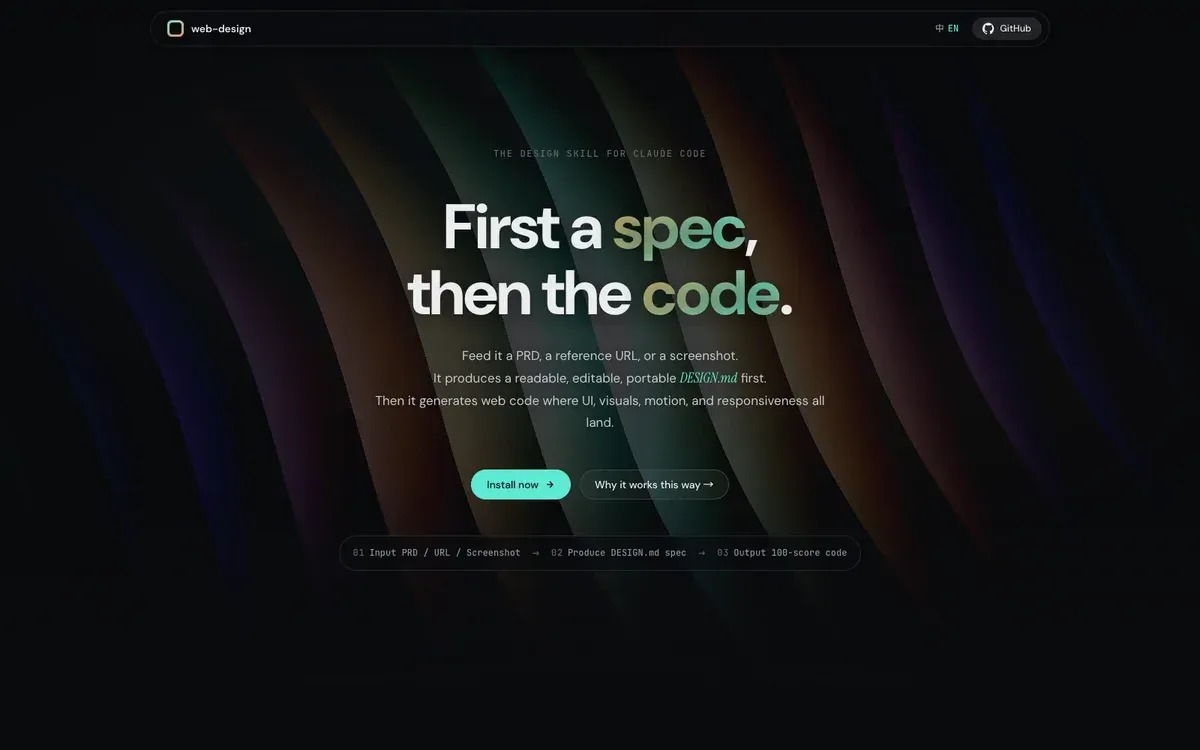
web-design is an MIT-licensed Agent Skill for Claude Code, published in the xiaopu-ai/web-design repository, that produces a written design specification before it writes any page code. The input can be a product requirements document (PRD), a reference URL, a screenshot, style keywords, a brand name or a mix of these. The skill first writes a DESIGN.md file into the user's project, asks for approval, and only then generates the web code from that file. The repository summarises this as spec first, code second. The project site calls it the design skill for Claude Code and lists Claude Code as its requirement.
The skill is not distributed as a package. The README installs it with a git clone into ~/.claude/skills/web-design, after which Claude Code discovers it at the next session start; the site states that no account, API key or subscription is needed. The repository holds SKILL.md (the instructions for Claude), a references folder with design systems, style seeds, a motion library, interaction patterns and a quality checklist, a scripts folder with three Python tools, and a docs folder with the landing page served through GitHub Pages. SKILL.md and most reference files are written in Chinese; the README and the site are in English, and the site has a Chinese and English switch.
The only release is v0.1.0, titled Initial public release and published on April 16, 2026, the day the repository was created. Its notes list SKILL.md, 58 brand design systems, style seeds, the motion library, interaction patterns, the quality checklist, the crawler and extractor scripts and the landing page. Later commits on the same day added an author section to the site, and the most recent commit, on June 24, 2026, triggered a GitHub Pages rebuild after a username change. The README and its install command still use the earlier account name KAOPU-XiaoPu.
The MIT license carries a 2026 copyright line for KAOPU-XiaoPu. The 58 brand presets are taken from VoltAgent awesome-design-md (MIT), and the motion effects on the landing page are derived from vue-bits and react-bits by David Haz (MIT). When generated code reuses vue-bits or reactbits source, SKILL.md asks for a credit line in the page footer or README.
SKILL.md limits the scope to web front ends: landing pages, portfolios, product pages, blogs, personal sites and SaaS introduction pages. It states that the skill is not meant for back-end work, databases or pure logic bug fixes. Other design skills listed on iThub include Taste Skill in the same category, Hallmark and Impeccable.
Key capabilities
- Install by git clone The documented install is git clone https://github.com/KAOPU-XiaoPu/web-design ~/.claude/skills/web-design. Claude Code picks up the skill automatically in the next session. There is no npm package, plugin manifest or installer script in the repository, and updating means pulling the clone.
- Three phases with an approval gate Phase A collects design cues, Phase B writes DESIGN.md and shows a summary for the user to confirm, and Phase C generates code that follows the confirmed file. On start the skill checks the project for an existing DESIGN.md (reuse, modify or rebuild), then for a PRD.md, and only then runs the normal Phase A.
- Flexible inputs A reference URL is crawled for HTML, CSS, tokens and motion; a screenshot or design draft is read for mood, colour temperature, density and type style; keywords are matched against the style seeds; a brand name is looked up in the bundled design systems and crawled if missing; mixed requests such as a URL with a warmer palette combine extraction with overrides.
- PRD-driven start The skill scans the project root for PRD.md, SPEC.md, a README or another Markdown file that contains fields such as product name, tagline, target users, pages, competitors, tech stack and design notes, in Chinese or English. It derives a style direction from those fields and the named competitors, and falls back to questions when key fields are missing.
- DESIGN.md in nine sections The template covers visual theme and atmosphere, colour palette and roles, typography rules, component styling, layout principles, depth and elevation, animation and interaction, do's and don'ts, and responsive behaviour. The file is saved in the project, can be edited by hand and can be read by other tools.
- Minimum content rules for the spec Every component style must define default, hover, active, focus and disabled states; colours are CSS variables with RGB helper values; fonts have an @import URL and a fallback stack; the interaction tier and its dependencies are declared; there are at least 8 do's and don'ts, at least 5 of them don'ts; L2 and higher include a prefers-reduced-motion fallback; and responsive rules cover at least desktop and mobile.
- 58 brand design-system presets References/design-systems holds one file per site, about 300 lines each, grouped in an index as AI and ML, developer tools, infrastructure, design and productivity, fintech, enterprise and consumer, and automotive. Examples include Linear, Stripe, Vercel, Supabase, Notion, Figma and Apple. Files are read only when a brand is named, and they contain static design systems only, so motion is added separately.
- 10 style seeds References/style-seeds.md maps ten directions to tokens: Cream Editorial, Dark Tech, Minimal Pure, Warm Professional, Playful Creative, Chinese Elegant, Cyberpunk, Organic Natural, Swiss Grid and Glassmorphism. The file includes rules for mixing seeds, and the skill shows the nearest seed for confirmation when no reference is supplied.
- Three interaction tiers L1 is refined static (hover states and soft entrance), L2 is fluid interaction (scroll reveal, parallax, navigation changes) and L3 is immersive (scroll-driven timelines, pinning, cursor following, transitions). The tier must be confirmed before the spec is written, and L3 may use GSAP, ScrollTrigger and Lenis; code for each tier is in references/interaction-patterns.md.
- Motion library with 124 entries The site lists 24 text animations, 29 animations, 32 components and 40 backgrounds, catalogued from vue-bits and reactbits with combinations recommended per style. Every L2 or higher page must include at least one effect from six categories (hero heading, section heading, body text, element-level, interactive component and background), and L3 pages carry 6 to 10 signature moments.
- Scroll-story patterns for L3 L3 pages must cover at least three of four patterns described in references/scroll-story-patterns.md: a pinned scrub scene, a pinned left column with swapping right-hand content, a converge or scatter transition, and one WebGL or real 3D moment built with Three.js, OGL or Babylon.
- Performance limits SKILL.md caps a page at one WebGL scene, which must pause through IntersectionObserver when off screen, bans filter: blur() on moving elements, keeps backdrop-filter blur at 14px or less, allows at most two ScrollTrigger pins, requires requestAnimationFrame throttling for pointermove handlers and limits cursor effects to devices that report hover support. Mobile devices fall back from heavy backgrounds to static gradients.
- Seven scene defaults References/scene-defaults.md gives layout, component and interaction baselines for landing pages, portfolios, blogs, dashboards, PPT-style pages, app UI and email. The landing page default, for example, is a vertical Hero, Features, Social Proof and CTA story in a 1200px container with an L2 interaction baseline.
- Playwright crawler Scripts/crawl_website.py renders a site in a headless browser at 1440 by 900 by default, scrolls to trigger lazy loading, and writes a full-page screenshot, one screenshot per viewport, tokens.json, structure.json and a merged styles.css. It needs Playwright and Chromium, installed with pip3 install playwright and python3 -m playwright install chromium.
- Static token extractor and fallback chain Scripts/extract_design_tokens.py reads HTML or CSS from a file, a URL or standard input, fetches linked stylesheets and prints tokens, page structure and image assets, for example as JSON. If the crawler fails the skill tries the preset files, then the extractor, then a manual curl, and finally asks the user for a screenshot.
- Placeholder image helper Scripts/fetch_unsplash_images.py returns curated Unsplash photo IDs grouped under themes such as hero, portrait, workspace and technology. Its header limits it to placeholders and mock-ups when the user has no assets, and it requires an --ack-remote-placeholders flag. Image priority in generated code is user material, project assets, reference-site URLs, then Unsplash, and solid colour blocks are not allowed as placeholders.
- Code rules and the 100-score checklist Generated code must reference colours only through CSS variables with zero hardcoded hex values, give every interactive element hover and focus states, avoid horizontal overflow at 600px and below and keep touch targets at 44 by 44px or larger. Icons come from the project's library, lucide-react or inline SVG, with emoji allowed only for the Playful style. The quality checklist is run item by item after generation.
- Language handling Page language follows the language of the reference, screenshot or PRD, with the conversation language as a fallback. Internationalisation is added only on request or when a PRD names several markets. Chinese pages must use a Chinese font family such as Noto Sans SC, Noto Serif SC or LXGW WenKai, a line height of at least 1.7, 0.02em letter spacing and body text of at least 15px.
Where web-design (xiaopu-ai) fits
Landing page from a PRD
When the project root contains a PRD.md or SPEC.md, the skill reads the product name, tagline, audience, pages, competitors, tech stack and design notes, checks whether a named competitor has a bundled preset, crawls it if not, and proposes one or two style directions for the user to confirm. After the interaction tier is chosen it writes DESIGN.md and then builds the page list from the PRD. For landing pages SKILL.md fixes three high-impact visual positions (the hero, the first section after scrolling and the list or grid area) plus one small hidden detail such as a command palette or an easter egg.
Designing from a reference website
For a reference URL the skill first decides whether the user wants a new page in a similar design language or an explicit clone. It runs the Playwright crawler, uses the screenshots and tokens as inputs, and performs a motion audit when the reference has scroll-linked effects, recording trigger, driver, elements, effect and timing. After code generation it lists which tokens, layout, type, interactions and assets match the reference and which differ on purpose, as described in SKILL.md.
Starting from a brand name or a style keyword
A request like a page similar to Linear sends the skill to the design-systems index and the matching preset file; a description like dark, restrained, serif is matched against the ten style seeds. Without any reference, the skill asks a few targeted questions (light or dark, serif or sans, restrained or rich, accent colour, sites the user likes) instead of a fixed questionnaire.
Starting from a screenshot or sketch
A screenshot or design draft is read for mood, colour temperature, density and type style, and the site describes this route as the fallback when other inputs are sparse. It is also the last step of the URL fallback chain: when crawling, presets, static extraction and curl all fail, the skill asks for a screenshot and builds tokens from it manually.
Keeping several pages consistent
Because DESIGN.md stays in the project, later pages reuse the same CSS variables, type scale and component states, and the skill checks for an existing DESIGN.md before starting a new request. The project site contrasts this with pages generated directly, where colours, type sizes and motion tiers drift between pages, and notes that one change in DESIGN.md applies site-wide and that the file can be carried to other AI tools.
The project's own landing page as an example
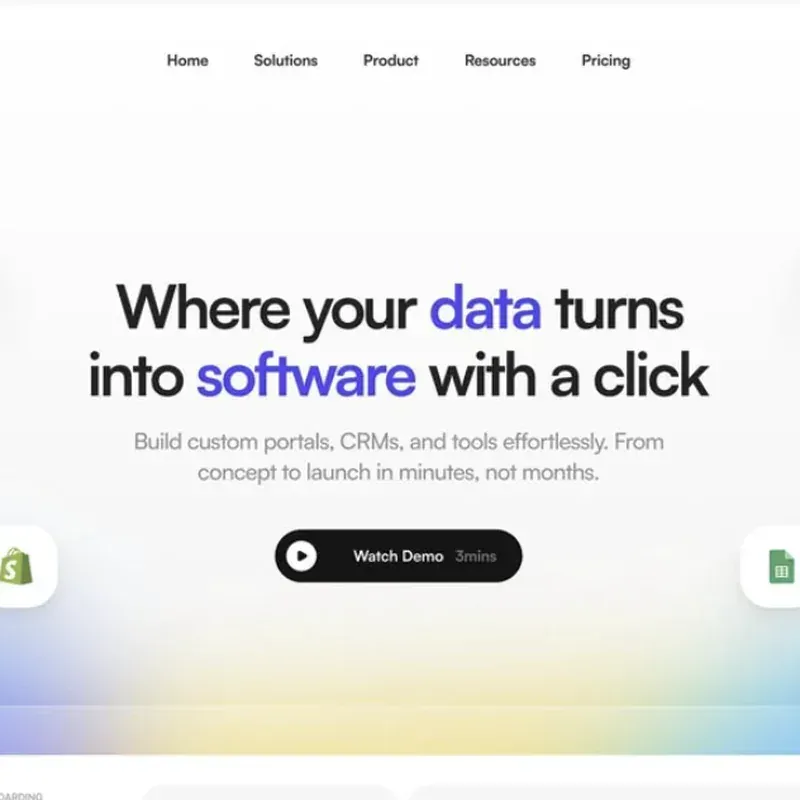
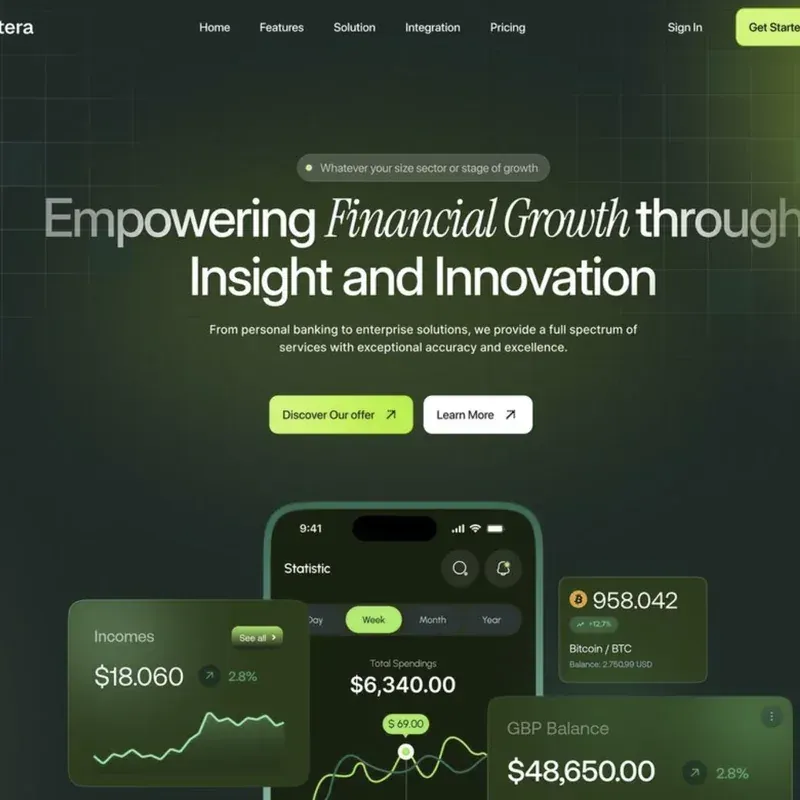
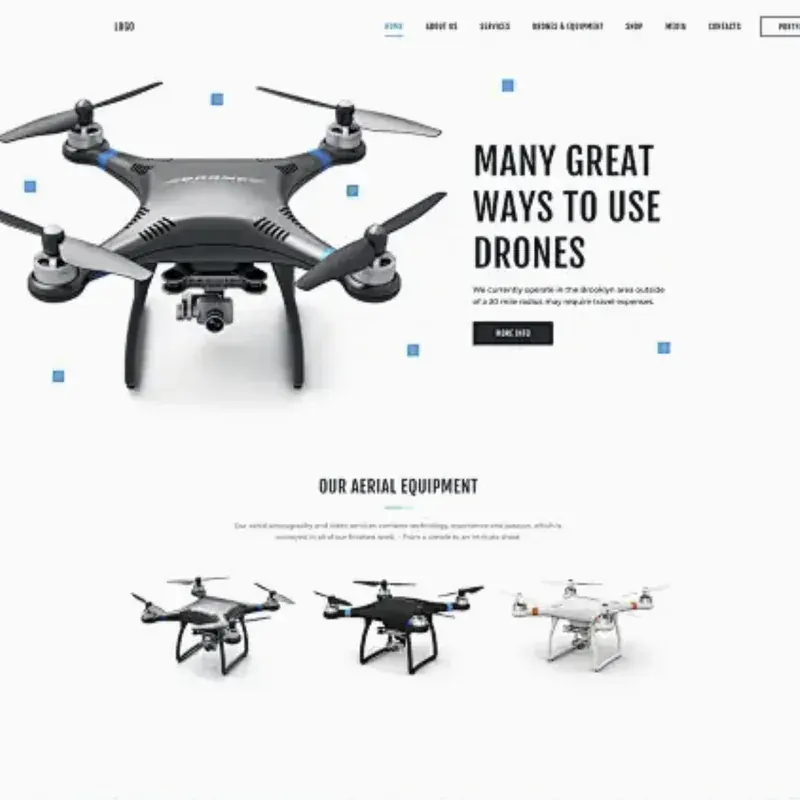
The repository's docs folder contains the landing page and the DESIGN.md the skill produced for it: a dark editorial style at the L3 tier that lists GSAP, ScrollTrigger, Lenis, Three.js and OGL as dependencies. The README explains that the page must be served over HTTP, for example with python3 -m http.server 8000 in the docs folder, because Google Fonts and the OGL module do not load from file://. The site also shows a rotating gallery of page designs under the heading Made with this SKILL.
Install
git clone https://github.com/KAOPU-XiaoPu/web-design ~/.claude/skills/web-designReviews of web-design (xiaopu-ai)
Be the first to share your experience with web-design (xiaopu-ai).
Write a review
Loading review form…
Found web-design (xiaopu-ai) useful? Upvote it todayYour vote helps other IT teams find it in the daily ranking.