What is Hetzner Cloud?
Hetzner Cloud is the virtual server and cloud infrastructure product of Hetzner Online GmbH, a German hosting company that says it was founded in 1997 and is headquartered in Gunzenhausen, Germany. The cloud offering covers virtual servers, block storage volumes, load balancers, private networks, firewalls, floating IPs, placement groups and S3-compatible object storage, managed through the Hetzner Console, a REST API and the hcloud command-line tool. Product information is on the Hetzner Cloud page and technical documentation is at docs.hetzner.com.
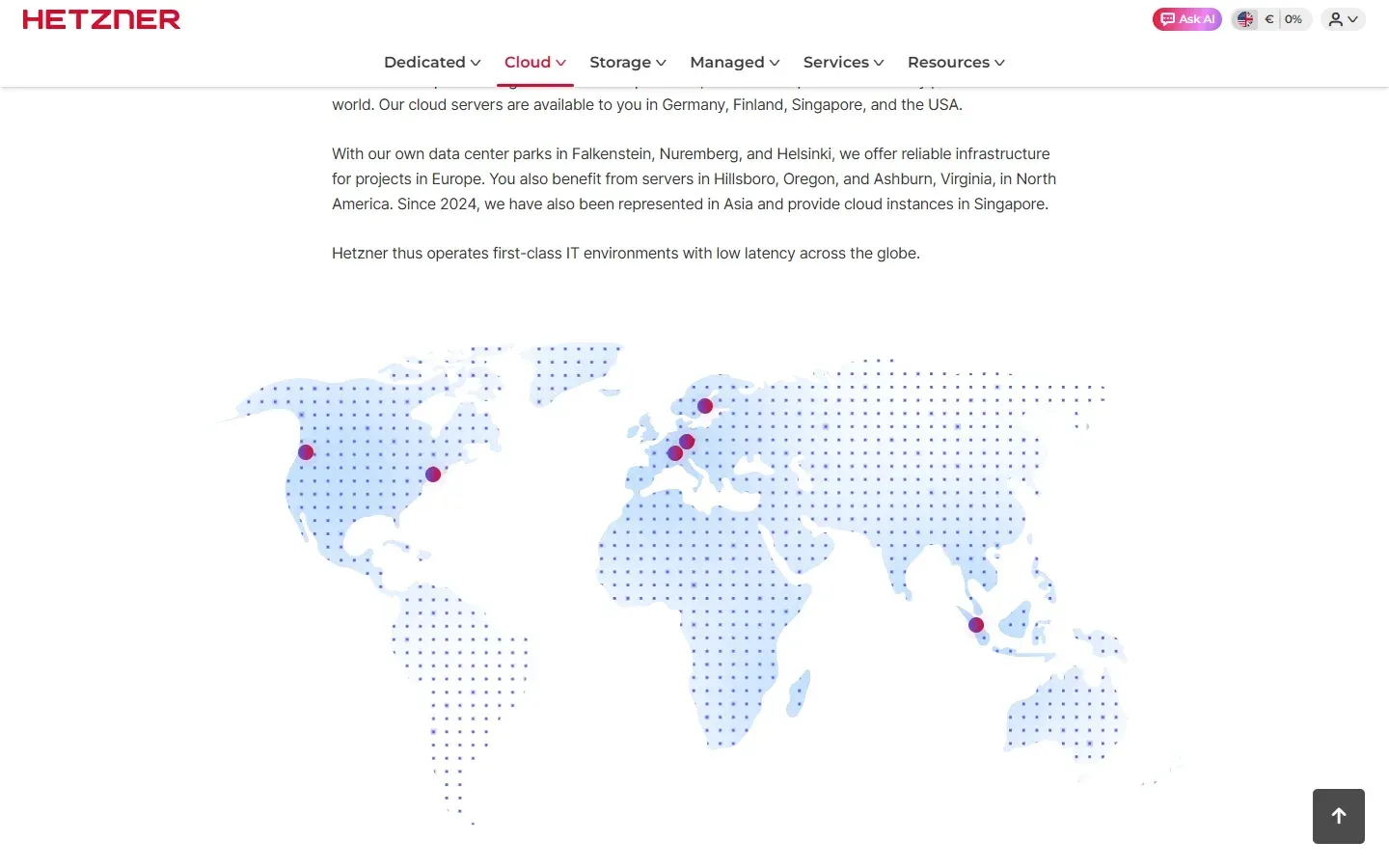
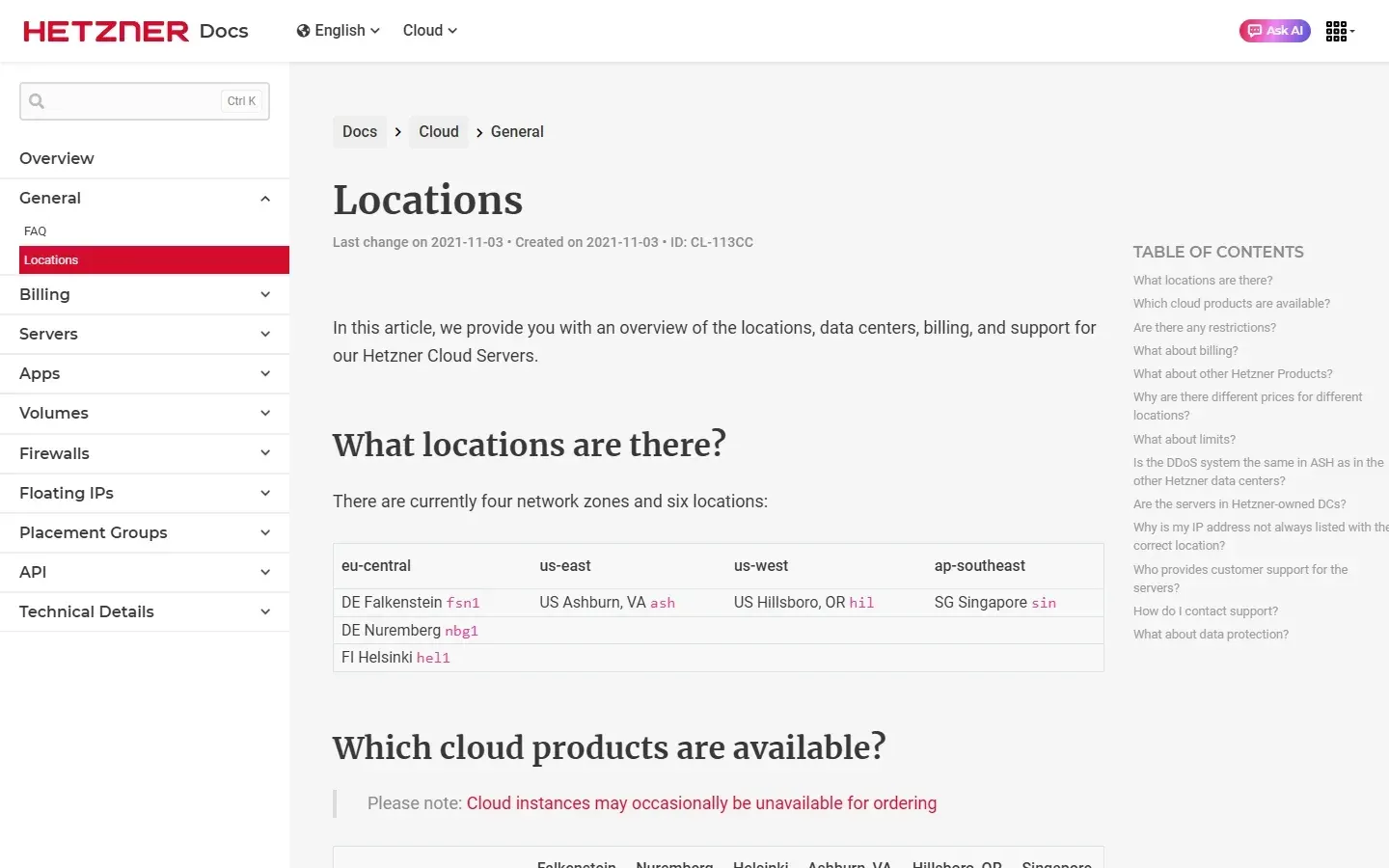
Servers run in six locations in four network zones: Falkenstein (fsn1), Nuremberg (nbg1) and Helsinki (hel1) in eu-central, Ashburn, Virginia (ash) in us-east, Hillsboro, Oregon (hil) in us-west and Singapore (sin) in ap-southeast, according to the locations documentation. Prices are the same across the eu-central locations but differ for the US and Singapore locations, and traffic between two network zones is billed like ordinary internet traffic. Networks, floating IPs and load balancers must stay within one network zone. The documentation also warns that cloud instances can occasionally be unavailable for ordering.
This profile covers the cloud product and its tooling. The command-line client in the hetznercloud/cli repository is written in Go and published under the MIT license; its latest release is v1.70.2 from October 23, 2026, which rebuilds the tool with an updated Go toolchain to address a published vulnerability. Release v1.70.0 added support for assigning an existing Primary IP when creating a load balancer, with new --primary-ipv4 and --primary-ipv6 flags. Hetzner also maintains the hcloud-go library, a Python library, the Terraform provider for the hcloud resources and a Kubernetes cloud controller manager. The cloud service itself is proprietary and hosted by Hetzner; it cannot be self-hosted.
Hetzner Cloud is a provider of building blocks rather than a managed platform. There is no managed Kubernetes or managed database product on the cloud page; teams install those themselves, often with the one-click apps or with tools such as Terraform and Ansible. The page lists Python, Go, Ansible, Terraform and Kubernetes integrations. Prices on the product pages are stated excluding VAT, billing is by the hour up to a monthly cap, and support is available through the documentation, the community tutorials and the forum.
Key capabilities
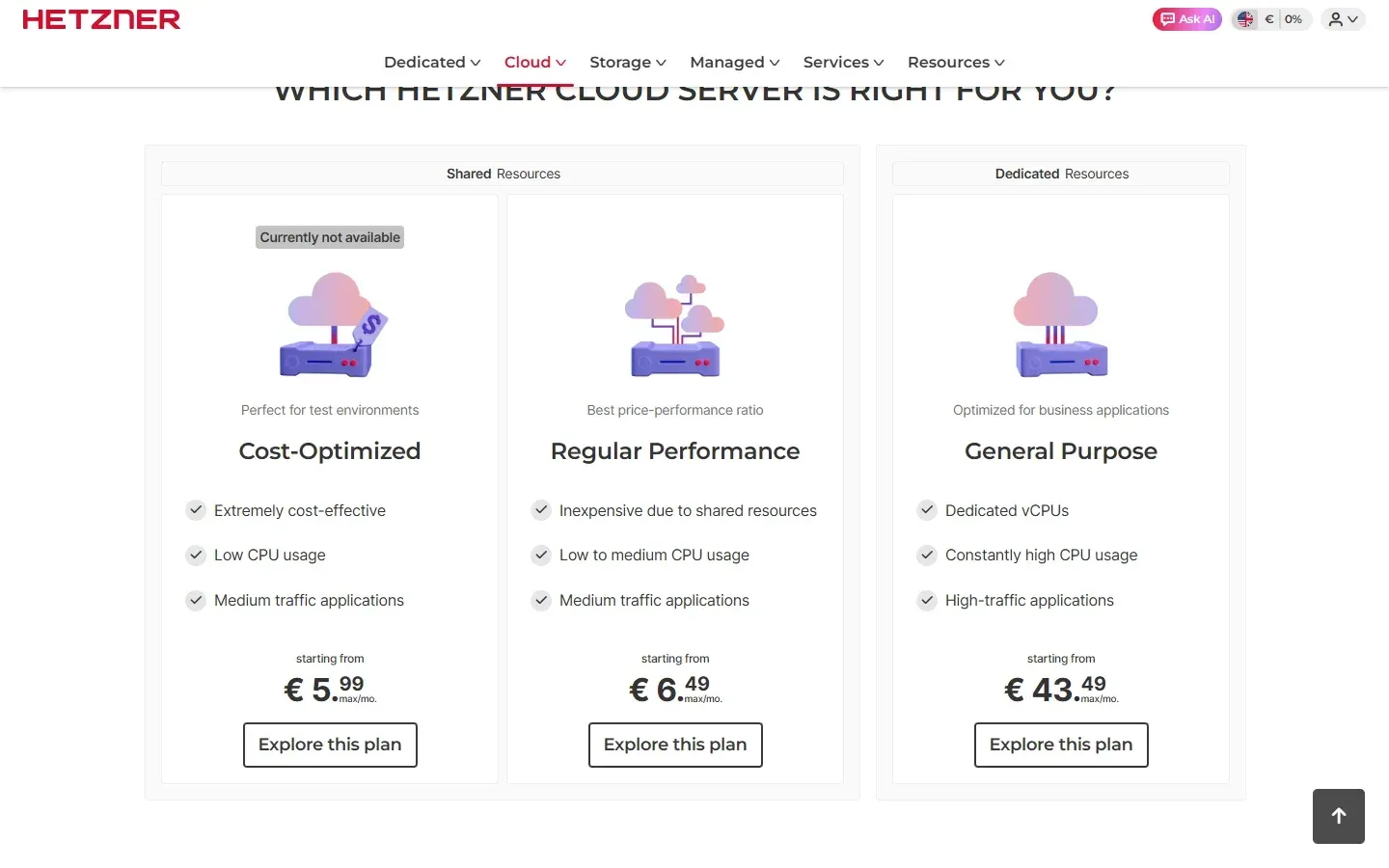
- Cloud servers: shared and dedicated vCPU plans The cloud page groups servers into Cost-Optimized and Regular Performance plans with shared resources, and General Purpose plans with dedicated vCPUs. At the time of checking, prices started at EUR 5.99 per month for Cost-Optimized, EUR 6.49 for Regular Performance and EUR 43.49 for General Purpose, all excluding VAT. The shared section was marked currently not available, so check the cloud page before planning around those prices.
- Intel/AMD and Arm server types The Cost-Optimized list shows CX types on Intel or AMD x86 CPUs and CAX types on Ampere Arm CPUs. CX23 offers 2 vCPU, 4 GB RAM and 40 GB NVMe for EUR 5.99 per month, CAX11 offers the same sizes for EUR 6.49, and the largest listed Arm type, CAX41, has 16 vCPU, 32 GB RAM and 320 GB NVMe for EUR 41.49. Included traffic is 20 TB per server in the EU, with additional traffic at EUR 1.00 per TB.
- Hourly billing with a monthly cap Resources are billed by the hour and capped at the monthly price, so a server deleted after a test run costs only the hours used. Volumes, load balancers and object storage follow the same hourly-with-cap model on their pricing pages.
- Primary and floating IPs A server has no public IP by default; you add one Primary IPv4 and one Primary IPv6. IPv6 is free and IPv4 costs EUR 0.50 per month excluding VAT. Up to 20 floating IPs can be attached to a server for failover designs, and floating IPs must stay in one network zone.
- Private networks Cloud Networks connect servers over private addresses, with up to 3 networks per server. A network is bound to one network zone, so multi-region designs need a VPN or other routing between zones, and IP-based load balancer targets are supported only in eu-central.
- Cloud firewalls Firewalls are free of charge, allow up to 500 effective rules each, and can be attached to up to 5 per server with up to 50 across all projects. They can also be applied automatically to servers that match a label selector, which suits servers created by Terraform or the API.
- Block storage volumes Volumes range from 10 GB to 10 TB in 1 GB steps and attach to one server at a time, with up to 16 volumes per server. They can be formatted and mounted automatically under
/mnt/HC_Volume_IDor formatted by you. Volume prices are listed on the block storage page. - Backups and snapshots Each server has seven backup slots; daily backups rotate the oldest out when the limit is reached. Snapshots are taken manually and kept until deleted. The documentation states that neither includes attached volumes, so back those up separately.
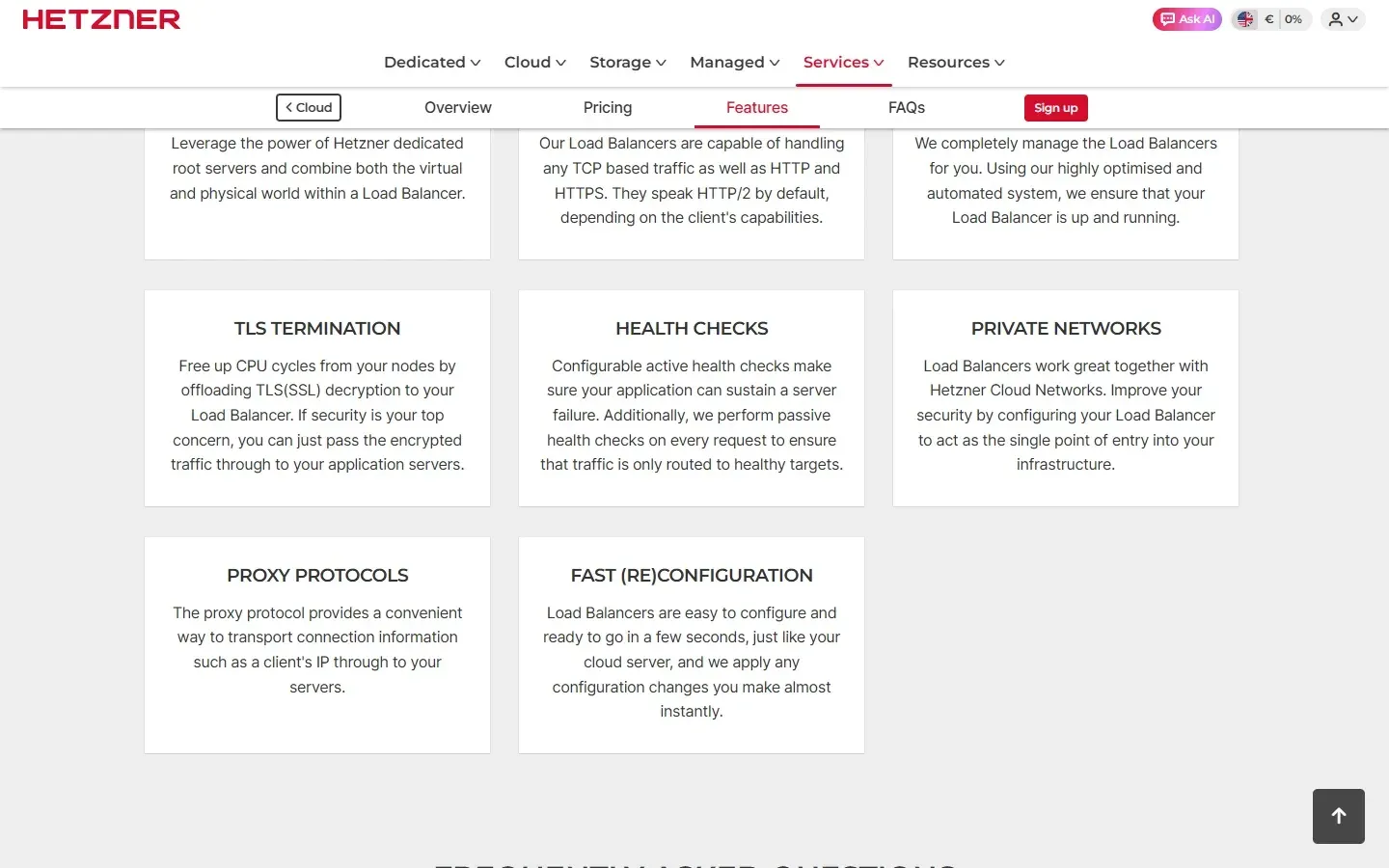
- Load balancers Three types are listed: LB11 at EUR 7.49 per month (5 services, 25 targets, 10 certificates), LB21 at EUR 21.49 and LB31 at EUR 42.99. Features include TCP, HTTP and HTTPS, HTTP/2, round robin and least connections, active and passive health checks, TLS termination or pass-through, proxy protocol, private network targets and dedicated server targets. Details are on the load balancer page.
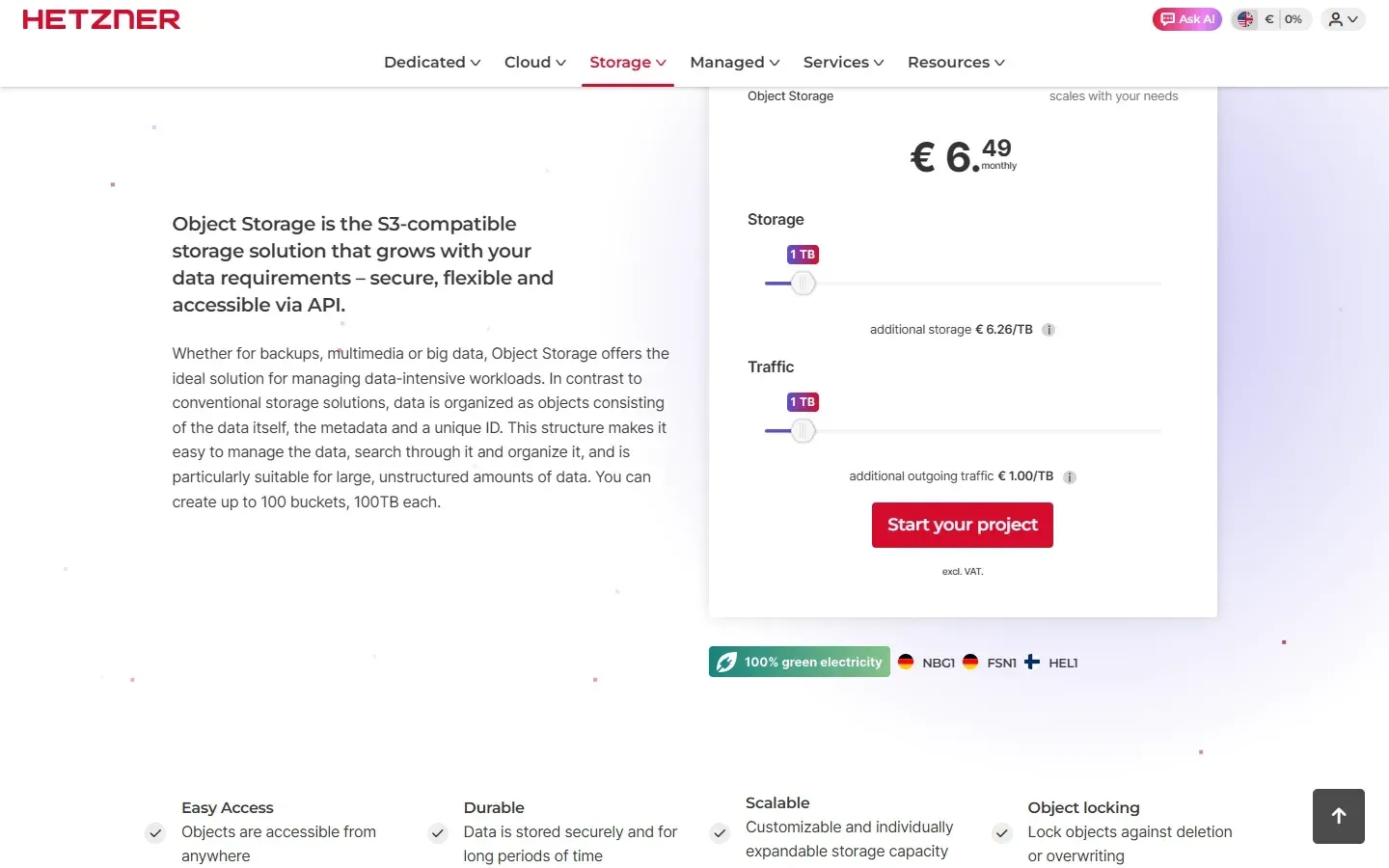
- Object storage S3-compatible object storage costs EUR 6.49 per month including 1 TB of storage and 1 TB of egress, with additional storage at EUR 6.26 per TB and additional egress at EUR 1.00 per TB, all excluding VAT. Limits are 100 buckets, 100 TB and 50 million objects per bucket, and objects under 64 KB are billed as 64 KB. Buckets are available in Falkenstein, Helsinki and Nuremberg; see the object storage page.
- Operating system images and one-click apps Servers can be created from images such as Ubuntu, Debian, Fedora, CentOS, Rocky Linux and AlmaLinux, from snapshots, or with one app per server. The apps page lists Coolify, Docker CE, GitLab CE, Grafana, Jitsi Meet, Nextcloud, Owncast, PhotoPrism, Prometheus, RustDesk, WireGuard and WordPress.
- Placement groups A server can join one placement group. Placement groups are a failure-domain control documented alongside servers; check the Hetzner documentation for how members are distributed, and do not treat them as a replacement for backups or a multi-location design.
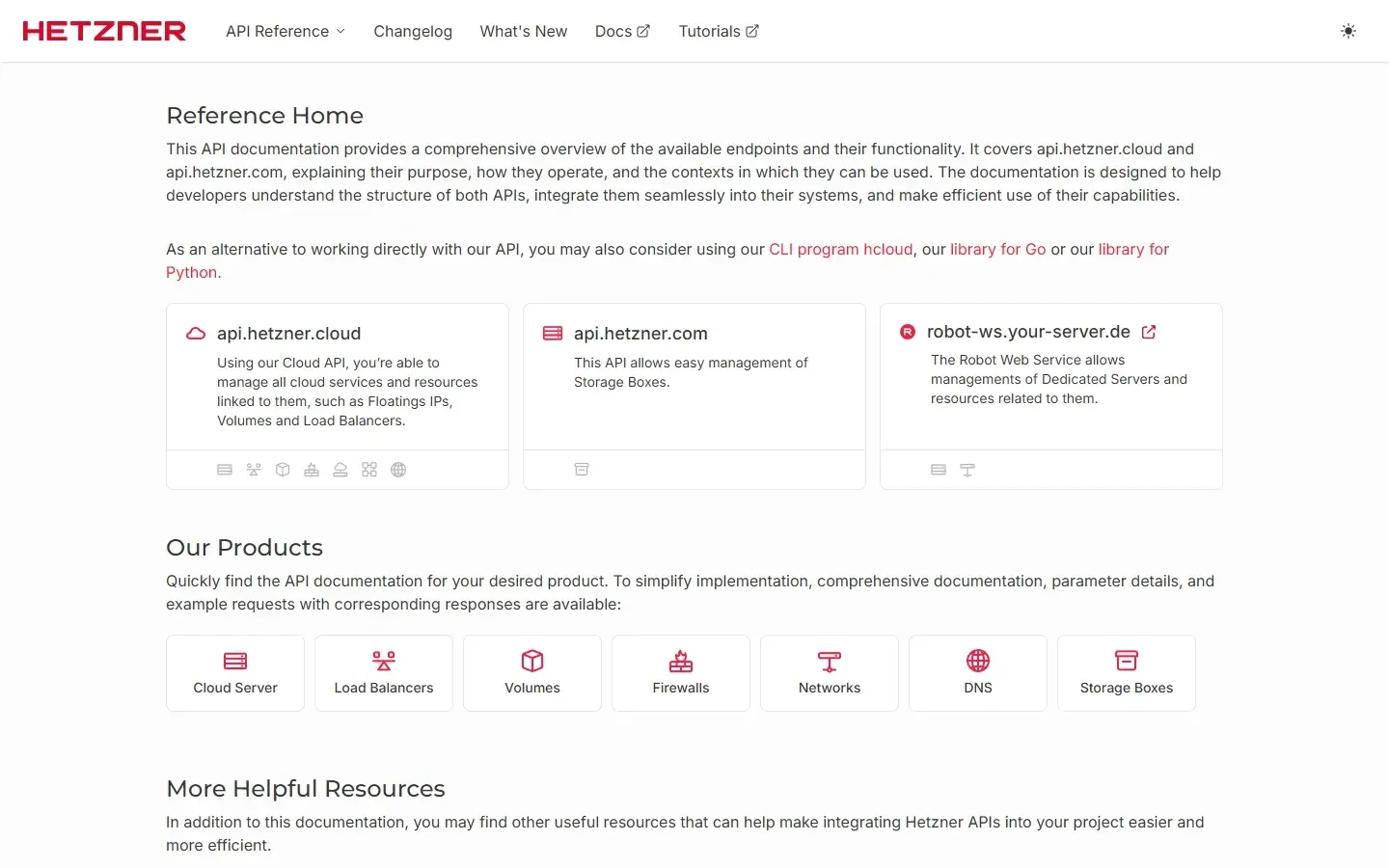
- REST API and API tokens The Cloud API at api.hetzner.cloud covers servers, load balancers, volumes, firewalls, floating IPs, placement groups and DNS zones, and is documented in the API reference. Tokens are generated per project in the Console with Read (GET only) or Read and Write permission and are shown only once, so store them in a secret manager.
- hcloud command-line client The hcloud CLI creates and manages the same resources from a terminal. Create a context with
hcloud context create NAME, enter the project token and verify withhcloud location list. Release archives exist for Linux, macOS, FreeBSD and Windows, along with DEB and RPM packages that the documentation labels experimental. - CLI distribution options The setup guide lists a manual binary download for Linux,
go install, DEB and RPM packages, Homebrew, WinGet, Scoop and a Docker image. It notes that the WinGet and Scoop entries are not maintained by Hetzner, and that Go builds do not embed the correct version number. - Experimental CLI features Features tied to public beta products are marked experimental in command help and show a warning when used. Breaking changes can occur in minor releases for those commands, and the warning can be suppressed with the
no-experimental-warningsoption. - Terraform and Go libraries The Terraform provider for hcloud (MPL-2.0, repository hetznercloud/terraform-provider-hcloud) and the hcloud-go library (MIT) allow servers, networks and firewalls to be declared as code. Compare with the generic Terraform listing for licensing and workflow questions.
- Kubernetes integration A cloud controller manager lets a self-managed Kubernetes cluster provision Hetzner load balancers and nodes. Because Hetzner does not list a managed Kubernetes service on the cloud page, the cluster control plane is your responsibility.
Where Hetzner Cloud fits
Running a small production application
Start with one server, a Primary IPv4, a firewall that allows only the ports you need and a daily backup slot. Add a volume for data you want to keep apart from the root disk, and remember that backups exclude volumes. Confirm the server type is orderable in your chosen location, because availability can change. The cloud documentation covers each resource.
Automating infrastructure from the command line
Create one context per project, generate a Read and Write token and script creation with hcloud server create, then review the resulting resources with the list commands. Keep tokens out of shell history and prefer the Docker image or a CI secret. The setup guide lists installation options and the manual lists every command.
Declaring servers and networks with Terraform
Use the hcloud Terraform provider to describe servers, networks, firewalls and volumes, and apply labels so firewalls attach automatically through label selectors. Pin the provider version, store state remotely and test a destroy and re-create cycle in a scratch project before relying on it.
Putting a load balancer in front of web servers
Choose the LB type by the number of services, targets and certificates, attach the servers through a private network where possible and configure health checks before moving traffic. Decide whether TLS terminates on the balancer or on the servers. The load balancer page lists the limits per type.
Storing backups and static assets
Use object storage for archives and assets through any S3 client, and plan around the 64 KB minimum billing size for small objects. Traffic inside the eu-central zone is free, while egress beyond the included 1 TB is billed. See the pricing and limits before moving large datasets.
Placing workloads across locations
Use eu-central locations for data that must stay in Germany or Finland, and the US or Singapore locations for latency to those regions. Networks, floating IPs and load balancers do not span network zones, and cross-zone traffic is billed as internet traffic. The locations page describes the zones.
Reviews of Hetzner Cloud
Be the first to share your experience with Hetzner Cloud.
Write a review
Loading review form…
Found Hetzner Cloud useful? Upvote it todayYour vote helps other IT teams find it in the daily ranking.