

What is CLI for Microsoft 365?
CLI for Microsoft 365 is a cross-platform command-line interface for managing a Microsoft 365 tenant and SharePoint Framework (SPFx) projects. It is installed from npm as @pnp/cli-microsoft365 and run as m365, and it works on Windows, macOS and Linux in bash, zsh, PowerShell, cmder or Azure Cloud Shell. The README lists Bookings, Microsoft Entra ID, Microsoft Teams, Microsoft To Do, Microsoft Viva, OneDrive, OneNote, Outlook, Planner, Power Automate, Power Apps, Power Platform, Purview, SharePoint Embedded, SharePoint Online and SharePoint Premium as supported workloads, all reached through one login.
The tool is a Microsoft 365 & Power Platform Community (PnP) project. The README describes PnP as a virtual team of Microsoft employees and community members, and states that CLI for Microsoft 365 is an open-source project not affiliated with Microsoft and not covered by Microsoft support; problems are reported in the GitHub issue list. The project started in 2017 as the Office 365 CLI, whose npm package @pnp/office365-cli is now deprecated in favour of @pnp/cli-microsoft365. The code is TypeScript under the MIT license.
Distribution is through npm with npm install -g @pnp/cli-microsoft365, yarn global add or npx, with beta builds on the next tag. The README states that the CLI has been tested with Node.js 20 and higher and recommends the current LTS release; building from source needs Node.js 24 or newer. An official Docker image, m365pnp/cli-microsoft365, provides the CLI with PowerShell, command completion for bash and pwsh, curl, jq and JMESPath Terminal, as described in the Docker guide. The repository does not publish GitHub releases; versions are tagged in Git and released on npm.
The current version is 12.0.0, published on npm on November 4, 2026. Its release notes list new commands such as entra agent blueprint list, outlook event add, spo page unpublish and spe container permission add, support for SPFx 1.24.0 and Node.js 26, a move to TypeScript 7, GitLab support for federated identity, and documented minimal permissions for many SharePoint and Teams commands. Breaking changes include a new overwrite default for spo file add, a permanent option replacing recycle in Entra, SharePoint and SharePoint Embedded commands, and list commands returning an empty array instead of no output.
Telemetry is on by default. The telemetry page states that the CLI records the command name, which optional options were used but not their values, the CLI and Node.js versions, the operating system, the shell, whether it runs in Docker or CI and a random client ID, and sends this to Google Analytics since v12; m365 cli config set --key disableTelemetry --value true turns it off. Other Microsoft 365 administration tools listed on iThub include Maester for security configuration tests, IntuneAutomation for Intune scripts and WinTuner for packaging apps into Intune.
Key capabilities
- npm installation The CLI is installed globally with
npm install -g @pnp/cli-microsoft365, or withyarn global add @pnp/cli-microsoft365, or run once withnpx. The package registers them365andmicrosoft365commands,m365_compfor completion andm365_chilifor the docs assistant. Beta builds are installed from thenexttag. - Docker image
docker run --rm -it m365pnp/cli-microsoft365:lateststarts a Linux container with the CLI, PowerShell and preconfigured completion, opening bash by default or pwsh when passed as an argument. Tags exist forlatest,nextand specific versions, scripts can be mounted as a volume, and the container runs as a non-root user. Authentication is not persisted between container runs. - Authentication methods m365 login uses the device code flow by default. The
authTypeoption also accepts certificate, password, managed identity, federated identity, browser and client secret, and--cloudselects Public, USGov, USGovHigh, USGovDoD or China. Federated identity works in GitHub Actions, Azure DevOps and GitLab CI/CD. - Own Entra app registration The README asks users to create their own Microsoft Entra application registration before logging in, either with the
m365 setupcommand or by following the own identity guide. The app ID and tenant are taken from the login options, the CLI configuration or theCLIMICROSOFT365_ENTRAAPPIDandCLIMICROSOFT365_TENANTenvironment variables, with the tenant defaulting to common. - Multiple connections The CLI can sign in to several accounts and tenants and keep them as named connections.
m365 connection listshows them with their authentication type, andm365 connection useswitches the active one without signing out and in again. - Workload command groups Commands follow a workload, object and verb pattern such as
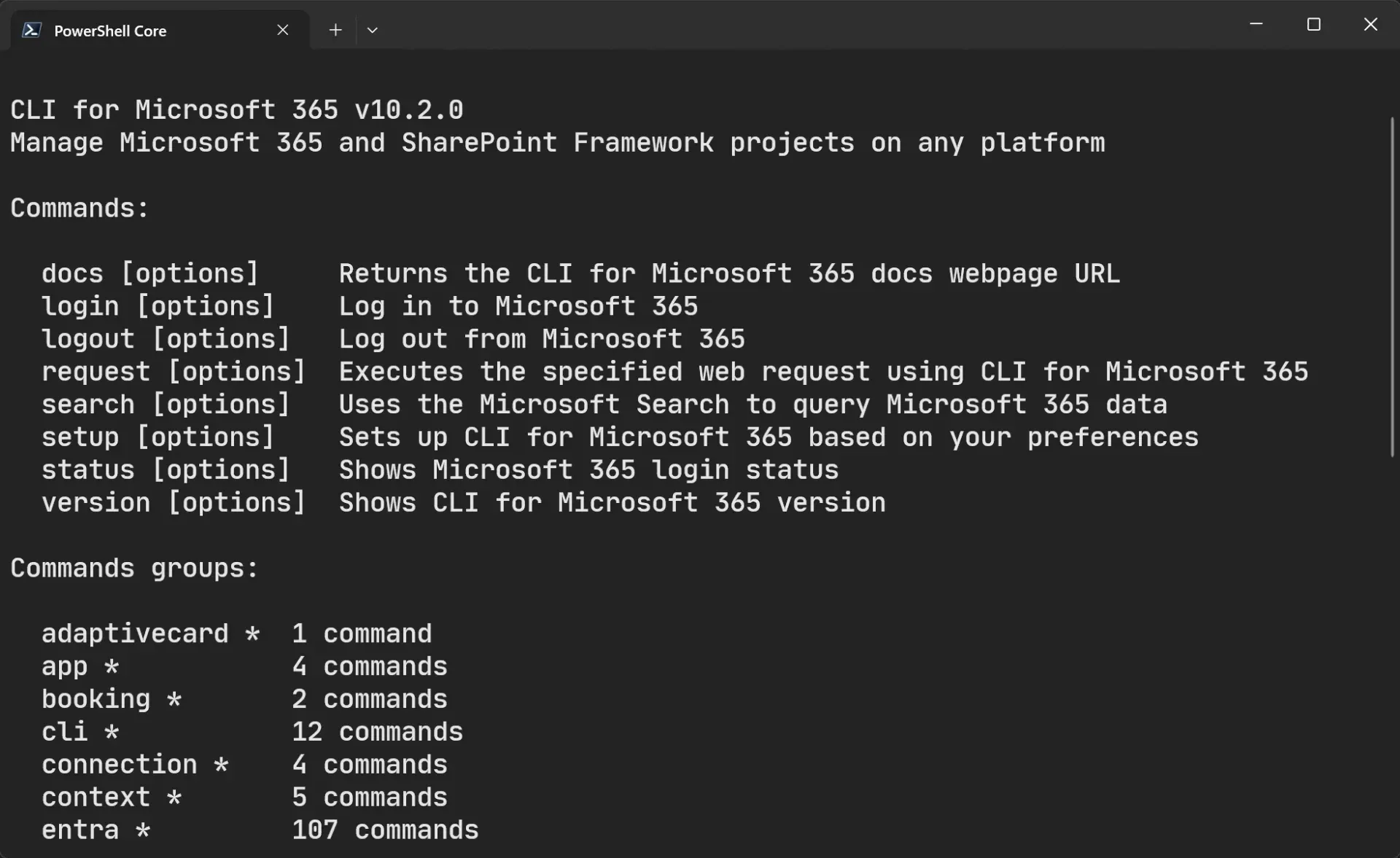
m365 spo list add, with groups includingspo,entra,teams,planner,onedrive,outlook,flow,pa,pp,purview,spe,viva,todo,bookingandtenant.m365 --helplists the groups and their command counts, and each command has its own help. - Output modes All commands return JSON by default, and
--outputswitches totext,csv,mdfor Markdown ornone. The output mode guide describes JSON for scripts that pass one command's result to another and text for reading in a terminal. - JMESPath queries The global
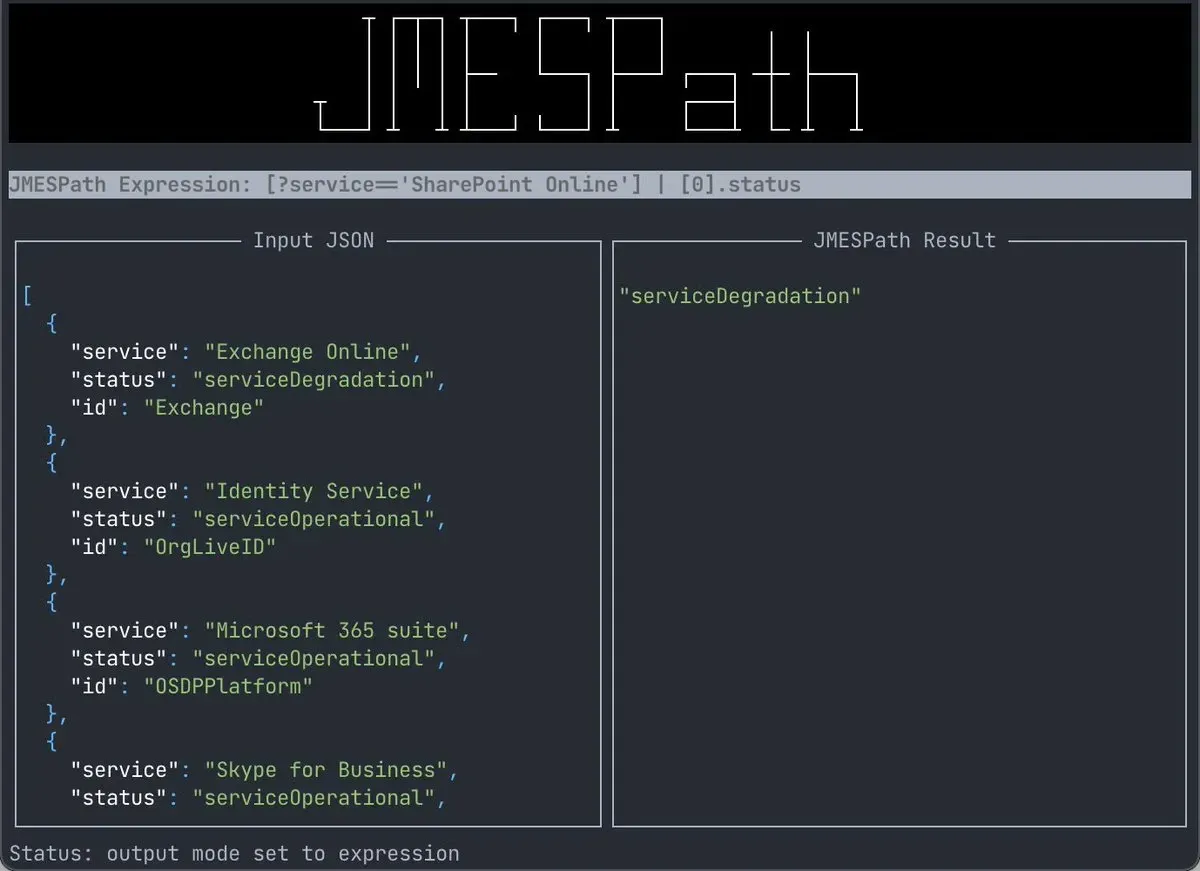
--queryoption filters and reshapes results with JMESPath, for examplem365 spo site list --query '[?Template==`GROUP#0`].{Title:Title, Url:Url}'to return only group-connected sites with two fields. The Docker image adds JMESPath Terminal, which takes piped CLI output and shows expression results as they are typed. - Interactive prompts and completion When required options are missing, the CLI prompts for them interactively, and command and option completion can be configured for most shells.
--helpaccepts a section name such as options, examples, remarks, permissions, response or full. - Raw requests and search
m365 requestexecutes a web request against Microsoft 365 APIs with the CLI's current authentication, for endpoints without a dedicated command.m365 searchqueries Microsoft 365 data through Microsoft Search. - SPFx doctor m365 spfx doctor detects the SharePoint Framework version of the current project or installed Yeoman generator and checks Node.js, npm, Yeoman, Gulp CLI and TypeScript against that version's requirements. It can also check compatibility with SharePoint 2016, SharePoint 2019 or SharePoint Online and lists recommendations for anything missing.
- SPFx project upgrade m365 spfx project upgrade analyses an SPFx project and lists the steps to move it to a target version given with
--toVersion, or to the latest preview with--preview. Generated commands can target npm or pnpm and bash, PowerShell or cmd. Version 12.0.0 adds support for SPFx 1.24.0 and for heft in the SPFx CI/CD commands. - MCP server The separate
@pnp/cli-microsoft365-mcp-serverpackage, developed in the pnp/cli-microsoft365-mcp-server repository under MIT, wraps CLI commands for MCP clients and runs over stdio withnpx -y @pnp/cli-microsoft365-mcp-server@latest. It does not authenticate on its own and uses the context created bym365 login; the MCP guide recommends disabling prompts and using text output for it. - chili docs assistant
m365_chili, usually aliased asm365?, is a terminal assistant that answers questions about the CLI from its documentation, powered by Mendable AI, and lists the sources it used. The Docker image sets up the alias in bash and PowerShell. - VS Code extension The CLI for Microsoft 365 extension for Visual Studio Code shows the documentation for every command inside the editor, offers a gallery of sample scripts searchable by title, author and command, and provides snippets for every command with the required parameters.
- Sample scripts and CI/CD guides The documentation includes a sample script gallery and guides for running the CLI in GitHub Workflows, Azure DevOps Pipelines and Azure Functions with PowerShell. Version 12.0.0 updated the sample scripts for the new release.
- Telemetry controls Usage telemetry covers command names, use of optional options without their values, versions, operating system, shell, Docker and CI detection and a random client ID. It is disabled with
m365 cli config set --key disableTelemetry --value trueand re-enabled by resetting that key.
Where CLI for Microsoft 365 fits
Reporting on SharePoint Online sites
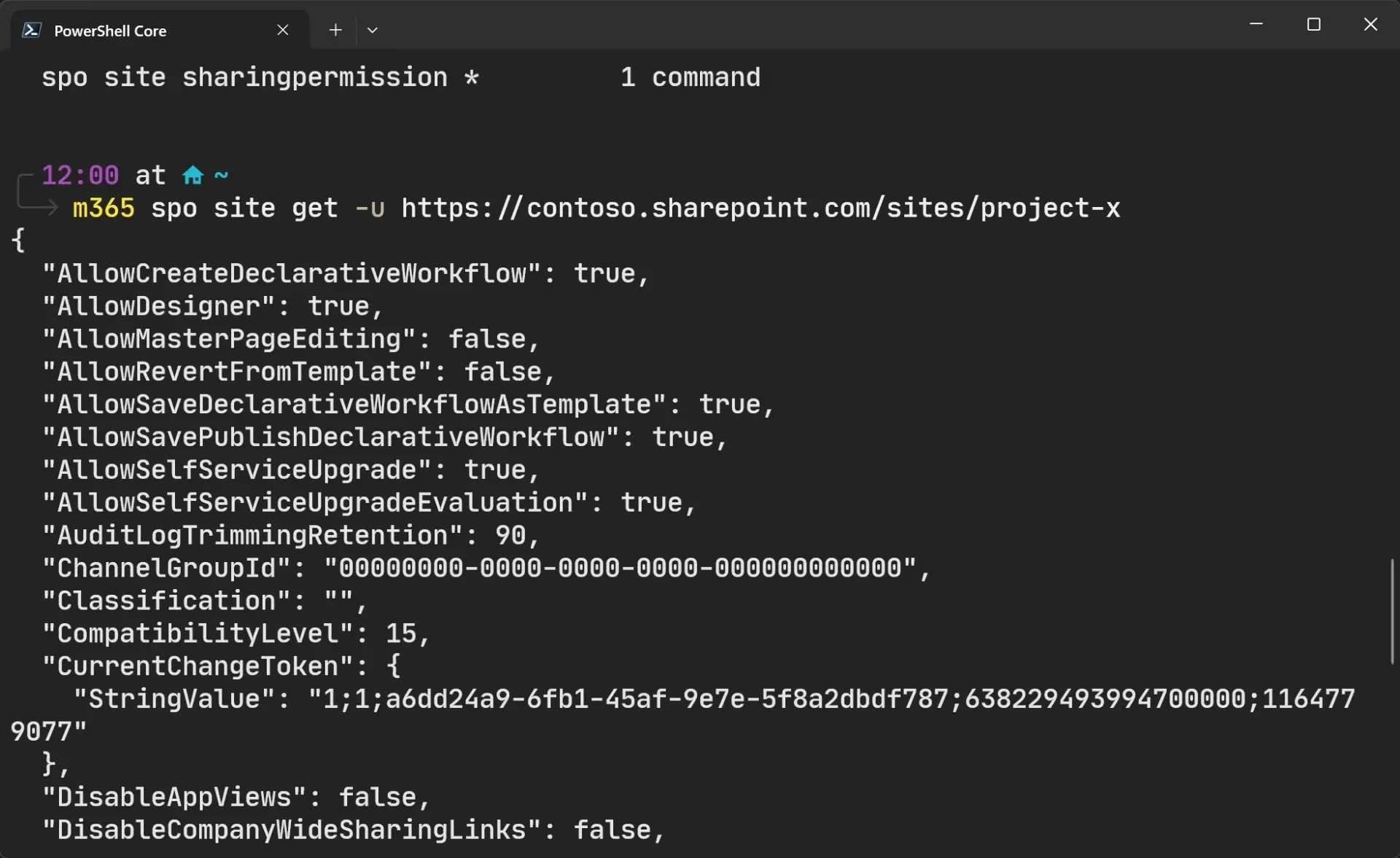
An administrator signs in with m365 login, lists sites with m365 spo site list and narrows the result with --query to the fields a report needs. JSON output feeds further commands in a script, while --output csv or md produces a table for a spreadsheet or a document. m365 spo site get returns all properties of a single site.
Unattended jobs in pipelines and Azure
For automation without a user, the CLI signs in with a certificate, a client secret, a managed identity on Azure resources, or federated identity in GitHub Actions, Azure DevOps and GitLab CI/CD. The documentation has step-by-step guides for GitHub Workflows, Azure DevOps Pipelines and Azure Functions, and the Docker image runs mounted bash or PowerShell scripts with the CLI preinstalled.
Keeping SPFx projects current
Before building, m365 spfx doctor checks that Node.js, npm, Gulp CLI, Yeoman and TypeScript match the project's SharePoint Framework version. m365 spfx project upgrade --toVersion then reports the package changes and file edits needed to reach a newer SPFx release, with commands written for the chosen package manager and shell.
Administering Teams, Planner and Entra ID
The teams, planner and entra command groups add, list, update and remove teams, channels, plans, tasks, users, groups and app registrations from the same shell session. Since version 12.0.0, the help of many of these commands lists the minimal permissions they need, shown with --help permissions.
Natural-language administration through MCP
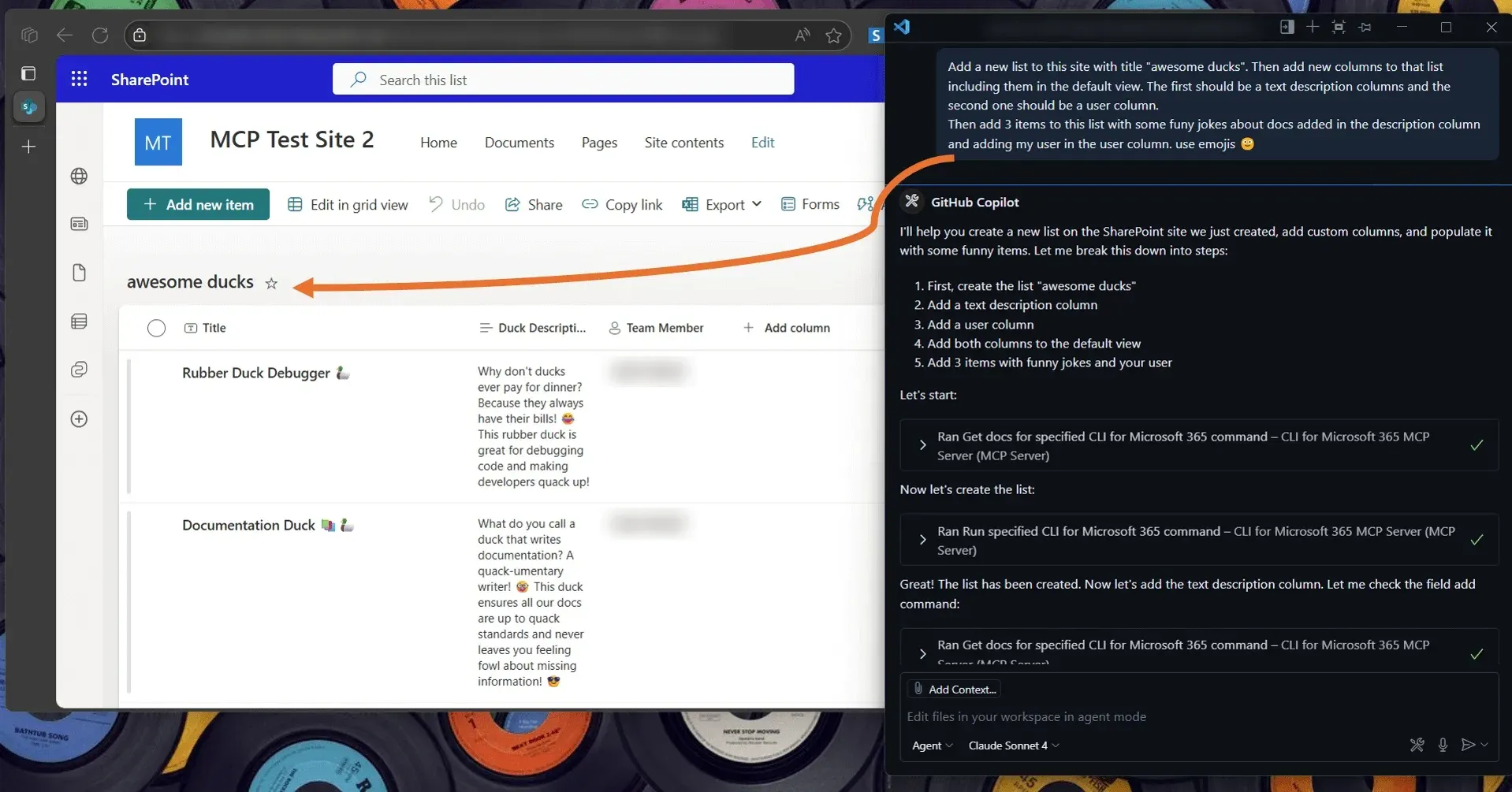
With the MCP server added to an MCP client such as VS Code with GitHub Copilot, a prompt is translated into one or more CLI commands. The documentation shows examples that create a SharePoint list with columns and items, create a Teams team with a welcome post, disable a Power Automate flow and build a Planner plan with buckets and tasks, all using the signed-in CLI context.
Working across several tenants
Consultants and administrators with access to several tenants sign in once per tenant and switch between the stored connections with m365 connection use. The m365 status command shows which connection is active before a command runs, and --cloud covers sovereign clouds such as US Government and China.
Install
npm install -g @pnp/cli-microsoft365Reviews of CLI for Microsoft 365
Be the first to share your experience with CLI for Microsoft 365.
Write a review
Loading review form…
Found CLI for Microsoft 365 useful? Upvote it todayYour vote helps other IT teams find it in the daily ranking.


