

What is IntuneAutomation?
IntuneAutomation is an MIT-licensed collection of PowerShell scripts for Microsoft Intune device management, maintained by Ugur Koc in the ugurkocde/IntuneAutomation GitHub repository. According to the README, every script uses the Microsoft Graph API and the library is organized by functional category. The companion website intuneautomation.com lists 71 scripts across eleven categories: devices, compliance, apps, security, reporting, operational, configuration, monitoring, diagnostics, notification and remediation. The website footer names UgurLabs as the publisher, alongside related tools such as IntuneGet, IntuneBrew and TenuVault.
The scripts are distributed as plain source files. They can be downloaded and run locally from PowerShell, where the user signs in interactively with an Intune administrator account, or deployed as Azure Automation runbooks that authenticate with a managed identity and run on a schedule. Local execution requires PowerShell 5.1 or later and the Microsoft.Graph.Authentication module; the README lists PowerShell 7 as the preferred runtime. A few scripts in the monitoring folder are shell scripts for macOS devices.
The repository also contains script templates for contributors, a permission helper (grant-permissions-managed-identity.ps1), generated ARM templates for Azure Automation, a hosted MCP server and the Next.js source of the website. Each script declares the Microsoft Graph application permissions it needs in a .PERMISSIONS block, and the documentation describes granting only those permissions rather than a broad default bundle. A GitHub Actions workflow runs PSScriptAnalyzer on the scripts.
Releases are tagged by date. The latest GitHub release is IntuneAutomation Scripts 2026.07.30, published on July 30, 2026. Its notes describe 52 Azure Automation compatible ARM templates, 17 local-only or Intune Remediation scripts excluded from template generation, the PowerShell 7.4 runtime with Microsoft.Graph.Authentication 2.38.1 in generated templates, fixes to Graph paging and report downloads, and permission metadata covering 22 Graph application permissions across 69 scripts. The release notes state that imported runbooks are not updated automatically and must be redeployed or reimported.
The project is free and has no paid edition. The README states that the scripts can be used with GCC High and DoD tenants, with Graph endpoints adjusted for government clouds. Related tools on iThub include IntuneGet, which packages Winget apps for Intune, and Maester, a PowerShell test framework for Microsoft 365 security configuration.
IntuneAutomation screenshots
Explore the interface. Open a screenshot to view it at full size.
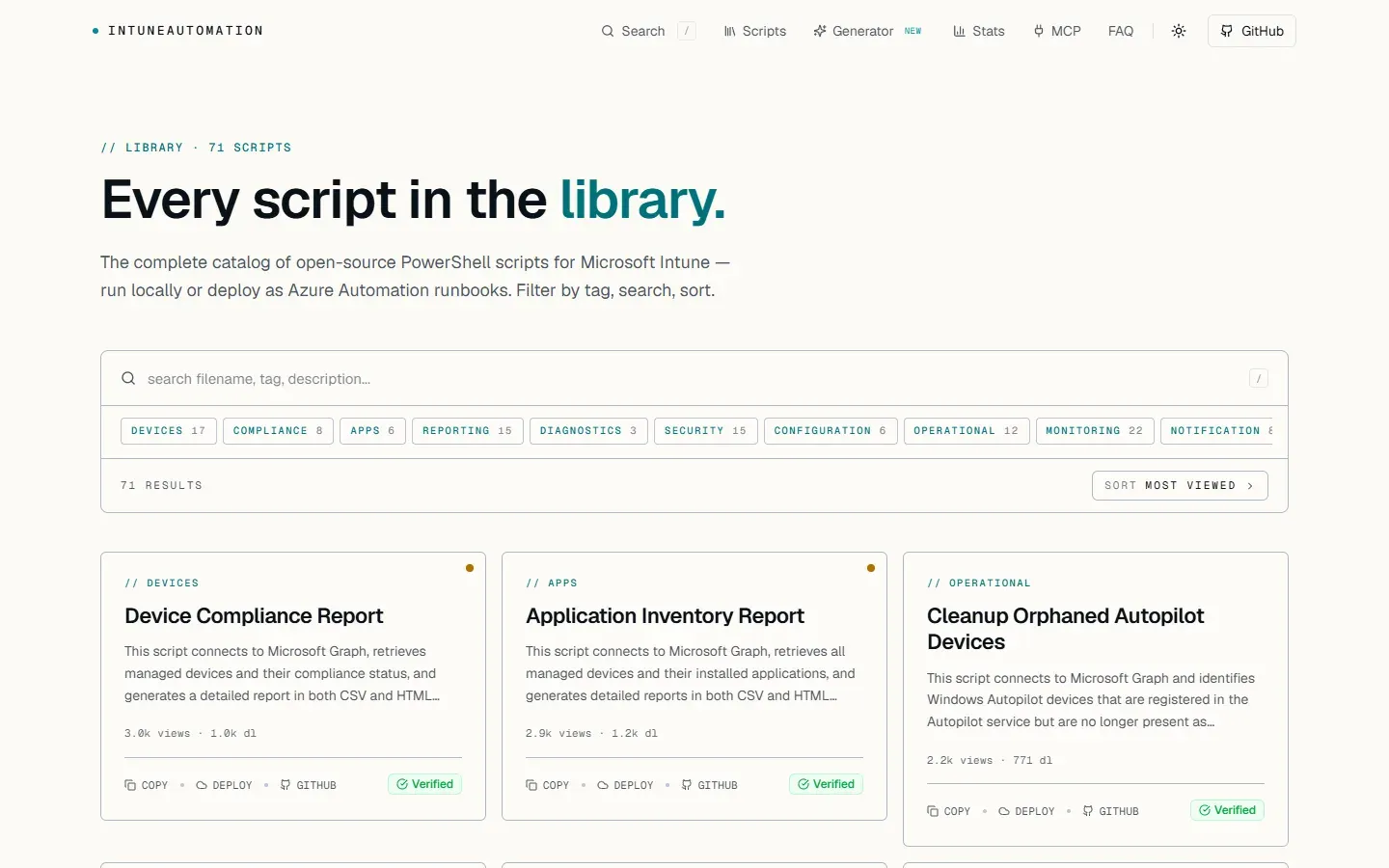
Script library on intuneautomation.com with category filters, search and cards for each script.
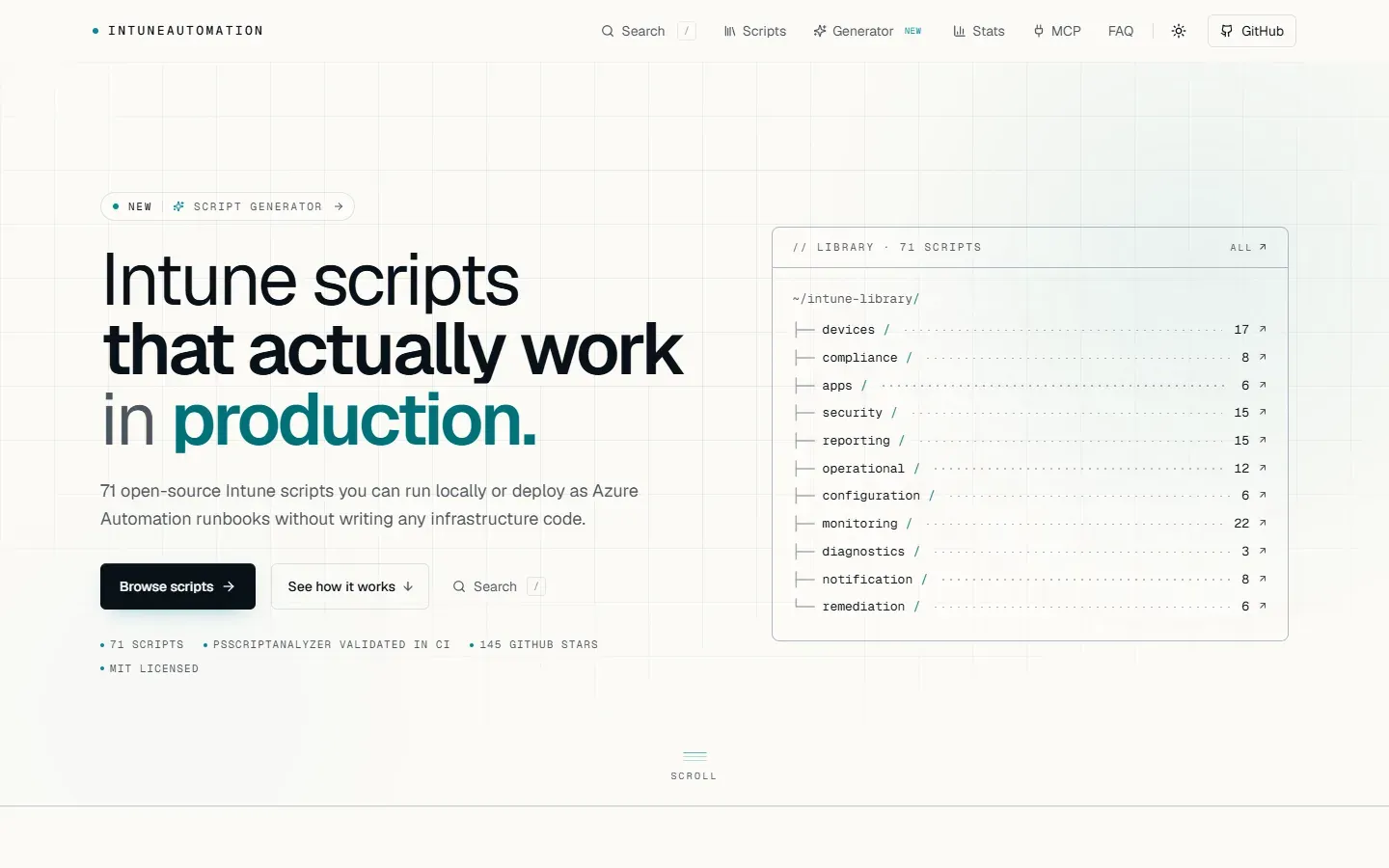
Homepage listing the library by category, with links to the generator, stats and MCP pages.
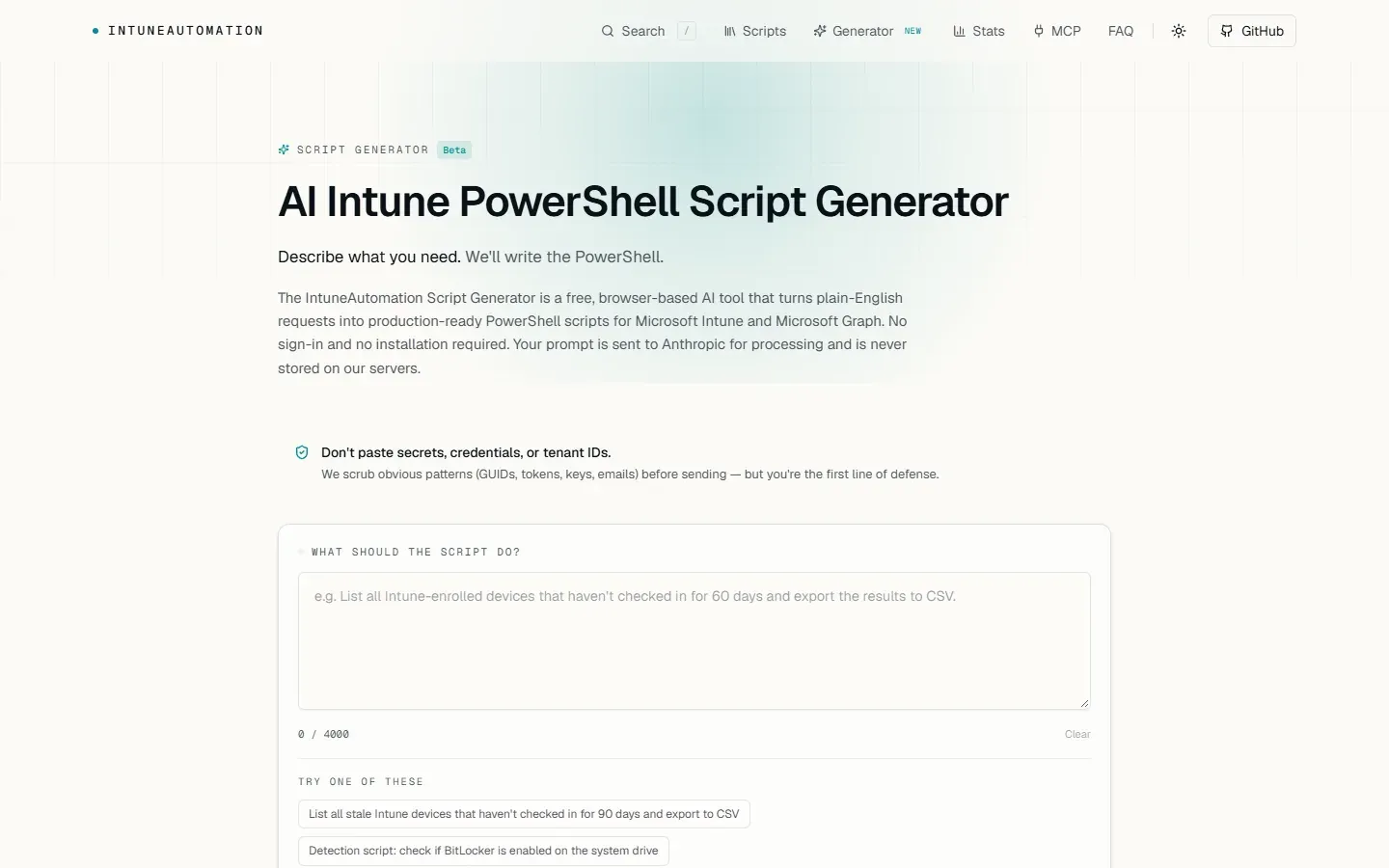
Script Generator (beta) with the request field and example prompts.
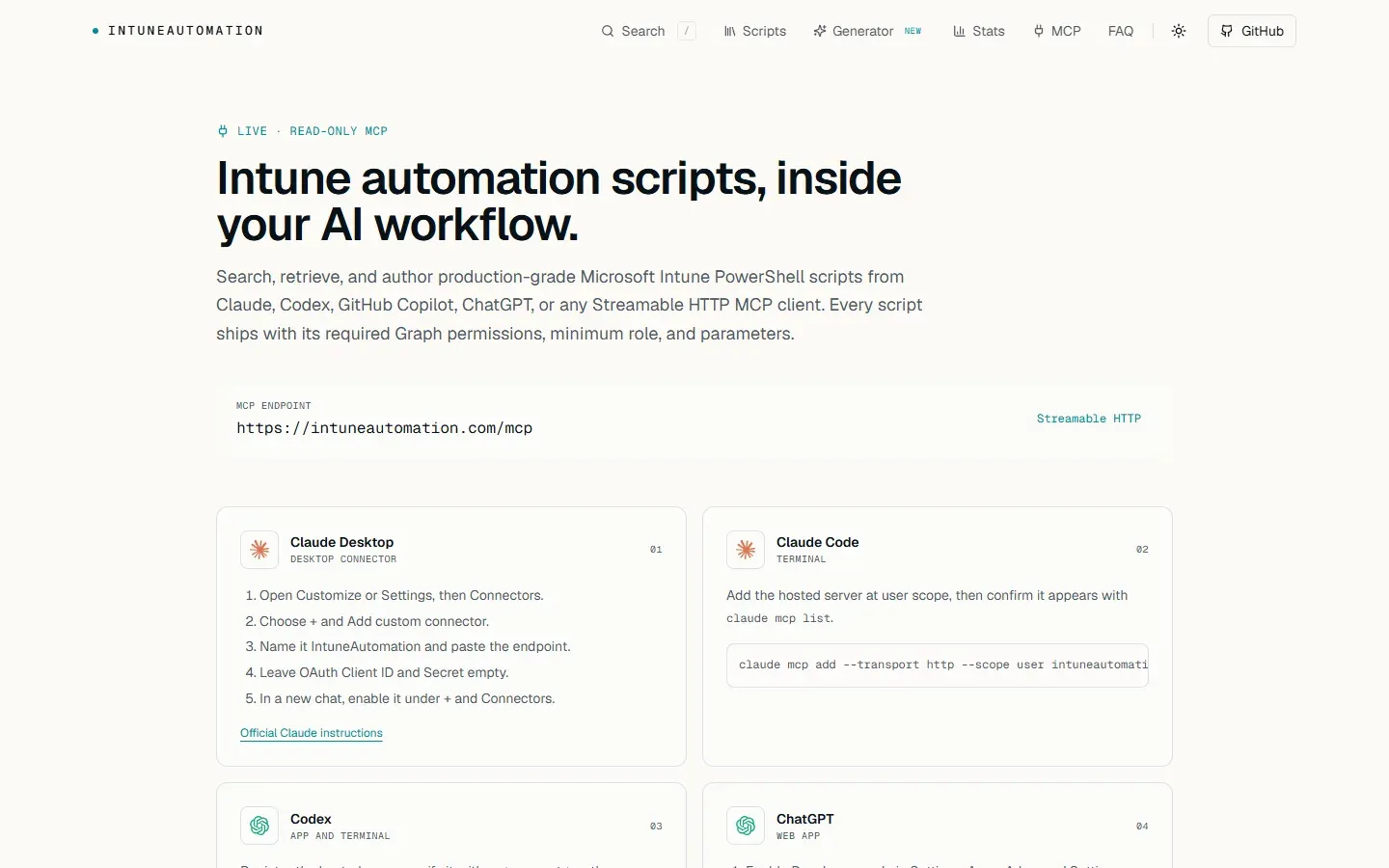
MCP page with the Streamable HTTP endpoint and setup steps for Claude Desktop and Claude Code.
Key capabilities
- Device scripts The devices folder covers stale device reports, duplicate device record cleanup, Autopilot device cleanup, primary user fixes, Windows 11 readiness reports, outdated iOS device reports, scope tag listings, and CSV-driven group membership and device renaming. The CSV scripts accept either a local
CsvPathor inlineCsvContentfor runbook use. - Operational actions Scripts in the operational folder restart, sync and wipe managed devices through Microsoft Graph. According to the release notes, these workflows have dry-run parameters, and they require
DeviceManagementManagedDevices.PrivilegedOperations.Allplus read access. - Compliance reporting Compliance scripts produce device compliance reports, list non-compliant devices with the reasons reported by Intune, and report on multi admin approval (MAA) status. The website describes report output in CSV and HTML for scripts such as the device compliance report.
- Application management The apps folder includes application inventory and installation status reports, assignment conflict detection, duplicate application detection, orphaned app cleanup and a VPP license report for Apple Volume Purchase Program apps.
- Security scripts Security scripts report Defender status, firewall and attack surface reduction status, compliance policy coverage, Intune role assignments and Windows LAPS configuration. Others rotate BitLocker recovery keys and macOS LAPS passwords, and one backs up BitLocker keys to Azure Key Vault as a local-only workflow.
- Configuration backup and audit Configuration scripts back up and restore Intune configuration, report policy drift, audit assignment filters and build an assignment matrix of groups and policies. Backup, restore and drift scripts depend on local folders and are excluded from Azure Automation templates.
- Monitoring and diagnostics Monitoring scripts check Apple token validity, certificate profile expiry, connector health, unassigned policies, policy changes, BitLocker and FileVault key presence, Windows Update compliance, Endpoint Analytics and Intune audit logs. Diagnostics scripts collect device diagnostics and report check-in health and enrollment failures.
- macOS shell scripts Several monitoring scripts are written for macOS rather than PowerShell, including checks for AppleCare warranty status, Microsoft AutoUpdate status, network requirements, XProtect status, last reboot time and local administrators.
- Notification scripts Notification scripts send email alerts for app deployment failures, Apple token expiration, compliance drift, license thresholds, pending MAA requests, new device enrollments, stale devices and Windows Update failures. They declare
Mail.Send, and sender and recipient addresses are runtime parameters; no address is stored in the repository. - Intune Remediations The remediation folder holds detection and remediation script pairs for Intune Remediations, covering antivirus definition updates, disk cleanup, local administrator drift, OneDrive Known Folder Move, pending reboots and Winget app updates, plus a detection script for software usage metering.
- Azure Automation deployment Eligible scripts have ARM templates behind a Deploy to Azure button on the website. Templates reuse an existing Automation account by default, keep its region and identity, and use a PowerShell 7.4 runtime environment. The runbook deployment guide walks through deployment, permission grants and the first job.
- Least-privilege permissions Every script lists its Graph application permissions in
.PERMISSIONS, and every generated template returns the same list in arequiredGraphPermissionsoutput. The runbook certification document lists the permission corrections, for exampleBitlockerKey.ReadBasic.Allfor key inventory. - Hosted MCP server A public, read-only MCP endpoint at
https://intuneautomation.com/mcplets MCP clients search the library, read full script sources with their required permissions and author new scripts in the library's format. The MCP documentation covers setup for Claude Desktop, Claude Code, Codex, ChatGPT and VS Code with GitHub Copilot; no API key is required. - AI script generator The Script Generator, marked beta, turns a plain-English request of up to 4000 characters into a PowerShell script for Intune and Microsoft Graph in the browser, without sign-in. The page states that prompts are sent to Anthropic for processing and are not stored on the project's servers, and that obvious patterns such as GUIDs, tokens, keys and emails are scrubbed before sending.
- Searchable web catalog The website catalog filters scripts by category tag, supports full-text search and sorting, and offers copy, deploy and GitHub links for each script, with view and download counts. The site navigation also links a stats page and an FAQ.
- Contributor templates The templates folder contains a standard script template, detection and action templates for remediations, a notification template and a macOS shell template, with guides. The contributing guide describes the coding standards and pull request process.
Where IntuneAutomation fits
Scheduled tenant reporting
Reporting scripts such as the device compliance, application inventory or Windows Update compliance reports are deployed as Azure Automation runbooks and scheduled, for example daily. The runbook authenticates with the Automation account's managed identity, which receives the Graph permissions declared by that script, and the job output appears in the Azure portal.
Email alerts for Intune events
Notification scripts run on a schedule and send email when a condition is met, such as an expiring Apple token, devices drifting out of compliance, failed app deployments or license counts crossing a threshold. The release notes state that a licensed sender mailbox and recipient values are supplied at run time.
Device lifecycle cleanup
The stale device, duplicate record and Autopilot cleanup scripts find and remove devices that no longer check in or no longer exist. Bulk restart, sync and wipe scripts act on groups of devices, with dry-run parameters for previewing the affected devices.
Endpoint remediation
Detection and remediation script pairs are uploaded to Intune Remediations to keep antivirus definitions current, clean up disk space, correct local administrator membership, configure OneDrive Known Folder Move, handle pending reboots and apply Winget application updates on Windows endpoints. These run on the devices and are not Azure Automation runbooks.
Configuration backup and drift reports
The backup and restore scripts export Intune configuration to local files and import it again, and the policy drift report compares current configuration with a saved state. They run locally because they read and write files, as described in the certification document.
Finding or drafting scripts from an AI client
With the hosted MCP server added to Claude, Codex, ChatGPT or VS Code, an administrator asks which script covers a given task and receives the script, its required Graph permissions, minimum role and parameters. The same server exposes the authoring guide used by the website generator for drafting new scripts in the library's format.
Reviews of IntuneAutomation
Be the first to share your experience with IntuneAutomation.
Write a review
Loading review form…
Related to IntuneAutomation
 IntuneGetIntuneGet is a free, open-source web app that packages Winget applications as Win32 apps for Microsoft Intune, with update policies, MSP mode, SCCM migration and self-hosting with Docker.MMaesterMaester is an open-source PowerShell framework that tests Microsoft 365 security configuration, with custom tests, report exports and CI/CD pipeline support.