

What is SurfSense?
SurfSense is an open-source desktop application for research over documents that should not be uploaded to a hosted service. You add files, folders, notes, recordings and web pages to a workspace, ask questions that are answered with citations to the passages behind each point, and ask an agent to create or revise Word, Excel, PowerPoint, PDF and web-page files. The maintainers position it as an air-gapped alternative to Google NotebookLM: with a local model it works with the network off, there is no account, and every outbound destination stays off until the user allows it. The code lives in the MODSetter/SurfSense repository, created in July 2024.
SurfSense 2.0, released in September 2026, is a rebuild rather than an upgrade. The earlier 0.0.x self-hosted web app, with Postgres, Redis and connectors, now lives on a legacy branch that ended with legacy-v0.0.41. The current app ships as a signed Windows x64 installer, an Apple Silicon DMG for macOS 13.3 or later, and AppImage, deb and rpm packages for x64 Linux with glibc 2.35 or later, all listed on the downloads page. The same app also runs as one Docker container, ghcr.io/modsetter/surfsense, opened in a browser on port 4929.
The current release is v2.3.1, published November 3, 2026. It moves the desktop shell to Electron 44.10.1 so Mac updates larger than 1 GiB install, and Macs on 2.3.0 or earlier must install 2.3.1 once by hand from the downloads page. The day before, v2.3.0 added the new Docker image with Compose and Caddy, local models inside the container, a password set on first visit and built-in HTTPS, MOBI and AZW3 books as sources and image edits saved as new versions; its notes list CPU-only Docker and slow image edits without a GPU as known issues. v2.2.0 of October 9 introduced the file agent with tracked-change edits, Office support, PDF tools and data analysis.
The architecture overview describes a one-user, one-machine design. Electron supervises a FastAPI service bound to 127.0.0.1, three Huey job queues for ingest, Studio and plugins, llama.cpp's llama-server for text models, sd-server for images, an audio.cpp server for podcast voices and speech recognition, and opencode for the agent. Everything the app knows sits in one SQLite file, surfsense.db, which also holds the FTS5 keyword index and the sqlite-vec vector index. Docling, OCR and a bundled bge-small-en-v1.5 embedding model run locally.
The application is licensed under Apache-2.0, and the whole app and every update are free with no account. A paid SurfSense license only unlocks the first-party web plugins, such as Google Search, Web Crawl and YouTube readers, plus priority support, as the license page explains. Out of scope today: user accounts and roles, Intel Macs, ARM hosts for Docker, GPU acceleration in Docker, the legacy connectors and messaging channels, and the older .doc, .ppt and .xls formats.
SurfSense screenshots
Explore the interface. Open a screenshot to view it at full size.
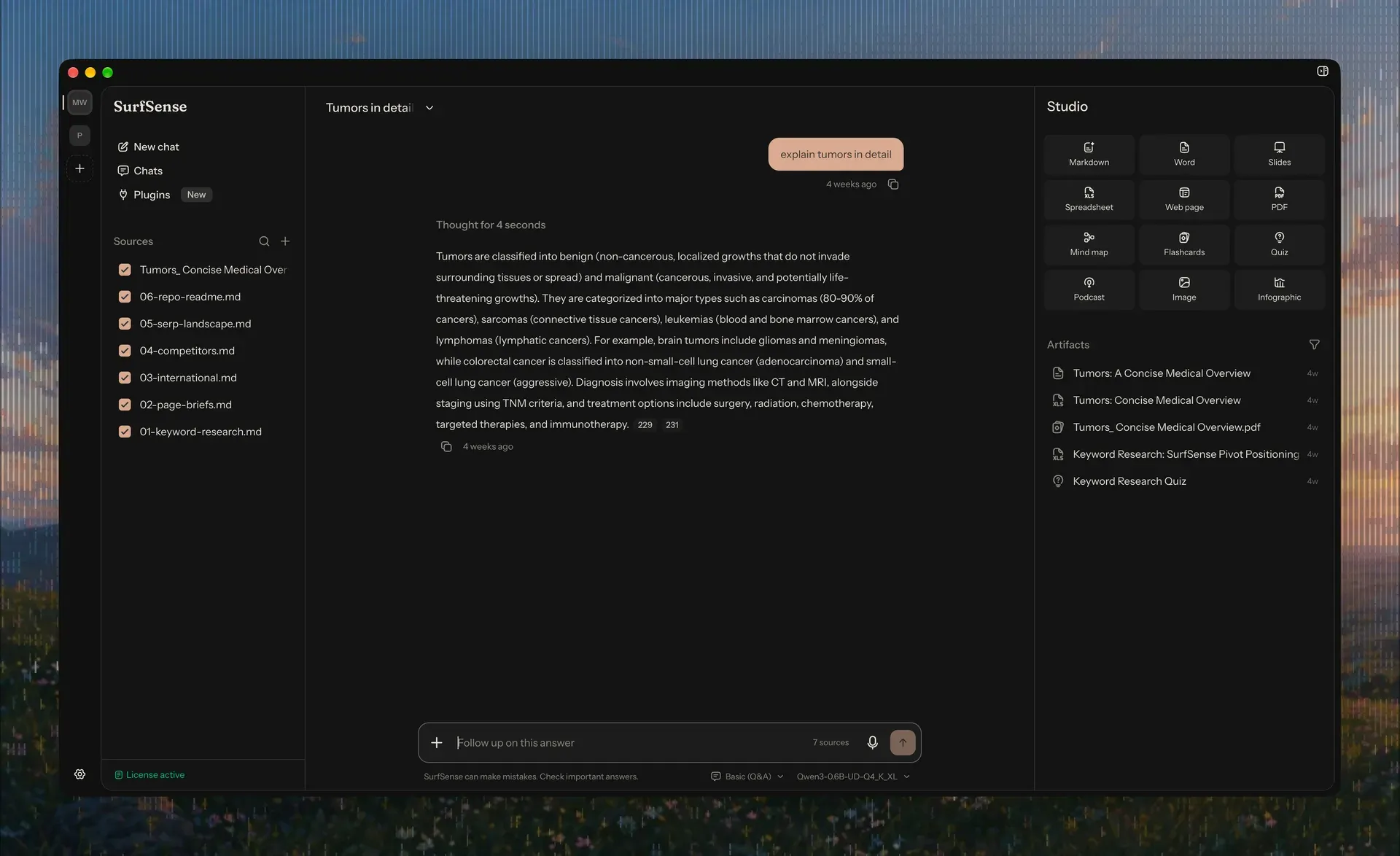
Official homepage screenshot of the SurfSense 2 desktop app: ticked sources on the left, a Basic (Q&A) answer with citation chips from a Qwen3 0.6B GGUF model in the middle, and the Studio panel with its twelve formats and an Artifacts list on the right.
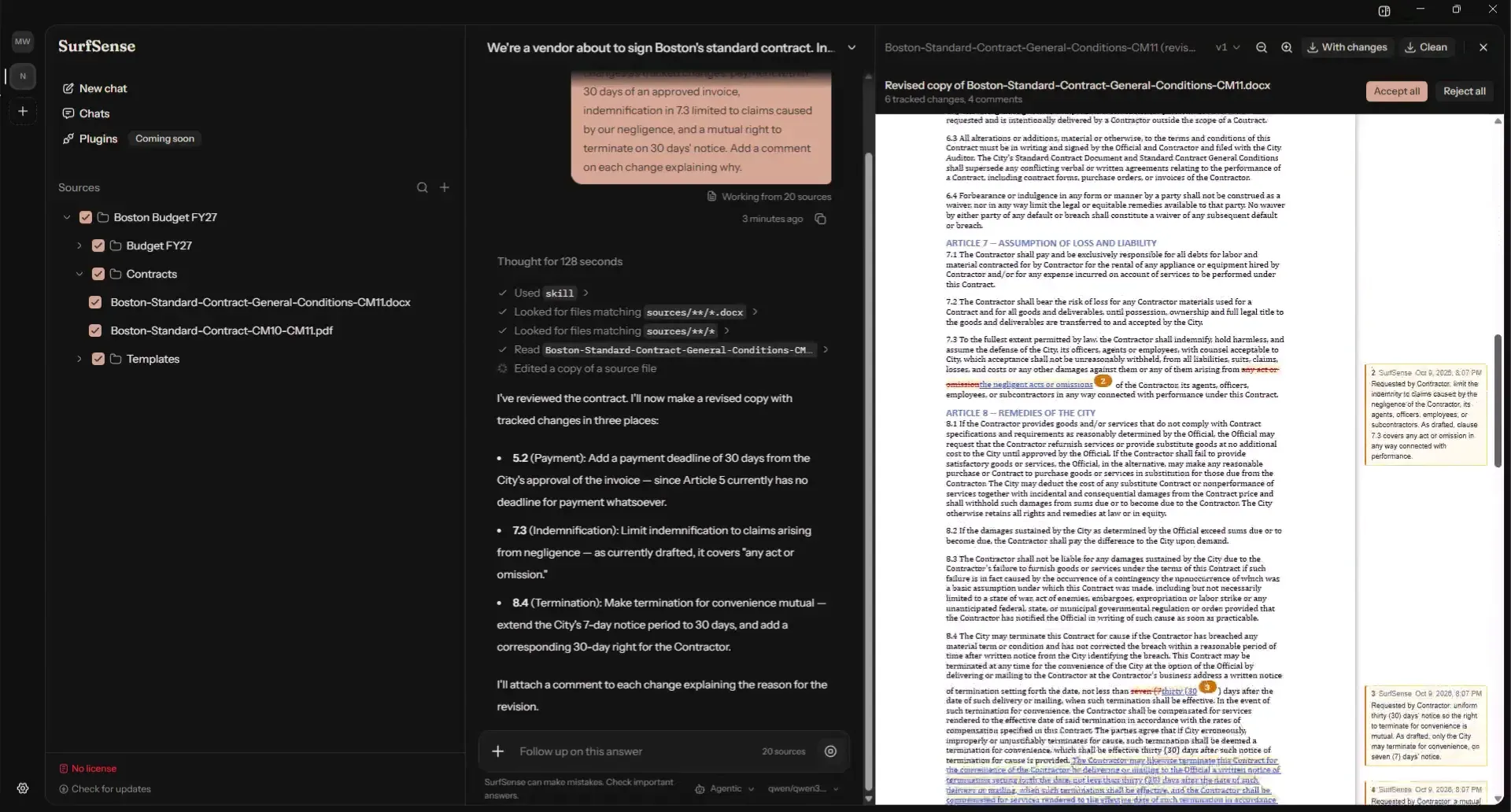
Frame from the README demo video: an Agentic chat explains three proposed contract changes while Studio shows the revised copy of the Word file with 6 tracked changes, 4 comments and the With changes and Clean downloads.
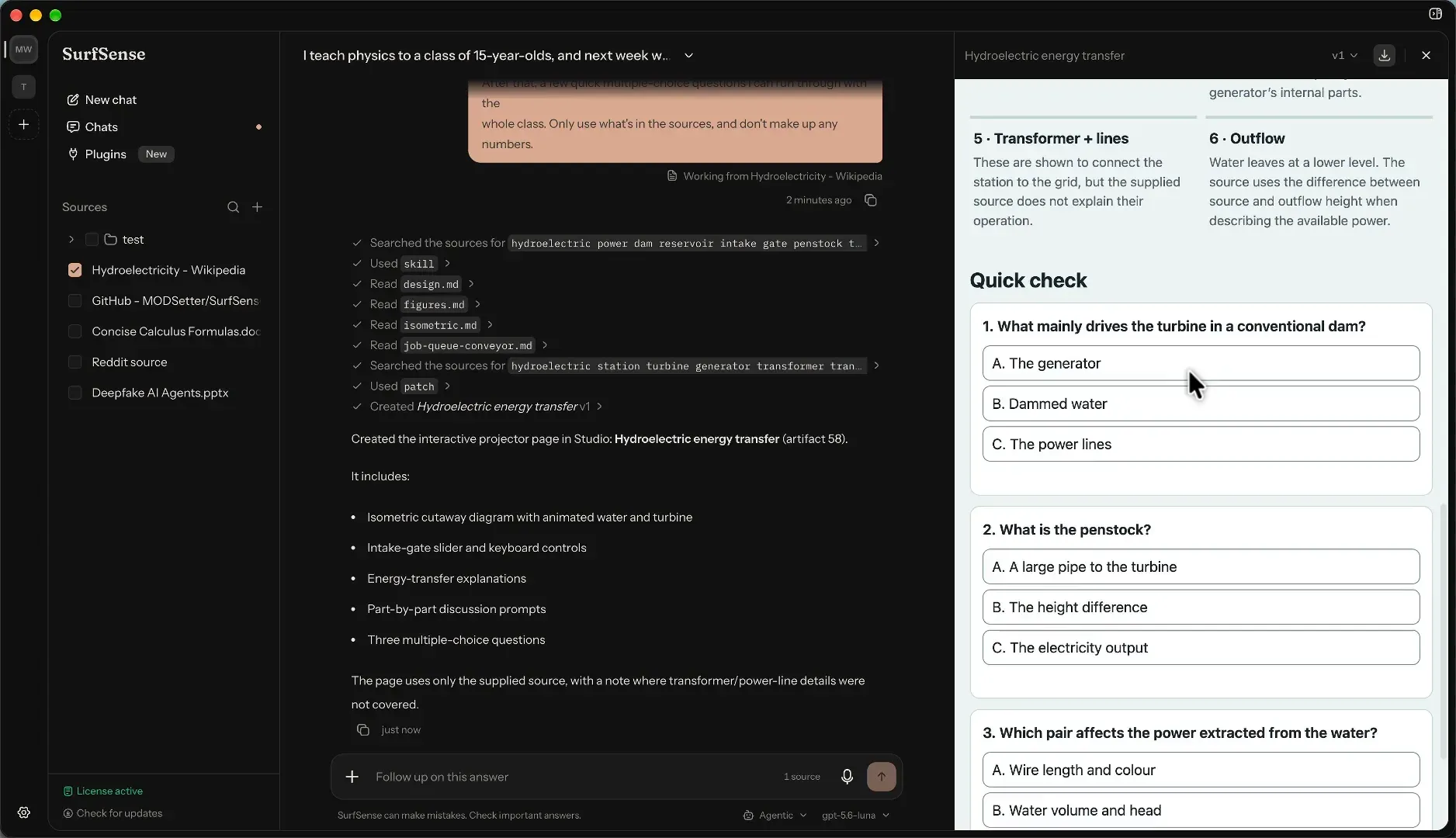
Frame from the README demo video: the agent searched a Wikipedia source, read its design files and created an interactive web page on hydroelectric energy, shown in Studio with a quiz section.
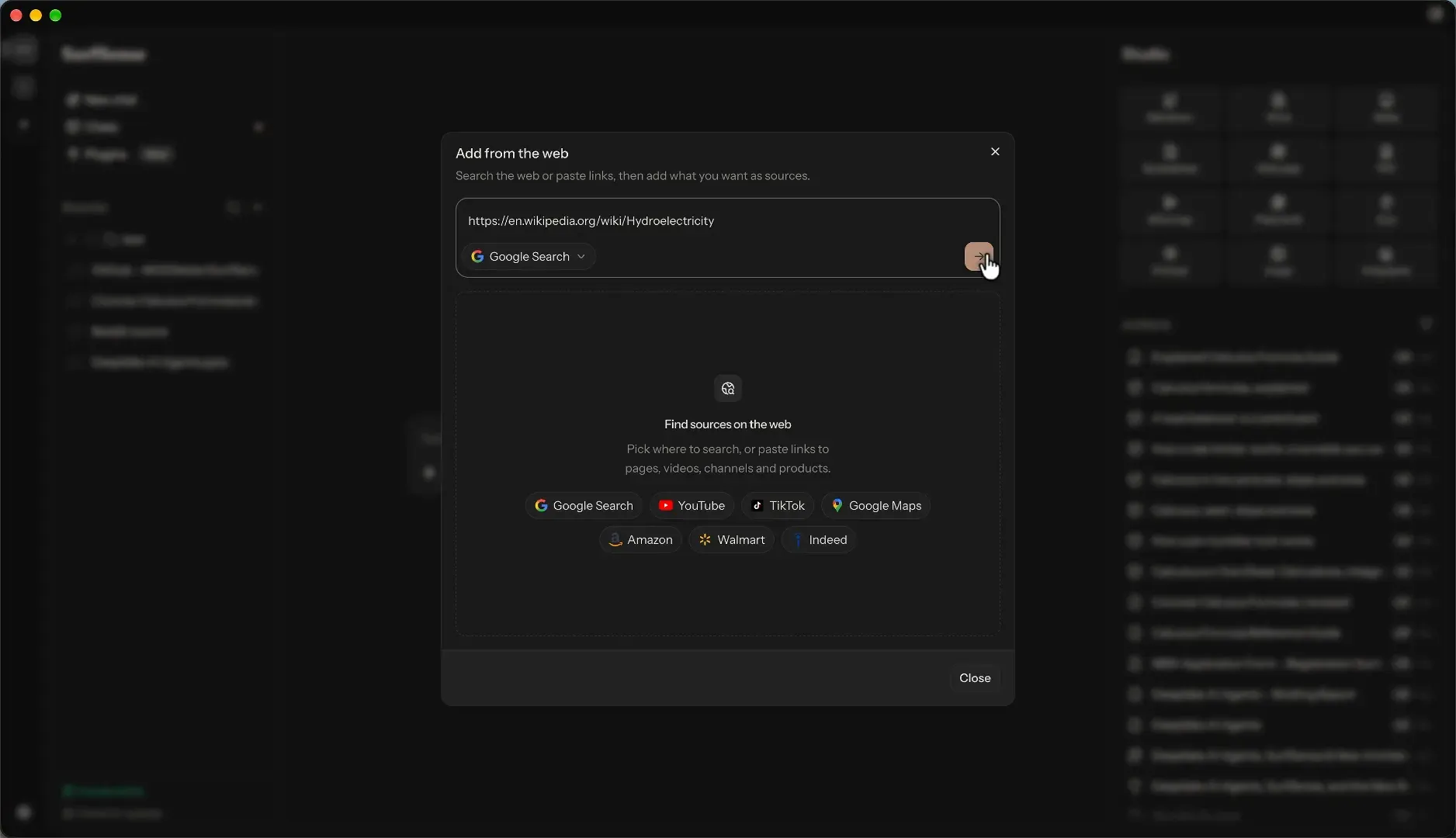
Frame from the README demo video: the Add from the web dialog, which uses the licensed SurfSense plugins to search sites or fetch pasted links into Sources.
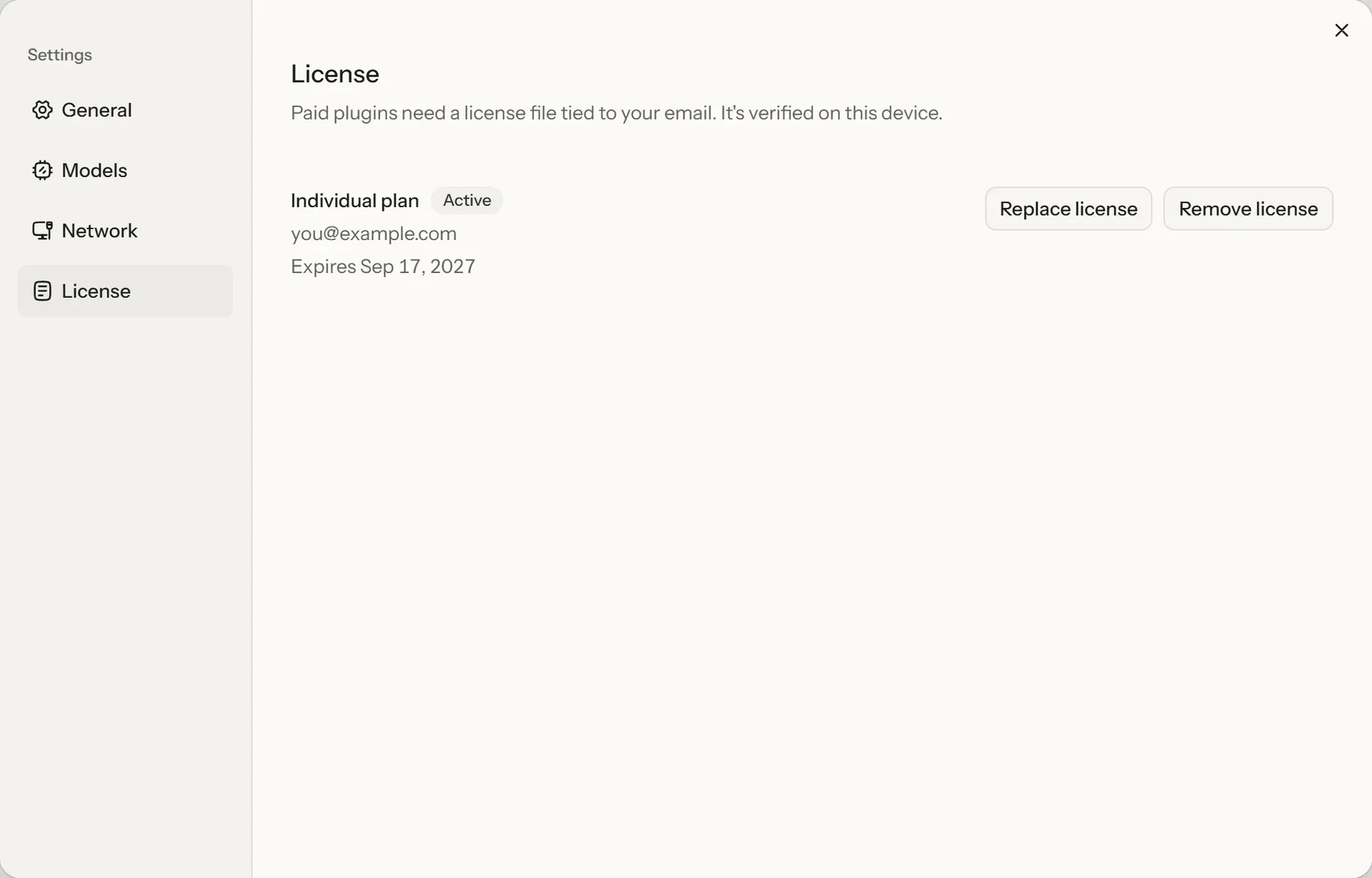
Official documentation image of Settings, License with an active Individual plan, an expiry date and the Replace and Remove license actions; the license file is verified on the device.
Source: official SurfSense project page.
Key capabilities
- Desktop installers Windows needs 64-bit x64 and installs per user from
SurfSense-Setup.exe. macOS needs Apple Silicon and macOS 13.3 or later; there is no Intel Mac build. Linux needs x64 with glibc 2.35 or later (Ubuntu 22.04, Debian 12, current Fedora, EL10), and RHEL, Rocky and Alma 9 are too old. Windows on Arm runs the x64 build under emulation and is untested, according to the install guide. - One-line install scripts On macOS and Linux,
curl -fsSL https://www.surfsense.com/install.sh | shpicks the right package and uses apt, dnf or zypper where available; on Windows,irm https://www.surfsense.com/install.ps1 | iexinstalls silently. Both scripts check every file against the GitHub release checksums.SURFSENSE_VERSIONpins a version andSURFSENSE_INSTALL_DRY_RUN=1prints the plan without changing anything. - Docker image The installer at
docker/scripts/install.sh(orinstall.ps1) writesdocker-compose.ymland.envinto asurfsensefolder and startsghcr.io/modsetter/surfsense. It needs an x86-64 host with Docker Compose and runs local models on the CPU only. HTTP is on 4929 and HTTPS on 4943, withSURFSENSE_TLS=internalor a Let's Encrypt certificate throughSURFSENSE_DOMAIN, as listed in the configuration reference. All data sits in one/datavolume. - Sources and file types Sources accept PDF, DOCX, PPTX, XLSX, EPUB, MOBI, AZW3, HTML, CSV, Markdown, plain text, PNG, JPEG, TIFF, BMP, WebP and WAV, MP3, FLAC or Ogg Vorbis recordings. Files over 500 MB are skipped, duplicates are detected by content rather than name, and folder uploads skip
.git,node_modulesand similar folders. DRM-protected MOBI, AZW3 and KFX books are refused; Opus, M4A, AAC and WebM audio are not supported yet. - Local parsing and OCR Born-digital PDFs are read from their text layer. Scanned pages and images go through OCR (the system text recognition on a Mac), and pages OCR reads poorly go to Docling, which also reads layout and tables. Word files keep headings, lists, tables and footnotes, with tracked changes read as accepted. OCR covers Latin, Chinese and Japanese script; Korean, Cyrillic, Devanagari and Arabic scans are not read correctly yet.
- Hybrid search with a bundled embedder Each chunk is indexed twice in SQLite: BM25 keyword search through FTS5 and vector search through sqlite-vec, with results merged before the model sees them. Embeddings come from bge-small-en-v1.5 (384 dimensions) shipped inside the installer, so indexing needs no network or GPU. The embedding model is the one setting that cannot be changed later from Settings; a different embedder means reindexing, as recorded in ADR 0007.
- Basic (Q&A) and Agentic chat Basic mode retrieves the best-matching passages and answers in one pass, which suits small local models. Agentic mode works in steps, reads whole sources, makes files and calls plugins; it requires a model that can use tools and has a context window of at least 32,768 tokens. Replies keep running in the background when you switch chats, as the chat guide describes.
- Passage-level citations Each cited point carries a chip that opens the exact passage in the right panel, highlighted with its surrounding text, and an uploaded file can be opened from there. Recording transcripts carry timestamps such as
[00:12:40], so a citation shows where something was said. Only ticked sources are searched, and the composer shows how many are selected. - Office files from the agent The agent writes real
.docx,.pptxand.xlsxfiles with headings, tables, charts, speaker notes and working formulas. It can use one of your Word files or decks as a template, keeping styles, headers, footers and slide layouts. With a vision-capable model it renders the pages it made and fixes layout problems, and every change becomes a new version, per the agent documentation. - Revised copies with tracked changes Asked to edit one of your Word, Excel or PowerPoint files, the agent always makes a revised copy and never touches the original. In Word copies each edit is a tracked change and the agent can add comments; Studio offers Accept all, Reject all, a download with changes and a clean download. Word headers, footers and footnotes are not edited yet.
- PDF tools The agent merges, splits, extracts, rotates and reorders pages, stamps watermarks, page numbers, headers and footers, and reads, fills and optionally flattens form fields. Converting Word documents and decks to PDF needs Office support. Password-protected PDFs, signature fields and XFA-only forms are not supported, and every result is a new PDF.
- Data analysis on spreadsheets For a ticked
.xlsxor.csvsource the agent writes a short pandas script, runs it on a copy and answers with tables and charts it can place in documents. The script runs in a separate process with a time limit and an empty folder, but the docs state plainly that this runner is not a sandbox and runs with your user's permissions. - Studio outputs Studio turns selected sources into Markdown, Word, slides, spreadsheets, interactive web pages, PDF, mind maps, flashcards, quizzes, podcasts, images and infographics. Podcasts come in five styles and three lengths (about 3, 8 or 15 minutes) with per-speaker voices. Word, PDF and web-page outputs can be refined into new versions, and images are edited by instruction with a model such as FLUX.2 klein 4B, as listed in the Studio guide.
- Built-in local model runtime SurfSense downloads GGUF models from Hugging Face and runs them with its own llama.cpp runtime. A tested catalog marks the build recommended for your hardware and labels others Reduced speed or Won't fit, and downloads are checked against the expected file. GPUs are used through Metal on Apple Silicon and Vulkan on Windows and Linux for NVIDIA, AMD and Intel cards; one card is used at a time, per the local models page.
- Remote models and subscriptions Any OpenAI-compatible endpoint works, including OpenAI, OpenRouter, Anthropic, Mistral, Groq, LM Studio, Ollama, vLLM and LocalAI. A ChatGPT Plus or Pro plan signs in through OpenAI, and a Claude Pro, Max or Team plan runs through your own installed Claude Code. API keys are encrypted with a key held in the OS keychain and are never shown again.
- Voice and speech Speech recognition runs locally with Nemotron 3.5 ASR Streaming 0.6B or the lighter Canary 180M Flash, and serves both dictation in the composer (up to 5 minutes per recording) and recordings added as sources. Podcasts are voiced on the machine by the bundled Kokoro 82M model, with Supertonic 3 and KittenTTS Mini 0.8 as optional downloads or an OpenAI-style speech API.
- MCP-based plugins Every plugin is an MCP server. SurfSense's own plugins (Google Search, Web Crawl, YouTube, TikTok, Reddit, Instagram, Google Maps, Amazon, Walmart, Indeed) are read-only and need a license; third-party registry entries such as DeepWiki and Notion and any custom Streamable HTTP server start off until allowed. Each tool is set to Always allow, Needs approval or Blocked, and new or changed tools stay off, as the plugins guide explains.
- Egress controls and policy files Settings, Network lists every host the app may contact with its last call, and unticking one blocks it before a request leaves. There is no crash reporting or analytics; update checks and anonymous usage statistics are opt-in, and
DO_NOT_TRACK=1locks the latter off. Administrators can disable both or point updates at a mirror with apolicy.jsonfile, per the privacy page.
Where SurfSense fits
Running a fully offline research desk on a laptop
Install the desktop app, answer No to update checks and usage statistics in Privacy choices, and download the model marked Recommended for your computer; the first download asks once to allow huggingface.co. Untick that host in Settings, Network afterwards, add a folder of documents and confirm that chat, Studio and dictation still work with the network disconnected. Check Settings, Resources while a reply is generated to see whether the model fits on the GPU or spills onto the processor.
Redlining a contract as tracked changes
Tick the .docx contract, start an Agentic chat with a strong model and describe the changes and the reason for each. The agent produces a revised copy with tracked changes and comments in Studio; review each one, then use Accept all, Reject all or the with-changes download for the counterparty. Check the original file is unchanged and remember that headers, footers and footnotes are not edited, as stated in the agent documentation.
Building a cited knowledge base from folders and recordings
Create a workspace, use Upload folder for a project directory and watch the panel for skipped files, such as legacy .doc files or files over 500 MB. Choose a speech recognition model so meeting recordings become timestamped transcripts. Ask questions in Basic (Q&A) mode and open every citation chip to confirm the highlighted passage supports the claim, paying extra attention to scans in scripts OCR does not yet read.
Turning sources into deliverables in Studio
Select the sources, pick a format such as Slides, Word, Quiz or Podcast, add an optional prompt and generate; several jobs can run at once. Use Refine on Word, PDF and web-page outputs to get new versions while earlier ones stay available. Turn on Office support (LibreOffice) if workbooks need real totals and decks need PDF conversion, and expect simpler layouts when a small local model writes the output.
Hosting one instance for a small team with Docker
Run the Docker installer on an x86-64 server, but set SURFSENSE_PASSWORD in .env before the first start, because whoever opens a new instance first creates its password. List the host names in SURFSENSE_ALLOWED_HOSTS, enable SURFSENSE_TLS=internal or a public domain, and pin SURFSENSE_VERSION. Back up the surfsense_data volume before updates and note that everyone shares one password and one set of workspaces, as the Docker differences page lists.
Controlling outbound traffic on managed machines
Deploy the installer pinned with SURFSENSE_VERSION, then place policy.json in %ProgramData%\SurfSense, /Library/Application Support/SurfSense or /etc/surfsense to turn update checks and usage statistics off or point updates at an internal HTTPS mirror. Leave third-party plugins off, set any allowed plugin tools to Needs approval, and verify with a network monitor that only the model endpoints you approved receive traffic.
Install
curl -fsSL https://www.surfsense.com/install.sh | shReviews of SurfSense
Be the first to share your experience with SurfSense.
Write a review
Loading review form…
Alternatives to SurfSense
 Open NotebookOpen Notebook is an MIT-licensed research workspace you run with Docker: collect PDFs, web pages, audio and video into notebooks, chat with cited answers, search by keyword or meaning and generate podcasts, using any of 24 cloud or local AI providers.
 AnythingLLMAnythingLLM from Mintplex Labs is an MIT-licensed AI app for document chat with citations, agents, MCP tools and scheduled jobs, using local or hosted LLMs, as a desktop app, a multi-user Docker server or a hosted cloud.
 KhojOpen-source personal AI server under AGPL-3.0: semantic search and chat over PDF, Markdown, org-mode, Word and Notion content, with agents, research mode, automations and Obsidian, Emacs and web clients. Khoj Cloud closed in April 2026, so it is self-hosted.