

What is Scira?
Scira is an AI-powered search engine and research assistant that answers questions with cited sources. It was previously named MiniPerplx, and the project describes itself as a minimalistic, open-source AI search engine. You ask a question, upload a PDF or paste a URL, choose a search mode or let the agent decide, and Scira plans sub-queries, retrieves evidence and returns an answer with inline citations that link to the sources.
The code is published at github.com/zaidmukaddam/scira under AGPL-3.0, and the hosted product runs at scira.ai. The repository is a Next.js application using Tailwind CSS, shadcn/ui, the Vercel AI SDK, Drizzle ORM and Better Auth, with Upstash for Redis and rate limiting. Search and retrieval rely on external services named in the README, among them Exa, Firecrawl, Parallel and Tavily. The About page on the website does not name a company or team, so this profile attributes the product to the Scira project.
The README lists 17 search modes, such as Web, X, Reddit, Academic, Stocks, YouTube, Code and an Extreme deep-research mode, and a set of about 28 tools including a sandboxed code interpreter, weather, maps and file search. Pro-only modes include Connectors, Memory and Voice. The model list is long and spans xAI, OpenAI, Anthropic, Google, Qwen, Mistral, DeepSeek and others, selected through a model picker. The repository has no tagged GitHub releases, so no version number is shown.
The project blog records recent changes. Scira 2.0, published September 7, 2026, redesigned the interface and added Skills and Scouts. Earlier posts describe the iOS app and a command-line interface in June 2026, a sandboxed research agent with a persistent filesystem in May 2026, and Scira Apps, which connects services over MCP, in February 2026. A May 2026 post made Parallel the default provider for generic web search.
Scira is a web application with an iPhone app, not a desktop program. Self-deploying it requires accounts and keys for many third-party services, so the hosted plans are the simpler route for most people.
Scira screenshots
Explore the interface. Open a screenshot to view it at full size.
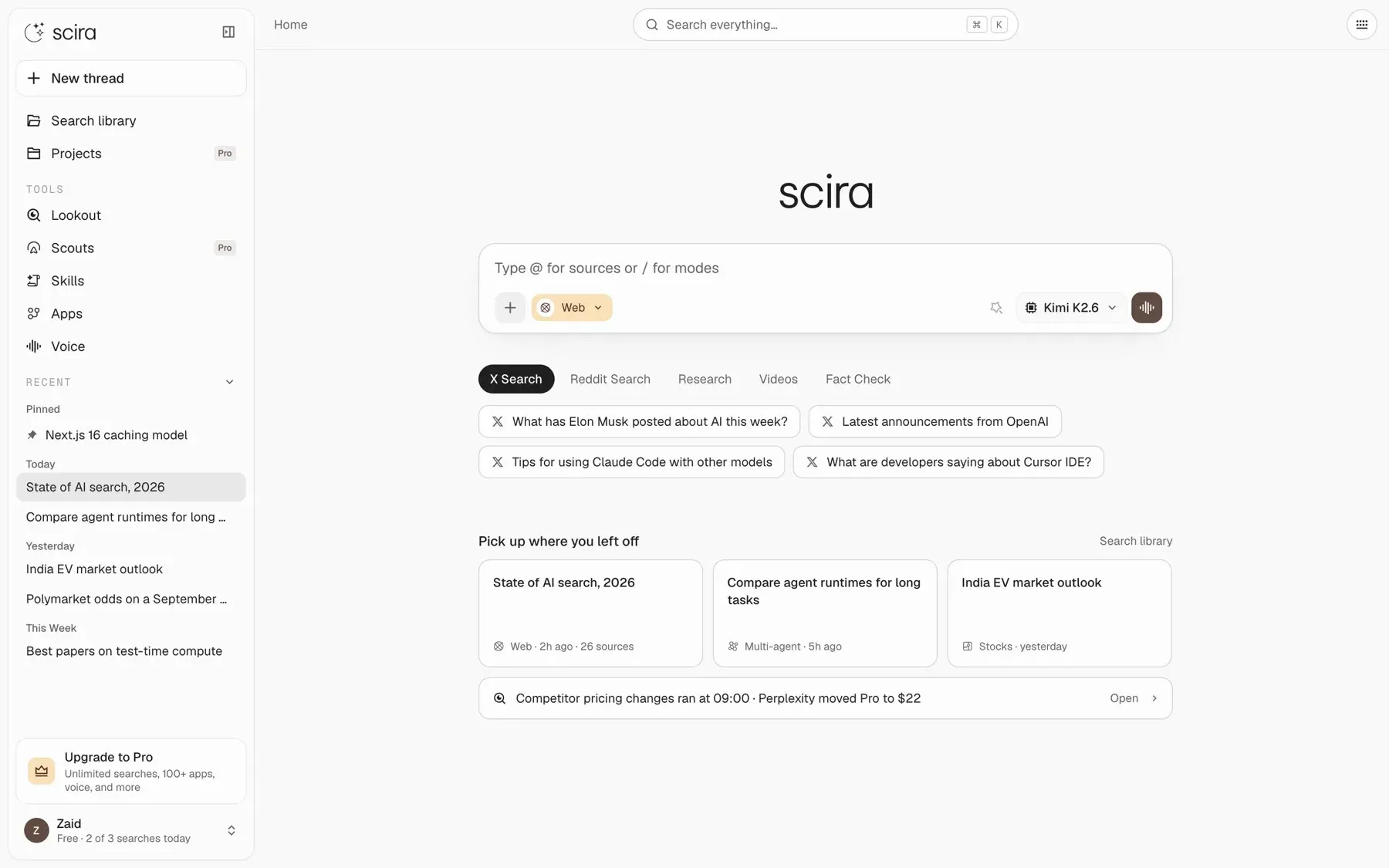
Official Scira 2.0 blog image of the home screen: sidebar tools, the search box with mode and model selectors, and recent threads.
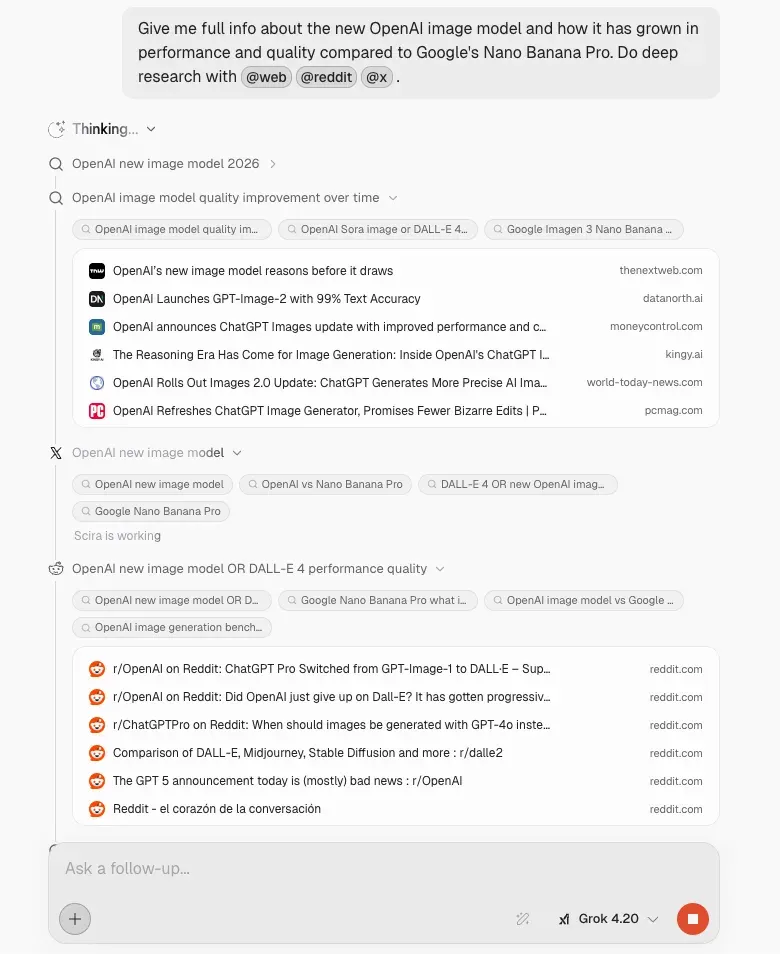
Official Scira blog image of a research run timeline: each search step expands to show queries and the sources returned.
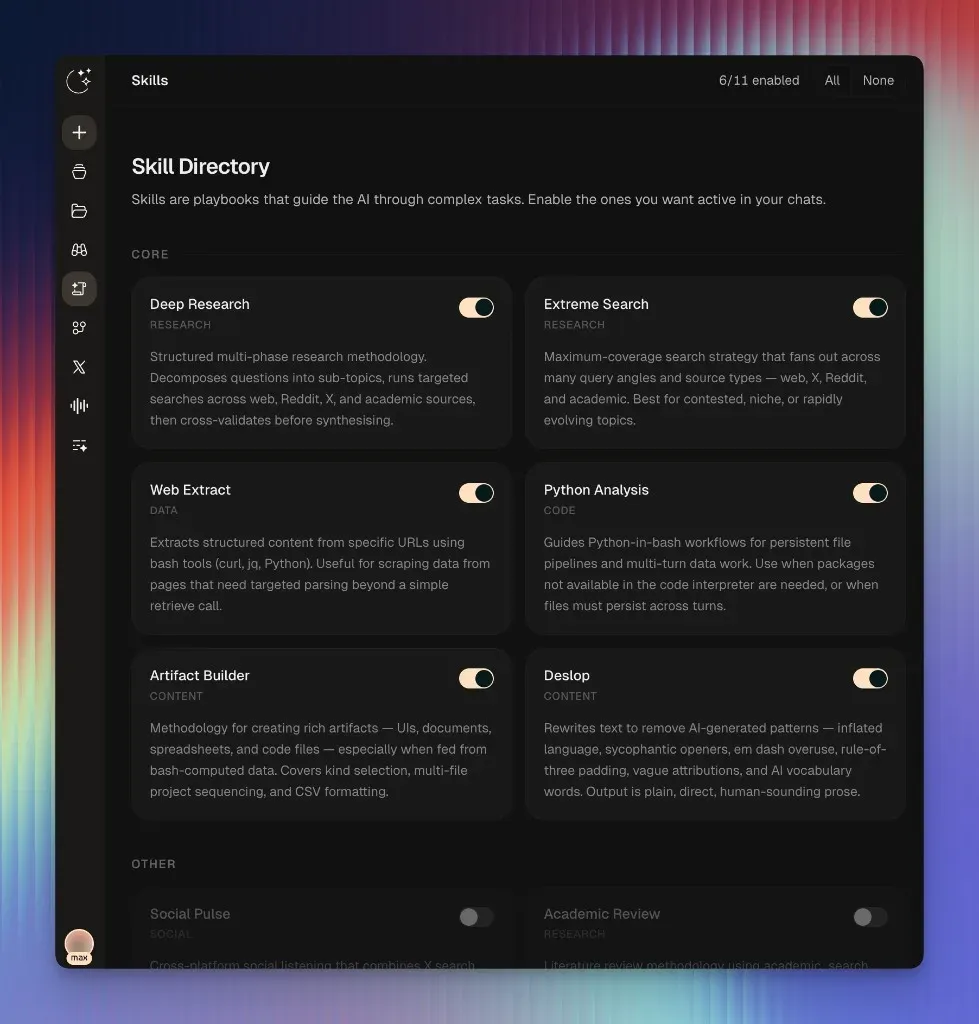
Official Scira blog image of the skills directory, where individual skills are switched on or off.
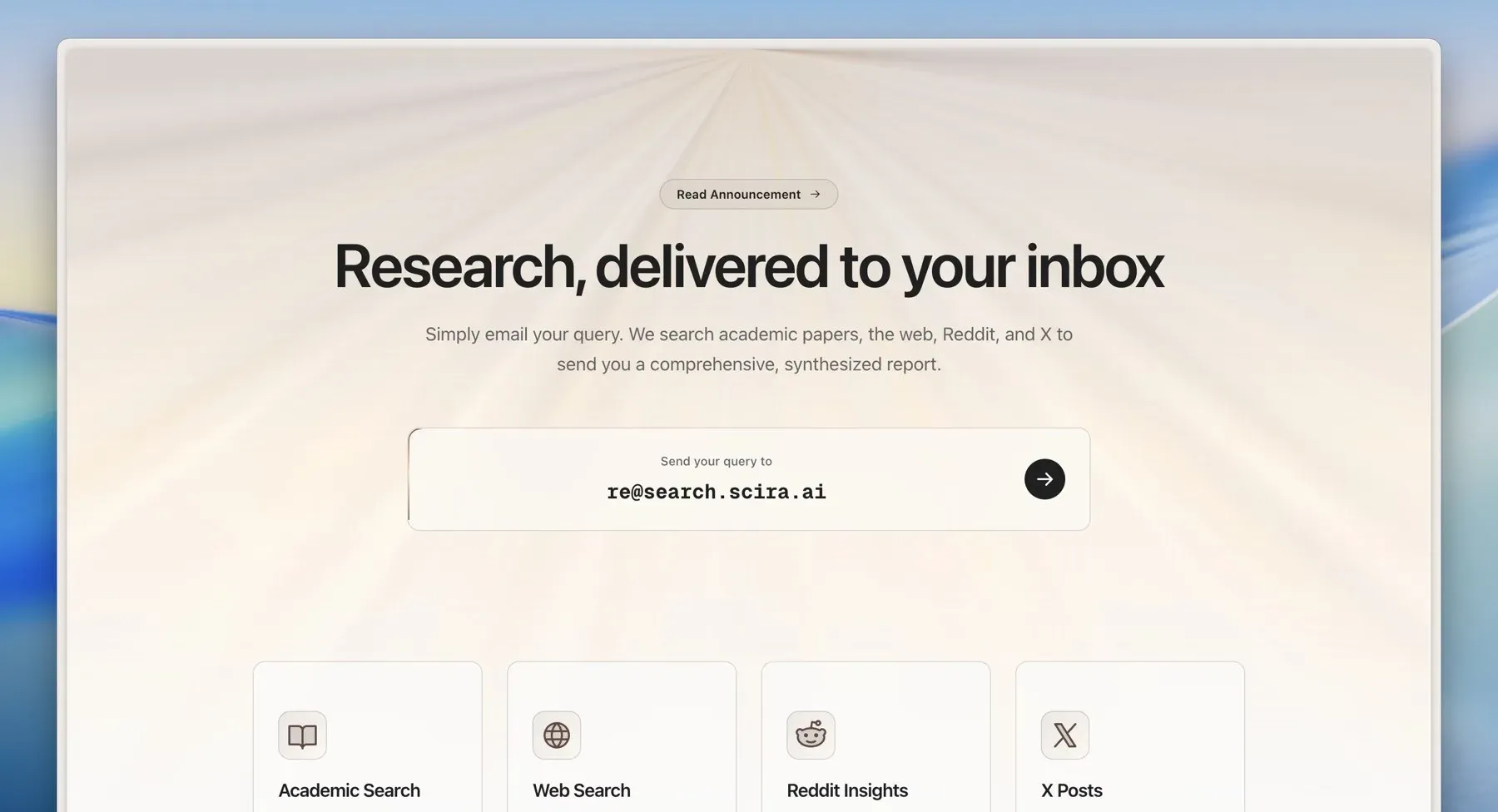
Official Scira blog image of the research-by-email page, showing the address for sending a query and the source types searched.
Source: official Scira project page.
Key capabilities
- Cited answers Each answer lists sources inline, and you can open a source to check the claim. This is the core behavior described in the README. Citations depend on what the search providers return, so verify important claims against the linked pages.
- Agentic planning The agent breaks a question into sub-tasks, picks tools and models, and runs multi-step workflows. A run timeline under the reply shows each tool call in order, with the queries and results, as described in the May 2026 blog post.
- Multiple search modes Modes include Web, X, Reddit, Academic, GitHub, YouTube, Stocks, Crypto, Prediction markets and Code. Typing
@in the input opens a list of sources, and/opens modes. Free accounts get a subset of modes, and Pro unlocks all of them. - Extreme research An LLM-driven deep research mode plans multiple steps, searches many sources, can execute code and stores artifacts in object storage. It is intended for questions that need broad coverage and takes longer than a normal search.
- Lookouts Lookouts are scheduled research agents that monitor a topic and email you updates when something changes. See the Lookout page. Treat them as a convenience feature and check what they cost on your plan.
- Scira Apps The Apps marketplace connects services such as GitHub, Notion, Slack, Linear and Vercel through the Model Context Protocol, with OAuth for many of them. The pricing page lists 100+ apps on paid plans. See Scira Apps.
- Skills Skills are playbooks that guide the model through tasks such as deep research, web extraction, Python analysis and building artifacts. You switch individual skills on or off in a skills directory.
- File and URL input You can attach PDFs, CSV, DOCX and Excel files for semantic search with embeddings and reranking, or paste a URL to retrieve its content, including posts from X and YouTube. Upload limits depend on your plan.
- Code interpreter Python code runs in a sandboxed environment and can produce charts. The README names Daytona as the sandbox provider.
- Voice mode A voice interface lets you speak queries and hear answers. Voice is a Pro feature in the pricing table, and the README names ElevenLabs for voice synthesis.
- Memory and connectors Pro accounts can save personal memories and search connected Google Drive, Notion and OneDrive through Supermemory. Review what you connect, since these sources hold private documents.
- Email research A November 2025 blog post describes emailing a query to a dedicated address and receiving a synthesized report covering papers, the web, Reddit and X.
- iPhone app and CLI The iPhone app is free to download, requires iOS 16.4 or later and syncs with your account. A command-line interface for cited research was announced in the June 2026 post.
- Bring your own models when self-hosting The deployment uses environment variables for provider keys, so you decide which model providers and search backends to enable. The README notes that OpenAI, Anthropic and Exa keys are needed for the default local setup.
- Docker and Vercel deployment The README documents
docker compose up, a directdocker buildand run, and a one-click Vercel deploy that lists the required environment variables. Local development uses Bun. - Default search engine setup The README explains how to add
https://scira.ai?q=%sas a custom search engine in Chrome, so the address bar sends queries to Scira. - Free and paid plans The pricing page lists Free at $0, Pro at $15 per month and Max at $60 per month, with a student price for Pro and regional pricing in India. Subscription fees are non-refundable according to that page.
Where Scira fits
Researching a topic with cited sources
Pick Web or Extreme mode, add @reddit or @x sources if you want community views, and read the run timeline to see which queries ran. Open the cited sources for any figure or quote you plan to reuse, since an answer can summarize a page imperfectly.
Monitoring a topic over time
Create a Lookout with a clear query and a schedule, then check the first few emails for noise before relying on it. Compare results with a manual search to see whether it catches changes you care about, and pause any Lookout that stops being useful so it does not keep using your allowance.
Analyzing documents and data
Upload a PDF, CSV or spreadsheet and ask questions about it, or ask for a chart from the code interpreter. Check the numbers against the source file, and keep confidential documents out of a hosted account unless the privacy terms suit your policy.
Working across your own tools
Connect services through Scira Apps and let the assistant read from or act on them. Grant the least access each connector needs, test with a sample project, and review which actions require confirmation before you rely on automatic ones.
Self-hosting a private instance
Copy .env.example, add keys for your chosen model and search providers, a database, authentication and Redis, then run Docker Compose or deploy to Vercel. Expect to maintain several external accounts, and test sign-in, a search and a file upload before inviting anyone. Keep the keys in a secrets store, set spending limits at each provider, and plan how you will pull upstream changes, since the repository has no tagged releases.
Using Scira from a phone or terminal
Install the iPhone app or the CLI, sign in to the same account and compare history and limits across clients. Check that source controls and model selection behave the same way as on the web, and note which features, such as Lookouts or Apps, are available only in the web client.
Reviews of Scira
Be the first to share your experience with Scira.
Write a review
Loading review form…
Alternatives to Scira
 MorphicApache-2.0 AI search engine built on Next.js and the Vercel AI SDK. A research agent queries Tavily, SearXNG, Exa, Firecrawl or Brave, reads pages and returns cited answers. Runs with Docker Compose, OpenAI, Anthropic, Gemini or Ollama models.
 SearXNGFree AGPL metasearch engine that sends your query to many search services, merges the results and keeps users anonymous to them. Run it with Docker or scripts on Linux, or use a public instance; JSON, CSV and RSS output are optional.LDLocal Deep ResearchLocal Deep Research is an open-source AI assistant that runs agentic research with local or cloud LLMs across web, academic and private sources, with citations.