

What is SearXNG?
SearXNG is a free, self-hostable metasearch engine. It sends each query to a set of upstream search services, merges what they return and shows one result page, without building a user profile. The official documentation states that an instance can aggregate results from up to 261 search services, that JavaScript and cookies are optional, and that the service can be used over Tor. The interface is translated into 58 languages through Weblate on Codeberg.
Development started in mid-2021 as a fork of searx, which was itself inspired by the Seeks project. SearXNG is maintained by an open community under the searxng GitHub organization, with no company, paid edition or hosted plan behind it. The searxng.org domain redirects to the documentation site. People who do not want to run a server can pick one of the public instances listed on searx.space; the documentation counts about 70 well-maintained ones, each run by an independent operator.
There are no GitHub releases. SearXNG ships as a rolling project: every merge to master produces container images tagged with a date and commit, such as 2026.11.6-ac11e14c5 on Docker Hub (checked November 7, 2026), plus a moving latest tag. Images are published for amd64, arm64 and armv7 on Docker Hub and the GitHub Container Registry. The installation guide also covers a script-based install on Debian, Ubuntu, Arch Linux and Fedora/RHEL, and a manual step-by-step setup.
Recent work on master changed how the instance talks to search services: in September 2026 the network layer migrated to curl_cffi, and the outgoing settings now treat HTTP/2 as the default and HTTP/3 as an opt-in per engine. Between August and November 2026 the project added a dedicated Video result type, moved result thumbnails to the right, added icons to every category tab, cleaned up the preferences page, sorted infoboxes so entries with images come first and added engines such as xprivo, Findborg, Iconify and ReaderFunded. Several fixes targeted engines that started blocking requests, including Brave, Qwant, Yep and PrivacyWall.
The application is written in Python on Flask and Jinja2, with lxml for parsing, curl_cffi for outgoing requests and Valkey as the optional store for the bot limiter. The container build uses Python 3.14 and runs the app under Granian; script installs use uWSGI behind nginx or Apache. The code is licensed AGPL-3.0-or-later, so anyone who modifies SearXNG and offers it to users over a network has to publish those changes. SearXNG does not crawl or index the web itself, and it cannot return results that its upstream engines refuse to provide.
SearXNG screenshots
Explore the interface. Open a screenshot to view it at full size.
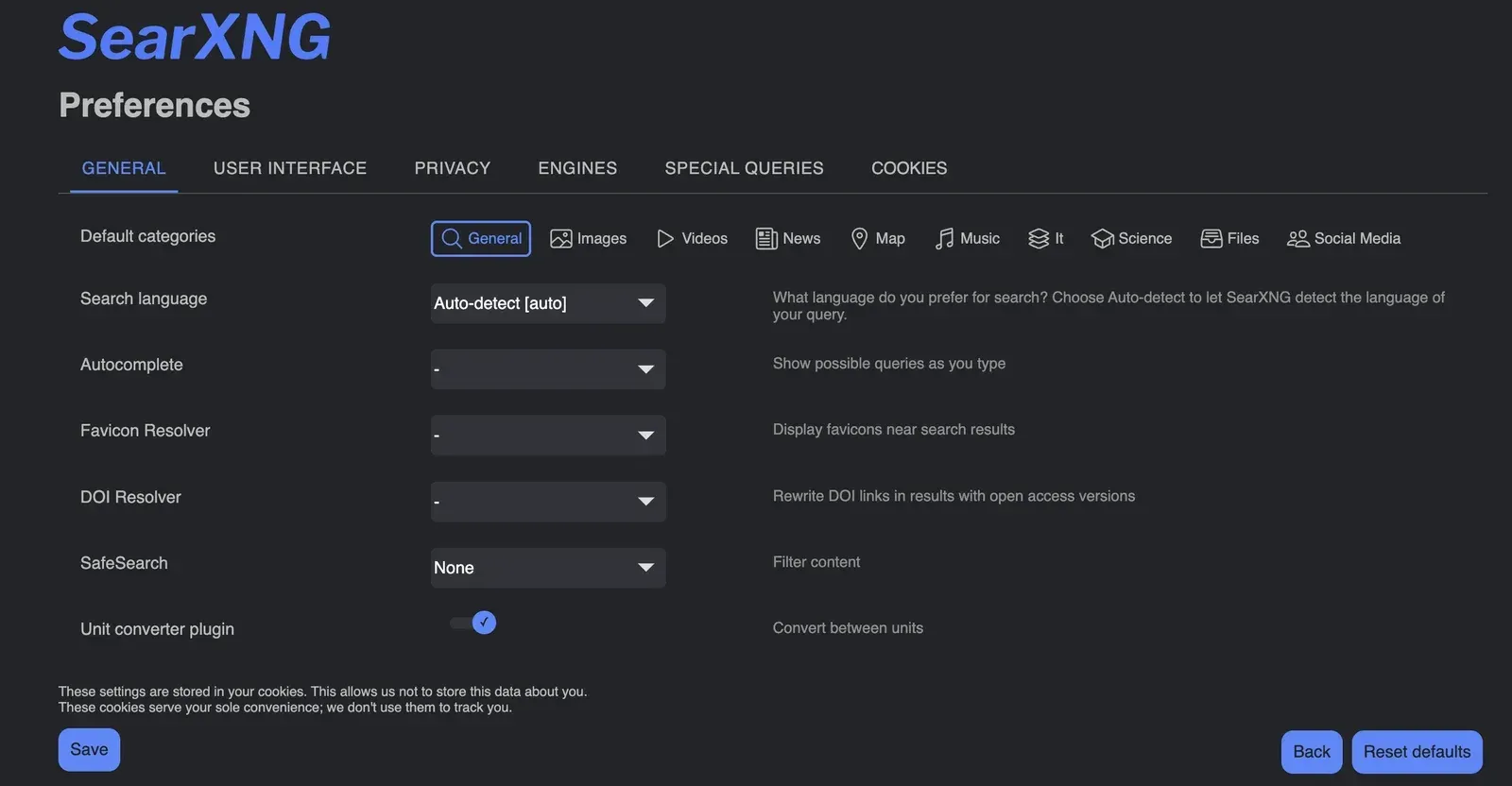
Preferences page after the October 2026 cleanup, from pull request 6126 in the SearXNG repository.
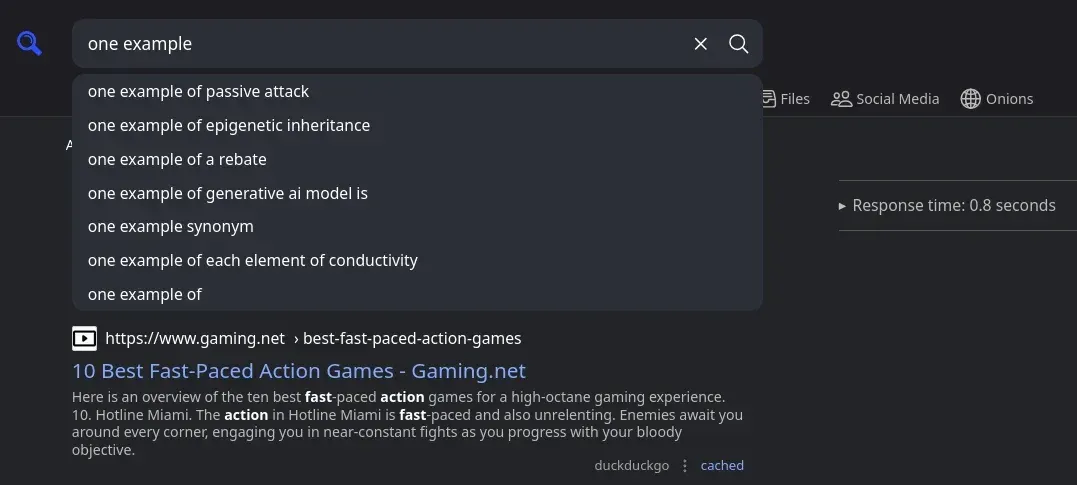
Search box with autocomplete suggestions above a result list, from pull request 5870 in the SearXNG repository.
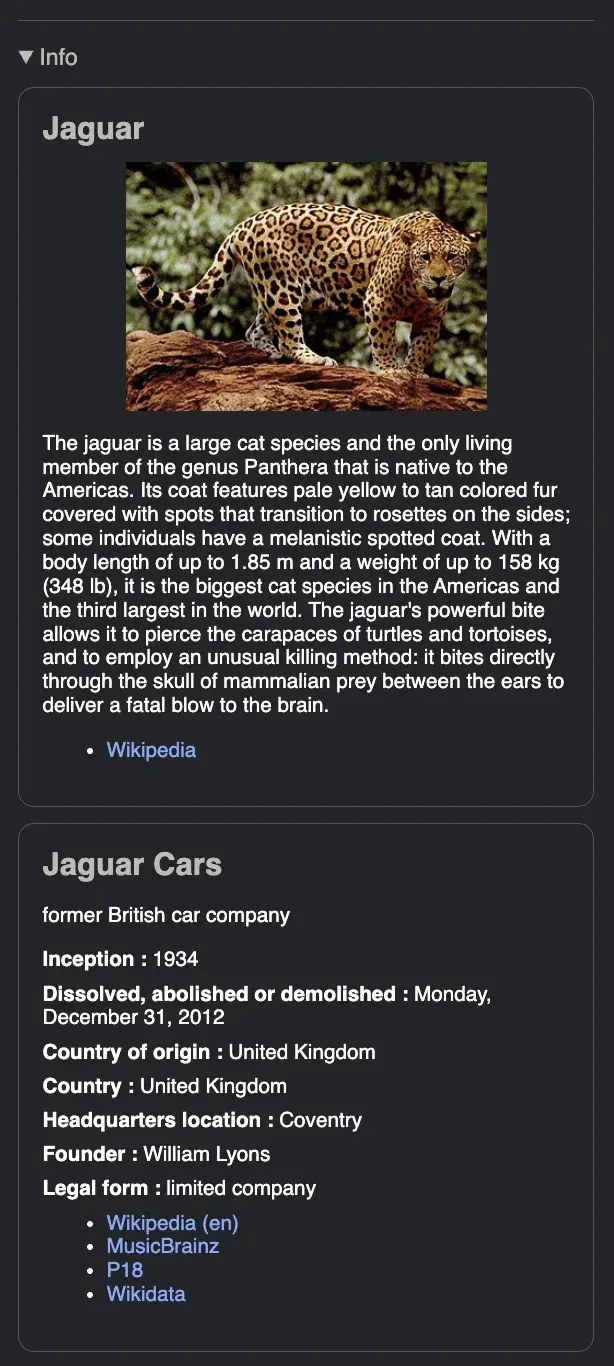
Infobox for the query !wp !wd jaguar, with image entries sorted first, from pull request 6815 in the SearXNG repository.
Source: official SearXNG project page.
Key capabilities
- Metasearch across up to 261 services One query fans out to the engines enabled for the chosen categories, such as General, Images, Videos, News, Map, Music, IT, Science, Files and Social Media. Each result shows which engines returned it, and duplicates are merged. The list of engines active on a given instance is visible on its preferences page, and administrators enable or disable engines in
settings.yml. - Privacy model for every request SearXNG does not forward user cookies to search services and generates a random browser profile for each outgoing request. Upstream engines see the IP address of the instance, not the user. Result links are opened without passing the query or the referring page to the target site, and the default HTTP headers include
Referrer-Policy: no-referrerandX-Robots-Tag: noindex, nofollow. - Container deployment with Compose The recommended install uses the official
docker-compose.ymland.env.exampletemplates, which start asearxng-corecontainer on port 8080 and asearxng-valkeycontainer. Two volumes hold state:/etc/searxngfor settings and/var/cache/searxngfor data such as the favicon cache. The container guide documents Docker and Podman, including rootless Podman. - Images for amd64, arm64 and armv7 Official images are mirrored on Docker Hub and on the GitHub Container Registry; the documentation points to GHCR when Docker Hub rate limits unauthenticated pulls. Tags follow the pattern date plus short commit hash, and
SEARXNG_VERSIONin the.envfile pins a specific tag. Custom images built withmake containerare possible but not officially supported. - Script install on Linux servers
sudo -H ./utils/searxng.sh install allbuilds the reference setup from a cloned repository: a dedicatedsearxngsystem user, a Python virtualenv under/usr/local/searxngand a uWSGI service. Package lists are documented for Ubuntu/Debian, Arch Linux and Fedora/RHEL. The nginx and Apache guides then publish the instance through a reverse proxy. - Search syntax and bangs A
!prefix selects engines or categories, for example!wp parisor!map !ddg !wp paris, and modifiers can be chained. A:prefix sets the language, as in:fr.!!followed by a DuckDuckGo bang jumps to the external site, and a bare!!redirects to the first result; the documentation warns that SearXNG cannot protect privacy in either case. - JSON, CSV and RSS search API The
/and/searchendpoints accept GET and POST with parameters such asq,categories,language,pageno,time_range(day, month, year) andsafesearch(0, 1, 2). Machine formats must be listed undersearch.formats; the default is HTML only, and a request for a disabled format returns 403. Many public instances keep JSON disabled, so the Search API is mainly useful on your own instance. - Configuration endpoint and embeddable search bar
GET /configreturns the instance name, categories, enabled engines with their shortcuts, locales, plugins and the safe-search default as JSON. A plain HTML form postingq,categories,lang,localeandtime_rangeembeds the search box on another website without JavaScript. - Built-in plugins Enabled by default: calculator, unit converter, hash digests (md5, sha1, sha224, sha256, sha384, sha512), time zones, self information (shows your IP for
ipand the user agent foruser-agent) and a tracker URL remover. Disabled by default: Open Access DOI rewrite, infinite scroll and a Tor exit-node check. The hostnames plugin can remove, prioritize or rewrite result URLs by pattern, and since November 2026 can reuse matched parts of a pattern in the rewrite. - Autocomplete and favicons Administrators can choose one of 19 autocomplete backends, including DuckDuckGo, Brave, Qwant, Startpage, Wikipedia, Kagi and Yandex, or leave it off; since October 2026 autocomplete requests respect the outgoing timeout. Favicons can be resolved through DuckDuckGo, allesedv, Google, Kagi or Yandex. The favicon documentation warns that this adds significant load and requires a maintained cache.
- Limiter and bot detection The limiter blocks suspicious clients so that upstream engines do not start returning CAPTCHAs to the whole instance. It combines HTTP header checks, IP block and pass lists, and dynamic rate limits stored in Valkey. It depends on correct
X-Forwarded-ForandX-Real-IPheaders from the reverse proxy, otherwise every request appears to come from the proxy. - Public-instance mode and image proxy Setting
server.public_instance: trueactivates the link-token check in the limiter and the image proxy, which fetches thumbnails through the instance instead of the user's browser. The image proxy uses server memory and bandwidth. Asecret_keymust be changed from the template value before an instance is exposed. - Outgoing network controls The
outgoingsection sets a default request timeout of 2 seconds with a 10-second ceiling, 100 pooled connections and HTTP/2 by default. Requests can go through HTTP, HTTPS, SOCKS4 or SOCKS5 proxies in round-robin, including Tor withsocks5h://so hostnames resolve through the proxy. Multiple source IPs, retries and a custom CA bundle are also configurable. - Engine suspension after blocks When an engine answers with an access-denied error, a CAPTCHA or a rate limit, SearXNG suspends it for a configurable time: by default one day for CAPTCHAs and access denials, one hour for too many requests, seven days for reCAPTCHA and 15 days for a Cloudflare CAPTCHA. Suspended engines are skipped instead of slowing every search. A documented SSH SOCKS tunnel lets an administrator solve a CAPTCHA from the server's IP.
- Preferences without accounts There are no user accounts. Each visitor's choices for categories, language, autocomplete, safe search, theme and engines are stored in browser cookies, and a preferences URL can carry them to another browser. Administrators can change the defaults on a private instance, so users do not need cookies at all.
- Browser integration through OpenSearch Instances advertise an OpenSearch description, so Firefox, Edge and Chromium-based browsers can add SearXNG as the default search engine. Chromium only offers this for sites visited at a path-less URL, and duplicate engine names block the import. The
GETorPOSTform method is an instance setting; POST keeps queries out of browser history but breaks back navigation in some browsers.
Where SearXNG fits
Running a private search service for a team
Deploy the Compose template on a server reachable only through your VPN or reverse proxy, keep public_instance off and set team defaults in core-config/settings.yml. Because defaults live on the server, users do not need to keep cookies. Check that the reverse proxy forwards X-Forwarded-For correctly and that request logging in the proxy matches your own retention policy, since SearXNG cannot control logs written in front of it.
Operating a public instance
Enable public_instance, the limiter and Valkey, and follow the reference architecture with a reverse proxy in front of the app server. Expect upstream engines to block a busy shared IP; watch the engine statistics page for suspended engines, and use outgoing proxies or several source IPs if blocks persist. Read the update notes before each upgrade, because the project is rolling and settings change over time.
Web search backend for scripts and AI tools
Add json to search.formats on your own instance and call /search?q=...&format=json. Several self-hosted AI front ends, such as Open WebUI, can use a SearXNG URL as their web-search provider. Keep that instance private, set realistic timeouts and remember that result quality depends on which engines are enabled and currently not suspended.
Searching through Tor
Point outgoing.proxies at a Tor SOCKS port with socks5h:// and set using_tor_proxy, adding extra_proxy_timeout because Tor adds latency. Many commercial engines block Tor exit nodes, so test which engines still answer. The optional Tor check plugin tells users whether their own connection arrives from a Tor exit node; it does not route traffic.
Making it the browser default
Open the instance, add it through the browser's search-engine settings using OpenSearch and set it as default. Teach users the ! engine shortcuts and the : language prefix, which replace most separate search sites. Point out that !! bangs leave SearXNG and go straight to the external site.
Customizing results for a specific audience
Restrict categories and engines for a research group or school, enable the Open Access DOI rewrite for academic searches, and use the hostnames plugin to drop or rewrite unwanted domains. Change branding and default categories in settings.yml. Keep a copy of your changes under version control and compare them with the upstream template after updates, as recommended in the update guide.
Install
docker run --name searxng -d -p 8888:8080 -v "./config/:/etc/searxng/" -v "./data/:/var/cache/searxng/" docker.io/searxng/searxng:latestReviews of SearXNG
Be the first to share your experience with SearXNG.
Write a review
Loading review form…
Alternatives to SearXNG
 MorphicApache-2.0 AI search engine built on Next.js and the Vercel AI SDK. A research agent queries Tavily, SearXNG, Exa, Firecrawl or Brave, reads pages and returns cited answers. Runs with Docker Compose, OpenAI, Anthropic, Gemini or Ollama models.OWOpen WebUIOpen WebUI is a self-hosted AI platform that runs offline and connects to local models through Ollama or to OpenAI-compatible APIs.
 YunoHostYunoHost is an AGPL-licensed server operating system that installs and maintains self-hosted apps with a web admin and single sign-on portal.