

What is Kanri?
Kanri is a desktop Kanban board application for Windows, macOS and Linux. The project describes it as an offline Kanban board app made with Tauri and Nuxt, intended for personal users and solo or indie developers. Boards, columns and cards are created and edited locally, and the application does not require an internet connection or an account. Kanri was started in 2022 by the developer known as trobonox and is maintained by the Kanri Team, which the official documentation describes as a small group of open-source contributors.
The project's stated philosophy is "do one thing, and do it well". The README states that there will never be built-in cloud sync and that data always stays with the user. The FAQ explains that synchronization between devices is planned only indirectly: individual boards are meant to be stored in a custom location, such as a folder synced with Nextcloud, a NAS or another service chosen by the user. That custom storage location is not available in the current release, and the project states that the application does not track usage or collect personal information.
The latest release is Kanri v0.8.2 (tag app-v0.8.2), published on September 24, 2025. It added a dark or light mode that follows the system preference, a setting to use relative due date countdowns by default, the ability to mark a card's due date as completed, single-character or emoji icons for sidebar pins and a Turkish translation. It also fixed Linux start-up problems such as EGL_BAD_PARAMETER errors and a bug where moving cards during a search moved the wrong card. The previous version, 0.8.1 (April 2025), migrated the application to Tauri v2, added Chinese, Brazilian Portuguese, Spanish, French, Ukrainian and Russian translations, introduced property filters in search and turned cards named "---" into slim separator cards. Version 0.8.0 (October 2024) introduced multilanguage support, right-click quick actions on cards and imports from GitHub Projects board views.
Kanri is built with Tauri for the native shell and Nuxt, Vue and TypeScript for the interface, with Tailwind CSS for styling and the TipTap editor for rich-text card descriptions. Installers are published on the official download page and on GitHub releases; macOS users can also install it with the project's own Homebrew cask. The builds are not code-signed, which the project attributes to the cost of signing certificates, so Windows may show a warning and Apple Silicon Macs need the documented xattr -cr /Applications/kanri.app command.
According to the README, the code is licensed under GPL v3, with some files under Apache 2.0 or other licenses stated in the files themselves. The Kanri logo, name and branding are not open source and remain the copyright of trobonox. The README describes the project as still in active development, provided "AS IS", and asks users to make regular backups or exports. The roadmap lists reminders, card images, internationalization work and a widget panel as work toward a 1.0 release. Similar personal and team Kanban tools listed on iThub include Kanzo and PLANKA.
Kanri screenshots
Explore the interface. Open a screenshot to view it at full size.
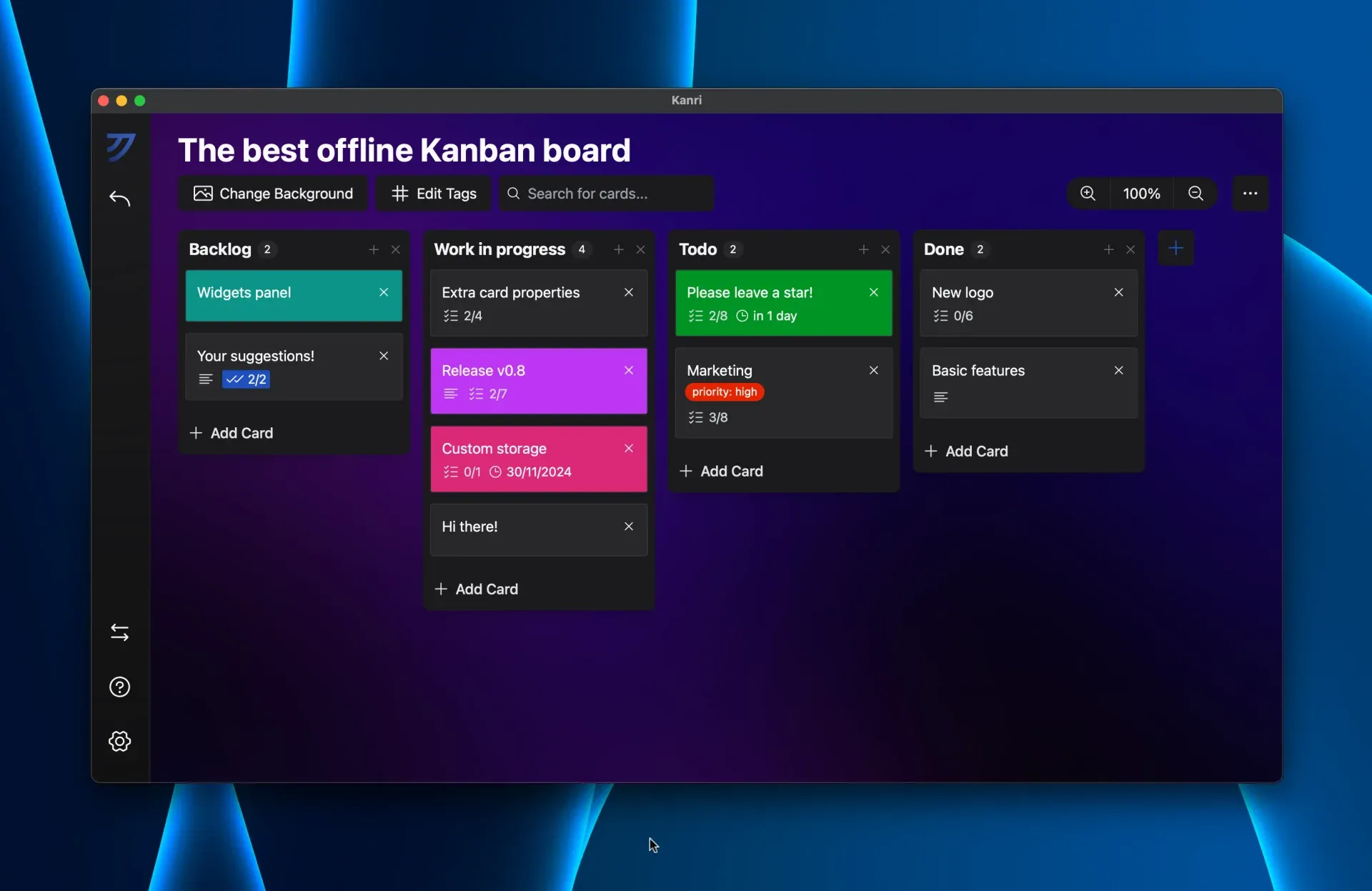
Kanri board with colored cards, sub-task counters, a due date and a priority tag, from the official website.
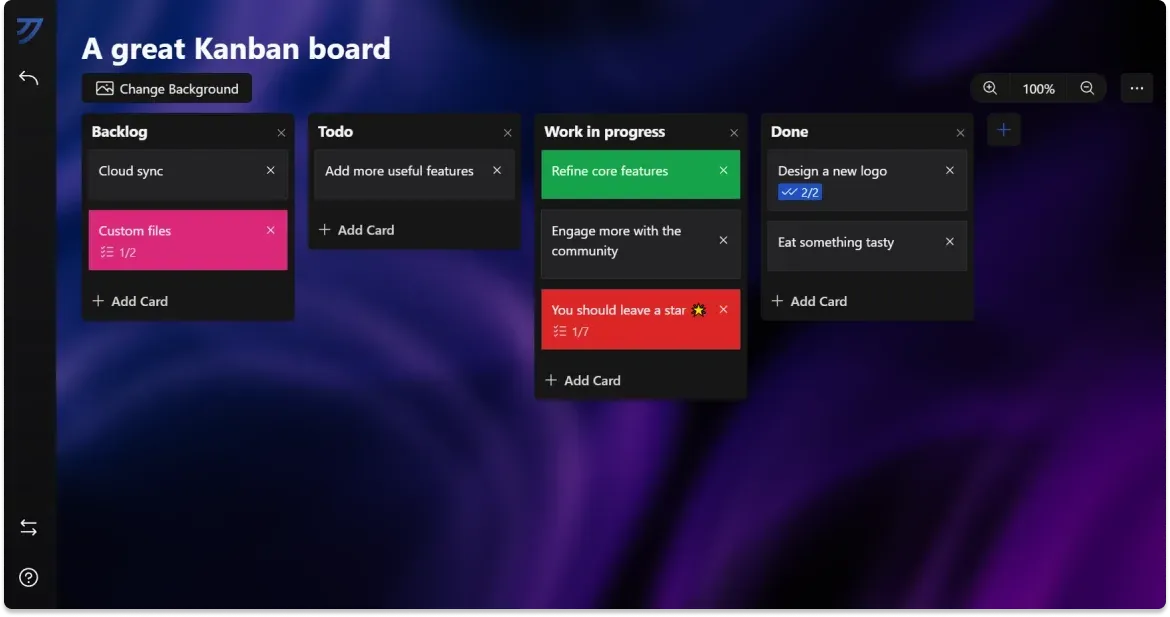
Kanri board view with a custom background, colored cards and sub-task counters, from the official documentation.
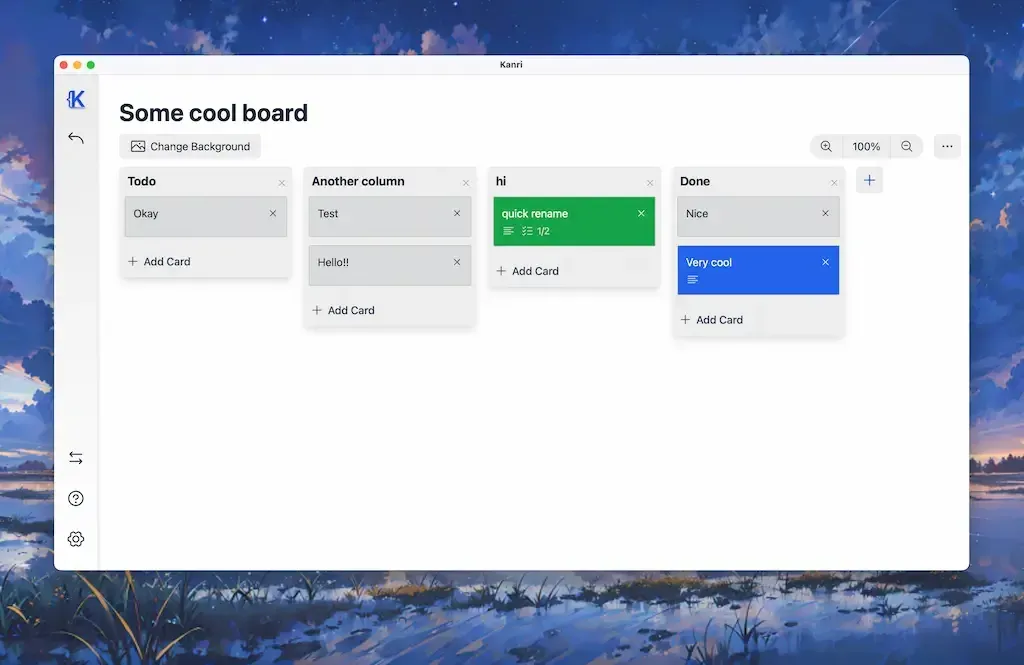
Kanri light mode as shown in the v0.6 launch post (December 2023), with the earlier app icon in the sidebar.
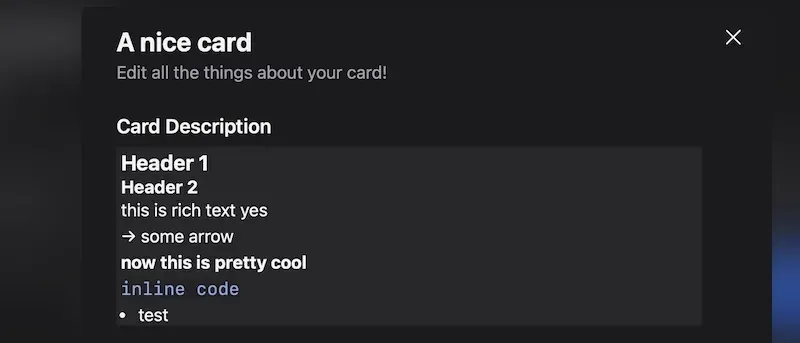
Card description editor with rich-text formatting, from the Kanri v0.6 launch post.
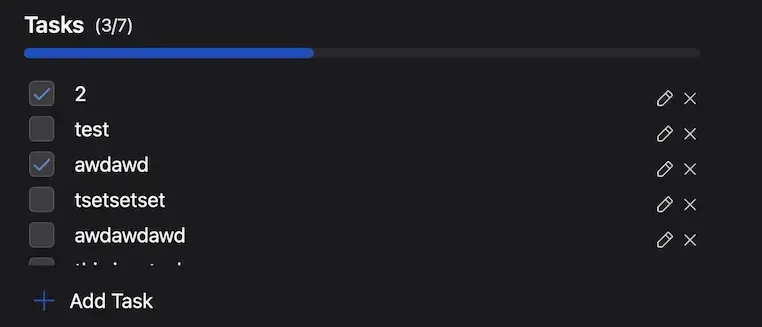
Sub-task list with progress bar inside a card, from the Kanri v0.6 launch post.
Source: official Kanri project page.
Key capabilities
- Kanban boards, columns and cards Kanri organizes work in boards that contain columns and cards, and the website states that the number of boards, columns and cards is unlimited. Cards can be moved between columns, and each column shows a card counter. Board titles and column names can be renamed directly by clicking them.
- Rich-text card descriptions Card descriptions use the TipTap editor with headings, bold text, lists and inline code, toggled with shortcuts similar to Markdown. Version 0.8.0 added a floating formatting menu that appears when text is selected. The v0.6 release notes state that clickable links are not supported in descriptions, because the data file could be changed externally.
- Sub-tasks with progress Each card can hold a list of sub-tasks that are checked off individually. A progress bar inside the card dialog and a counter on the card face show how many tasks are complete. Sub-tasks can be edited by double-clicking them.
- Due dates and countdowns Cards can carry a due date, shown either as a date or as a relative countdown such as "in 1 day". Since v0.8.2 a due date can be marked as completed, and a setting makes relative countdowns the default for new due dates. The date picker highlights the current day.
- Tags and card colors Boards have their own tag sets, and tags can be renamed from a board-level tag editor. Cards can use a custom color from the system color picker, a feature added in v0.6. Pressing Enter in the tag input autocompletes or selects an existing tag.
- Search with property filters A search bar filters the cards on the open board. Version 0.8.1 added filters by property (name, tags, description) and a revised search algorithm, and v0.8.2 fixed a bug where moving cards during a search moved the wrong card.
- Themes, dark mode and backgrounds Kanri ships dark and light modes, a Catppuccin theme and custom themes. Since v0.8.2 the mode can follow the operating system preference. Each board can use a background image from the local disk; the troubleshooting guide notes that Kanri only stores the file path, so moved or renamed images and boards imported from another device lose their background.
- Local JSON data storage All data is kept in one local file managed by tauri-plugin-store. The FAQ lists the paths:
%appdata%\tech.trobonox.kanri\.kanri.daton Windows,~/.local/share/tech.trobonox.kanri/.kanri.daton Linux and~/Library/Application Support/tech.trobonox.kanri/on macOS. The location cannot currently be changed, and there is no built-in cloud sync. - Import from Trello, GitHub Projects and KanbanElectron The Trello import guide describes importing a board exported from Trello as JSON, including columns, cards, descriptions, sub-tasks, due dates and tags. Card activities, attachments and other board properties are not imported. Version 0.8.0 added imports from GitHub Projects board views, and the About page also lists KanbanElectron as an import source.
- Full and per-board export The Import and Export menu creates a backup of all data or of a single selected board as JSON. Since v0.8.1 the export file name includes the current date. The project recommends regular exports as protection against data loss.
- Keyboard and click shortcuts The shortcuts guide lists F1 for help, Ctrl or Command with B to add a column, N to add a card to the last column, D to delete the last column and T to edit its title, plus Ctrl or Command with plus and minus for board zoom. Double-clicking a card renames it in place, and double-clicking the X icon skips delete confirmations.
- Sidebar pins and card quick actions Boards can be pinned to the sidebar, and pins can use a custom icon, including a single letter, character or emoji since v0.8.2. Right-clicking a card opens quick actions such as duplication, added in v0.8.0. Cards titled "---" become slim separator cards.
- Interface languages Version 0.8.2 includes English, German, Chinese, Brazilian Portuguese, Spanish, French, Ukrainian, Russian and Turkish translations, contributed largely by the community. The language is selected in the settings, and the v0.8.2 notes mention that it may need to be set again after updating, because it is now saved differently.
- Windows installers The v0.8.2 release provides a Windows x64 setup executable and an MSI package. Both are unsigned, and the FAQ explains that the resulting security warning is caused by the missing code-signing certificate.
- macOS packages and Homebrew DMG images are published for Intel (x64) and Apple Silicon (aarch64) Macs, along with .app archives. The project maintains a Homebrew cask installed with
brew install kanriapp/cask/kanri. Because the app is not signed, Apple Silicon users runxattr -cr /Applications/kanri.appwhen macOS reports the app as broken. - Linux packages Linux builds include an x86-64 AppImage, Debian and Ubuntu .deb packages for amd64, arm64 and armhf, and an x86_64 RPM for Fedora and other RPM-based distributions. The README notes that only recent versions of each operating system are supported. Release files are listed on the v0.8.2 release page.
- Accessibility and performance settings Settings include an option to disable all animations, which since v0.8.2 also disables tooltip animations. The v0.6 release notes describe this option as a way to make the app more responsive on Linux, where the GTK WebKit webview can be slower, and on lower-end systems. Board zoom is a global preference.
Where Kanri fits
Personal task tracking offline
The About page describes Kanri as built for personal users and solo developers who want a Kanban board on their own computer. A board is created with its columns, cards are added per column and moved through stages such as backlog, in progress and done. Because the app runs locally and needs no account, boards remain available without a network connection.
Moving boards from Trello
The official Trello guide describes exporting a Trello board as JSON from the "Print, Export and share" menu, then opening the Import and Export tool in Kanri and choosing "Import from Trello". Columns, cards, descriptions, sub-tasks, due dates and tags are carried over; activities and attachments are not. Boards from GitHub Projects board views and KanbanElectron can also be imported.
Planning work with sub-tasks, tags and due dates
Cards hold rich-text descriptions, sub-task lists with a progress bar, tags and due dates with optional relative countdowns. Search with property filters narrows a busy board by name, tag or description.
Backing up and moving data between computers
The Import and Export menu exports everything or a single board as a dated JSON file, which can be imported on another machine. The troubleshooting guide advises regular exports and also mentions copying the .kanri.dat data file. Background images are stored as file paths, so they need to be reset after importing a board on another device.
Using an external sync folder in the future
The FAQ states that Kanri will not get its own sync service and that the planned route to multi-device use is saving individual boards to a custom location, such as a Nextcloud, Syncthing or NAS folder. This option is planned but not part of v0.8.2, where the data location is fixed.
Keyboard-driven board editing
The shortcuts guide documents keyboard commands for creating and deleting columns, adding cards to the last column, editing column titles, switching the active column and zooming the board, plus double-click shortcuts for renaming cards and editing sub-tasks. Pressing F1 opens the in-app help. Comparable boards on iThub include Kan and WeKan, which are web-based and self-hosted.
Install
brew install kanriapp/cask/kanriReviews of Kanri
Be the first to share your experience with Kanri.
Write a review
Loading review form…
Alternatives to Kanri
 KanzoKanzo is an AGPL-3.0 kanban board and MCP server in one 4.7 MB Rust program. People use the browser board, agents like Claude Code and Codex take and move tasks over MCP, and boards can be shared on a network or synced via git.
 PLANKAPLANKA is a self-hosted Kanban board from PLANKA Software GmbH with real-time collaboration, Markdown cards, webhooks, a REST API and two-factor sign-in. Community is free under a fair-code license; Pro adds mobile, timeline views and SSO.
 KanKan (kan.bn) is an AGPL-3.0 kanban project management app with boards, lists, cards, labels, comments, checklists, activity logs and templates. It runs on Kan Cloud or self-hosted with Docker Compose and PostgreSQL.