

What is PLANKA?
PLANKA is a self-hosted Kanban board for project and task tracking. Teams organise work into projects, boards, lists and cards, and every change reaches other open browsers in real time. It is developed by PLANKA Software GmbH in Kempten im Allgäu, Germany, together with a contributor community. According to the company history, the first commit dates from 2019, Community 1.0 shipped in 2021, the GmbH was founded in 2024 and Community 2.0 arrived alongside the paid Pro edition in 2025.
There are two main editions. Community is free to self-host and covers boards, cards, comments, attachments, custom fields, webhooks, the REST API and two-factor sign-in. PLANKA Pro adds a phone and tablet layout, calendar, timeline and map views, templates, guest roles, OIDC single sign-on and PDF export, and runs either on your own server or as a hosted instance in Germany. The edition comparison lists the split. Community is distributed as the Docker image ghcr.io/plankanban/planka with a reference Compose file, as a Helm chart, and as a planka-prebuild.zip archive for manual installs on Debian, Ubuntu or Windows.
The latest Community release is v2.3.1 from November 5, 2026. It fixes a crash in the card description editor on boards with a member who has no username. Version 2.3.0, one day earlier, added saved board filters, comment replies, @mentions in descriptions, webhooks scoped to one project or account and a keyboard shortcuts dialog. It also limited failed sign-ins per address and per account, blocked link-favicon fetches to private addresses and added encrypted backups. Version 2.2.0 in August 2026 removed OIDC from Community and moved it to Pro, added TOTP two-factor authentication, trusted devices and inactivity logout, raised the manual-install requirement to Node.js 24 and stopped building armv7 images.
The server is a Node.js application built on Sails.js with Knex migrations against PostgreSQL; real-time updates travel over Sails websockets. The browser client uses React 18 with Redux and redux-saga and is built with Vite. Uploaded images are processed with sharp, files live in a local data directory or an S3-compatible bucket, mail goes out over SMTP and notifications are sent through Apprise. The 2.3.0 notes report translations for 34 languages, all contributed by the community.
Community is not released under an OSI open-source license. It uses the PLANKA Fair Use License, a fair-code license derived from the n8n Sustainable Use License. It allows personal use, internal use inside an organisation and free hosting for non-profits, but prohibits running PLANKA as a hosted service for third parties for commercial gain. Files marked .pe. fall under the commercial Pro/Enterprise license. Community has no native mobile app, no Gantt or calendar view and no single sign-on; those belong to Pro, and the PLANKA Notes quick-capture app is a community project rather than an official client.
PLANKA screenshots
Explore the interface. Open a screenshot to view it at full size.
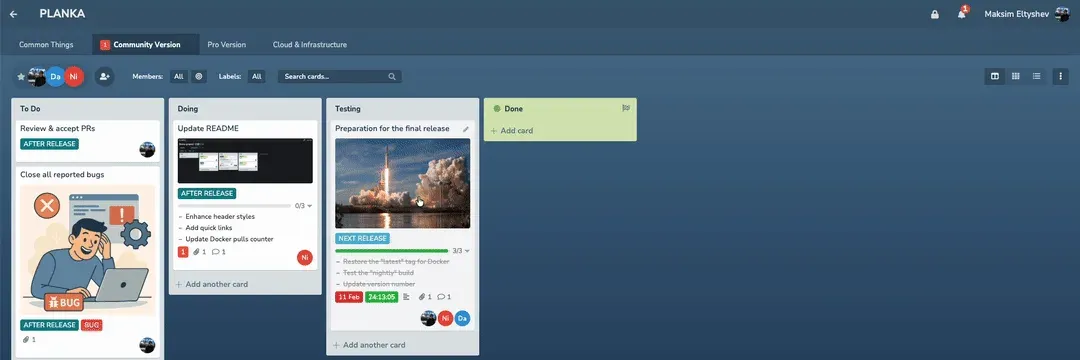
Frame from the official README demo of the Community edition: cards with labels, task progress and a stopwatch on the Testing list.
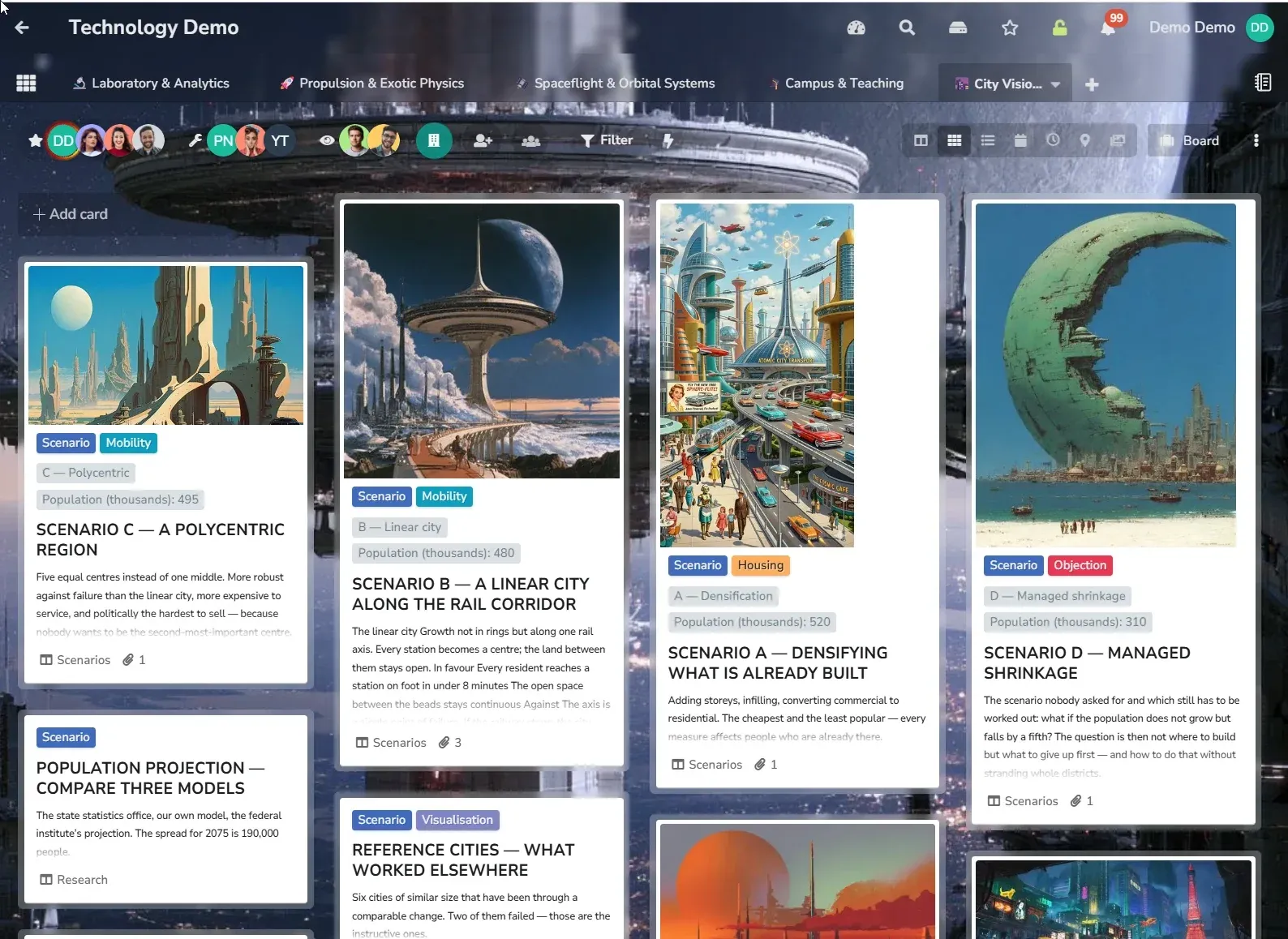
Official screenshot from planka.app of a demo board; the calendar, timeline and map view buttons shown are Pro features.
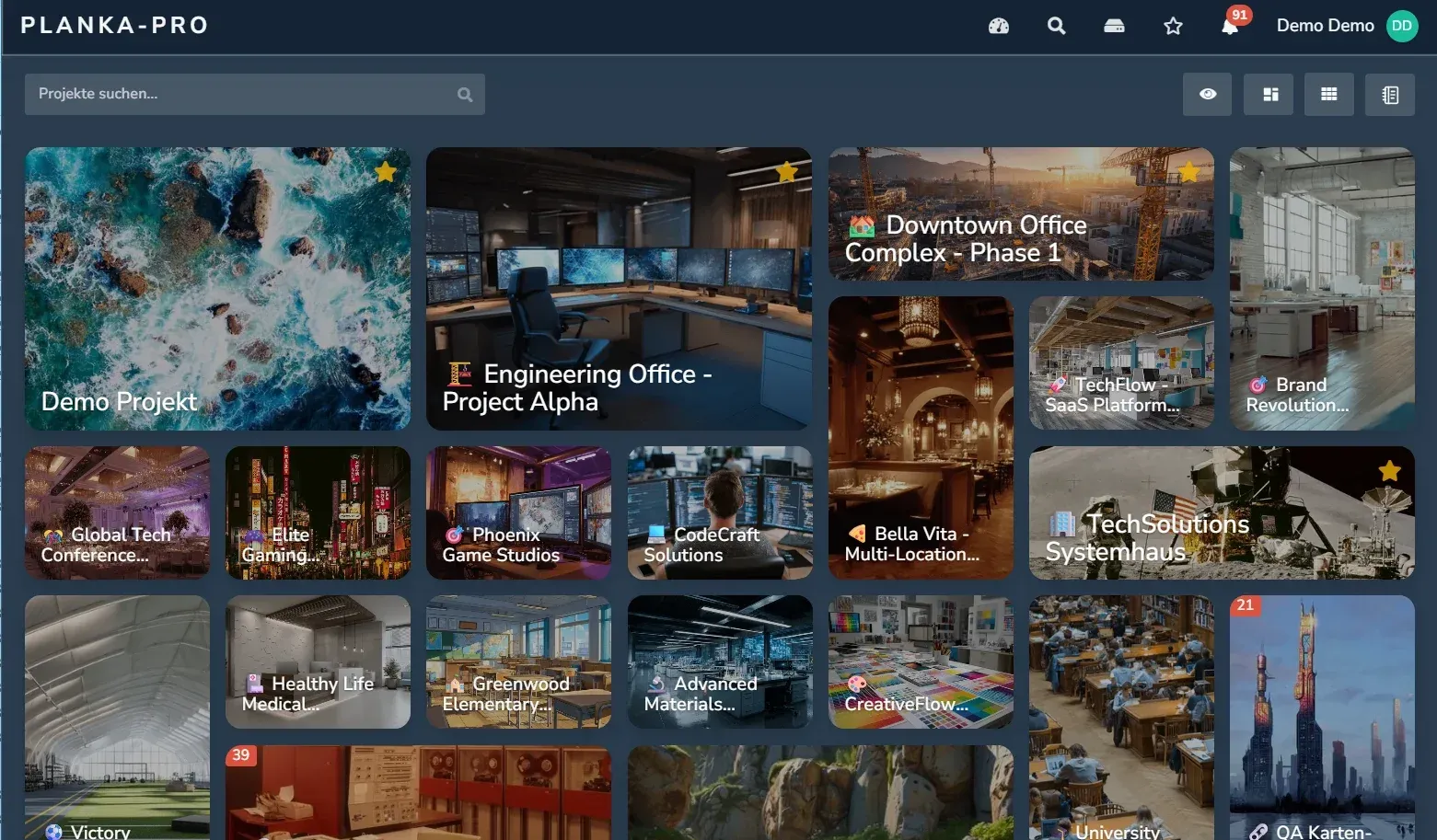
Official planka.app screenshot of the projects grid in PLANKA Pro with a German interface language.
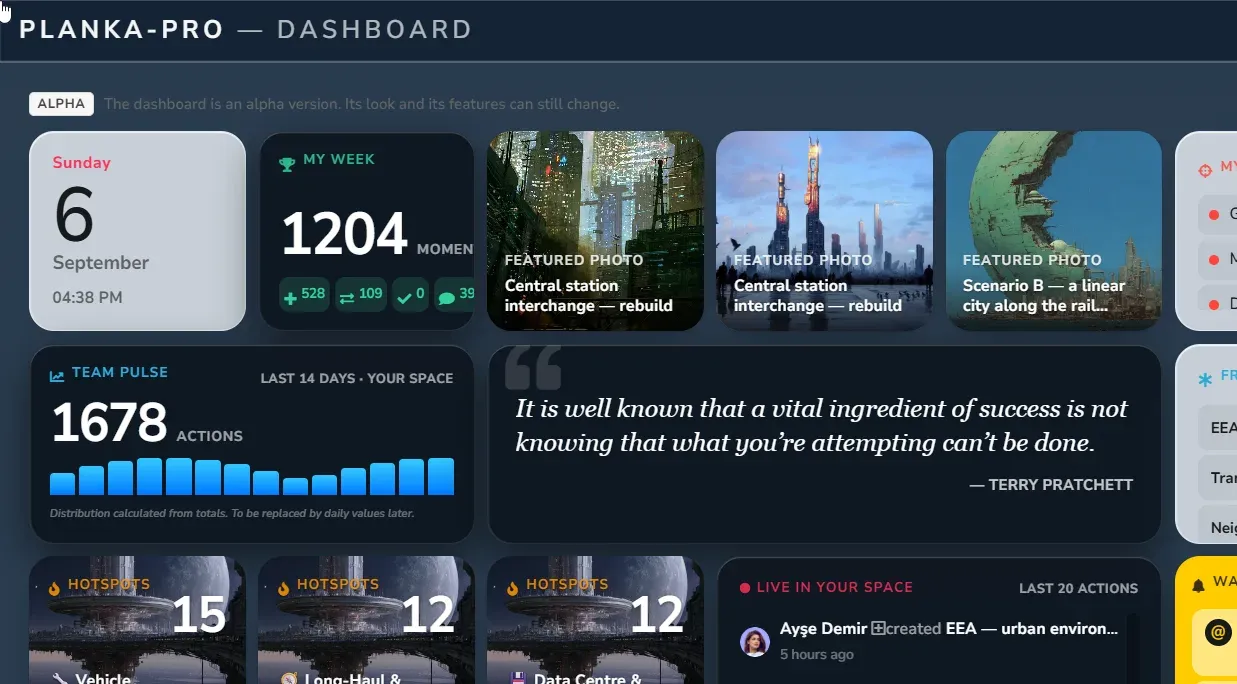
Official repository image of the PLANKA Pro dashboard, marked alpha in the product; not part of Community.
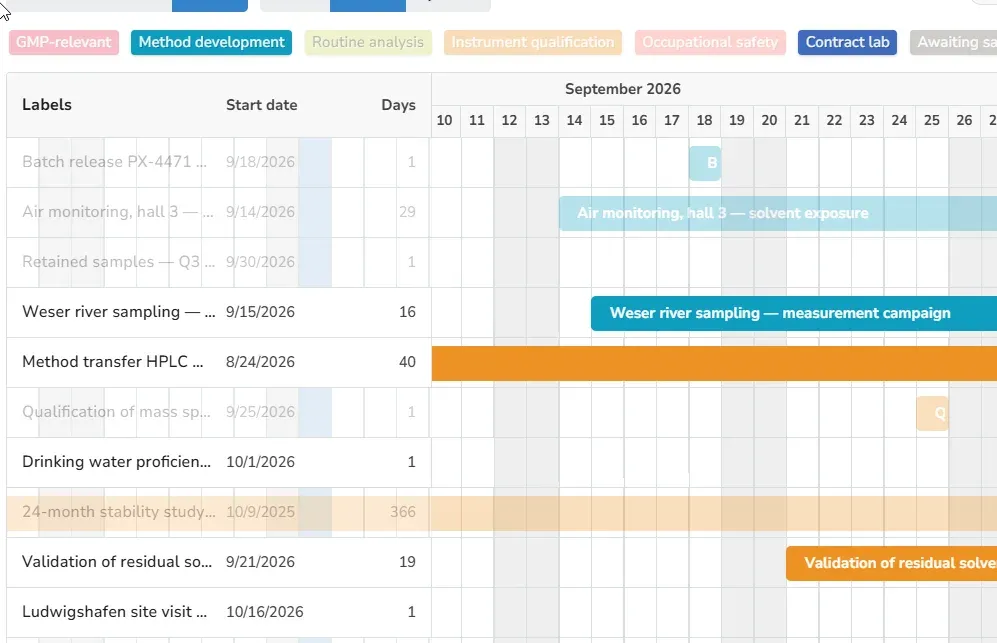
Official repository image of the Pro timeline view, with cards grouped by label; Community has no timeline.
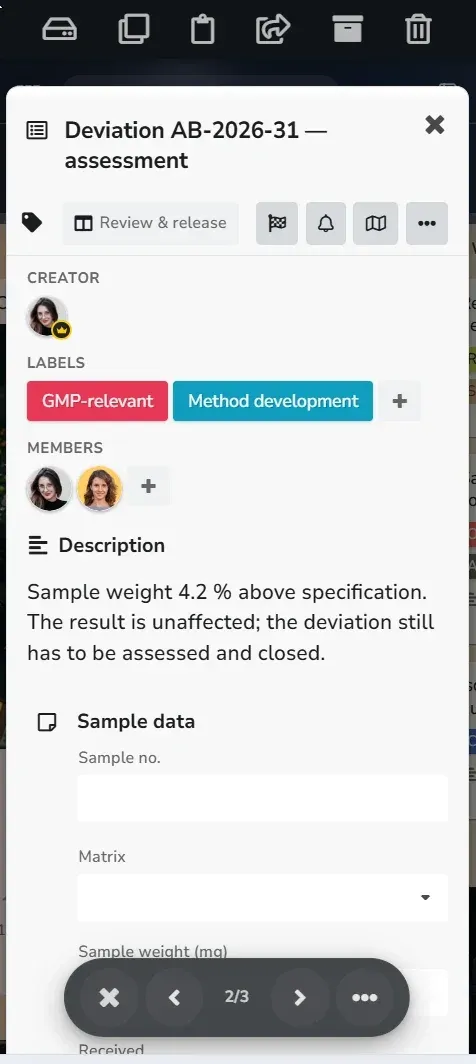
Official planka.app screenshot of the Pro phone layout; the Community edition has no mobile layout.
Source: official PLANKA project page.
Key capabilities
- Projects, boards, lists and cards Work is organised as projects containing boards, boards containing lists, and lists containing cards that are moved by drag and drop. Since 2.0, lists can move between boards, cards in closed lists are shown struck through and new cards can be created at the top of a list. Release 2.3.0 lets you reorder cards by hand in the list view and shows a card counter on the add-card button as a board setting.
- Real-time collaboration Edits, moves and comments appear for every connected user without a page refresh, carried over websockets by the Sails.js server. PLANKA accepts websocket connections only from the address configured in
BASE_URL, so a mismatch between that value and the address in the browser produces a blank page. Behind a reverse proxy,TRUST_PROXY=trueis also required. - Card content Cards hold a Markdown description, file attachments with a download button, comments with replies, labels, members and task lists whose items can have assignees or link to other cards. Completed tasks can be hidden and custom fields offer copy-to-clipboard. Since 2.3.0,
@namementions work in descriptions as well as comments, and an unsaved description survives a browser crash and is offered back. - Stopwatch, due dates and card ages Each card can carry a due date that can be toggled as done and a stopwatch for simple time tracking. Release 2.1.0 added an option to display card ages. These are per-card tools: Community has no time reports, calendar or timeline views, which are part of Pro.
- Filters and keyboard shortcuts Boards filter by members, labels and a text search. Since 2.3.0, filters can target a set of lists, show unassigned cards, exclude labels and be saved under a name for later. A shortcuts dialog in the user menu documents the key bindings, including
+to add a card to the list under the pointer andFto jump to the filter search. - Notifications through Apprise Notifications can be delivered through the Apprise library, which supports more than 100 providers such as chat services and mail. Operators can switch Apprise off or limit it with
APPRISE_ENABLED,APPRISE_ALLOWED_SCHEMASandAPPRISE_BLOCKED_SCHEMAS. SMTP for email can be configured and tested from the administration interface or set throughSMTP_*environment variables. - Webhooks Webhooks moved from environment variables to the user interface in 2.0. Since 2.3.0, a webhook can fire for a single project or a single account rather than for every event on the instance, and webhook payloads include only the public profile of the user who made the change.
- REST API and API keys The server exposes a REST API documented in a Swagger UI, and since 2.1.0 the instance can publish its own specification with
SWAGGER_EXPOSED. Clients authenticate with a session token or, since 2.0, a per-user API key. The docs also link a Postman collection, a PHP client and the community Python clientplankapy. - Local accounts and two-factor sign-in Community uses local accounts with passwords. Release 2.2.0 added TOTP two-factor authentication with ten one-time recovery codes and admin reset, trusted browsers that can skip the second factor for a set period, and an inactivity logout with a warning. Sign-in attempts are rate-limited per client address and per account, tunable with the
AUTH_RATE_LIMIT_*variables. - Instance administration The first admin is created with
npm run db:create-admin-useror theDEFAULT_ADMIN_*environment variables. Operators can cap uploads withMAX_UPLOAD_FILE_SIZE, total storage withSTORAGE_LIMITand accounts withACTIVE_USERS_LIMIT, set a default language and publish custom end-user terms. Since 2.1.0, PLANKA can run under a URL subpath. - Outbound request protection Features that fetch remote content, such as link favicons, could be abused for server-side request forgery. The Docker image ships an outgoing proxy controlled by
OUTGOING_BLOCKED_IPS,OUTGOING_BLOCKED_HOSTSand the matching allow lists; by default onlylocalhostandpostgresare blocked, so internal hosts such as an S3 endpoint should be added. Manual installs must provide their ownOUTGOING_PROXYor firewall rules. - File storage on disk or S3 Avatars, board backgrounds and attachments are stored in a unified data directory, or in an S3-compatible bucket configured with
S3_ENDPOINT,S3_BUCKETand related variables. Protected files are re-streamed by the server, and since 2.3.0 each route checks the session, account status and password age rather than the token signature alone. - Trello import A board can be created from a single Trello JSON export through the Import button. Users and attachments are not imported, and Trello's default export stops at 1,000 actions without warning, so large boards need a custom export through the Trello API or one of the community import scripts listed in the import guide.
- Docker Compose installation The recommended install downloads the reference
docker-compose.yml, which runs the PLANKA image next topostgres:16-alpine. You generate aSECRET_KEYwithopenssl rand -hex 64, setBASE_URL, create an admin withdocker compose run --rm planka npm run db:create-admin-userand start the stack. Since 2.3.0, PLANKA warns on every start while the key is missing, too short or still the example value. - Kubernetes Helm chart The official chart is published at
https://plankanban.github.io/planka/and its version follows the application version, so--version 2.3.1installs PLANKA 2.3.1. It supports ingress with TLS, custom annotations, extra volume mounts and sidecar containers, and derives the base URL from the first ingress host. Release 2.3.0 fixed writable volumes throughfsGroupand added probe settings. - Manual installs on Debian, Ubuntu and Windows The manual guide targets Debian 13 or Ubuntu 26.04 LTS (Debian 12 and Ubuntu 24.04 also work) and requires PostgreSQL 15 or newer, Node.js 24 or newer and Python 3.11 or newer. A Windows guide uses the same prebuilt archive with PowerShell. The documentation recommends Docker instead, because manual installs need their own outbound proxy configuration.
- Backup and restore scripts The repository ships
docker-backup.shanddocker-restore.shfor the stock Compose setup: they archive the PostgreSQL database and the data volume together. WithBACKUP_PASSPHRASEset the archive is encrypted; without it, password hashes, sessions, two-factor secrets, SMTP credentials and API keys sit in the archive in clear form. Setups with S3 storage or an external database need their own backup process. - In-place upgrade to Pro A Community installation can be promoted to Pro without moving data. The migration adds a Valkey service and runs
npm run db:promote, which currently accepts only Community 2.1.x, 2.2.x and 2.3.x as a starting point. The step is one-way: there is no downgrade back to Community, so the vendor advises taking a backup or testing on a copy first.
Where PLANKA fits
Running a shared board for a team or release
Create a project, add a board per stream of work and set up lists that match the actual stages, for example To Do, Doing, Testing and Done. Add members to the board, use labels for release targets and task lists for the checklist inside each card. Check that two users see each other's moves without reloading; if the page stays blank, compare BASE_URL with the address in the browser. Save the filters people use daily so that each role can reopen its own view.
Moving a team off Trello
Export each Trello board as JSON, create an empty board in PLANKA and use Import with Trello as the source. Compare card and comment counts against the original, because the default Trello export is capped at 1,000 actions and does not warn when it is cut. Members and attachments are not carried over, so re-add people and decide whether the community scripts linked from the import guide are needed for files.
Deploying on a single Docker host
Follow the production Docker guide: download the Compose file, generate a 64-byte secret key, set BASE_URL and create the first admin with the bundled script. Put Nginx, Apache, Caddy or Traefik in front for TLS, set TRUST_PROXY=true and add internal hostnames to OUTGOING_BLOCKED_HOSTS. Confirm the startup log no longer warns about the secret key before inviting users.
Running on Kubernetes
Add the chart repository, pin --version to the release you tested and keep settings in a values.yaml rather than long --set chains. Configure an ingress host with a TLS secret so the chart derives an https base URL. After the first start, the admin_* values can be removed unless you want the admin account locked against edits. Verify that the data volume is writable by the container user and that the PostgreSQL storage class matches your backup policy.
Connecting notifications and automation
Configure SMTP and test it from administration, then decide which Apprise schemas the instance may use and block the rest. For integrations, create an API key per service account and register webhooks scoped to the one project or account that needs them. Use the Swagger UI or plankapy to script board setup. Check that webhook receivers handle retries and that API keys are rotated when people leave.
Hardening and backing up an instance
Enable two-factor authentication for administrators, set an inactivity timeout and review the sign-in rate limits. Schedule docker-backup.sh through cron with BACKUP_PASSPHRASE set, store the passphrase elsewhere and prune old archives. The backup runs against the live instance, so stop the app when you need the database and files captured at the same moment. Restore into a scratch environment at least once and confirm attachments open.
Install
curl -L https://raw.githubusercontent.com/plankanban/planka/master/docker-compose.yml -o docker-compose.ymlReviews of PLANKA
Be the first to share your experience with PLANKA.
Write a review
Loading review form…
Alternatives to PLANKA
 WeKanOpen-source kanban board built with Meteor: swimlanes, many board views, rules, REST API, LDAP/OIDC sign-in and imports from Trello, Jira and others. Runs on FerretDB/SQLite by default; hosted option from 50 euro per year.
 VikunjaVikunja is an AGPL-licensed task manager written in Go. It runs as a single binary or Docker container on SQLite, MySQL or PostgreSQL, offers four project views, CalDAV, webhooks, SSO and an MCP server, and is also sold as an EU-hosted cloud service.
 KanKan (kan.bn) is an AGPL-3.0 kanban project management app with boards, lists, cards, labels, comments, checklists, activity logs and templates. It runs on Kan Cloud or self-hosted with Docker Compose and PostgreSQL.