

What is Donetick?
Donetick is an open-source task and chore manager for households, families and small groups. People join a shared circle, assign recurring chores to each other, and see who completed what and when. The backend is written in Go and the web interface in React, and the source is published under the AGPL-3.0 license by the donetick GitHub organization. The privacy policy names Favoro LLC as the company that operates the hosted service. Development started as a personal project of the maintainer to organize chores at home, which explains the household vocabulary used throughout the product.
There are three ways to run it. The Donetick Cloud Service at app.donetick.com is hosted by the project, with a free Basic plan and a paid Plus plan. Self-hosters can pull the donetick/donetick image from Docker Hub, built for amd64, arm64 and arm, or download release archives for Linux (x86_64, arm64, armv6, armv7) and macOS (x86_64, arm64), each release shipping a checksum file. A Home Assistant add-on packages the same server for Home Assistant OS. Native apps are listed on the Apple App Store and Google Play. According to the self-hosting guide, those apps only connect to an instance that is reachable from the internet over HTTPS with a valid certificate.
The current stable release is v0.1.86, published on November 3, 2026. It adds bulk creation of chores with validation and hardens the handling of asset and user image paths against path traversal. Version 0.1.85 exposed the circle ID, privacy flag and assignment strategy in chore details. Version 0.1.84 was the larger feature release: per-user notification profiles with daily or weekly digests, board and list views for projects, shared or private labels and filters, a share extension and project widget in the mobile apps, color themes, and a set of fixes in the Home Assistant integration. A v0.1.87 beta line was already in progress when this profile was checked.
Architecturally, Donetick is a single Go service built on Gin and GORM that serves the compiled frontend and a REST API on port 2021. Data lives in SQLite by default, and PostgreSQL is a documented alternative. Configuration is read from a YAML file in the config directory chosen by DT_ENV, and any key can be overridden with a DT_ environment variable. In selfhosted mode the first start generates config/selfhosted.yaml with a random JWT secret. Task photos go to S3-compatible object storage. The web client lives in a separate frontend repository and is wrapped with Capacitor for the mobile apps.
Donetick is not a team project tool with dependencies, sprints or client billing, and it is not a calendar server. Offline use is limited, and the storage guide asks users not to rely on local file storage for uploads yet. The documentation site is short; the API page itself points to the source code for a fuller endpoint list.
Donetick screenshots
Explore the interface. Open a screenshot to view it at full size.
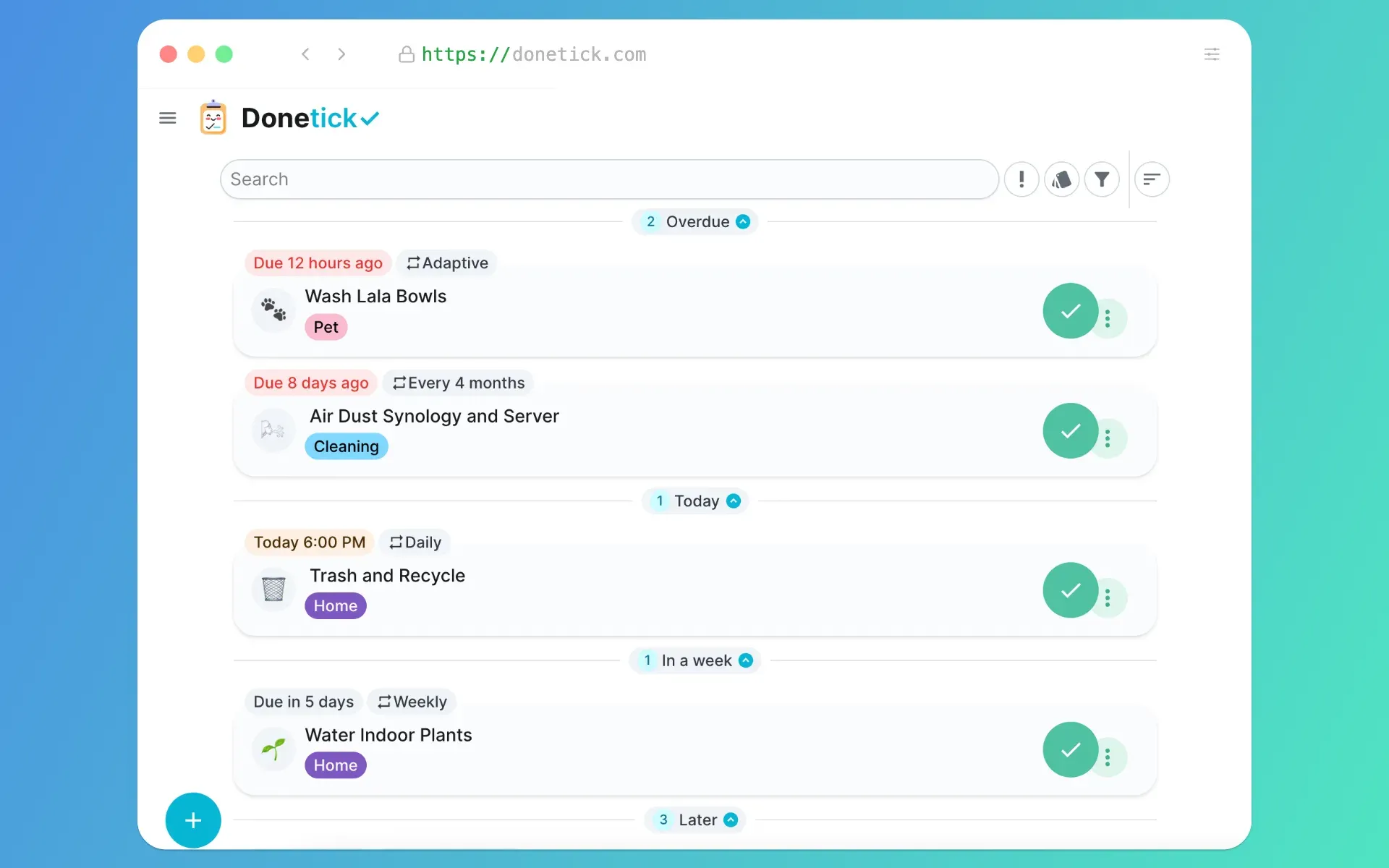
Official screenshot of the web interface: chores grouped by due date with recurrence badges such as Adaptive, Daily and Every 4 months, and colored labels.
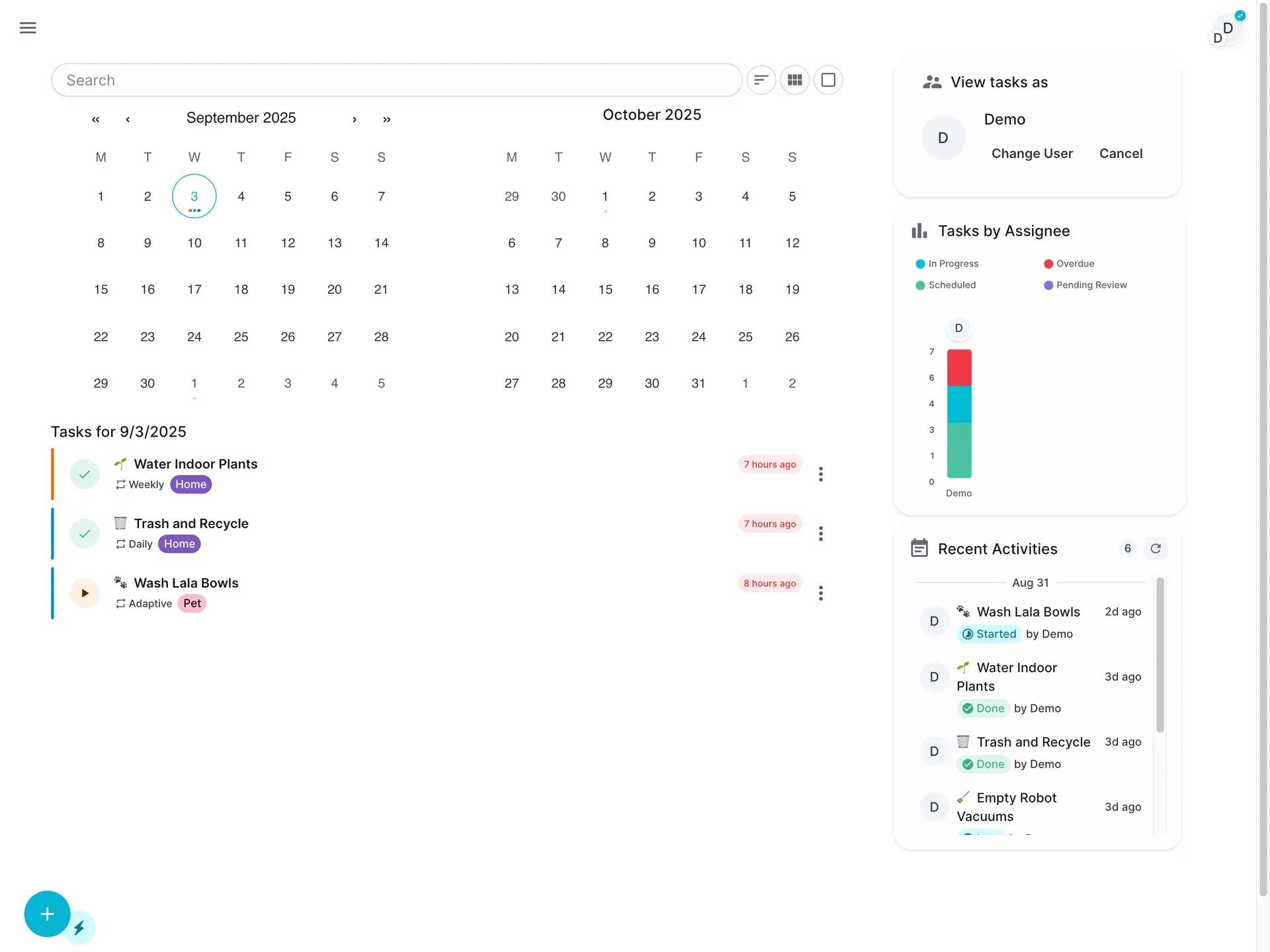
Official screenshot of the admin dashboard layout for larger screens, including the "View tasks as" user switcher and activity feed.
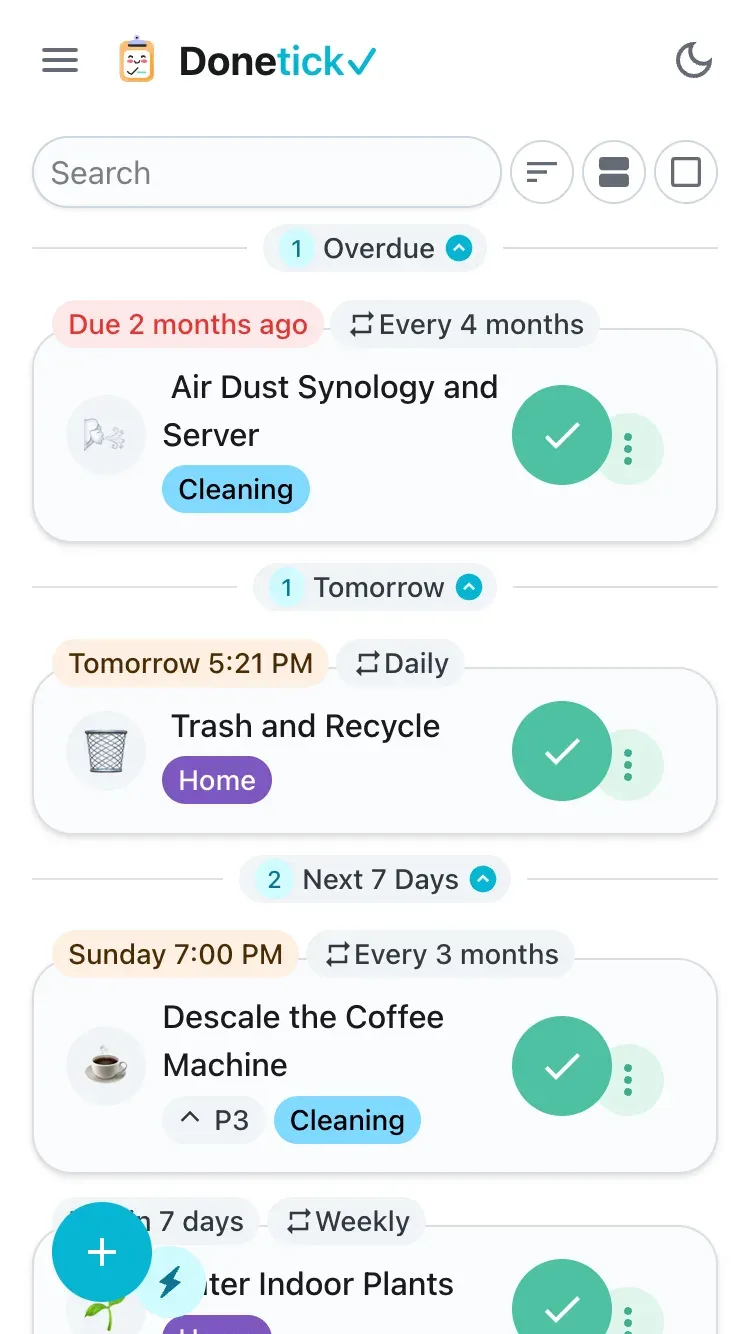
Official mobile screenshot showing chores with recurrence, a P3 priority badge and labels.
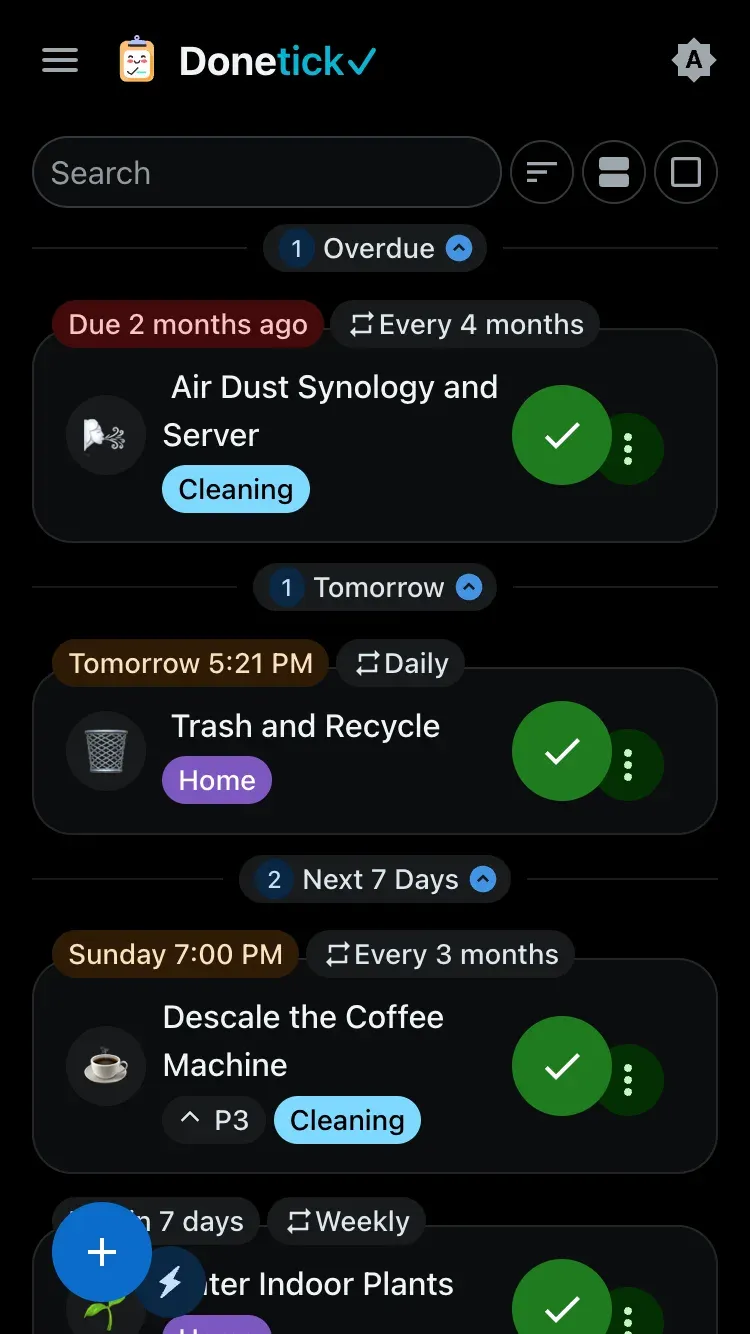
Official screenshot of the same mobile task list with the dark theme enabled.
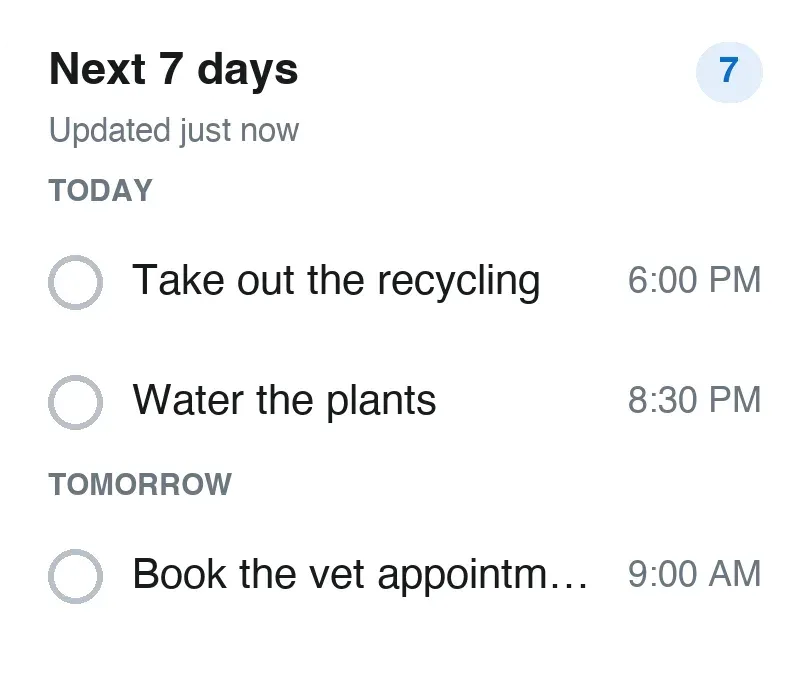
Widget preview image from the Android app resources, showing the Next 7 days widget with sample tasks.
Source: official Donetick project page.
Key capabilities
- Shared circles and roles Every account belongs to a circle, the household or group whose members share tasks, labels and history. Members hold the admin, manager or member role, and admins can approve join requests. A single-circle instance mode (
DT_SINGLE_CIRCLE_INSTANCE) hides circle management and places new OIDC users in one shared household circle, which suits a family server. - Natural language task entry A sentence such as "Water plants every Monday" or "Buy groceries next Friday at 5pm" is parsed into a due date, time and recurrence.
!P1to!P4set priority and#homestyle words add labels. The parser highlights recognized parts while typing, documented in the smart task creation guide. - Recurrence options Tasks can repeat daily, weekly, monthly, yearly, on selected months or on chosen weekdays. Each recurring task is scheduled either from the previous due date, for a fixed cadence, or from the actual completion date, for chores that often slip. An adaptive mode suggests the next due date from past completion history.
- Assignee rotation A chore can have several assignees and a strategy that picks the next one: the person with the fewest completions, a random member, or a round-robin turn. Assignment and pending-approval events can trigger notifications, and since 0.1.84 users are no longer notified about assignments they made themselves.
- Subtasks with automatic reset Tasks can be split into nested subtasks that are checked off individually. On a recurring task, the subtasks reset when the parent is completed, so a weekly cleaning checklist starts fresh each cycle.
- Projects, labels, priorities and filters Five priority levels (P1 to P4 and none) and colored labels organize the list. Projects group related tasks and gained board and list views in 0.1.84, which the release notes describe as an early version. Labels and saved filters can be shared with the circle or kept private.
- Things and NFC triggers A Thing stores a value that is not a task: a number, a true or false state, or text, for example a filter counter or a door sensor state. A task can complete automatically when a Thing reaches a given value. NFC tags can be written so that scanning one marks a specific task as done.
- Points, rewards and approvals Completing tasks earns points, and admins can maintain a reward catalog that members redeem with those points; each redemption waits for admin approval. A task can also require admin or manager approval before it counts as complete, and completion can be restricted to a window before the due date to stop early check-offs.
- Time tracking Tasks can be started and paused, and Donetick records time across one or several sessions. History and analytics views break completed work down by label, status and assignee.
- Notification channels Reminders are delivered as mobile push notifications and through Telegram, Discord or Pushover; the Telegram guide covers bot setup and chat IDs. Users can set notification profiles and receive daily or weekly digests. On the hosted Basic plan, a task gets one reminder on its due date; reminders before and after the due date are a Plus feature there.
- Tablet dashboard and impersonation Admins on a laptop or tablet see a dashboard with a two-month calendar, tasks per assignee and recent activity, intended for a wall-mounted or shared screen. Admins and managers can switch to "view tasks as" another member and complete, skip, start or pause chores on that person's behalf; the API records both the acting user and the impersonated user, as described in the impersonation guide.
- Realtime sync and calendar feed Server-sent events push changes to other open devices, with heartbeat and timeout values in the realtime configuration block. Each user can get a private iCalendar URL under
/api/v1/chores/calendar/to subscribe from Apple Calendar, Google Calendar or Outlook. Offline access exists but the README calls it very limited. - Sign-in and access control Local accounts support TOTP multi-factor authentication. Any OIDC provider can be connected through OAuth2 settings; the project lists Authentik as tested and documents Keycloak and Authelia as examples. OIDC groups can map to admin and manager roles on every login, password login can be turned off with
DT_DISABLE_PASSWORD_AUTH, and open registration can be disabled. - REST API and access tokens The web app uses a REST API under
/api/v1, and a Swagger specification is kept in the repository. For scripts, the project recommends the narrower eAPI under/eapi/v1, authenticated with long-lived access tokens generated in Settings. The API guide shows listing and creating chores and admits it is incomplete. - Webhooks Donetick sends JSON POST requests for
task.completed,task.skipped,task.reminderandthing.changedevents. Every payload carries a type, an ISO 8601 timestamp and an event-specific data object, as listed in the webhook reference. - Home Assistant integration The official Home Assistant integration creates a to-do list per Donetick user. Recent work added user mapping so the right person gets completion credit, opt-in reassignment, a
complete_taskservice that returns the history entry, and due dates in the Home Assistant time zone. - Photos and object storage Photos can be attached to tasks and profiles and are stored in Amazon S3, Cloudflare R2, MinIO or another S3-compatible bucket. The storage guide shows per-user quota and per-file size settings, with 100 MB and 2 MB as example values. Local storage is marked as not ready for production use.
- Docker and Compose deployment The official Compose file mounts
/donetick-datafor the SQLite database and/configfor configuration, publishes port 2021 and setsDT_ENV=selfhosted. A health check calls/api/v1/health. Rate limiting, CORS origins and JWT session lengths are configurable in the same YAML file. - Binaries and mobile apps Each GitHub release ships tar.gz archives for Linux x86_64, arm64, armv6 and armv7 and for macOS x86_64 and arm64, with a checksums file; there is no Windows build. The iOS and Android apps add widgets and a share extension, and need a public HTTPS endpoint when pointed at a self-hosted server.
Where Donetick fits
Running a household chore rotation
Create a circle, invite each household member and add recurring chores in plain language, for example "Take the trash out every Monday and Tuesday at 6:15 pm". Choose an assignee strategy per chore: round robin for strict turns, fewest completions to balance effort, or random. Decide whether each chore repeats from its due date or from its completion date, because that choice changes how a late chore shifts the next one. After two weeks, check the history and assignee chart to see whether the rotation is fair.
Self-hosting for a family on a home server
Start the container with the official Compose file, keep /donetick-data and /config on persistent volumes, and back up the SQLite file together with the generated selfhosted.yaml, since it holds the JWT secret. If anyone will use the iOS or Android app, put the instance behind a reverse proxy with a valid certificate on a public hostname; the apps refuse plain HTTP and local-only addresses. Disable open registration once all accounts exist.
Single sign-on in a homelab
Register Donetick as an OAuth2 or OIDC client in Authentik, Keycloak or Authelia with both redirect URIs, https://your-host/auth/oauth2 for the web and donetick://auth/oauth2 for the apps. Set DT_OAUTH2_ADMIN_GROUPS and DT_OAUTH2_MANAGER_GROUPS so roles follow the identity provider, keeping in mind that matching is exact and case-sensitive. The SSO guide walks through the Authentik side; test a demotion by removing a user from the admin group and signing in again.
A wall-mounted tablet dashboard
Sign in as an admin on a tablet or large screen to get the dashboard layout with calendar, per-assignee task chart and recent activity. Household members can pick their own account from the "view tasks as" panel and complete a chore without a separate login. Because the panel acts on behalf of other users, restrict the dashboard account to a device that stays in the home.
Automating with Home Assistant, NFC and webhooks
Install the Home Assistant integration to get a to-do entity per user, then call complete_task from automations, for example when a washing machine power sensor drops to idle. Use Things for values such as a filter counter and let a task complete when a Thing reaches a threshold. NFC tags near the litter box or bins give a one-tap completion. Webhook events can forward completions and reminders to other systems; verify that the receiving endpoint handles the type, timestamp and data fields.
Scripting against the external API
Generate an access token in Settings, then call /eapi/v1/chore with the token in the request header to list or create chores from scripts or a shortcut app. Store the token like a password and revoke it when a script is retired. Release 0.1.86 adds bulk chore creation, which is useful for seeding a new household, but compare the payload with the Swagger file in the repository because the written API guide does not cover every endpoint.
Install
docker run -v /path/to/host/data:/donetick-data -v /path/to/host/config:/config -p 2021:2021 -e DT_ENV=selfhosted -e DT_SQLITE_PATH=/donetick-data/donetick.db donetick/donetickReviews of Donetick
Be the first to share your experience with Donetick.
Write a review
Loading review form…
Alternatives to Donetick
 VikunjaVikunja is an AGPL-licensed task manager written in Go. It runs as a single binary or Docker container on SQLite, MySQL or PostgreSQL, offers four project views, CalDAV, webhooks, SSO and an MCP server, and is also sold as an EU-hosted cloud service.SPSuper ProductivitySuper Productivity is an open-source, offline-first to-do list, time tracker and planner with Jira, GitHub and GitLab integrations on desktop, mobile and web.
 PLANKAPLANKA is a self-hosted Kanban board from PLANKA Software GmbH with real-time collaboration, Markdown cards, webhooks, a REST API and two-factor sign-in. Community is free under a fair-code license; Pro adds mobile, timeline views and SSO.