
What is LightCraft?
LightCraft is an open-source photo library and non-destructive raw developer written from scratch in Rust. It imports photos into a local library, sorts them with ratings, flags, colour labels and albums, and develops them through edits that are stored in the library while the original files stay unchanged. The project README describes a scene-referred, wide-gamut, 32-bit float pipeline with its own raw decoders and colour science and no C dependencies. The project states that there is no account, cloud service, telemetry or subscription.
The application is made by the ArtCraft team and is one of the free Crafting Apps listed on getartcraft.com, next to sister projects such as PhotoCraft, PdfCraft and WordCraft. The repository was created in September 2026. The code is dual-licensed under MIT or Apache-2.0 at the user's option; the ArtCraft name, wordmark and logos are trademarks that the license does not cover, and bundled fonts, icons and images keep their own licenses. The LightCraft guide on craft.wiki covers installation, workflows, Lightroom Classic catalog import, AI agents and troubleshooting.
The README labels LightCraft as alpha. Against its own row-by-row parity checklist, the project counts about 82% of the targeted features (98% of core features) and estimates day-to-day coverage nearer 61% for the whole product. Listed gaps include measured camera colour calibration (chart-measured matrices exist for one camera model so far), some CR3 variants, Nikon High Efficiency NEF and compressed Olympus ORF decoding, AI Super Resolution, on-screen HDR display, video import and the Book and Map modules. The roadmap and the raw parity document describe the status per area and per camera.
Releases are frequent: 0.16.0 appeared on October 31, 2026, and the latest, v0.21.1, on November 12, 2026. Version 0.20.0 added film grain built from crystal layers, honoured inverted masks when importing Lightroom catalog edits and withdrew compressed ORF decoding pending a provenance review. Version 0.21.0 added a Lens Blur effect with subject focus and per-mask bokeh, direct import of Lightroom catalog backup zips and a Survey view whose tiles follow the photos' shapes, and fixed block artefacts in Highlights and Shadows. Version 0.21.1 is a hardening release: byte budgets for raw header scans and user-named file reads, a mask export command that refuses to write over originals or sidecars, TIFF parsing moved to the shared craft-tiff crate, and a Flatpak update fix.
The code is an engine-first Cargo workspace with enforced layering: geometry, colour and raster crates sit under the raw, codec and metadata crates, followed by the develop pipeline, the catalog and the command engine, with a single egui interface crate on top. The develop pipeline runs as wgpu compute kernels on Metal, Vulkan or DX12, checked against the CPU path to within 1/255, and falls back to all CPU cores when no GPU is available. Contribution rules require clean-room work from public specifications and forbid reading GPL raw-processing code or adding proprietary assets. Similar projects on iThub include darktable and RAWmakase.
LightCraft screenshots
Explore the interface. Open a screenshot to view it at full size.
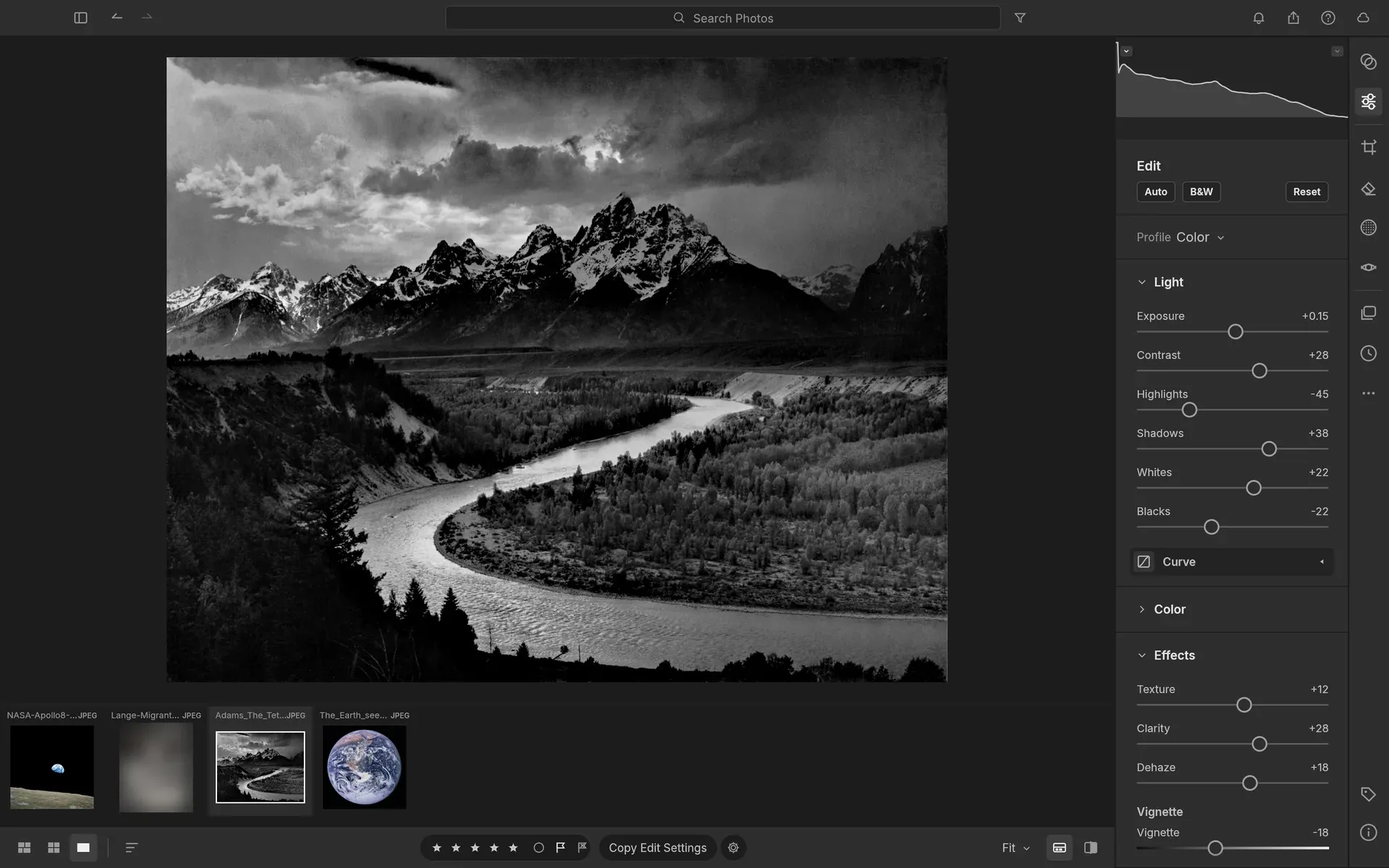
The Edit view with Light and Effects sliders, the histogram and the filmstrip.
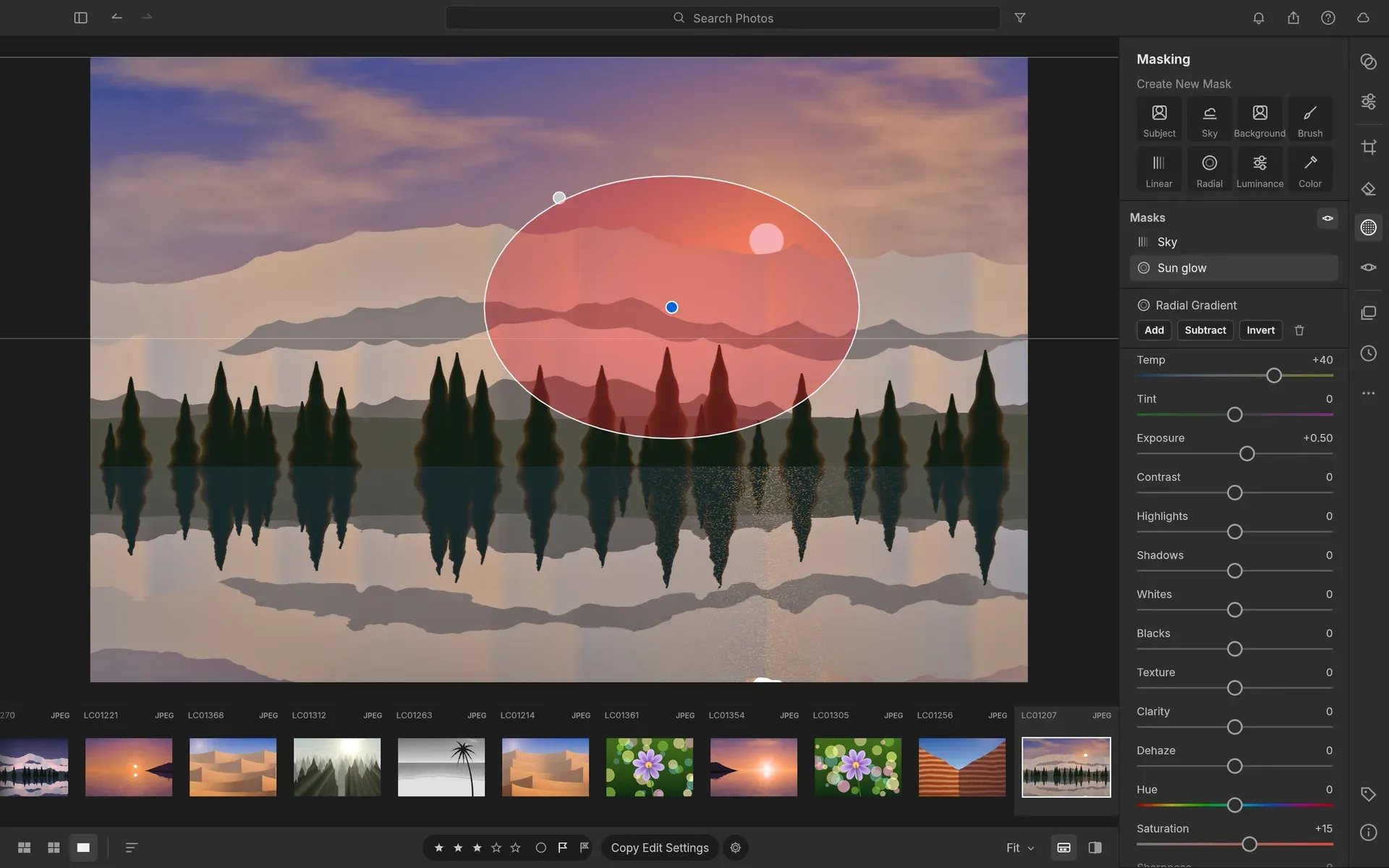
A radial gradient mask with Temp +40 and Exposure +0.50 layered over a linear Sky mask, on a procedurally generated demo photo.
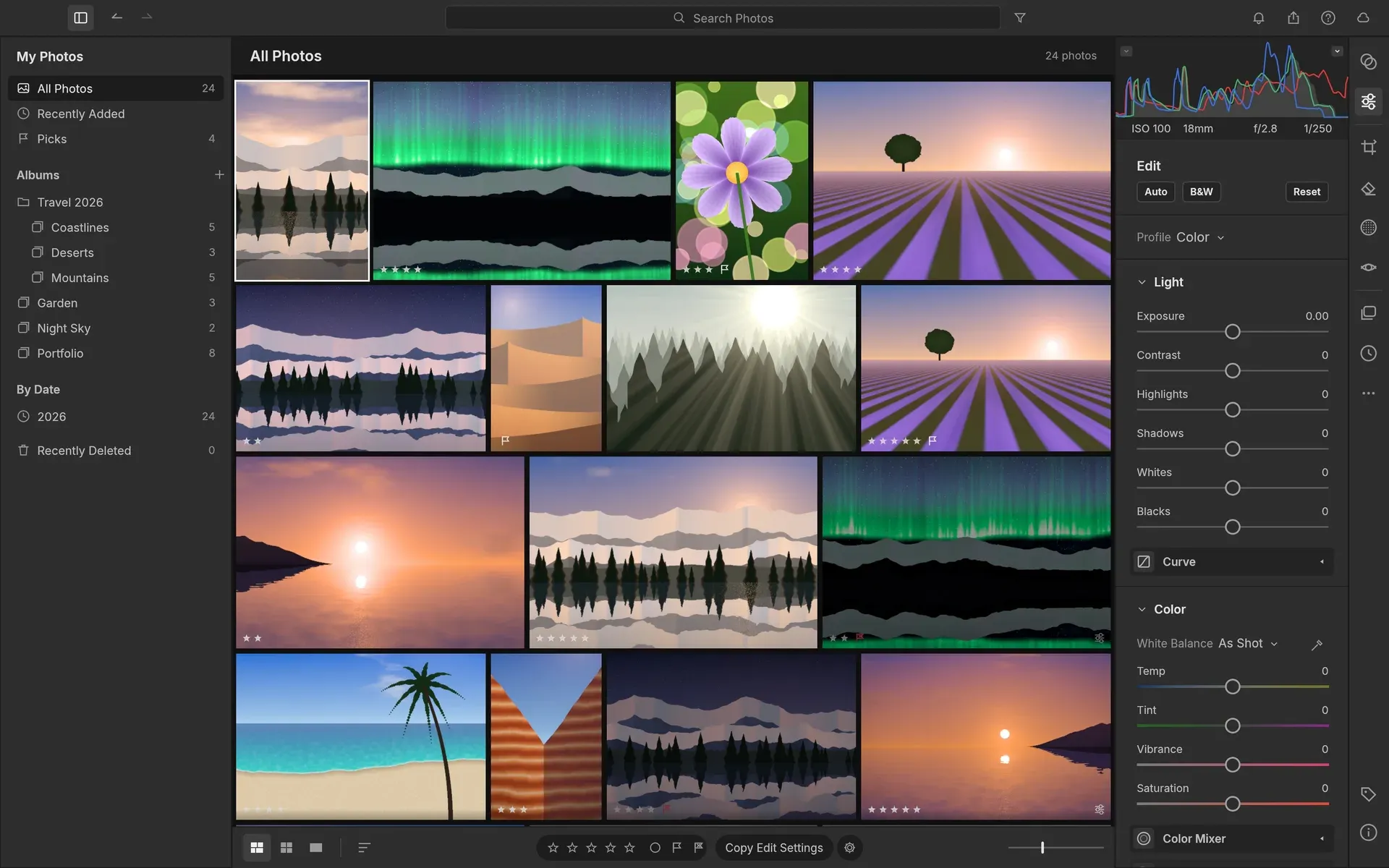
The library: All Photos in the justified Photo Grid, with nested albums, ratings and flags.
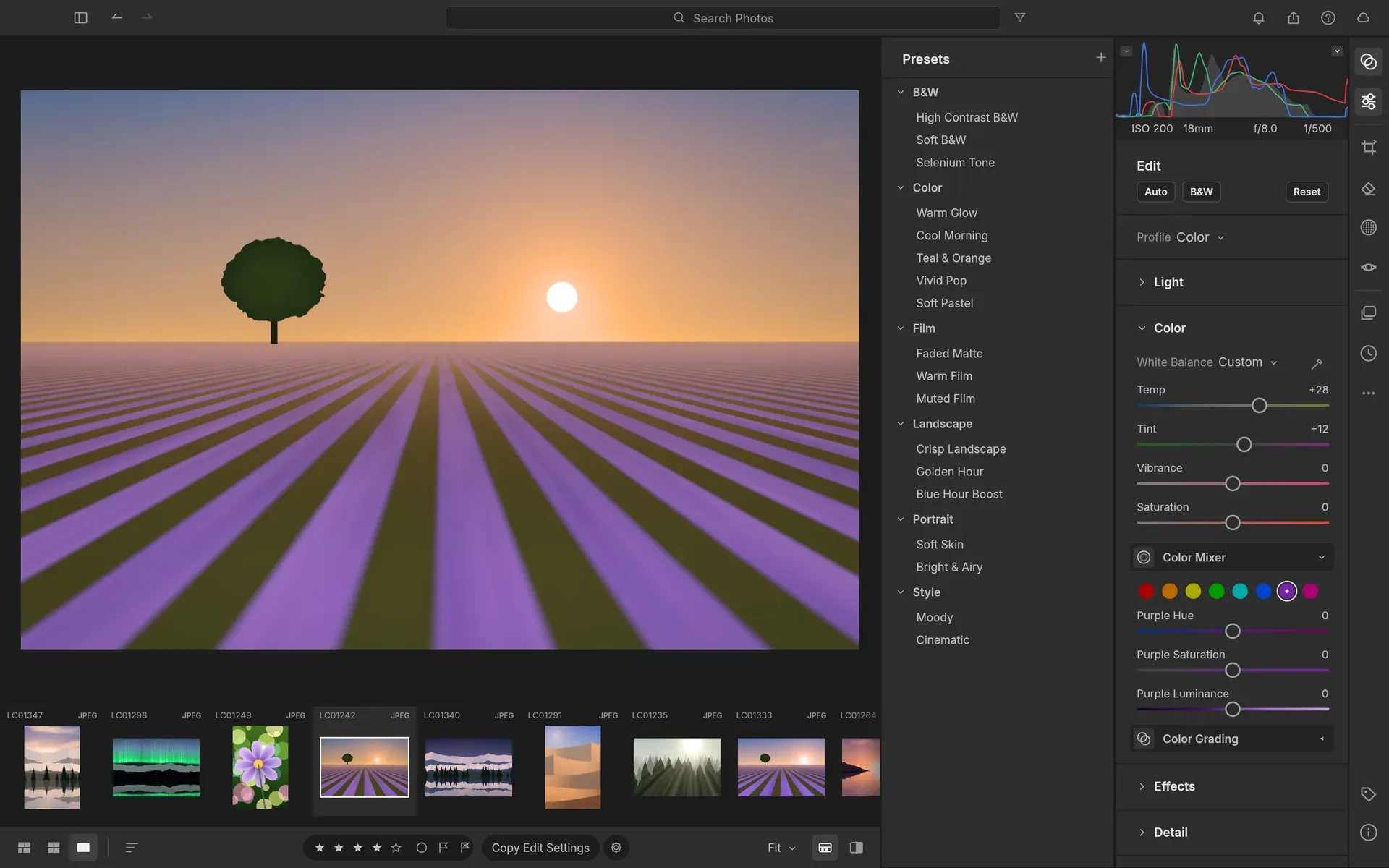
The Presets column next to the Color panel with white balance and the 8-band Color Mixer.
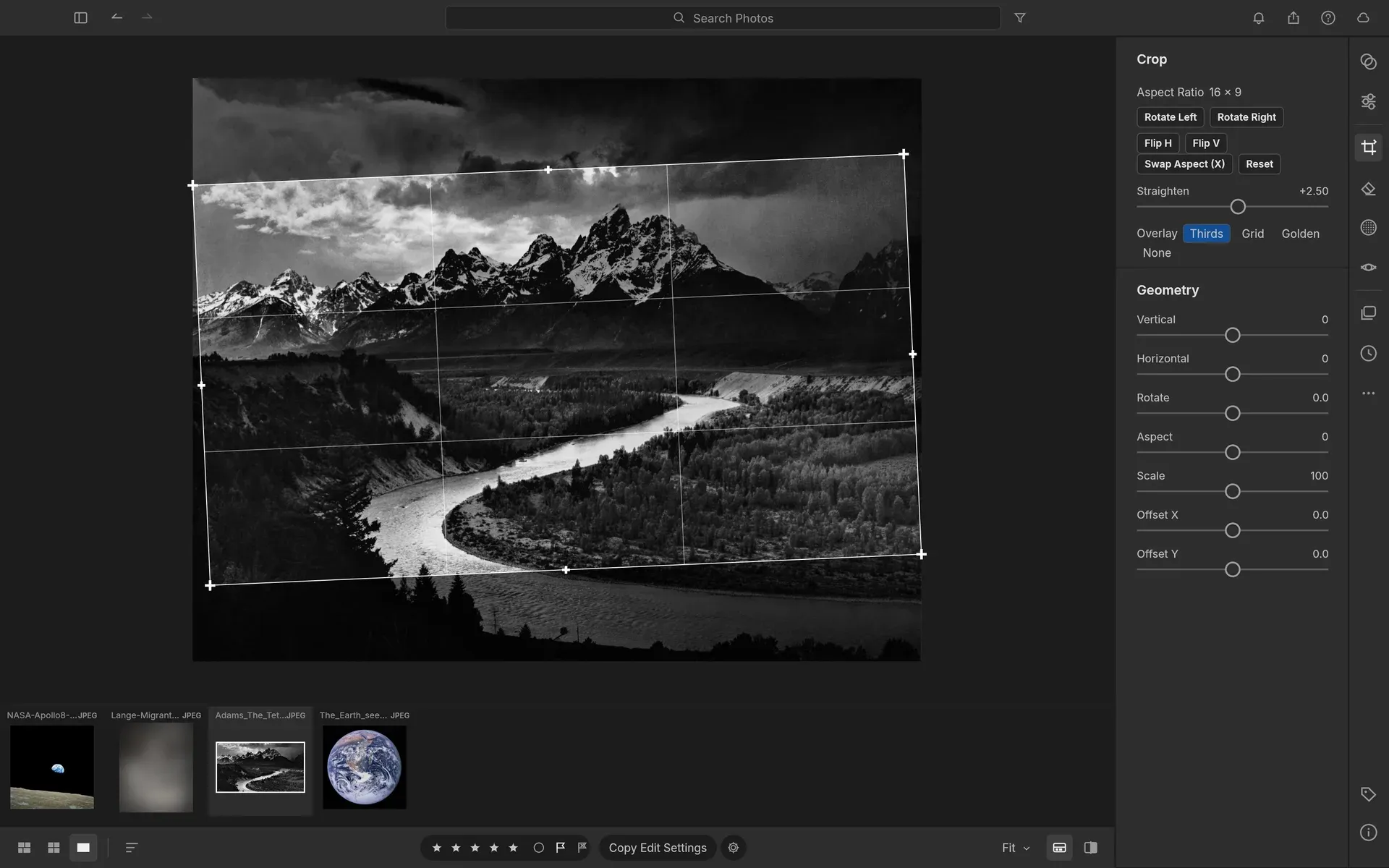
A 16:9 crop straightened by +2.5 degrees with the thirds overlay and the Geometry sliders.
Source: official LightCraft project page.
Key capabilities
- Photo library The library offers All Photos, Recently Added, Picks, By Date, albums nested in folders, smart albums, stacks with auto-stacking, virtual copies and Recently Deleted. Search understands fields such as
rating:>3,flag:pick,iso:>800,camera:,date:,keyword:andperson:, and views sort by capture, import or edit date, name, rating, size or a stable shuffle. The justified Photo Grid and Square Grid are virtualized; the README states that they stay smooth from forty photos to forty thousand. - Culling Ratings from 0 to 5, pick and reject flags and colour labels are set from the keyboard, with Compare (synced zoom) and Survey views and auto-advance. The README states that a raw shows its embedded camera preview or cached render within about 0.1 s while the full render follows, and that the next and previous photos are prepared in the background.
- Light, Color and Effects Exposure, Contrast, Highlights, Shadows, Whites and Blacks use edge-aware local tone mapping. White balance works by temperature and tint (Kelvin for raw) with presets, Auto and an eyedropper, next to Vibrance, Saturation, an 8-band Color Mixer, Point Color, 3-way Color Grading wheels computed in OkLCh, Calibration, Texture, Clarity, Dehaze, post-crop Vignette and resolution-independent Grain.
- Tone Curve and Black and White A parametric region curve with movable splits is combined with point curves for RGB, Red, Green and Blue; the curves are monotone by construction. Black and White conversion has an 8-band B&W Mix that can be toned with Color Grading for selenium, sepia or split-tone looks.
- Masking Brush, Linear Gradient, Radial Gradient, Luminance Range, Color Range, Sky, Subject and Background masks combine with Add, Subtract and Intersect, and each mask carries 17 local adjustments plus an Amount. Object and Describe selections use the optional SAM 3 model, which is downloaded separately; Subject and Sky remain classical heuristics, and existing masks render and export without the model installed.
- Detail, retouching and Lens Blur Sharpening and luminance and colour noise reduction are built in. AI Denoise works on Bayer raws with separately installed weights, while X-Trans denoise and Super Resolution are missing. Remove, Heal and Clone spots with automatic source selection, a non-generative PatchMatch Fill, Visualize Spots, Red Eye and Pet Eye are available, and 0.21.0 added Lens Blur.
- Crop, geometry and optics Crops use free or fixed aspect ratios with thirds, grid and golden-ratio overlays, straightening with auto straighten, flips, rotations and manual Vertical, Horizontal, Rotate, Aspect, Scale and Offset transforms. Upright offers Auto, Level, Vertical, Full and Guided modes. Optics cover distortion, vignetting, chromatic aberration, defringe and lens corrections embedded in DNG files; camera lens profiles of the project's own are not started.
- Presets, profiles and history 41 built-in presets ship with an Amount slider from 0 to 200%, alongside the project's own Color, Neutral, Vivid, Landscape, Portrait and Monochrome profiles. User presets, favourites,
.lcpresetand XMP preset files, versions, history and copy, paste or sync of selected setting groups are supported, and every action, including agent actions, can be undone. - Raw and image formats Pure-Rust decoders read DNG, Canon CR2 and CR3, Sony ARW, Nikon NEF, Fujifilm RAF including X-Trans, Panasonic RW2 and Leica RWL, Pentax PEF, uncompressed Olympus ORF and uncompressed Samsung SRW. JPEG, PNG, TIFF, WebP, PSD composites, JPEG XL, GIF (first frame) and BMP open as well; HEIC needs a build feature and video is not supported. Unsupported raw variants open from their embedded preview.
- Export, HDR and Photo Merge Exports go to JPEG, PNG, TIFF, flat PSD, WebP, AVIF, JPEG XL, raw or rendered DNG or the original file, with sizing, a file-size limit, output sharpening, naming templates, a metadata policy and text or image watermarks. HDR edits export as gain map JPEG, PQ or HLG AVIF, PQ PNG or JPEG XL and float TIFF, while on-screen HDR display is not started. Photo Merge builds HDR images, panoramas and HDR panoramas as DNG.
- Print, contact sheets and slideshows The Print module lays out single images, contact sheets and picture packages on paper from 4 by 6 to 13 by 19 inches or A3 to A5, with printer ICC profiles, rendering intent and 72 to 720 ppi, and saves PDF; direct printing through an OS dialog and page overlays are missing. Contact sheet PDFs are limited to 1,000 photos, 100 pages and 256 MiB. Slideshows export PDF, JPEG sequences or AV1 video in MP4 or WebM, without music.
- Lightroom Classic catalog import LightCraft reads
.lrcatcatalogs directly without Lightroom installed and does not change the catalog or the originals. Ratings, flags, labels, keywords, collections (as albums), virtual copies and the develop settings it can match come across, and the app reports what it could not match; the migration guide lists the limits. The web version cannot import catalogs. - Metadata, people and places XMP sidecars are read and written, including
crs:develop settings. The People view groups named faces, including names read from XMP, and face boxes are editable; automatic detection and recognition need optional models, as no weights are bundled. GPX tracklogs geotag photos and offline reverse geocoding needs the GeoNames dataset. - Commands, CLI and MCP server Every menu item, slider and tool is a command with a stable id and JSON parameters.
lightcraft-cli runchains commands andlightcraft-cli renderdevelops single files, whilelightcraft-cli mcpserves the command registry over stdio to MCP clients, headless or connected to the running app. The control protocol listens on loopback only; the wiki notes that it asks for no password while--controlis active. - Desktop downloads The v0.21.1 release attaches code-signed MSI installers and portable zips for Windows x64 and ARM64, a signed and notarized universal DMG plus a CLI zip for macOS, AppImage, Flatpak, .deb, .rpm, Arch and tarball builds for Linux x86_64 and aarch64, RISC-V tarball, .deb and .rpm builds, and FreeBSD tarballs.
SHA256SUMS.txtand PGP signatures accompany the files, and the ArtCraft Launcher installs and updates the app. The README also lists 32-bit Windows builds, which are not attached to v0.21.1. - Web build
lightcraft-web-0.21.1.zipruns the same interface in a browser via WebAssembly and WebGL2 and can be hosted on any static HTTP server. The library is kept in browser storage (OPFS or IndexedDB), rendering runs in a Web Worker and exports are downloads; WebGPU and Safari and Firefox testing are listed as in progress. - Building from source and languages The README requires Rust 1.95 or newer and builds with
cargo run --release -p lightcraft; a Nix flake builds the desktop app and CLI. Chinese and Japanese glyphs come from the optional craft-fonts input, which official releases always include. The interface is available in 18 languages, and aportable.txtfile next to the executable enables portable mode.
Where LightCraft fits
Moving from a Lightroom Classic catalog
File, Import Lightroom Catalog reads an .lrcat file or, since 0.21.0, a catalog backup zip, into the open library or a new one. The import runs in the background, can be reversed with one Undo, keeps the original files where they are and lists the develop settings that could not be matched. Smart collections become ordinary albums holding the photos they contained at import time, and imported photos use LightCraft's own rendering.
Culling and rating a shoot
A folder is imported by passing it on the command line or through the import dialog, which can add photos in place, copy or move them, rename them with templates and skip duplicates. Photos are then rated, flagged and labelled from the keyboard in the loupe, Compare or Survey view, and the Picks view or a field search such as rating:>3 flag:pick collects the selection for development.
Local adjustments with masks
In the Masking panel a linear gradient can darken a sky while a radial gradient warms the light around the sun, and range masks restrict an edit to a band of luminance or colour. Object and Describe selections, which take clicks or a text prompt such as sky or the red car, work once the separately installed SAM 3 model is present; the AI masks documentation explains the model setup and its terms.
Scripted development and export
lightcraft-cli run --import in.dng develop.set control=light.exposure value=0.7 app.export path=out.jpg longEdge=2048 applies a chain of commands headless and prints one JSON result per command. The same commands produce contact sheet PDFs and print packages from the command line, and they also run against a saved library or the running app.
Editing through an AI agent
An MCP client such as Claude Code registers lightcraft-cli mcp with a library path to work without a window, or with --connect 127.0.0.1:7980 to drive an app started with lightcraft --control 7980, including screenshots, clicks and gestures. A library can be open in only one program at a time. The project states that the README screenshots were captured this way by its showcase scripts; the AI agents guide documents both modes.
Hosting the web version
The release web zip is unpacked on a static HTTP server that serves .wasm files as application/wasm; the app cannot be opened from file:// because module workers and OPFS need an HTTP or HTTPS origin. Each browser keeps its own library in browser storage (OPFS or IndexedDB), and finished photos are exported as downloads.
Reviews of LightCraft
Be the first to share your experience with LightCraft.
Write a review
Loading review form…
Alternatives to LightCraft
 darktabledarktable is a free, GPL-licensed raw photo developer and digital asset manager for Linux, Windows, macOS and BSD. It edits raw files non-destructively in a floating point pipeline with OpenCL acceleration, XMP sidecars, Lua scripting and optional local AI tools.
 RAWmakaseRAWmakase is a free, MIT-licensed RAW photo developer for macOS, Linux and Windows. It imports Lightroom Classic catalogs, presets and profiles, renders previews on the GPU, and adds a command line, local scripting and a built-in MCP server.
 PhotoCraftPhotoCraft is a clean-room, Photoshop-style image editor written in Rust by the ArtCraft team. It edits layered PSD and PSB files, develops camera raw files, runs on macOS, Windows, Linux, FreeBSD and the web, and exposes 500+ commands to a CLI and MCP server.