

What is darktable?
darktable is an open-source photography workflow application and non-destructive raw developer: a virtual lighttable and darkroom in one program. It keeps a database of your digital negatives, shows them in a zoomable lighttable for culling, rating and tagging, and develops raw files in the darkroom before exporting them to disk or other targets. The commit history begins in 2009 with work by Johannes Hanika, and the project is now maintained by the darktable team under the darktable-org GitHub organization; the GitHub repository itself was created in 2012. Development happens on Linux first, and the project recommends Linux when you can choose a platform.
Official builds cover Windows 10 and later on x86_64 and Arm, Apple Silicon Macs, and Linux through x86_64 and aarch64 AppImages. Linux and BSD users can also install distribution packages, packages from the openSUSE Build Service or the Flathub package, which leaves out the AI features. There are no official builds for Intel Macs. Source tarballs ship with SHA-256 checksums and a detached signature, and nightly builds of the master branch are published for testing. The install page lists every package.
The project ships two major versions a year, around the summer and winter solstices, with even minor numbers (5.4, 5.6), and point releases in between for bug fixes and camera support. The current release is darktable 5.6.2, published October 4, 2026. It adds base support for the Leica SL3-P and Sony ILCE-7RM6, fixes focus stealing and console windows on Windows, repairs OpenCL on recent Intel drivers and resumes versioned documentation. Version 5.6.0 (June 2026) introduced an optional AI subsystem with object masks and a neural restore module for raw denoise, denoise and upscaling, a color harmonizer module, HEIF export, a first-run welcome screen and touchpad gestures. Version 5.6.1 made AI model downloads resumable.
darktable is written mostly in C on GTK 3. Raw decoding uses the rawspeed library, with LibRaw as an additional decoder, and the processing pipeline works on 32-bit floating point RGBA buffers, so data is not clipped between modules. Heavy modules can run on the GPU through OpenCL, and the optional AI features use ONNX Runtime. Edits are stored as a history stack in an SQLite library and, by default, in XMP sidecar files next to each image. A Lua API allows scripts and plugins, documented in the Lua API reference.
darktable is licensed under the GNU GPL version 3 or later; the website and its images are under CC BY-NC-SA 3.0 unless stated otherwise. The project states clearly that it is not a free Lightroom replacement: workflows, module names and editing concepts differ, and there is no catalog import from Adobe products. Out of scope: file management such as renaming, built-in sharing of one library between several computers, mobile apps and cloud sync. Printing is not implemented on Windows, and some raw compression modes, including Apple ProRAW, Nikon high efficiency NEF and Fujifilm lossy RAF, are not decoded yet.
darktable screenshots
Explore the interface. Open a screenshot to view it at full size.
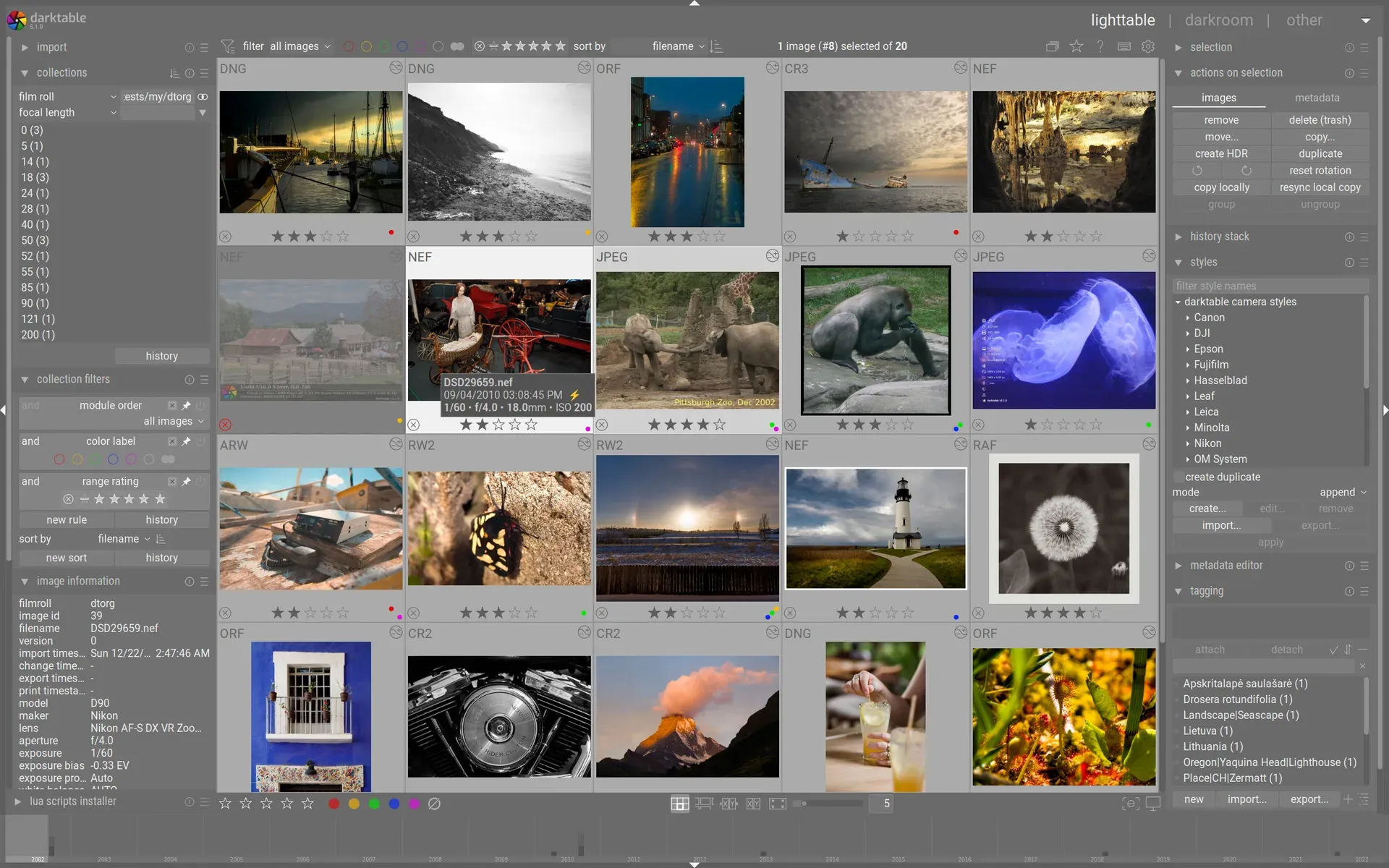
Official lighttable screenshot from darktable.org: a filtered collection of DNG, NEF, CR3 and other raw files with ratings, color labels and camera styles.
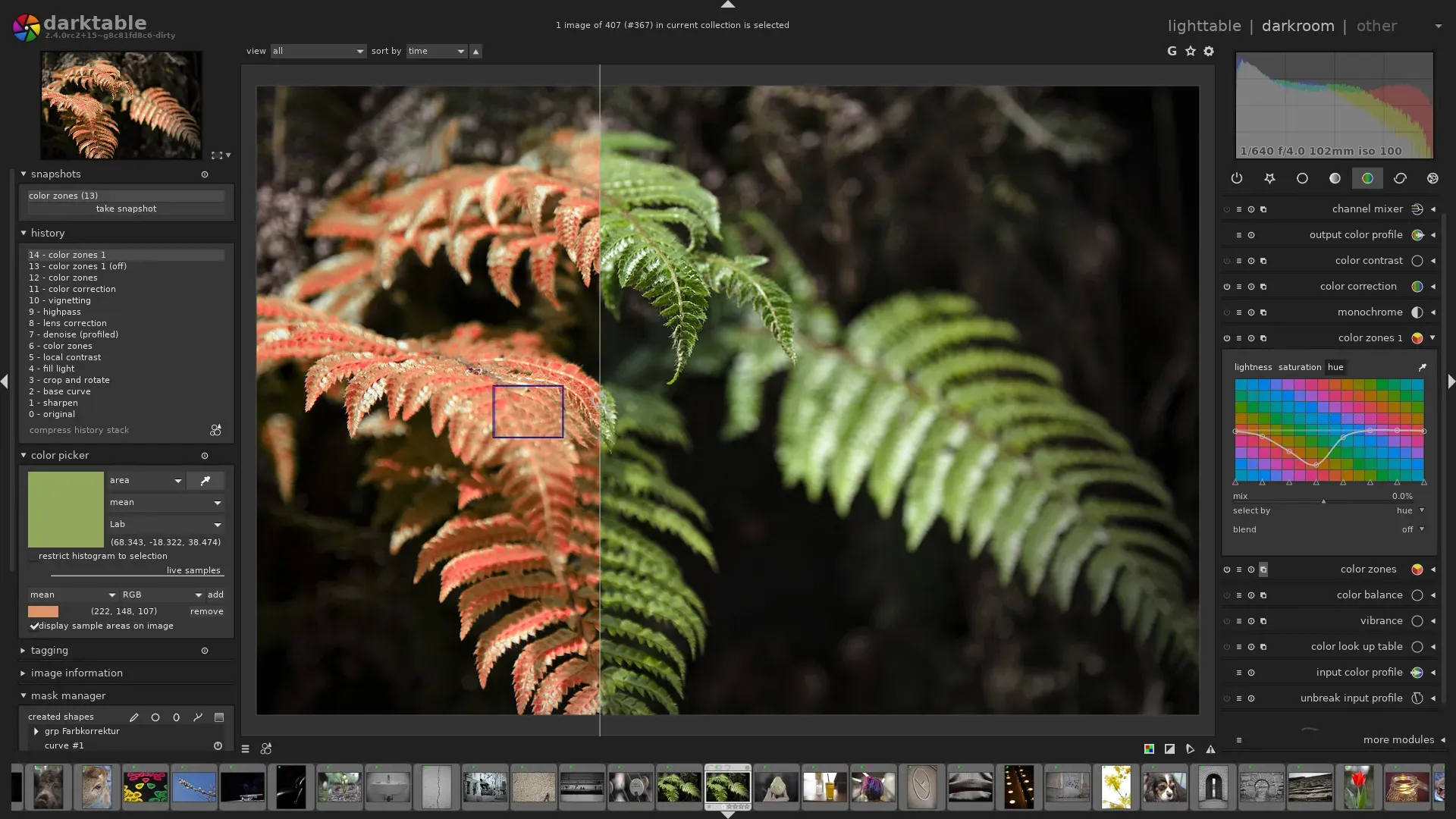
Official darkroom screenshot from an older 2.4 release: history stack, color picker and the color zones module on a before and after comparison.
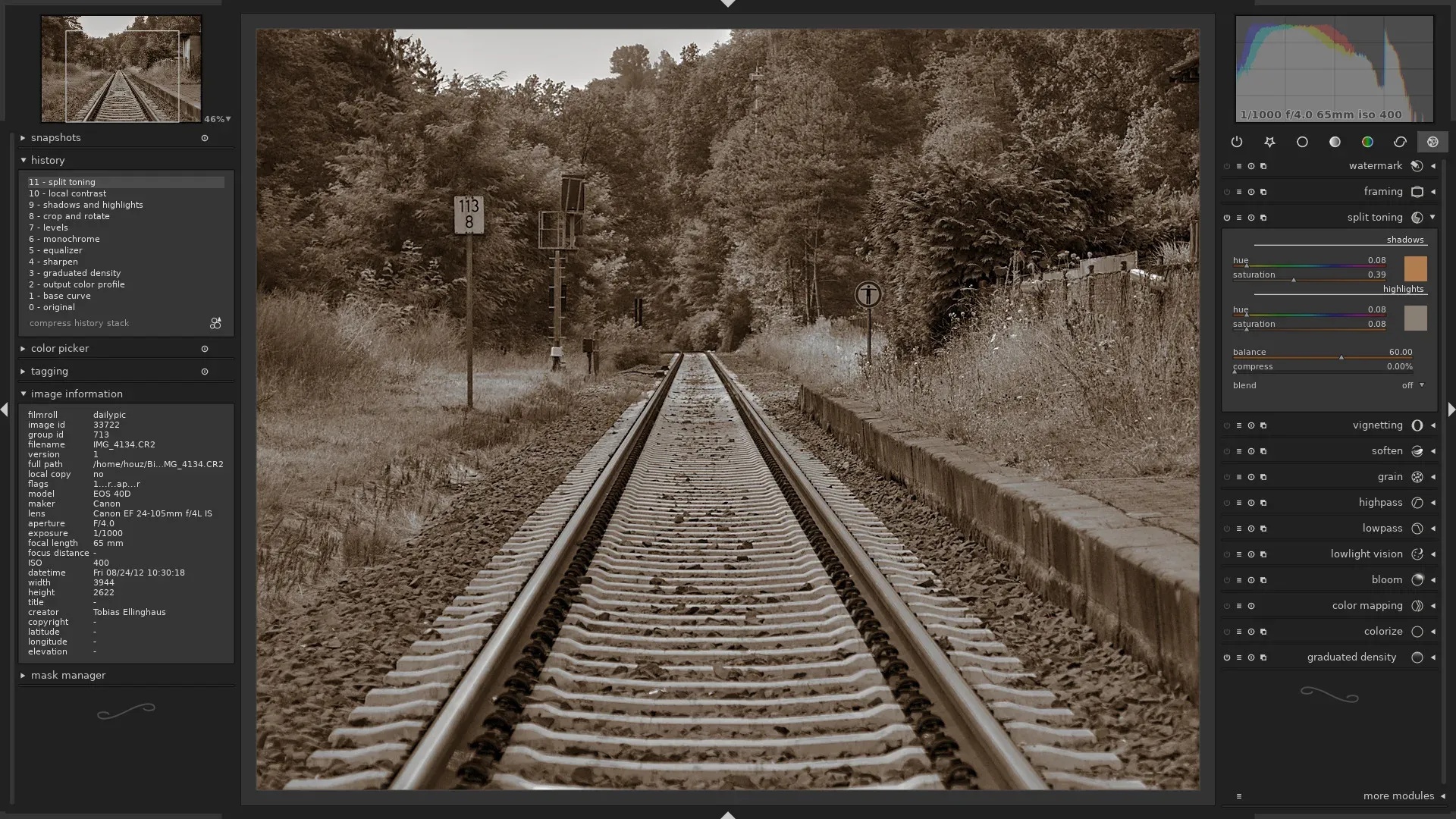
Official darkroom screenshot from an older release: split toning and the effect module group on a monochrome image.
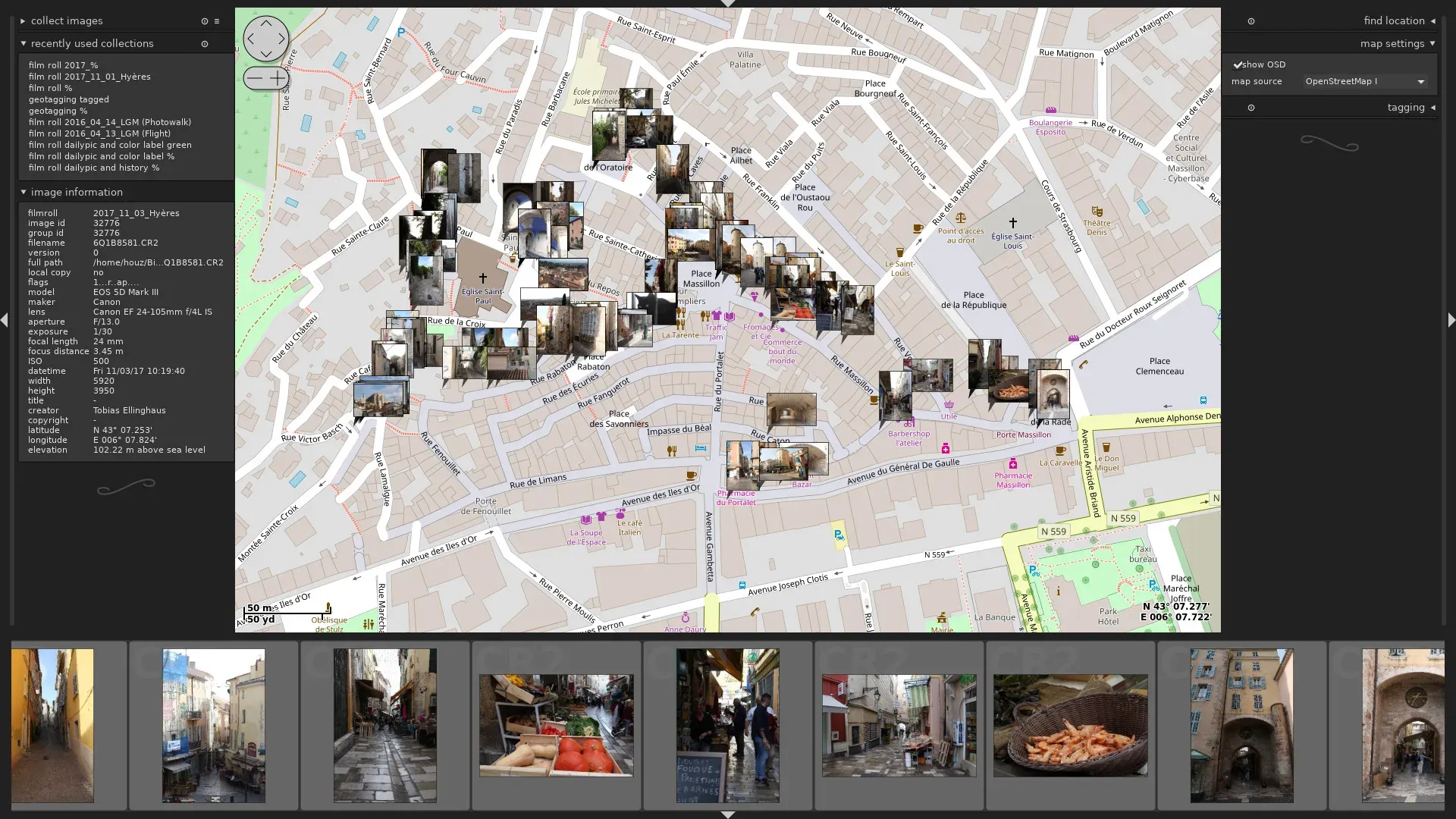
Official map view screenshot: geotagged images on OpenStreetMap tiles with image information and recent collections.
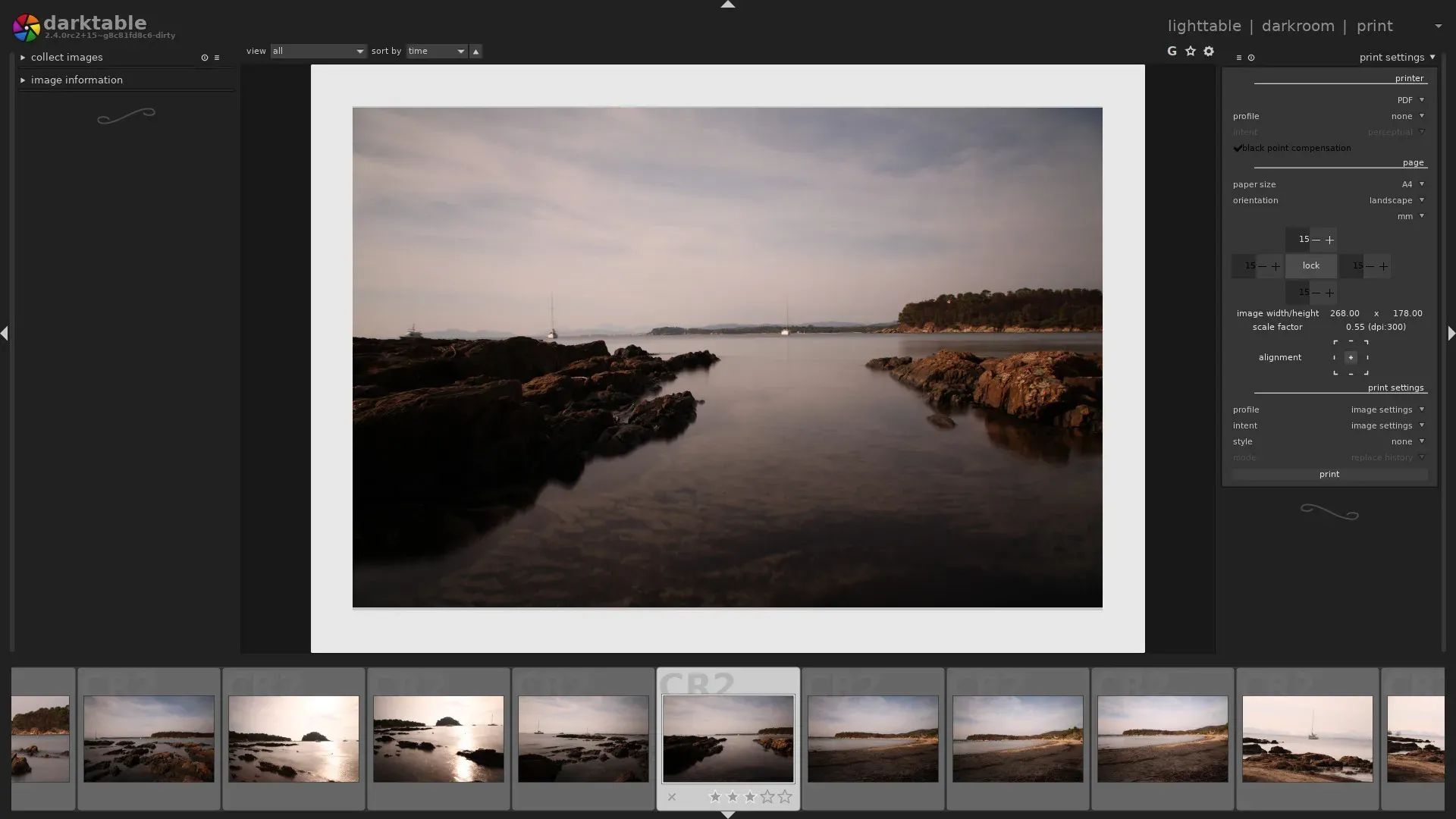
Official print view screenshot: page layout, margins, printer profile and rendering intent settings.
Source: official darktable project page.
Key capabilities
- Download for Windows The
darktable-5.6.2-win64.exeinstaller targets Windows 10 and later on x86_64, anddarktable-5.6.2-woa64.exetargets Windows on Arm. DirectML GPU acceleration for AI features is bundled and works with any DirectX 12 GPU on Windows 10 1903 or newer. Printing is not implemented on Windows, and the 5.6.2 release notes list Windows-specific fixes for focus handling and console windows. - Download for macOS The
darktable-5.6.2-arm64.dmgdisk image is built for Apple Silicon; the README lists macOS 15 or later, and the install page states there are no official builds for Intel Macs. The app is not distributed through the Mac App Store, so Gatekeeper may block the first launch; the install page documents the Open context menu and thexattr -dr com.apple.quarantineworkaround. MacPorts users can runsudo port install darktable +quartz. - Download for Linux and BSD Official AppImages exist for x86_64 and aarch64, with zsync files for delta updates. Distribution packages and the openSUSE Build Service cover Debian, Fedora, openSUSE and Ubuntu, and FreeBSD, NetBSD and OpenBSD are supported platforms. The Flathub package
org.darktable.Darktabledoes not include the AI features. Check any third-party build withdarktable --versionto confirm Lua, OpenCL, OpenMP and colord support. - Build from source Releases ship a
darktable-5.6.2.tar.xztarball with SHA-256 checksums and an.ascsignature; the project warns against GitHub's autogenerated archives. Builds need CMake 3.18, GTK 3.24.15, GLib 2.56, SQLite 3.26, Exiv2, Lensfun, Little CMS 2 and, since 5.6, potrace 1.16, with GCC 12 or Clang 15 and later. Thebuild.shhelper produces an optimized build for the local CPU, and a dev container mirrors the CI environment. - Lighttable and library Images are imported into film rolls and kept in an SQLite library with thumbnails cached at several resolutions. Collections and filters work on ratings, color labels, tags, Exif data, capture date and, since 5.6, duplicates and capture month. Grouping, duplicates, copy and move, and styles applied in bulk are handled from the lighttable. Version 5.6 renders 6K and 8K previews for very large displays.
- Non-destructive darkroom Every edit is a history stack of processing modules applied to the original raw data, which is never modified. Modules can be stacked as multiple instances, reordered, and combined with drawn, parametric and raster masks. The full image is only rendered at export; the screen shows cached, downscaled buffers. Snapshots, a second darkroom window and a duplicate manager help compare versions.
- Scene-referred tone and color The default workflow is scene-referred:
exposuresets brightness, a tone mapper such as filmic rgb, sigmoid or AgX compresses dynamic range,color calibrationhandles white balance and channel mixing, andcolor balance rgbhandles saturation and grading. The processing workflow guide gives the recommended order. Version 5.6 tuned AgX defaults and presets to sit closer to sigmoid. - Raw decoding and camera support Decoding uses the rawspeed library with LibRaw as a second decoder, plus noise profiles and white balance presets per camera model. The camera support list shows coverage per model. Support depends on CC0 sample files on raw.pixls.us: cameras without samples are suspended. Apple ProRAW DNG, Nikon high efficiency NEF, Fujifilm lossy RAF, DNG 1.7 with JPEG XL and several CinemaDNG and Sony ARW compression modes are not supported yet.
- Optional AI masks and neural restore Builds made with
-DUSE_AI=ONadd an object mask tool (SAM2.1 or SegNext) and a neural restore module for raw denoise, denoise and 2x or 4x upscaling. Raw denoise writes a new DNG, while denoise and upscale write TIFF files that are re-imported and grouped with the source. The features are off by default in preferences, models are downloaded from the darktable-ai repository, and CPU inference works without extra software. - GPU acceleration OpenCL 1.2 offloads processing modules to the GPU, with runtime detection and per-device settings; 5.6 reworked the OpenCL preferences and added an optional fast mode. For AI inference, CoreML and DirectML are bundled, while CUDA, ROCm and OpenVINO need a GPU build of ONNX Runtime installed by the
install-ort-gpuscripts. If GPU inference fails, darktable retries on the CPU; the GPU acceleration page lists requirements. - Color management and scopes Darktable is fully color managed, with input, working and output profiles, display profile detection through colord on Linux and built-in sRGB, Adobe RGB, XYZ and linear RGB profiles. Scopes include a histogram, waveform, RGB parade and vectorscope, and 5.6 added a 2-up view with waveform and vectorscope together. Soft proofing and gamut checks are available in the darkroom.
- Export formats and targets Export writes JPEG, PNG, TIFF (8, 16 and 32-bit float), WebP, AVIF, HEIF (new in 5.6), JPEG XL, JPEG 2000, OpenEXR, PFM and XCF, depending on build options. Targets include files on disk, email and a simple HTML web gallery, and Lua scripts add more. For AVIF, EXR, JPEG XL and XCF, metadata is either all included or none.
- Tethering, map and print views With libgphoto2, the tethering view controls supported cameras over USB, with live view for some brands. The map view places geotagged images on OpenStreetMap and other tile sources, and the geotagging module matches GPX tracks to images. The print view uses CUPS on Linux and macOS, with paper size, margins, printer profile and rendering intent.
- Styles, presets and shortcuts Styles save part or all of a history stack and can be applied in bulk, exported and shared; 5.6 can show larger style previews. Module presets can be applied automatically by camera, lens, ISO or format. Shortcuts can be assigned to almost any control and mapped to MIDI devices through PortMidi or gamepads through SDL2.
- Lua scripting and extensions With Lua 5.4 support built in, scripts can add export targets, run external tools and react to events. The official lua-scripts repository includes scripts for HDR, panorama and focus-stack merging, face recognition, tag and GPS handling, and a script manager that installs them from inside darktable.
- darktable-cli batch export The darktable-cli tool renders images without a GUI from a raw file and its XMP sidecar, which suits scripts and servers. Options include
--width,--height,--style,--out-ext, the ICC options and, since 5.6,--libraryto read edits from a library database instead of sidecars. - XMP sidecars and library backups Edits, tags and ratings are written to XMP sidecar files and the library database, as described in the sidecar documentation. When a new release upgrades the database schema, darktable keeps a backup copy named after the previous version, for example
library.db-pre-3.0.0. Upgrades are one-way: older versions cannot open the upgraded library or read edits from newer modules. - Multiple workspaces and test installs Since 5.6 a workspace dialog manages several libraries and configurations, and a new workspace can copy settings from an existing one without sharing its library. Running a development build with
--configdirand XMP writing set to never keeps it apart from the stable installation, which is how the project recommends testing nightly builds.
Where darktable fits
Importing and culling a shoot
Import a card or folder in the lighttable, choosing whether to add files in place or copy them, and apply metadata and tags on the way in. Use the culling layout with star ratings, reject and color labels to narrow the set, then filter the collection to the keepers. Check that thumbnails come from the embedded JPEG or a real render as you prefer, because the README notes that thumbnails and darkroom previews can differ until images are processed.
Developing raw files with the scene-referred workflow
Set the auto-applied workflow to scene-referred in preferences, then work through exposure, the tone mapper (filmic rgb, sigmoid or AgX), color calibration for white balance and color balance rgb for saturation. Use the color assessment mode for consistent brightness judgment. Check highlight reconstruction on clipped skies and compare a few images against your previous editor's output before converting a whole archive.
Batch processing a series
Edit one representative image, copy its history stack selectively and paste it onto the rest of the series, or save it as a style and apply it from the lighttable. For unattended jobs, darktable-cli renders from sidecars or, with --library, from the database, with size limits, a style and an output format per run. Check that the target images share camera, lens and lighting, since modules such as lens correction depend on Exif data.
Denoising and upscaling with AI models
On a build with AI enabled, switch the features on in preferences, download models from the AI tab and, for NVIDIA, AMD or Intel GPUs, run the install-ort-gpu script and click detect. Neural restore writes new DNG or TIFF files grouped with the original, so compare them in the before and after split view and keep the source. Run darktable -d ai to confirm which execution provider is active, and allow for at least 4 GB of video memory.
Tethered studio capture
Connect a camera supported by libgphoto2 over USB and open the tethering view to trigger captures, adjust settings and see live view where the camera allows it. Images land in a film roll and can be edited immediately with an auto-applied style. Check the gphoto2 support list for your model first, and make sure no other application has claimed the camera.
Upgrading between major versions
Before installing a new major release, back up the configuration directory and the XMP sidecars. darktable prompts before upgrading the library schema and keeps a pre-upgrade copy, but edits made afterwards cannot be opened in the older version. Read the release notes for changed dependencies and suspended cameras, and test the new version against a copy of your library first.
Install
flatpak install flathub org.darktable.DarktableReviews of darktable
Be the first to share your experience with darktable.
Write a review
Loading review form…
Alternatives to darktable
 RAWmakaseRAWmakase is a free, MIT-licensed RAW photo developer for macOS, Linux and Windows. It imports Lightroom Classic catalogs, presets and profiles, renders previews on the GPU, and adds a command line, local scripting and a built-in MCP server.
 GIMPGIMP, the GNU Image Manipulation Program, is a free and open source cross-platform image editor for GNU/Linux, macOS and Windows with scripting and plug-ins.
 ImmichImmich organizes photos and videos on a self-hosted server, with web and mobile access, automatic mobile backup, facial recognition, metadata search and album sharing.