

What is VoidAuth?
VoidAuth is an open-source single sign-on (SSO) and user management provider that sits in front of self-hosted applications. The project describes itself as "Single Sign-On for Your Self-Hosted Universe". It combines an OpenID Connect (OIDC) provider, a ProxyAuth endpoint for reverse proxies, an experimental read-only LDAP directory, user and group administration, invitations, self-registration, passkeys and multi-factor authentication in one web application. Source code, issues and releases are on GitHub, and the documentation is published at voidauth.app.
The project is distributed only as a Docker image. The Getting Started guide states that setup is currently supported through Docker only, using a Docker Compose file with either a PostgreSQL container or a mounted volume for a SQLite database. Release builds are published as voidauth/voidauth on Docker Hub and as ghcr.io/voidauth/voidauth for linux/amd64 and linux/arm64. VoidAuth does not terminate HTTPS itself: the documentation requires a reverse proxy with HTTPS in front of it and an APP_URL set to the full external address.
The latest release is v1.19.1, published November 11, 2026. It fixes CORS handling for uploaded files and improves error and notification messages. Version 1.19.0 (November 8, 2026) added an Apps section to the user home page, filled with the OIDC Apps that have an App Home URL and that the user may access; app logos can be set by URL, uploaded or guessed from the home URL, and an app can be hidden from the page. Version 1.18.1 added jpegPhoto support to LDAP, and 1.18.0 added user avatars, WebP background images and a fix for re-encrypting TOTP secrets during storage key rotation. Earlier 2026 releases added custom background images and OIDC App logo uploads (1.17.0), OIDC back-channel logout (1.16.0), custom claims and the TRUSTED_PROXIES setting (1.15.0) and the LDAP server (1.13.0).
VoidAuth is written in TypeScript and runs on Node.js 24. According to its package.json, the server uses Express, the oidc-provider library, SimpleWebAuthn for passkeys, Knex with PostgreSQL or better-sqlite3 for storage, Nodemailer for email and EJS for email templates; the web interface is built with Angular Material. The interface has 31 locale files, and translations are coordinated through the translation guide. The first stable release, v1.0.0, was published in July 2025.
The code is licensed under the GNU Affero General Public License v3.0. There is no hosted service or paid edition. The README states that VoidAuth has not been audited and relies on third-party packages for much of its functionality. Security issues are reported through GitHub Security Advisories, as described in the security policy. Other self-hosted identity providers listed on iThub include authentik, Pocket ID, Keycloak and ZITADEL.
VoidAuth screenshots
Explore the interface. Open a screenshot to view it at full size.
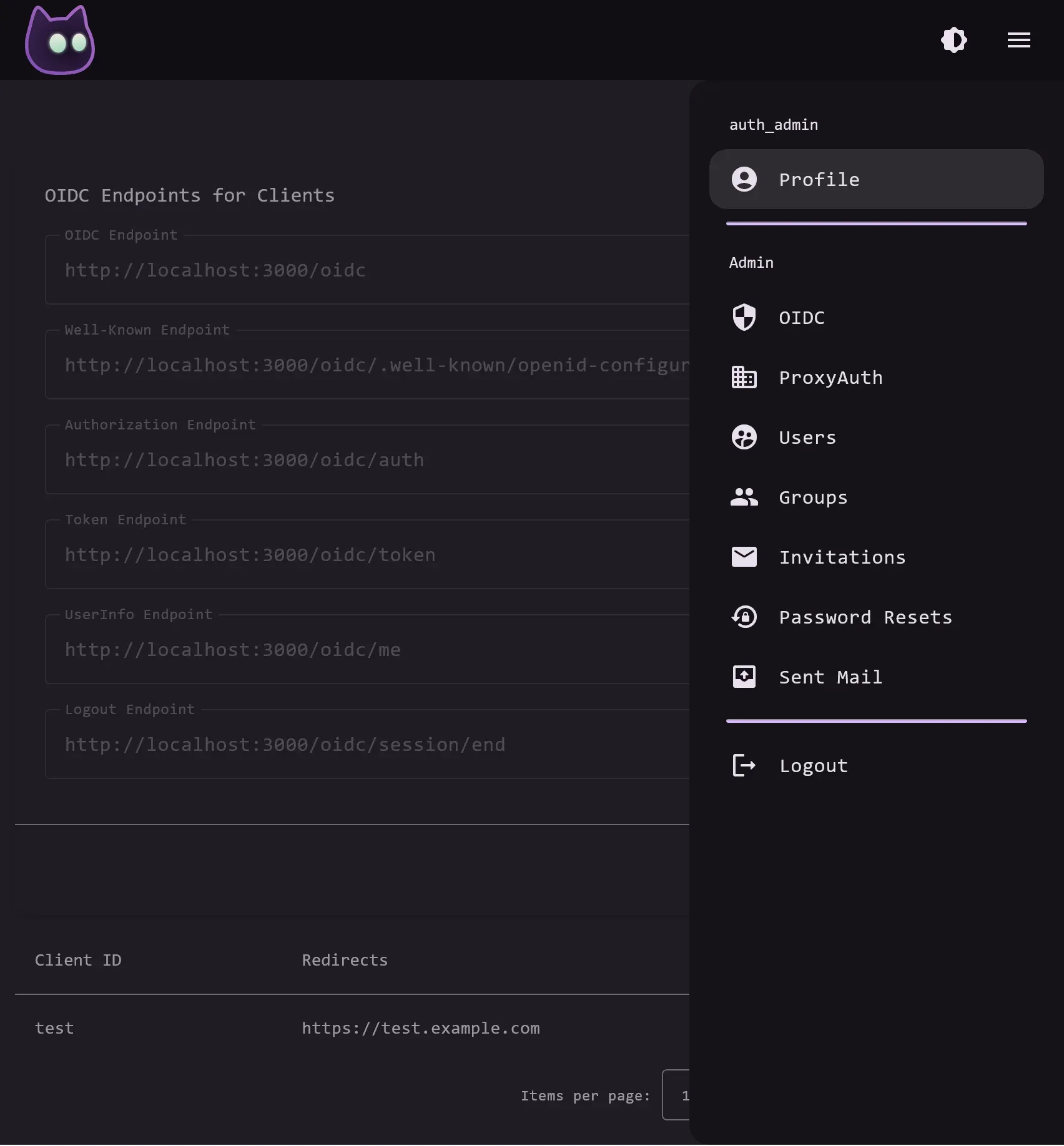
Official VoidAuth screenshot of the admin panel open over the OIDC page, from the project README.
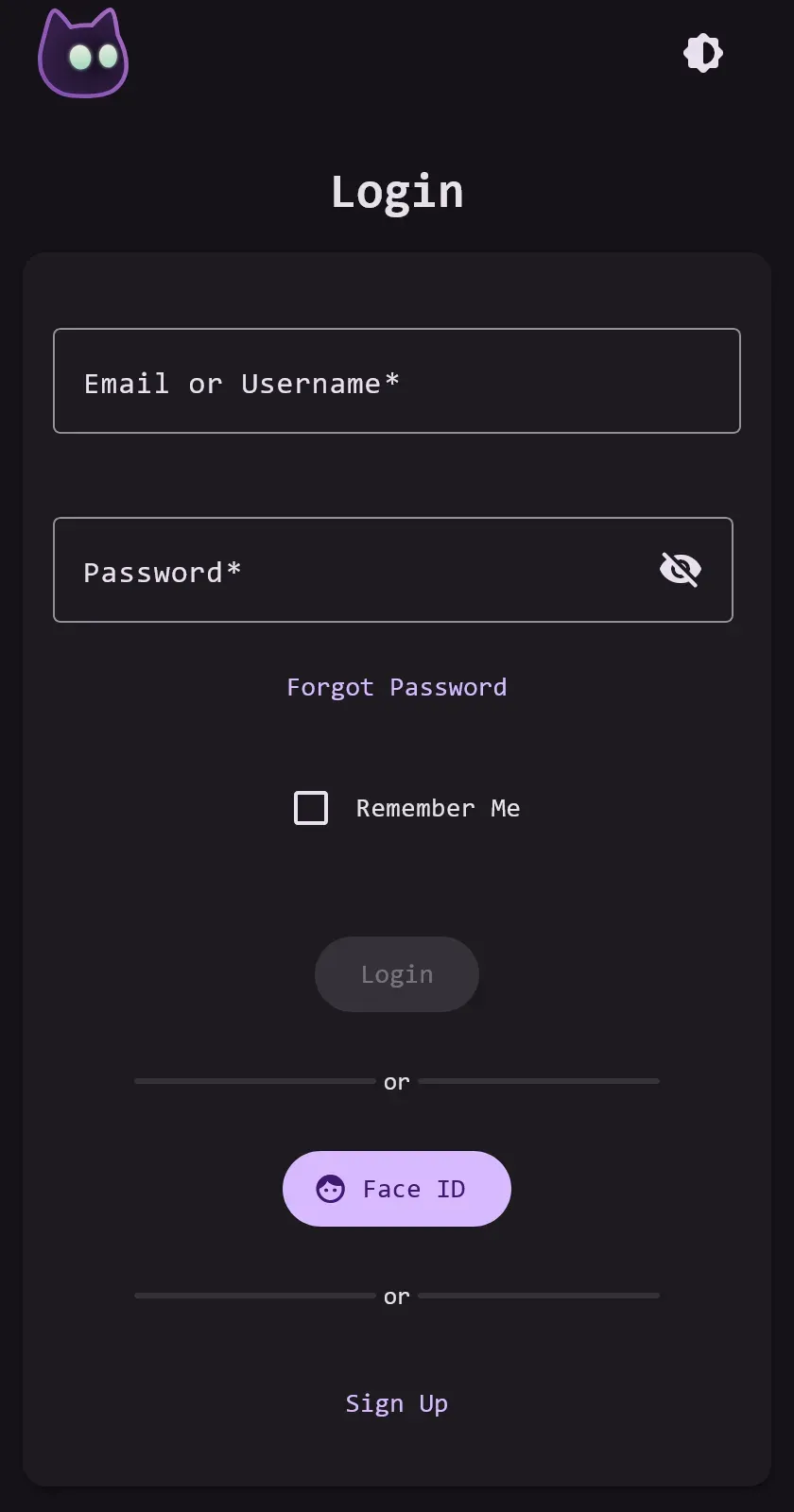
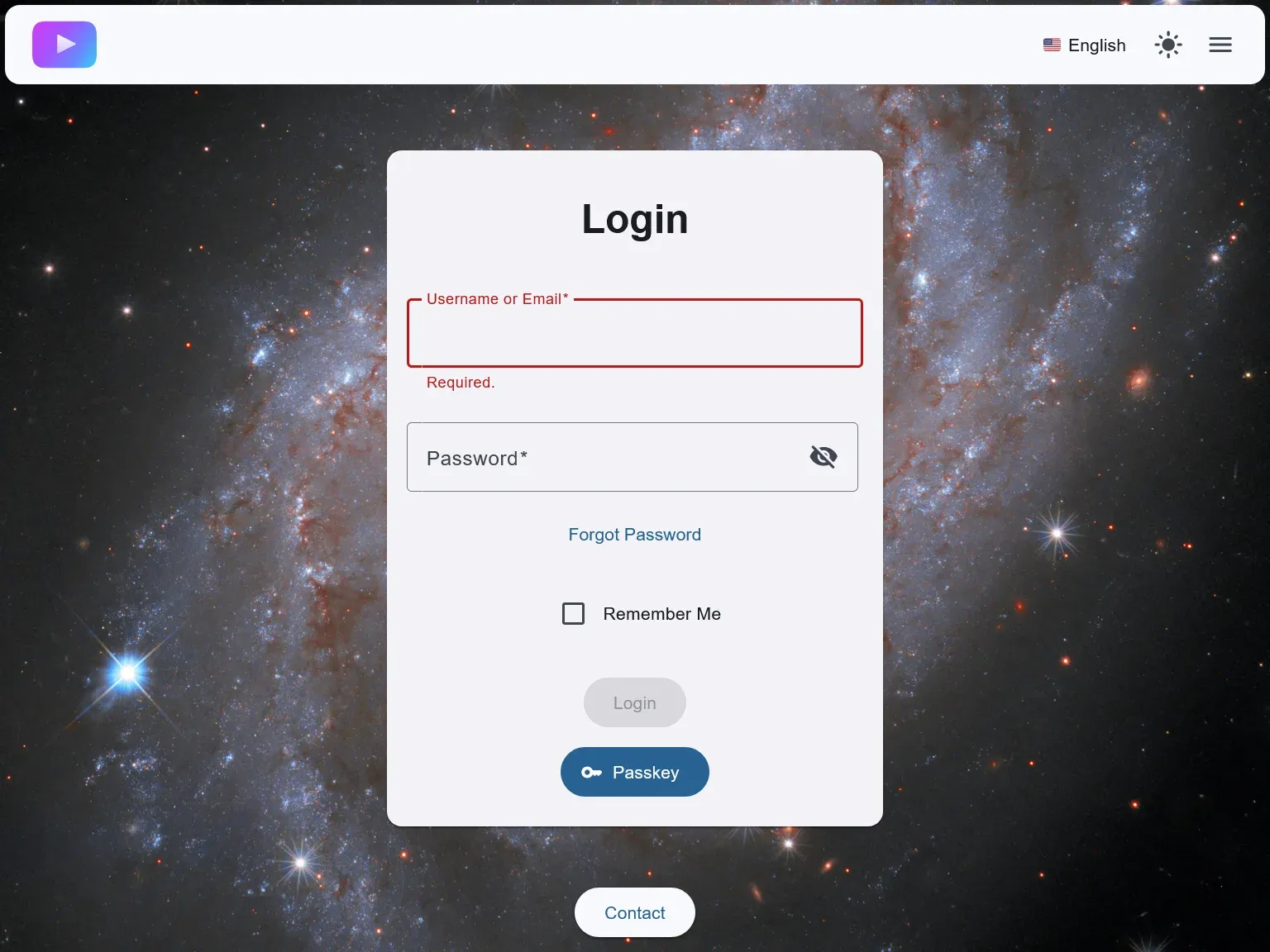
Official VoidAuth login portal screenshot with password and passkey sign-in, from the project README.
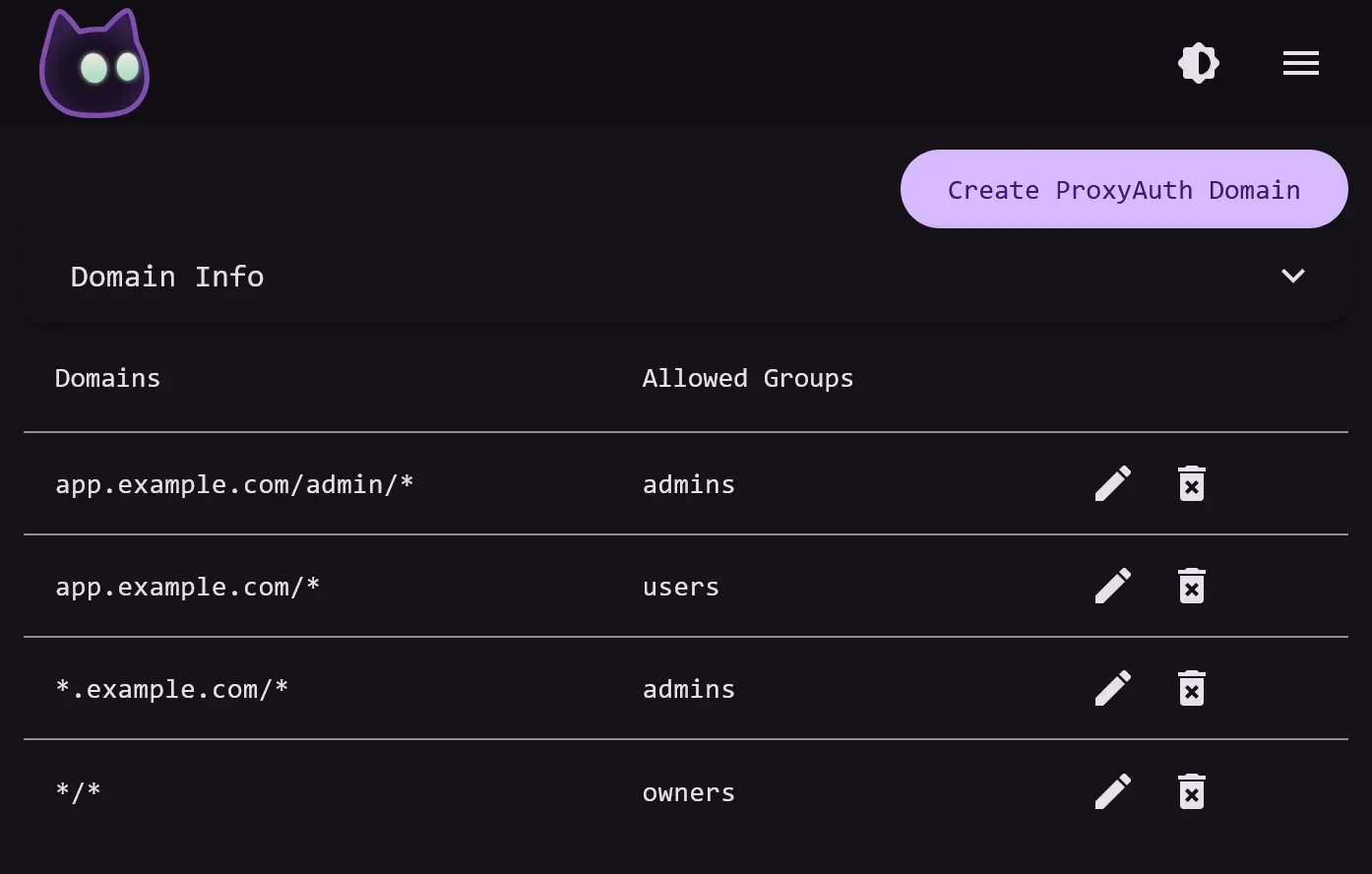
Official documentation screenshot of ProxyAuth Domain rules, matched from most specific to least specific.
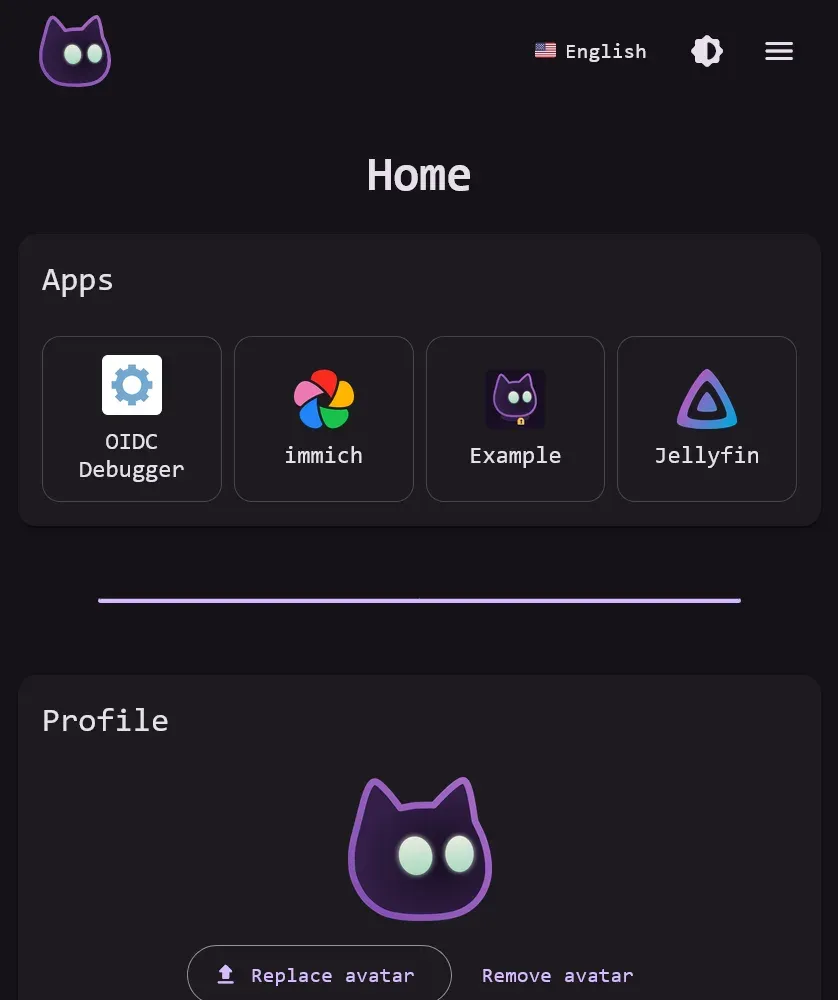
Apps section on the user home page, added in VoidAuth v1.19.0, from the official release notes.
Official documentation example of custom branding and light mode, with VoidAuth branding replaced.
Source: official VoidAuth project page.
Key capabilities
- OpenID Connect provider Administrators create OIDC Apps on the admin OIDC page with a client ID, client secret, redirect URLs, auth method (
client_secret_basic,client_secret_postornone), response types and grant types (authorization_code,implicit,refresh_token). Optional settings include display name, logo URL, allowed groups, Skip Consent and MFA Required. A drop-down panel lists the provider endpoints a client needs, including the well-known discovery, authorization, token, userinfo and logout URLs. Redirect and post-logout URLs accept wildcards, according to the OIDC setup guide. - Declared OIDC Apps OIDC Apps can also be declared through
OIDC_<client-id>_*environment variables or Docker labels such asvoidauth.oidc.<client-id>.client_secret. Declared apps are held in memory and take priority over apps with the same client ID created in the web interface. With the Docker socket mounted read-only, VoidAuth updates label-declared apps as containers on the same host start, stop and restart. Environment-declared client IDs cannot contain_, and label-declared client IDs cannot contain.. - Per-app setup guides The OIDC App Guides page holds community-written configurations for 31 applications, including Immich, Jellyfin, Mastodon, Paperless-ngx, Portainer, Proxmox PVE, Vaultwarden, Open WebUI, Unraid and Cloudflare Zero Trust. The README invites pull requests for applications that are not yet listed.
- ProxyAuth for reverse proxies For applications without OIDC support, VoidAuth exposes
/api/authz/forward-authfor Caddy and Traefik and/api/authz/auth-requestfor NGINX. The Proxies and ProxyAuth guide includes example configurations for Caddy, NGINX, NGINX Proxy Manager and Traefik. The reverse proxy asks VoidAuth whether the user is signed in and allowed, and VoidAuth answers with 200, a redirect to its login page, or a 403 forbidden page. - ProxyAuth Domains and wildcard rules Protected domains are entered on the admin ProxyAuth Domains page with allowed groups. A request is checked against the first matching entry from most specific to least specific, so
app.example.com/admin/*can require a different group thanapp.example.com/*. A*/*entry covers any domain not matched elsewhere. The documentation warns that a domain with no group assigned is open to any signed-in user. - Trusted Header SSO When ProxyAuth allows a request, VoidAuth sets
Remote-User,Remote-Email,Remote-NameandRemote-Groupsheaders. Applications that accept trusted headers can use them to sign the user in. Besides the session cookie, ProxyAuth can identify a user through Basic Auth in theProxy-AuthorizationorAuthorizationheader. - Read-only LDAP directory (experimental) When
LDAP_ENABLEDis set, VoidAuth serves an LDAP directory on port 3890 backed by its users and security groups, with users underou=peopleand groups underou=groups. Bind uses the VoidAuth password; users who would need MFA cannot complete an LDAP simple bind. LDAPS is available with a PEM certificate and key, and the LDAP Server page marks the feature as experimental and read-only. - Invitations instead of account creation Administrators do not create users directly; they create invitations. An invitation can pre-fill the username, email, profile fields and initial security groups, and the link is shown in the interface or sent by email when SMTP is configured. Invited users choose their own password and are approved automatically. An optional default expiry for new users can be set with
DEFAULT_USER_EXPIRES_IN. - Self-registration with approval Setting
SIGNUP=trueadds a Sign Up option to the login page. By defaultSIGNUP_REQUIRES_APPROVALis true, so new accounts wait for an administrator. Password strength is scored with zxcvbn-ts, with a minimum level set byPASSWORD_STRENGTH(default 3, range 0 to 4). - Users, security groups and custom claims The admin Users page edits profile details, groups, email verification, approval status and custom claims. Security groups control access to OIDC Apps and ProxyAuth Domains, can require MFA and can be assigned automatically to new users. Members of
auth_adminsare VoidAuth administrators. Custom claims set on users or groups are added to OIDC tokens and userinfo responses, with values parsed as JSON where possible, as described on the User Management page. - Passkeys, TOTP and MFA policies Users can sign in with a password or a passkey (Face ID, Windows Hello and similar), and since v1.1.0 accounts can be passkey-only. Authenticator codes and passkeys serve as second factors. MFA can be required globally with
MFA_REQUIRED, per security group, or per OIDC App or ProxyAuth Domain. Users can register additional passkeys, including on external devices, from the Security tab of their profile. - Email and password resets With SMTP settings, VoidAuth sends invitations, password reset links, email verification messages, approval notices and admin notifications. Email templates are EJS files in
/app/config/email_templates; edited copies must drop the.defaultsuffix because default files are rewritten on each start. Administrators can create, copy, send or delete password reset requests from the admin Password Resets page. - Branding and customization
APP_TITLE,APP_COLORandAPP_FONTchange the title, theme color and font. Logo, favicon, apple-touch-icon and background images placed in/app/config/brandingreplace the defaults, and acustom.cssfile adds styling. The documentation states that these options are enough to remove end-user references to VoidAuth branding. - PostgreSQL or SQLite with encryption at rest
DB_ADAPTERselectspostgres(default) orsqlite. Secret values such as keys and OIDC client secrets are encrypted withSTORAGE_KEY, which must be at least 32 characters, andSTORAGE_KEY_SECONDARYsupports key rotation. Themigratecommand copies data between databases of either type without altering the source, according to the Database Migration page. - Docker installation The documented setup is a Docker Compose file with the
voidauth/voidauthimage, a/app/configbind mount and, for PostgreSQL, apostgres:18service. Required variables areAPP_URL,STORAGE_KEYand the database settings. On first start the logs contain a password reset link for the initialauth_adminaccount. - Command-line tools Running the image with arguments provides
serve(default),migrate,generate randomfor 192-bit random values,user mfa enable|disableanduser password-resetfor generating a reset link. Commands are usually run asdocker compose run voidauth <command>, as listed on the CLI Commands page. - Proxy trust and rate limiting
TRUSTED_PROXIES(added in v1.15.0) defines which sources may set X-Forwarded headers; by default it trusts loopback, link-local and unique-local ranges. State-changing requests are limited per IP address byAPI_RATELIMIT, 60 per minute by default. File uploads, or only user avatar uploads, can be disabled with environment variables. - User home page and apps list The default user page shows profile settings, email, password, passkeys and, since v1.19.0, an Apps section listing OIDC Apps with an App Home URL that the user can access. Users can upload avatars unless uploads are disabled. A login option called Remember Me keeps password sessions for up to one year.
Where VoidAuth fits
Single sign-on for OIDC-capable self-hosted apps
An administrator creates an OIDC App in VoidAuth with the client ID, secret, redirect URL and auth method required by the application, then enters the VoidAuth issuer or discovery URL in that application. Security groups on the OIDC App limit which users may sign in, and the groups scope sends group membership with the tokens for applications that use it for their own roles. The OIDC App Guides list the settings used for applications such as Immich, Jellyfin and Proxmox PVE.
Protecting apps without built-in login behind a reverse proxy
For an application with no OIDC support, the reverse proxy is configured to call VoidAuth before forwarding each request: Caddy forward_auth or Traefik forwardAuth to /api/authz/forward-auth, or NGINX auth_request to /api/authz/auth-request. The domain is then added to the ProxyAuth Domain list with its allowed groups. Applications that support trusted headers can read Remote-User and Remote-Groups to identify the user, as described in the ProxyAuth guide.
Onboarding family members, friends or a small team
New accounts are created through invitations. The administrator fills in a username or email and initial groups, then sends the generated link by email or another channel. The recipient sets a password and can add a passkey. When open self-registration is preferred, SIGNUP enables a Sign Up form, and accounts stay unapproved until an administrator approves them unless approval is turned off.
Requiring passkeys or a second factor for sensitive services
MFA can be enforced for everyone, for members of a security group, or only for a specific OIDC App or ProxyAuth Domain. Users without a second factor are offered setup on the MFA page during sign-in. Accounts can also be passkey-only. The voidauth user mfa command enables or disables MFA for a user from the command line.
Serving LDAP clients from the same user base
Services that only support LDAP can bind against the experimental read-only directory. Users and groups are exposed as inetOrgPerson and groupOfNames entries, and filters such as memberOf select group members. Account and group changes are still made in VoidAuth, and the LDAP client guides include a Jellyfin example.
Presenting a branded sign-in portal
The sign-in, invitation and profile pages can carry an own title, theme color, font, logo and background image, and email templates can be rewritten in EJS. A CONTACT_EMAIL setting adds Contact links to end-user pages. The Configuration page also documents an experimental multi-domain setup in which several VoidAuth instances share one database to protect separate domains with the same accounts.
Reviews of VoidAuth
Be the first to share your experience with VoidAuth.
Write a review
Loading review form…
Alternatives to VoidAuth
 authentikauthentik is a self-hostable identity provider for single sign-on. It supports OAuth2 and OIDC, SAML, LDAP, RADIUS and SCIM, with flows, policies and outposts. Free open-source edition, paid Enterprise tiers.
 Pocket IDSelf-hosted OpenID Connect provider with passkey-only sign-in, groups, LDAP sync, SCIM, a REST API and an app dashboard. Runs as one Docker container or binary with SQLite or PostgreSQL, under the BSD 2-Clause license.
 KeycloakApache-2.0 identity and access management server from the CNCF: single sign-on, social login, identity brokering, LDAP and Active Directory federation, MFA and passkeys, organizations and fine-grained authorization, self-hosted on Java.