

What is WorkAdventure?
WorkAdventure is a web application that presents a virtual office, event venue or campus as a 16-bit style game map. Each user moves an avatar, called a Woka, and an audio and video conversation opens automatically when Wokas stop next to each other. The project describes uses such as digital workplaces, onboarding, trainings, recruitment and internal or external events, on desktop, mobile or tablet browsers. The source code is published on GitHub, and the company runs a hosted version at workadventu.re. According to the license notice in the repository, the software is developed and owned by TheCodingMachine; the GitHub repository was created in April 2020.
The hosted service is sold in plans listed on the pricing page: a Free plan for up to 10 people connected at once, an Event plan from 4 euros per user per day and a Business plan from 8 euros per user per month, with self-hosting support for enterprises handled through sales. The website states that all of its services are hosted in the EU. For self-hosting, the maintainers support two installation methods: Docker Compose and a Helm chart for Kubernetes, described in the production setup guide. Release v1.34.5 also ships desktop builds: a Windows installer, a macOS arm64 DMG and a Linux x86_64 AppImage of an Electron shell that loads a remote WorkAdventure world.
The current release is v1.34.5, published October 27, 2026, a bug fix that lets text messages through when a chat exceeds the file transfer user limit. Version 1.34.4 enforced edit permissions on map editor entity commands and file uploads. Version 1.34.3 added peer-to-peer file transfer inside a discussion bubble, routing of every sound to the selected speaker and longer OpenID Connect sessions. Version 1.34.2 rebuilt the agenda and to-do panels and turned noise suppression on by default. Version 1.34.1 introduced DeepFilterNet3 noise reduction and an optional front container, and 1.34.0 added raise hand, in-game kick and ban, and Vietnamese and Thai translations.
The code base is written mainly in TypeScript. The production Docker Compose file starts a Traefik reverse proxy with Let's Encrypt certificates, a play container (Node.js) that serves the game and handles WebSocket connections, a back container that shares room information, a map-storage container for hosted maps and map editing, an icon container and a Redis server that stores Scripting API variables. Audio and video use WebRTC: conversations of up to 4 people are peer-to-peer, larger ones go through LiveKit, Coturn relays traffic for restrictive networks, and Jitsi Meet remains an option for large meeting rooms. Matrix chat through a Synapse server, which Matrix clients such as Element can also use, and OpenID Connect sign-in are optional components.
The main packages carry the GNU Affero General Public License version 3 with a Commons Clause license condition, which withholds the right to sell a product or service consisting entirely or substantially of the software. The admin API documentation summarises this as "AGPL-3 restricted by the commons clause" and says special licenses are available on request; the license notice adds that a WorkAdventure Enterprise edition can be licensed under separate commercial terms. The JavaScript Room API client is published under the MIT license, and bundled fonts and tilesets carry their own license or credit files.
WorkAdventure screenshots
Explore the interface. Open a screenshot to view it at full size.
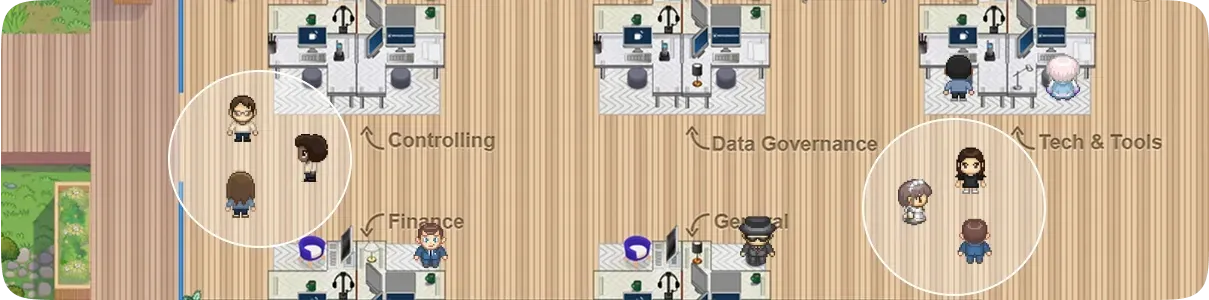
Official WorkAdventure image of a virtual office map with labelled team areas and two discussion bubbles.
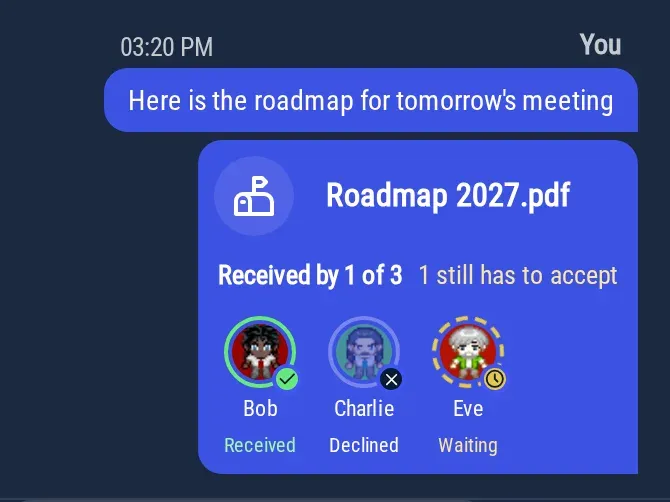
Peer-to-peer file transfer in a discussion bubble, from the WorkAdventure 1.34.3 release notes.
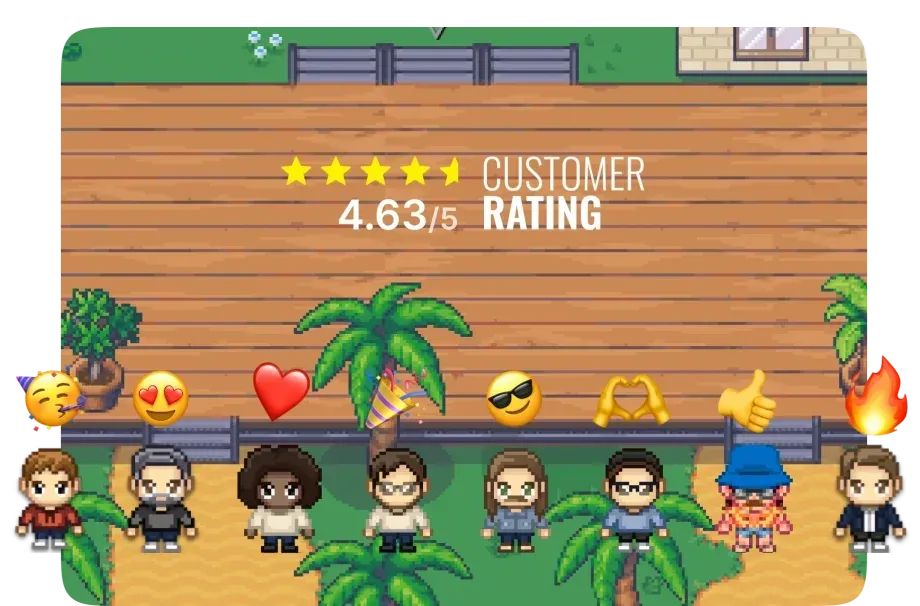
Official WorkAdventure website image of avatars with emoji reactions on a map, shown with the company's own customer rating figure.
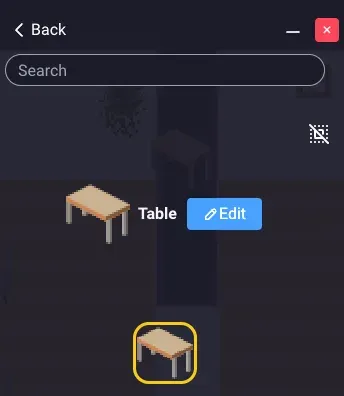
Entity editor of the inline map editor, from the WorkAdventure map building documentation.
Source: official WorkAdventure project page.
Key capabilities
- Proximity discussion bubbles When a Woka stops next to another, a bubble opens with audio, video and a text chat for the people inside it, and closes when only one person is left. A bubble holds up to 4 people by default, and the administrator can change that number; a full bubble turns red. Participants can lock a bubble so that nobody else joins, and the bubble documentation lists the statuses and zones that prevent a bubble from forming.
- WebRTC media with LiveKit, Coturn and Jitsi Streams are peer-to-peer below 5 participants; above that, LiveKit manages the audio and video streams, and without it conversations cannot exceed 4 people. Coturn relays the WebRTC signal for users on networks that block peer-to-peer connections, and the self-hosting guide states that about 15 percent of users fail to connect without it. Jitsi is optional and can host large meeting rooms instead of LiveKit.
- Meeting rooms, podiums and the megaphone Map areas can open a meeting room when a user enters, and rooms with the same name on one map act as one large room. Options include starting with the microphone muted or video closed, disabling the chat, allowing raised hands and a moderator tag. Podium and audience zones and the megaphone cover events where a few people speak to many listeners, and areas can also open Jitsi or BigBlueButton rooms.
- Inline map editor Users with the admin or editor tag get a map editor in the action bar. The entity editor places furniture and objects that can be made interactive, and the area editor defines zones with properties such as entry and exit, lockable area, restricted area, personal area, maximum users, silent zone, play sound, open link, open file, focusable camera and Matrix chat zone. Several users can edit a map in real time, while floors and walls still require Tiled.
- Tiled maps and the map starter kit Maps built from scratch use the Tiled editor together with the official map starter kit, which contains a default office tileset, a local web server, TypeScript support and upload tools. Node.js is required to test and upload a map. Maps can be published to WorkAdventure hosting, GitHub Pages or any properly configured HTTP server, as described in the map building documentation.
- Map Scripting API Scripts written in JavaScript or TypeScript are referenced from the map's script property or run inside an iframe. Reference pages cover the camera, chat, controls, events, map editor, metadata, navigation, player, players, room, sound, spaces, state and UI APIs. Scripts run in the browser of the current user only; shared behaviour uses room variables, player variables or events, as explained in the scripting documentation.
- Room API for external services A gRPC Room API lets an outside service set, read and track room variables and exchange events, authenticated with an API key. The
@workadventure/room-api-clientnpm package wraps it, targets the official server by default and accepts a domain and port for a self-hosted instance. The Room API documentation explains how to obtain a key. - Admin API for self-hosted instances Self-hosters can implement their own admin API to connect WorkAdventure to a user database, give users tags with special privileges, create rooms dynamically and serve readable room URLs. The play service calls the admin API, not the reverse. Without an admin API, WorkAdventure uses a built-in list of Wokas and anonymous or OpenID users.
- OpenID Connect sign-in WorkAdventure connects to any OpenID Connect compliant provider using the Authorization Code flow with PKCE. Environment variables set the issuer, client ID and secret, scopes and the claims used for the username and locale. Since 1.34.3, a refresh token obtained with offline access renews the session instead of forcing a new login when short-lived tokens expire.
- Matrix chat with Synapse An optional Synapse server provides persistent chat rooms and messages to people who are not in the same bubble or are offline. WorkAdventure and Synapse must use the same OpenID Connect provider with separate client applications, and a Synapse administrator account lets WorkAdventure create rooms and invite users. The Matrix Authentication Service is not yet supported, according to the Matrix integration guide.
- Chat, polls and file sharing The proximity chat and chat rooms support polls with up to 20 answers and visible or hidden results, plus a Questions feature for collecting audience questions during a meeting. Since 1.34.3, up to 3 files at a time can be sent to people in a bubble over an encrypted peer-to-peer WebRTC connection, with a limit of 1 GB per file. File transfer is disabled in a chat with more than 10 people, a value self-hosters can change with
PROXIMITY_FILE_TRANSFER_MAX_USERS. - Screen sharing and meeting tools The screen sharing button appears in a bubble once someone joins, in meeting rooms, and for speakers on a podium or megaphone. Several people can share at the same time, and tab audio sharing works in Chrome and Edge only. Other documented tools include raise hand, availability statuses such as Busy and Do not disturb, picture-in-picture, global messages and a user list.
- Meeting recording Self-hosted instances can record meetings through LiveKit Egress, with recordings uploaded to an S3-compatible bucket such as AWS S3, RustFS, DigitalOcean Spaces or Cloudflare R2 and served through signed URLs. Recording requires OpenID Connect authentication. The recordings list shows an expiry date 3 months after recording, but WorkAdventure does not delete files itself; deletion depends on a lifecycle rule on the bucket.
- Moderation Administrators can mute audio or turn off video for a participant or everybody, and since 1.34.0 can kick and ban users from inside the game. Kicking works with any logged user carrying the admin tag, while banning requires an admin API because it stores state. Regular users can block or report another person from the video menu.
- Calendar and to-do integration When a world is connected to a Google or Microsoft calendar, the agenda panel rebuilt in 1.34.2 shows the next 7 days, pins the current or next meeting and shows reminder cards from 5 minutes before a meeting. Go there walks the Woka to a WorkAdventure meeting room, while Join opens external meetings such as Google Meet, Teams or Zoom in a new tab. The to-do panel sorts tasks across lists by due date.
- Audio processing Noise suppression is on by default since 1.34.2 and uses the DeepFilterNet3 model introduced in 1.34.1, with the previous DTLN model still selectable. If the computer cannot keep up, WorkAdventure falls back to the browser's own noise reduction. Since 1.34.3, the selected audio output applies to voices and to bubble, chat, map and script sounds, with some sounds routable only in Chrome and Edge.
- Docker Compose deployment The production compose file and
.env.prod.templaterun on one server with root access and Docker, behind a domain name, because WebRTC requires HTTPS with a valid certificate. The Docker Compose guide states that a server with 2 CPUs and 4 GB of RAM can host up to 300 concurrent users, while LiveKit and Coturn need more resources. LiveKit, Coturn, Jitsi and Synapse are installed separately. - Helm chart for Kubernetes The Helm chart in
contrib/helmis versioned with the WorkAdventure release it installs. The maintainers state that values files are not guaranteed to stay backward compatible between minor versions. Since 1.34.1, settingfront.enabled=trueadds the optional front container that serves static assets and keeps older asset versions for 60 days. - Desktop application The desktop app is an Electron shell that loads a remote WorkAdventure world in tabs restricted to an allow-list of origins. It adds login through the system browser,
workadventure://joindeep links, a native picture-in-picture mini window, global mute and camera shortcuts and a tray icon. Release v1.34.5 includes a Windows setup executable, a macOS arm64 DMG and ZIP, and a Linux x86_64 AppImage. - Hosted plans The SaaS Free plan allows up to 10 people connected at once with no time limit and includes map templates, the map editor, embedded apps and one AI bot. Event and Business plans are priced per user, per day or per month, according to the concurrent capacity chosen. The website lists integrations with Microsoft Teams, Google Workspace, Slack, Discord, Element, Zapier and n8n.
Where WorkAdventure fits
Running a persistent virtual office
A team gets a map with desks, meeting rooms and common areas, and members move their Wokas to talk to colleagues without scheduling a call. Discussion bubbles hold up to 4 people by default and can be locked, while statuses such as Busy or Do not disturb keep others from pulling a user into a conversation. Meeting room areas give recurring meetings a fixed place on the map, and the agenda panel can walk a Woka to the room of a calendar meeting.
Hosting events, conferences and job fairs
The website describes networking sessions, product launches, conferences, workshops, hackathons and career fairs as event uses. Podium and audience zones and the megaphone let a few speakers address many listeners, raised hands let speakers grant the right to speak, and meeting rooms can be configured to start with microphones muted. The Event plan of the hosted service is billed per user per day.
Building and customising maps
Administrators and editors arrange furniture, interactive objects and areas with the inline map editor directly in the browser, with several people editing at once. New maps, floors and walls are drawn in Tiled starting from the map starter kit, tested locally with Node.js and published to WorkAdventure hosting, GitHub Pages or another HTTP server. Area properties connect map zones to websites, files, sounds, Jitsi rooms and Matrix chat rooms.
Adding interactive behaviour with scripts
The Map Scripting API supports onboarding scenarios that show popups to first-time visitors, non-player characters that respond in chat, and interactions between an embedded website and the map. Scripts run in each user's browser, so shared state relies on room variables, player variables and events. External services can read and change the same variables, or send events, through the gRPC Room API and its npm client.
Self-hosting on company infrastructure
Organisations deploy WorkAdventure with the maintained Docker Compose file or the Helm chart, behind a domain name with HTTPS. The documented setup adds LiveKit and Coturn servers, optional Jitsi, Synapse for persistent Matrix chat and an OpenID Connect provider for sign-in. A custom admin API connects the instance to an existing user database and assigns tags, and LiveKit Egress with S3-compatible storage enables meeting recording.
Joining from the desktop app
Users who prefer an installed client run the Electron desktop app on Windows, macOS on Apple Silicon or Linux. It loads the same remote world as the browser, signs in through the system browser and opens workadventure://join links. Global mute and camera shortcuts, a tray icon and a picture-in-picture mini window keep conversations reachable while other applications are in focus.
Reviews of WorkAdventure
Be the first to share your experience with WorkAdventure.
Write a review
Loading review form…
Related to WorkAdventure
 ElementElement is the open-source Matrix client from Element Creations for browsers, Windows, macOS and Linux. It connects to any Matrix homeserver, encrypts DMs and private rooms by default and can be self-hosted as static files, a Debian package or a Docker image.
 MattermostMattermost is an open core, self-hosted collaboration platform with channels, threads, playbooks, boards, audio calls and AI agents. It runs on Go and PostgreSQL, with a free Entry mode and paid plans sold by quote.